3 Workflow: Build your own codebase knowledge builder
The chapter introduces a practical workflow for understanding large, unfamiliar codebases with an LLM, showing why casual chat works for small projects but breaks down once a repository grows beyond what fits in context. Instead of relying on ad hoc questions, the reader builds a Codebase Knowledge Builder that reads the whole repo, identifies the most important concepts, and turns them into a structured learning path. The payoff is striking: a massive project like VS Code can be distilled into a compact set of core abstractions and a readable tutorial for just a few dollars in API calls.
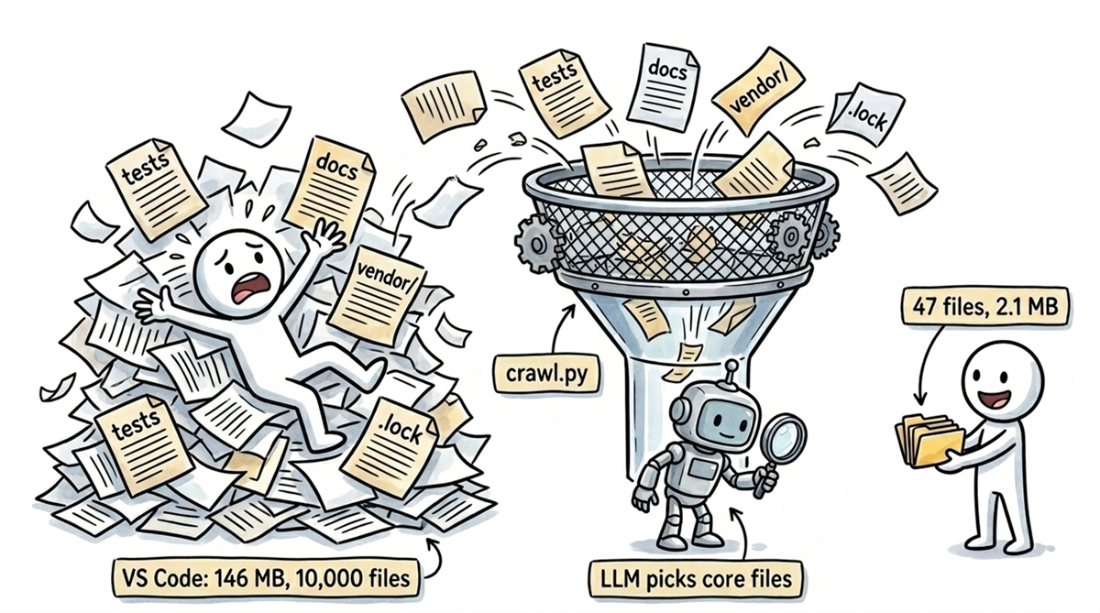
The workflow starts by deciding what the model should see. A two-phase crawl first removes obvious noise such as tests, docs, lock files, vendored code, and oversized files, then asks the LLM to triage file previews and select the small slice of code that actually reveals the architecture. The chapter emphasizes that the bottleneck is usually not the model’s intelligence but the quality of the input, and it gives simple rules for choosing representative files: start from entry points, include concrete implementations, pick one example from repeated patterns, and skip plumbing that does not explain the project’s unique structure.
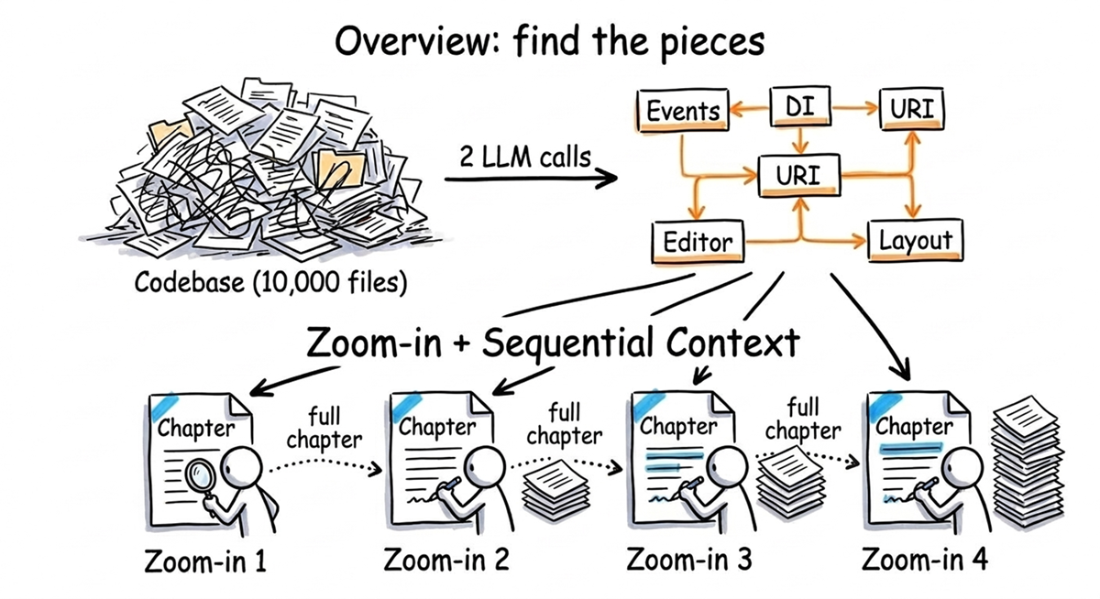
Once the right files are selected, the workflow uses an overview-then-zoom-in pattern. One call produces a machine-readable YAML summary of the core abstractions and their learning order, another maps relationships between them, and subsequent calls write one chapter per abstraction while carrying forward the text of previous chapters for continuity. A swappable instructions file controls the style and purpose of the output, so the same underlying analysis can become a beginner tutorial, an architecture review, a security audit, or an onboarding guide. The result is a reusable understanding engine: small, bounded LLM calls, structured output, and domain-specific prompts combine to turn a huge repository into a coherent, shareable explanation.
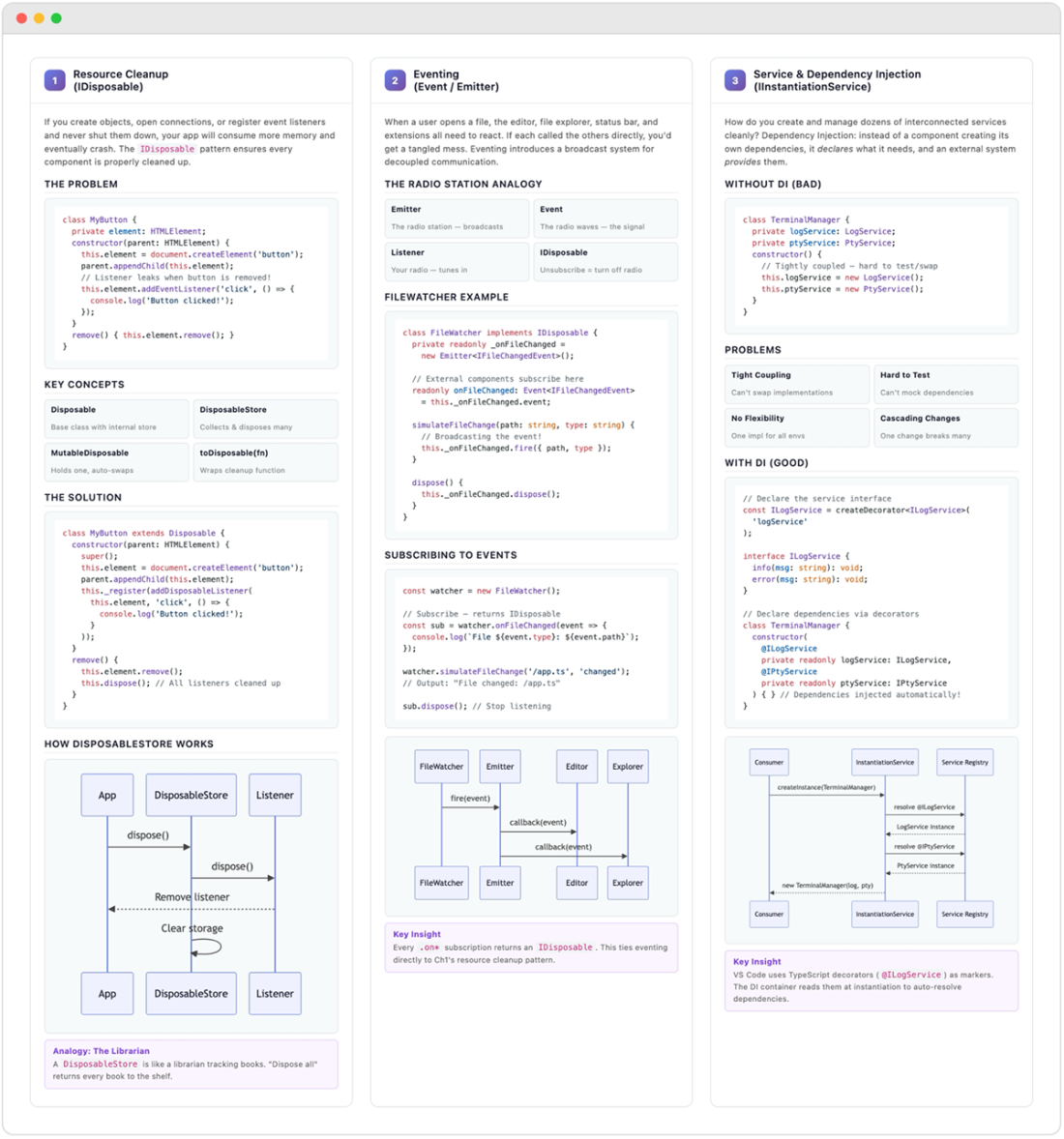
For about $2 in API calls, the Codebase Knowledge Builder analyzes VS Code's 10,000 files to generate a 10-chapter tutorial, complete with dependency diagrams, cross-references, and a clear learning order.
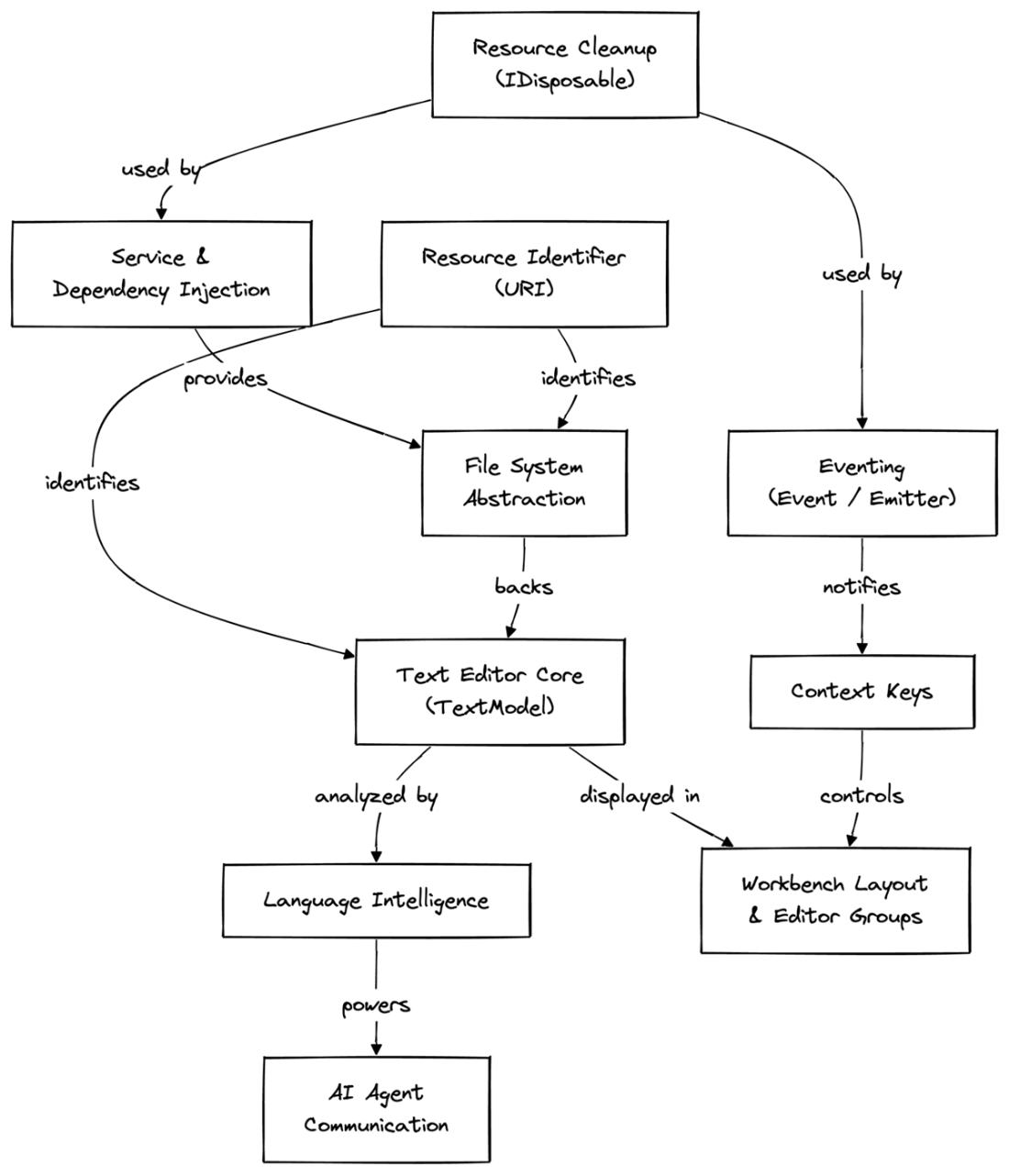
The ten core abstractions in VS Code, distilled from 10,000 files. The arrows show a recommended learning path, starting with foundational code like Resource Cleanup and ending with visible UI like the Workbench Layout.
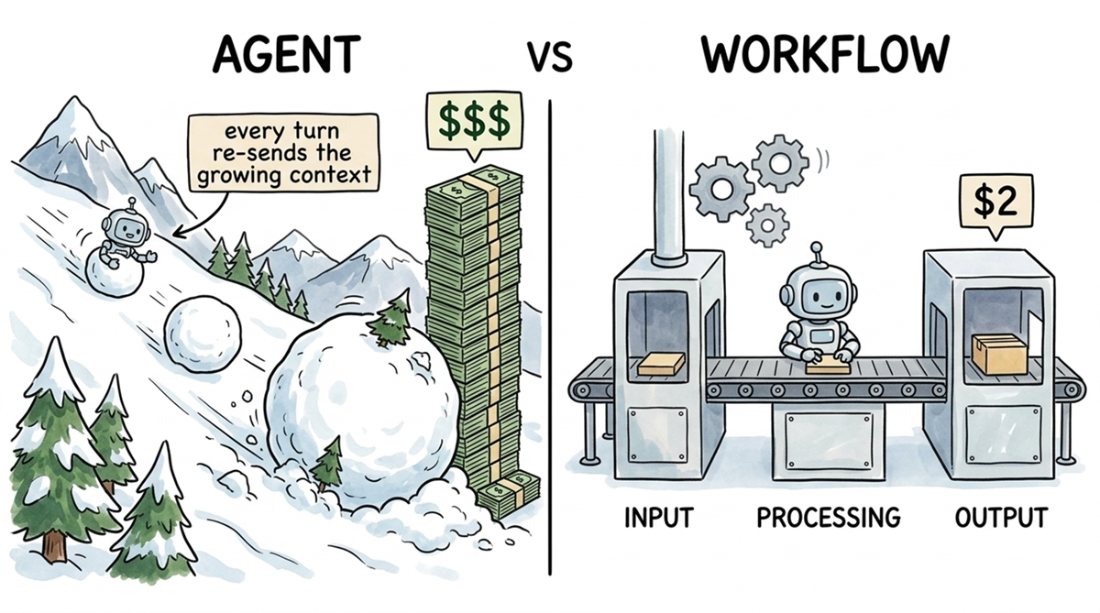
An agent's cost snowballs because it re-sends a growing context with each call; a workflow makes a handful of bounded calls with fresh contexts, keeping the VS Code tutorial's total cost around $2.
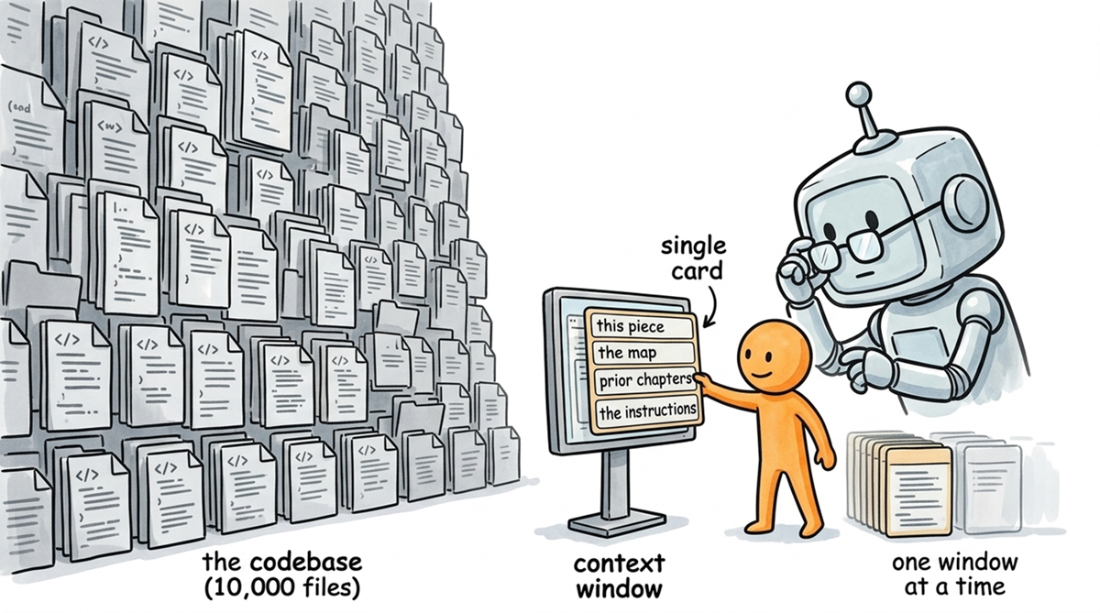
A workflow programs the LLM's context window: the small, fixed amount of text it can read at once. The whole codebase never fits, so the workflow's only job is to choose what to pack into that window before the model sees it.
A two-phase filter reduces the VS Code repo from 146 MB (10,000 files) to 2.1 MB (47 files): crawl.py first prunes tests, docs, and vendored code, then an LLM selects the files most relevant to the architecture.
The overview-then-zoom-in pattern: one LLM call identifies the core abstractions from the full codebase, and a sequence of separate calls writes a chapter for each one. Every call receives the previously generated chapters as context, allowing the analysis to build on itself.
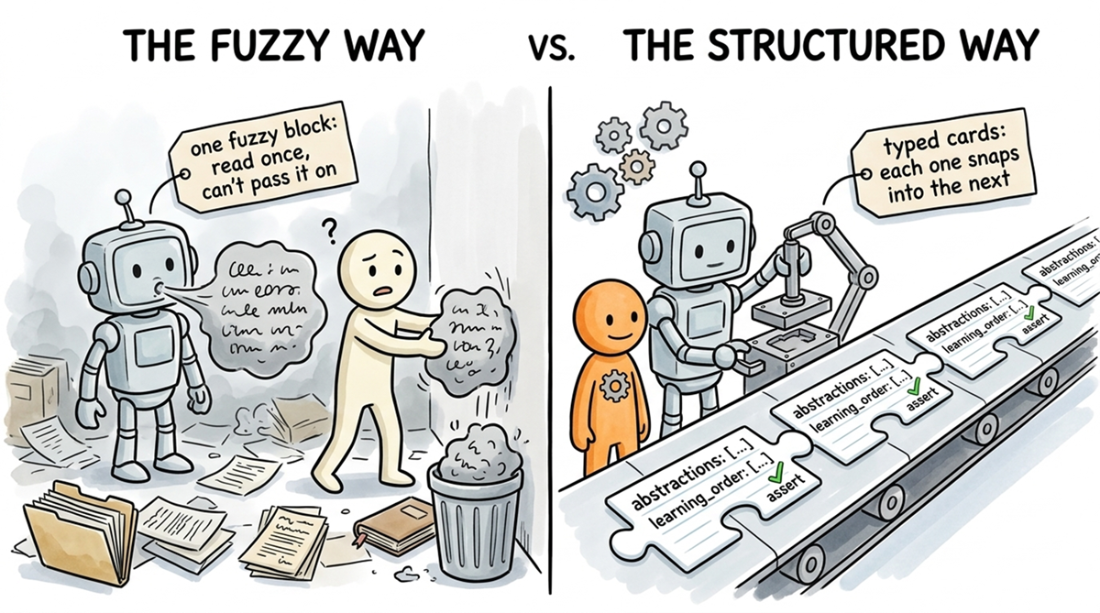
Forcing an LLM to return a schema instead of prose lets you validate the output and chain calls into a pipeline, turning an unpredictable model into a reliable function.
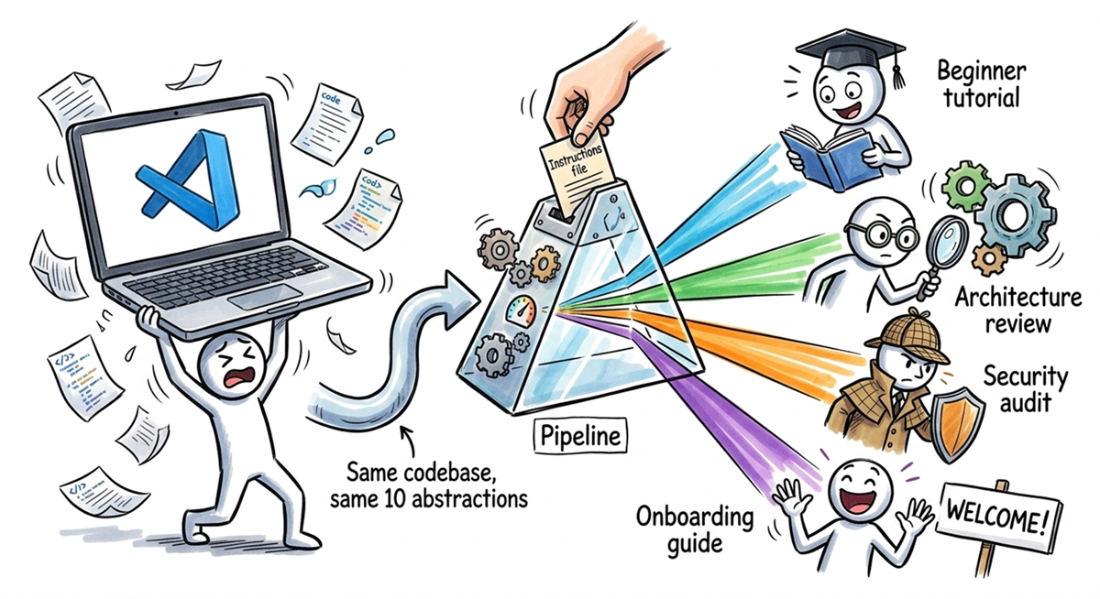
From the same ten VS Code abstractions, four different instruction files produce a beginner tutorial, an architecture review, a security audit, and an onboarding guide.
Summary
- A workflow is just a script that calls an LLM in a loop. The Codebase Knowledge Builder from this chapter is a 100-line Python script with no framework dependencies. It crawls a repository, identifies the core abstractions, and then generates a tutorial chapter for each one. The result is a finished, multi-chapter guide, complete with relationship diagrams, cross-references, and a logical learning path for any codebase.
- The context you provide matters more than which LLM you use. Most repositories fit into a modern context window once you strip out tests, documentation, and vendored code. For codebases that are still too large, use a preliminary LLM call to select the most important 0.1% to 2% of the files. That selection is guided by four heuristics: start at the entry points, pair interfaces with a concrete implementation, pick one example from a set of similar directories, and skip plumbing code.
- The core pattern is overview-then-zoom-in, which you will see in every chapter of this book. You use one LLM call for the high-level structure, then a separate call for each component to go deep. LLMs handle breadth and depth well, but not in the same prompt; asking for both at once produces output that's too shallow to be useful and too scattered to be coherent.
- Sequential context turns a series of independent LLM calls into a single, coherent tutorial. When writing chapter N, you feed the full text of chapters 1 through N-1 into the prompt. This gives the LLM the context it needs to create a flowing narrative with transitions and cross-references, rather than a collection of disconnected pages. Workflows are cheap and the quality difference is enormous, so don't skimp on tokens here.
- The instructions file is the most leveraged part of the pipeline and is where your domain knowledge lives. The same code, the same abstractions, and the same relationship analysis can produce a beginner tutorial, an architecture review, a security audit, or an onboarding guide just by changing the instructions. The engine you built here stays the same; Parts 2 through 5 give you layer-specific instructions for backends, frontends, libraries, and pipelines.
FAQ
What is the Codebase Knowledge Builder in Chapter 3?
It is a workflow that reads an entire repository, identifies its core abstractions, maps the relationships between them, and generates a readable tutorial plus an architecture diagram. Instead of chatting ad hoc with the LLM, it turns the codebase into structured learning material.
Why not just ask an LLM questions about a huge codebase directly?
Because on a large repo you usually do not know which questions to ask, and the whole project will not fit in the context window. The workflow automates discovery by choosing the important files and guiding the model through a systematic analysis.
How does the workflow keep a huge repo within the LLM context window?
It first prunes obvious noise such as tests, docs, lock files, vendored code, and very large files. Then it uses file previews and an LLM triage step to select only the small slice of files that matter for understanding the architecture.
What is the purpose of forcing YAML output from the LLM?
YAML makes the model’s answer machine-readable, so the script can parse it, validate it, and pass it to later steps. This turns fuzzy natural language into structured data that can drive the rest of the pipeline.
What does the overview-then-zoom-in pattern mean?
It means you first ask the LLM for a high-level map of the codebase, such as the main abstractions and learning order, and then you make separate focused calls to explore each abstraction in depth. This avoids shallow all-in-one summaries.
How does the builder decide which files are important?
It follows expert-style rules: start from entry points, include at least one concrete implementation, pick one representative example when there are many similar directories, and skip plumbing that does not explain the system’s architecture.
Why does the chapter recommend passing previous chapters into each new chapter prompt?
Because it makes each chapter aware of what has already been explained, so the tutorial reads like one continuous narrative instead of disconnected articles. The model can reuse analogies, reference earlier concepts, and create smooth transitions.
What is the role of the instructions file in this workflow?
The instructions file tells the LLM how to write each chapter. It encodes style and domain knowledge, such as opening with a problem, keeping code blocks short, using diagrams, cross-referencing chapters, and ending with a transition.
Can the same pipeline be reused for different kinds of output?
Yes. By swapping the instructions file, the same codebase analysis can become a beginner tutorial, architecture review, security audit, or onboarding guide. The code stays the same; only the lens changes.
What are the main steps in the full build pipeline?
The pipeline crawls the repository, analyzes it for core abstractions, maps relationships, writes one chapter per abstraction, and then outputs an index with the tutorial and Mermaid diagram. In the chapter’s example, this takes a few minutes and costs about two dollars on a budget model.

 Crack Any Codebase with AI ebook for free
