8 Building Effective Tests with Generative AI
Software testing is essential but often neglected under delivery pressure; this chapter shows how generative AI can turn that bottleneck into a productivity boost. By generating boilerplate, surfacing edge cases, and accelerating feedback loops, tools like GitHub Copilot, Tabnine, and BlackboxAI help teams produce more reliable, better-documented tests faster. While common criticisms of AI-generated code—lack of context, bugs, bias, and IP concerns—still matter, they carry less risk in unit tests, which are localized and simpler. With careful prompt design, balanced adoption, and normal code review, teams can safely use AI to build more tests in less time, improve coverage, and reduce human error.
The chapter is hands-on, contrasting Unittest and the increasingly favored Pytest, and showing how to steer AI (which often defaults to Unittest) toward Pytest with explicit prompts. It demonstrates building an isolated, in-memory SQLite database and promoting reuse through Pytest fixtures to avoid repetitive setup. A dialog-driven workflow is emphasized: start with a scaffold, refine prompts to include framework, file paths, fixtures, and edge cases, then iterate as the AI proposes tests. Practical hiccups—such as excluding SQLite’s internal sqlite_sequence table—are resolved with minor tweaks, while examples like counting records and validating get_question_set illustrate how AI suggestions, combined with developer judgment, yield meaningful, maintainable tests.
Comparative results show different strengths: Copilot quickly produces workable scaffolds but may misread intent without precise prompting; Tabnine shines with a test-plan workflow, strong context awareness, and swift conversion to Pytest when asked, plus flexible model choices for privacy; BlackboxAI impresses with accurate contextual understanding, generating functional Unittest and Pytest suites with minimal changes. The chapter closes with pragmatic guidance: select the tool that fits your constraints (ecosystem, privacy, accuracy), and follow a disciplined AI testing workflow—generate structure, review assumptions, add cases incrementally, target edge conditions, consolidate fixtures, and iterate with human oversight. Used this way, AI amplifies developer expertise and helps sustain quality as delivery speeds up.
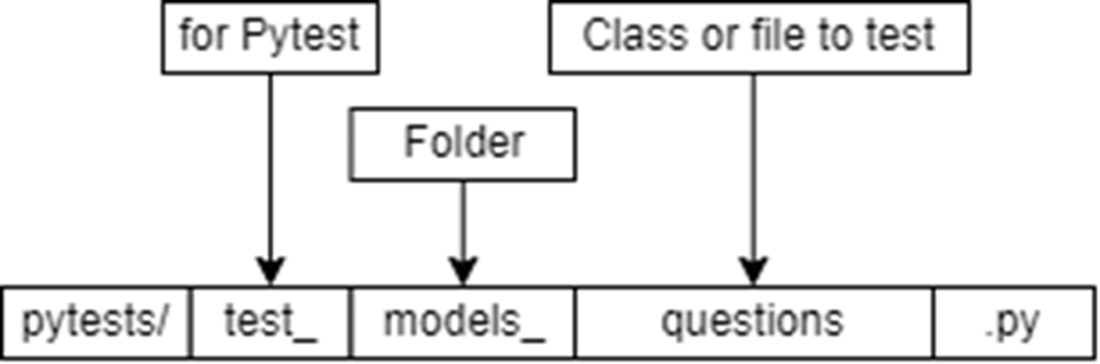
File naming convention to let Pytest know it’s a test, and let the developer know what the test is intended to do.
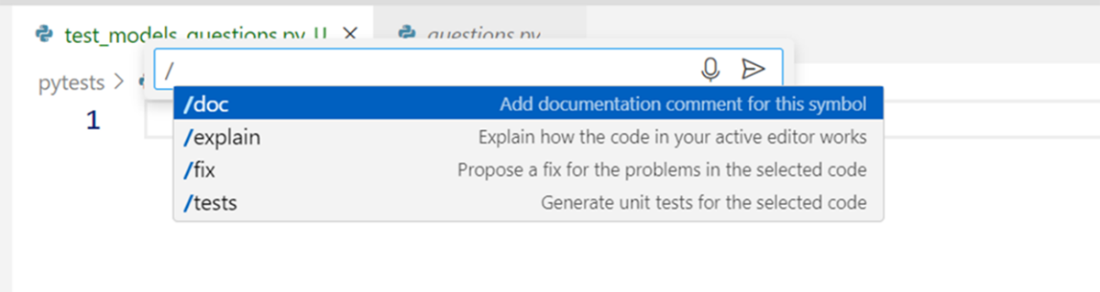
Copilot offers a hint for how to open a chat with Copilot, or you can start typing. This gives you two options for calling Copilot.

You can type in a prompt if you want to communicate with Copilot directly from the IDE. This is a good way to send specific requests.

There are a set of commands with Copilot that are shortcuts for common features. Rather than type a prompt for code generation you can type one of these commands.
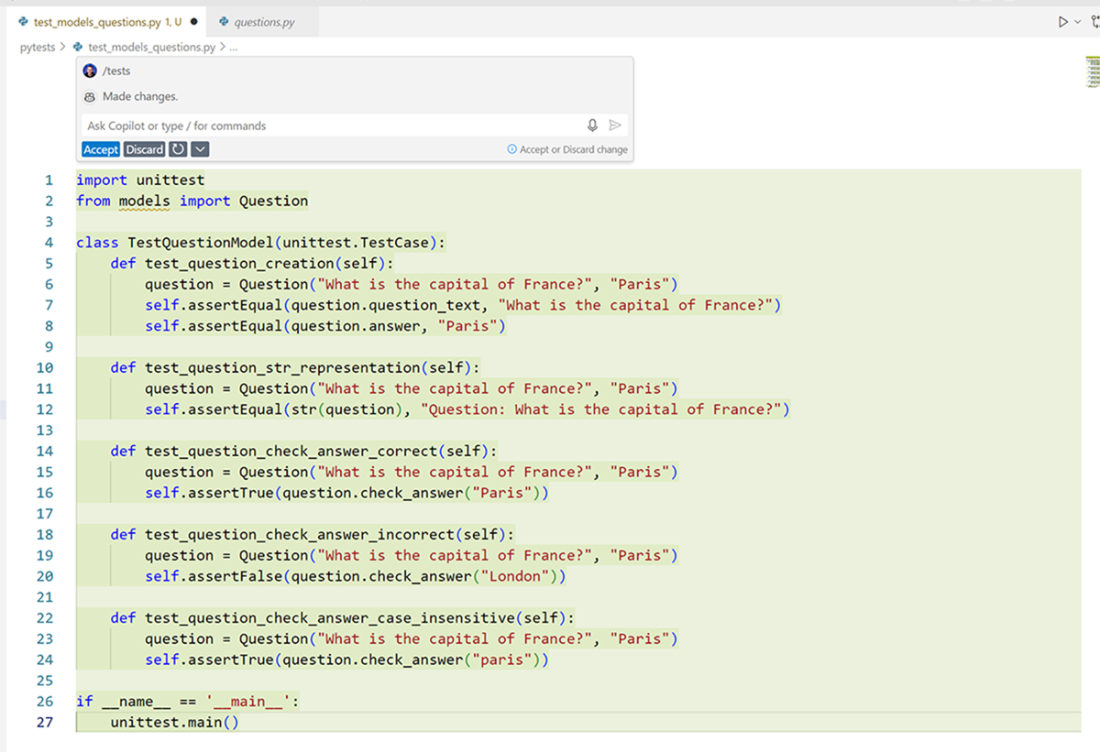
When running /test in the prompt window, Copilot assumed I wanted unittest tests for this, instead of Pytest.
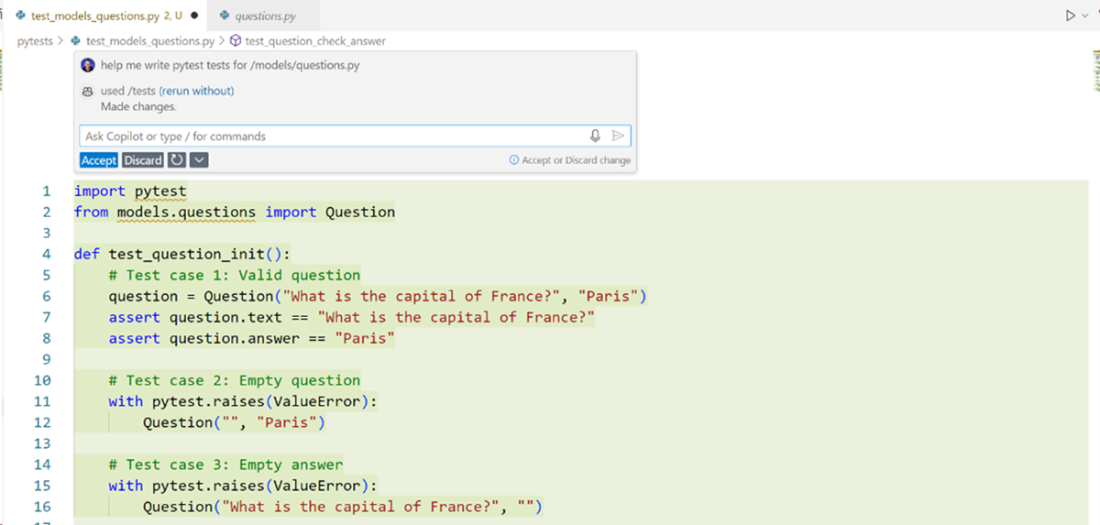
Copilot has generated some Pytest tests as a result. By using a prompt, we can narrow down exactly what we’re looking for and hopefully get better results.
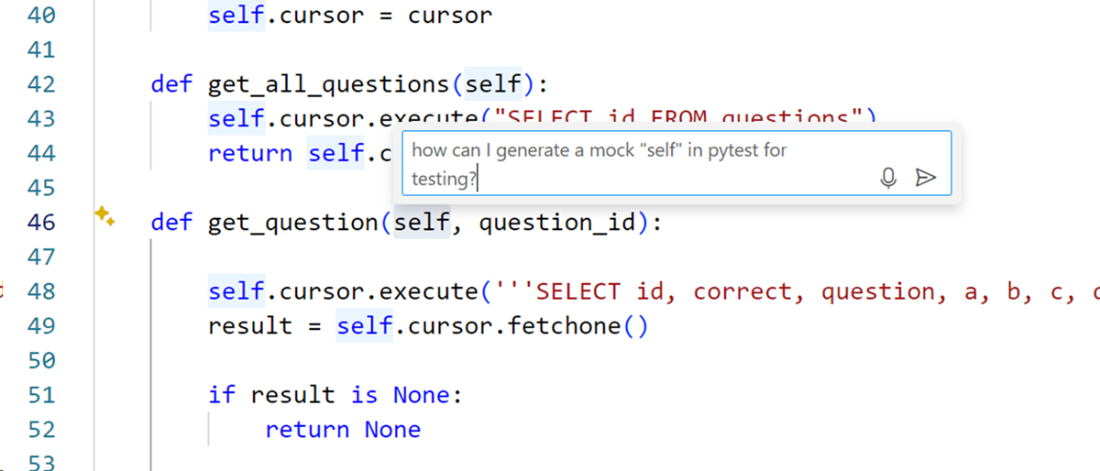
Asking a question in the IDE so that Copilot understands the context better to hopefully produce a better result.
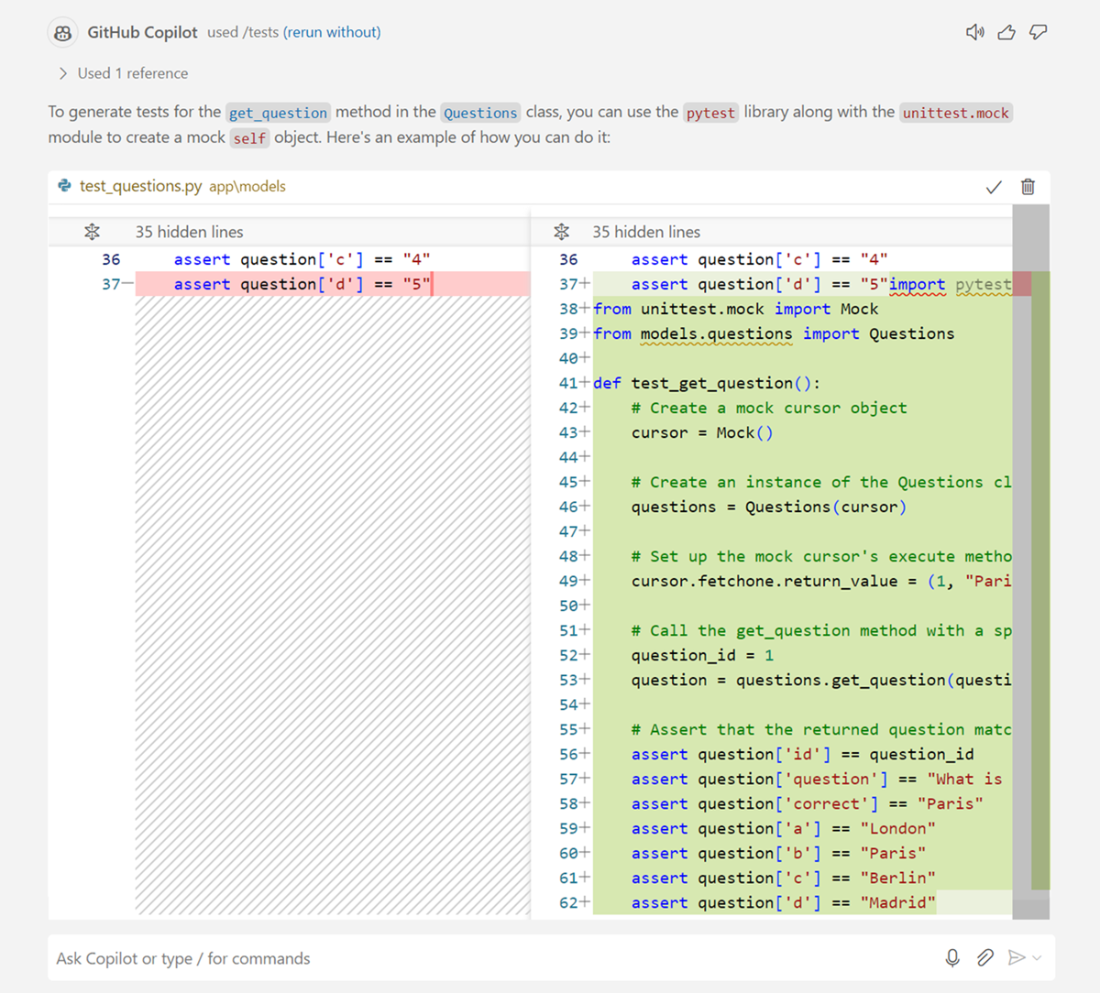
The results from GitHub Copilot when asking a direct question and highlighting the code I want it to look at. It suggests creating a test_questions.py in the same directory as my questions.py class, but other than that it looks closer to a real test.
Once we made a small modification to the code generated by Copilot, our tests successfully pass.

Here we can see two passing tests, that test both the in-memory database, and the get_question_set method. These tests ensure that the application is functioning as designed.

You can see shortcuts above your functions with Tabnine. The options are test, explain, document, and ask. I’ve found they work very well.

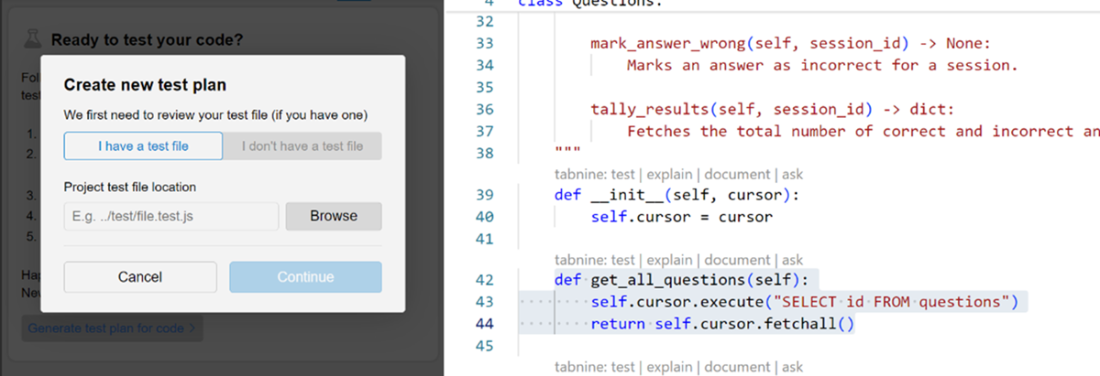
When clicking the test shortcut for the first time, Tabnine will ask you for a test file to create a “test plan”. Since we already have tests built, we’ll choose that.
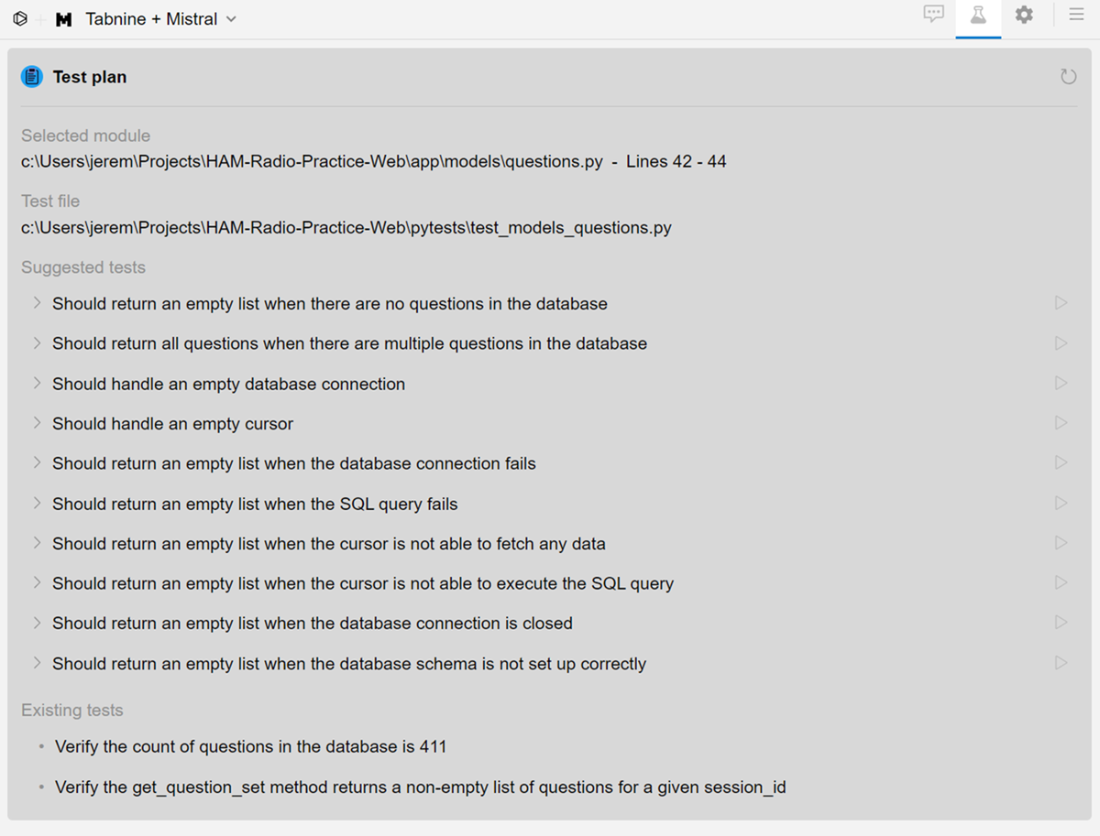
Tabnine generates a full test plan for your application. It suggests several tests you might consider for your application.
Tabnine returns a prebuilt test. Immediately I can see that it’s a unittest test, and not Pytest. Also, it’s using Mock and I (bravely) would like to use the in memory database instead.
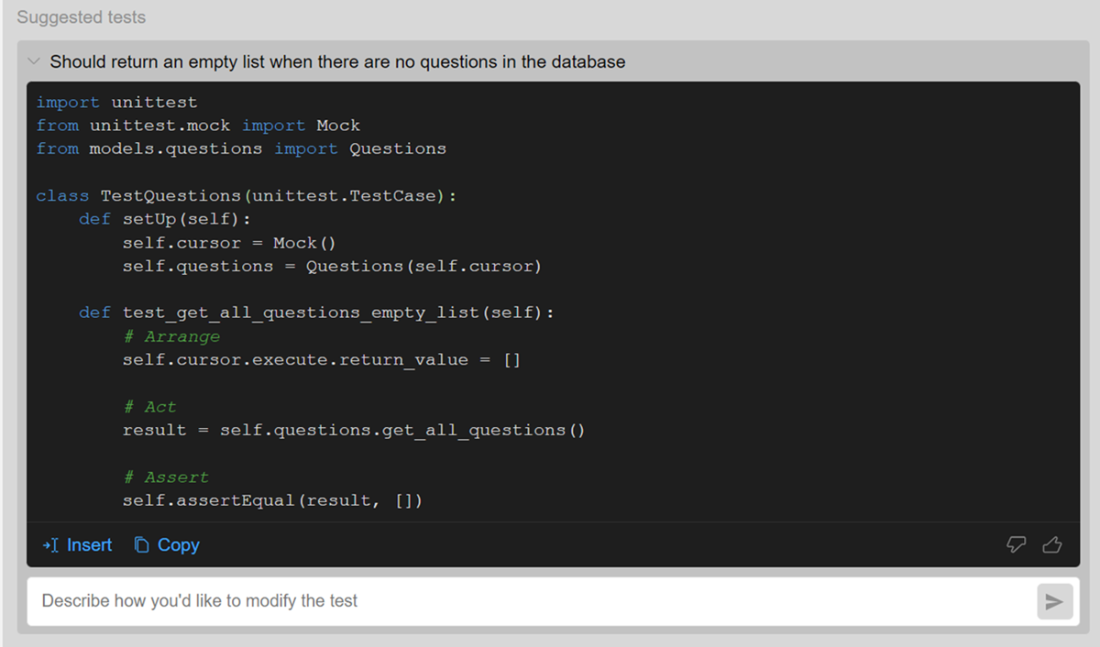
We now have an additional passing test in our test suite. Tabnine created a functional test on the second shot.

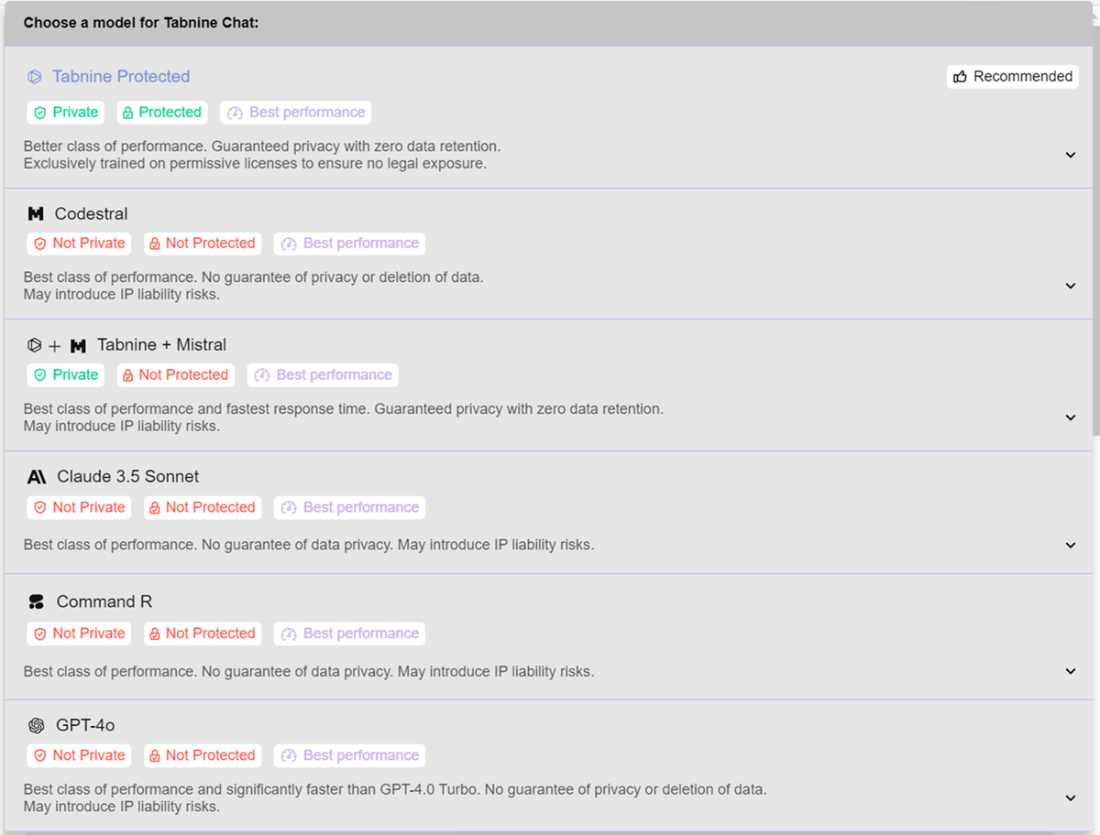
Tabnine allows you to choose between many different models for test generation. If you need higher privacy, or simply want to browse different results, you have many options available.
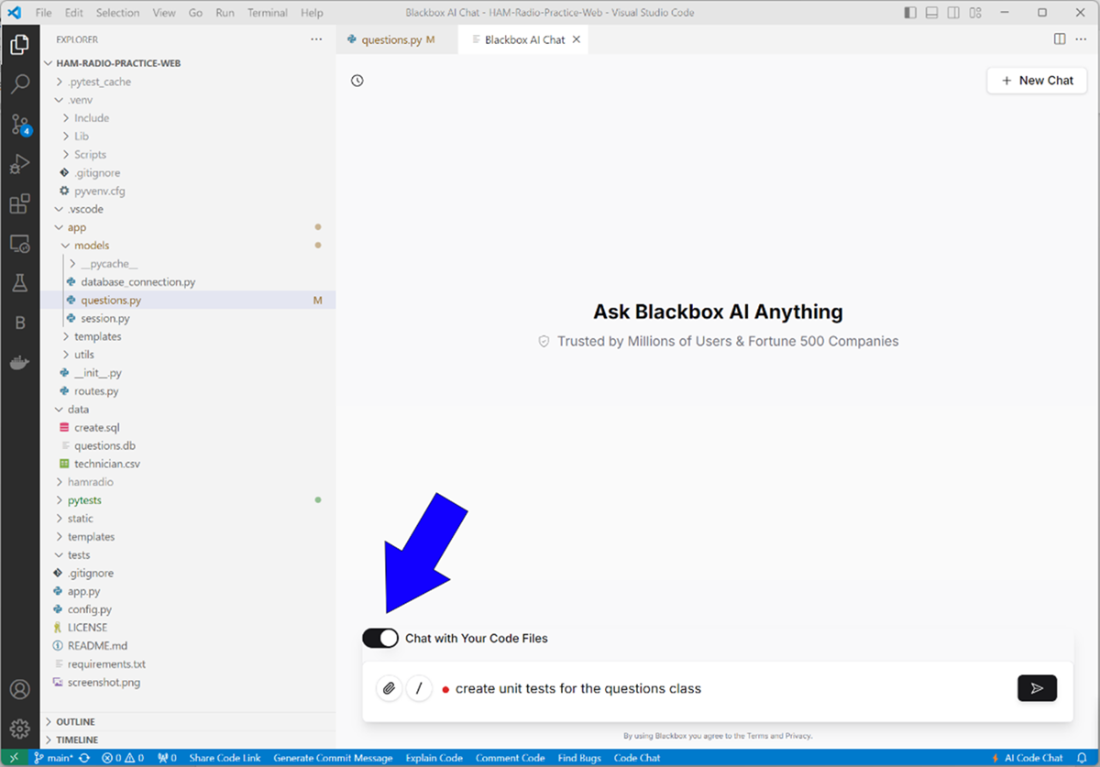
With BlackboxAI you can add the chat screen as a tab in Visual Studio. There’s also a button to “chat with your files” so you can include your code as context for the prompt.
With a small modification, BlackboxAI generated an in-memory database that looks like our production database and created tests for our functions. It was successful on the first run.
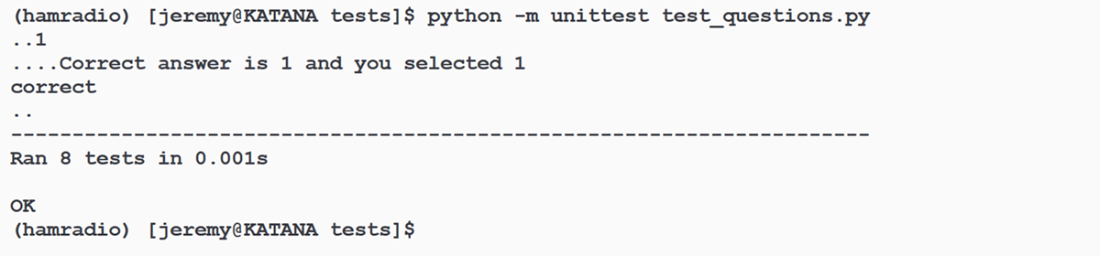
Here are the results of the tests as they were generated by BlackboxAI. It’s nearly plug and play, though in real situations we’d want to make modifications and double check everything.

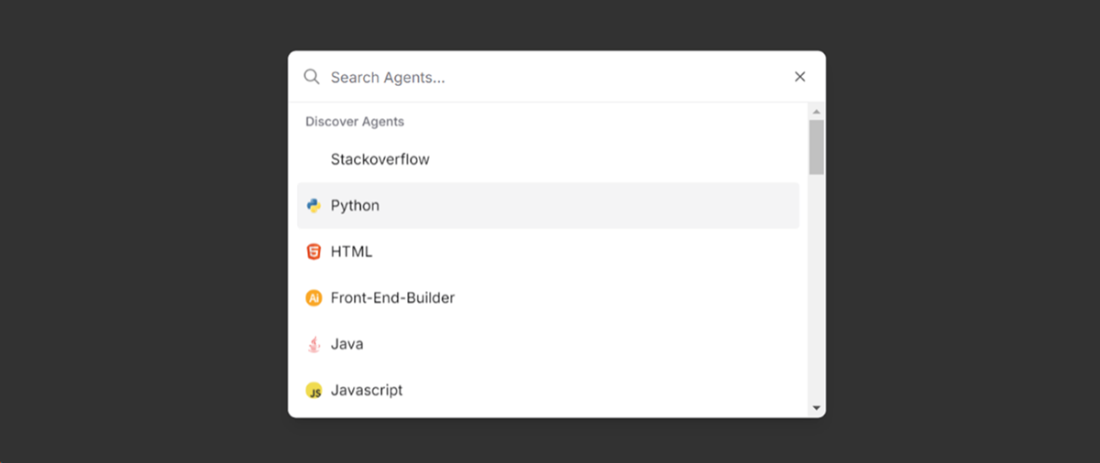
BlackboxAI has “agents” which are specialized prompt processing tools that focus on the language you’re developing in. You can bring up an agent from the front slash (/) button in the prompt window in chat.
Summary
- Generate complete test suites with generative AI tools, to save development time while maintaining high-quality standards for your Python applications
- Master prompt engineering techniques that guide AI tools toward producing relevant, accurate tests tailored to your specific codebase
- Create and utilize in-memory database fixtures to enable comprehensive testing without affecting production environments
- Compare the different strengths of Copilot, Tabnine, and BlackboxAI to choose the right testing companion based on your specific needs and constraints
- Integrate AI-generated tests into your development workflow while maintaining appropriate review processes to ensure comprehensive test coverage
FAQ
Why use generative AI for testing?
Generative AI accelerates test creation, scaffolds boilerplate, suggests overlooked edge cases, reduces human error, and shortens the feedback loop. Because tests often need only local context, risks like bias or IP concerns are generally lower than for production code. Mitigate remaining risks with careful prompts and code review.Should I choose Pytest or Unittest when generating tests with AI?
Both work, but many teams prefer Pytest for its simple asserts, powerful fixtures, and strong test discovery. Most tools default to Unittest, so explicitly ask for “Pytest tests” in your prompt if that’s your target framework.How do I set up an in-memory SQLite database that mirrors production?
Connect to your production DB, read its schema from sqlite_master, create a :memory: database, apply the schema, and optionally copy data. Exclude internal SQLite tables to avoid errors. For example:SELECT sql FROM sqlite_master WHERE type='table' AND name IS NOT 'sqlite_sequence'Then recreate tables in memory and bulk-insert data for testing.
What common pitfalls occur with AI-generated tests?
- Wrong framework (Unittest vs. Pytest)- Incorrect assumptions about your APIs/classes
- Overuse of mocks when a real in-memory DB is better (or vice versa)
- Missing edge cases and setup/teardown details
Fix by giving file paths, specifying the framework, describing dependencies, and iterating with follow-up prompts.
How do I create a reusable Pytest fixture for a DB connection?
Make a fixture that builds the in-memory DB, yields the connection/cursor, and closes it afterward. Example:@pytest.fixture
def db_connection():
conn = create_in_memory_db_from_existing('path/to/prod.db')
try:
yield conn
finally:
conn.close()
Use it by adding db_connection as a test function argument.How can I craft prompts that yield higher-quality tests?
- Specify framework (Pytest/Unittest) and assertion style- Include file paths and dependencies
- State DB strategy (in-memory vs. mocks)
- List edge cases to cover
- Mention fixtures to create/reuse
- Start general, refine with follow-ups. Example: “Create Pytest tests for app/models/questions.py using the in-memory DB fixture; include empty and normal cases.”
How do GitHub Copilot, Tabnine, and BlackboxAI compare for test generation?
- GitHub Copilot: Strong model; better results via chat than IDE shortcuts; may default to Unittest.- Tabnine: Excellent test plan suggestions; multiple model choices; good IDE integration; can quickly adapt to fixtures/DB setup.
- BlackboxAI: Strong context inference; often produces working tests and in-memory setups; supports specialized “agents.”

 Coding with AI ebook for free
