7 Building user interfaces with ChatGPT
This chapter shows how to turn a working backend into a polished, easy-to-use interface by pairing Flask with generative AI tools. It emphasizes using structured, detailed prompts to obtain targeted UI guidance, code, and design artifacts. With AI assistance, developers can move from abstract ideas to concrete deliverables—visualizing flows, shaping wireframes, and implementing responsive HTML/CSS—without deep frontend expertise.
The author begins with a comprehensive prompt (role, objective, details, data, functionality, and code expectations) and compares outputs from ChatGPT, Gemini, and BlackboxAI. ChatGPT offers a full plan that leans on SQLAlchemy but provides useful frontend steps; Gemini focuses on form handling (suggesting Flask-WTF) and clear templates; BlackboxAI delivers concise, usable routes and templates aligned with the current backend. Prompt refinement steers results toward UI specifics, while AI-generated Mermaid flowcharts clarify the application flow. From there, the chapter uses AI to draft a style guide, produce text-based wireframes, and generate HTML/CSS for shared layout components (header, footer, content wrapper) and page interiors, integrating them into Flask templates for a consistent, professional look.
Key takeaways include treating prompts like design briefs (clear goals, constraints, data, and deliverables), iterating for precision, and using AI across the whole design process: ideation, flow visualization, wireframing, implementation, and troubleshooting. The final quiz UI—clean, consistent, and beginner-friendly—demonstrates that AI can accelerate interface development while developers retain control, customize outputs, and ensure usability. The approach positions generative AI as a practical design partner that boosts speed and quality without replacing human judgment.
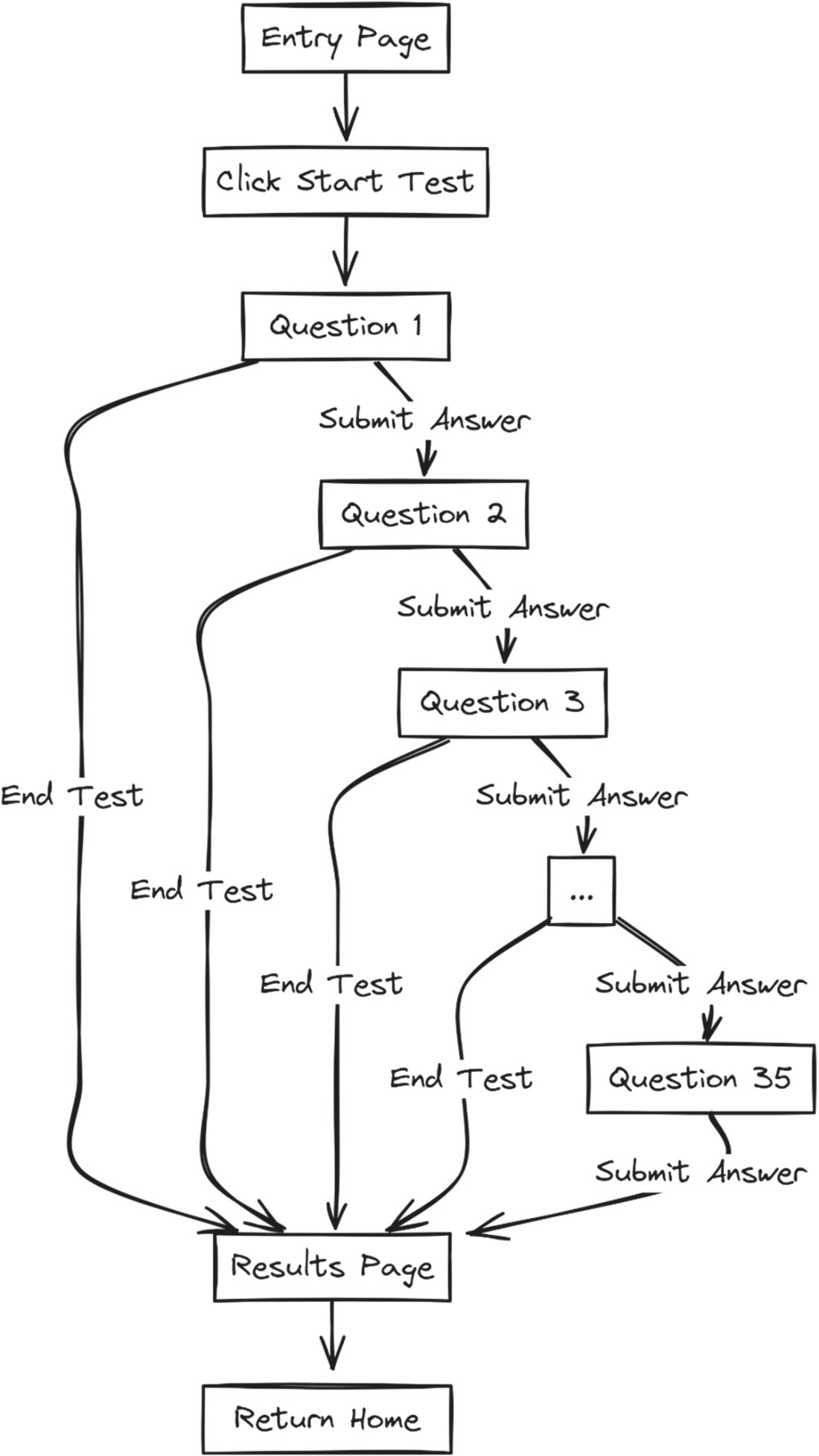
How ChatGPT suggested building the front end. Each piece represents a function that must be created.
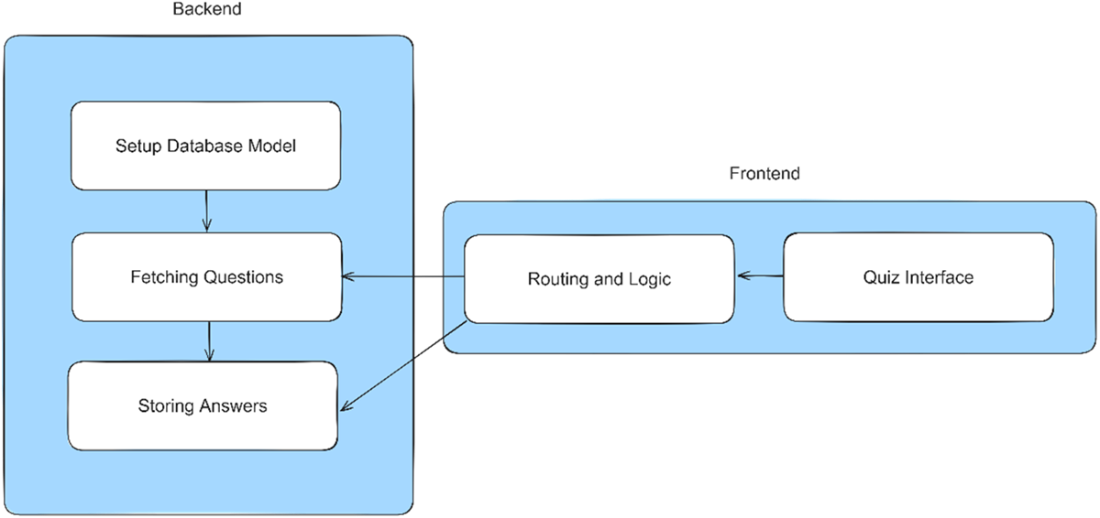
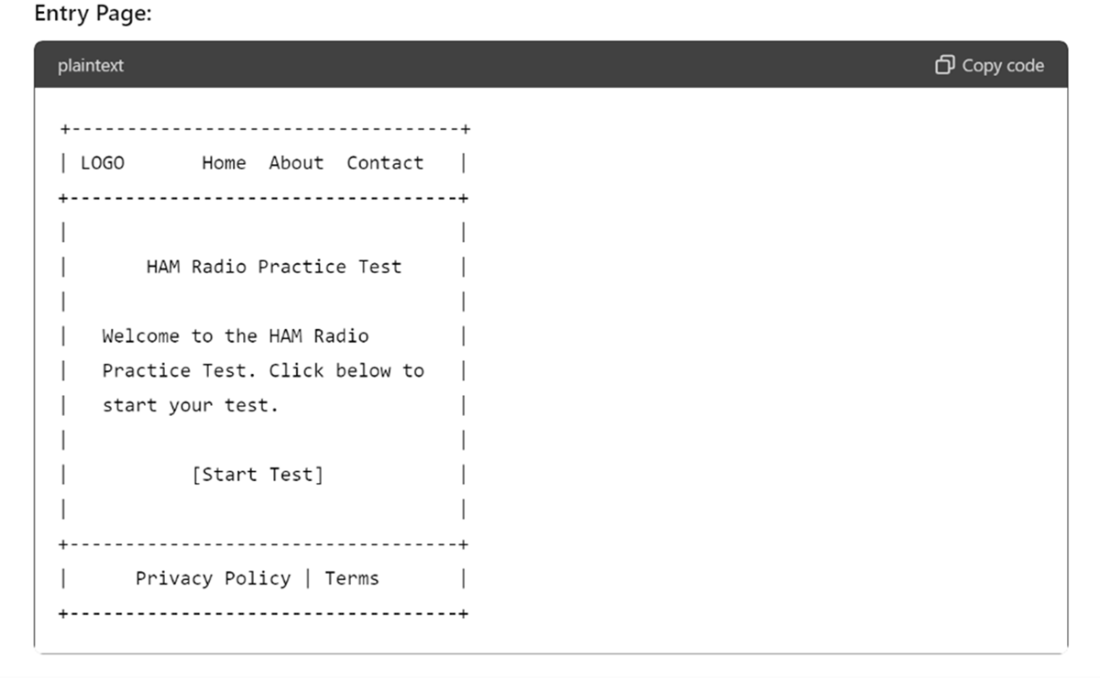
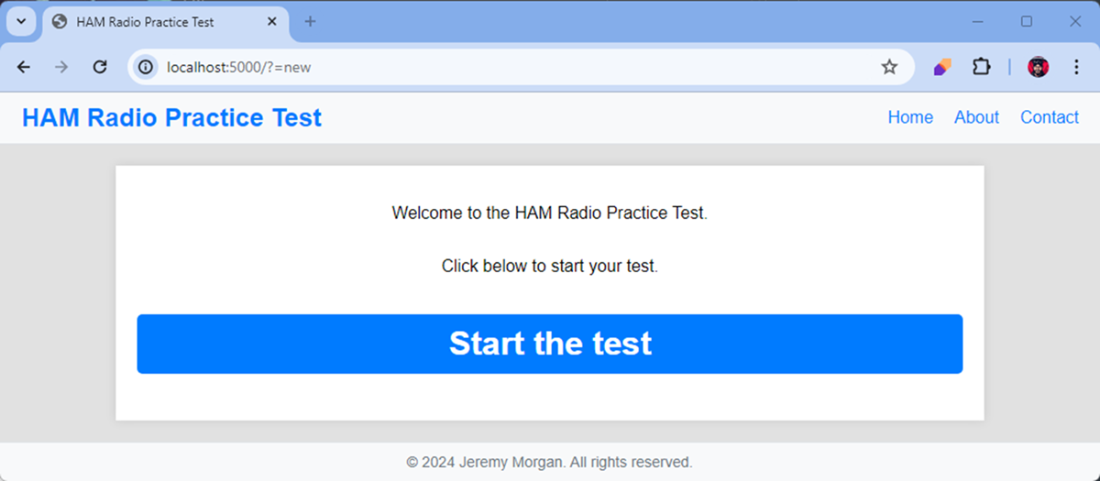
The entrance page to our HAM radio practice test
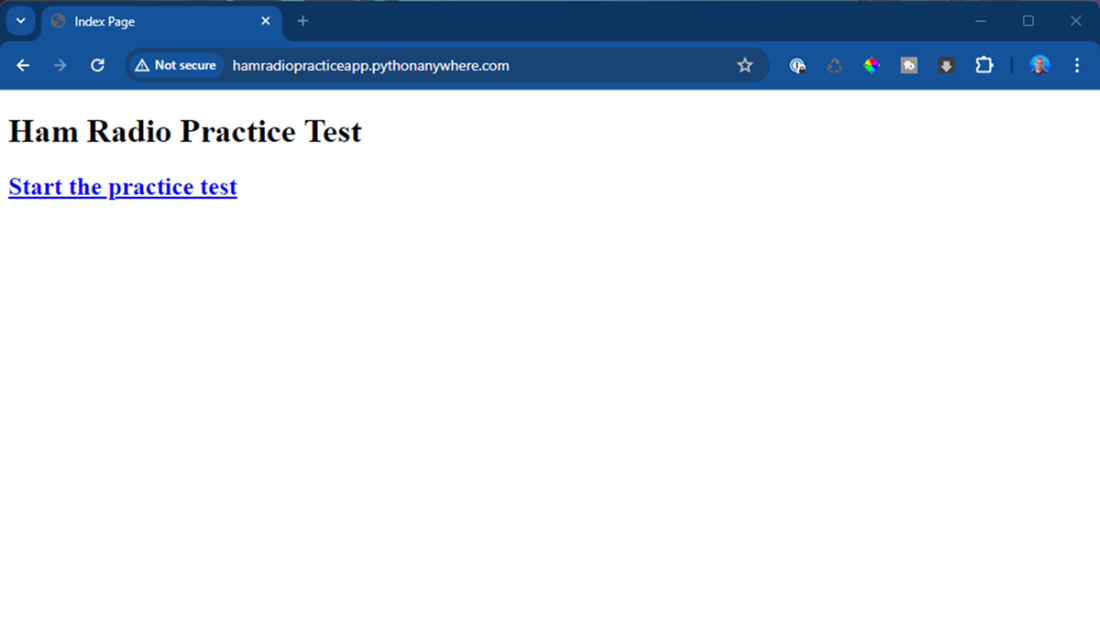
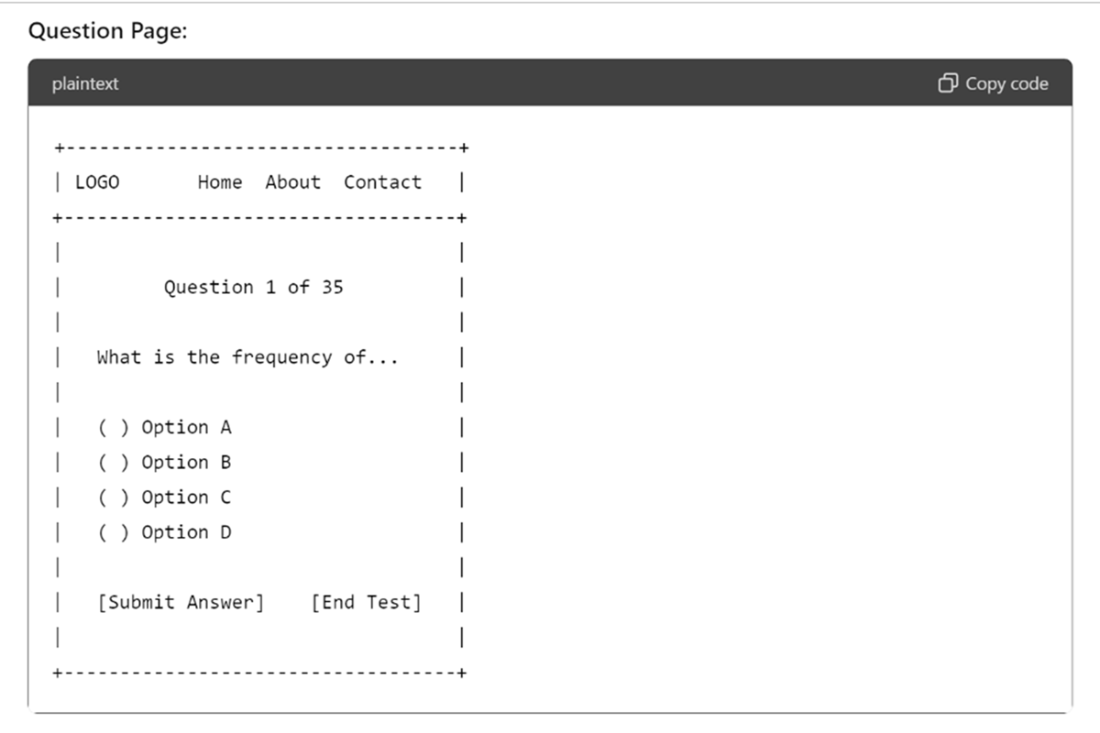
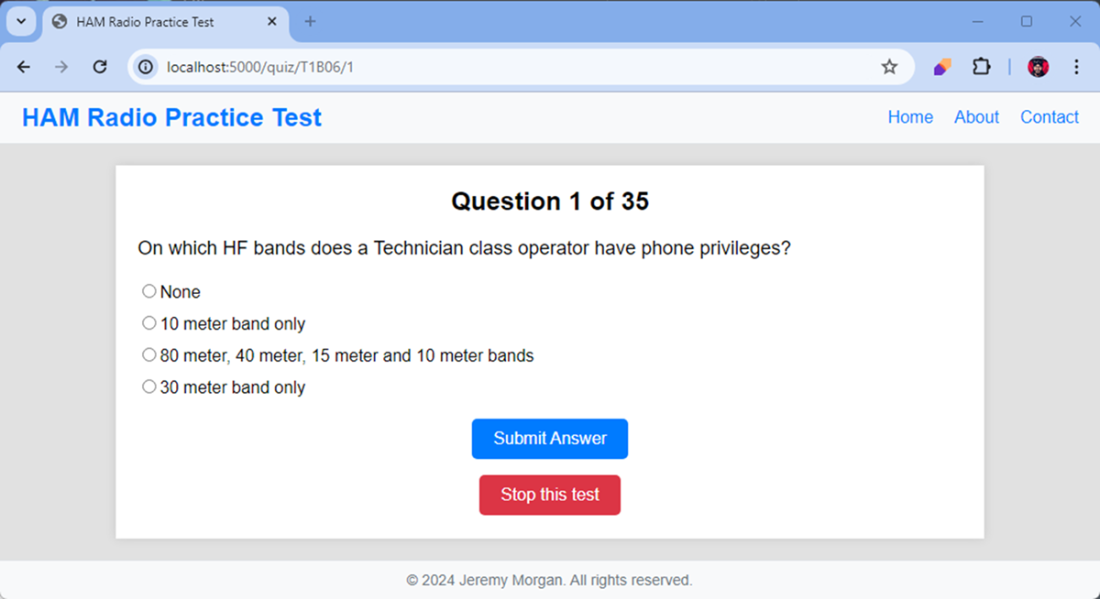
The question interface for our practice test
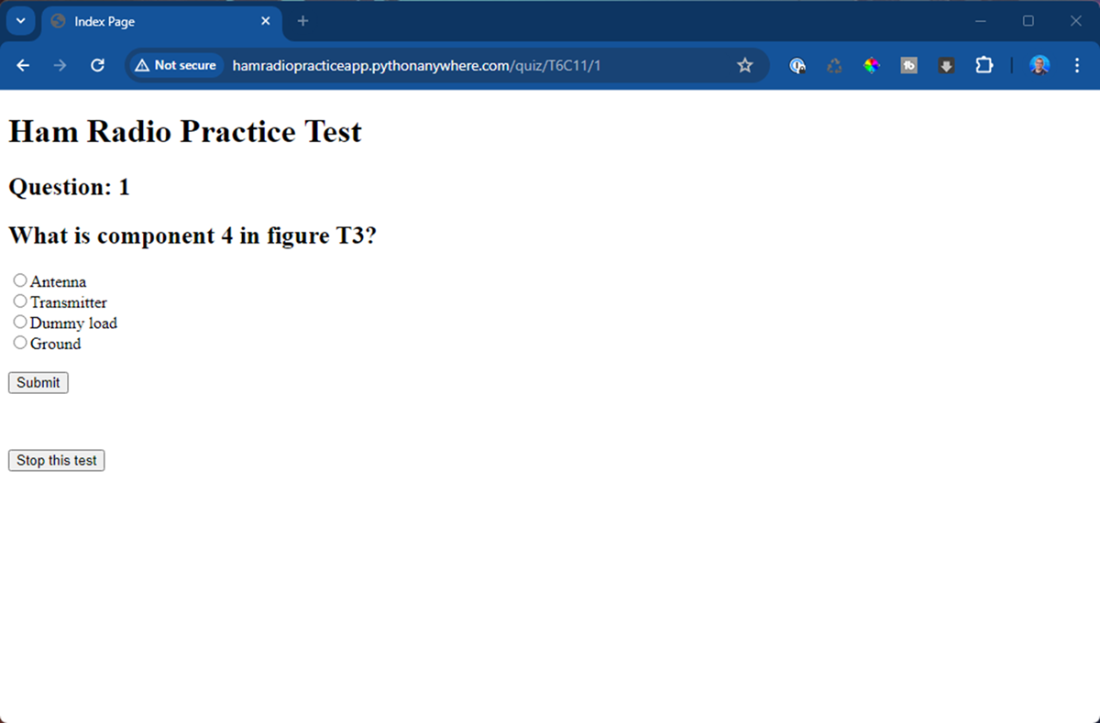
Our application’s workflow
This is a text wireframe diagram of the entry page. This is rough but gives us a good idea of what it should look like.
The wireframe for the question portion of the quiz. This is repeated for each question.
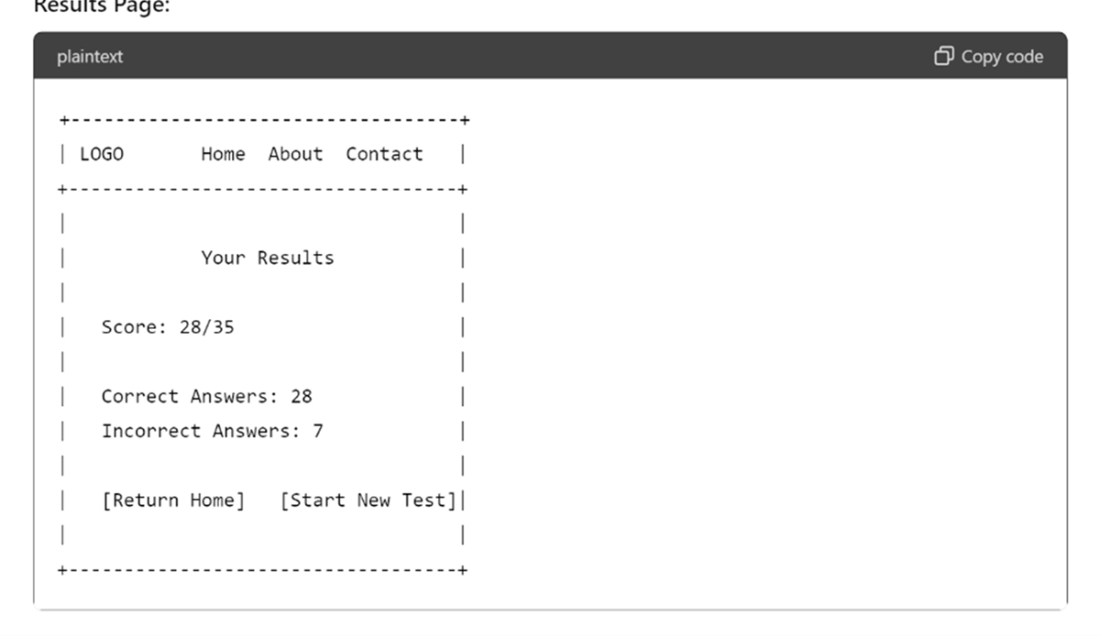
This is our results page. We’ll likely add in the percentage as that’s a key part of our quiz
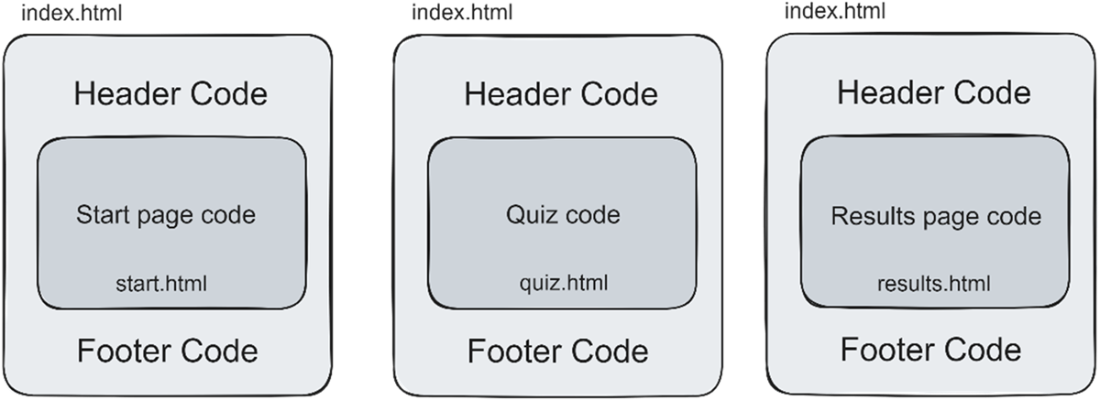
The index.html is common code within all the pages, but each section of the app has “inner” code from another html file to complete the page.
The new look of our application with a header and footer, and CSS styling.
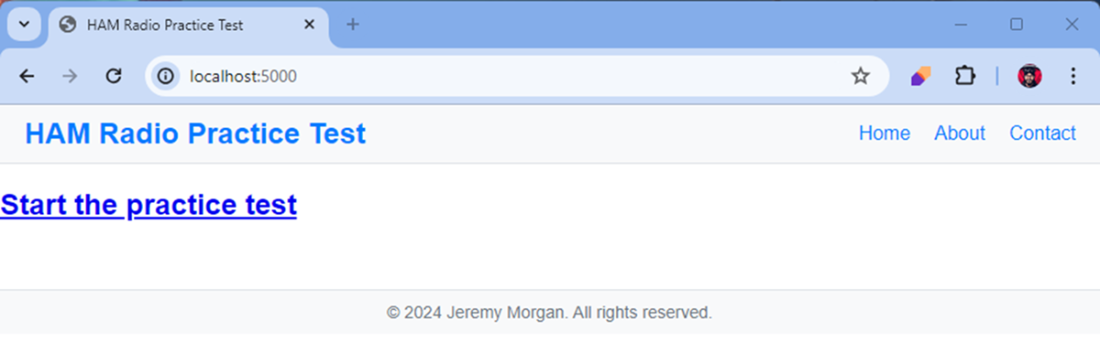
The application with additional HTML and CSS applied for a cleaner look
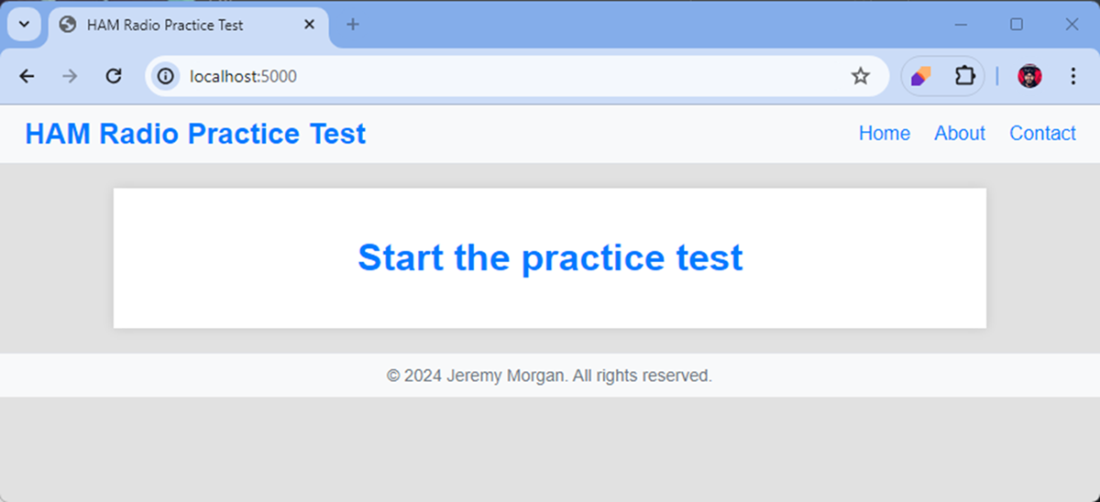
The entry page of our application
The question page of our application
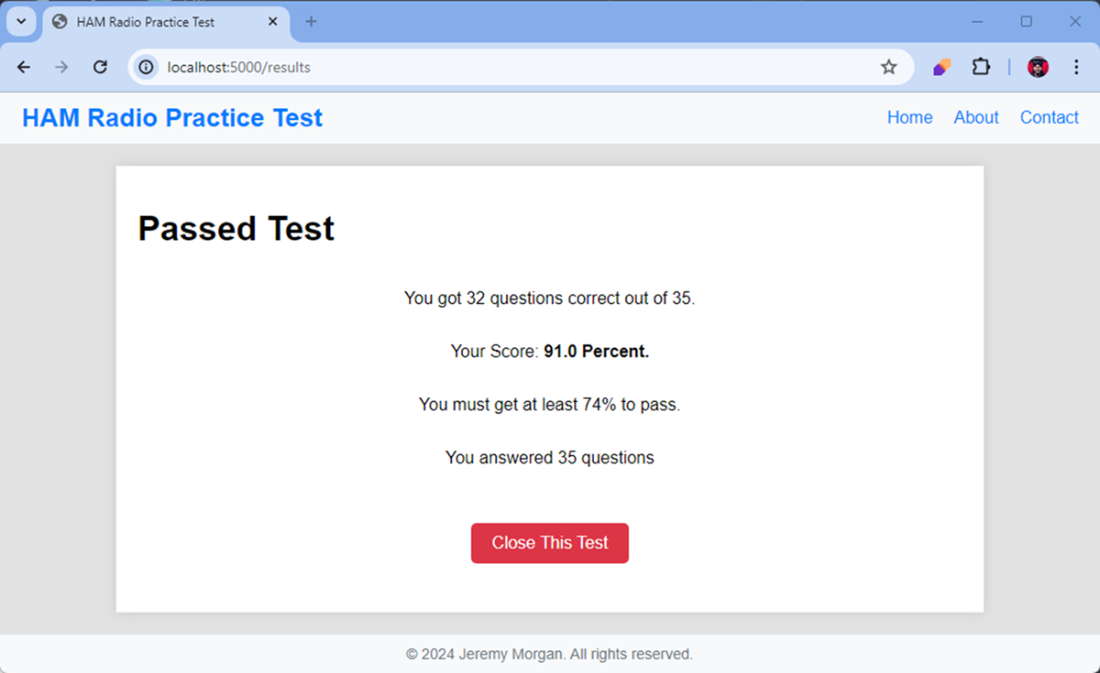
the result page of our application
Summary
- Craft detailed, specific prompts when requesting UI guidance to get more targeted, useful responses from AI tools
- Use AI-generated flowcharts and wireframes to visualize user journeys before writing code
- Progress from conceptual designs to implementation by having AI generate template code that you can customize
- Apply incremental refinement to AI suggestions, modifying prompts to address specific UI needs at each development stage
- Balance AI-generated code with personal design judgment, making strategic modifications to ensure the interface meets both functional and aesthetic requirements
FAQ
What problems do generative AI tools solve when building UIs for developers?
They bridge the gap between a working backend and a polished, user-friendly interface. By drawing on patterns, templates, and best practices, AI can quickly propose layouts, generate HTML/CSS, and suggest component structures. It helps visualize flows, draft wireframes, and produce starter code, accelerating progress even if you’re not a design expert.
When should I use brief vs. detailed prompts for UI work?
- Brief prompts: Best for specific, focused issues like “validate this form” or “debug this template error.”
- Detailed prompts: Best for broad or abstract goals like “design this frontend” or “propose a navigation flow,” where context drives better outcomes.
How should I structure an effective UI prompt for ChatGPT?
- Role: State the expertise you want (e.g., professional Flask developer).
- Objective: Clearly describe what you want built.
- Details: Tech stack, frameworks, constraints.
- Data: Describe schemas/fields that drive the UI.
- Functionality requirements: Concrete behaviors and flows.
- Code production: Specify deliverables (routes, templates, HTML/CSS).
Add target users, visual preferences, and specific deliverables (wireframes, Mermaid diagrams, templates) for more tailored results.
How do ChatGPT, Gemini, and BlackboxAI compare for this task?
- ChatGPT: Thorough plan; sometimes includes backend/architecture, plus useful frontend steps, routing, and templates.
- Gemini: Emphasizes form handling (e.g., Flask-WTF) and clear explanations; stays focused on frontend integration.
- BlackboxAI: Jumps straight to practical routes, DB calls, and templates—fast for getting UI code in place.
Choose based on stage: ideation and flow (ChatGPT), form handling and validation (Gemini), quick implementation (BlackboxAI).
How can I visualize my app’s flow with AI (e.g., Mermaid)?
Describe your process in plain language and ask for a Mermaid diagram. AI will generate the chart text, which you can paste into tools like Excalidraw or draw.io to render a flowchart. This clarifies user journeys (start, question loop, end test, results) before you code.
How do I turn AI-generated wireframes into Flask templates?
- Create a base template (or use your existing index.html) with common header/footer and a content block.
- Have page-specific templates (e.g., quiz.html, results.html) that extend the base and fill the content block.
- Insert dynamic placeholders for question text and options.
- Add a content wrapper for consistent sizing and spacing.
What prompt refinement techniques improve UI outputs?
- Use specific examples and quantify where possible.
- Choose active verbs and remove unnecessary modifiers.
- Be direct about constraints, users, color schemes, and layout.
- Ask for precise deliverables: “wireframes,” “Mermaid flowchart,” “responsive HTML/CSS,” or “Flask templates.”
What are best practices for the quiz UI and navigation?
- One question per page with clear “Question X of 35.”
- Readable multiple-choice options with radio buttons.
- Prominent “Submit Answer” and an accessible “End Test.”
- After completion or early exit, show a results page with score and a return-home/start-new-test option.
How can AI help me style a basic HTML app quickly?
- Generate a consistent header, footer, and a content wrapper (e.g., ~75% width) with color scheme and spacing.
- Propose a simple, professional style guide (typography, white space, button styles).
- Provide responsive CSS snippets you can tweak to fit your brand and layout.
What pitfalls should I watch for with AI-generated UI code?
- Overengineering: Tools may suggest frameworks you don’t need (e.g., SQLAlchemy) if your backend is done.
- Mismatch with data: Ensure templates align with your actual schema and field names.
- Validation and errors: Add robust checks (e.g., required selection) and graceful error handling.
- Integration details: Confirm routes, redirects, and template inheritance match your project structure.
- Testing: Manually test navigation, form submission, and result states thoroughly.

 Coding with AI ebook for free
