6 Generating a software backend with Tabnine
This chapter shows how to build a reliable backend for a practice test application using Flask and SQLite while leveraging Tabnine as an AI coding assistant. The focus is on creating and maintaining persistent user sessions, ensuring question sets stay consistent across page reloads or accidental browser closures, and providing users the ability to restart their test at any time. Throughout, the author blends AI-generated suggestions with deliberate human oversight to accelerate development without sacrificing correctness or design intent.
The walkthrough begins by diagnosing a recurring SQLite UNIQUE constraint error tied to question_set_id. After Tabnine’s initial, partially helpful guidance, the root cause is confirmed: IDs were being manually inserted and reused across a 35-question set. The durable fix relies on letting SQLite auto-increment by inserting null for the primary key. The chapter then incrementally builds an index page and route logic: adding a button to start a session, handling POST/GET flows, and rendering content only when data exists. Next, session persistence is added via cookies, prompting a refactor so a session is created on first visit and reused thereafter. Finally, the question retrieval method is redesigned to accept an optional session_id, fetching the existing question set tied to that session instead of generating new questions on each refresh, and an “end session” button is added to clear the cookie and reset the test.
Across these steps, the chapter emphasizes best practices for working with AI assistants: craft precise prompts, use diff views to understand proposed changes, apply fixes incrementally, and validate database state and edge cases. The outcome is a backend that preserves user state, consistently serves the same 35-question set for a given session, and allows users to cleanly restart. The larger lesson is to treat AI tools like Tabnine as accelerators rather than autopilots—valuable for speed and suggestions, but guided by the developer’s critical thinking, testing discipline, and architectural goals.
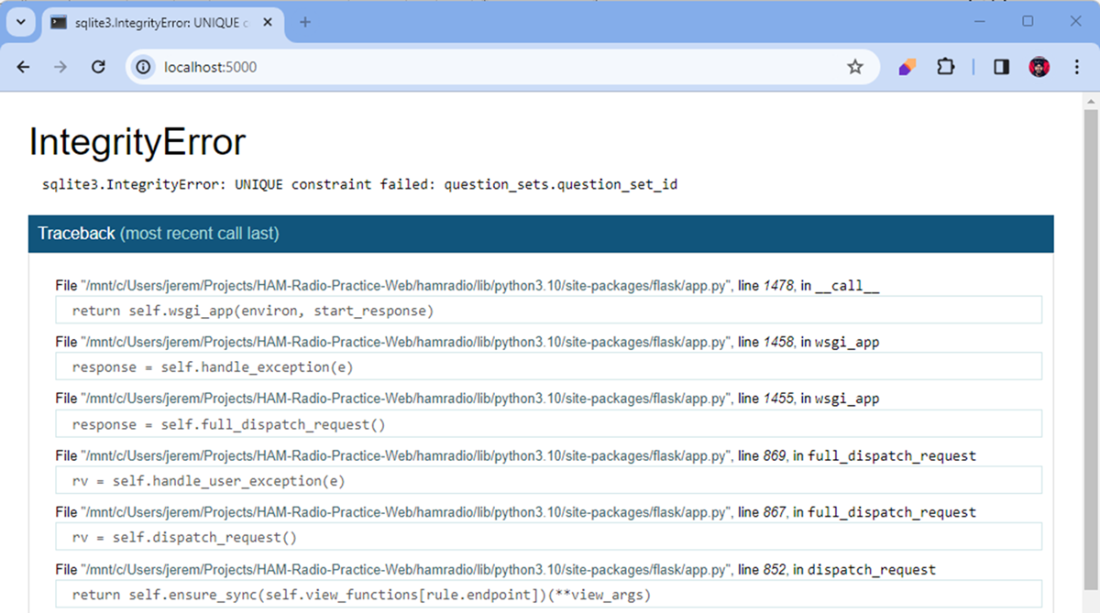
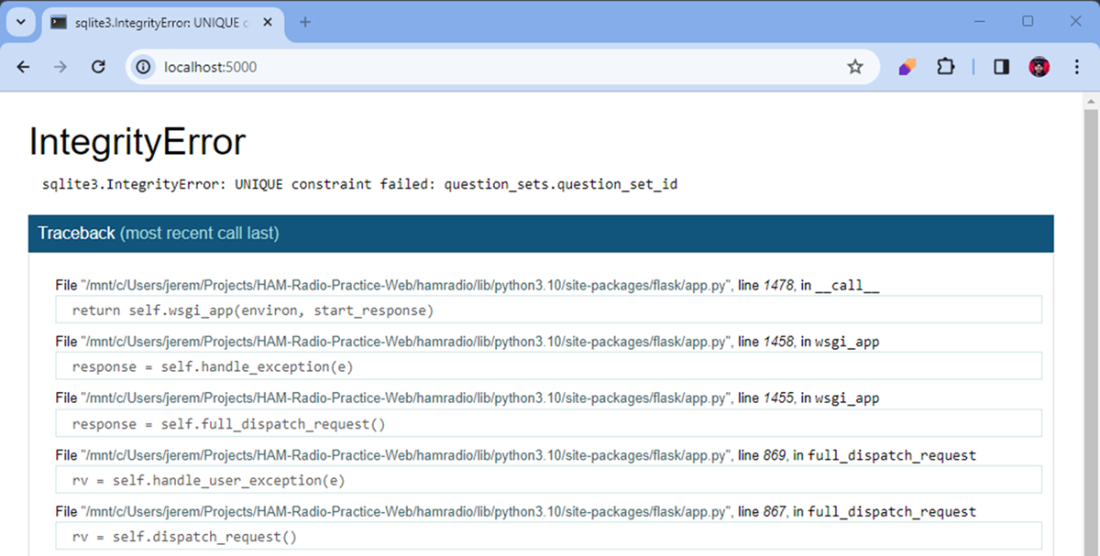
A SQLite error that comes up when we load the application a second time.
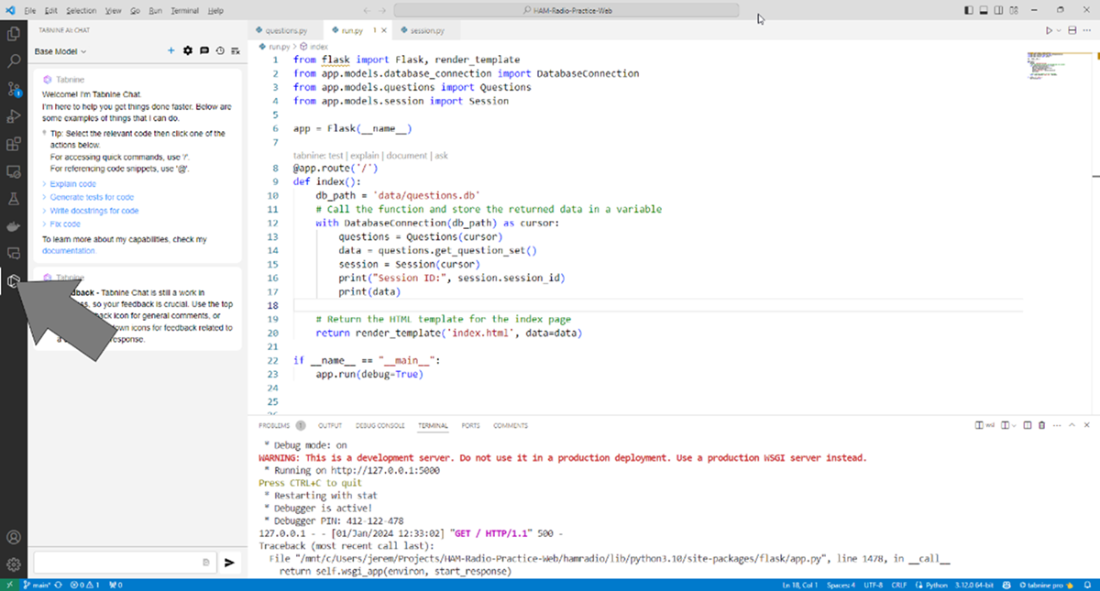
Opening up Tabnine chat in our activity bar. The chat window opens to the left of the main IDE window.
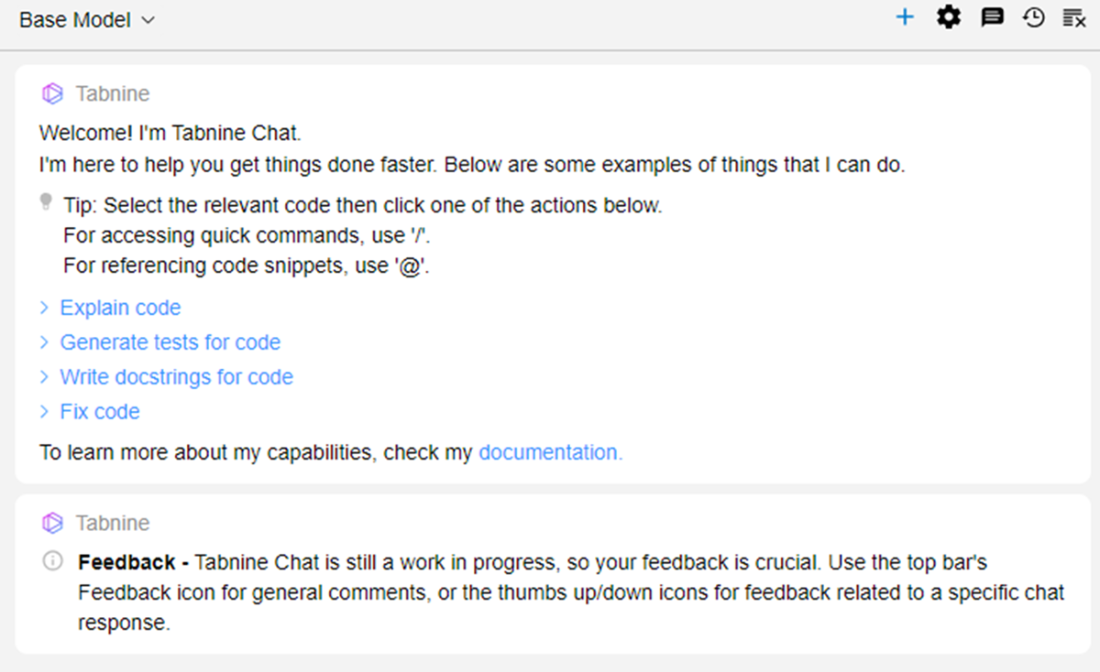
The Tabnine Chat window. We can interact with this window as a basic conversation.
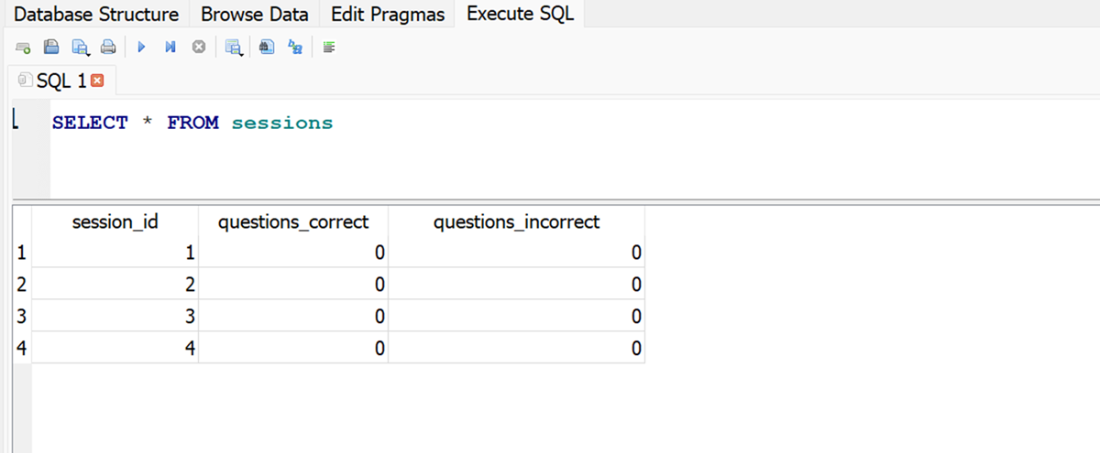
the sessions table shows a valid session created every time we refresh the page. The session_id is incremented correctly so we know this is correct.
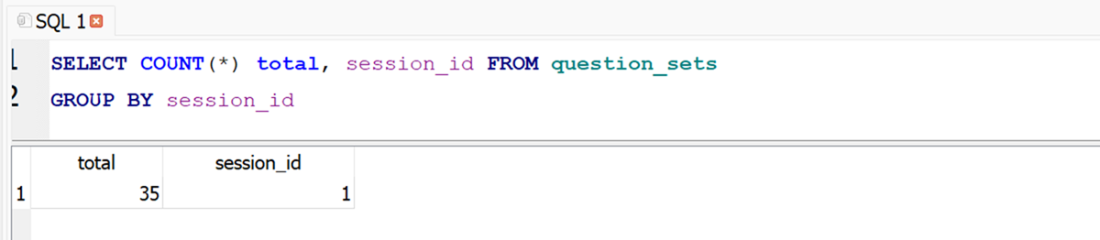
We only have one set of 35 questions for session_id 1. New question sets are not being created in this table.
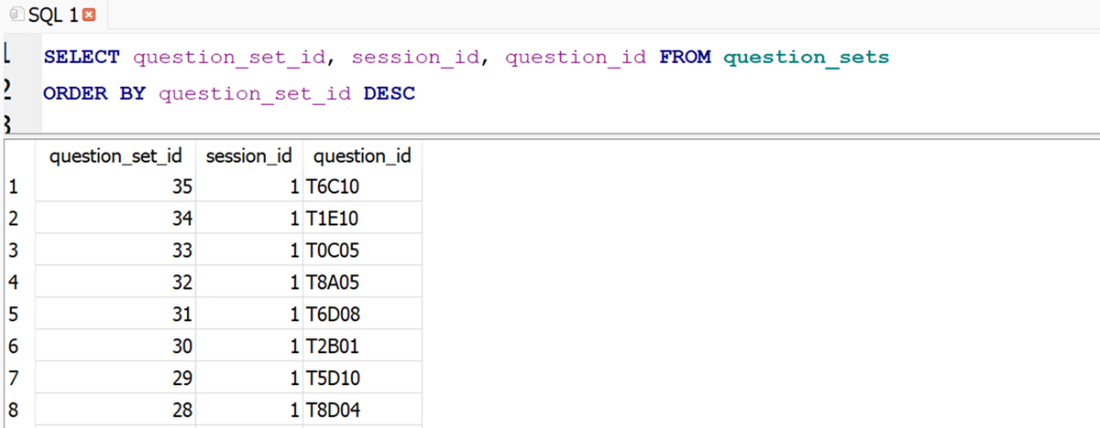
shows that our numbering ends at 35 in the question sets table, which indicates we had one successful set of questions inserted, and no new sets can be created.
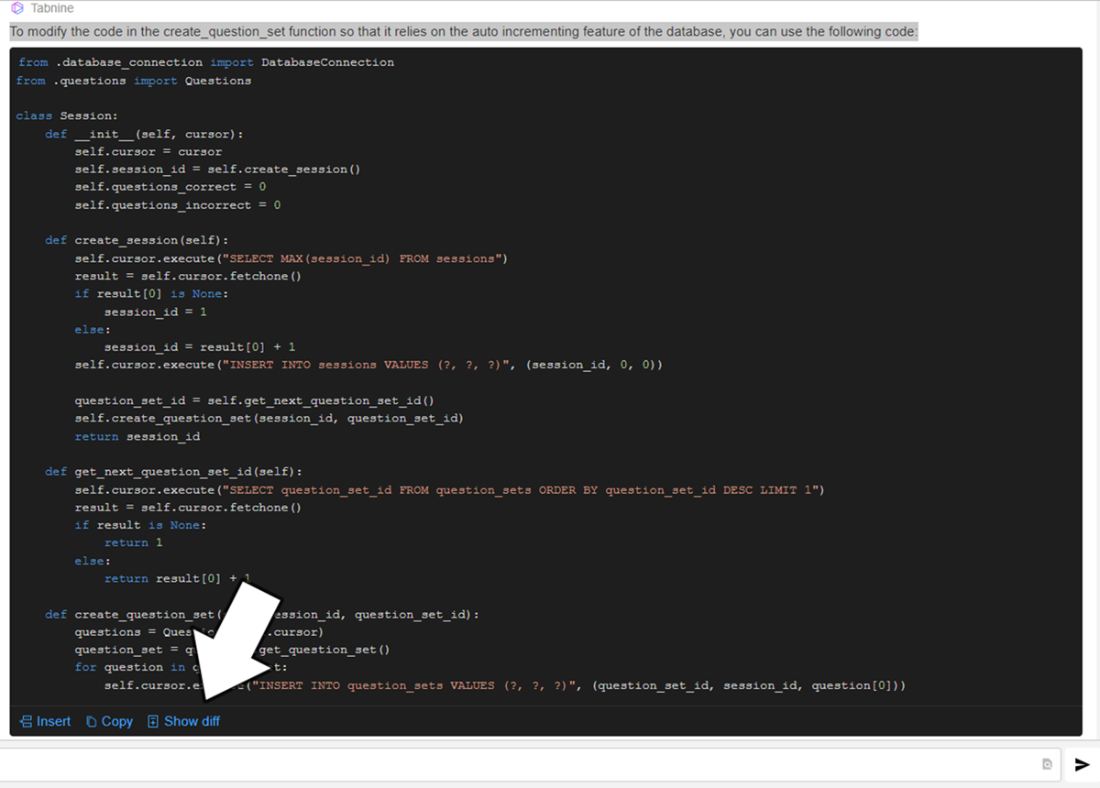
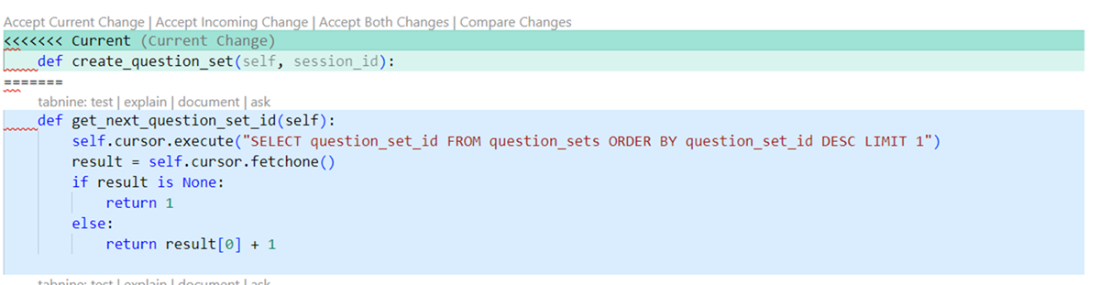
This is the code Tabnine has generated to fix our problem. Rather than copy and paste everything in the window, I’ll use Show diff to see which code is changed.
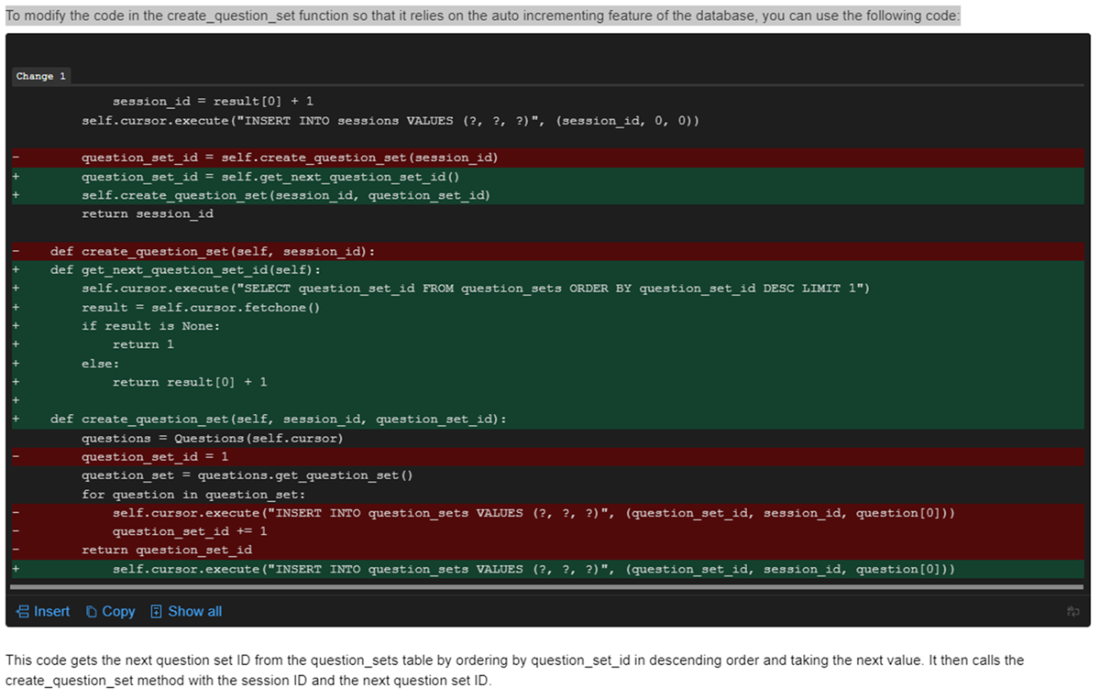
The diff view of the proposed changes. This shows exactly which lines of code need to be modified to implement Tabnine’s suggestions.
You can insert the code as part of the diff process and accept changes within the IDE.
The same error as before, a unique constraint violation in the same field.
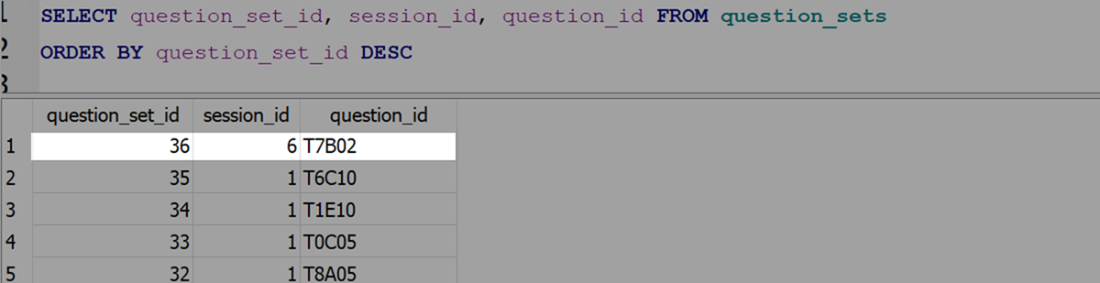
Our method inserted record 36 correctly. However, as we iterate through the question set to add new questions, we’re still inserting 36 for the question_set_id value.
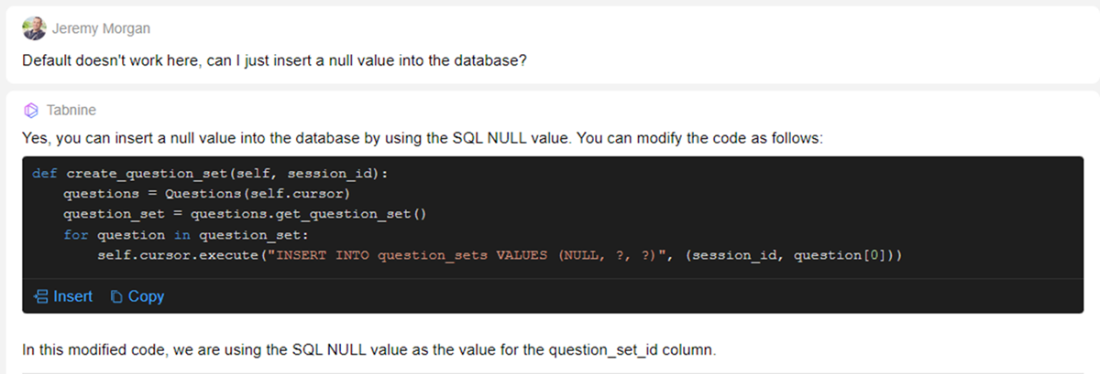
I asked Tabnine an informal question and suggested a solution. It responded with a solution that will work.
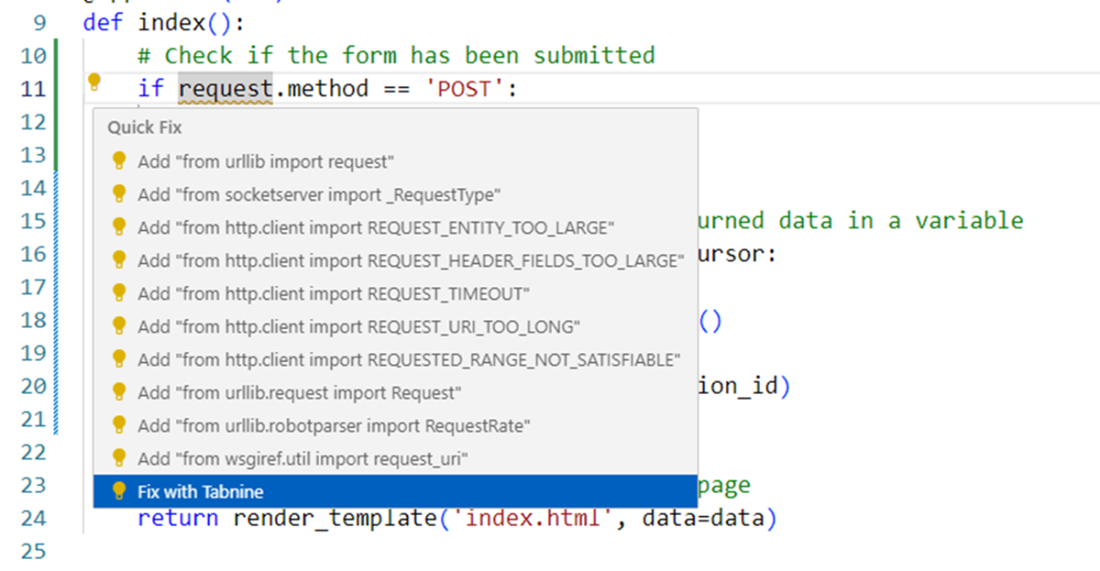
This is our makeshift success screen. It shows the IDs of the 35 questions inserted into our database.
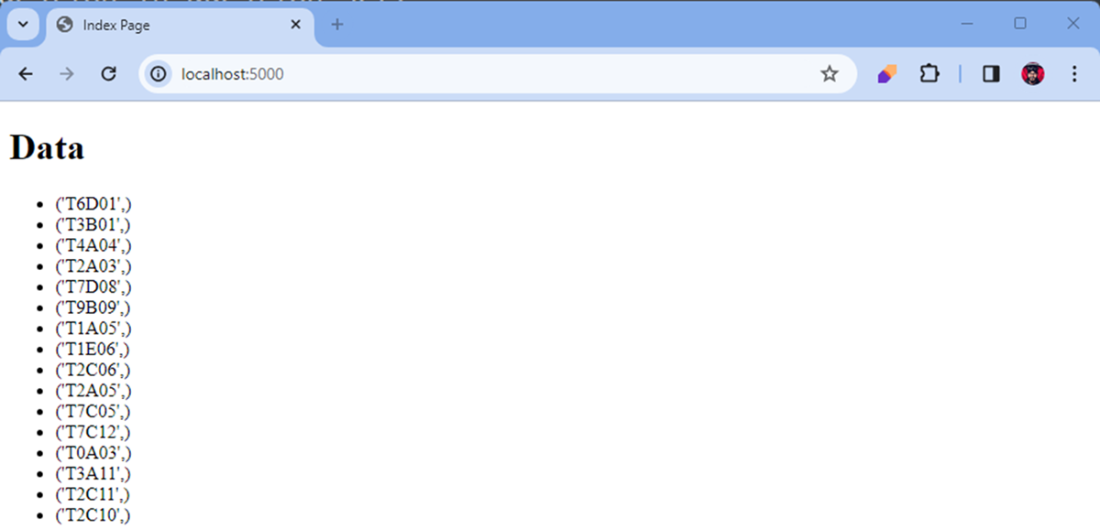
We can see a list of sessions here with 35 questions each. Session 6 failed on insert, so there is only one question available.
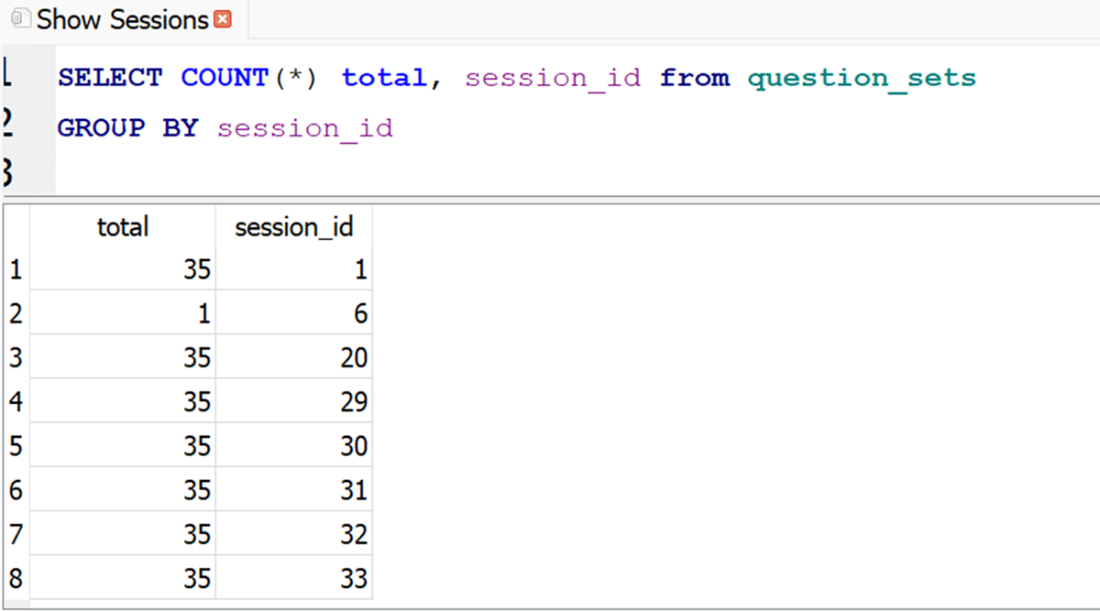
The remainder of the question creation code should be indented so it is only executed if this is a post command.
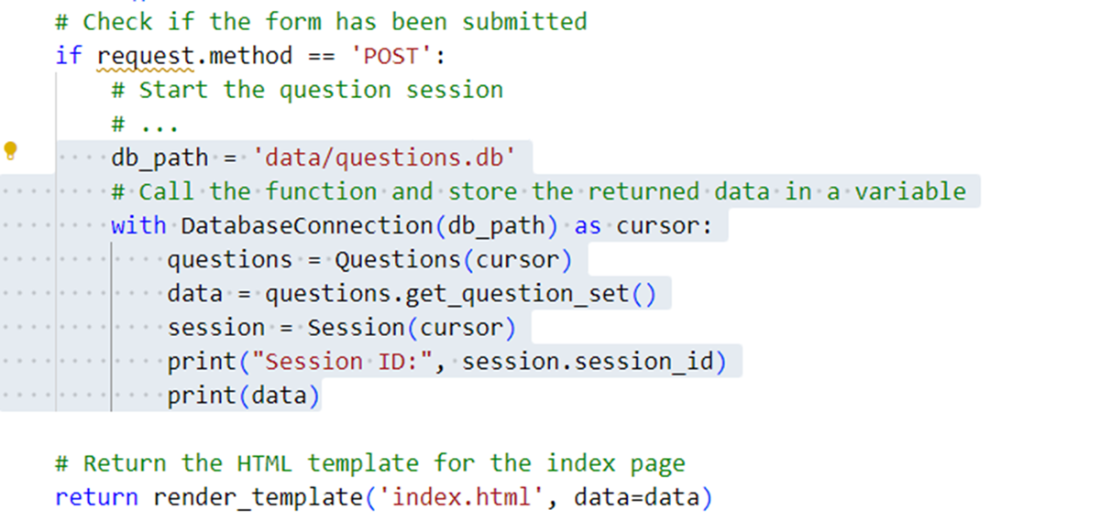
Tabnine catches an error and offers several proposed changes for the issue.
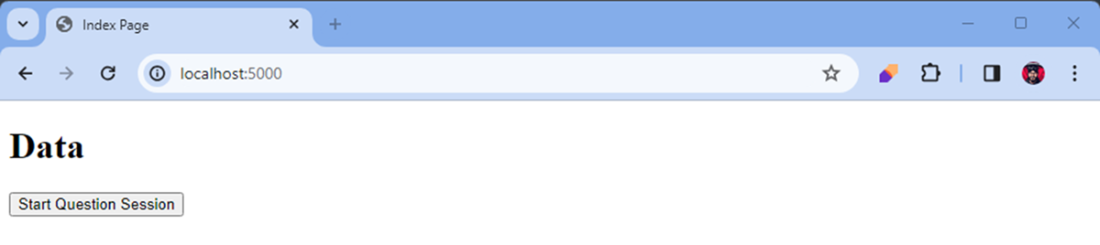
Our screen successfully loaded with our new button.
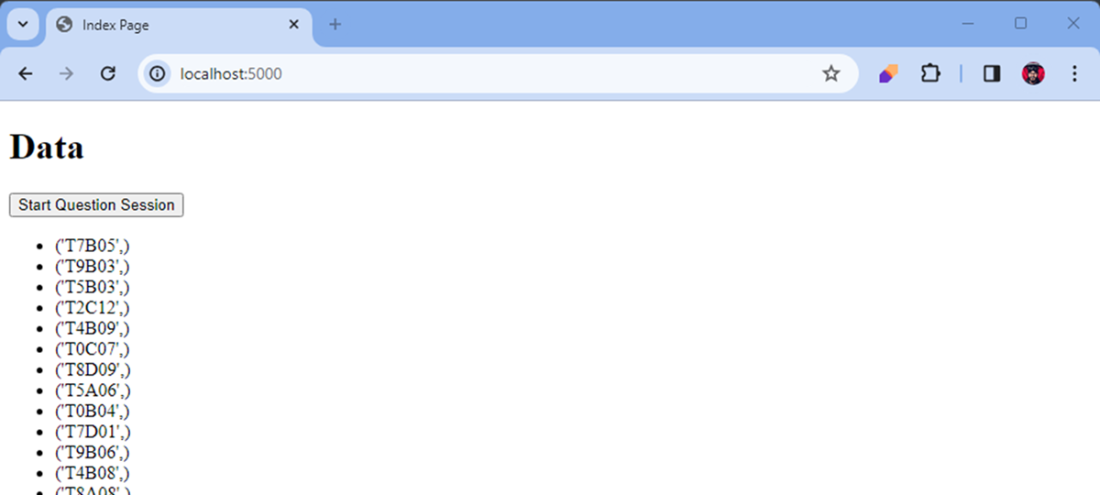
Our page loaded correctly with a new question set.
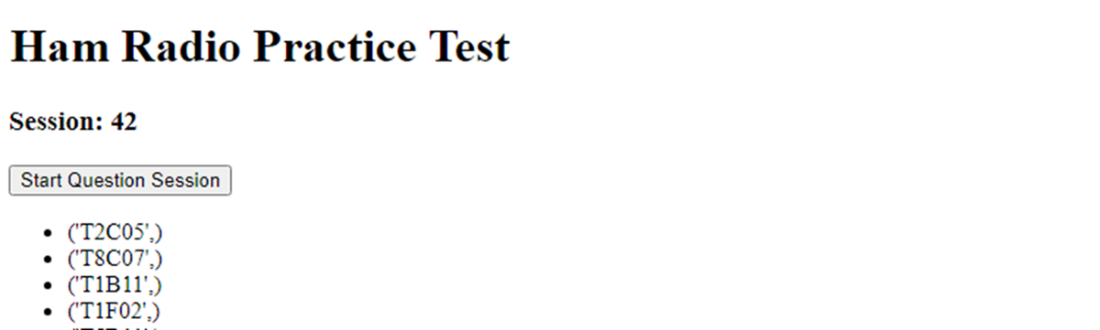
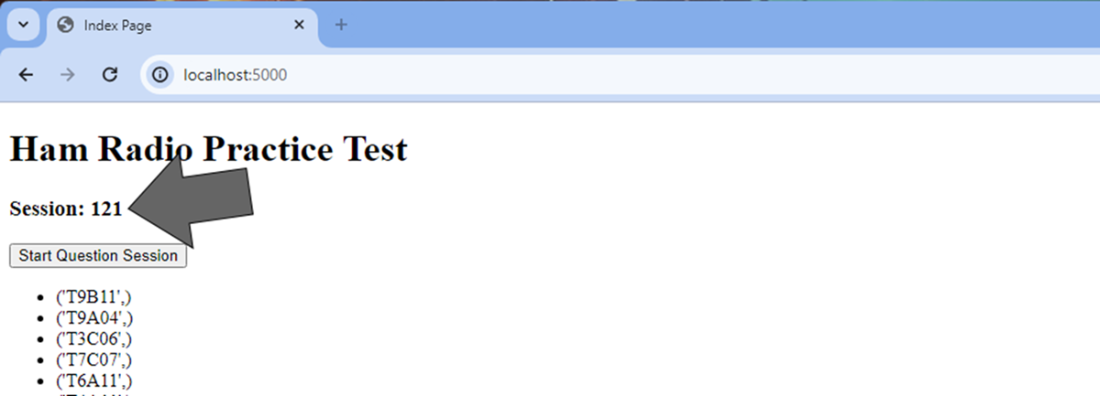
Our index page after creating a new session. Here session 42 is shown so we can visually see which session we’re working with.
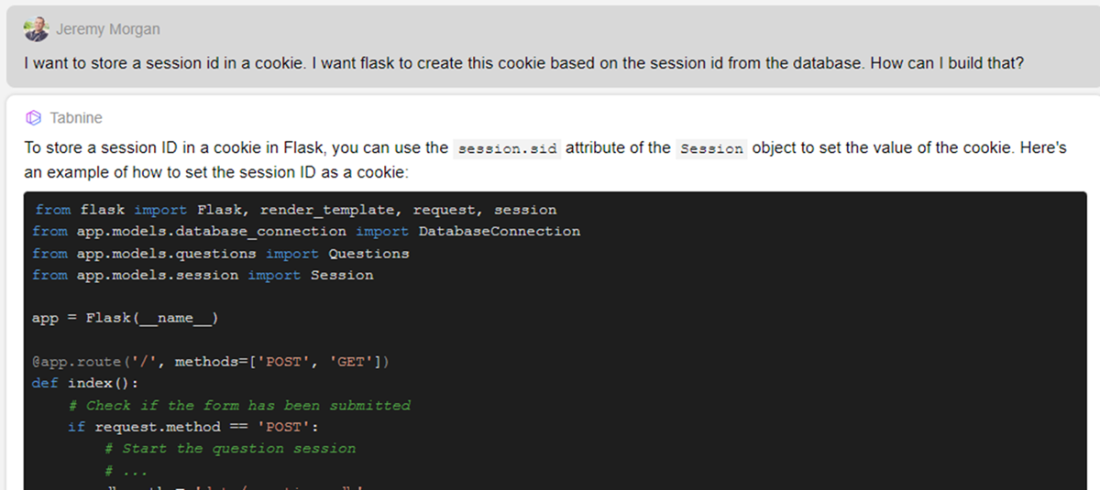
shows the detailed response for our prompt with Tabnine. It explains exactly how to create and store a cookie based on our request.
the show diff feature does a diff on the file and shows exactly which lines of code we need to add to our project.
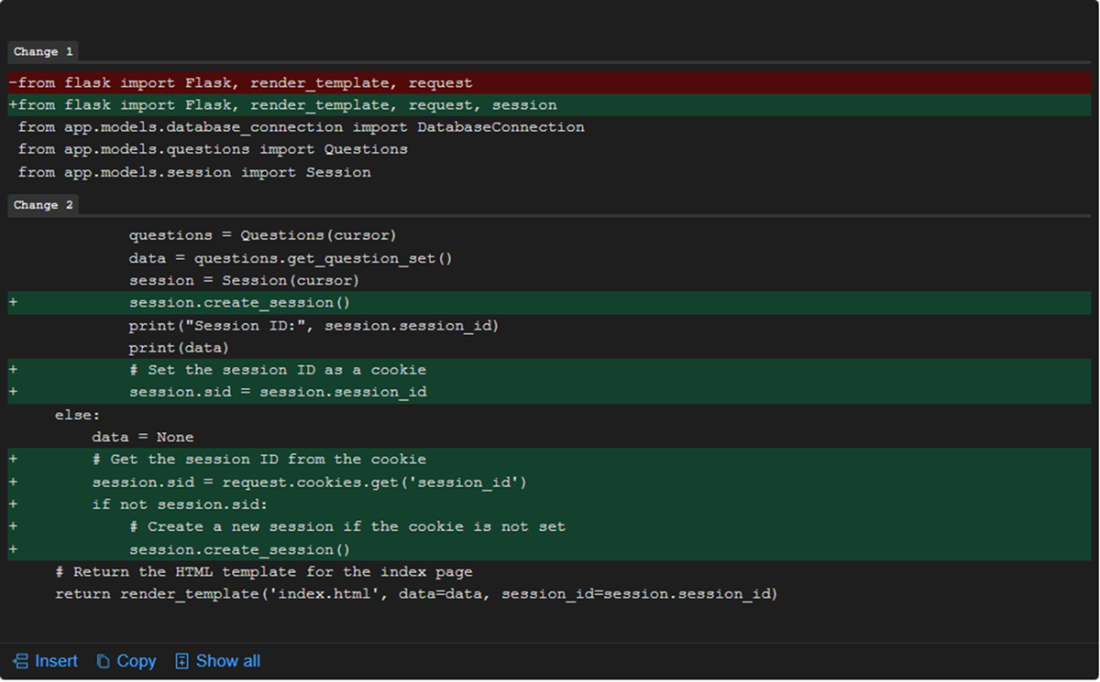
Our session variable cannot be accessed if it doesn’t yet exist.

Our questions get refreshed but the session_id stays the same.
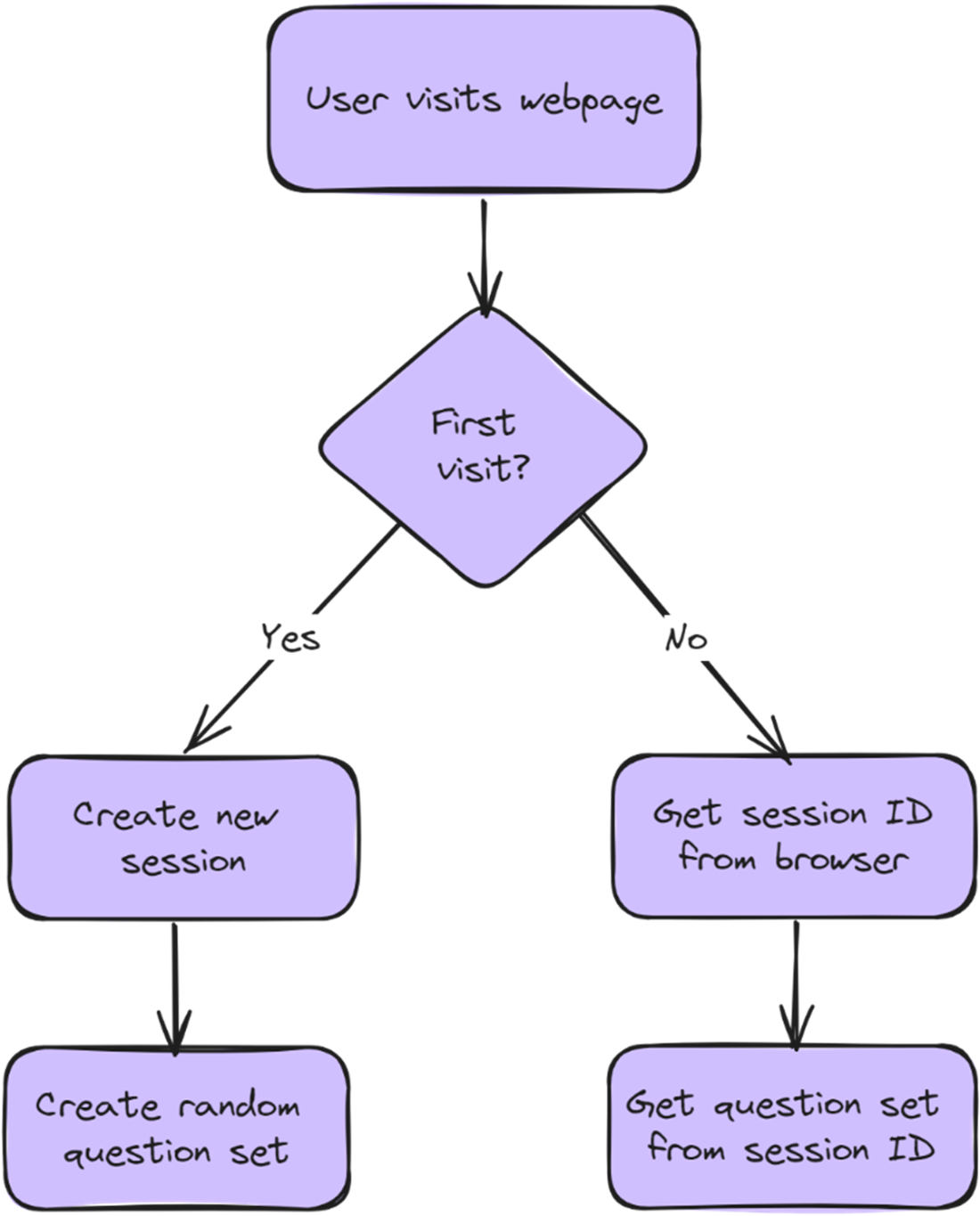
The initial flow of our website. The application looks for a cookie value and handles the session accordingly.
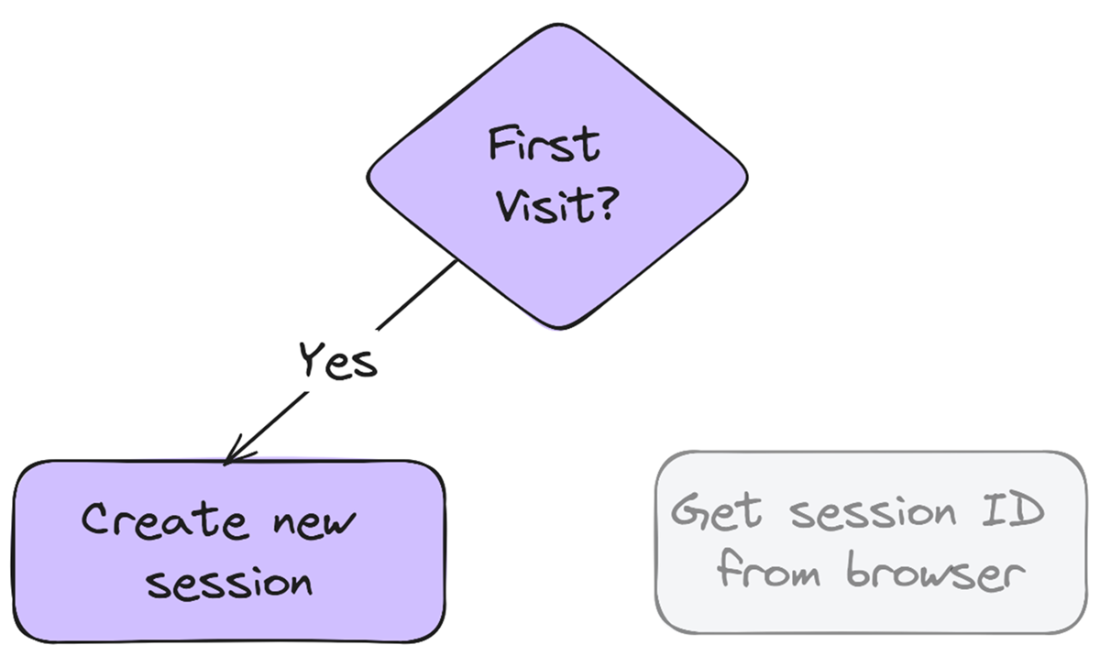
Because the method is being called without specifying our session ID, the first visit will always create a new session.
Upon the first visit a session is created, and no matter how many times we refresh it, the session persists, and questions stay the same.
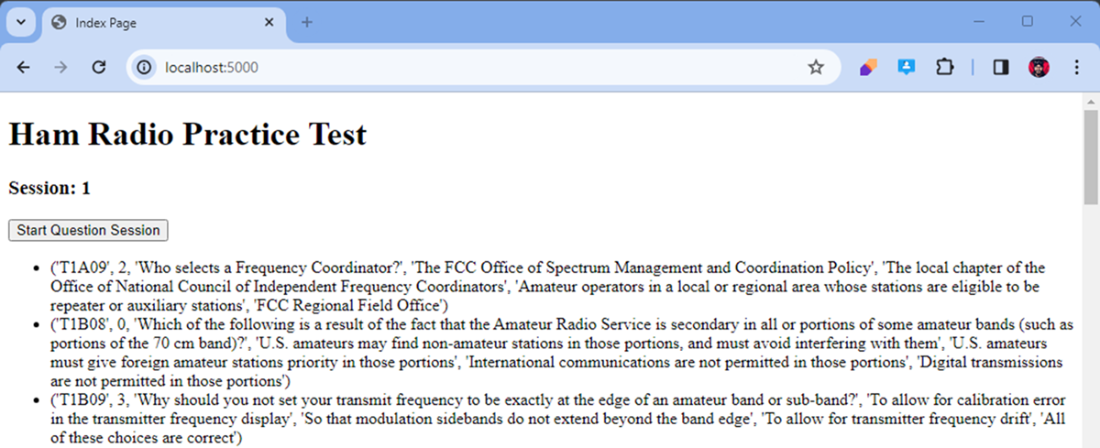
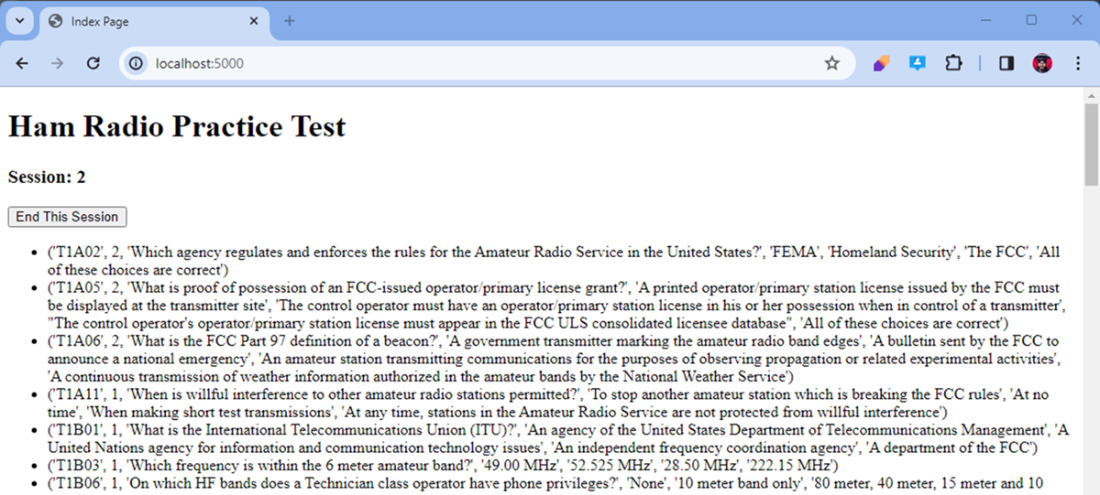
When you press “End This Session” the page refreshes with a new session as intended.
Summary
- Critical evaluation of AI-generated code is key. Always use diff views to see proposed changes. Also, think about how the generated code fits with your current architecture before you implement it.
- Refining your prompts iteratively boosts AI assistance quality. Start with clear descriptions. Add context when needed. Use casual language to guide the AI toward your solution.
- Implementing database session management needs careful thought. Consider constraints, auto-increment features, and cookie persistence. These keep state across user interactions.
- Testing after every implementation stage stops cascading errors. Verify functionality after each code change. Focus on database operations to ensure correct state management.
- Separation of concerns in web applications leads to cleaner architecture. For example, session creation, question retrieval, and user interface components can be separate, testable units.
- User experience considerations should guide development choices. For instance, automatically creating sessions is better than asking for user action when it fits the expected workflow.
- Error handling for edge cases makes applications more robust. Anticipate possible problems, like duplicate entries, and set up fallback mechanisms.
- Using AI as a collaborative assistant boosts productivity. Pairing the AI's code generation with your domain knowledge gives the best results.
FAQ
How do I fix “sqlite3.IntegrityError: UNIQUE constraint failed: question_sets.question_set_id” when creating new sessions?
Don’t insert your own question_set_id. Let SQLite auto-generate it. In SQLite, insert NULL (or omit the column) for an INTEGER PRIMARY KEY so it auto-increments. Also, don’t reuse a single ID for all 35 inserts. Example inside your loop:-- Preferred: name columns explicitly
INSERT INTO question_sets (question_set_id, session_id, question_id)
VALUES (NULL, ?, ?);
Does SQLite support using DEFAULT for auto-increment IDs?
Not in the way many expect. For an INTEGER PRIMARY KEY in SQLite, use NULL (or omit the column) to trigger auto-increment. Using DEFAULT in VALUES for this purpose won’t work as it might in other databases. Use:INSERT INTO question_sets (question_set_id, session_id, question_id)
VALUES (NULL, ?, ?);
Why do my questions change on every refresh even though I’m storing a session cookie?
Because your get_question_set method always randomizes. Make it session-aware: if a session_id exists, fetch the already-assigned questions for that session; only randomize when there’s no session yet.def get_question_set(self, session_id=None):
if session_id is None:
# generate random set of 35
else:
self.cursor.execute("""
SELECT q.id, q.correct, q.question, q.a, q.b, q.c, q.d
FROM questions q
JOIN question_sets s ON q.id = s.question_id
WHERE s.session_id = ?
""", (session_id,))
return list(self.cursor.fetchall())
What’s the correct way to persist a user’s session across browser closes in Flask?
Store the database session_id in a cookie. On first visit, create a session and set the cookie; on subsequent visits, read it and reuse the existing session.our_session = request.cookies.get('session_id')
if our_session is None:
session.session_id = session.create_session()
response = make_response(render_template('index.html',
data=data,
session_id=session.session_id))
response.set_cookie('session_id', str(session.session_id))
return response
else:
session.session_id = our_session
response = make_response(render_template('index.html',
data=data,
session_id=session.session_id))
return response
How do I insert 35 questions for a session without violating uniqueness constraints?
Insert one row per question and let the primary key auto-increment on each insert. Don’t compute a single question_set_id and reuse it across all 35 inserts.for q in question_set_of_35:
cursor.execute(
"INSERT INTO question_sets (question_set_id, session_id, question_id) "
"VALUES (NULL, ?, ?)",
(session_id, q_id)
)
Should I start a session with a “Start Session” button or automatically on first visit?
Both work. The chapter ultimately refactors to auto-create a session on the first visit to reduce friction, then persists it via a cookie. A button-based POST flow is fine during early development, but for a smoother UX, auto-start the session when no cookie is found, and reuse it otherwise.How can I display the current session ID in the UI with Jinja templates?
Pass session_id to the template and render it conditionally:# In Flask
return render_template('index.html', data=data, session_id=session.session_id)
<!-- In templates/index.html -->
<h1>Ham Radio Practice Test</h1>
{% if session_id %}
  <h3>Session: {{ session_id }}</h3>
{% endif %}
How can I let users end the test and restart with a fresh session?
Add a client-side button that deletes the cookie and reloads the page. The server will detect no cookie and create a new session.<button onclick="endSession()">End This Session</button>
<script>
function endSession() {
document.cookie = "session_id=; expires=Thu, 01 Jan 1970 00:00:00 UTC; path=/;";
window.location.reload();
}
</script>

 Coding with AI ebook for free
