5 Using BlackboxAI to Generate Base Code
This chapter demonstrates how to accelerate full‑stack development by pairing deliberate human design with BlackboxAI’s code generation. Using a Ham Radio practice exam app as the running example, the author treats AI as a junior pair programmer to quickly scaffold boilerplate, then applies human judgment to shape architecture, enforce separation of concerns, and keep the effort focused on an MVP. The narrative emphasizes prompt craft, iterative refinement via inline comments and chat, and maintaining a critical eye on AI outputs—accepting useful suggestions, rejecting misaligned ones, and refactoring for clarity, testability, and maintainability.
The build proceeds from setting up a SQLite-backed Flask project to importing the public question pool, connecting with sqlite3, and rendering results through a simple index route. After an initial end‑to‑end path works, the code is reorganized: a DatabaseConnection context manager centralizes connection handling, Questions focuses on data retrieval, and app.py orchestrates flow. BlackboxAI assists in writing and reshaping functions, while the developer corrects framework conventions, fixes imports, replaces SELECT * with targeted columns, and ensures clean error handling. The app then evolves from dumping rows to selecting 35 unique, randomized question IDs, preparing the foundation for a realistic test-taking flow.
To support session-based practice tests, the chapter designs and implements a minimal schema—sessions, question_sets, and questions—and introduces a Session class that creates a session, generates a question set, and persists the associations. Verification in the database confirms the process works as intended. Throughout, the author highlights best practices: keep concerns separate, avoid over-engineering early, harden AI-generated “happy path” code, and override AI when suggestions conflict with project goals, performance, or security. The result is a functional baseline that proves the human‑AI collaboration model: AI supplies speed and scaffolding; human expertise supplies architecture, correctness, and direction for subsequent iterations.
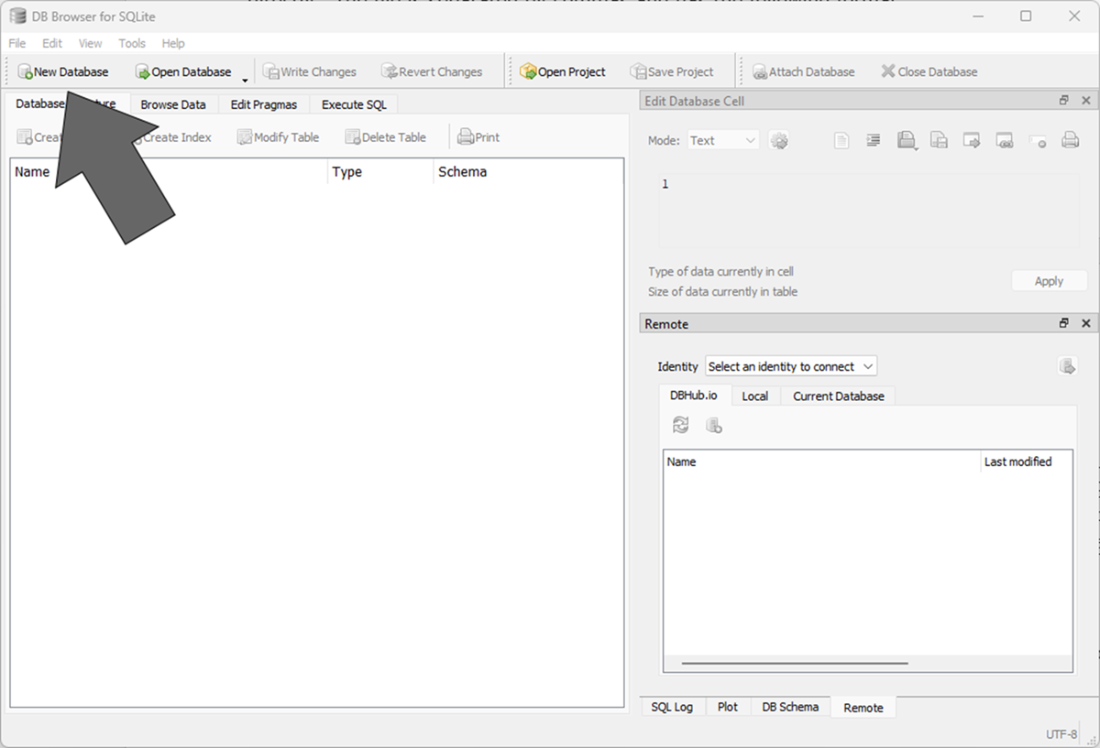
The DB Browser main screen. This is where we’ll create a new SQLite database.
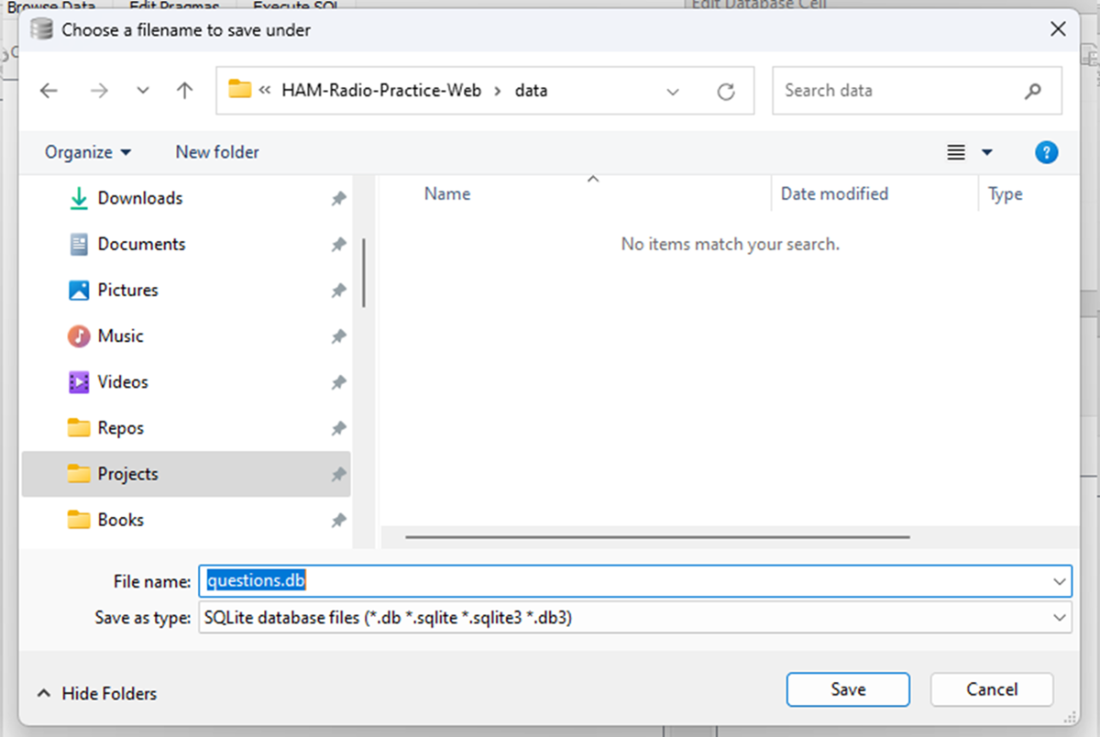
saving a new database. This will save a new questions.db file.
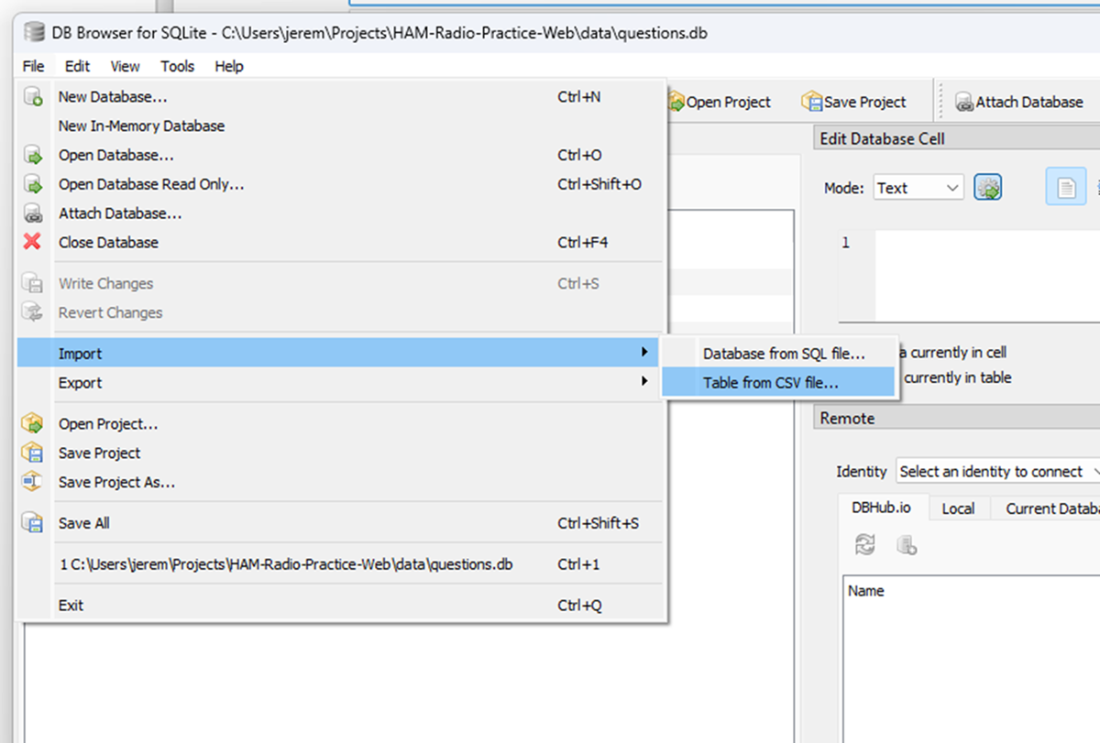
Importing a CSV file into the database. We will create a table from a CSV file.
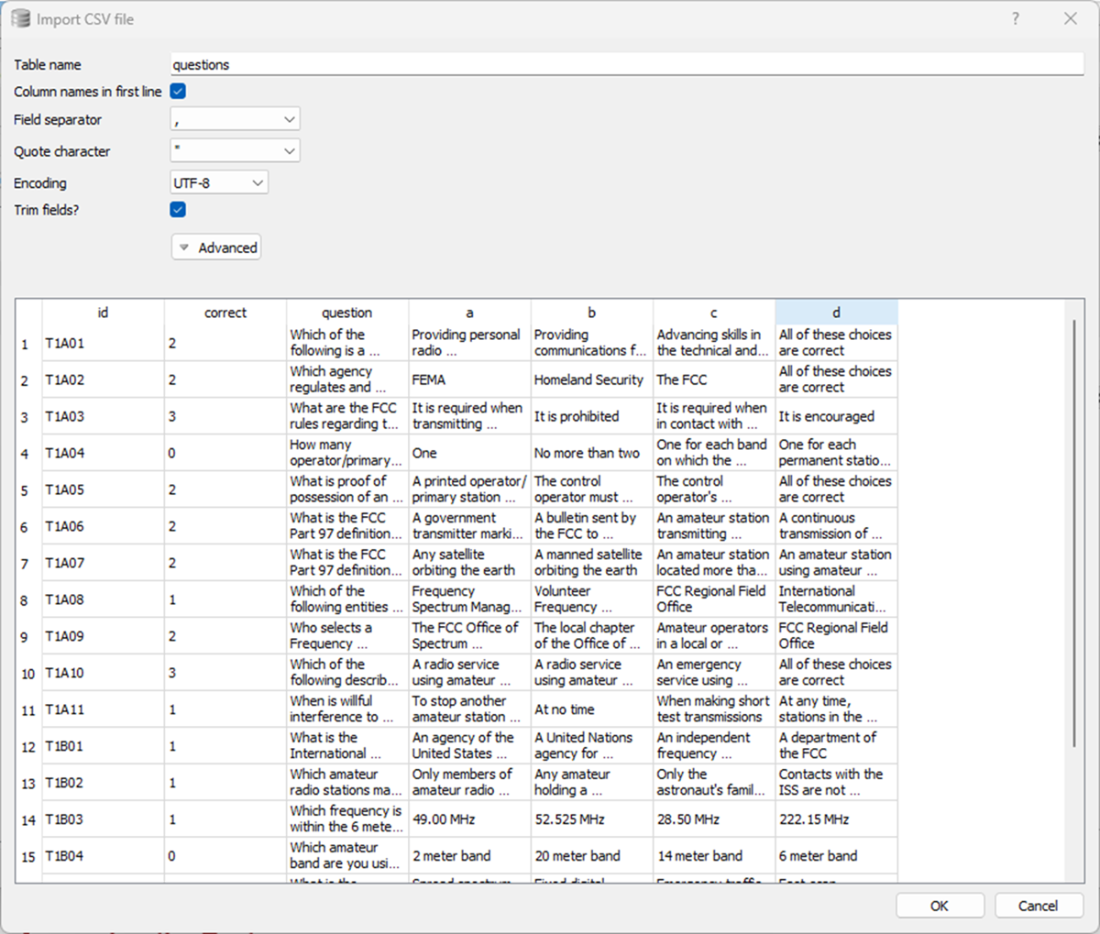
This dialog allows you to visually verify the CSV is read properly and the data is formatted how you expect it.
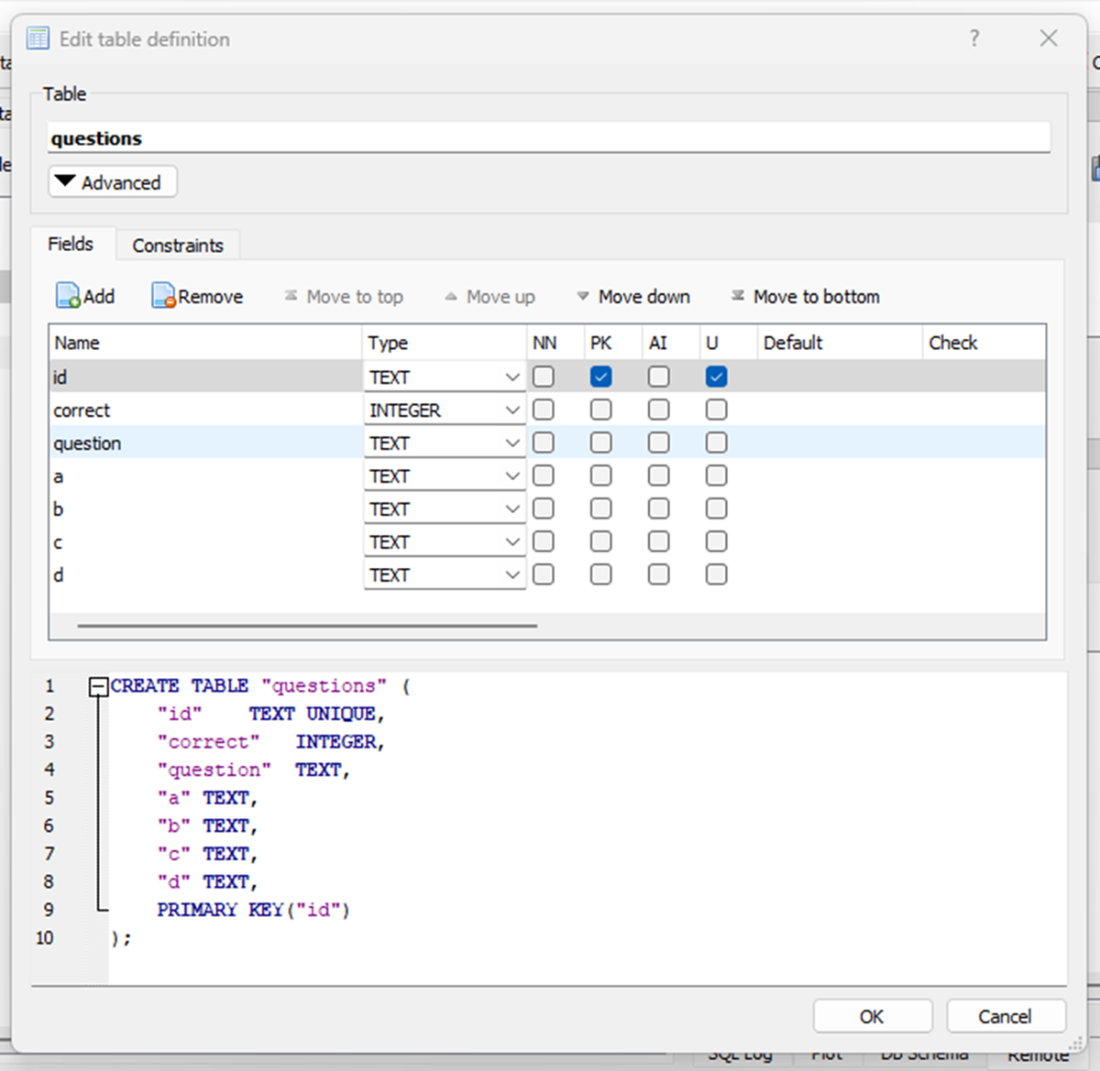
In this screen, ensure that the PK and U fields are selected for id.
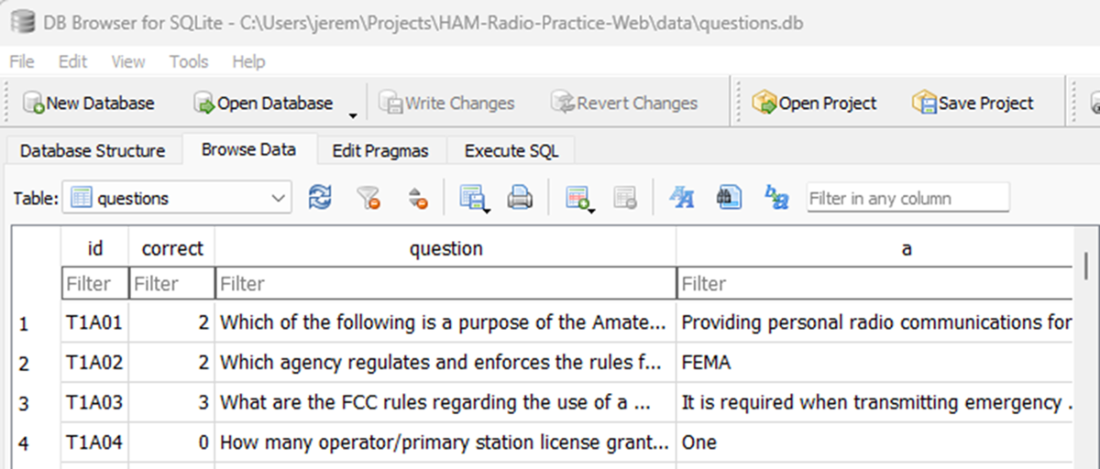
In DB Browser you can visually inspect your tables by clicking “browse data”
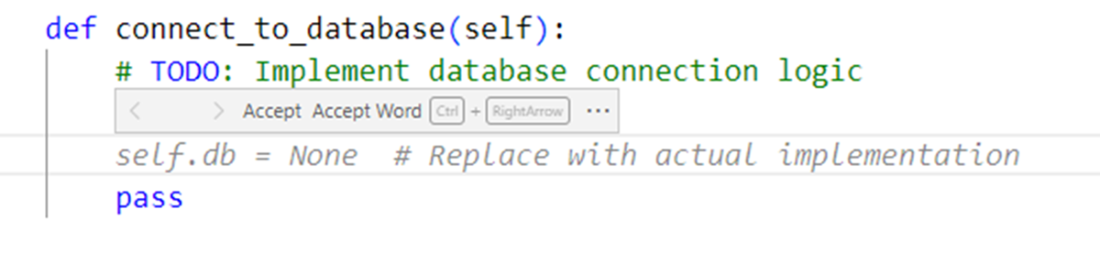
Blackbox showing vague result from our prompt.
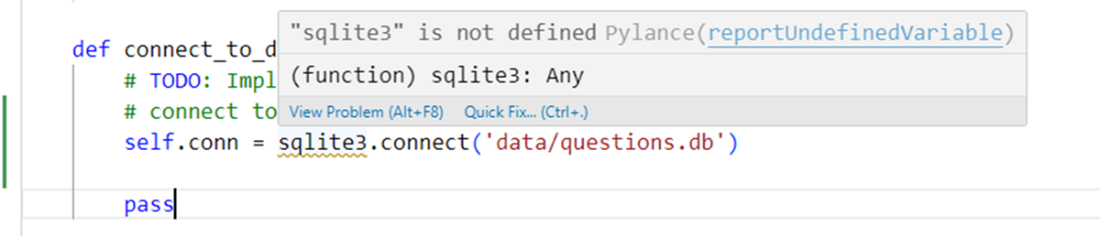
Code suggestion with more information in the prompt

Error suggesting we need to install the sqlite3 library.
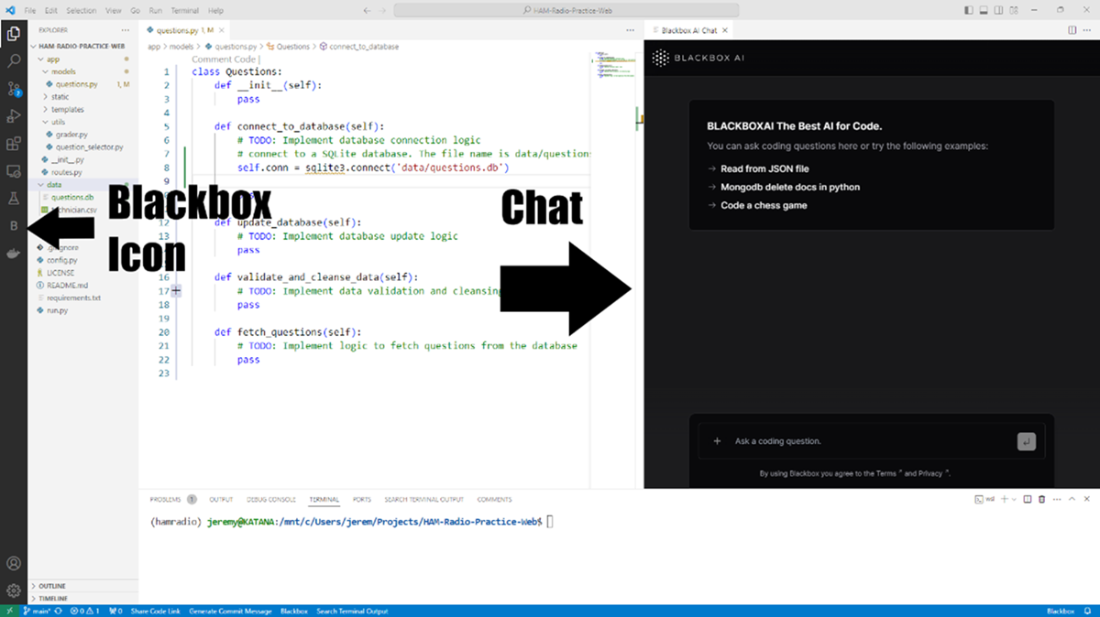
The Blackbox AI chat window
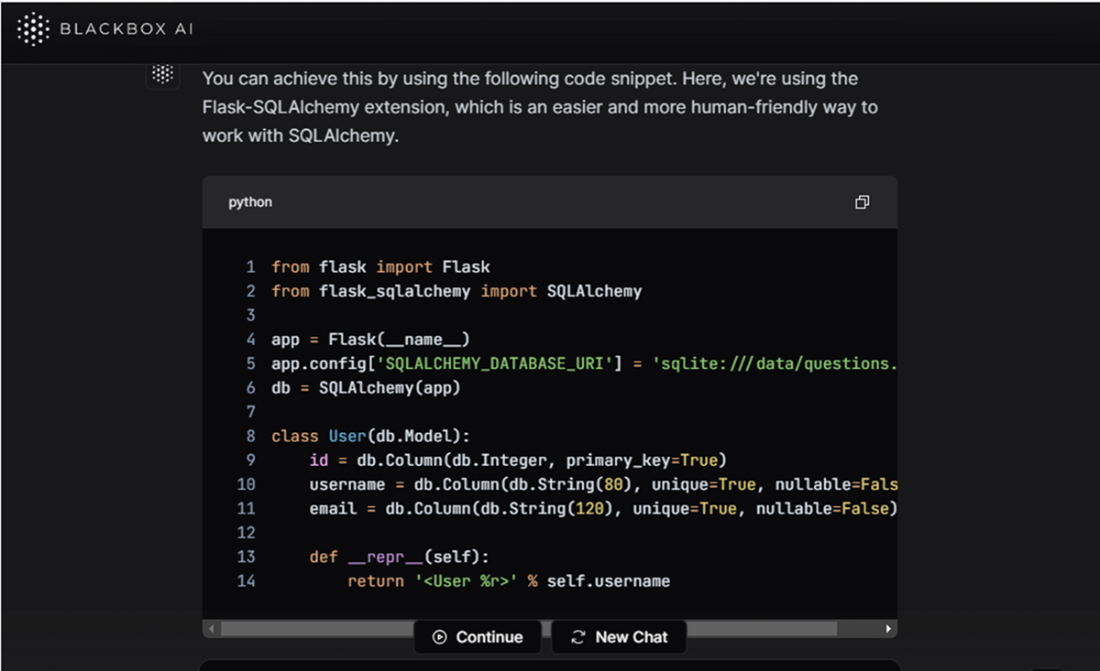
Blackbox AI’s first suggestion from our prompt
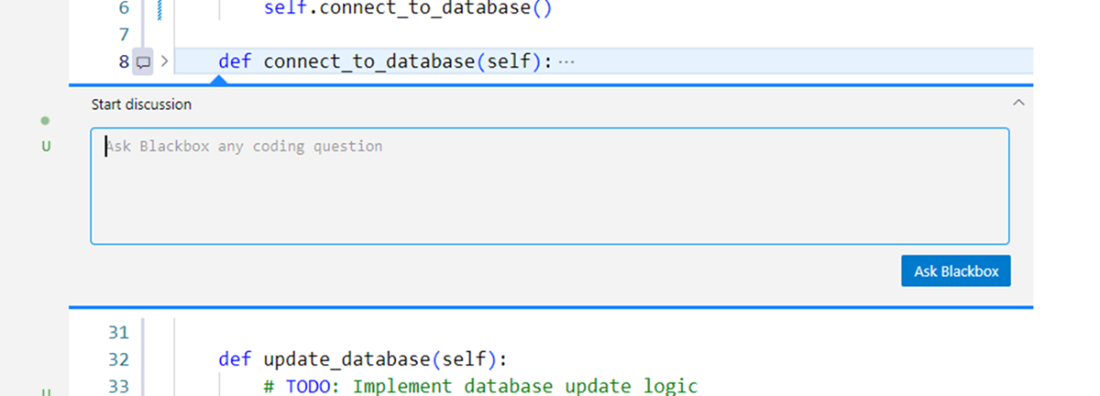
You can ask questions directly from the editor window by clicking a plus sign next to a line of code.
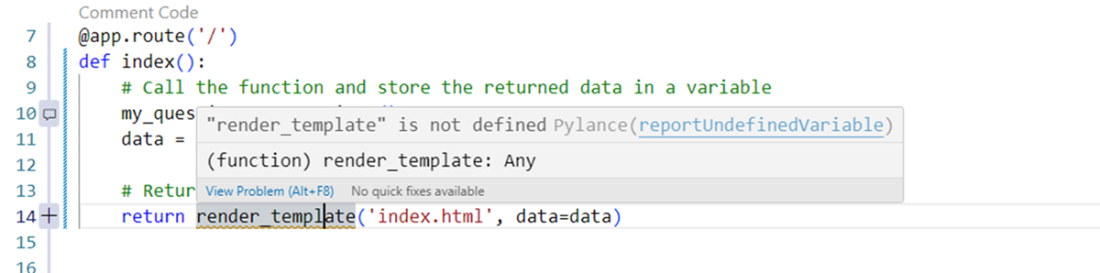
We’re getting an error with the render_template function not being found.
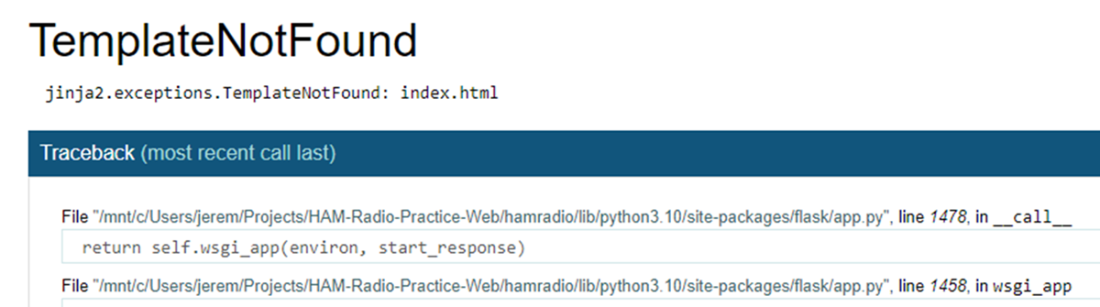
Jinja is Flask’s templating system. It’s showing an error with finding our template.
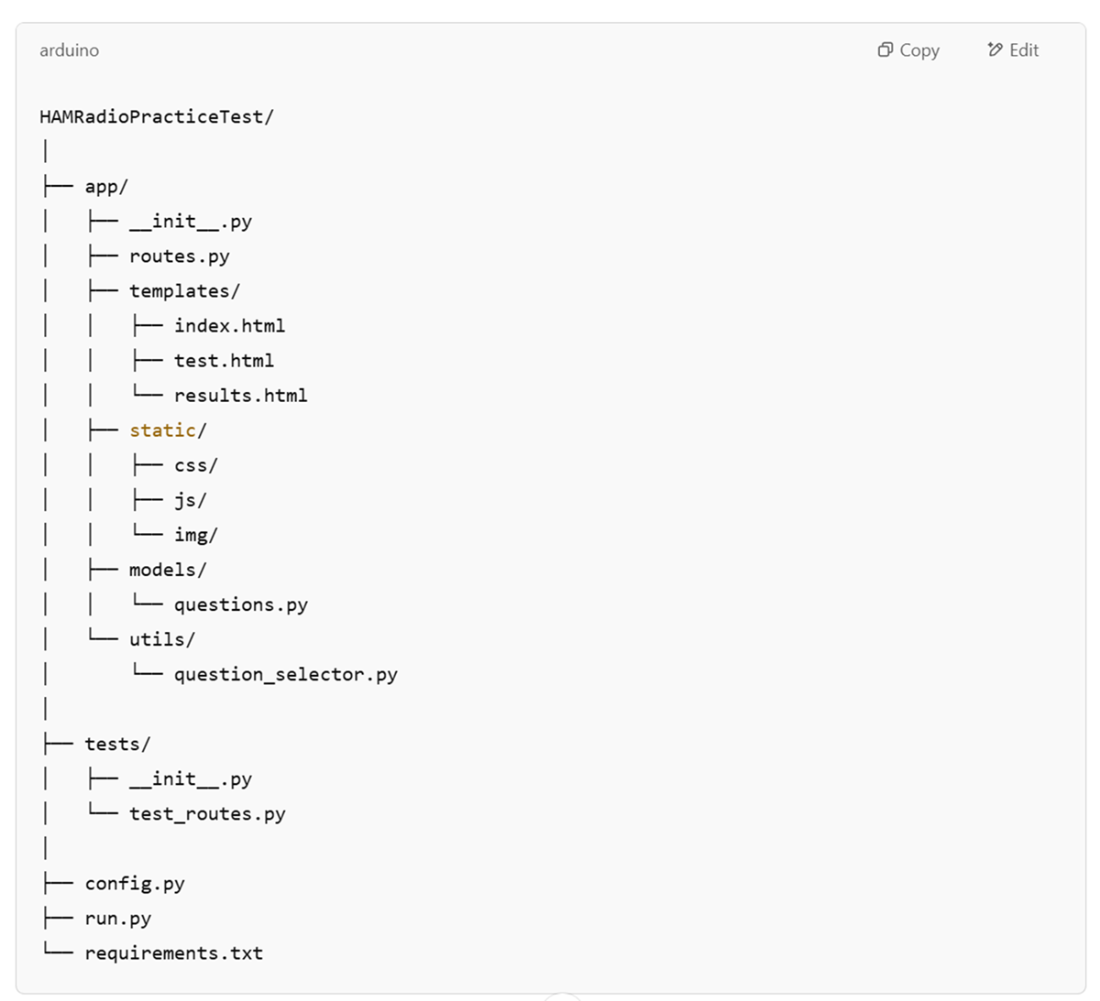
The file structure ChatGPT suggested for us earlier. It is incorrect according to the common Flask file structure.
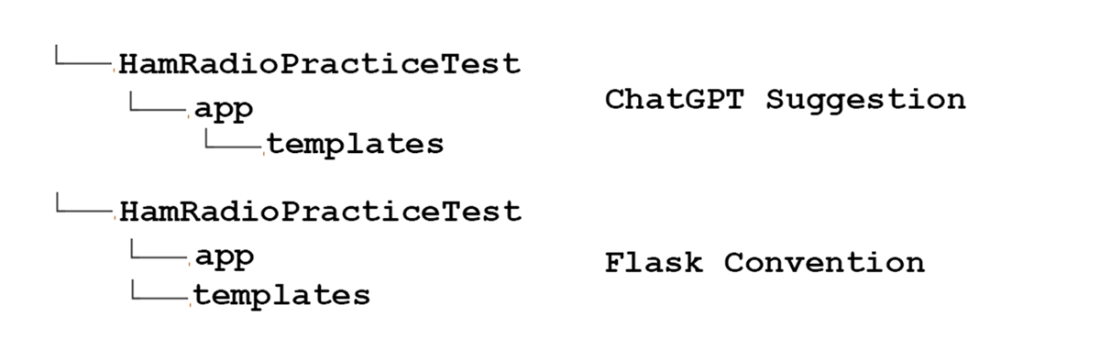
We’re moving the templates folder to the application root because Flask expects the templates folder at the root by default.
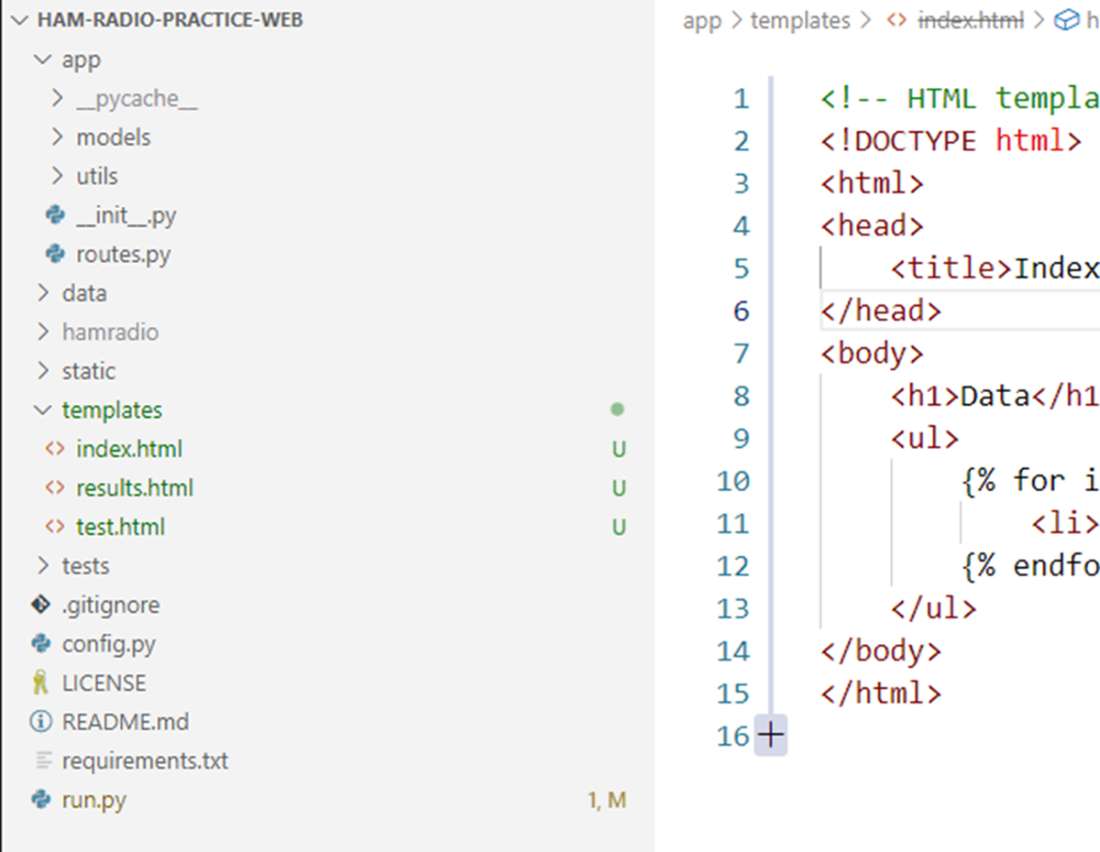
Our new file structure based on Flask Documentation recommendations.
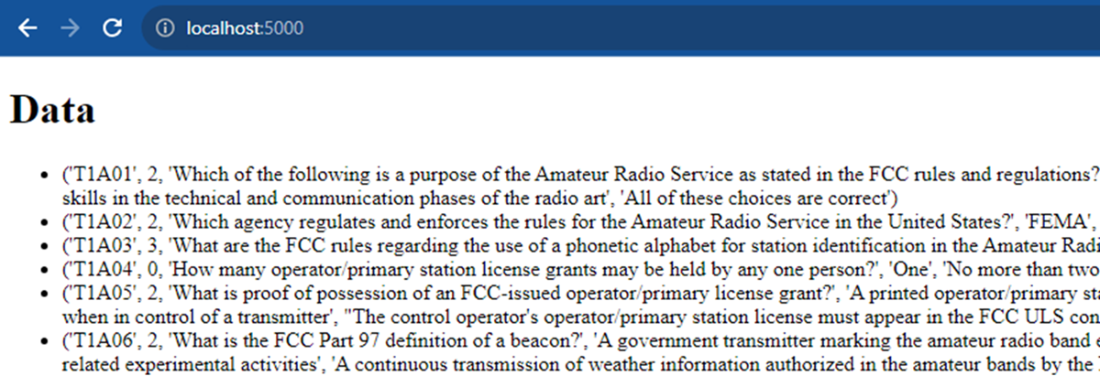
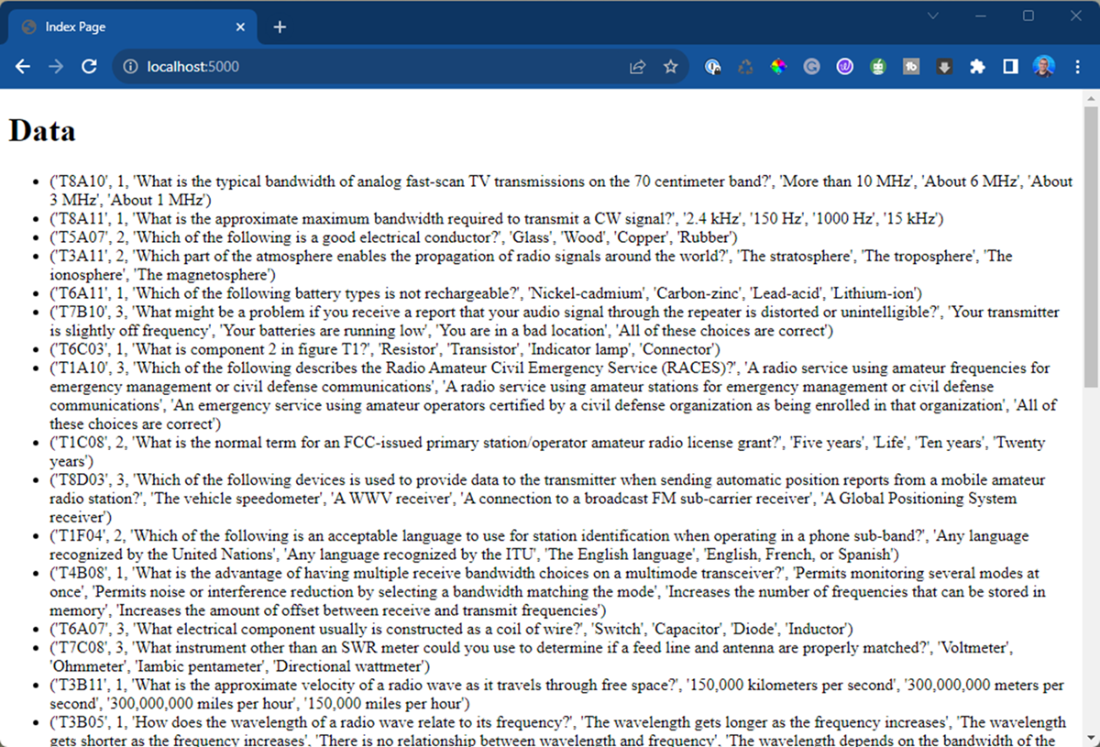
The index page showing the results from connect_to_database() function, rendered on the screen.
Asking a question in Blackbox Chat and making sure it’s looking at our code

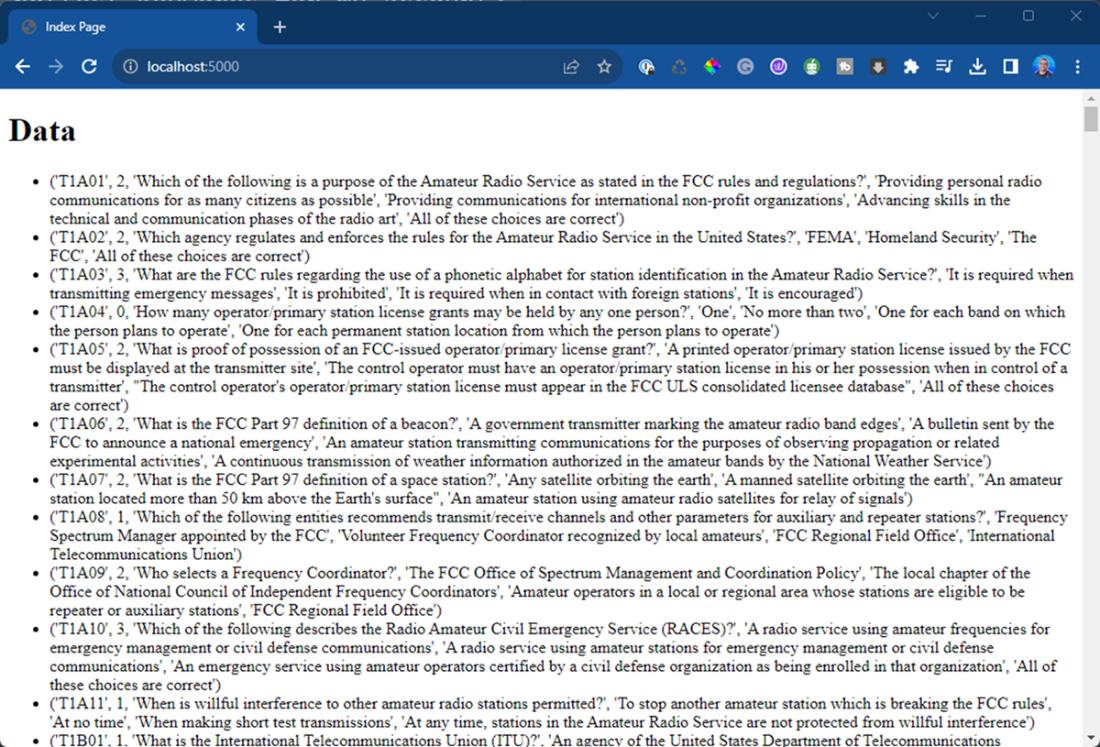
The webpage displayed at the root of our application. It shows a raw printout of the data returned from our database.
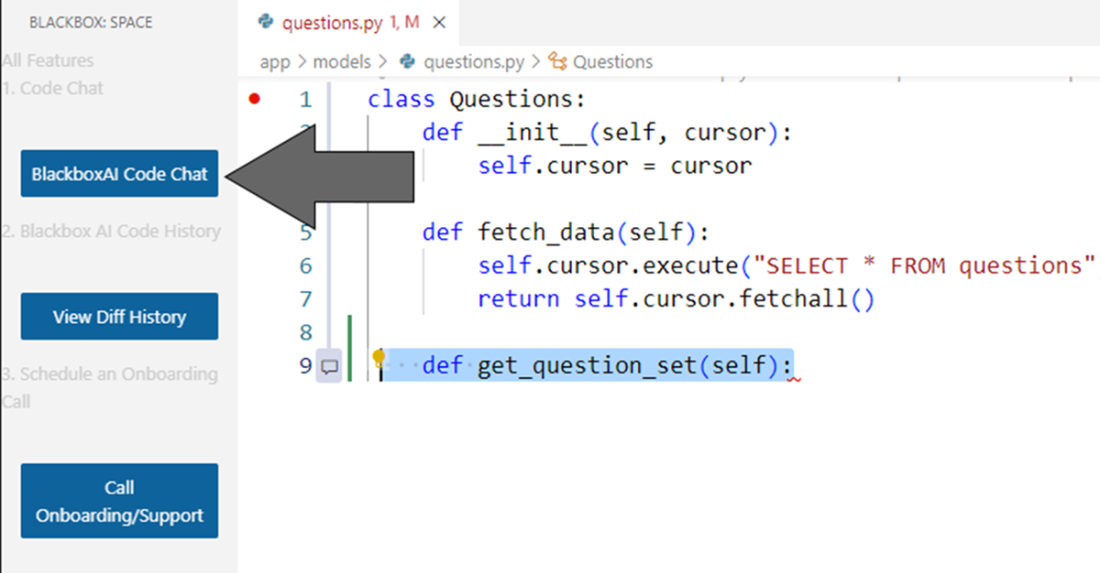
The BlackboxAI Code Chat Button
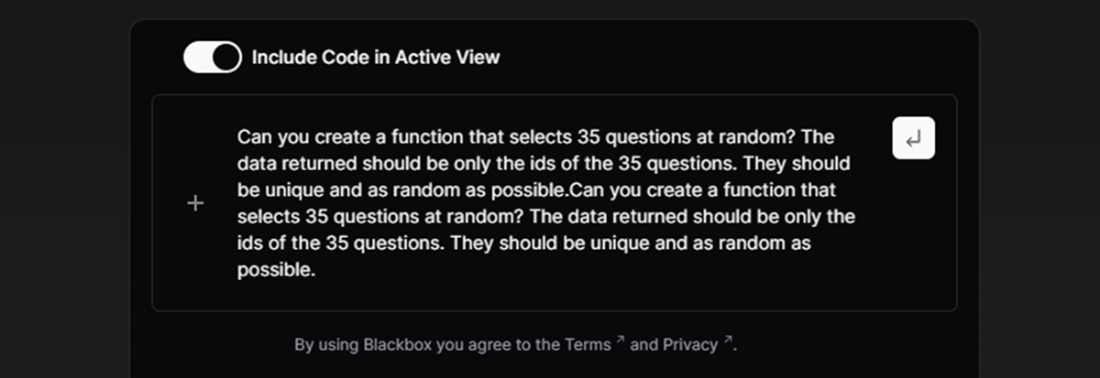
s The prompt we will send to BlackboxAI. It is enclosed in the chat window.
Our results from creating a function to randomly grab 35 questions.
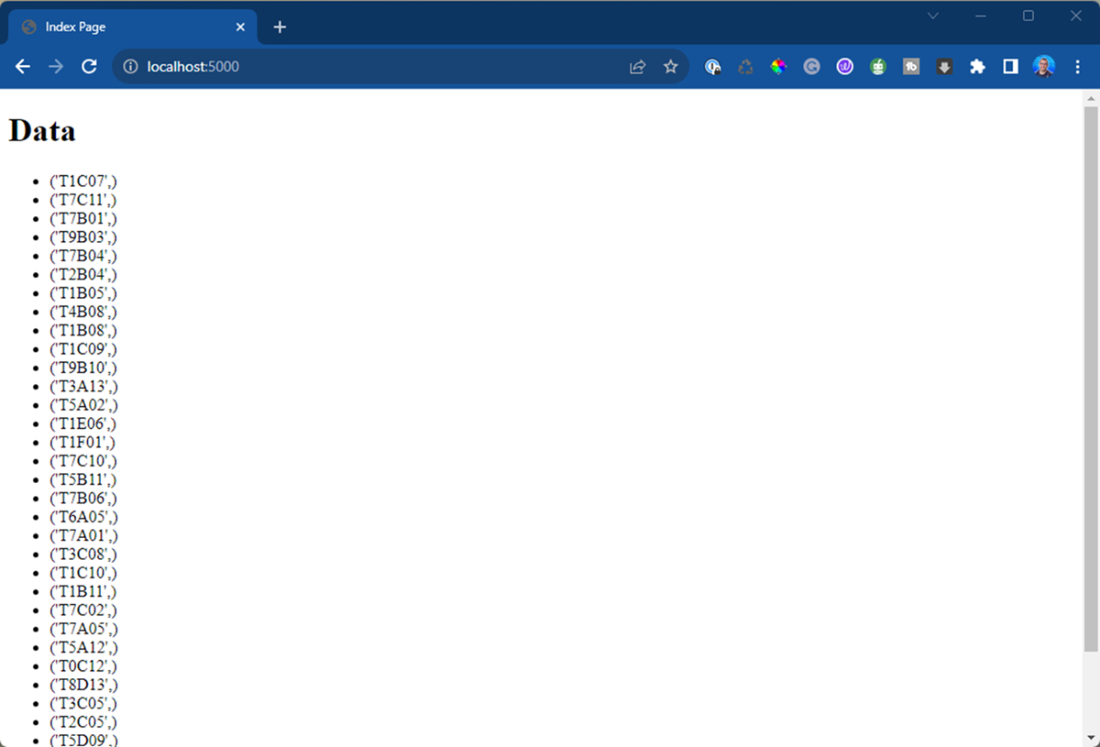
Our index page now only shows IDs as output from our query.
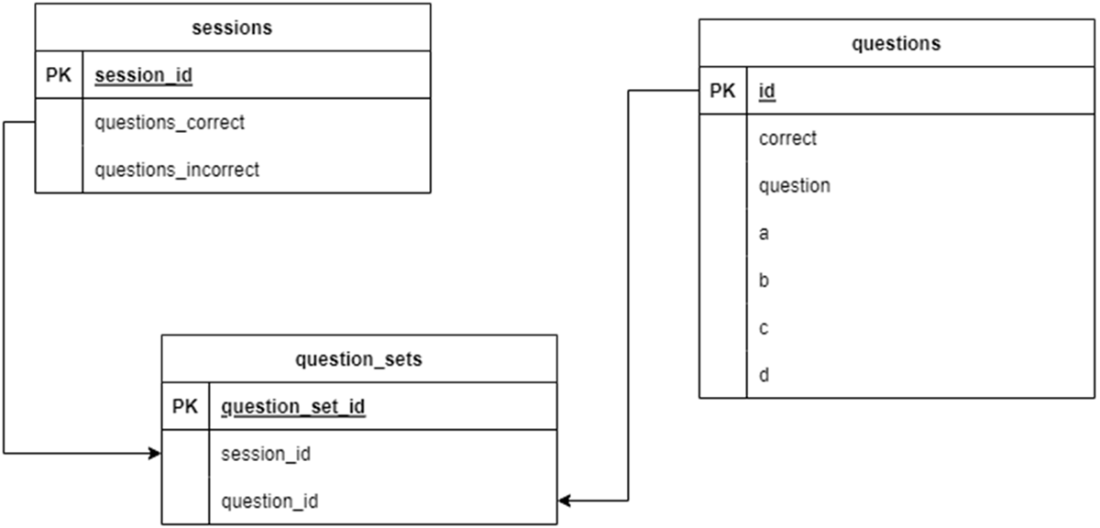
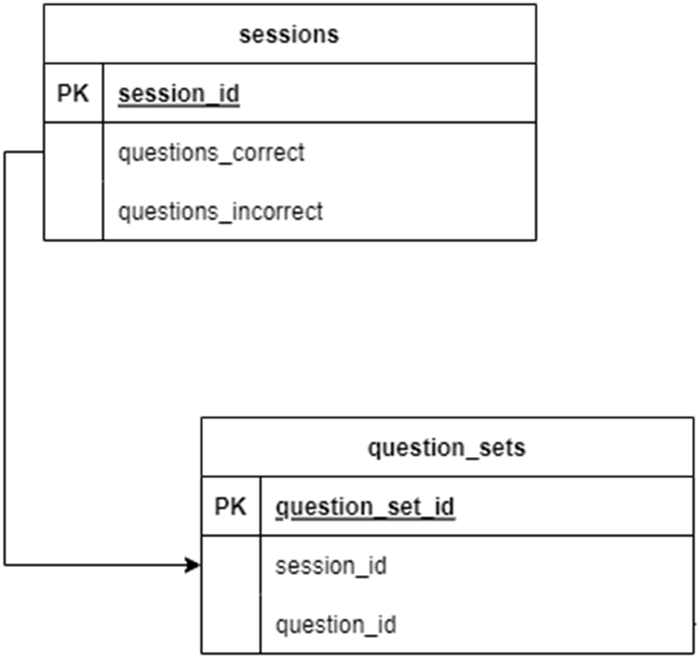
Our proposed database design, that contains our sessions, question sets, and questions from the test.
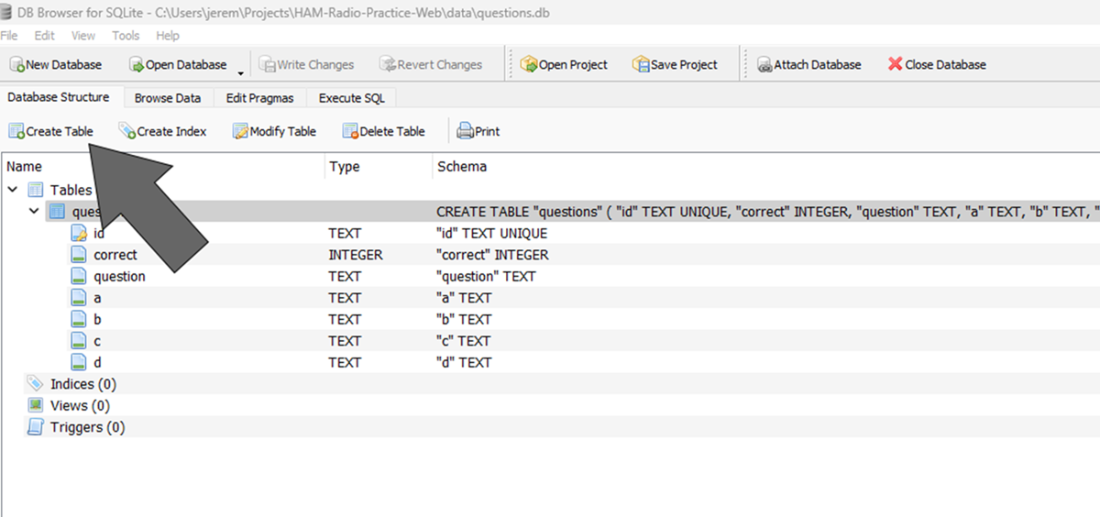
DB Browser for SQLite main screen
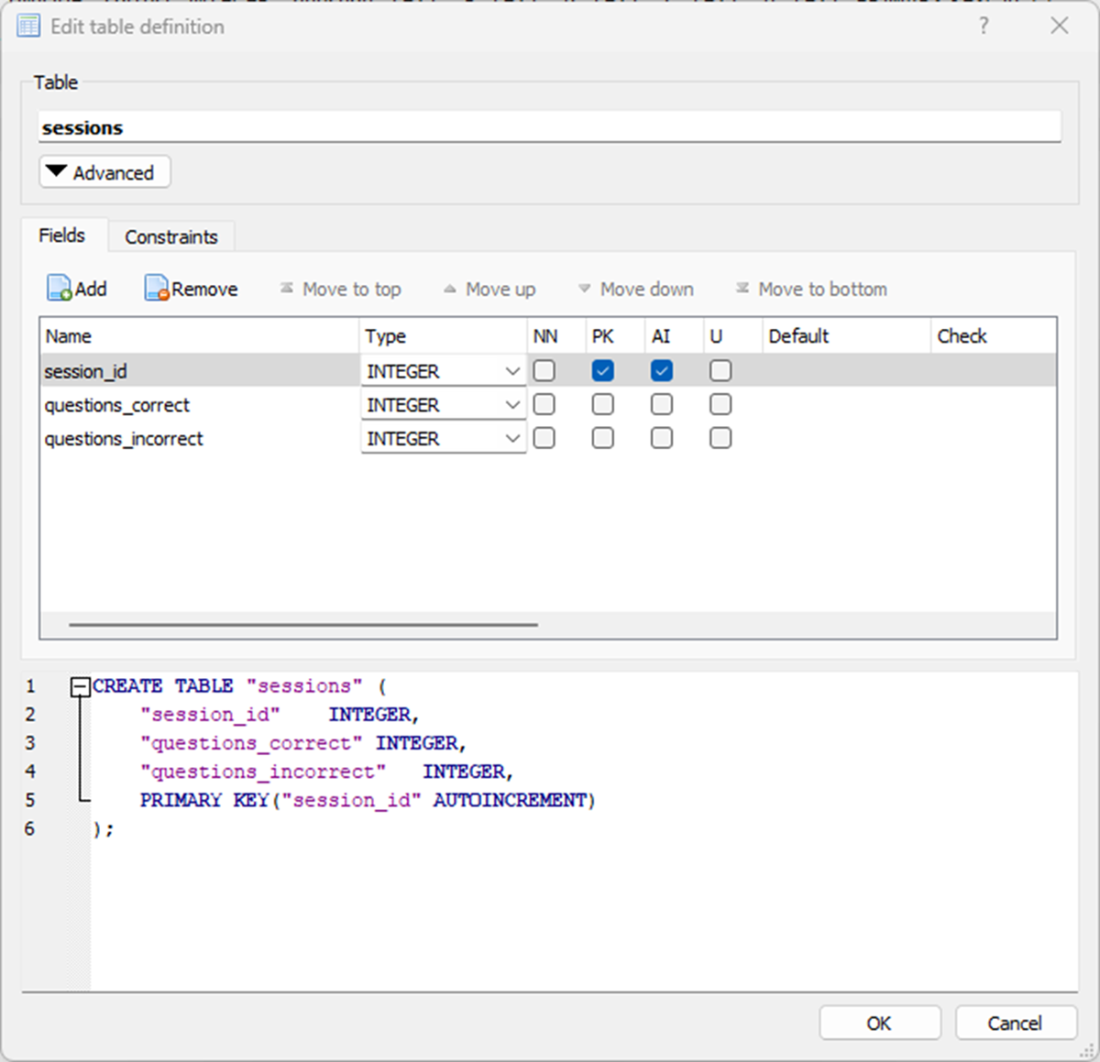
Create table dialog box for session table.
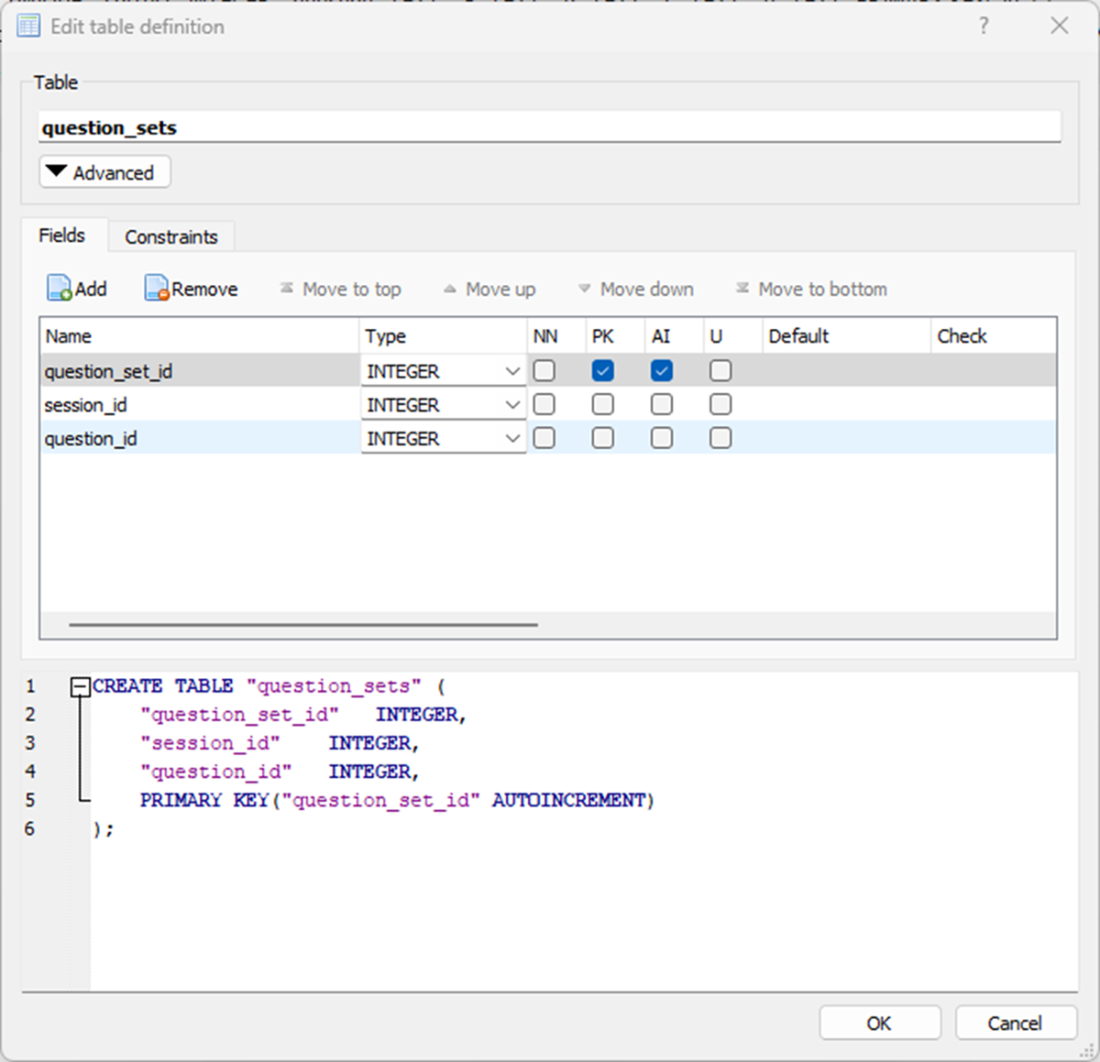
Our question set table in SQLite. We will enter the fields you see in the top window, and save them as the question_sets table.
The Write Changes button in DB Browser

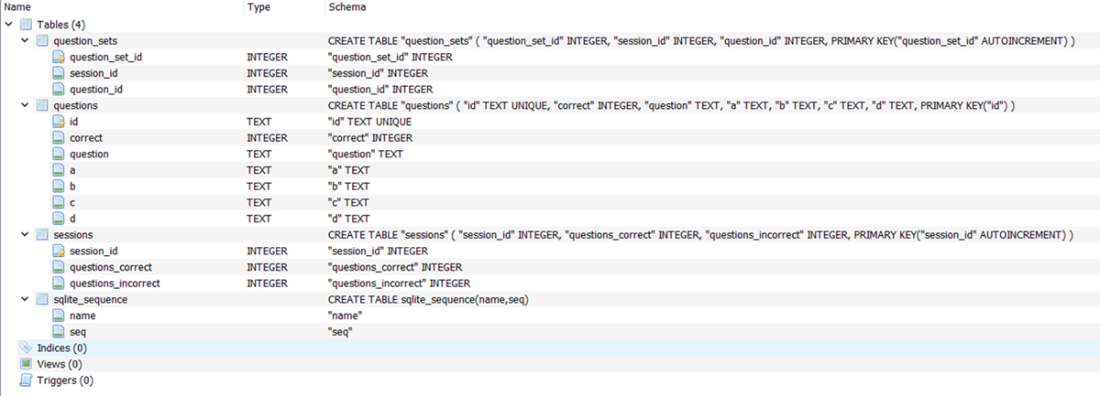
The final database structure, showing all the fields in our three tables.
The relationship between sessions and questions sets in our database.
a successful load of our Flask application

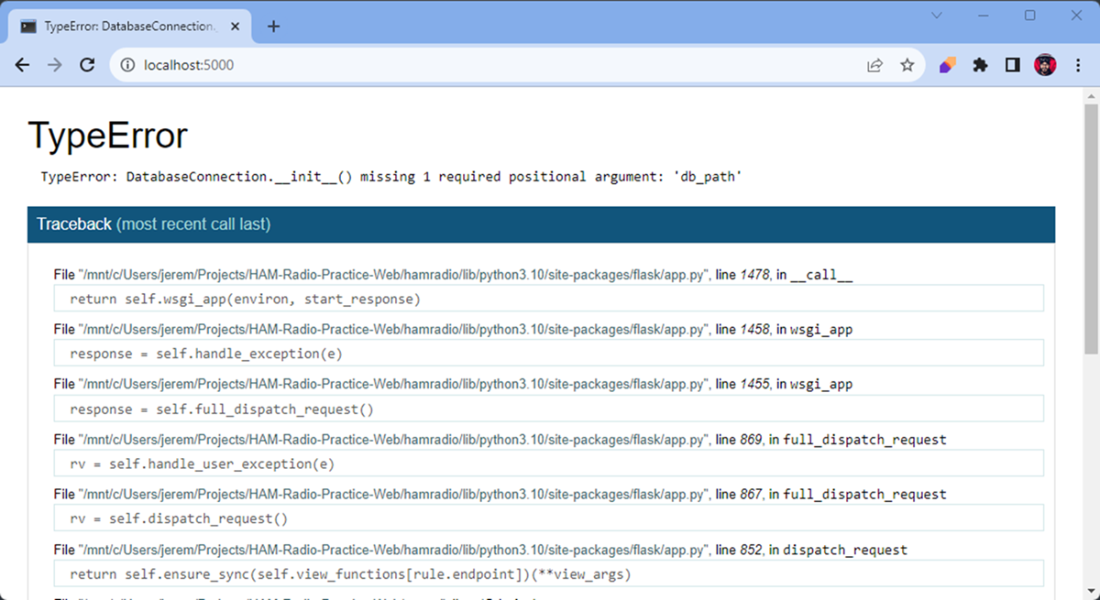
Type Error from our application.
No errors present in the console, which means our application started properly.

Our Web Browser Screen showing IDs
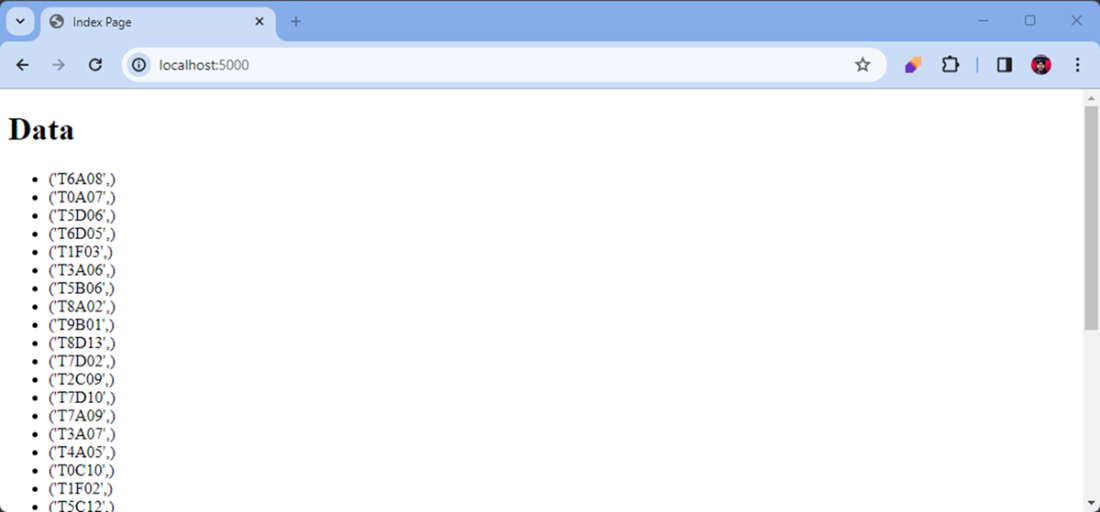
Our Console Output

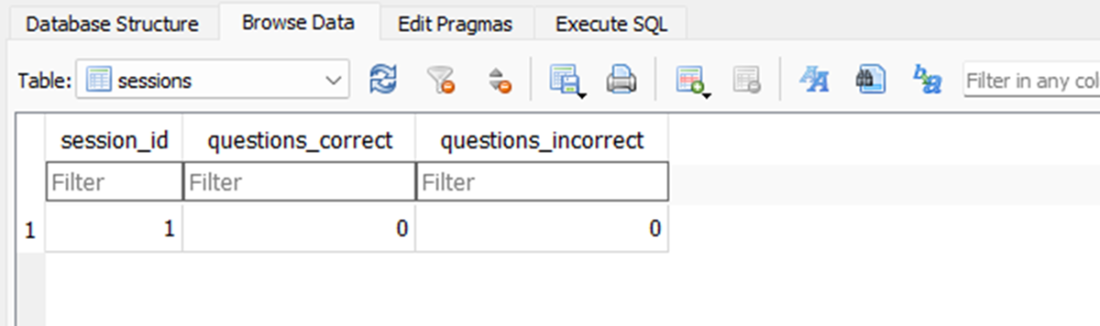
A view of our sessions table showing our first id and no questions answered.
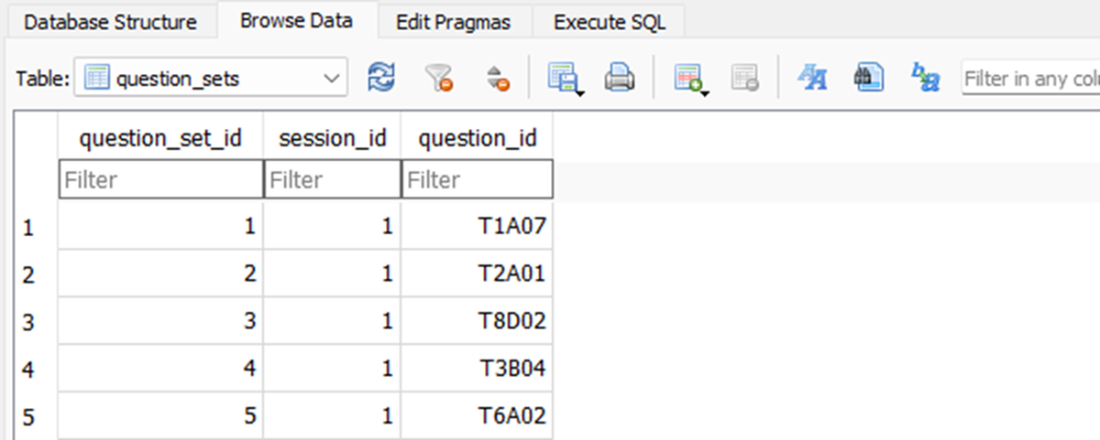
A view of our question_sets table showing random questions associated with our session ID.
Summary
- Generative AI tools, such as BlackboxAI, can speed up development. They generate initial code, letting developers focus on refining architecture and improving quality.
- Clear and specific context in prompts is key when using AI coding tools. Vague requests lead to generic or incorrect code, while detailed prompts with clear requirements yield better results.
- Separation of concerns is key in AI-assisted development. We demonstrate this here by keeping database connections in dedicated classes instead of mixing them in the application.
- Human intervention is needed to adjust AI-generated code. This is essential when the code doesn't follow best practices or meet the application's needs.
- Good database design should come before code generation. Even with AI help, proper schema planning avoids technical debt and future issues.
- Context management patterns, such as Python's with statement, ensure proper resource handling. These fundamentals are still vital in AI-accelerated development.
- The best way to use AI tools is as partners, not replacements. They speed up implementation but need human judgment for design and architecture choices.
- Testing and checking the database are key with AI-generated code. This helps find problems that might be missed in code reviews alone.
FAQ
What development approach does the chapter recommend when using BlackboxAI?
Use BlackboxAI to rapidly generate scaffolding and base code, then apply human judgment to refactor, enforce separation of concerns, correct architecture, and inject your own logic. Start aggressively with AI to reach a working beta, then refactor for maintainability and clarity.How do I import the ham radio CSV dataset into SQLite using DB Browser?
- Create a new database (e.g., questions.db) and click Write Changes- Import the CSV (File → Import → Table from CSV)
- Options: Table name:
questions, “Column names in first line”, Field separator: ,, Quote: ", Encoding: UTF-8, Trim fields- Mark
id as Primary Key and Unique (PK, U), then Write Changes againHow should I prompt BlackboxAI to generate a SQLite connection function?
Be explicit and outcome-oriented. Example: “Create a method that connects to a SQLite database atdata/questions.db, handles connection errors, and returns a cursor object.” Include language, framework, file paths, error handling, and what the method should return.When should I use BlackboxAI inline completions vs. chat?
- Inline comments: quick, small completions (a function body or a few lines)- Chat panel: multi-step tasks, larger code blocks, or when extra context (files, schema, constraints) is needed to steer the solution
Why refactor the Questions class to avoid direct DB connections?
Separation of concerns. Keep DB connection logic in a dedicated utility (e.g.,DatabaseConnection) and let Questions focus on queries/business logic. This improves testability, reuse, maintainability, and makes future DB changes easier.How does the DatabaseConnection context manager work and why use it?
It implements__enter__/__exit__ to open a connection and return a cursor, then commit and close automatically. Benefits: fewer leaks, consistent commits/rollbacks, simpler calling code, and a single place to handle errors and configuration.How do I fetch data and render it on a Flask index page?
- Ensure imports:from flask import Flask, render_template- Use the connection class and data class: open a connection, pass the cursor into
Questions, fetch data, then render_template('index.html', data=data)- Place templates in a top-level
/templates folder to satisfy Flask’s default lookupHow do I generate a random set of 35 unique question IDs?
- Query IDs only:SELECT id FROM questions- Sample 35 unique IDs (e.g.,
random.sample(all_ids, 35) or a set loop)- Return a simple list of IDs, not full rows
- Avoid
SELECT * to reduce payload and limit exposureHow do I create a session and store its question set in the database?
- Tables:sessions(session_id PK, questions_correct, questions_incorrect) and question_sets(question_set_id PK, session_id, question_id)- Create a session row with zeros for counts
- Generate 35 question IDs and insert 35
question_sets rows linking each question_id to the session_id- Inject a cursor (dependency injection) instead of hardcoding a DB path in the class
What pitfalls in AI-generated SQL/architecture should I watch for?
- SQL:SELECT *, missing WHERE clauses, no parameterization, and unindexed scans- Architecture: DB logic mixed into business classes, hardcoded paths, weak error handling, non-configurable code
- Mitigate by specifying columns, using parameterized queries, separating concerns, centralizing config, and adding robust exception handling

 Coding with AI ebook for free
