4 Coding the first version of our application
This chapter walks from idea to a first, runnable version of a HAM radio test-prep application by pairing solid software fundamentals with generative AI assistance. It frames “stubbing” as the foundation: build a skeletal structure of classes, methods, and interfaces before filling in behavior. AI is positioned as a collaborative partner that accelerates planning and early implementation while the developer maintains ownership of decisions, scope, and quality.
The work begins by turning a brief design document into actionable requirements with two models, ChatGPT and Gemini. Their outputs differ in detail and emphasis, illustrating why cross-checking across tools and validating with stakeholders is essential to avoid omissions and hallucinations. A repeatable three-step prompt flow—extract key requirements, convert them to user stories, then produce grouped feature stubs—keeps design and implementation aligned, surfaces gaps early, and yields clear interfaces that are easy to test and iterate.
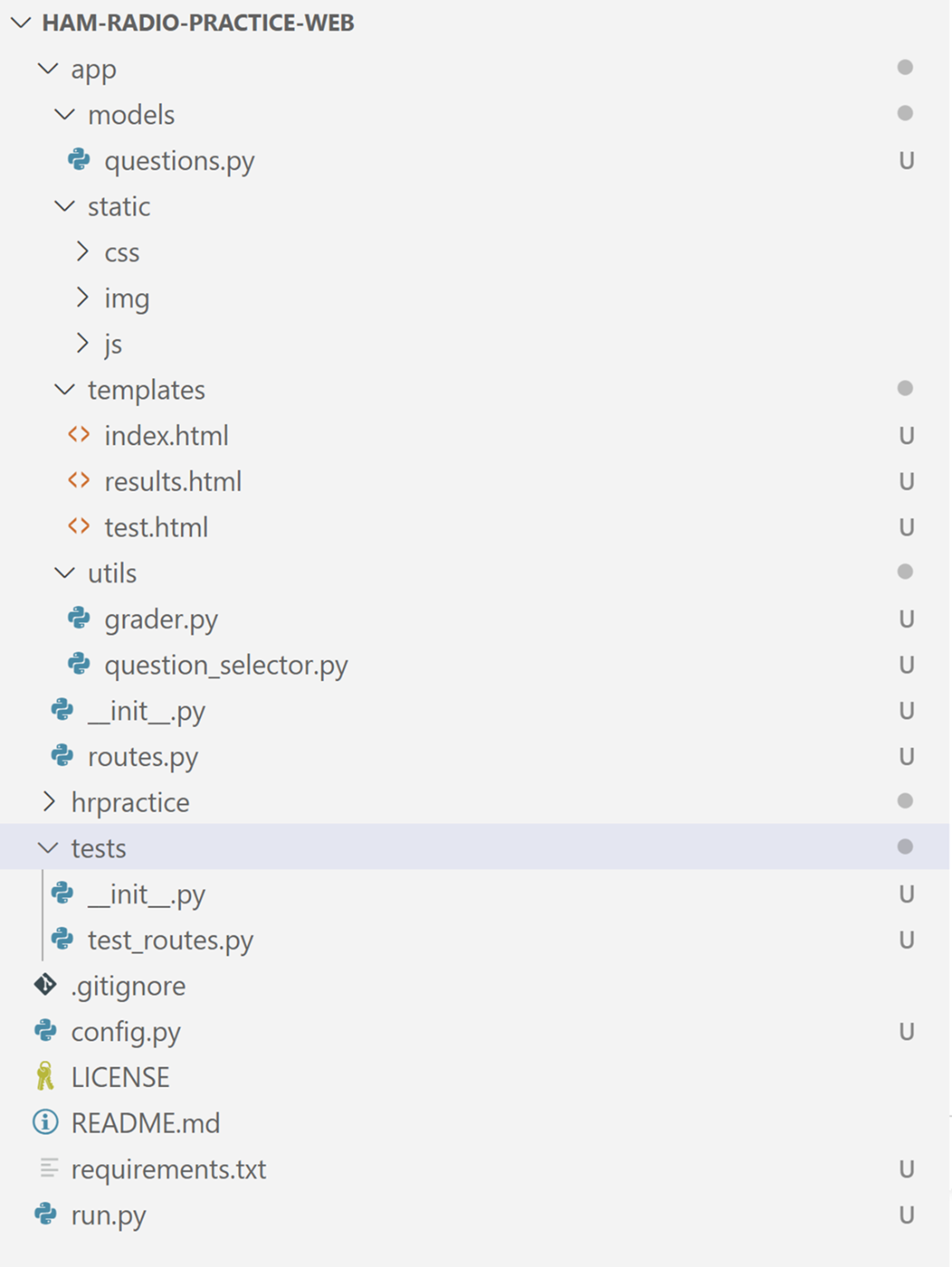
With requirements in hand, the chapter sets up a Python environment and organizes a Flask project using AI-suggested structures as a starting point, not doctrine. It then populates models and utilities with stub methods (for questions/data access, question selection, and grading), trims unnecessary components, and uses a minimal Flask entry point to get “Hello, World!” running. The takeaways: AI can speed routine setup, propose sensible scaffolding, and overcome blank-page inertia, but human judgment—YAGNI, tech choices, and critical review—ultimately shapes a robust, extensible first version.
The foundation is the most crucial part of your project. Generated with Midjourney, a Generative AI image-building tool.

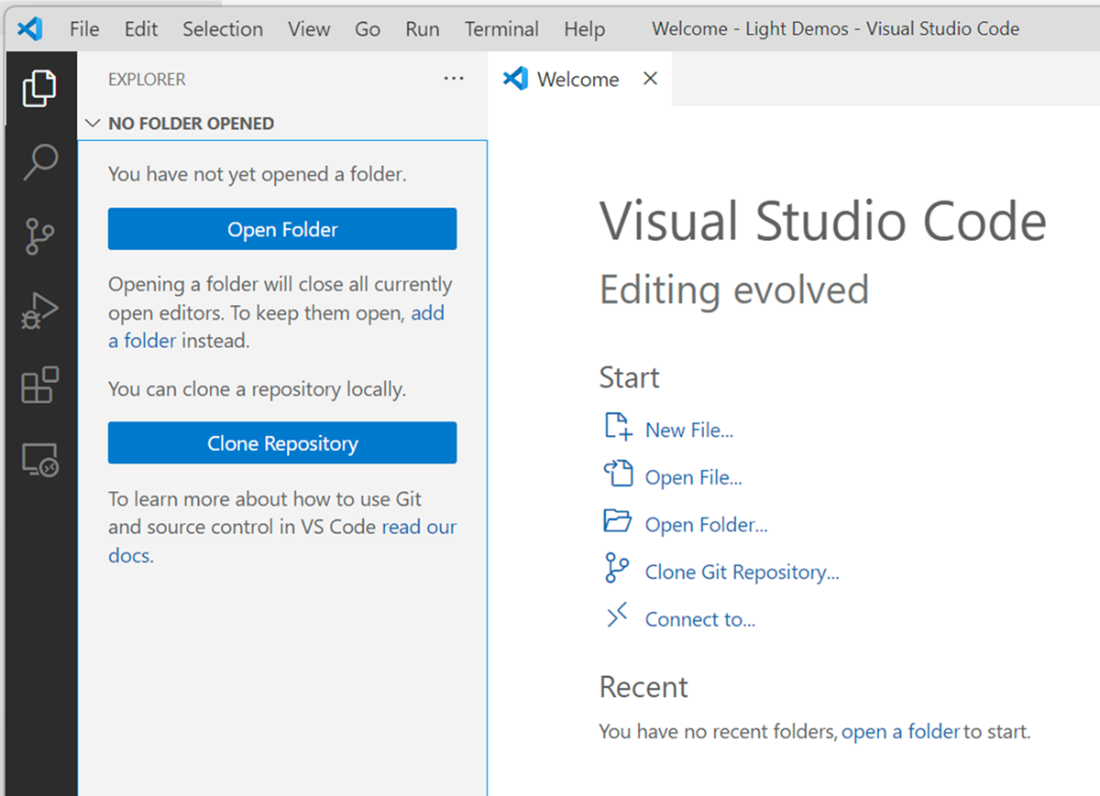
Opening a new folder in Visual Studio Code
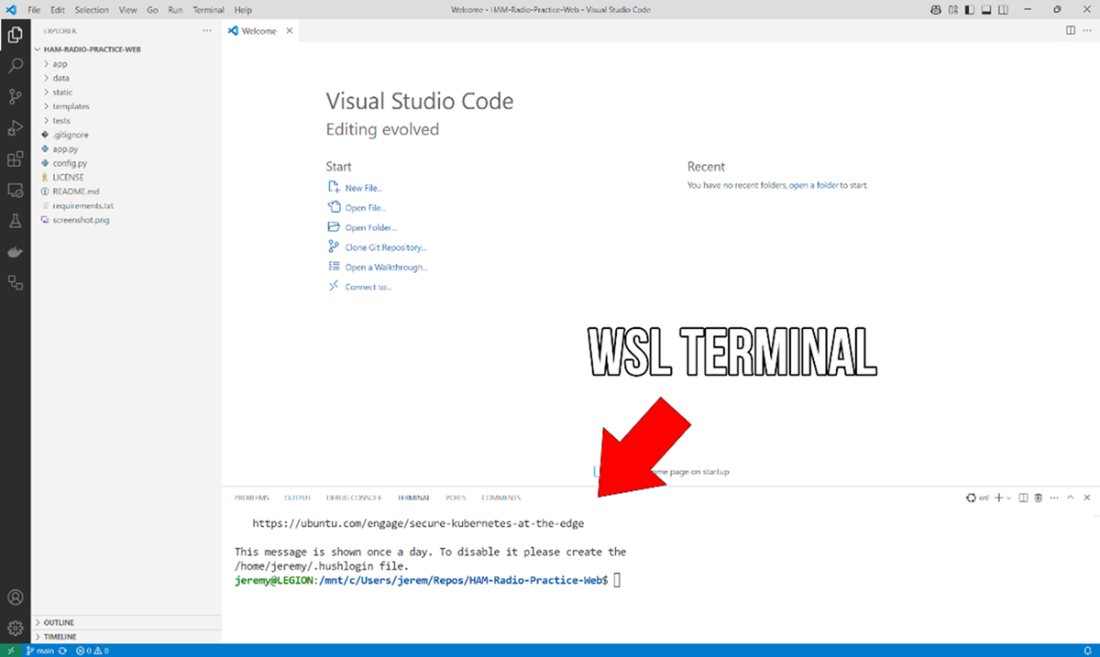
A WSL (Windows Subsystem for Linux) terminal running in Visual Studio Code.
Prompt showing the environment is active in Linux/Mac

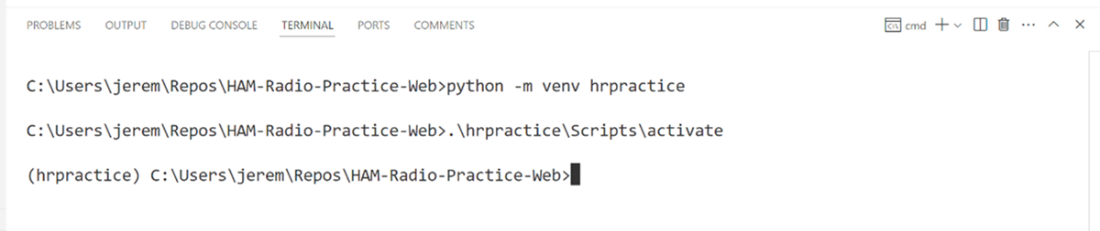
Prompt showing the environment is active in Windows
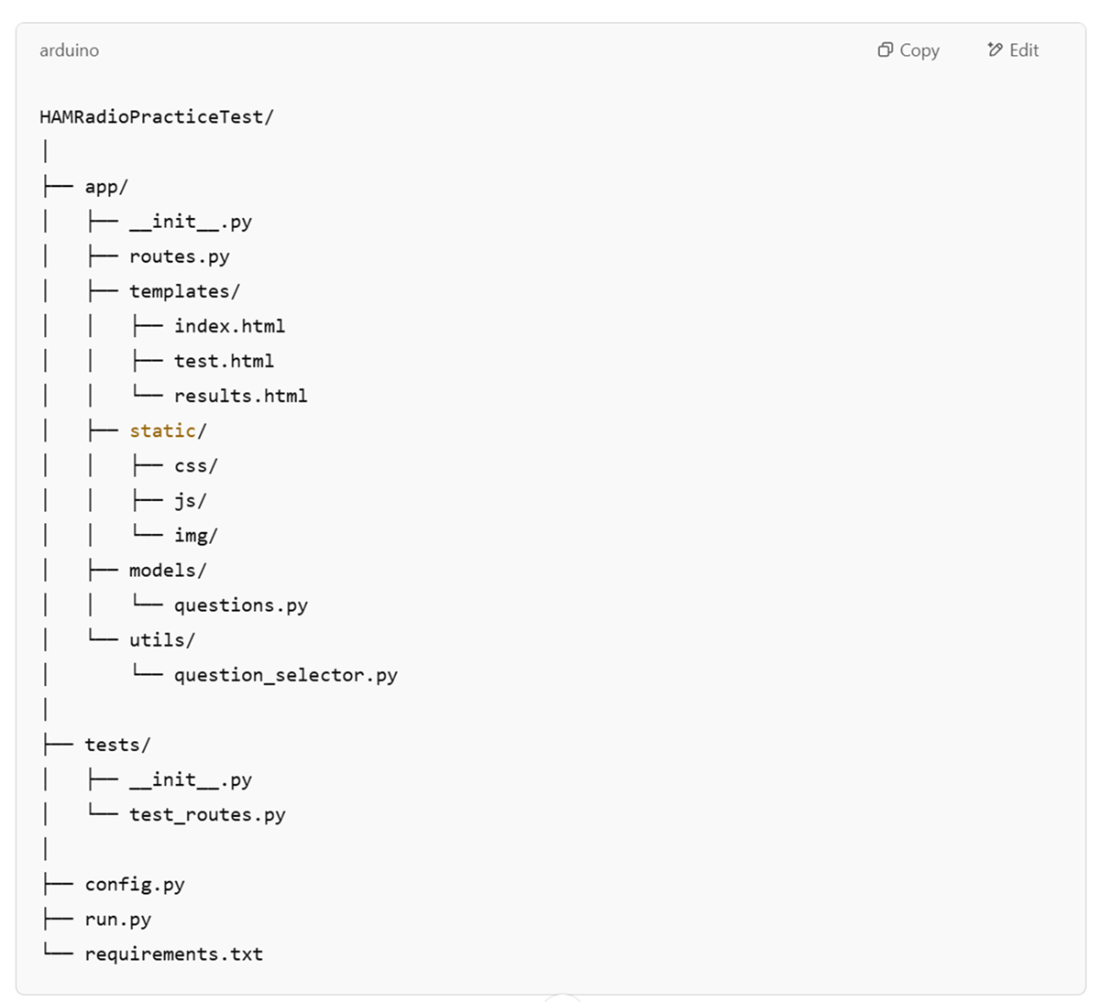
File structure as suggested by ChatGPT.
Our application in Visual Studio Code
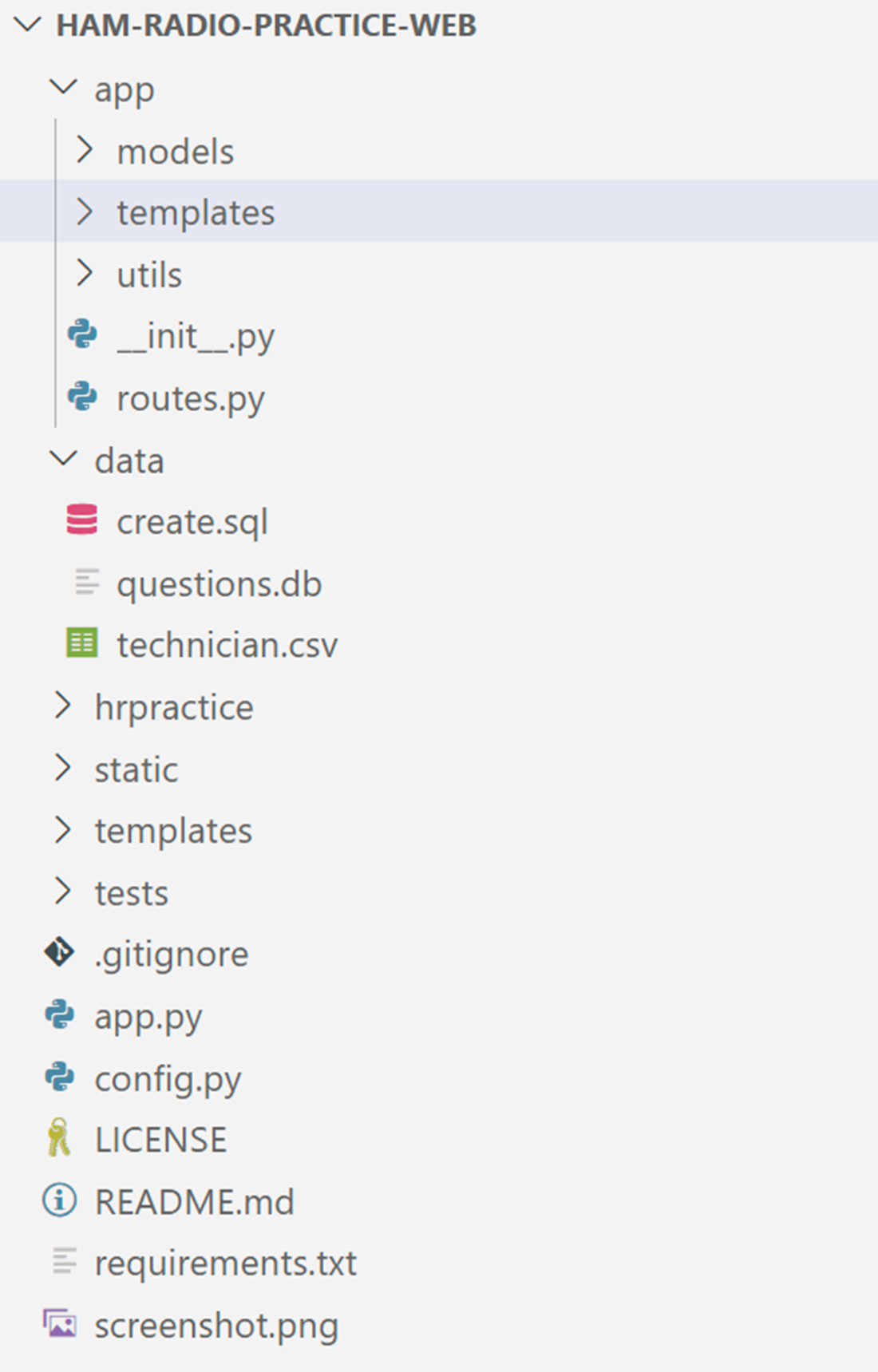
The three-step prompt process
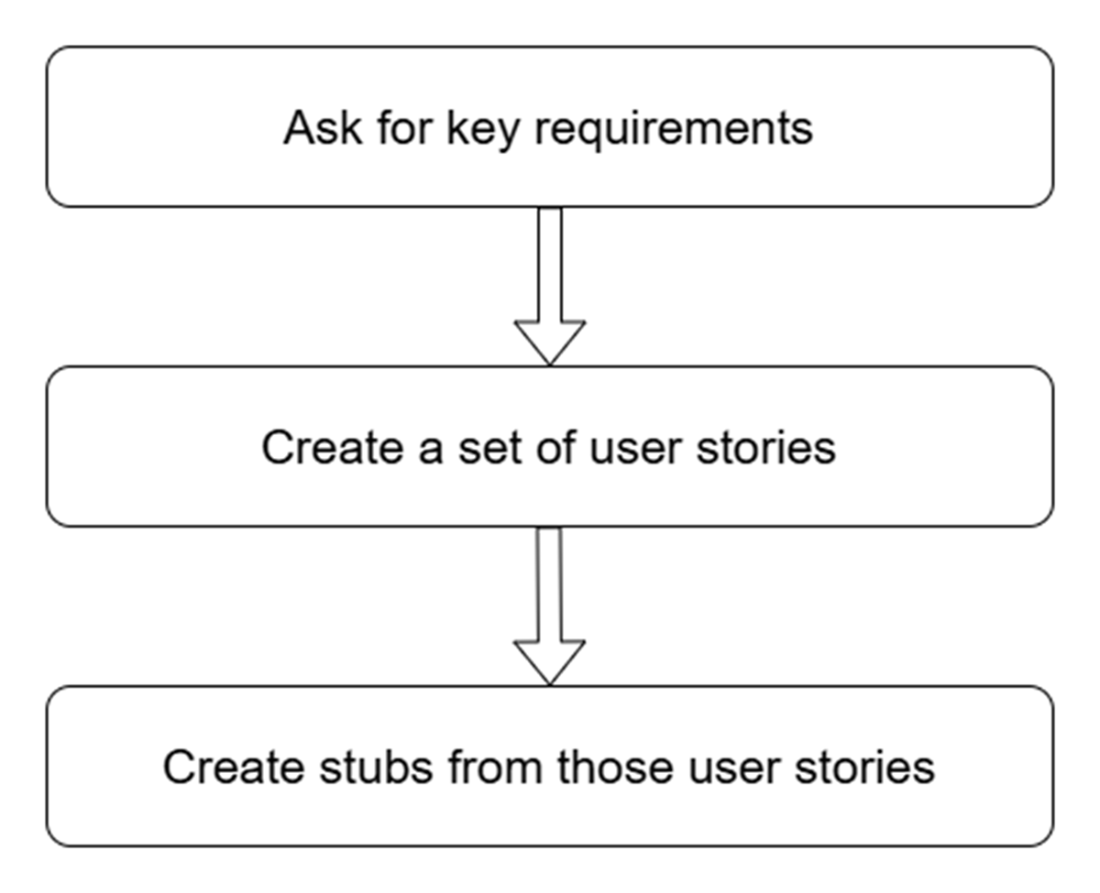
The suggested file and stubbing structure from ChatGPT
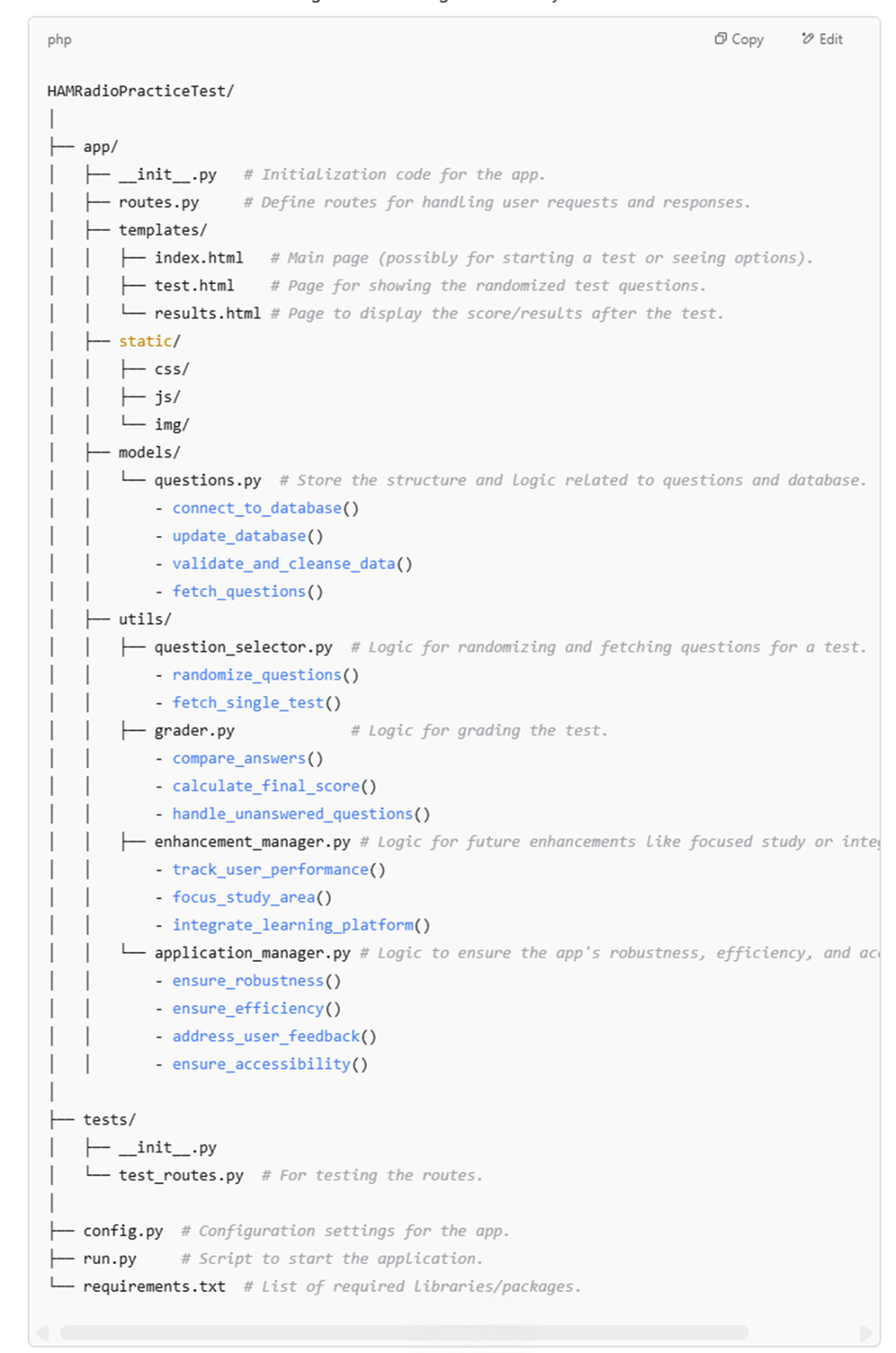
Our application file structure
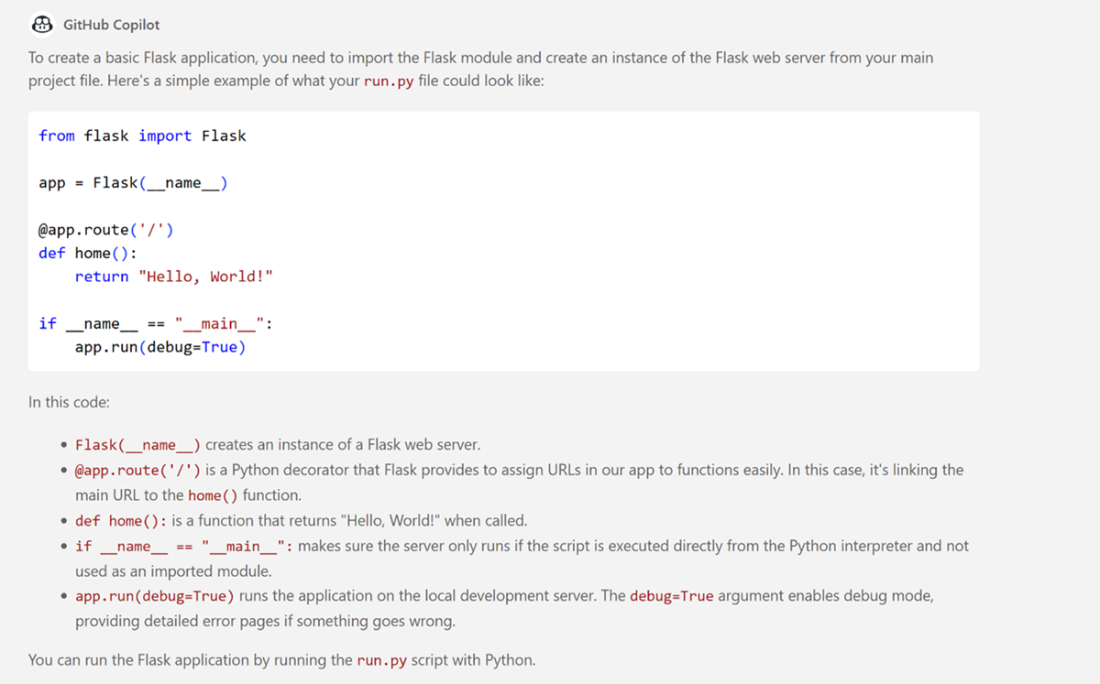
A response to our prompt with GitHub Copilot Chat
A terminal window showing Flask running with no errors.

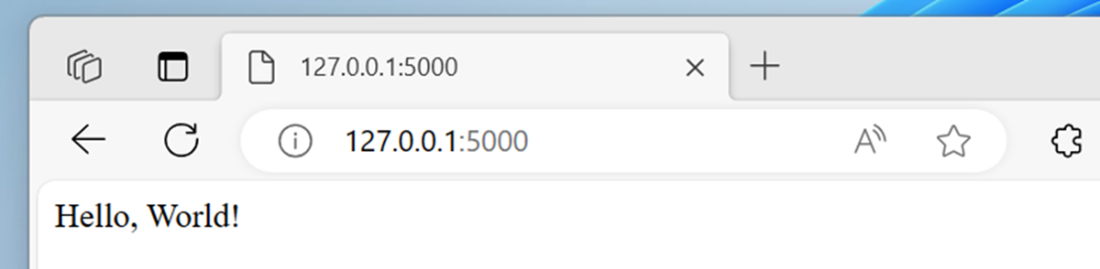
A successful “hello world” display from our Flask application
Summary
- We can extract requirements from our design by sending the right prompts to ChatGPT.
- We can have ChatGPT suggest a file structure for our application.
- We can generate stubs and classes with generative AI to structure our application.
- GitHub Copilot will create a starting point for our Flask application.
- You can leverage multiple AI tools at once for the same process.
- AI tools provide suggestions, but programmers still make key decisions on how to use the output.
FAQ
What is “stubbing” and why use it when coding the first version?
Stubbing is creating simplified placeholder methods/classes that outline your application’s structure before full implementation. Benefits include: early integration of components, parallel development across teams, improved testability via isolated parts, and faster iteration because structure changes are cheaper before details are added.How do I stub strategically so the project starts on a solid foundation?
- Create stubs for a feature before implementing it.
- Use generative AI to suggest class structures and method signatures.
- Start with empty functions to define interfaces.
- Implement one feature at a time; don’t stub everything up front.
- Annotate intent with TODOs on each stub.
- Run the stubbed app early to catch integration problems.
- Apply YAGNI: don’t stub features you might not need.
How can I extract requirements from a design document using AI?
Use clear, scoped prompts and ask for structured output. A practical three-step flow is: 1) Ask AI for key requirements; 2) Convert them into SCRUM-style user stories; 3) Generate stubs (classes and methods) from those stories. Always validate results with stakeholders and the source document.Why should I validate AI-generated requirements, and how?
AI can miss context or hallucinate plausible but incorrect items. Validate by: cross-referencing the original docs, checking for consistency, confirming testability/specificity, reviewing with stakeholders/domain experts, watching for overly generic items, and considering timeline impact.Should I use multiple AI tools (e.g., ChatGPT and Gemini) for requirements?
Yes. Different models give complementary perspectives. Seeing the same ideas across tools increases confidence, divergent outputs reveal gaps, and some tools excel at specific tasks (code vs. analysis). Treat differences as opportunities to refine, then choose or merge with stakeholder input.How do I set up a Python virtual environment for this project?
- macOS/Linux: run “python3 -m venv hrpractice” then “source hrpractice/bin/activate”.
- Windows: run “python -m venv hrpractice” (or full path to python.exe) then “.\hrpractice\Scripts\activate”.
- Confirm the env is active by seeing “(hrpractice)” in your terminal prompt.
What’s a good starting folder structure for a Flask web app?
A common layout is: app/ (with __init__.py, routes.py, templates/, static/, models/, utils/), tests/, config.py, run.py, and requirements.txt. This separates routing, templates, static assets, models, utilities, tests, and configuration for maintainability.How do I turn requirements into code stubs across the project?
Follow the three-step prompt process (requirements → user stories → stubs), then place stubs into files that match your structure. Example classes and stubs: DatabaseManager (connect_to_database, update_database, validate_and_cleanse_data, fetch_questions); QuestionSelector (randomize_questions, fetch_single_test); Grader (compare_answers, calculate_final_score, handle_unanswered_questions). Keep bodies empty with TODOs.How do I run the very first version of the Flask app?
- Install Flask: “pip install flask”.
- Create run.py that initializes Flask, defines a “/” route returning “Hello, World!”, and calls app.run(debug=True) under “if __name__ == ‘__main__’”.
- Start it with “python run.py” and open the URL shown (typically http://127.0.0.1:5000/).
What are common limitations of AI in software design, and how should I use it?
- AI often recommends popular tech, not necessarily the best fit.
- Models can be overconfident and miss team/context constraints.
- Treat AI as an idea generator and starting point, not an authority.
- Critically evaluate suggestions against your requirements and skills.
- You make final decisions; AI augments your workflow.

 Coding with AI ebook for free
