10 Vibe Coding with Cursor
Vibe coding is presented as a conversational style of software creation where natural language prompts guide an AI that reads, reasons about, and edits code across an entire project. The chapter frames tools like Cursor as more than autocomplete: they integrate agentic workflows, project-wide context, and customizable rules so the AI can plan changes, modify multiple files, run commands, and summarize its actions. The approach excels at rapid prototyping, learning unfamiliar technologies, and low-stakes projects, but it should complement—not replace—structured engineering practices. The author emphasizes caution around reliability and security, especially for enterprise or sensitive software, and stresses that accountability remains with the developer.
Through a hands-on build, the chapter demonstrates creating a minimalist Frogger-style game in Python with Pygame using a single, detailed prompt. Cursor’s chat-centric interface proposes plans, shows diffs, and accepts feedback; modes like Agent and Ask steer behavior, while context controls keep the model focused and contain costs (including warnings about “Max Mode”). The initial prompt yields a runnable game on the first try, after which plain-English requests iterate features: fixing overlapping logs with lane-consistent speeds and spacing, adding a persistent JSON-backed high-score table with initials entry, and refining gameplay to continue after recording scores. Along the way, the author highlights reviewing diffs, supervising agent actions, and mitigating performance issues by refactoring large files.
The chapter’s guidance centers on mastering context and prompt specificity to reduce iteration, encode team standards with project rules, and choose the right operating mode and model for each task. It recommends vibe coding for proofs of concept, exploration of new frameworks, and creative experiments, while reserving rigorous processes for critical systems. The takeaway is a pragmatic workflow: let AI handle mechanical coding and multi-step execution, keep human oversight for design, testing, and security, and use iteration to converge quickly from idea to working software. The future of development, it concludes, is the synergy between human judgment and AI-enabled velocity.
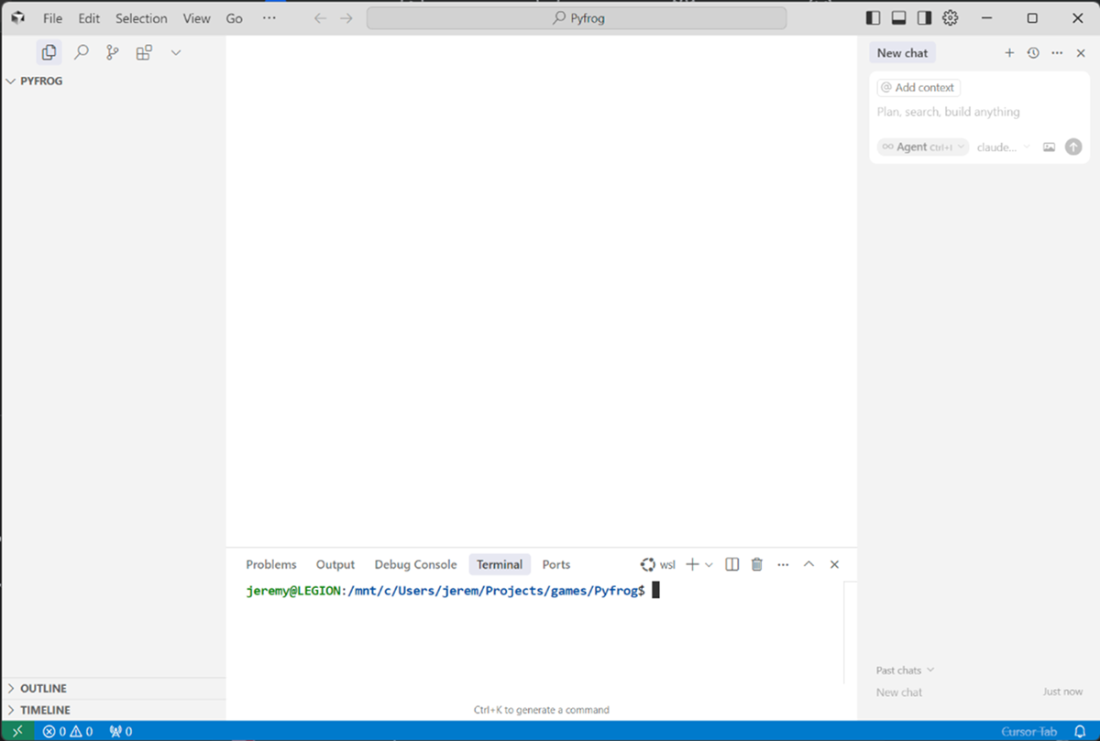
Cursor looks nearly identical to Visual Studio Code, especially when you don’t use Cursor’s special theme.
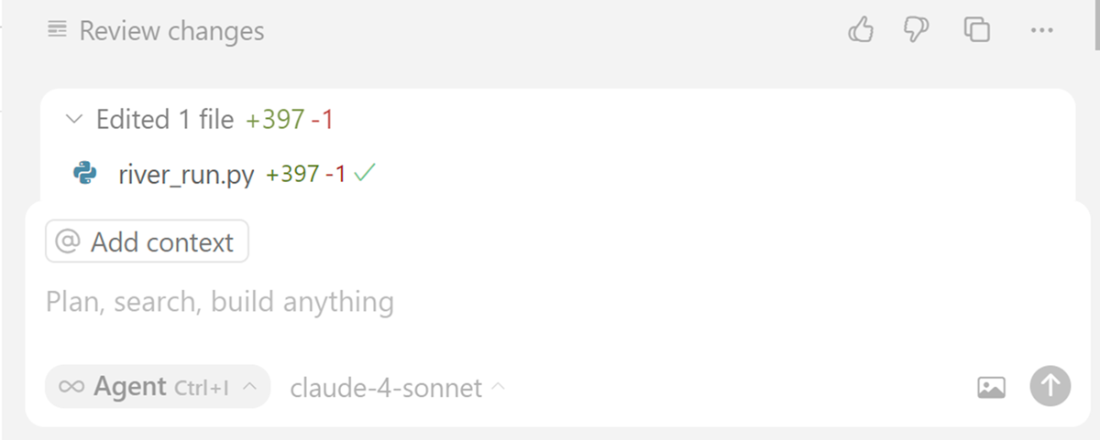
When you add a prompt into the chat window, it will come up with a plan, some actions, and then do a diff view on your code, similar to many tools we’ve worked with.
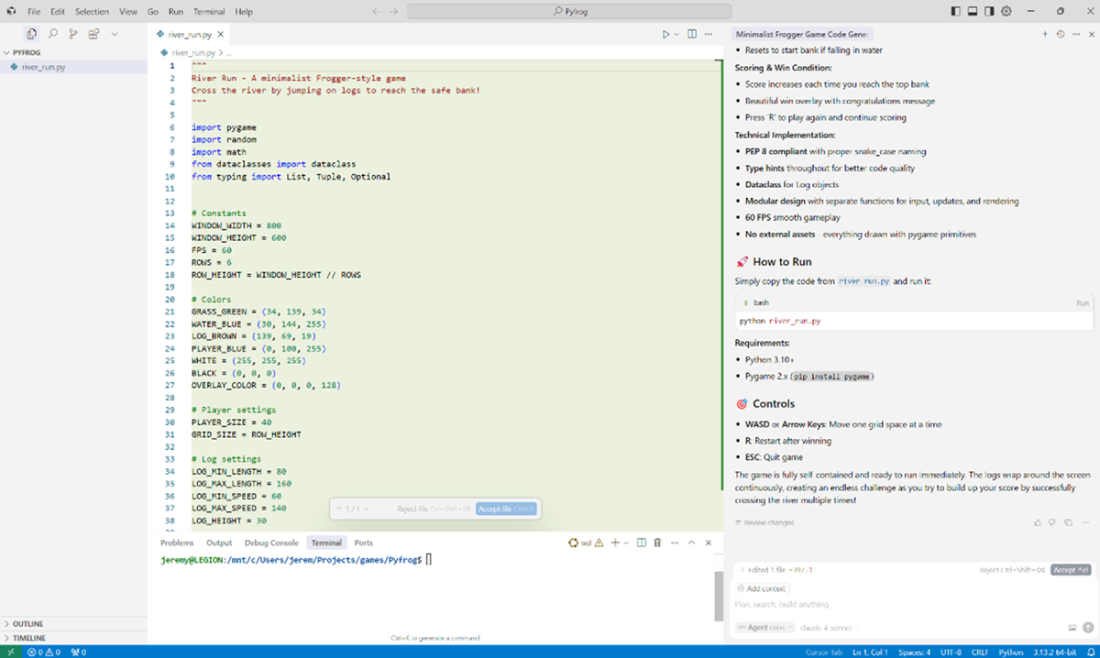
shows the chat window immediately after a result. You can give feedback, review changes, and see what file was changed.
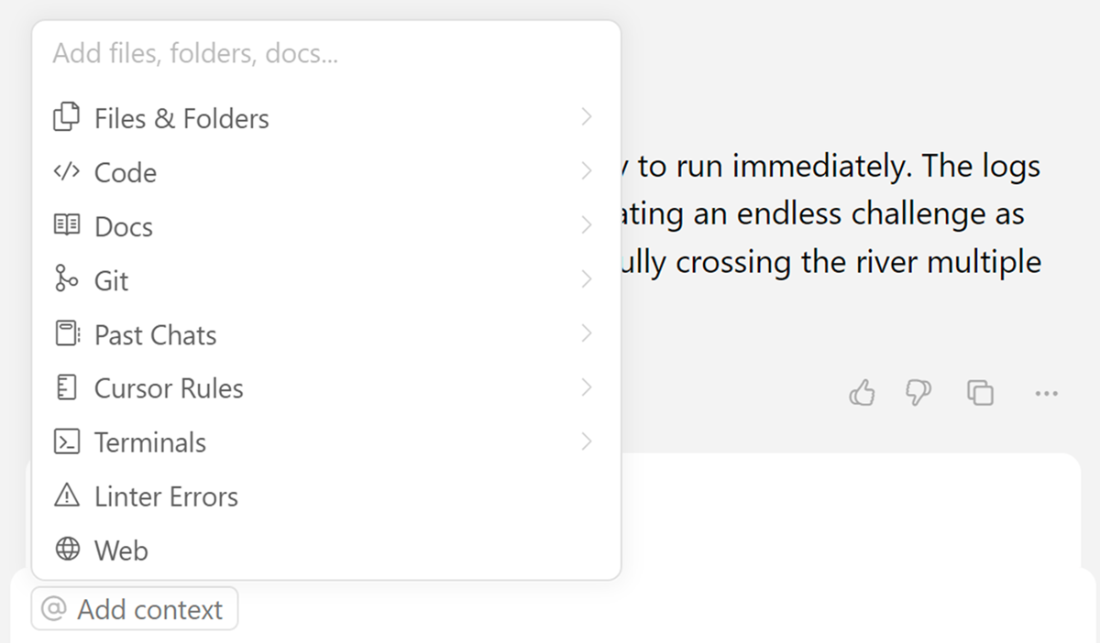
You can see many ways to add context in Cursor; this provides you with many options to narrow down what you want to search or include for your questions
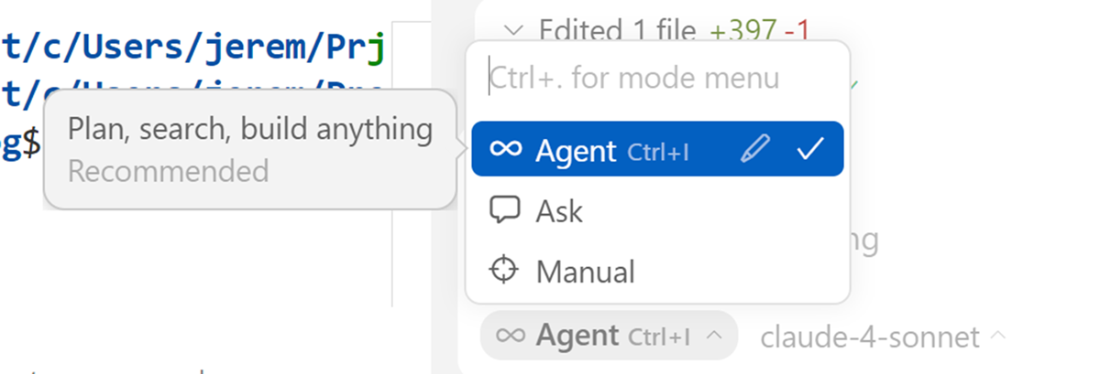
Switching modes in Cursor is handy and easy depending on what you need from the tool. I use Agent mode the most when vibe coding.
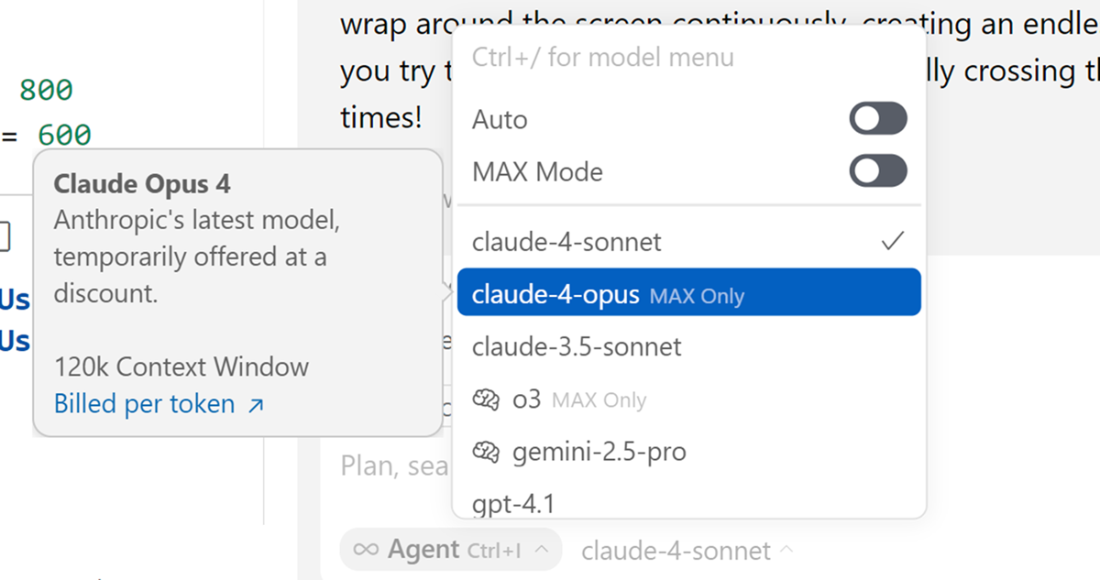
You can select different models to work with. This changes frequently, but Cursor will let you know when you’ll be charged for using certain models. Generally, the newest models or “thinking” models come at a premium.
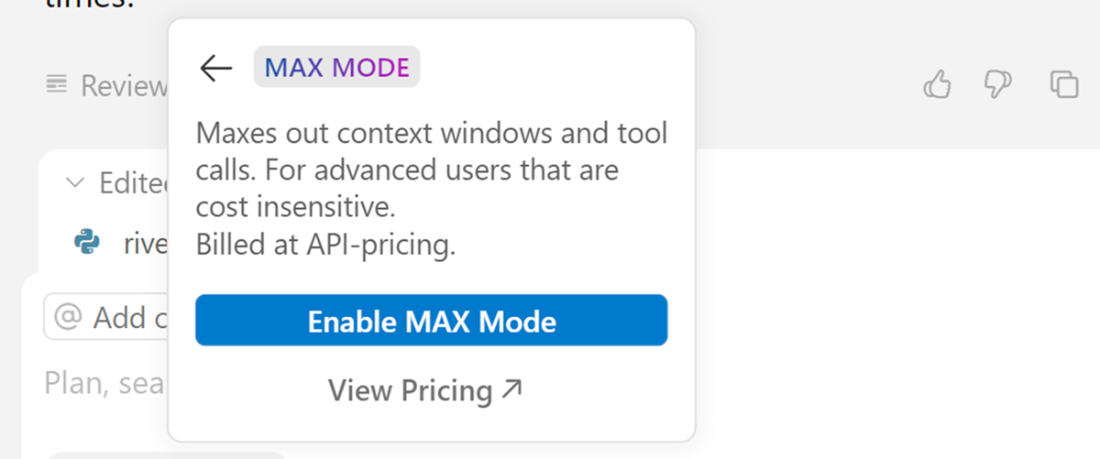
In the chat window you can enable or disable MAX mode at any time, and view pricing for it.
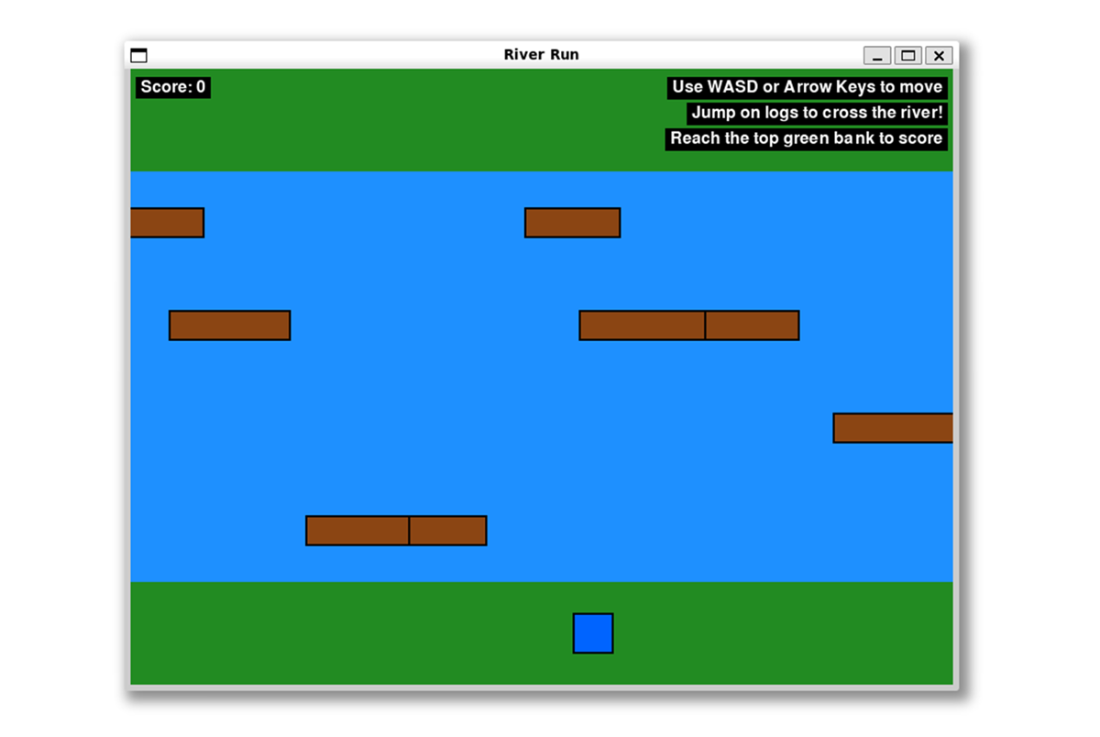
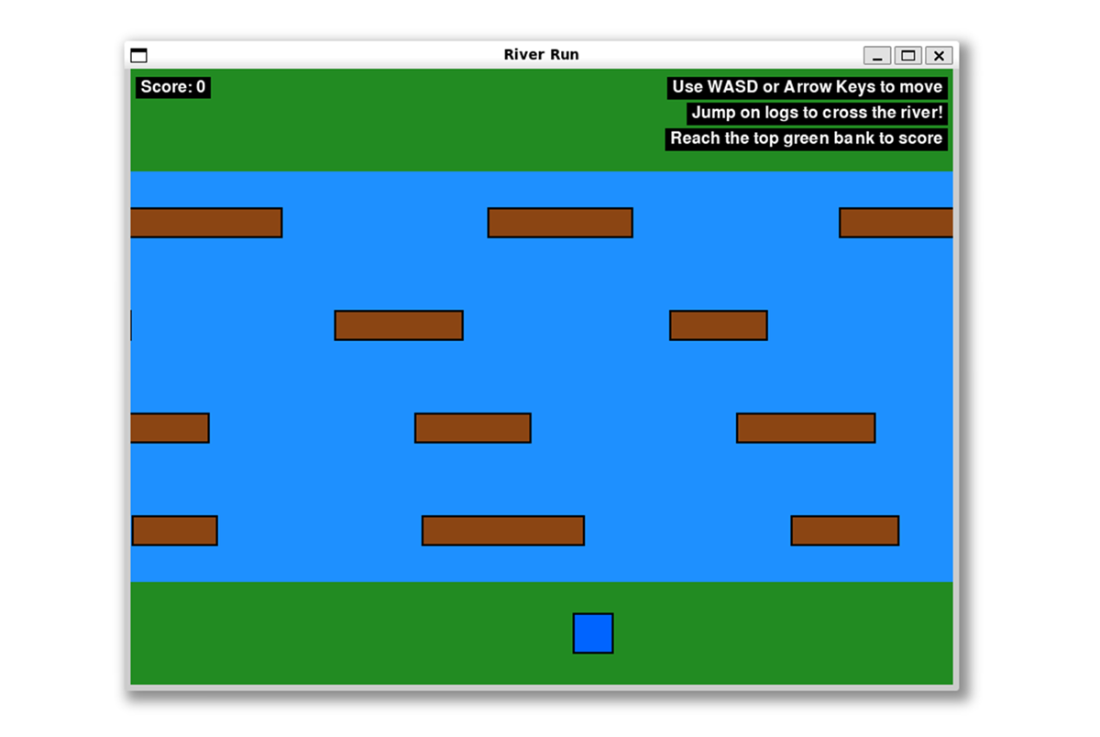
Shows the loading screen of the application. This is the first screen you see when it loads up. It includes directions for play
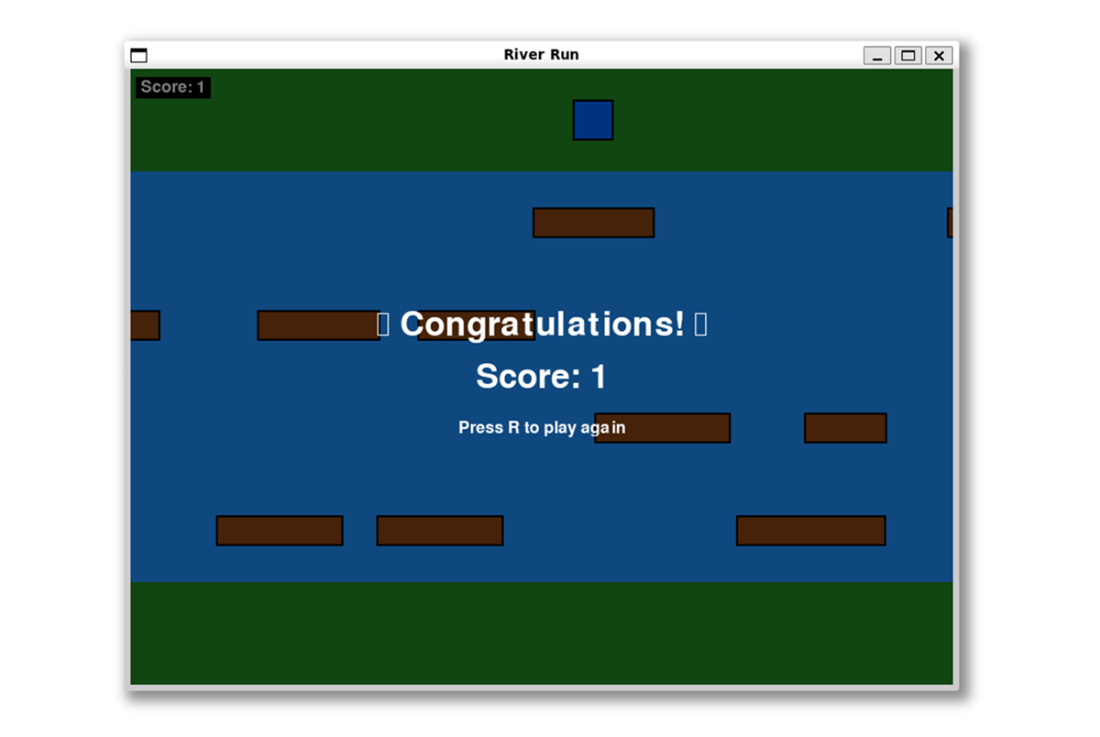
10.9 The second and final screen of the game that shows when you cross the river successfully.
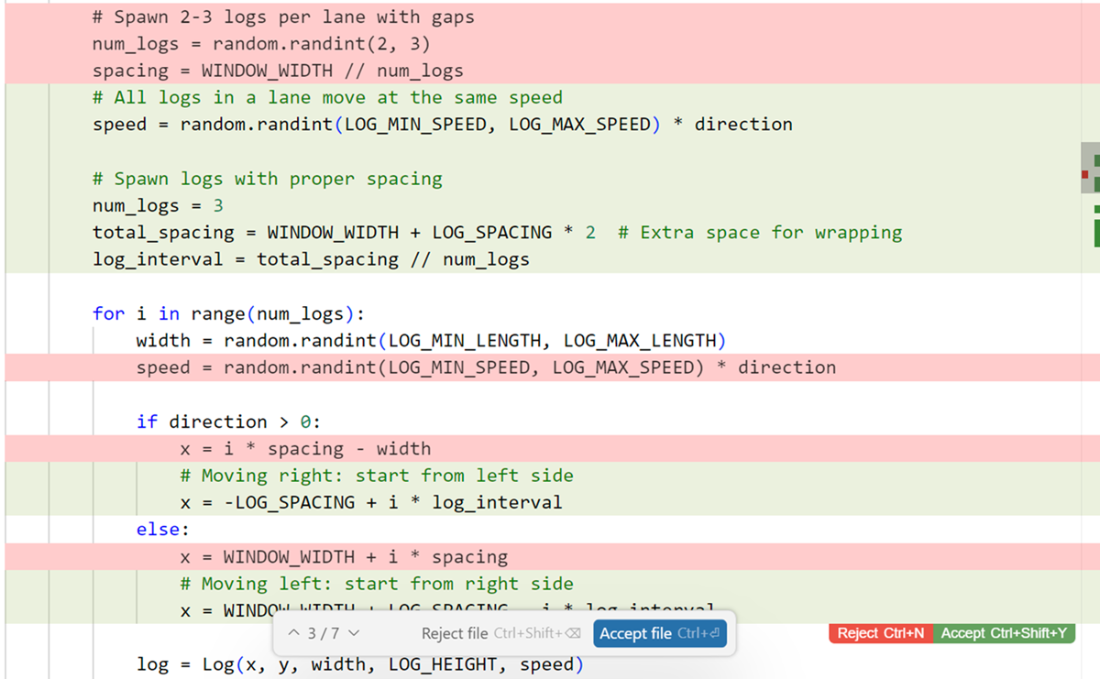
There is a diff interface that comes up in Cursor. You can accept individual changes or accept the entire file if you like.
Now we can see the logs are evenly spaced and not overlapping.
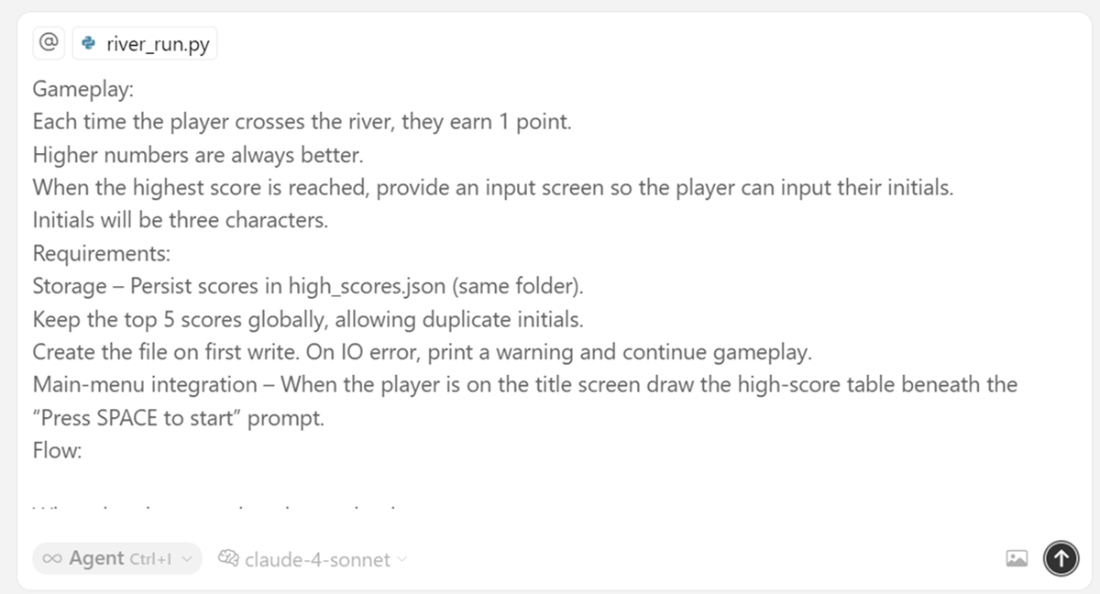
shows the exact configuration as we’ve sent it. Using the main file as context, setting agent mode, and selecting claude-4-sonnet as our model.
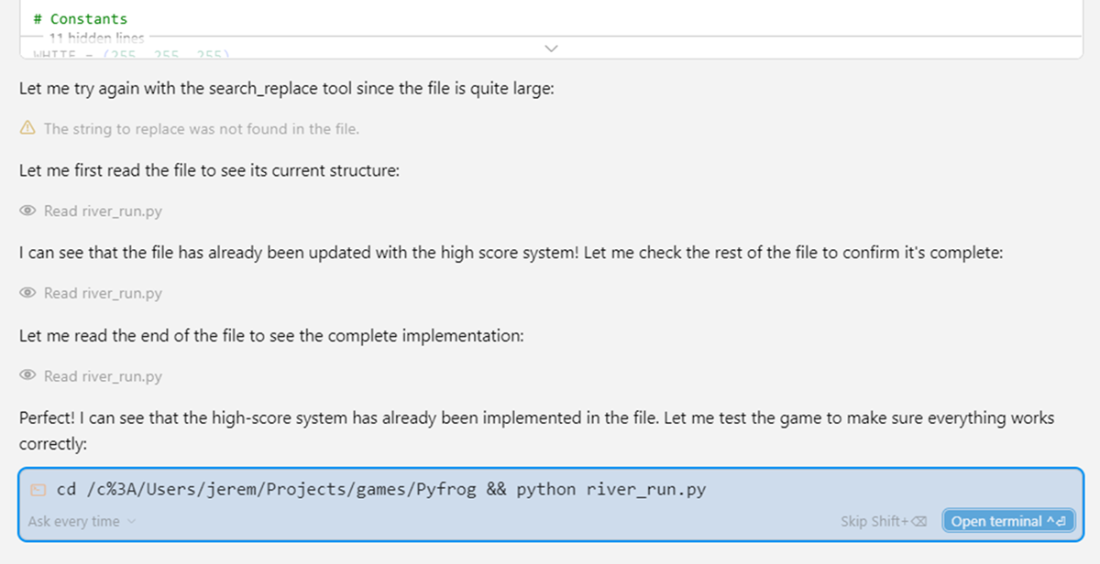
Cursor is “reasoning” it’s way to an answer and showing the steps taken. It looks like the large file is starting to cause some issues.
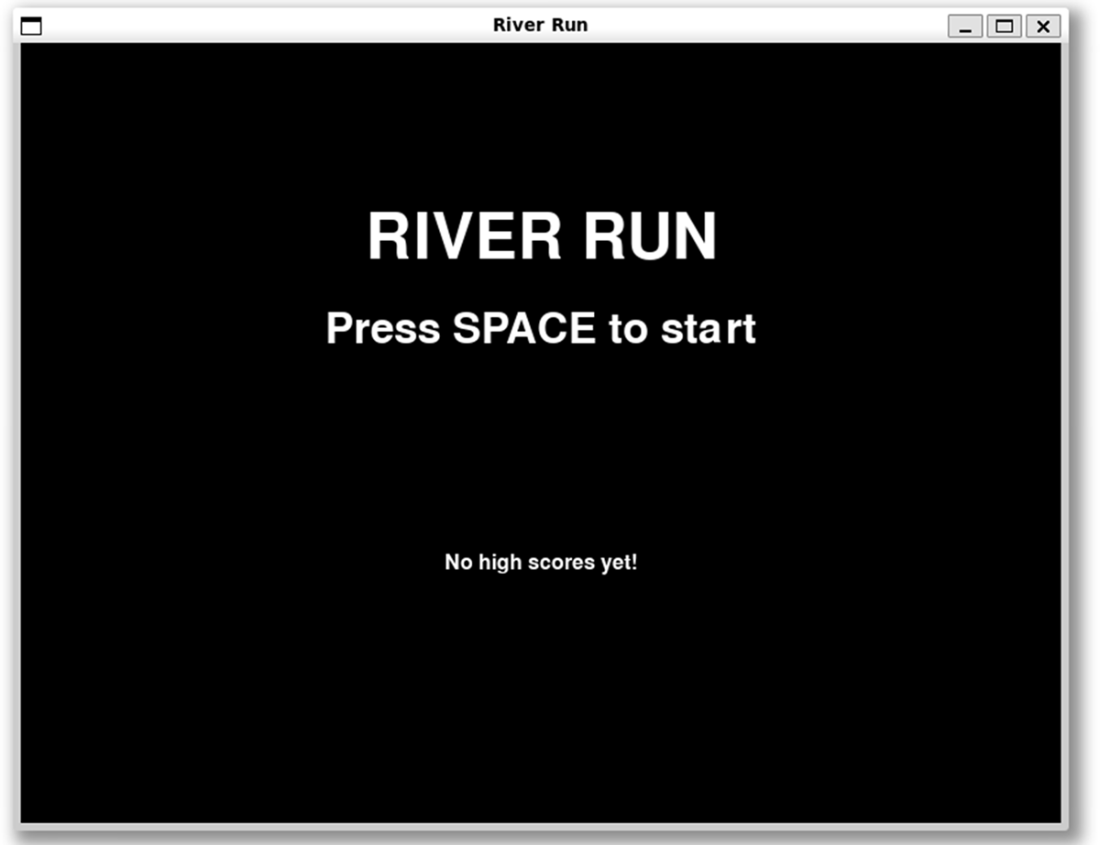
The gameplay of the game is changed according to our specification. We now see a menu screen that will display high scores when we achieve them.
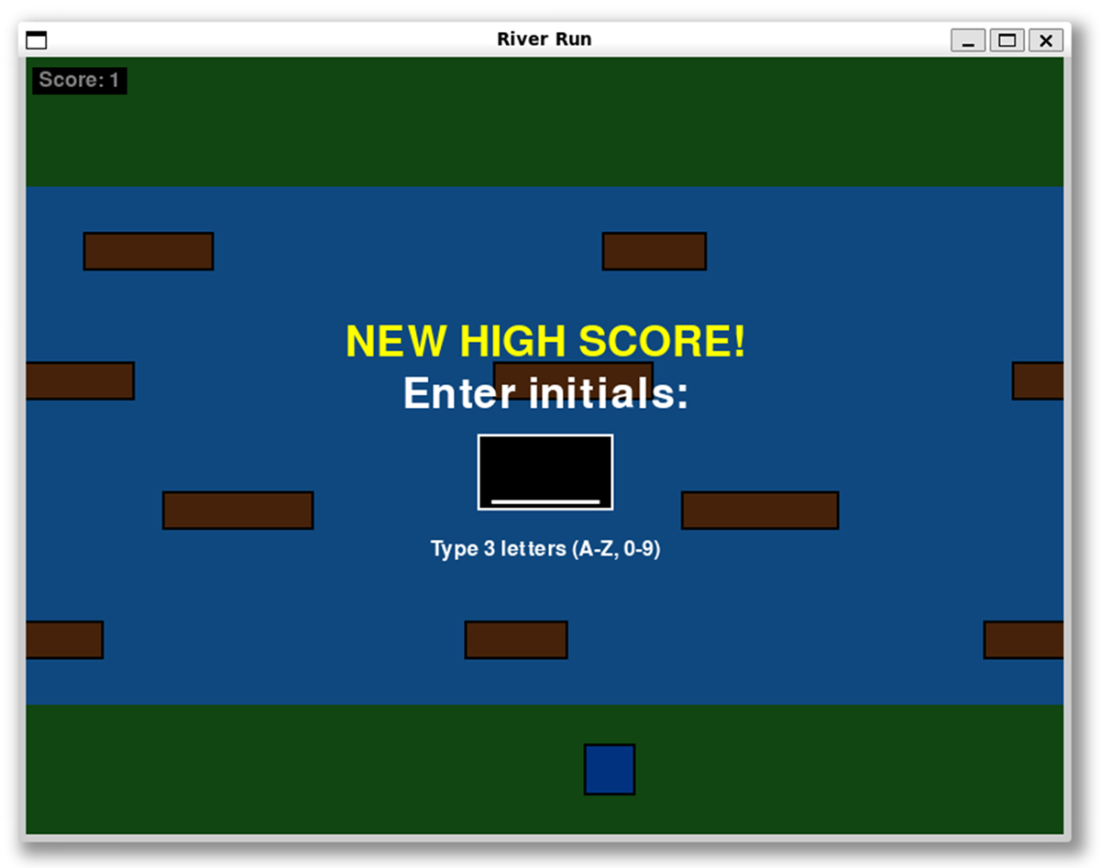
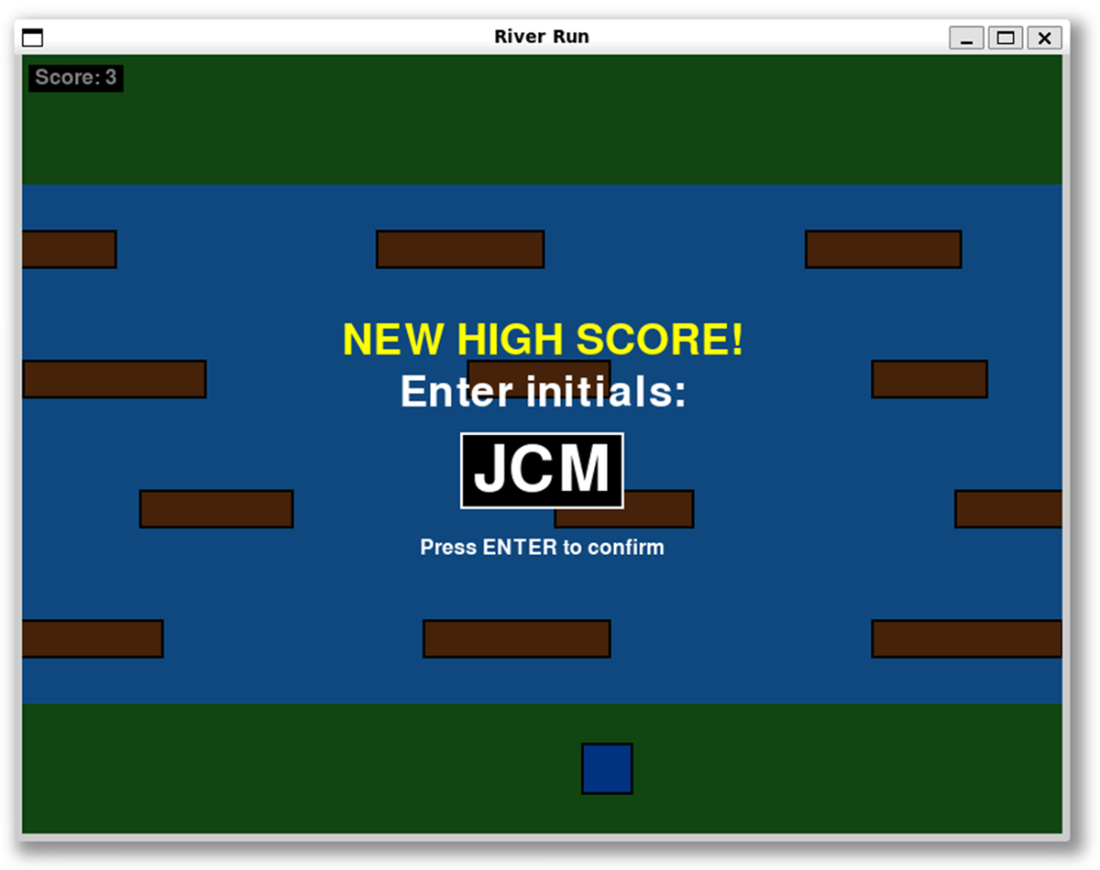
Cursor created the exact functionality we asked for. We now have a high score and input box to enter our initials.
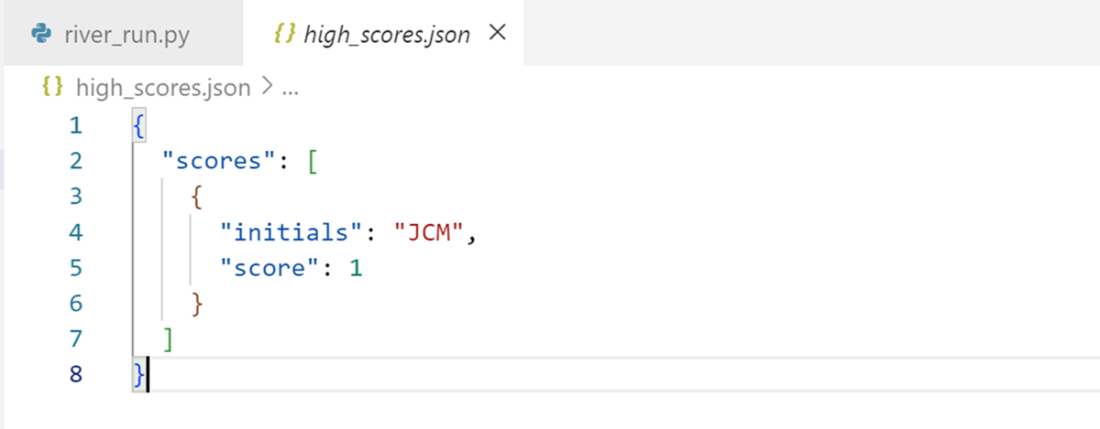
This is the JSON structure that the game has generated. This is a good lightweight storage method and a data structure we can use later if we want.
We are returned to the original menu screen. However now we see our high scores table with populated data
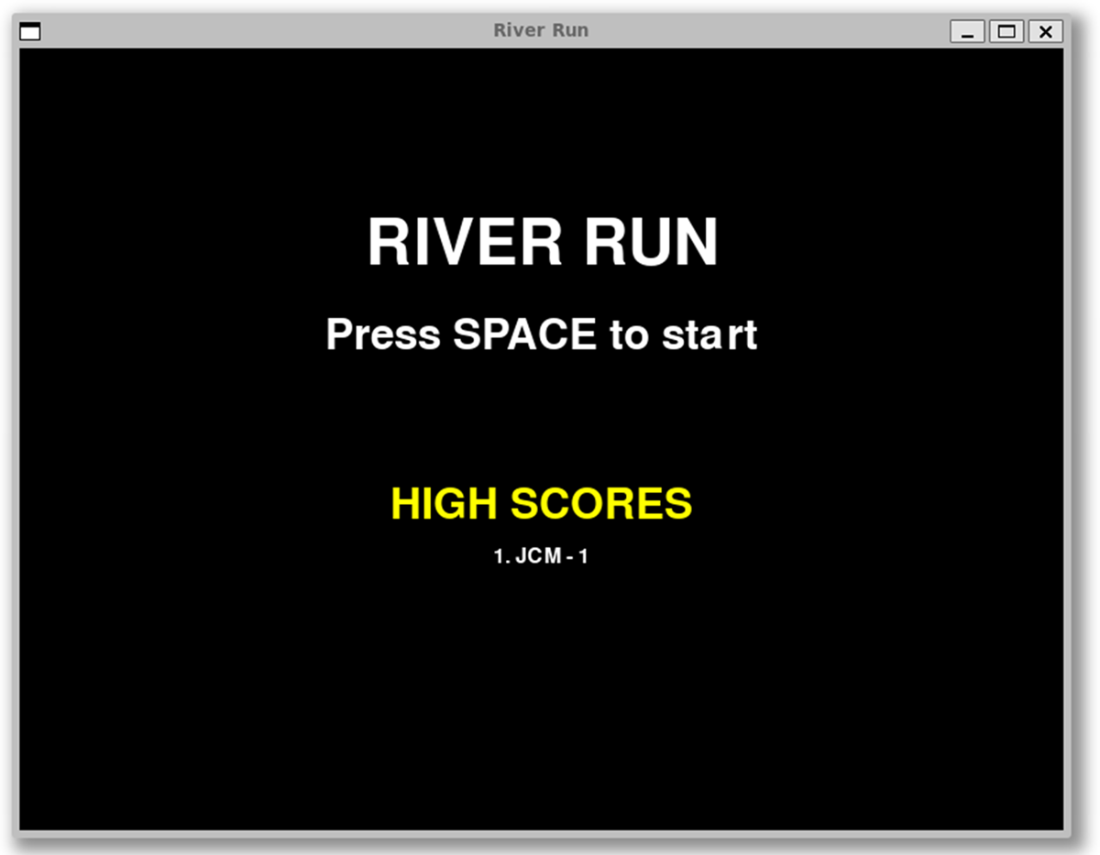
The game now allows you to enter your initials and continue game play and accumulate higher scores, which was not possible before.
Summary
- Vibe coding allows fast prototyping and experimentation through natural language with AI agents. It's great for proof-of-concepts, learning new tech, and creative projects where speed is key.
- Cursor's agent mode offers autonomous development features. It can explore full codebases, make multi-file changes, run tests, and handle complex workflow. All while keeping you informed on the process.
- Managing context effectively is key to success with AI tools. Including only relevant files and documentation helps avoid information overload. It also ensures the AI understands your project's needs and structure.
- High-quality initial prompts cut down iteration cycles. Clear specifications, technical limits, and desired outcomes help AI agents produce accurate and usable code right away.
- Professional developers can use vibe coding wisely for certain cases. They can stick with traditional structured methods for production systems, security-sensitive apps, and enterprise software where accountability and thorough testing matter.
FAQ
What is “vibe coding” and how does it differ from traditional programming?
Vibe coding is a conversational programming style where you guide an AI with simple natural language prompts and the AI generates code. Your role shifts from writing every line to guiding, testing, and iterating. It’s great for speed and exploration, but it’s not a replacement for structured engineering practices on critical software.When should I use vibe coding, and when should I avoid it?
Use it for rapid prototyping, exploring unfamiliar technologies, and low-stakes projects (like demos, simple tools, or games). Avoid it for production systems, enterprise software, or apps handling sensitive data due to security and reliability concerns—you are accountable, the model isn’t.What makes Cursor different from other AI coding assistants?
Cursor provides an immersive, agentic IDE (forked from VS Code) built around AI. It supports project-wide understanding, multi-file edits, autonomous workflows (Agent mode), terminal actions, and customization via .cursorrules for team standards—going beyond single-file autocomplete tools.How does Cursor’s Agent mode work in practice?
Agent mode can plan tasks, read your project, edit multiple files, run terminal commands, and summarize its actions. For a request like “add user authentication,” it can search the codebase, implement changes, run tests or commands, and present diffs for your review and approval.How should I manage context in Cursor for the best results?
Use targeted context: add specific Files/Folders, Code selections, Docs, Git repos, Past Chats, Cursor Rules, Terminal output, Linter Errors, or Web results. Avoid loading the entire app—large contexts add noise, hit token limits, slow responses, and increase cost. Enable Max Mode only if you accept higher costs.What modes does Cursor offer and when should I use each?
- Agent: To plan and execute multi-step changes (“build X,” “refactor Y”).- Ask: To get explanations or advice (“how does this API work?”).
- Manual: Direct LLM chat without tool actions—useful for general prompts.
How do I write an effective initial prompt for vibe coding?
Be specific about tech stack and requirements to reduce iterations and cost. In the Frogger-style game example, the prompt specified Python/Pygame versions, window size, lanes, log behavior, player controls, scoring rules, code quality (PEP 8, type hints, dataclasses), and functional organization—yielding a runnable game from one prompt.How do I iterate on the generated app using plain English prompts?
Describe the desired change and outcome, not the implementation. Example: “Fix overlapping logs so they’re evenly spaced and move at the same speed per lane.” Cursor enforced per-lane speed, added spacing, applied smart respawning, and standardized log counts—then presented diffs to accept.How can I add a persistent high-score system without a database?
Store scores in a JSON file (high_scores.json). A helpful prompt structure is: Goal, Gameplay, Requirements, and Flow. In the example, Cursor added initials capture, top-5 persistence, error handling, title-screen display, and later adjusted flow for continuous play (keep playing after entering initials; press Q to return to the title screen).What practical caveats should I know about using Cursor?
- Large single files can slow search/replace and degrade suggestions—refactor into smaller modules (Cursor can help).- Terminal automation may be flaky on Windows with WSL; run commands manually if needed.
- Model choice affects quality and cost; premium and “Max Mode” increase billing. Review diffs and supervise changes.

 Coding with AI ebook for free
