This chapter introduces practical collision detection for an NES shoot-’em-up, motivating why games must know when objects intersect—such as enemies, the player, and bullets. To keep math simple and frame-time low on 8-bit hardware, all game objects are treated as axis-aligned rectangles rather than doing pixel-perfect tests. The method emphasizes early-out checks for non-overlap (rejecting collisions as soon as possible), testing one axis at a time so that unnecessary work is avoided and performance stays predictable as object counts grow and sizes vary.
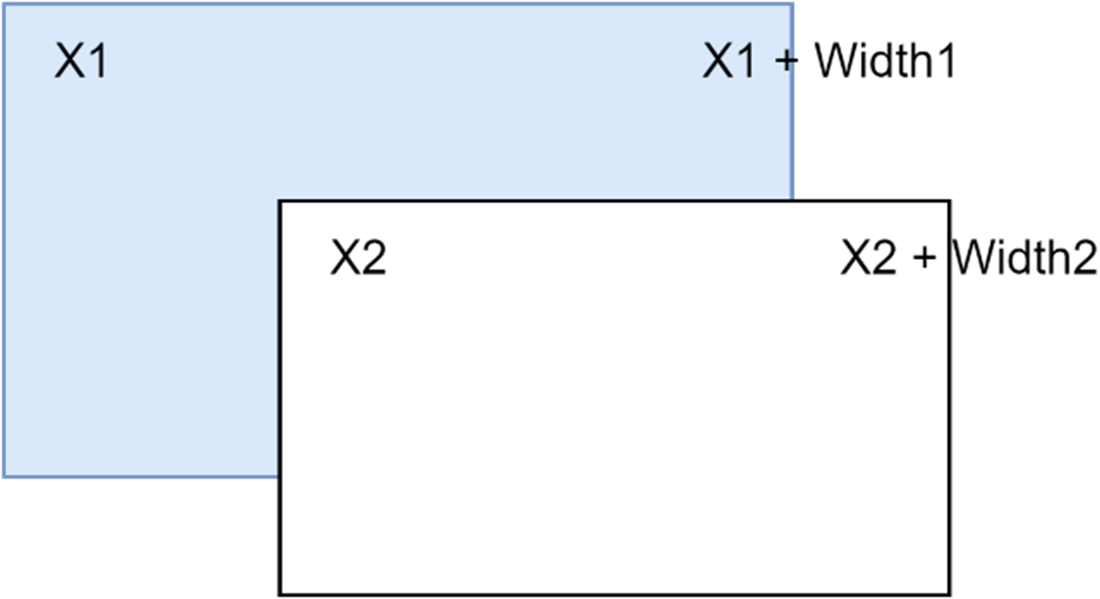
The core implementation is a compact 6502 assembly routine, collision_test, which receives two rectangles via zeropage parameters (x, y, width, height for each object). It first checks horizontal separation: if x1 + w1 <= x2 or x2 + w2 <= x1, there is no collision. If those tests pass, it repeats the same logic vertically using y and height. The function is structured for speed, branching out immediately on negative results and setting the carry flag on a confirmed overlap (or clearing it otherwise). This design keeps cycles to a minimum and makes the routine reusable across different object types and sizes.
With the function in place, the chapter applies it to enemy–bullet interactions within the existing move_enemies loop to avoid extra passes over data. The bullet’s rectangle is prepared once before iterating enemies, then each on-screen enemy loads its current position and a fixed size to call collision_test. When a hit is detected, the code removes the bullet and enemy from the OAM, resets the enemy’s data flag, and continues the loop. The chapter reinforces the mantra “fewer loops, more time,” highlighting how grouping movement and collision checks preserves precious CPU cycles on the NES, and concludes by guiding the reader to build and test the updated ROM.
Detecting the collision of two objects.
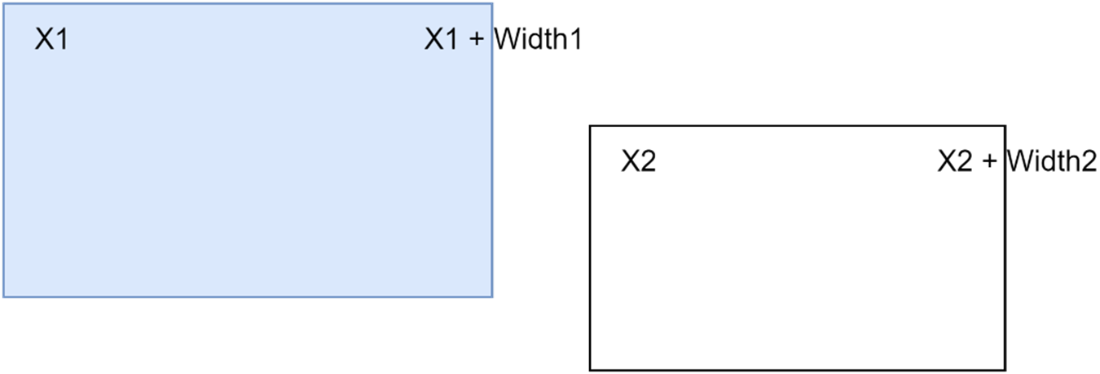
2nd Object to the right of the 1st object
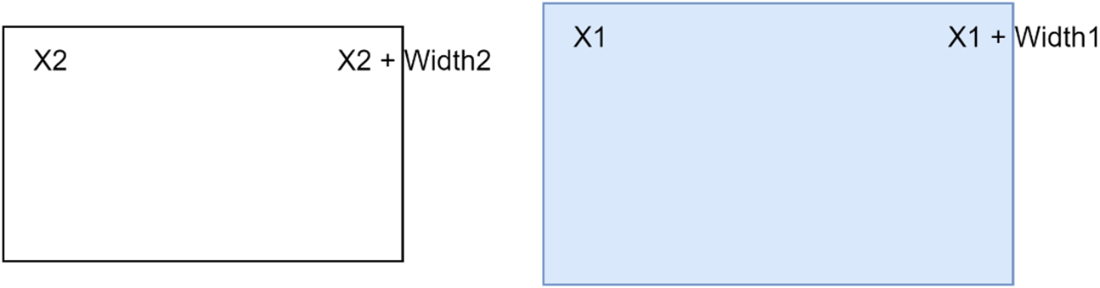
1st Object to the right of the 2nd object
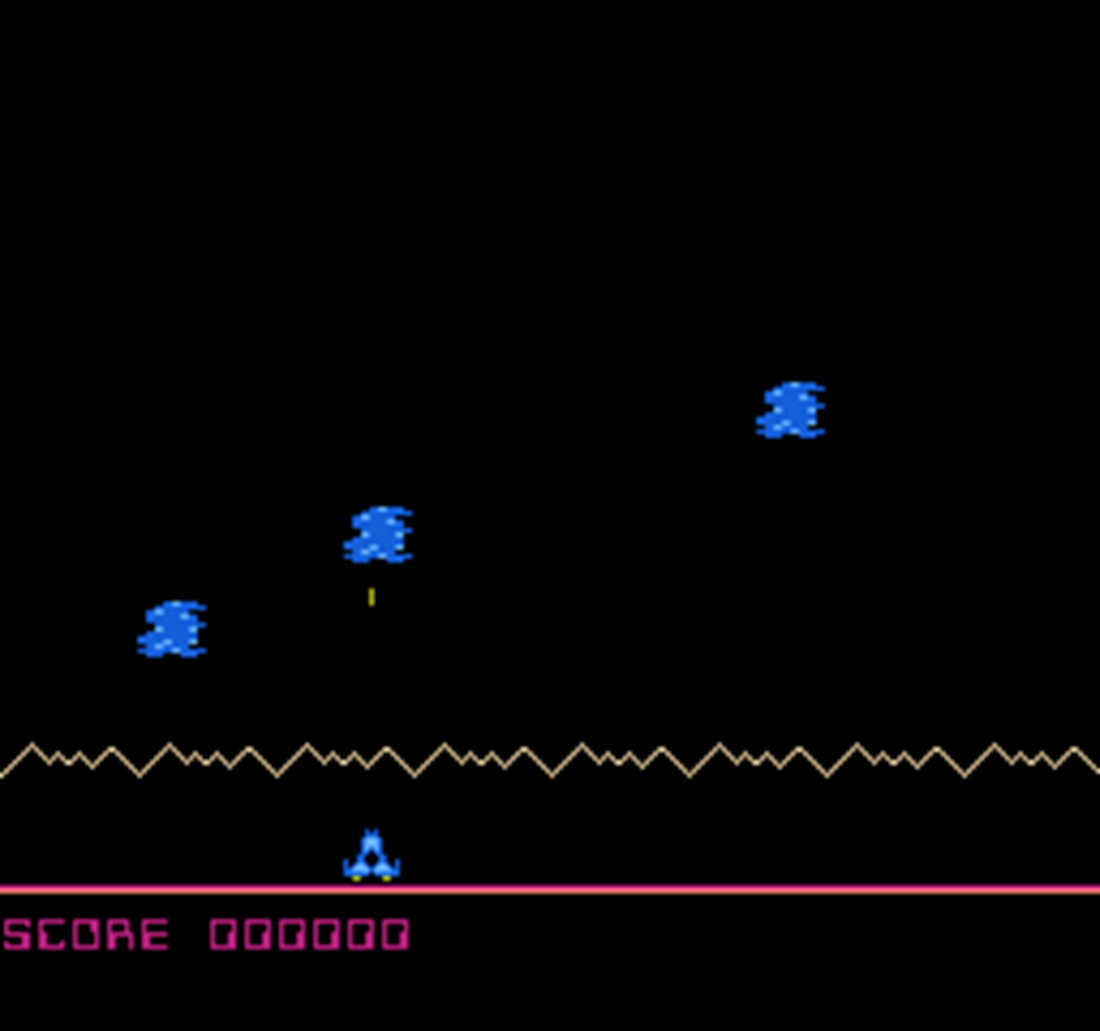
Megablast running on an emulator.
Summary
For collision detection on 8-bit systems, it’s best to treat all objects as rectangles and work out whether they intersect.
Ensuring that items that will be the same for each iteration of a loop are initialized before the loop will reduce the number of processor cycles needed.
By placing collision detection inside an existing loop, it will decrease the amount of processor cycles needed.
FAQ
What collision technique does this chapter use and why?It uses axis-aligned bounding boxes (AABB), treating every object as a rectangle. This avoids expensive pixel-perfect checks and keeps the math simple and fast for the NES.How do you quickly reject non-colliding objects along the X axis?Check two conditions: (1) X1 + Width1 ≤ X2, or (2) X2 + Width2 ≤ X1. If either is true, the rectangles do not overlap on X and you can exit early.When is a collision confirmed between two rectangles?After both axes overlap. If neither X rejection test nor Y rejection test is true (using heights for Y), the rectangles intersect and a collision is confirmed.Why does the routine check for negative results first?To save CPU time. Early-out checks stop the function as soon as it’s clear there’s no collision, minimizing cycles on a constrained 8-bit system.What parameters does the collision function use and where are they stored?Eight zero-page bytes: cx1, cy1, cw1, ch1 for object 1, and cx2, cy2, cw2, ch2 for object 2. Using zero-page speeds up access on the 6502.What does the carry flag indicate when collision_test returns?Carry set (SEC) means a collision was detected. Carry clear (CLC) means no collision.Where is enemy–bullet collision detection integrated in the game and why?Inside the move_enemies routine. This reuses the existing enemy loop, avoids an extra pass over the enemy list, and saves processing time.How are bullet and enemy positions and sizes prepared before calling collision_test?The bullet’s cy1 and cx1 are read from OAM, with ch1 set to 4 and cw1 set to 1. For each on-screen enemy, cy2 and cx2 come from OAM, and cw2/ch2 are set to 14 (later expandable for varied sizes).How do you skip collision checks when the bullet is off-screen?Use the sentinel Y value of $FF for the bullet. If the bullet’s Y equals $FF, it’s off-screen and collision tests are skipped.What happens when a bullet hits an enemy?The routine erases the bullet and the enemy from OAM, clears the enemy’s active flag in the enemy data table, and continues the loop. The project can then be built into a NES ROM using the provided compile scripts.
pro $24.99 per month
access to all Manning books, MEAPs, liveVideos, liveProjects, and audiobooks!

 Classic Game Programming on the NES ebook for free
