Overview

8 Enemy movement

This chapter expands the game by introducing enemy asteroids that the player must dodge or shoot, focusing on how to create, position, and move them efficiently on NES hardware. To achieve variety, it emphasizes randomness for both spawn timing and placement, and addresses the challenge of generating convincing pseudo-random sequences within tight 8-bit performance constraints. Seeds for randomness are derived from human input timing (when the player leaves the title screen) using a 16-bit time counter, ensuring that each playthrough feels different as asteroids drift downward and are removed upon reaching the ground.

The implementation adds two random number routines: a lightweight, shift-based generator and a stronger routine that merges two linear sequences (a software take on an LFSR), returning two bytes for broader use. After seeding from the elapsed title-screen time, the game introduces new zero-page variables to manage difficulty level, animation state, a pool of enemy slots, a cooldown to pace spawns, and temporary storage. A setup routine clears enemy data and initializes cooldowns; the spawn routine then counts down, tests a randomness threshold scaled by difficulty, finds a free slot among a fixed number of enemies, computes the base OAM index for that enemy (four sprites per enemy, skipping sprites reserved for the player), initializes tile indices and attributes, places the enemy at the top of the screen, and sets an X position from a masked random value.

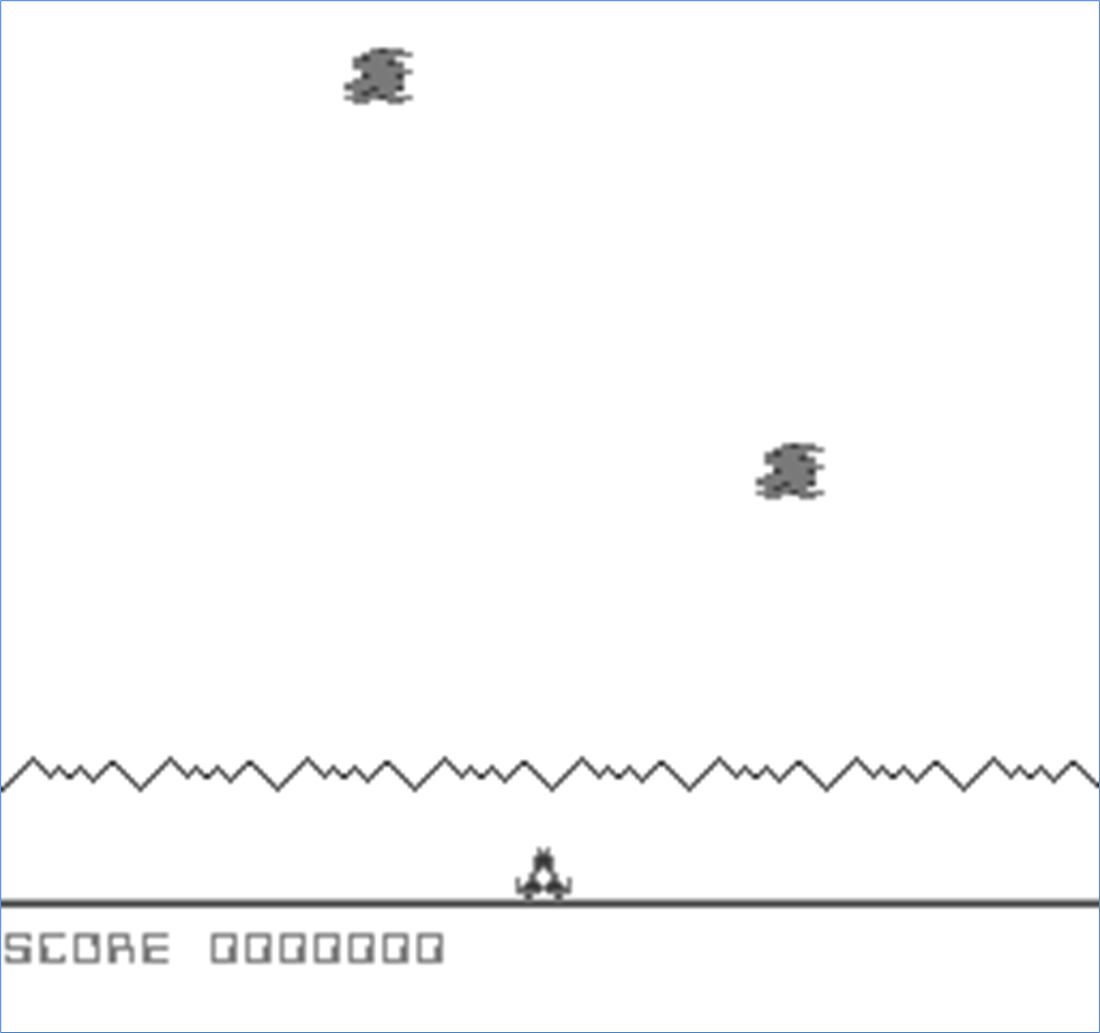
Movement is handled by iterating over active enemies each frame: the code calculates the correct OAM offset, reads and increments the Y position to make the asteroid fall, and either updates all four sprites or, if the bottom boundary is reached, hides them and frees the slot. The main loop now polls input, updates the player bullet, spawns enemies according to cooldown and difficulty, and advances enemy motion. When built and run, the result is a playable scene where meteors appear unpredictably across the top and steadily descend to the planet’s surface, establishing a solid foundation for more advanced enemy behaviors introduced later.

Our game so far
Summary

  • It is hard to create truly random numbers on 8-bit systems, especially when trying to not take up too much computational time to generate them.
  • To make random numbers even more random it is a good idea to introduce an external random factor from the person playing the game.
  • Breaking logic up into different functions makes them easier to understand and modify later.
  • The enemies in our game will be displayed using up to four separate sprites, so allowing for ten enemies we will use up to 40 of the 64 available sprites for enemies.
  • We have only introduced one type of enemy so far; in later chapters, we will add more enemy types and make their movement more complex.

FAQ

Why is the time counter upgraded to 16 bits, and how is it incremented?The extra 8 bits add more entropy for seeding the RNG. The low byte (time) increments every NMI; when it wraps from 255 to 0, the high byte (time+1) is incremented, forming a 16-bit time source.
What’s the difference between randomize and rand in the shared library?randomize is a fast, simple 8-bit shift/XOR routine that mutates SEED0 and returns an 8-bit value in A. rand generates a stronger 16-bit value by advancing two LFSR-like sequences (rand64k on SEED0 and rand32k on SEED2) and then XOR-combining them: it returns low byte in A and high byte in Y.
How are the RNG seeds initialized using player timing?Right after the title screen exits (on button press), the current 16-bit time is copied into SEED0/SEED0+1. Then randomize is called twice and mixed with the time bytes (via SBC) to derive SEED2 and SEED2+1. Because the button is pressed at a human-random moment, seeds differ each run.
Which new variables are added for enemies, and what do they track?- level: current difficulty level. - animate: an animation step counter (prepared for future use). - enemydata (20 bytes): workspace for up to 10 enemies; currently the first byte per enemy is used as an “active” flag. - enemycooldown: frames until the next spawn attempt. - temp: small scratch area for calculations.
How does spawn_enemies decide whether to create an enemy this frame?Each call decrements enemycooldown and returns early unless it reached zero. When zero, it sets a short cooldown (1), computes a threshold of (level + 1) × 4, then calls rand and compares the returned Y value to that threshold. If the random value is below the threshold, spawning proceeds; otherwise it returns and tries again next frame.
How does the code locate a free enemy slot, and what is the on-screen limit?It scans enemydata entries from 0 to 9 for a zero (free) byte. If none are free, it gives up that frame. When a free slot is found, it marks it active by writing 1. This caps active enemies at 10.
How is an enemy’s OAM base index computed, and why add 20?The enemy index (0–9) is multiplied by 16 (4 sprites × 4 bytes) by shifting left four times, then 20 is added to skip the first five sprites reserved for the player ship and bullet. The result is used as the OAM starting index for that enemy’s 4 sprites.
How are a new asteroid’s sprite fields initialized?- Y positions: top tiles set to 0; bottom tiles set to 8. - Pattern numbers: a consecutive block (e.g., 8, 9, 10, 11). - Attributes: all zero (no flips, default palette). - X positions: derived from rand, masked to 16-pixel steps (value & 0xF0) then offset by 48; the right tiles are placed at X + 8.
How do enemies move and get removed at the bottom of the screen?For each active enemy, its top-left sprite’s Y is read and incremented by 1 each frame. If it reaches the ground threshold (196), the enemy is “removed” by setting all four sprites’ Y to 255 (off-screen) and clearing its enemydata flag. Otherwise the new Y is written back (with bottom tiles at Y + 8).
Where are spawn_enemies and move_enemies called, and what should I see after building?In the main loop, after player_actions and move_player_bullet, call spawn_enemies and then move_enemies. After building (compile.bat or compile.sh) and running in an emulator, asteroids should spawn at random horizontal positions across the top and fall straight down until they hit the ground.

pro $24.99 per month

  • access to all Manning books, MEAPs, liveVideos, liveProjects, and audiobooks!
  • choose one free eBook per month to keep
  • exclusive 50% discount on all purchases
  • renews monthly, pause or cancel renewal anytime

lite $19.99 per month

  • access to all Manning books, including MEAPs!

team

5, 10 or 20 seats+ for your team - learn more


choose your plan

team

monthly
annual
$49.99
$499.99
only $41.67 per month
  • five seats for your team
  • access to all Manning books, MEAPs, liveVideos, liveProjects, and audiobooks!
  • choose another free product every time you renew
  • choose twelve free products per year
  • exclusive 50% discount on all purchases
  • renews monthly, pause or cancel renewal anytime
  • renews annually, pause or cancel renewal anytime
  • Classic Game Programming on the NES ebook for free

choose your plan

team

monthly
annual
$49.99
$499.99
only $41.67 per month
  • five seats for your team
  • access to all Manning books, MEAPs, liveVideos, liveProjects, and audiobooks!
  • choose another free product every time you renew
  • choose twelve free products per year
  • exclusive 50% discount on all purchases
  • renews monthly, pause or cancel renewal anytime
  • renews annually, pause or cancel renewal anytime
  • Classic Game Programming on the NES ebook for free
choose your plan

team

monthly
annual
$49.99
$499.99
only $41.67 per month
  • five seats for your team
  • access to all Manning books, MEAPs, liveVideos, liveProjects, and audiobooks!
  • choose another free product every time you renew
  • choose twelve free products per year
  • exclusive 50% discount on all purchases
  • renews monthly, pause or cancel renewal anytime
  • renews annually, pause or cancel renewal anytime
  • Classic Game Programming on the NES ebook for free