This chapter introduces how to render and control player objects on the NES using the PPU’s sprite system. It walks through defining graphics for a ship and a bullet, placing them on screen, and wiring up basic gameplay: moving the ship horizontally with the controller and firing a bullet upward. It also establishes a simple, console-agnostic timing approach based on vBlank to pace movement and actions consistently.
The text explains core sprite mechanics: up to 64 sprites, 8x8 or 8x16 modes, draw order, the eight-sprites-per-scanline limit, layering relative to the background, horizontal/vertical flipping, and palette selection. Each sprite is controlled via four OAM bytes (Y, tile index, attributes, X), and updating OAM is typically batched via DMA during vBlank to conserve CPU cycles. With these constraints in mind, the player ship is built from four 8x8 patterns, while the bullet uses a single pattern, and both rely on sprite palettes that render nonzero pixel values while letting background show through where pixels are zero.
On the implementation side, a zero-page time counter is incremented in the NMI to serve as a frame tick, and the main loop advances logic only when the tick changes. The ship is initialized by setting four sprite entries in OAM, then controller input is polled each frame to nudge the ship left or right within screen bounds by updating the X coordinates of its sprites. Pressing the fire button spawns a bullet sprite at the front of the ship if none is active; a routine then moves the bullet upward each tick and hides it once it leaves the screen so it can be fired again. Integrated into the main loop, these routines yield a working ROM where the player can move the ship and shoot with stable, vBlank-paced gameplay.
Sprite and Tile background layers
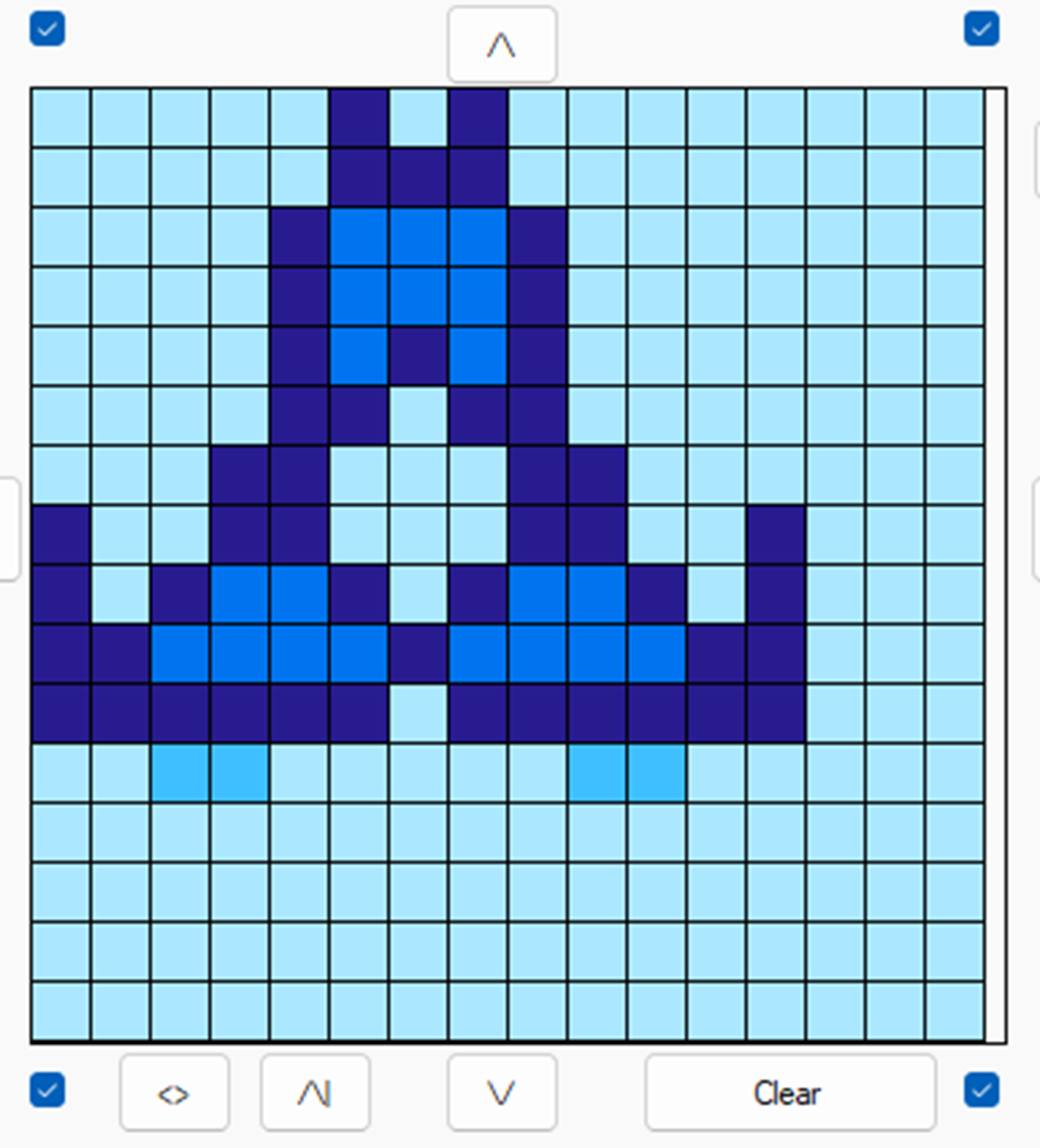
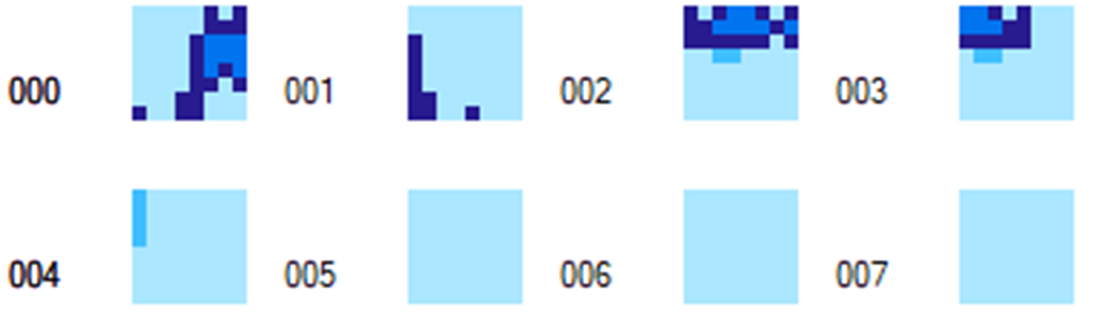
Player Ship made up of 4 8x8 patterns.
Player ship and Player bullet patterns.
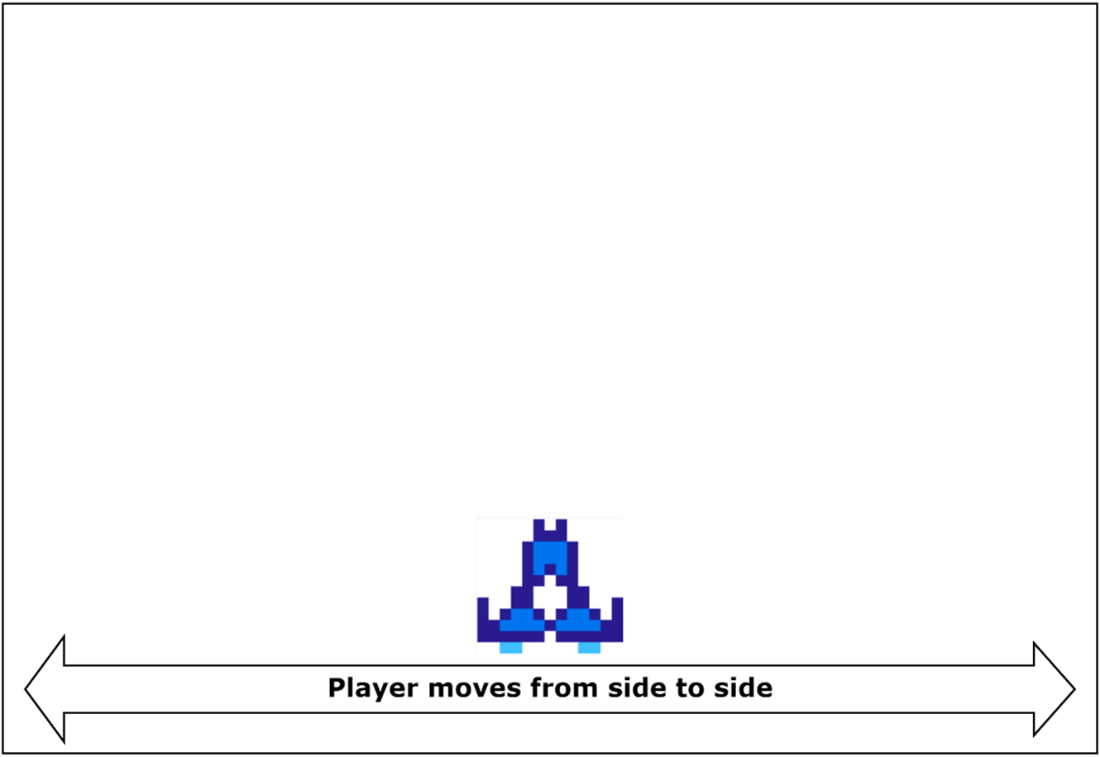
Player ship movement
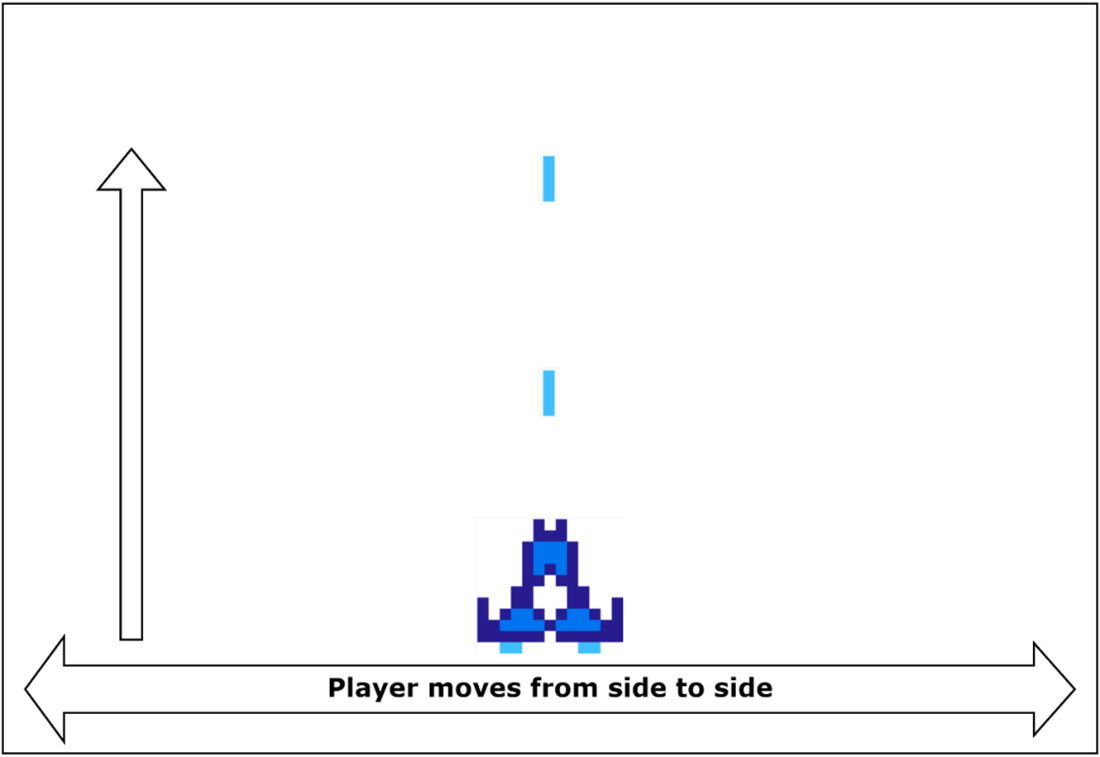
Player fires bullets up the screen.
Summary
The NES can display up to 64 sprites on the screen that can appear either in front of or behind the tile patterns.
Only 8 sprites will be displayed on the screen in any one horizontal line.
Sprites have their own color palette tables, so can be used to display an additional 12 colors on the screen (bringing the total to 25).
Sprites can be either 8x8 using a single pattern or 8x16 and use two patterns.
Game timing is an important part of game design, and the programmer needs to consider systems from different regions run at different speeds.
FAQ
What are NES sprites and how many can I use at once?Sprites are hardware‑managed movable objects the PPU composites over the background. The NES supports up to 64 sprites total, drawn in index order (0–63). On any single scanline, only 8 sprites can be rendered, which can cause dropouts/flicker if more overlap horizontally.What’s the difference between 8x8 and 8x16 sprite modes?The PPU is set to one global sprite size at a time. In 8x8 mode each sprite uses one 8x8 pattern. In 8x16 mode each sprite is built from two stacked 8x8 patterns; the single index selects both. Even sprite indices fetch from the first pattern table and odd indices from the second.How are sprite position and attributes stored in OAM?Each sprite uses 4 OAM bytes: 0 = Y position minus 1; 1 = tile index; 2 = attributes (bits 0–1 palette, bit 5 priority vs background, bit 6 horizontal flip, bit 7 vertical flip); 3 = X position minus 1.How do sprite colors and palettes work?Each sprite pixel encodes values 0–3 per pixel row. 0 is transparent; 1–3 map to one of four sprite palettes selected by attributes. That yields 3 colors × 4 palettes = 12 sprite colors available concurrently, on top of background palettes, letting ~25 colors appear on screen at once.Why use sprite DMA instead of writing OAM bytes one by one?Copying the whole 256‑byte OAM via a sprite DMA during vBlank is far faster and saves CPU cycles needed for other PPU updates that must also finish within vBlank. Per‑byte writes are slower and risk missing the vBlank window.How should I handle timing across NTSC and PAL?Use the vBlank NMI as a tick and increment a time counter each NMI (60 Hz NTSC, 50 Hz PAL). In your main loop, only update game logic when the counter changes. This keeps updates aligned to frames; note PAL will run ~17% slower unless you add region‑specific compensation.How do I place a multi‑tile player ship made from 4 sprites?Arrange four 8x8 sprites in a 2×2 block: set each part’s Y, tile index, attributes, and X. Remember X and Y are stored as position minus 1. After updating OAM data, trigger the PPU update/DMA so the ship appears.How do I read the controller to move the ship left and right?Poll the gamepad, check the left/right bits, clamp movement to screen bounds, then update the X bytes for all four ship sprites together so they stay aligned. Applying a small delta per frame gives smooth movement.How do I ensure only one player bullet is active?Use a dedicated sprite and treat Y = $FF as “offscreen/unused.” When A is pressed and the bullet is offscreen, initialize its Y, tile index, attributes, and set X relative to the ship’s front. Ignore further fires until the bullet is hidden again.How do I move the bullet and remove it at the top of the screen?Each tick, subtract a fixed speed (for example 4) from the bullet’s Y and write it back to OAM. If subtracting underflows past 0, set Y to $FF to hide it, making it available to fire again.
pro $24.99 per month
access to all Manning books, MEAPs, liveVideos, liveProjects, and audiobooks!


 Classic Game Programming on the NES ebook for free
