Overview

6 Starting a game

This chapter kicks off development of a simple NES shooter, Mega Blast, chosen for its clear mechanics and suitability for teaching fundamentals like movement, animation, collision, and later sound. It walks through setting up a clean project skeleton you can build and test incrementally: a memory configuration, compile/link scripts for Windows, Linux, and macOS, and the core source assets (main program, a reusable library, and a character set). The immediate goal is to get a minimal, working ROM that boots, initializes hardware safely, and renders background graphics—first a title screen, then a basic in-game layout—so you can iterate quickly in an emulator.

To make the code maintainable and reusable, the chapter separates common routines into a shared library (neslib.s) and augments it with macros (macros.s) that inline frequent VRAM setup patterns without the subroutine overhead. The library defines PPU/APU/control constants and zero-page state, and implements essential routines: waiting for vBlank, toggling rendering safely, clearing the nametable, polling the controller, and writing zero-terminated text to VRAM. The console is initialized with a proper iNES header, vectors, OAM buffer, and a default palette; the reset routine clears RAM/OAM and waits for vBlank, while the NMI uploads sprite OAM via DMA, copies the current palette to $3F00, and commits control-register updates. The main routine seeds the palette, sets background/sprite pattern tables and rendering flags, and drives the game loop.

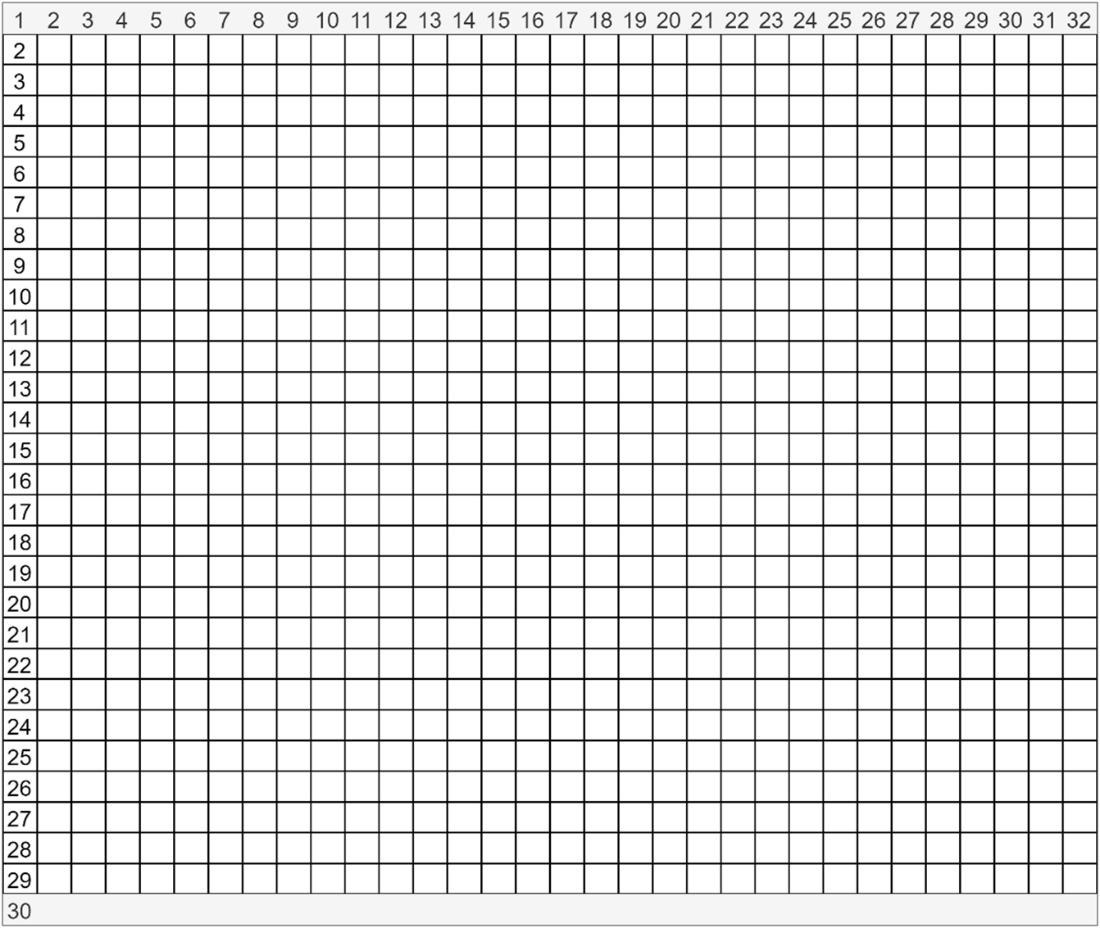
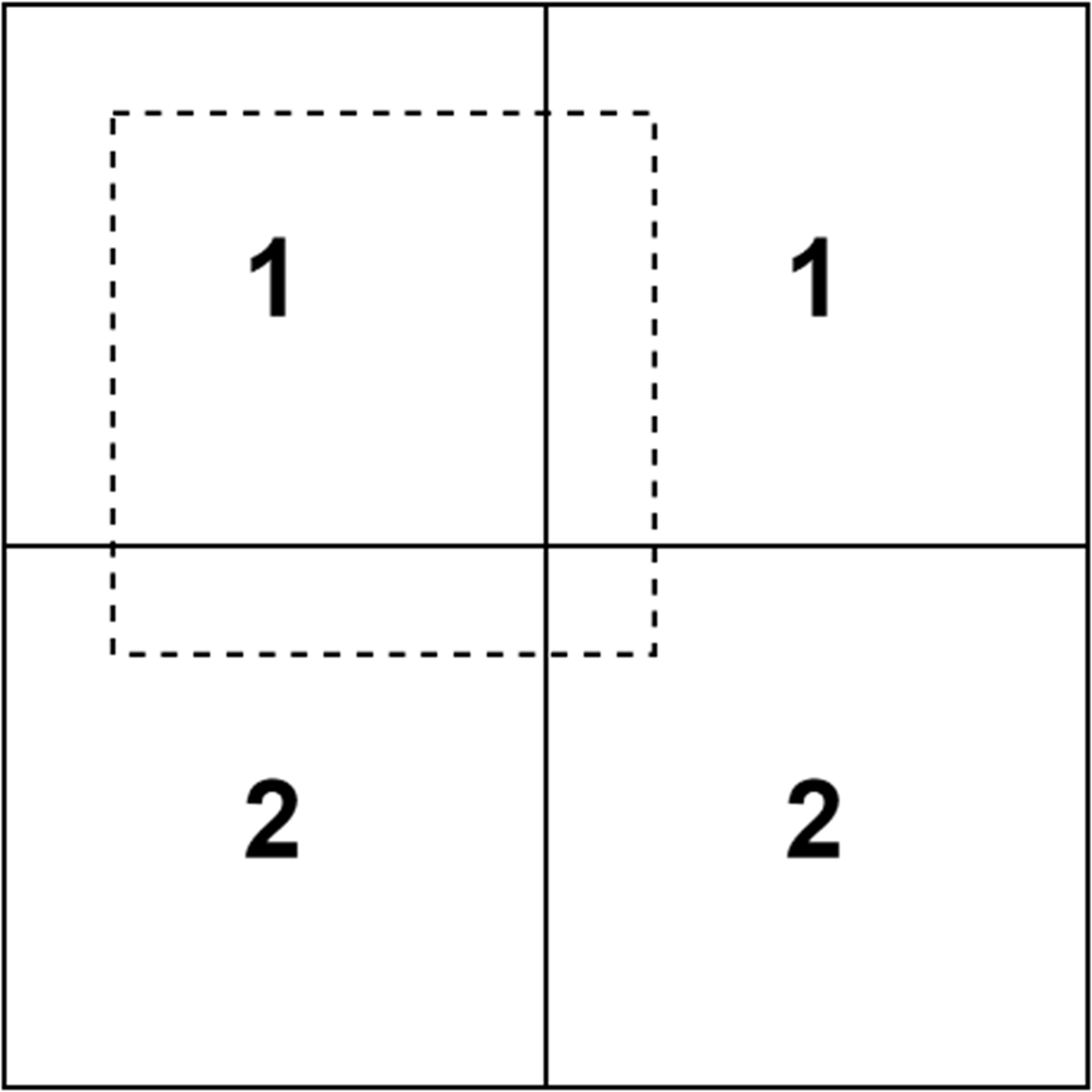
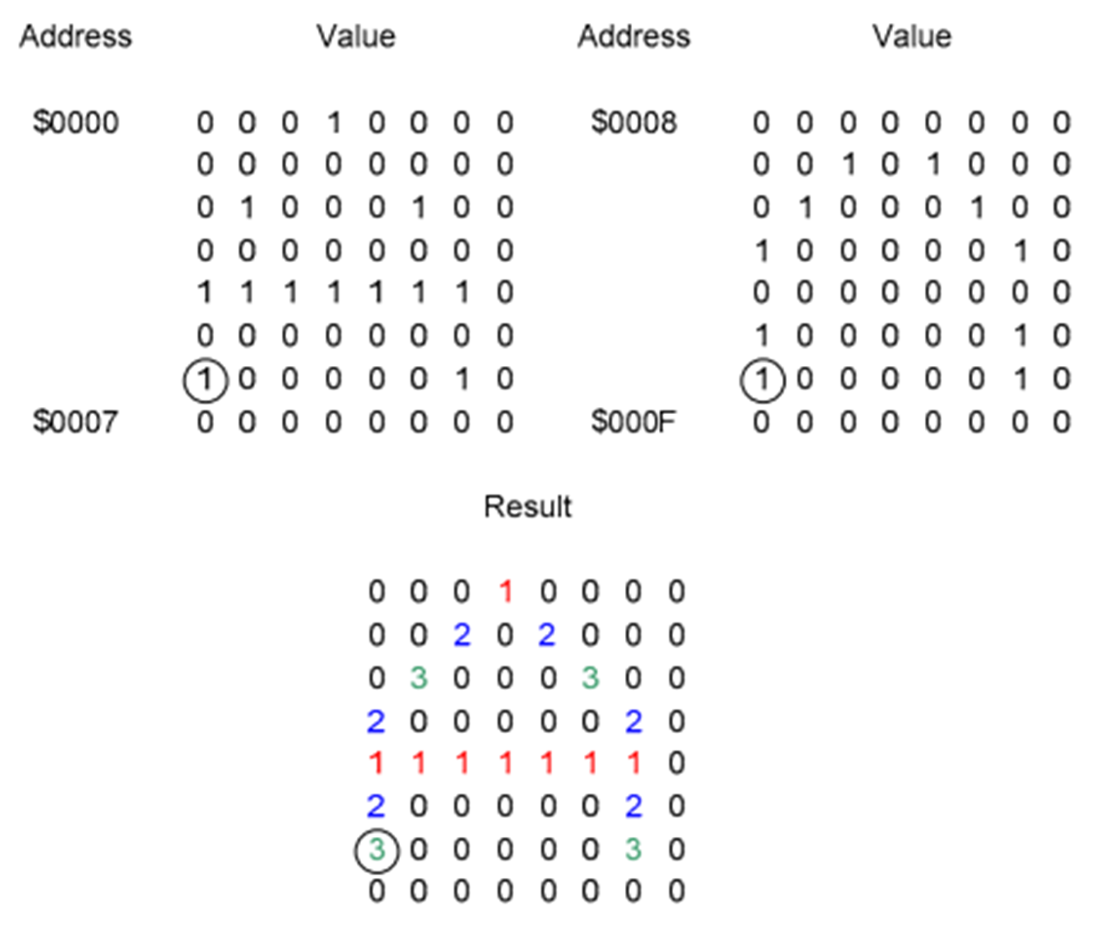
Background rendering is explained in practical terms: the NES displays 32×30 tiles of 8×8 pixels via nametables, with 2-bit tile patterns and per-attribute 2×2-tile palette selection; NTSC/PAL visibility and refresh differences are noted. The chapter adopts an ASCII-aligned tile set (A–Z, 0–9) plus a few custom tiles, simplifying text rendering. Using ppu_off/ppu_update and VRAM macros, the title screen is built by clearing the nametable, writing two text blocks, and setting attribute bytes so the title uses a different palette than the prompt. Input is handled by gamepad_poll; on button press the code switches to an in-game screen that draws a mountain row, a baseline, and a score label by streaming bytes to VRAM. The result is a complete end-to-end path: boot, initialize, draw a title, wait for input, and display the first game scene—ready for future gameplay logic.

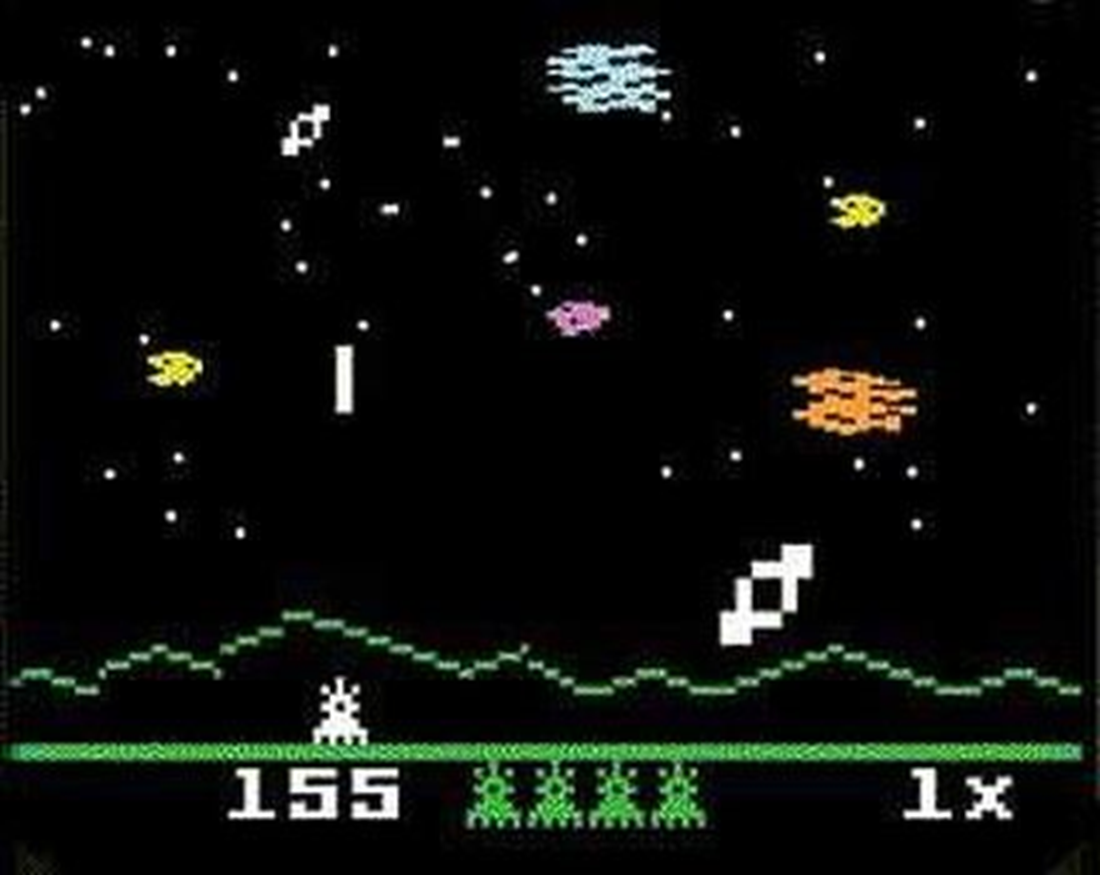
Astro Smash on the Intellivision
NES Tile Layout (Top and bottom rows not visible on NTSC consoles – depending on type of display)
The four different name table layouts.

Visible screen area with scroll positions set.
How the two pattern table bytes combine.
An attribute value defines the palette for four 2x2 tile areas i.e., 8x8 tiles.
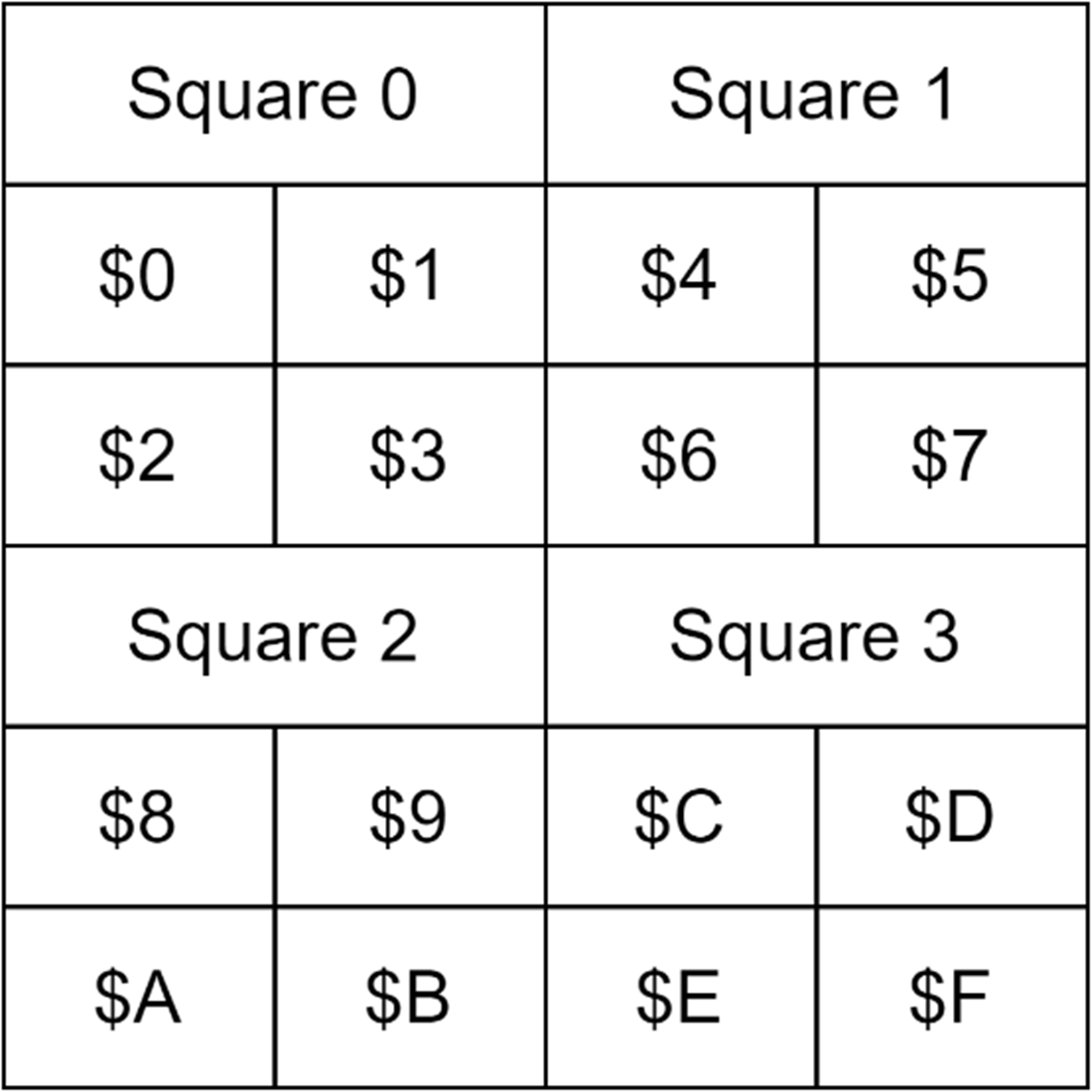
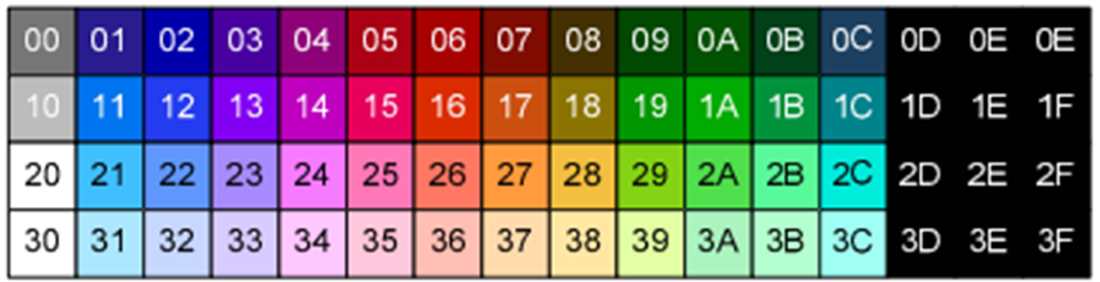
NES Color Palette values
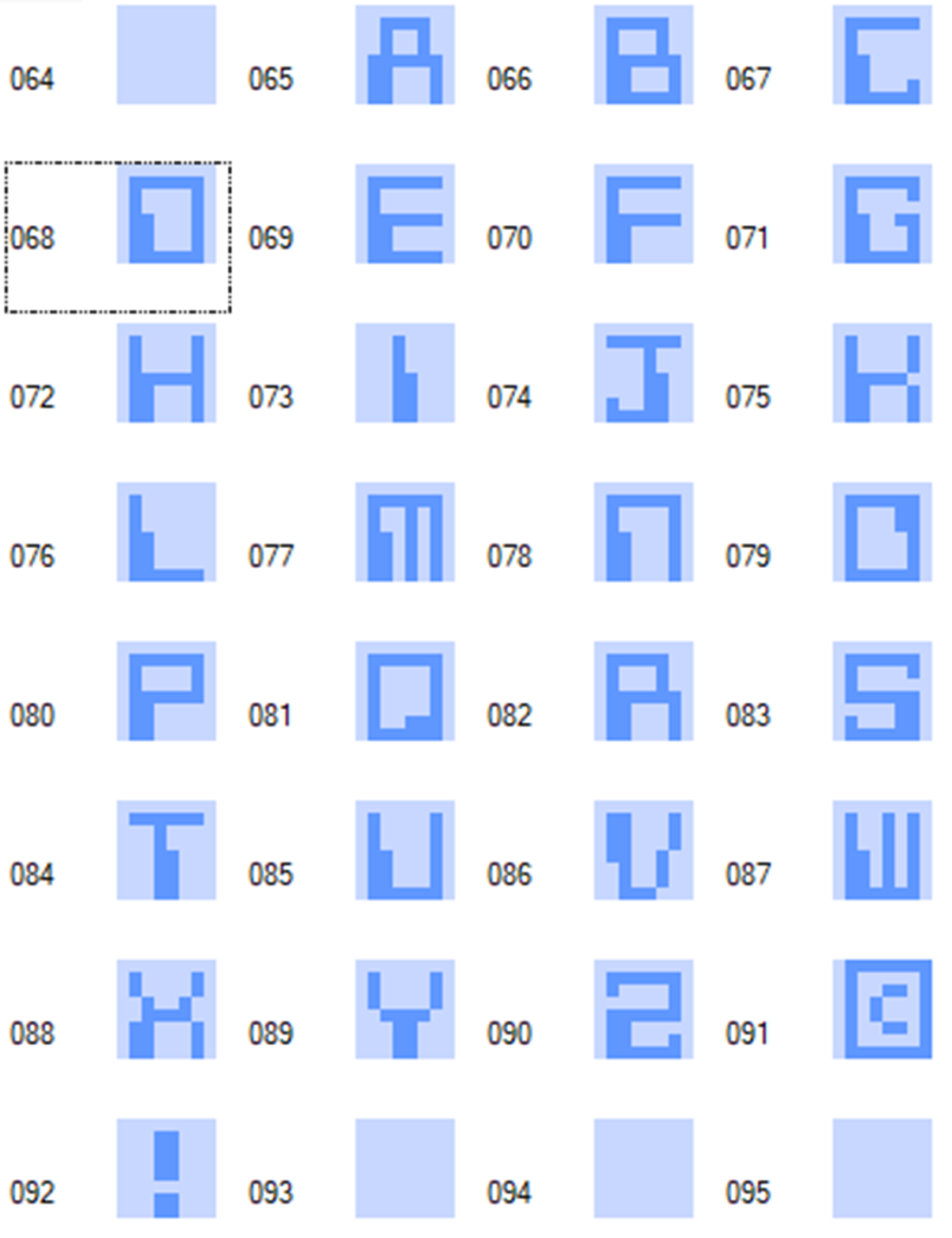
Upper case alphabet patterns in our tile table.
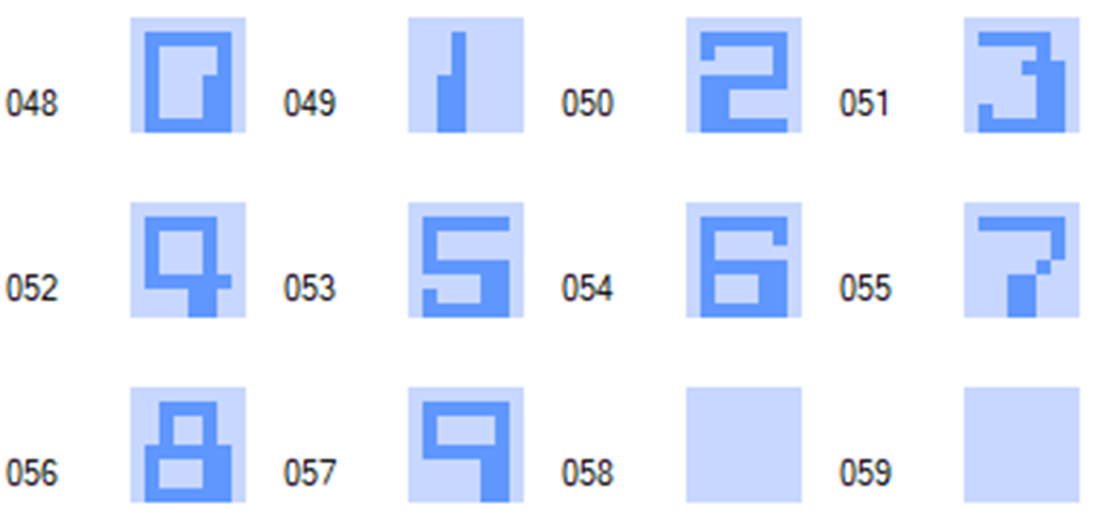
Numeric patterns in our tile table
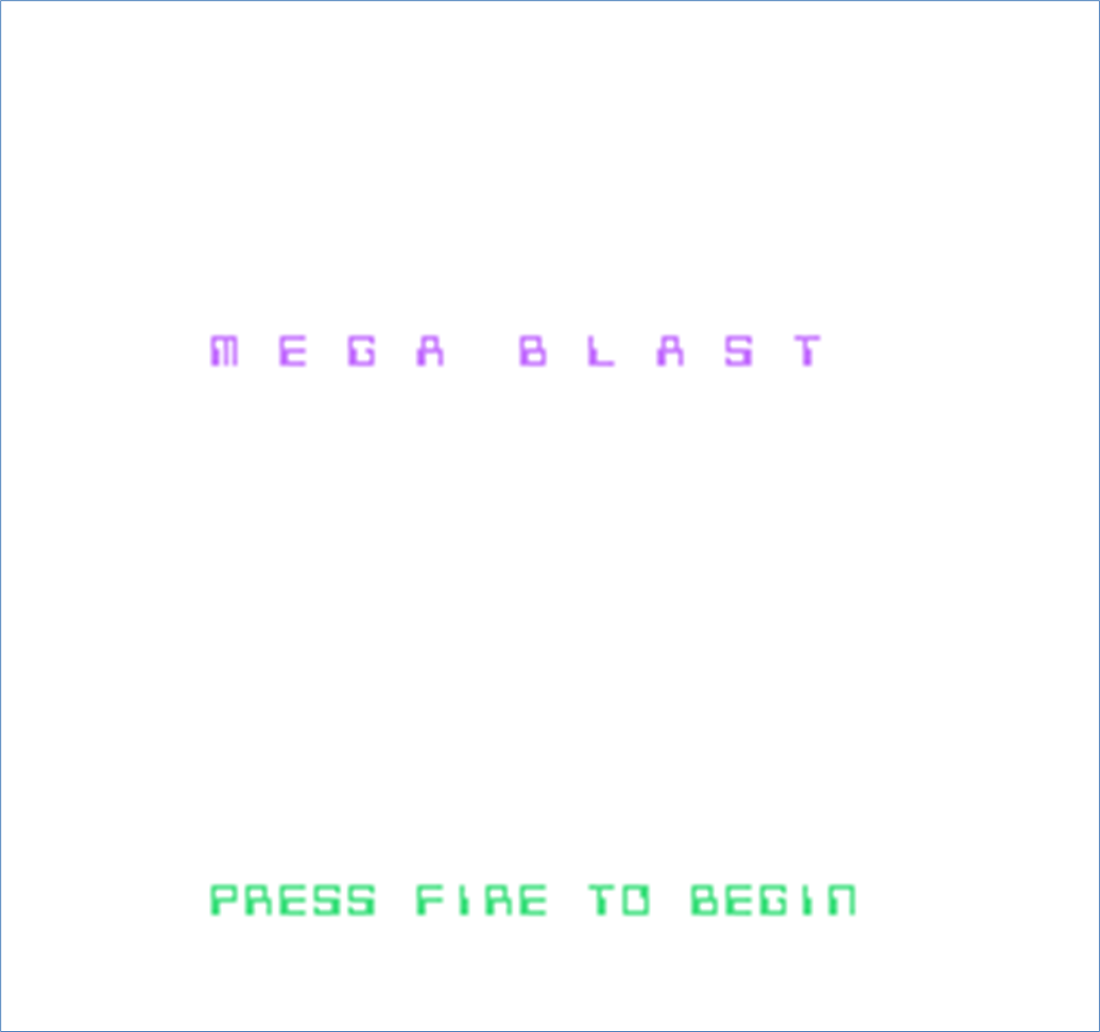
Example ROM running on an NES emulator.
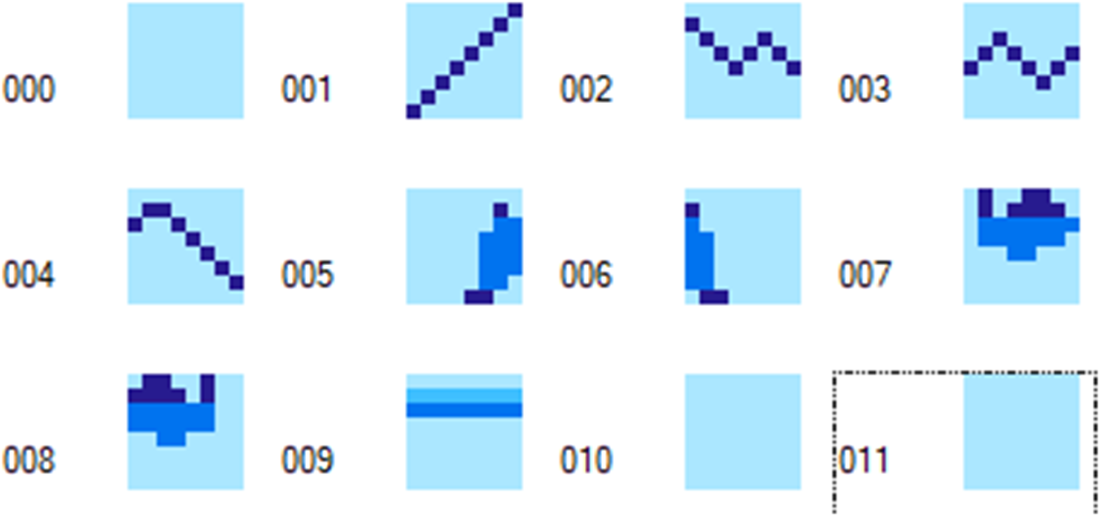
Adding some more tile patterns for our game background.
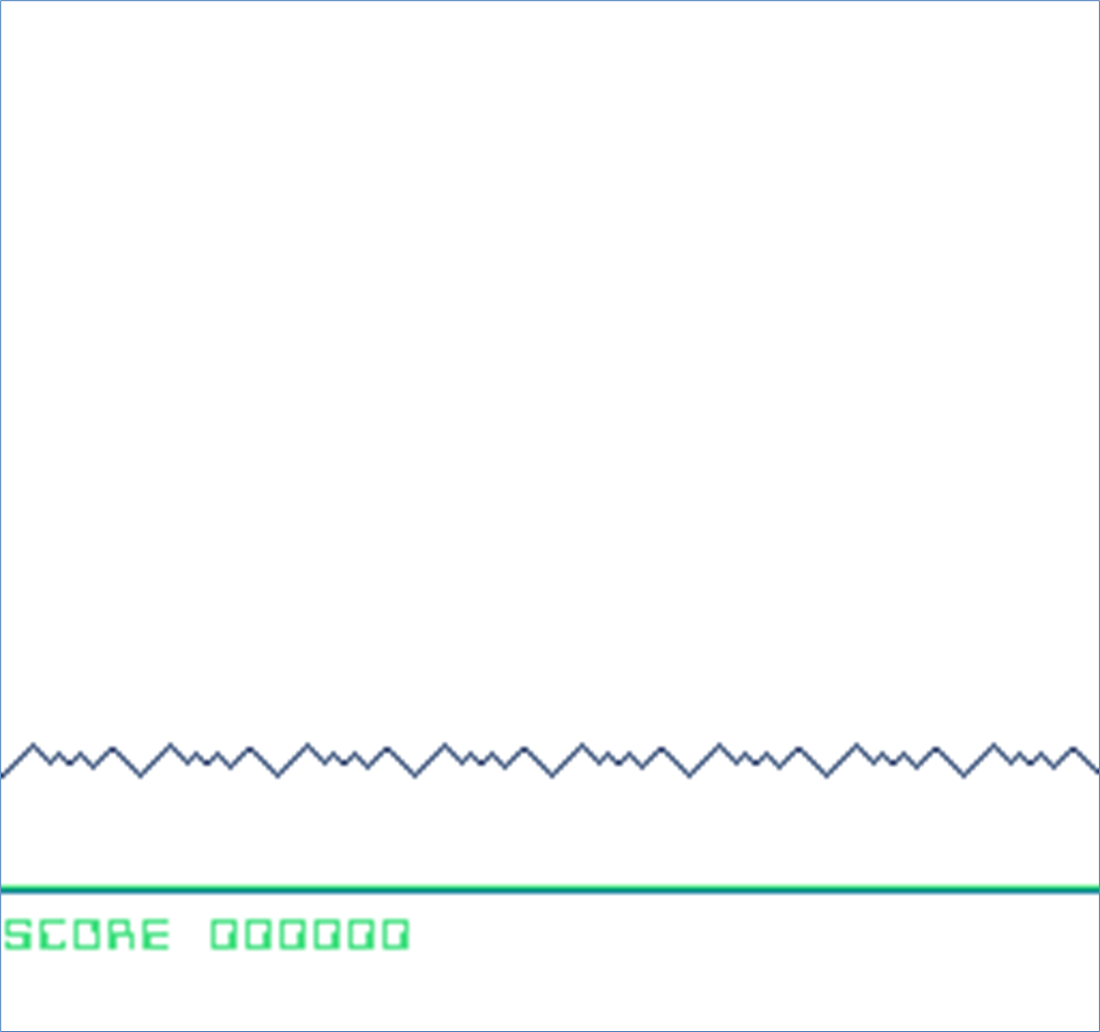
Main game screen
Summary

  • The NES can display 13 different colors from a palette of 52 for background tiles on screen at one time.
  • NES Sprites have their own color palettes allowing another 12 colors for a total of 25 colors on screen at one time.
  • The NES can display background graphics made up of 32x24 tiles or a resolution of 256x224 pixels.
  • NTSC NES consoles refresh the screen 60 times per second, but the top and bottom 8 pixels are not shown on the screen.
  • PAL NES consoles refresh the screen 50 times per second, which can change the timing of your game.
  • As well as defining functions that can be called from your code, you can also create macros that will repeat common sections of code saving typing and improving readability.
  • You can use the same tile patterns in different places on the screen but point them to a different set of palette entries using the attribute table which will make them use a different set of colors.
  • Tile layouts can be set based on data ending in a terminating byte e.g., 0, a fixed length of tile number values or by repeating a tile multiple times.

FAQ

What files should I create to start the Megablast NES project?The chapter sets up these core files: megablast.cfg (memory configuration), compile.bat or compile.sh (build script using cc65 tools), megablast.s (main game source), neslib.s (reusable NES helper library), megablast.chr (tile/sprite patterns). You’ll also add macros.s (assembler macros) as you progress.
How is NES memory laid out in megablast.cfg and what are the important segments?The config reserves ZP ($0000–$00FF) for zero-page variables, OAM ($0200–$02FF) for sprite data, RAM ($0300–$07FF) for general use, PRG ($8000–$FFFF) for code/rodata including VECTORS at $FFFA, and CHR (2 KB) for tiles. Key segments: ZEROPAGE, OAM, BSS (RAM), HEADER, CODE/RODATA (PRG), VECTORS, and TILES (CHR).
How do I build the ROM on Windows, macOS, or Linux?Use the cc65 toolchain. On Windows, compile with ca65 megablast.s -g -o megablast.o and link with ld65 -o megablast.nes -C megablast.cfg megablast.o plus map/label/debug outputs (see compile.bat). On macOS/Linux, the bash script does the same with ca65 and ld65, cleaning previous outputs first (compile.sh). The result is megablast.nes.
Why create a shared library (neslib.s) and what does it include?It centralizes reusable code and constants, speeding future projects. It defines PPU/APU register constants, gamepad bits, useful addresses, zero-page state (nmi_ready, ppu_ctl0/1), and helper routines: wait_frame (sync to NMI), ppu_update (enable rendering and push updates), ppu_off (safely disable rendering), clear_nametable (clear NAME TABLE 0), gamepad_poll (read controller 1).
What are assembler macros and when should I use them instead of subroutines?Macros expand inline at assemble-time, avoiding JSR/RTS overhead. Use them for tiny, frequently repeated sequences like setting VRAM addresses or loading 16-bit pointers. This chapter adds vram_set_address (sets PPU VRAM address), assign_16i (write a 16-bit address to a zero-page pointer), and vram_clear_address (clear VRAM address latch).
What happens during reset and each NMI (vBlank) in this setup?reset disables rendering/APU DMA IRQ, initializes stack, waits for vBlank, clears RAM and OAM, waits again, then enables NMI and jumps to main. nmi preserves registers, kicks sprite DMA from OAM, uploads the 32-byte palette to $3F00, applies ppu_ctl0/ppu_ctl1 to PPU_CONTROL/PPU_MASK, clears nmi_ready, and returns.
How does the NES render background graphics and what NTSC/PAL differences matter?Backgrounds are 32×30 tiles (8×8 pixels each) stored in name tables, with 2-bit pattern data combined with 2-bit attribute selections to pick one of four background palettes (shared color 0). NTSC typically hides top/bottom rows and runs at 60 Hz; PAL shows all 30 rows at 50 Hz. Design with visible rows, timing, and vBlank budget in mind. Name tables can be mirrored (horizontal/vertical) or use 4-screen RAM (cartridge-dependent).
How are text and number tiles organized in megablast.chr?The character set is arranged to match ASCII for convenience: digits ‘0’–‘9’ at indices 48–57 and uppercase ‘A’–‘Z’ at 65–90. That lets you define strings with .byte "TEXT",0 and write them directly without manual index translation.
How is the title screen drawn and colored?display_title_screen turns rendering off (ppu_off), clears the name table, then writes two strings using write_text: “M E G A B L A S T” (e.g., at NAME_TABLE_0 + 4*32 + 6) and “PRESS FIRE TO BEGIN” (e.g., at + 20*32 + 6). It also writes eight bytes into the attribute table (starting at ATTRIBUTE_TABLE_0 + 8) so the title row uses palette 1 (greens), while the default text uses palette 0 (purples/pinks). Finally, ppu_update re-enables rendering.
How do we wait for input and switch to the main game screen layout?In main, after drawing the title and enabling BG/OBJ, loop calling gamepad_poll until PAD_A/B/START/SELECT is pressed. Then call display_game_screen, which: clears the screen, writes a mountain pattern line at row 22 (32 tiles), fills a baseline (row 26) with a repeating tile (e.g., 9), and writes a “SCORE 0000000” label. Call ppu_update to show it, then enter the main loop.

pro $24.99 per month

  • access to all Manning books, MEAPs, liveVideos, liveProjects, and audiobooks!
  • choose one free eBook per month to keep
  • exclusive 50% discount on all purchases
  • renews monthly, pause or cancel renewal anytime

lite $19.99 per month

  • access to all Manning books, including MEAPs!

team

5, 10 or 20 seats+ for your team - learn more


choose your plan

team

monthly
annual
$49.99
$499.99
only $41.67 per month
  • five seats for your team
  • access to all Manning books, MEAPs, liveVideos, liveProjects, and audiobooks!
  • choose another free product every time you renew
  • choose twelve free products per year
  • exclusive 50% discount on all purchases
  • renews monthly, pause or cancel renewal anytime
  • renews annually, pause or cancel renewal anytime
  • Classic Game Programming on the NES ebook for free

choose your plan

team

monthly
annual
$49.99
$499.99
only $41.67 per month
  • five seats for your team
  • access to all Manning books, MEAPs, liveVideos, liveProjects, and audiobooks!
  • choose another free product every time you renew
  • choose twelve free products per year
  • exclusive 50% discount on all purchases
  • renews monthly, pause or cancel renewal anytime
  • renews annually, pause or cancel renewal anytime
  • Classic Game Programming on the NES ebook for free
choose your plan

team

monthly
annual
$49.99
$499.99
only $41.67 per month
  • five seats for your team
  • access to all Manning books, MEAPs, liveVideos, liveProjects, and audiobooks!
  • choose another free product every time you renew
  • choose twelve free products per year
  • exclusive 50% discount on all purchases
  • renews monthly, pause or cancel renewal anytime
  • renews annually, pause or cancel renewal anytime
  • Classic Game Programming on the NES ebook for free