Overview
5 Starting Somewhere
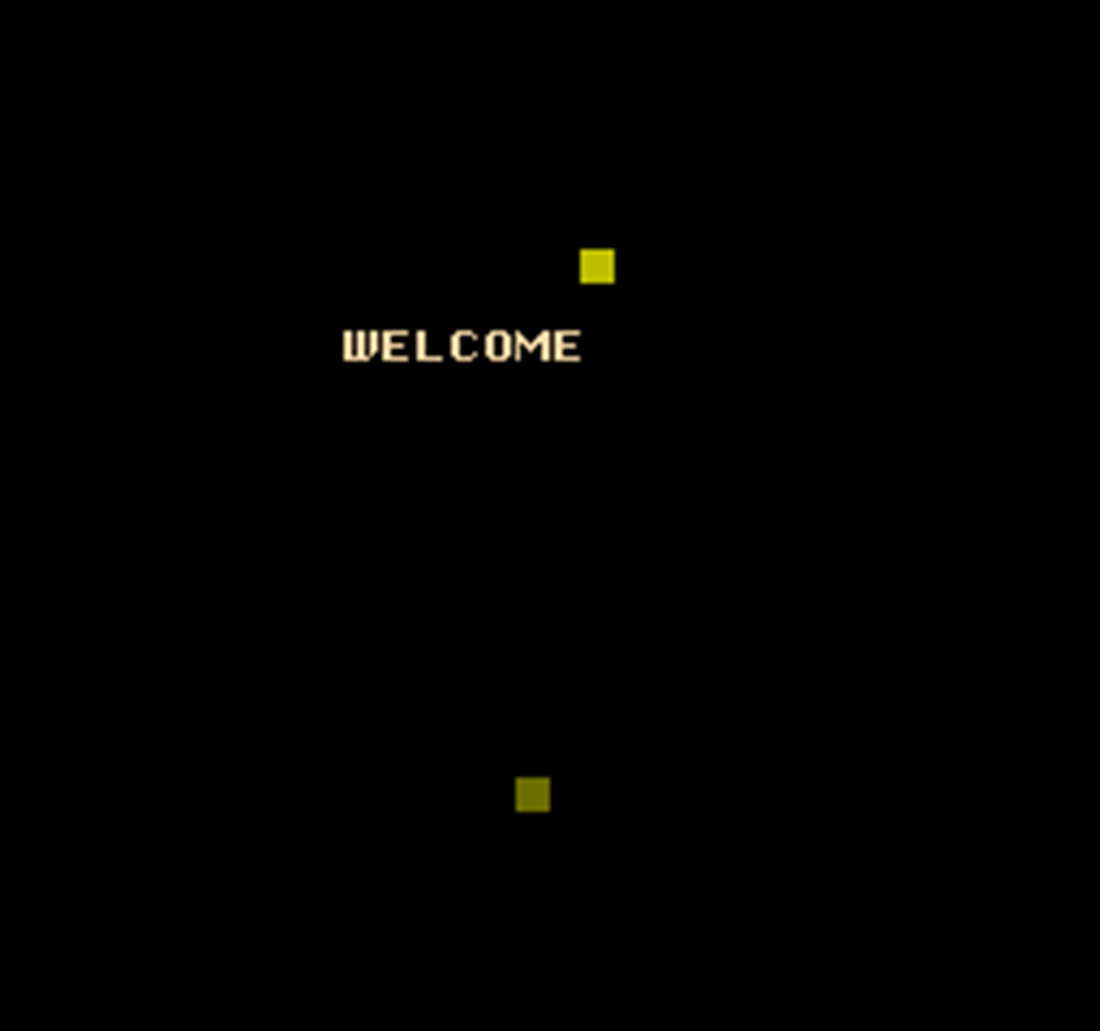
This chapter builds a small but complete NES “starter” project you can reuse as a template. The end result draws a short text message, shows a bat the player can move with the controller, and animates a ball that bounces around the screen. Along the way it introduces the essentials of NES development: how code and data are organized for a cartridge, how the PPU and APU are brought up safely, how graphics data is arranged, and how to synchronize updates with the video hardware.
The project’s structure is defined through a configuration file that maps named segments to real NES memory regions (zero-page, RAM, OAM, PRG-ROM, CHR-ROM, and the iNES header). Source code uses those segments to place variables, sprite tables, constants, executable code, read-only data (like palettes and text), and tile/sprite patterns (via an included CHR file). Core cartridge requirements are covered: an iNES header describing mapper, mirroring, and bank counts; a vector table for NMI/RESET/IRQ; and carefully chosen zero-page variables for speed. The chapter also explains how OAM mirrors the sprite list in CPU RAM, how palettes are stored and copied to the PPU, and how CHR data supplies tile graphics.
Runtime flow starts in RESET: interrupts and rendering are disabled, RAM and OAM are cleared, two vBlank waits ensure the PPU is ready, and NMIs are enabled. An NMI routine (guarded by an nmi_ready flag) safely pushes register state, DMA-copies OAM to the PPU, uploads the current palette, toggles rendering on/off as needed, then restores registers. Small utilities manage PPU updates, temporarily disable rendering for large VRAM writes, clear the active name table, and read the gamepad. The main logic copies the default palette into RAM, clears the screen, writes a welcome message, places the bat and ball sprites, sets initial ball velocity, and enters a loop that polls input to move the bat and advances the ball while bouncing off screen edges. Each frame is synchronized via nmi_ready to ensure smooth, artifact-free updates, and simple build scripts (CC65 toolchain) produce a runnable .nes image.
Summary
We have covered a lot of ground in this chapter but most importantly we have made a set of code that demonstrates how to get the NES setup ready for your main game logic.
- All NES programs need a memory configuration file and a matching compile script to build the final ROM application.
- You use the segments defined in the memory configuration file to control where each part of your code and data sections ends up in both the final ROM cartridge and how it uses the NES’s system memory.
- Your code needs to include a segment that both identifies the final ROM as being valid for a NES system and indicates what features your cartridge will use.
- The final ROM applications that you build can be run on an emulator or by using a SD cartridge on real NES hardware.
FAQ
What files are included in the minimal NES project for this chapter?
The project uses four files:
- example.cfg: linker memory/segment configuration
- example.s: main 6502 assembly source
- compile.bat or compile.sh: scripts to assemble/link with CC65
- example.chr: 8 KB character ROM containing tile and sprite patternsHow do MEMORY and SEGMENTS work in example.cfg?
MEMORY defines physical regions and sizes:
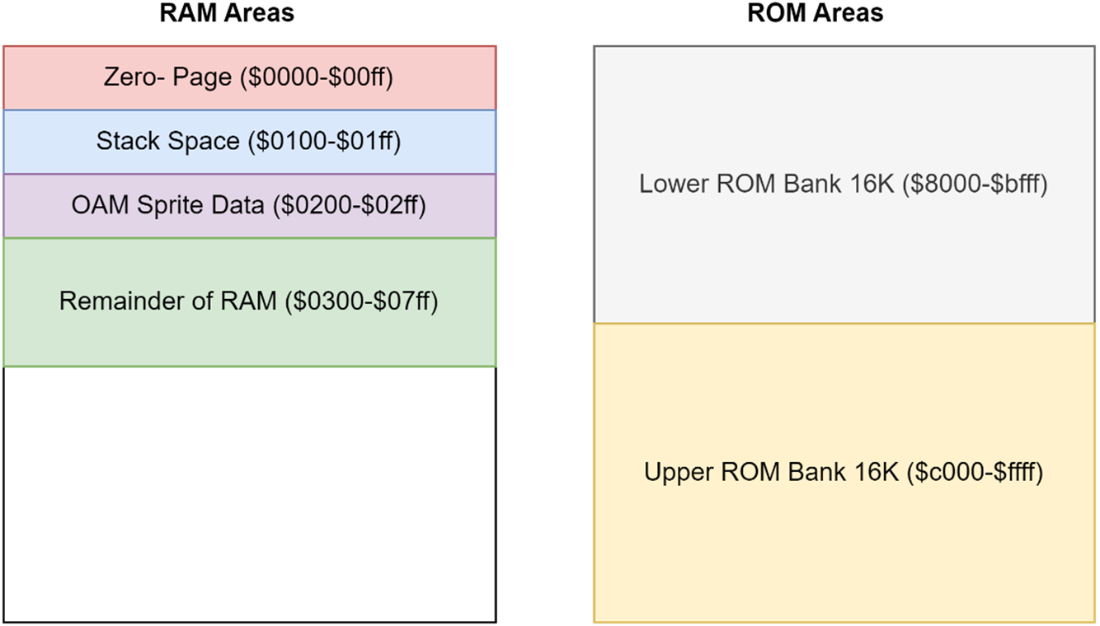
- ZP ($0000–$00FF): zero-page RAM (256 B)
- OAM ($0200–$02FF): local copy of sprite OAM (256 B)
- RAM ($0300–$07FF): general RAM (1280 B)
- HDR: 16-byte iNES header (RO)
- PRG ($8000–$FFFF): 32 KB program ROM (RO)
- CHR: 8 KB character ROM (RO, PPU-only)
SEGMENTS maps source labels to those areas (e.g., ZEROPAGE→ZP, CODE/RODATA→PRG, VECTORS at $FFFA, TILES→CHR).What does the NES (iNES) header specify and which values do I change?
The header tells emulators/hardware how to run the cartridge:
- INES_MAPPER: mapper number
- INES_MIRROR: 0=horizontal, 1=vertical mirroring
- INES_SRAM: 1 if battery-backed RAM at $6000–$7FFF
- PRG bank count (16 KB units) and CHR bank count (8 KB units)
In the example: mapper 0 (NROM), 2 PRG banks (32 KB total), 1 CHR bank.What are the CPU vectors and where do they live?
Three vectors point to critical routines:
- NMI: VBlank handler
- RESET: program entry
- IRQ/BRK: interrupt handler
They must be placed at $FFFA–$FFFF in PRG ROM (ordered NMI, RESET, IRQ).When should I use ZEROPAGE, OAM, and BSS for variables?
- ZEROPAGE: time-critical 1-byte indexed access (e.g., nmi_ready, gamepad, velocities)
- OAM: 256-byte shadow sprite table (Y, tile, attributes, X per sprite)
- BSS: general RAM buffers (e.g., 32-byte palette). Use .res to reserve bytes; no initialized data here.How do I safely initialize the NES hardware at RESET?
Typical sequence:
- sei; disable decimal (cld); init stack (ldx #$FF; txs)
- Disable NMI/rendering/APU/DMC; set JOYPAD ports
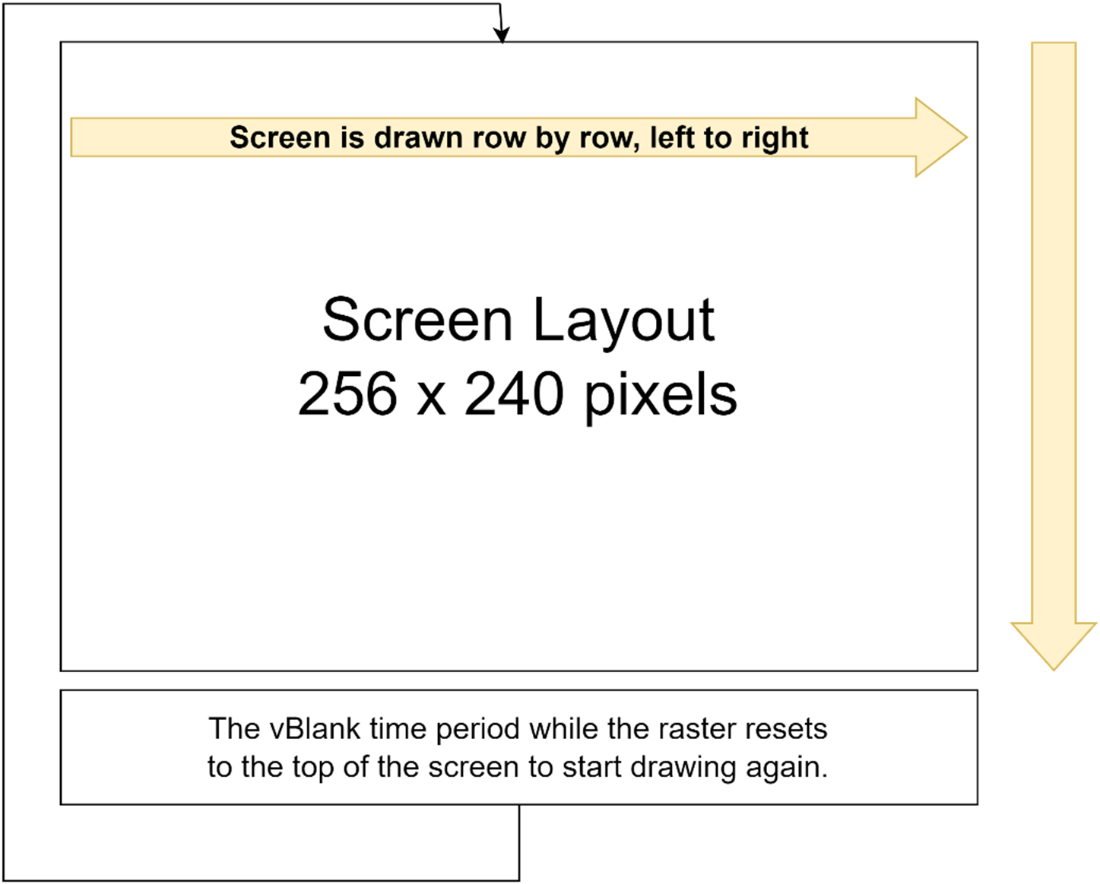
- Wait for first vBlank (poll $2002 bit 7)
- Clear all 2 KB RAM; set all sprite Y to 255 (offscreen)
- Wait a second vBlank
- Enable NMI and select sprite pattern table in PPUCTRL, then jump to main.How does the NMI routine update graphics without corruption?
It:
- Saves A/X/Y on the stack
- Uses nmi_ready flag to decide: 0=skip, 2=turn rendering off (PPU_MASK=0), 1=proceed
- DMA OAM: write high byte of OAM base to $4014; set $2003 to 0 first
- Upload palette: set VRAM address to $3F00 and write 32 bytes to $2007
- Re-enable rendering (PPU_MASK bits), clear nmi_ready, restore A/X/Y, rtiHow are 8×8 sprites defined and placed on screen?
Each sprite uses 4 OAM bytes:
- Byte 0: Y position (invisible if 239–255)
- Byte 1: tile index (from the selected sprite pattern table)
- Byte 2: attributes (palette 0–3, priority, flips)
- Byte 3: X position
Write these into the OAM buffer, then the NMI DMA copies to PPU.How do I read the NES controller?
Procedure for JOYPAD1 ($4016):
- Strobe: write 1 then 0 to $4016
- Read 8 times from $4016; each read returns one button bit
- Build a byte with PAD_A/PAD_B/PAD_SELECT/PAD_START/PAD_U/D/L/R flags
Note: DPCM playback can interfere with pad reads.How do I build the ROM with CC65 and what is the output?
Steps:
- Assemble: ca65 example.s -g -o example.o
- Link: ld65 -o example.nes -C example.cfg example.o -m example.map.txt -Ln example.labels.txt --dbgfile example.dbg
The main output is example.nes, ready for an emulator or flash cartridge. Batch and bash scripts are provided for Windows and Linux/macOS.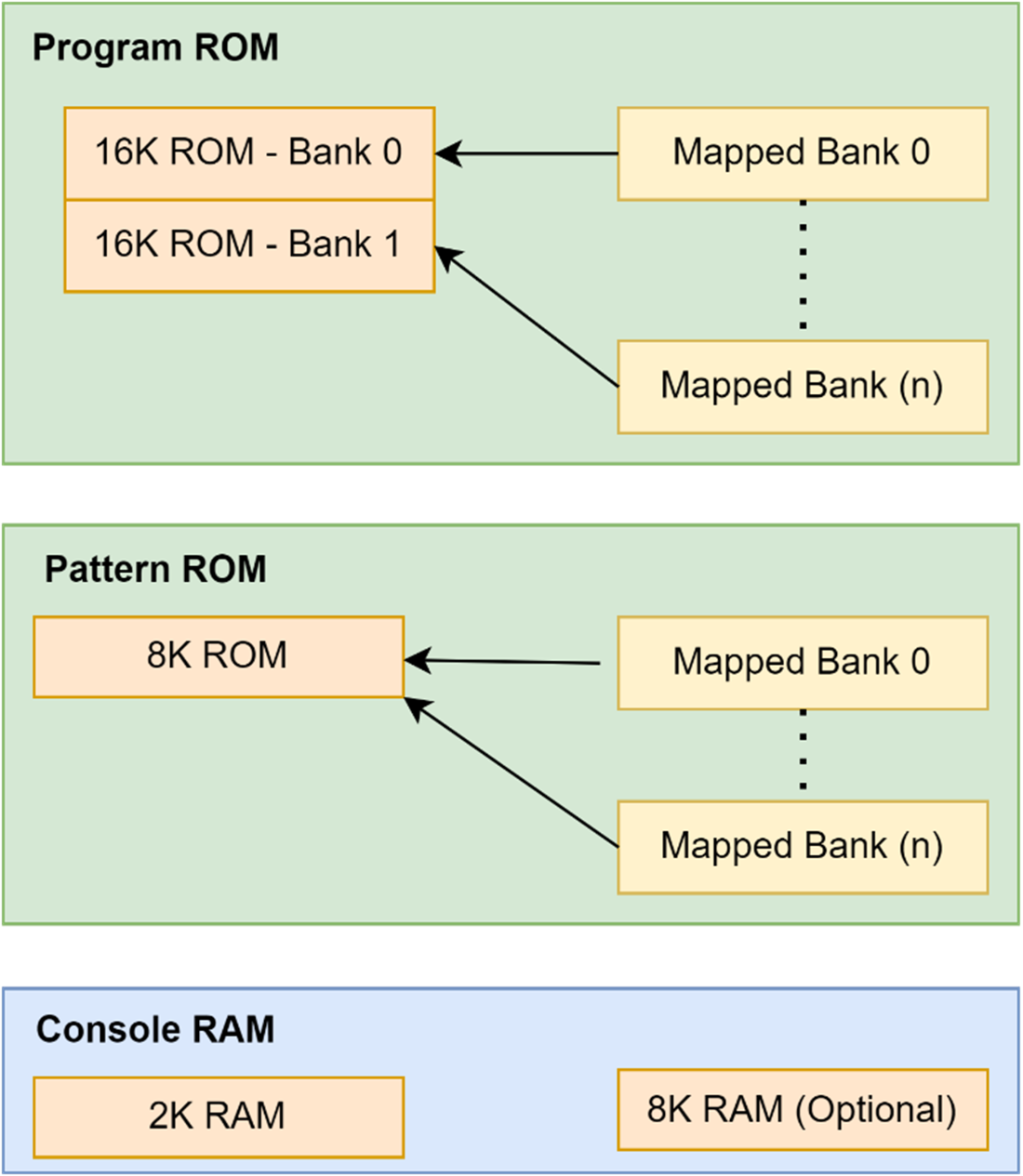

 Classic Game Programming on the NES ebook for free
