3 Starting 6502 Assembler
This chapter offers a practical, fast-start introduction to writing 6502 assembly for the NES. It explains why assembly is often necessary on this hardware—tight memory and very strict timing for graphics and audio—and outlines the learning path the book will follow: how the CPU stores and manipulates data, how to read and write values, and how to reason about addressing. It emphasizes a hands-on approach with step-by-step examples and an online simulator so readers can assemble, run, and observe code behavior while progressing to later game-focused chapters.
Foundations come first: bits and bytes, the 0–255 range of 8-bit values, and the common numeric notations used in assembly (decimal, binary, hexadecimal). The chapter contrasts storage and speed trade-offs among registers, ROM, and the NES’s 2 KB of RAM, highlighting zero-page memory for faster access. It introduces the 6502’s small but essential register set—A (accumulator), X and Y (index), PC (program counter), S (stack pointer), and P (status)—and explains how status flags (N, V, B, D, I, Z, C) reflect CPU state and instruction results. It also covers the dedicated 256-byte stack at $0100–$01FF and its last-in-first-out behavior for subroutine returns and temporary saves.
The bulk of the chapter focuses on “moving things around”: using LDA/LDX/LDY to load and STA/STX/STY to store, across the 6502’s addressing modes. It progresses from immediate, zero-page, and absolute addressing to indexed forms (zero-page,X/Y and absolute,X/Y), then to pointer-based modes that leverage zero-page to reach any memory location ((zp),Y and (zp,X)). Through short, focused examples, it shows how effective addresses are computed—by adding index registers or dereferencing 16-bit pointers stored in zero-page—and which store variants are accumulator-only. Frequent exercises encourage assembling and running snippets to watch registers, flags, and memory change in real time, building the core skills needed to update positions, scores, and other game state reliably on the NES.
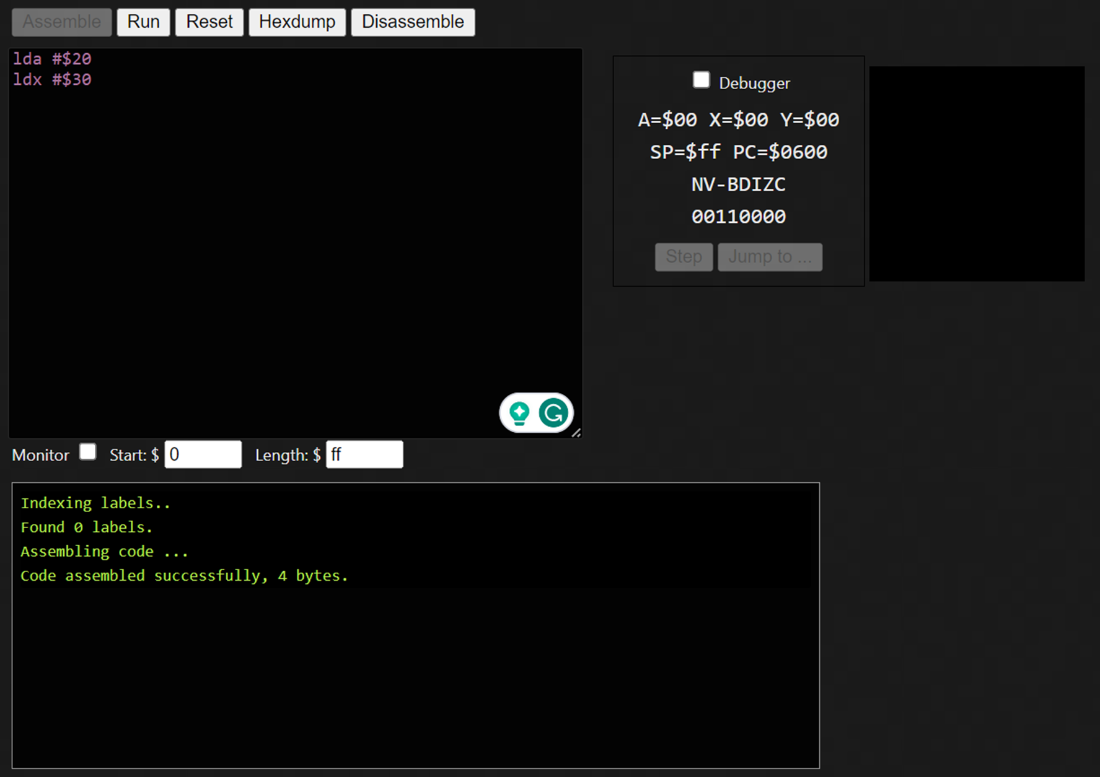
Access the Online 6502 Assembler Simulator

Online Assembler Simulator in Action
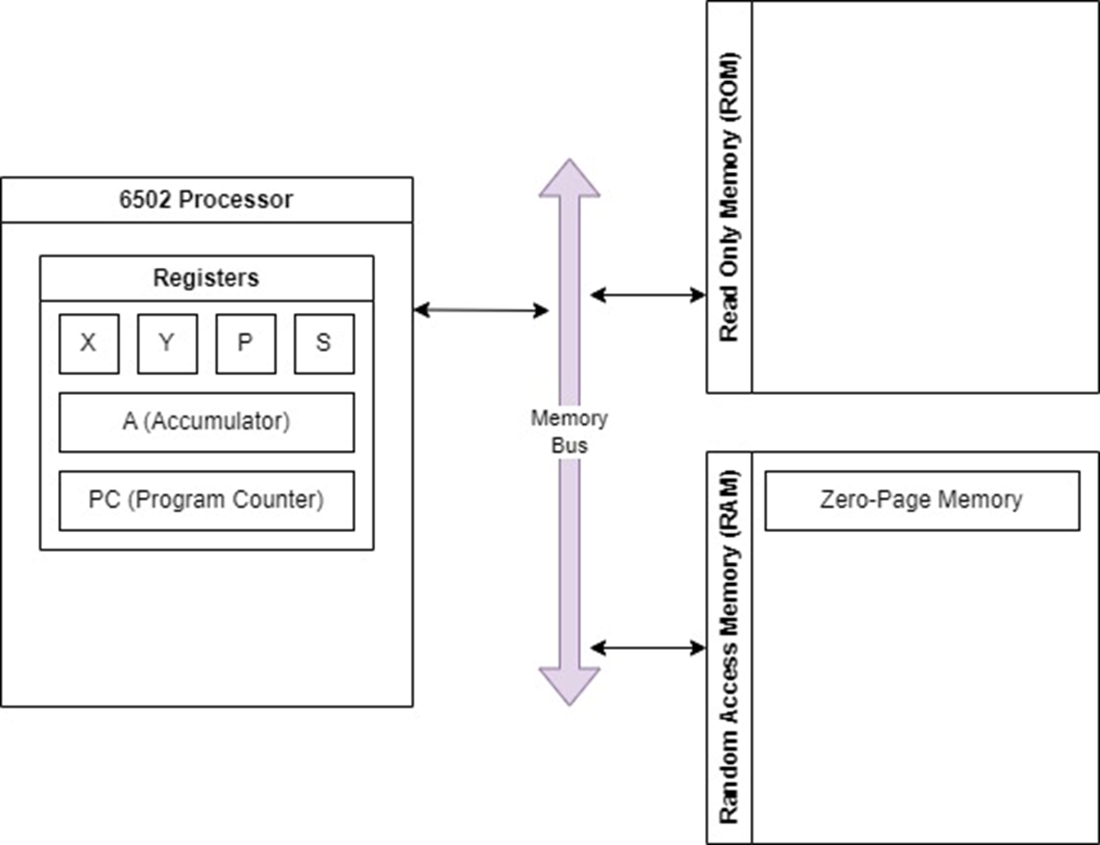
6502 processor difference between registers and memory
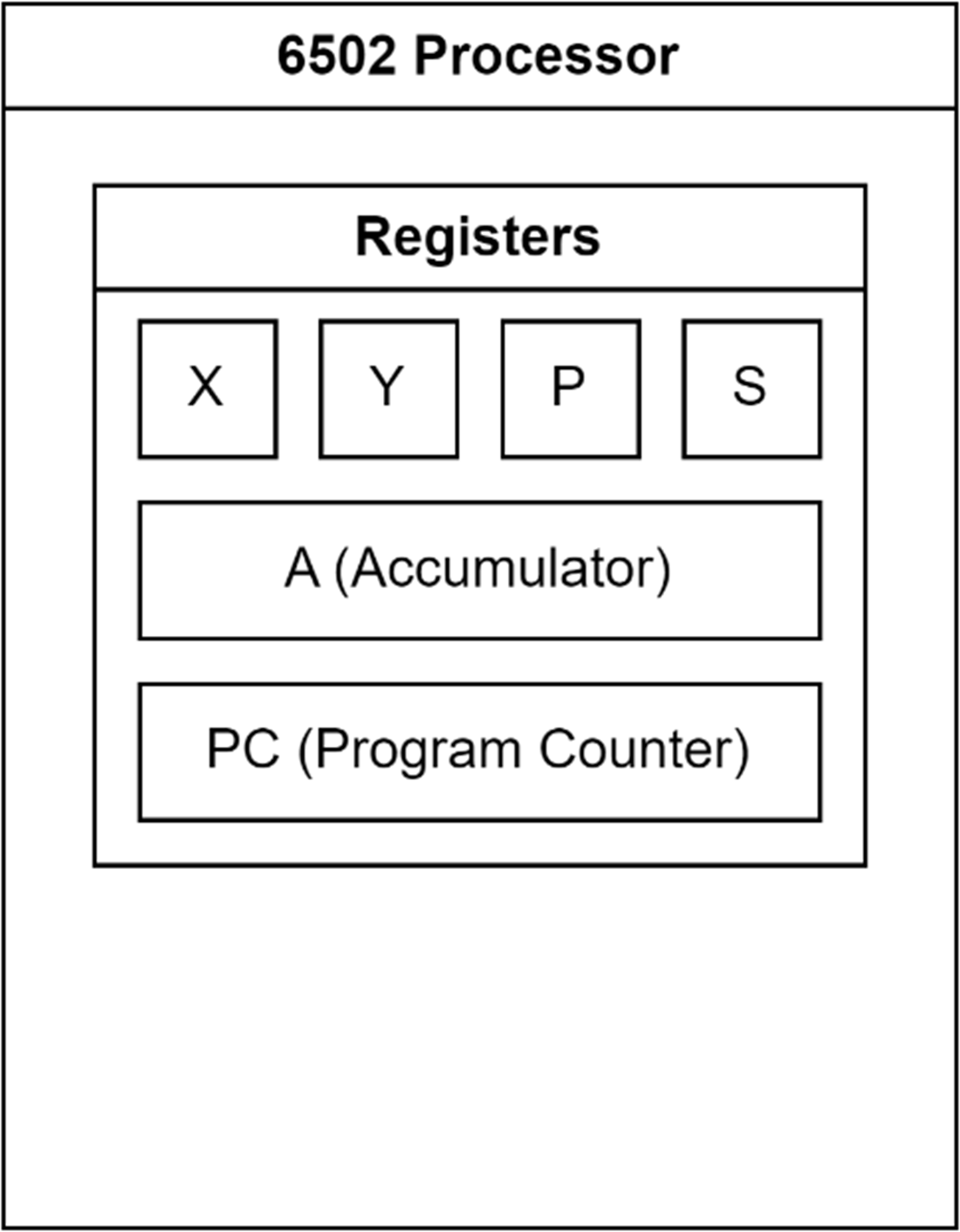
The 6502 available registers.
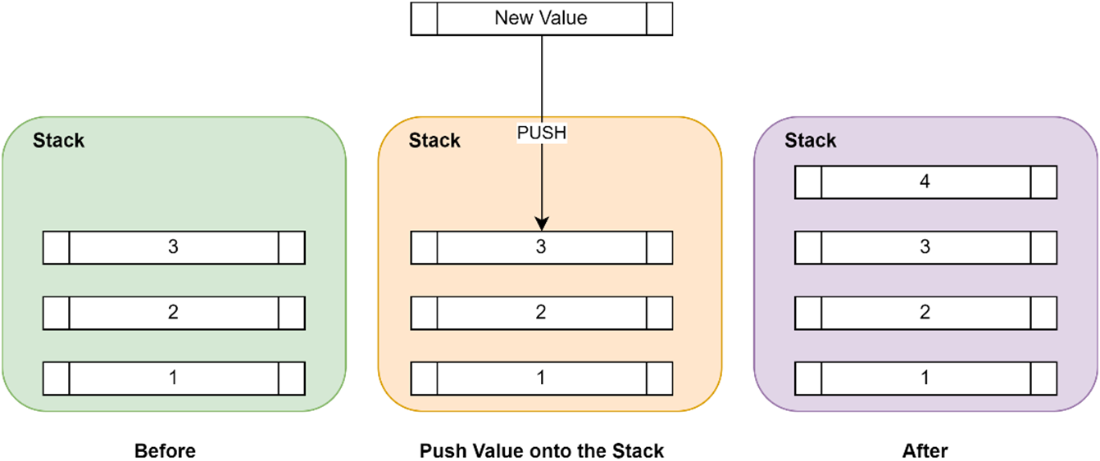
Adding (Pushing) an item onto a stack of items.
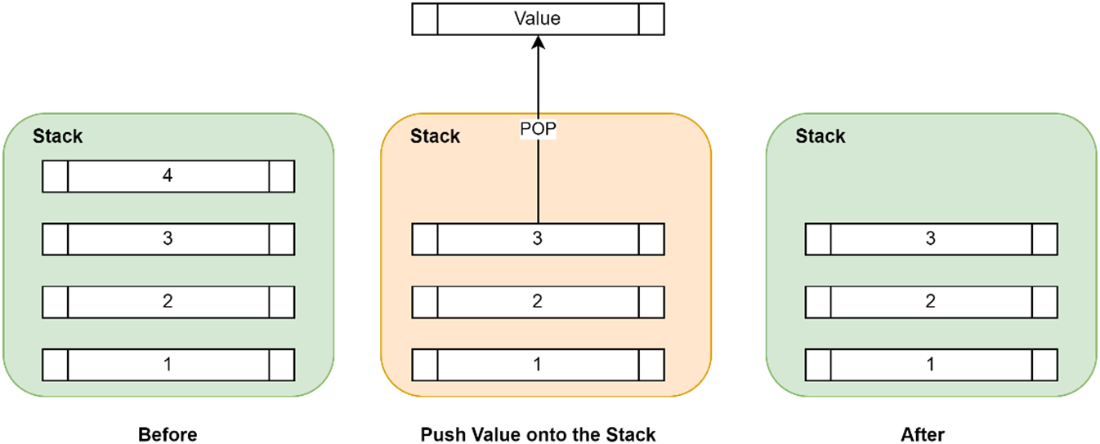
Removing (Popping) an item off a stack of items.
Loading Data into a Register

Load an immediate value into a register.

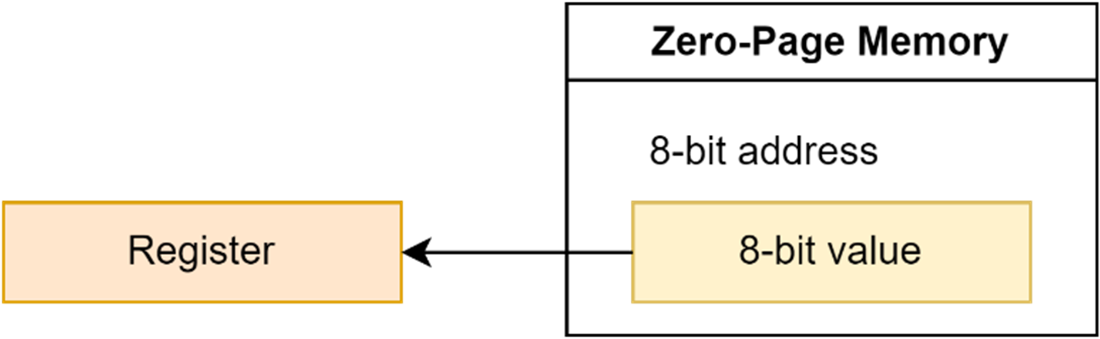
Load a value stored in Zero-Page memory into a register.
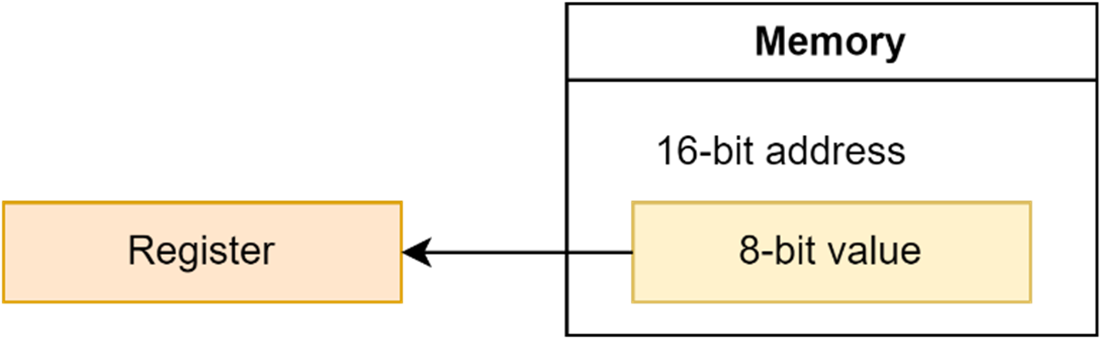
Load a value stored anywhere in memory into a register.
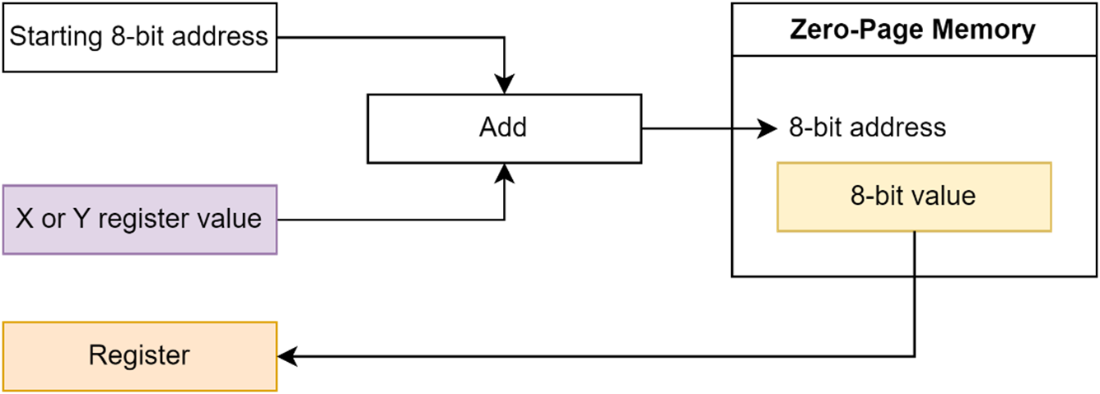
Load a value from Zero-Page memory using an index register.
Load a value from memory using an index register.
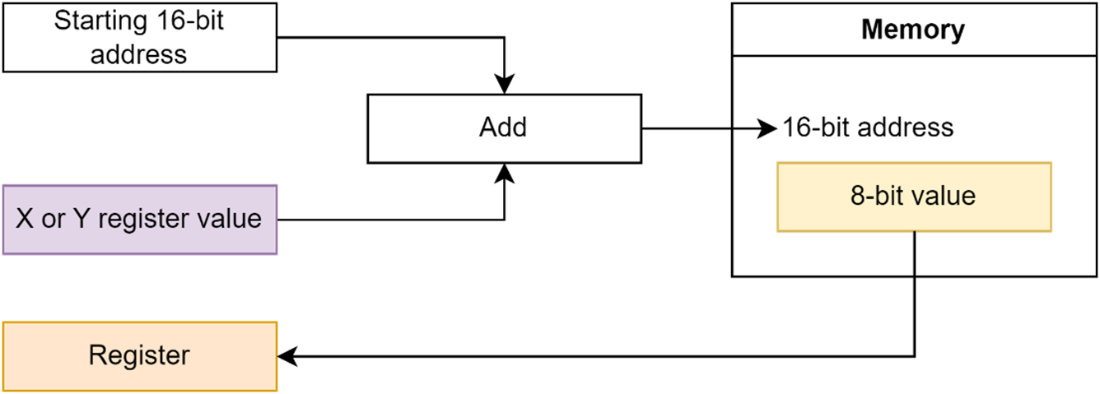
Load a value from memory using a calculated location.
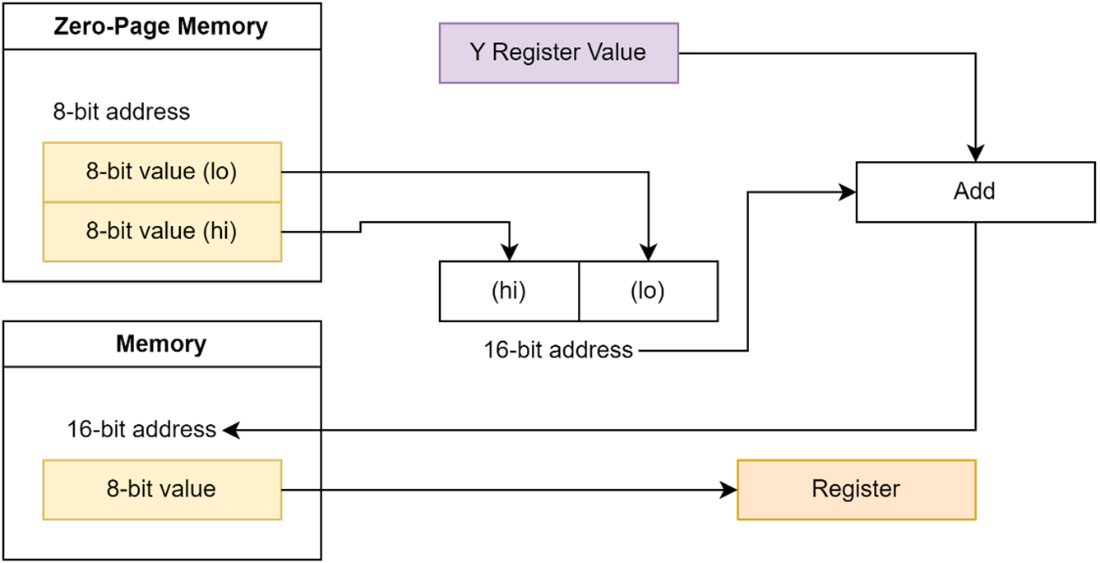
Loading a value from a memory address specified by an indexed Zero-Page address.
Storing a register value in a memory location.
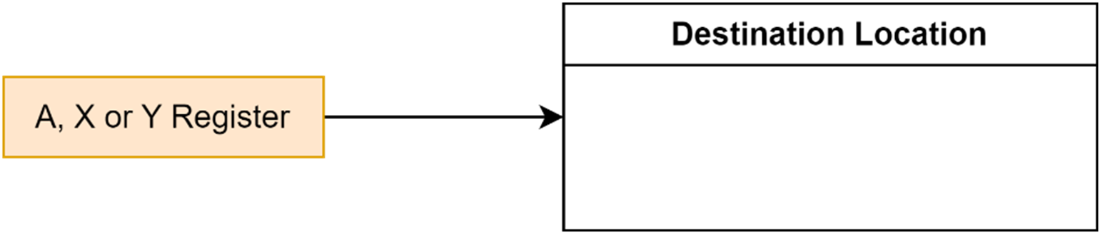
Store a registers value in a Zero-Page memory location.
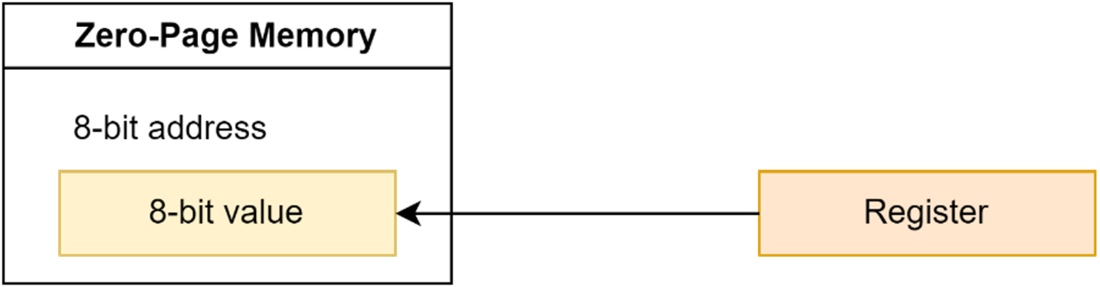
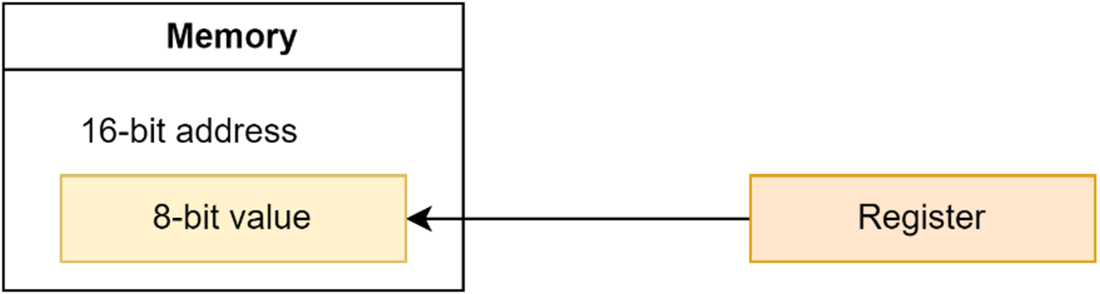
Store a register’s value in an absolute memory location.
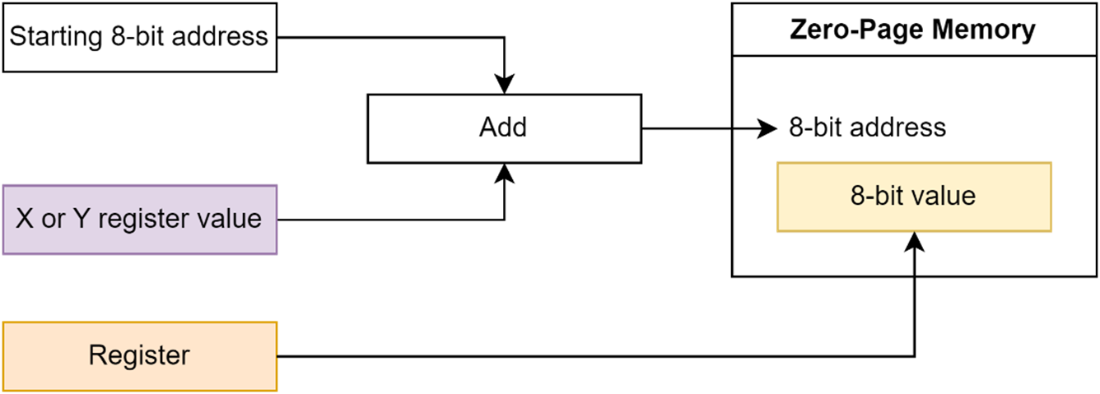
Store a register’s value in a Zero-Page memory location and an index
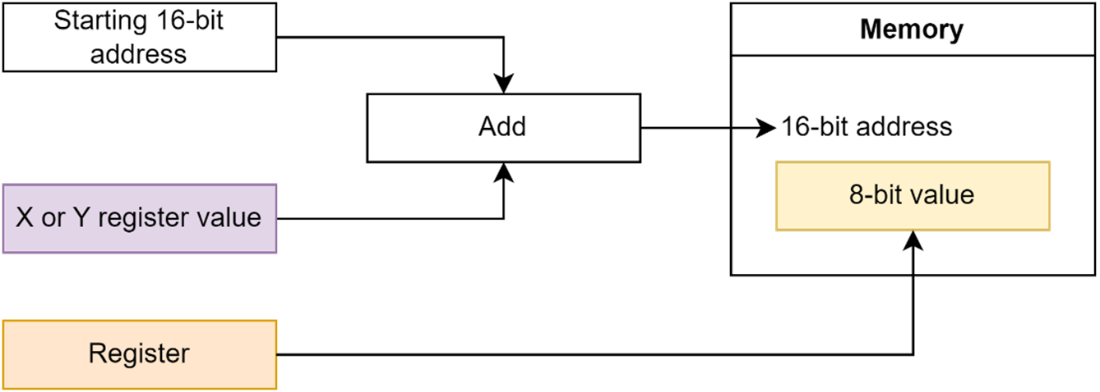
Store a register’s value in a memory location and an index.
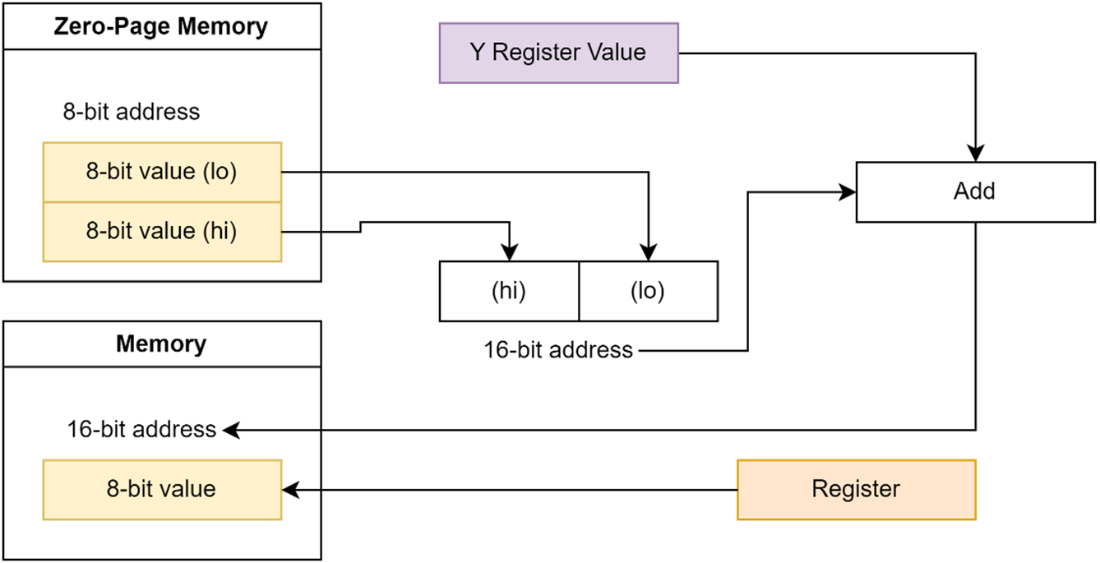
Store value in a memory location specified by Zero-Page location and an index.
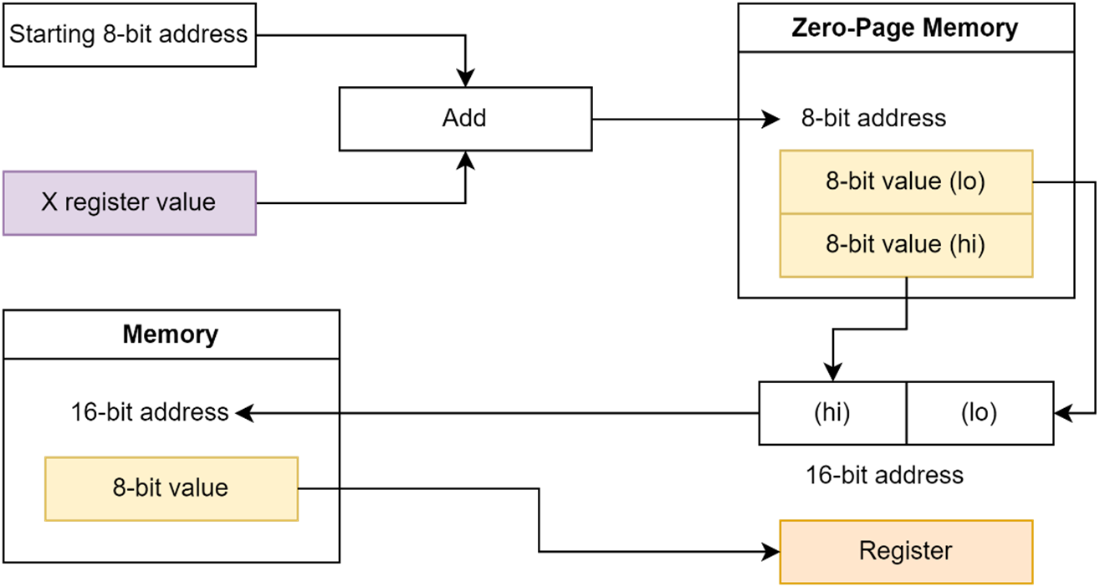
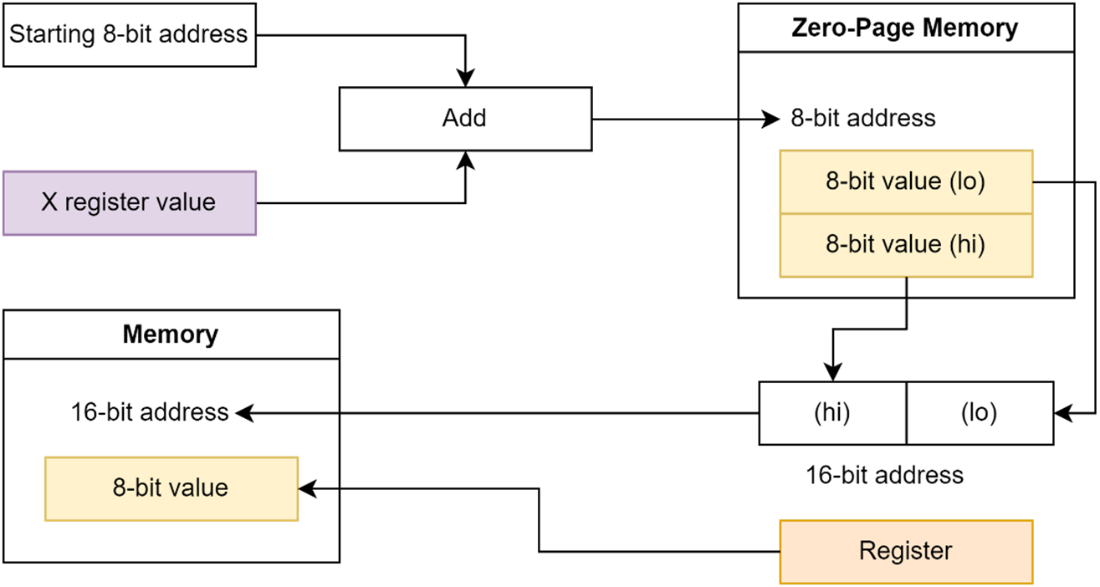
Storing a value to a memory address specified by an indexed Zero-Page address.
Summary
- The main command to load data from memory into a register starts with the letters LD followed by the register name and either a direct value or a memory address.
- The main command to save data from a register into memory starts with the letters ST followed by the register name and the destination memory address.
- There are a lot of different ways to specify the memory location to either get data from or stored data to; refer to this chapter and the results from the examples to help work out which will work best for your code.
Next chapter we will extend this knowledge, learning how to do some math’s, change the flow of our code and manipulate individual bits.
FAQ
Why use 6502 assembly for NES games instead of a higher-level language?
Because the NES has a tiny amount of RAM and a simple 6502 CPU, games need tight control over timing for graphics and sound. Hand-written assembly is faster and more predictable than C or BASIC on this hardware, which helps avoid slowdowns and missed screen updates.What’s the difference between registers, RAM, ROM, and zero-page?
- Registers: Tiny, internal CPU storage (fastest, but very few).- RAM: 2 KB in the NES console, read/write, slower than registers.
- ROM: Cartridge data (code and graphics), read-only.
- Zero-page: First 256 bytes of RAM ($0000–$00FF); special addressing uses a single-byte operand, making access faster than other RAM.
Which 6502 registers exist and what do they do?
- A (Accumulator, 8-bit): Main register for arithmetic/logic and memory access.- X (8-bit): Index register; used for addressing and loops.
- Y (8-bit): Index register; used for addressing and loops.
- PC (Program Counter, 16-bit): Address of the next instruction.
- S (Stack Pointer, 8-bit): Points within the hardware stack at $0100–$01FF.
- P (Status, 8-bit): Holds CPU flags (N, V, -, B, D, I, Z, C).
What are the 6502 status flags and why do they matter?
The P register tracks results and CPU state:- N (Negative): Set if bit 7 of a result is 1.
- V (Overflow): Set on signed overflow in add/sub; from input bit 6 in BIT.
- B (Break): Set when BRK is executed.
- D (Decimal): Not used on the NES (no BCD); can be repurposed by code.
- I (Interrupt Disable): When set, IRQs are disabled.
- Z (Zero): Set if a result is 0 or CMP equality.
- C (Carry): Borrow/carry for math, compare, and shifts/rotates.
These flags drive branch decisions (e.g., BEQ, BNE, BCC, BMI).
How are numbers written in 6502 assembly on the NES?
- Decimal: 85- Hexadecimal: $55 (each hex digit = 4 bits; two hex digits = one byte)
- Binary: %01010101
Typical data is 8-bit (0–255). Addresses are 16-bit (0–65535) and are stored little-endian (low byte, then high byte).
How do I use the online 6502 Simulator mentioned in the chapter?
1) Go to https://tony-cruise.github.io/ and open the 6502 Simulator.2) Press RESET, paste or type your code in the Assembly Code area.
3) Click Assemble, fix any errors in the Output window.
4) Click Run to execute; watch registers in the Debugger.
5) Tick Monitor to view memory (select ranges in 256-byte pages).
How do I load values into registers (LDA/LDX/LDY)?
Use LDx with an addressing mode:- Immediate: LDA #$05 (use the literal value).
- Zero-page: LDA $05 (read from $0005).
- Absolute: LDA $0300 (read from full 16-bit address).
- Zero-page indexed: LDA $01,X or LDA $01,Y (base zero-page + index).
- Absolute indexed: LDA $0300,X or LDA $0300,Y (base address + index).
- (Zero-page),Y: LDA ($05),Y (read pointer at $05/$06, then add Y).
- (Zero-page,X): LDA ($02,X) (add X to base zero-page to find pointer, then read).
How do I store register values to memory (STA/STX/STY)?
Use STx with an addressing mode:- Zero-page: STA $06, STX $07, STY $08.
- Absolute: STA $0300, STX $0301, STY $0302.
- Zero-page indexed (A only): STA $01,X or STA $01,Y.
- Absolute indexed (A only): STA $0300,X or STA $0300,Y.
- (Zero-page),Y (A only): STA ($05),Y.
- (Zero-page,X) (A only): STA ($02,X).
Note: Only A supports the indirect indexed store forms.
What’s the difference between (zero-page),Y and (zero-page,X) addressing?
- (zp),Y: Treat the two bytes at zp/zp+1 as a 16-bit pointer, add Y, then access that final address.- (zp,X): Add X to the base zero-page operand first, then treat the two bytes at that zero-page location as a 16-bit pointer; access that address (no extra Y add).
Both pointers are little-endian in zero-page (low byte first).

 Classic Game Programming on the NES ebook for free
