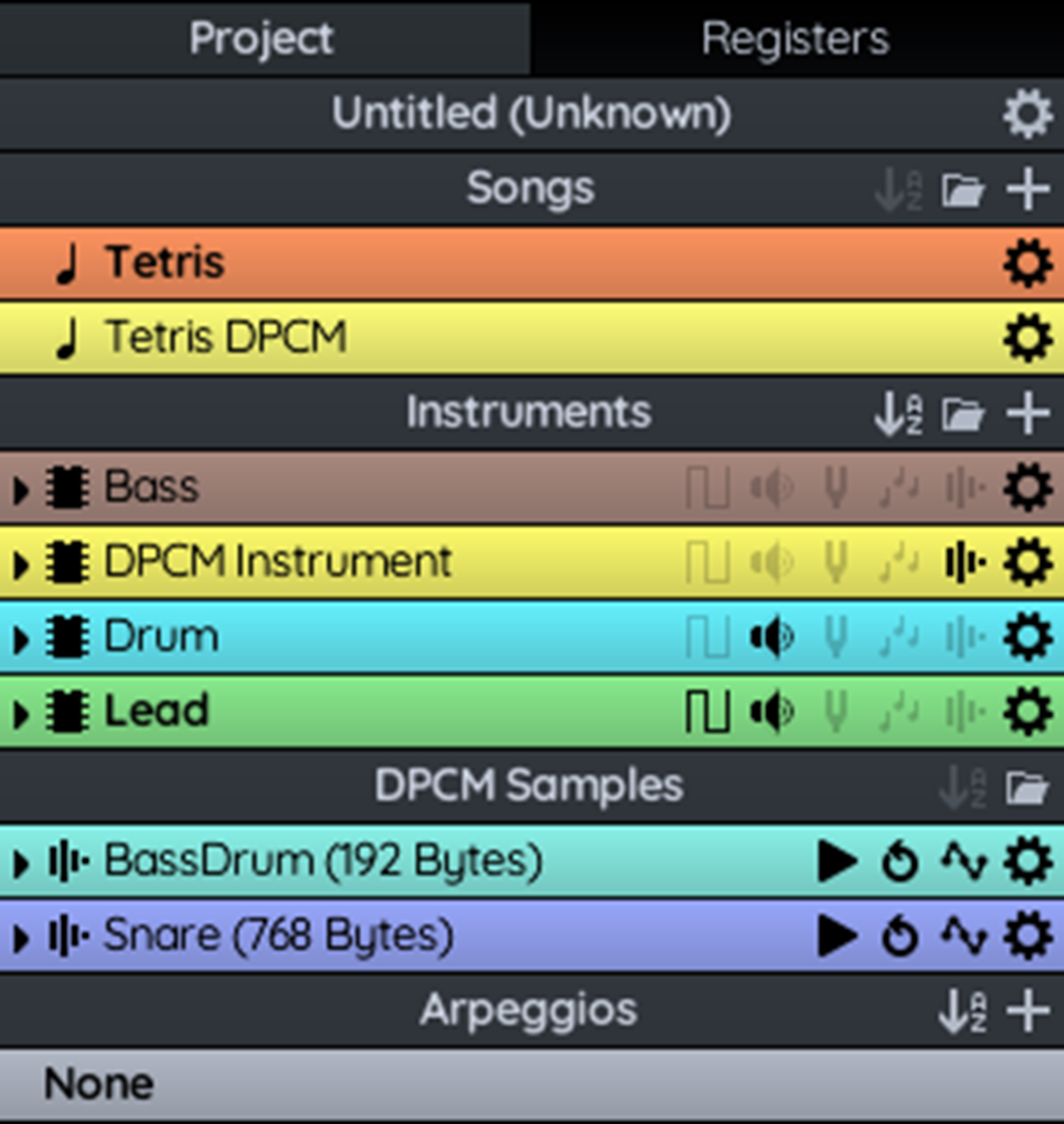
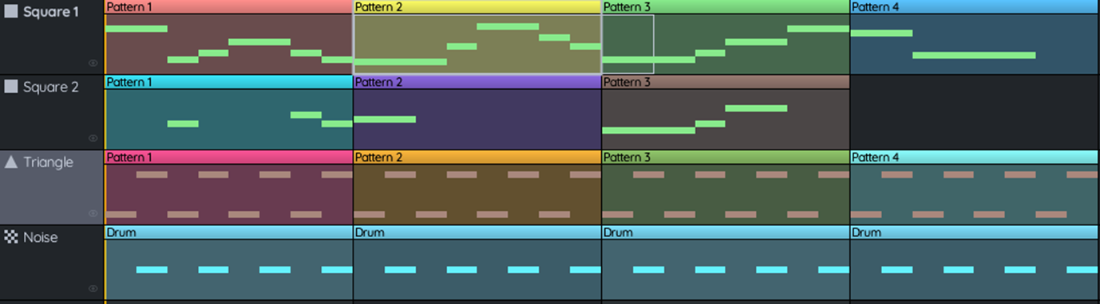
This chapter introduces adding music to NES games to deepen atmosphere on title screens and in gameplay, focusing on creating and adapting tracks with FamiStudio rather than composing from scratch. Using the bundled “Tetris (Tutorial Song)” as a working example, it explains the core project structure—songs, instruments, DPCM samples, and arpeggios—and how songs are built from channel-specific patterns populated with notes and shaped by envelopes. The sequencer provides a song-wide view of patterns per APU channel, while the piano roll is used to place and edit notes in frame-accurate time, including slide notes and basic recording/preview features.
The creative toolkit centers on instruments and their envelopes (duty, volume, pitch, and arpeggio), which model how a sound evolves over time to achieve effects like attack/decay, vibrato, tremolo, and chord-like motion. Arpeggios simulate chords by quickly cycling through chord tones on a single channel, and can be applied per note to override an instrument’s arpeggio envelope. DPCM samples, despite low fidelity, are highlighted as valuable for percussion and bass textures, complementing the NES’s native APU channels when designing fuller arrangements.
Once a song is ready, the chapter shows how to export it as FamiStudio Music Code targeting the CA65 assembler, producing a main “.s” file and, when used, a “.dmc” file for DPCM samples. It discusses data size implications (noting samples substantially increase ROM usage) and demonstrates integrating the assets and engine into the game: configuring segments (including a DPCM memory region), initializing the music engine with the exported data label, and adding a play_music routine to switch tracks at runtime. The example plays one song version on the title screen and a second, sample-enhanced version in-game, encouraging experimentation with other FamiStudio demos that fit the base NES audio channels.
Tetris music project structure
Tetris demo song
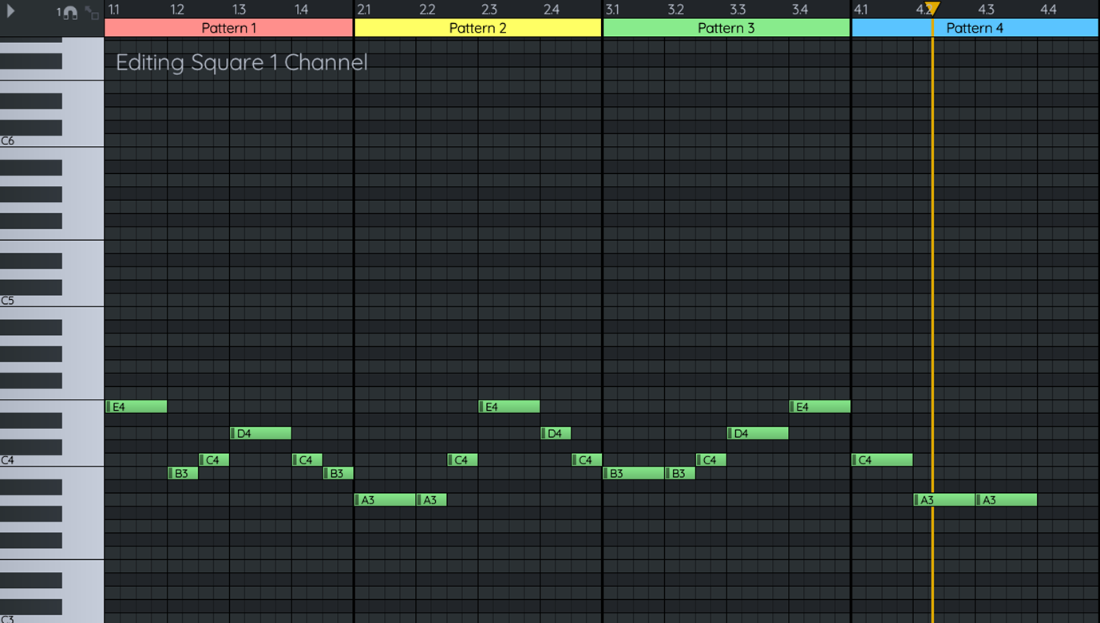
The notes using the Square 1 channel for the Tetris song
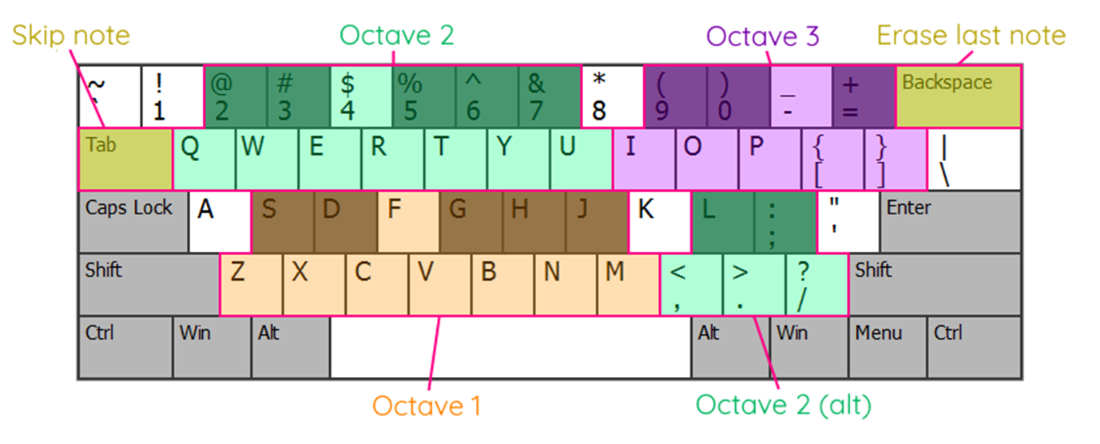
Default keyboard mapping.
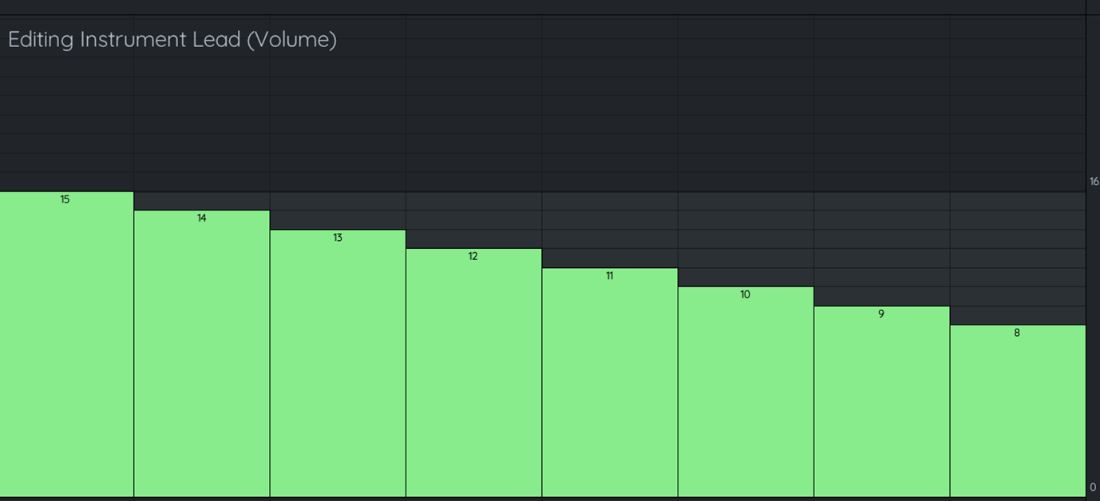
Editing the volume envelope of an instrument.
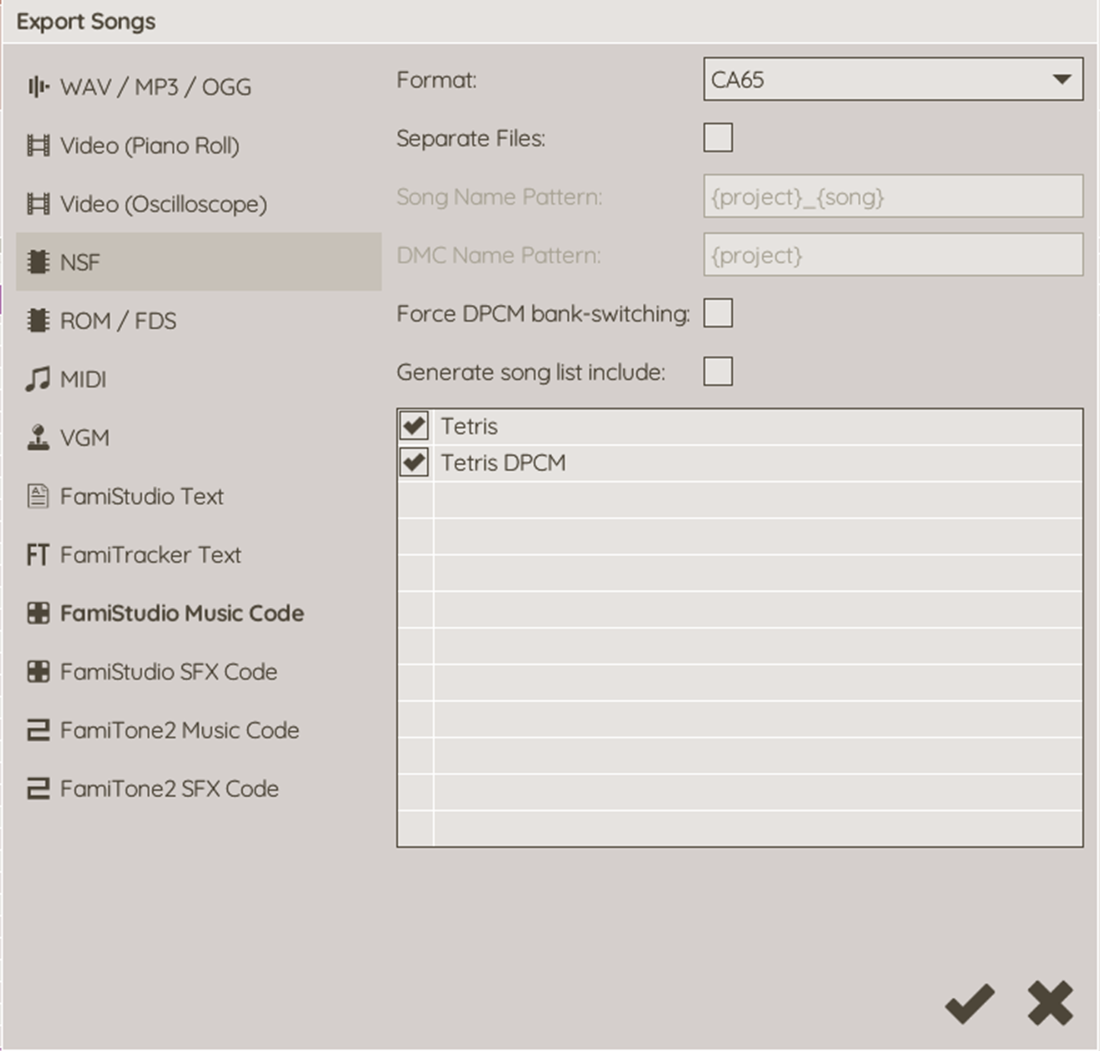
Export music code from FamiStudio
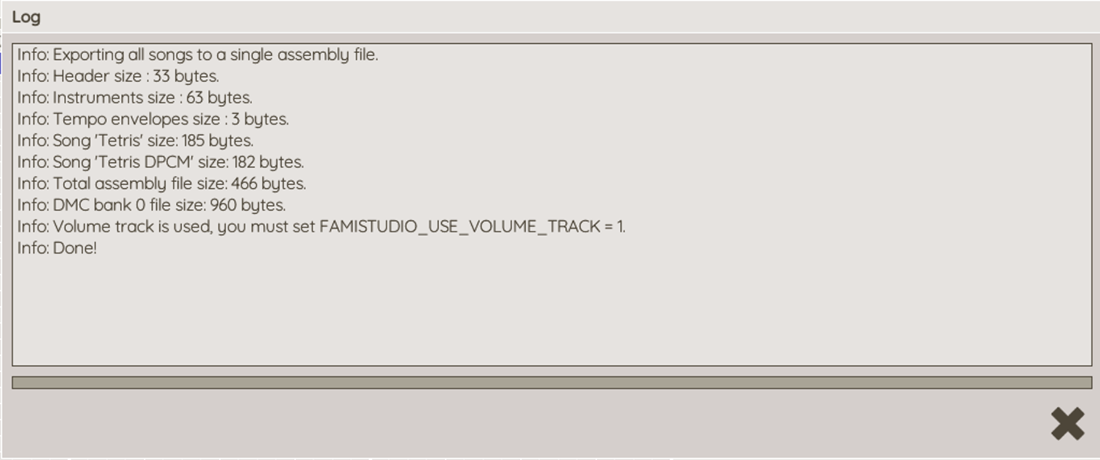
Exported music data details.
Summary
A FamiStudio project can contain multiple songs.
Each song can be made up of one or more patterns.
Each pattern is made up of multiple notes played by one or more instruments.
Where you have multiple effects applied to individual notes, that you might want to reuse can be combined into instruments.
We use FamiStudio to generate the music data that is then played by the music engine.
FamiStudio comes with a lot of sample projects to use as examples of what can be achieved.
FAQ
What are the main components of a FamiStudio project?Songs, Instruments, DPCM (1‑bit digital) samples, and Arpeggios. Each song uses patterns on the NES APU’s channels and instruments define how notes sound over time.How is a song structured on the NES in FamiStudio?A song contains patterns placed on the five APU channels (Square 1, Square 2, Triangle, Noise, DPCM). Patterns contain notes played by an instrument; DPCM notes trigger samples directly. Patterns are arranged and viewed in the Sequencer and edited in the Piano Roll.What is the difference between the Sequencer and the Piano Roll?The Sequencer shows and arranges pattern blocks per channel across the song timeline. The Piano Roll lets you edit the actual notes in a single pattern/channel, including pitch, length, envelopes, and effects.How do I add and edit notes (including Slide Notes and recording)?Click and drag on the Piano Roll to place notes aligned to the keyboard at left; drag to move or resize. Right‑click a note and choose Slide Note to glide to a target pitch. You can also use Recording Mode to play notes from the PC keyboard or a mapped external keyboard. Thin vertical lines are frames (60 NTSC / 50 PAL); thick lines mark beats.What are arpeggios and how are they applied?Arpeggios simulate chords by rapidly cycling through chord tones. You can attach an arpeggio directly to a note, which overrides any arpeggio envelope defined by the instrument for that note.What can an instrument contain, and what are envelopes?An instrument defines a reusable sound and can use envelopes for duty cycle, volume, pitch, and arpeggio; it can also reference DPCM samples. Envelopes describe how a parameter changes over the note’s duration (e.g., attack/decay, vibrato, tremolo).What are DPCM samples and when should I use them?DPCM samples are low‑bit (1‑bit) digital samples used on the NES, commonly for drums or bass hits. They increase ROM usage and must be stored in a specific memory range for the APU, so plan space carefully.How do I export music from FamiStudio for my CA65 NES project?Use Export Songs, choose FamiStudio Music Code, set Format to CA65, and export. You’ll get a .s file with song/instrument data and, if the song uses samples, a .dmc file containing the DPCM data.How do I include music and DPCM data in my game and configure memory?Include the generated .s file in CODE, and .incbin the .dmc file in a DPCM segment. Update your linker config to add a DPCM memory/segment at the correct range (e.g., start $E000) and ensure CODE/RODATA are placed appropriately after it.How do I initialize and play music in-game with the FamiStudio engine?Point X/Y to the music data label (e.g., music_data_untitled) and call famistudio_init once. In your NMI, call the engine update (from the previous chapter). To start a track, JSR a wrapper like play_music with A = track index (e.g., 0 for title, 1 for gameplay with DPCM) so the engine streams notes at the correct timing.
pro $24.99 per month
access to all Manning books, MEAPs, liveVideos, liveProjects, and audiobooks!

 Classic Game Programming on the NES ebook for free
