This chapter expands the enemy system to make the game more varied and challenging. It introduces multiple enemy types with distinct sprites, movement patterns, sizes, and scores, and lays the groundwork for animation and smarter behavior. Alongside gameplay goals, the chapter keeps a strong focus on 6502 performance, memory layout, and efficient loops so the added complexity still fits NES constraints.
The design centers on a compact ROM definition for each enemy type (patterns, sprite count, DX/DY, score, size, and attributes) and a per-enemy RAM record that adds the type identifier, enabling type-specific behavior. With up to ten simultaneous enemies, the tracking buffer moves from zero page to normal RAM, and enemy data is copied from ROM to RAM on spawn for faster use. Spawning retains a cooldown and level-scaled randomness, then selects types with weighted odds (smart bombs are rare), finds a free slot by stepping through the 10-byte records efficiently, optionally flips horizontal direction, and initializes OAM differently for one-sprite versus four-sprite enemies (including palette/attributes and randomized starting positions).
Movement is rewritten to apply per-enemy DX/DY, update all sprites of multi-sprite enemies, and handle ground contact by clearing the enemy and penalizing the score. The loop also checks collisions: first with the player (reducing lives and marking death when overlapping in both axes and widths), then with the player’s bullet via a shared collision routine (removing sprites and awarding the enemy’s score value on a hit). Finally, the “smart bomb” gains simple pursuit logic: if it’s moving away and is sufficiently far from the player horizontally, it reverses direction to close the gap. The end result is three enemy types with different speeds and patterns, smarter threats, and systems tuned for NES memory and cycle limits.
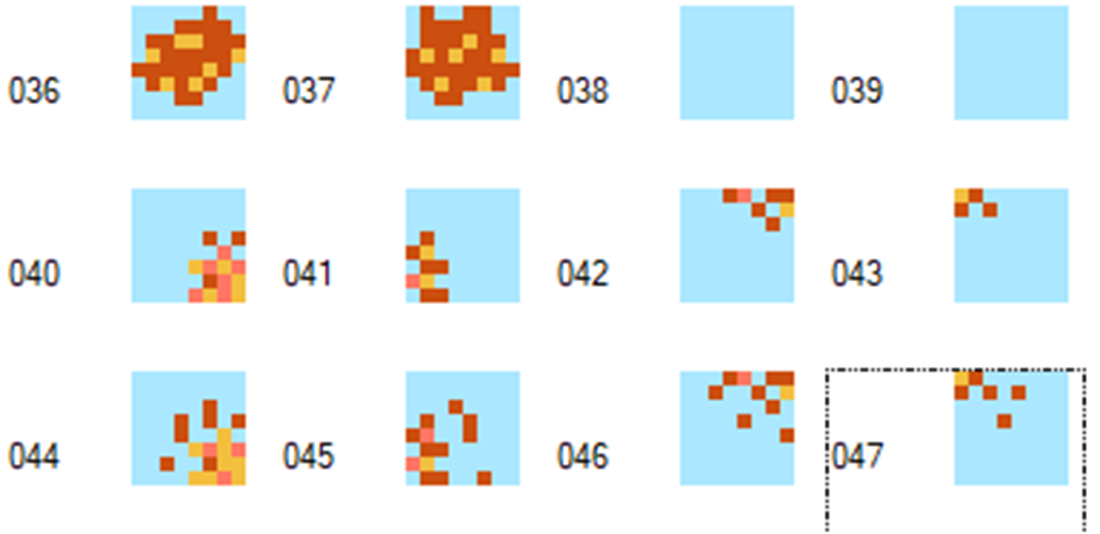
Add small meteor and enemy explosion shapes.
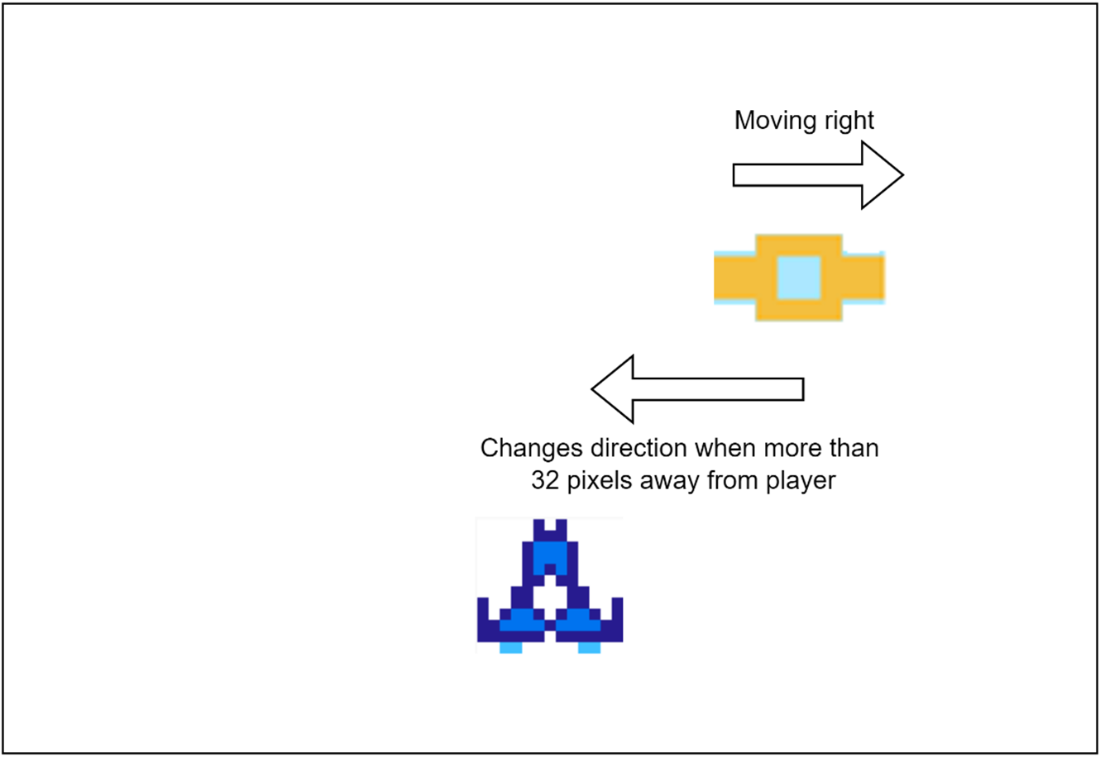
Making Smart Bombs move towards the player.
Summary
We included a table in our NES Rom that defines the different attributes each type of enemy will have.
Enemy objects can now move left and right as well as down the screen, at different speeds, and one of three different types.
Our table in RAM for each of our active enemies needs to have the same information as in our ROM table, but with an additional value so we know what type of enemy it is.
There are often multiple ways of achieving a section of logic in code, so looking at how long the code takes to run versus how readable it is should be taken into account.
We introduce some intelligence for our smart bomb enemy, making it move towards the player’s ship.
FAQ
What new enemy types are introduced in this chapter?The chapter adds three active enemy types—Large Meteor, Small Meteor, and Smart Bomb—and reserves a fourth “Explosion” type used to drive an animated destruction sequence. Each type has its own sprite patterns, movement speeds, sizes, and score values.How are enemy types defined in ROM and what fields do they have?Each enemy type is defined by a 9-byte entry in ROM containing: starting pattern, ending pattern, number of patterns (sprites) used, DX (horizontal velocity), DY (vertical velocity), score value, width, height, and sprite attributes (for palette, etc.).What does the runtime enemy tracking table store and why is it 10 bytes per enemy?At runtime, each active enemy stores the same 9 fields as the ROM definition plus a 1-byte “enemy type” identifier, for a total of 10 bytes. With up to 10 enemies on screen, the tracking buffer is 100 bytes.Why move enemy data out of zero-page and how is it initialized?Larger, less-frequently accessed tables shouldn’t consume zero-page, which is best kept for small, frequently used variables. The 100-byte enemy buffer is declared in normal RAM (.bss) and fully cleared at level start so each slot begins empty.How does the enemy spawn logic work and how does difficulty affect it?Spawning is gated by a cooldown that decrements each frame. When it reaches zero, a random check—scaled by the current level—determines if a new enemy appears. On a spawn, the cooldown is reset to a longer value to space out spawns.How is an available enemy slot found efficiently?The code scans up to 10 slots and steps through the buffer 10 bytes at a time. Instead of INY ten times, it uses TYA/CLC/ADC #10/TAY to add 10 in fewer cycles and fewer bytes—an efficient 6502 micro-optimization.How is the specific enemy type chosen during spawn?A random value is sampled. If its lower four bits equal $0F, the spawn is a Smart Bomb (~1 in 16 chance). Otherwise, bit 0 selects Small Meteor when set, or Large Meteor when clear. After choosing, the 9-byte definition is copied from ROM into the RAM slot.How are sprite(s) initialized for single-sprite vs four-sprite enemies?Single-sprite enemies set one OAM entry with Y position, starting tile index, attributes (palette), and a randomized X. Four-sprite enemies set up a 2×2 arrangement: two rows at Y and Y+8, contiguous tile indices for each quadrant, shared attributes, and corresponding X positions.How do enemies move and interact with the player and bullets?DX adjusts X (and all quadrants for 4-sprite enemies); DY advances Y. If an enemy reaches the ground (considering its height), it’s removed and the player loses points. For collisions, the code first checks overlap with the player (reducing lives and marking the player dead), then separately checks the player’s bullet; on a hit, the enemy is removed and the enemy’s score value is added.What makes the Smart Bomb “smarter” in this chapter?Before applying DX, Smart Bombs check their relative position to the player. If they’re heading away and more than ~32 pixels distant (accounting for player width to the right), their horizontal direction is flipped (two’s complement) so they steer toward the player.
pro $24.99 per month
access to all Manning books, MEAPs, liveVideos, liveProjects, and audiobooks!

 Classic Game Programming on the NES ebook for free
