This chapter explains how to implement a complete scoring system for an NES shoot‑’em‑up, covering how to record, increase, decrease, and render the score efficiently within the console’s tight NMI time budget. Building on collision events from the previous chapter, it uses Megablast (inspired by Astro Smash) to show gains when enemies are hit and deductions when enemies reach the ground. Because the NES 6502 lacks BCD instructions, the solution favors a representation and routines that minimize on-the-fly conversions while ensuring smooth, flicker‑free updates to the HUD.
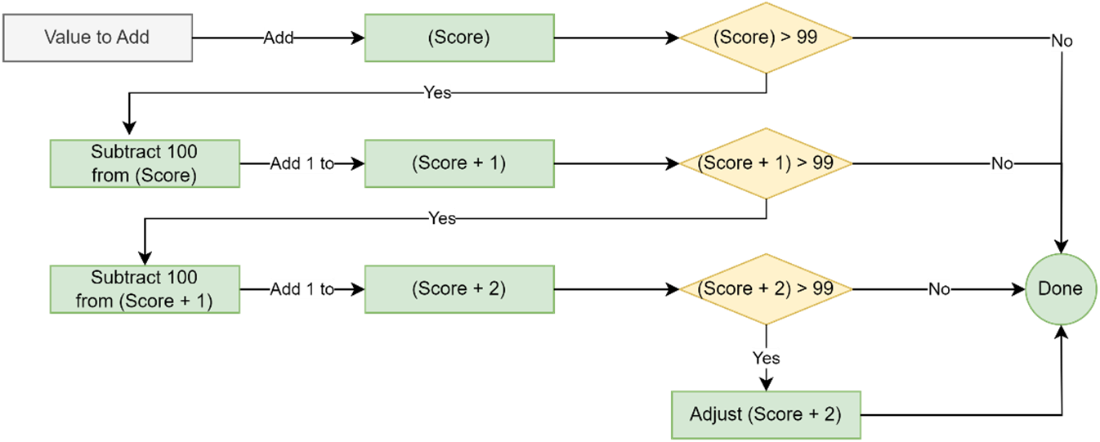
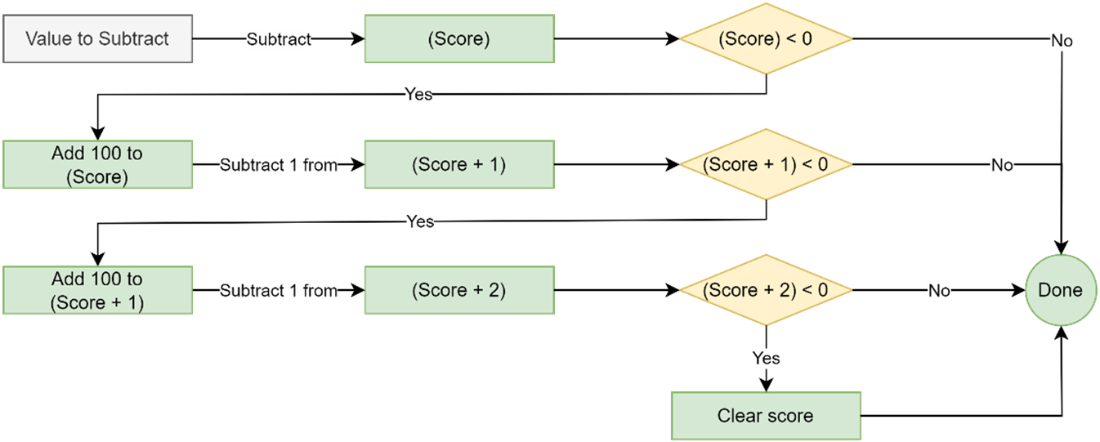
The score is stored across three bytes as base‑100 counters (each holding 0–99), effectively encoding six decimal digits and enforcing a trailing zero in the displayed score (since changes occur in tens). The add_score routine accumulates into the lowest byte and cascades carry to higher bytes, limiting each byte to 0–99 and tolerating wrap at the top end; subtract_score mirrors this with borrow and clamps the overall score at zero. Both routines set an update flag so the NMI can refresh the screen only when needed, and they assume per‑call deltas of at most 99 (i.e., 990 points). The chapter also resets score at game start and adjusts branching in move_enemies as code grows.
For rendering, a small helper (dec99_to_bytes) splits a 0–99 value into tens and ones quickly, enabling display_score to convert the three base‑100 bytes into six digits, write them to VRAM, and append the fixed trailing zero; the NMI checks bit 0 of an update flag before drawing to save cycles. High‑score support adds three more bytes, an initial target (1000), a display_highscore routine, and bit 1 of the update flag to throttle redraws. After each score increase, add_score compares the current score to the high score byte‑by‑byte, updates the high score when beaten, and signals a redraw, completing a lean, NES‑friendly scoring and high‑score system ready for playtesting.
Adding to the Player’s score.
Subtracting from the Player’s score.
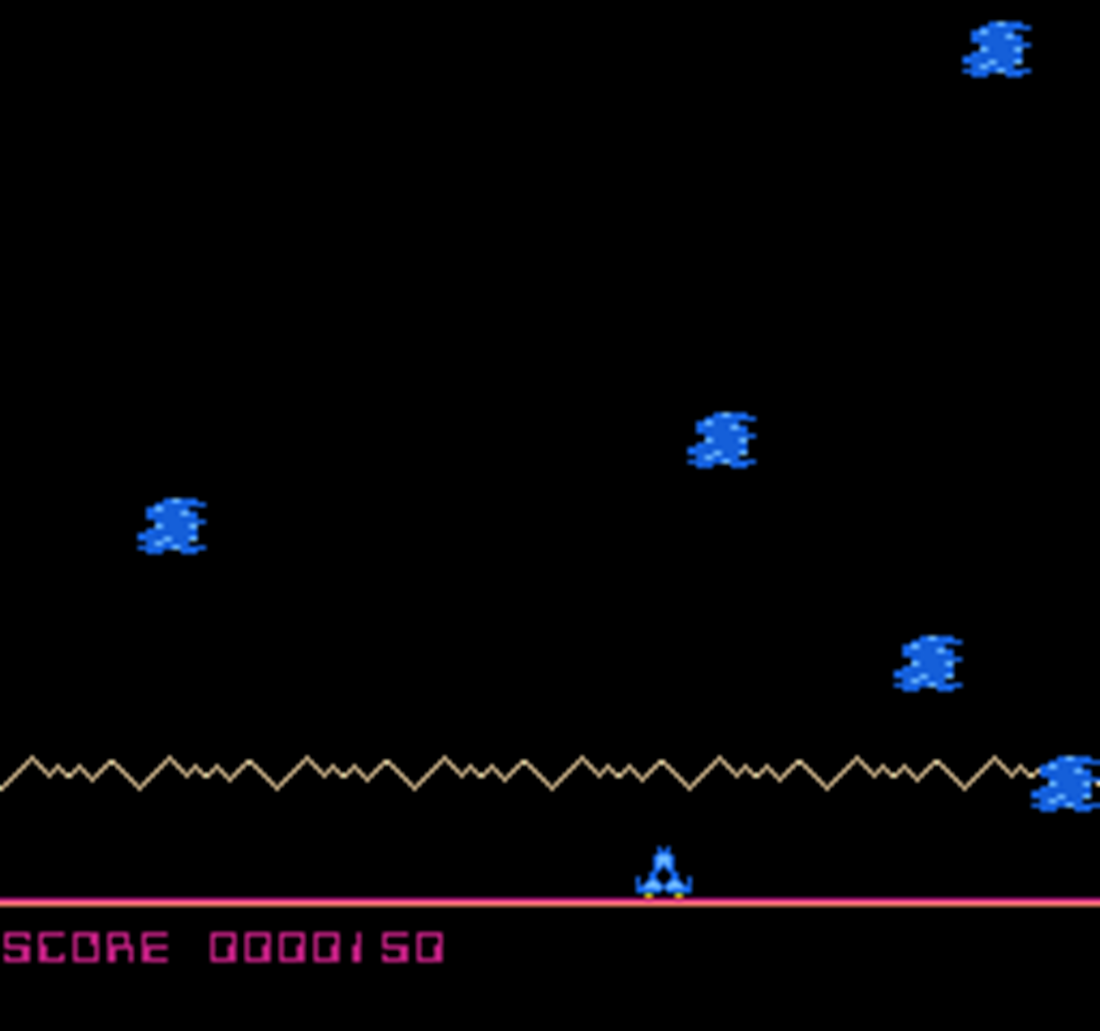
Score updating on screen.
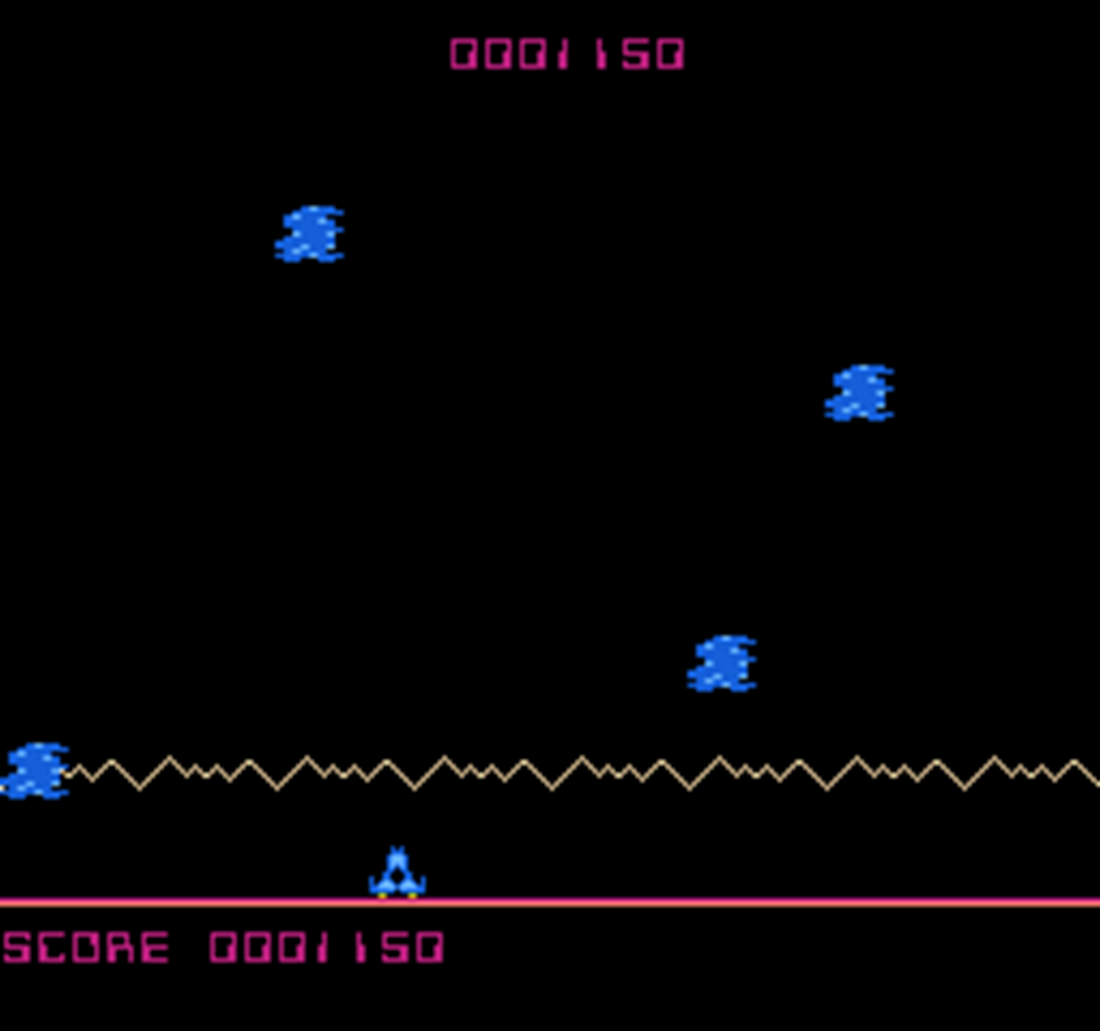
Beating the high score.
Summary
The Binary Coded Decimal instructions that are normally available on a 6502 processor are not available on the NES so we use some Math to add a similar calculation to our game,
Our Megablast game makes a good example for scoring as the player can both gain and lose points with the “add_score” and “subtract_score” functions.
The add and subtract functions we created in this chapter are limited to an increase or decrease of at most 99 at any one time, as our overflow logic only allows for a single value to be carried.
Using three bytes of memory and having a trailing zero, we can have player scores from 0-9999990.
FAQ
Why store the score as three bytes holding 0–99 instead of a single binary value?To speed up rendering in the NMI. Each byte represents two decimal digits (tens and ones), so converting to on-screen digits is fast. This minimizes time spent doing division during VBlank and makes writing the six digits trivial.What score range does this scheme support and why is there always a trailing zero?With three bytes at 0–99 each, the range is 0 to 9,999,990. Each “unit” you add or subtract represents 10 points, so the on-screen score always ends with a zero. If you need larger scores, add more bytes; each extra byte gives two more digits.How do I add points to the score?Call add_score with A holding the number of 10-point units to add (e.g., A=2 adds 20 points). The routine adds to the lowest byte (0–99), handles carry into the next bytes, and sets an update flag so the score is redrawn.Are there limits to how much I can add at once?Yes. The provided add_score assumes you won’t add more than 99 units (i.e., 990 points) in a single call.What happens if the score overflows the available storage?If the most significant score byte exceeds 99, the overflow is discarded and the value wraps (rolls) within the 0–99 range. This avoids crashes or display glitches but means the score can wrap around.How do I subtract points and avoid negative scores?Call subtract_score with A holding the number of 10-point units to remove (e.g., A=1 subtracts 10 points). It borrows across bytes as needed. If a borrow would pass the most significant byte, the score is clamped to zero. This routine also assumes at most 99 units (990 points) per call.Why not use BCD instructions for decimal arithmetic on NES?The NES’s 6502 variant doesn’t support BCD (Binary Coded Decimal) instructions, so the code uses binary arithmetic with manual carry/borrow while constraining each score byte to 0–99.How is the score drawn on screen efficiently?The dec99_to_bytes routine splits a 0–99 byte into tens (X) and ones (A) without slow division. display_score converts the three bytes into six digits, adds 48 to map 0–9 to tile indices, and writes them to VRAM. A trailing zero tile is also written.What does the update flag do?It tells the NMI which values need redrawing. Bit 0 means the score changed; bit 1 means the high score changed. The NMI checks the bits, calls the appropriate display functions, then clears those bits.How is the high score handled?It’s stored in three 0–99 bytes like the regular score, displayed with display_highscore, and updated inside add_score by comparing bytes from most significant to least. When beaten, the high score is copied from the current score and the high-score update bit is set.
pro $24.99 per month
access to all Manning books, MEAPs, liveVideos, liveProjects, and audiobooks!

 Classic Game Programming on the NES ebook for free
