8 Application security in Aspire
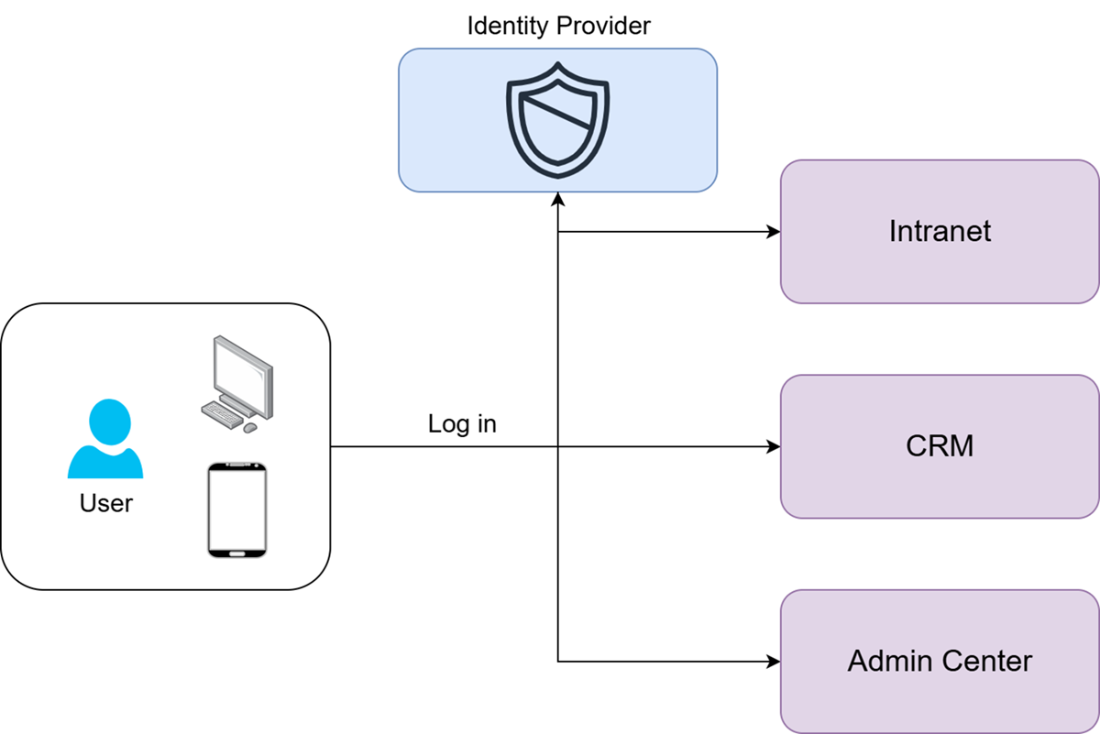
This chapter explains how to secure Aspire-orchestrated applications end to end, using an online shop as the running example. It starts with the basic idea that public applications should protect sensitive actions, then introduces single sign-on as the common approach for handling login across an ecosystem of services. The core idea is that an identity provider manages user credentials, issues tokens after successful sign-in, and lets applications trust those tokens for later access.
The chapter then shows how to wire this into Aspire with OpenID Connect for authentication and OAuth-style authorization for access control. The web front end is configured to redirect unauthenticated users to the identity provider, store tokens in cookies, and use authorization checks to show or hide UI actions like adding items to a basket or placing orders. The API is secured separately with JWT bearer authentication so that requests must include a valid access token, and the front end passes that token along when calling the API. Aspire service discovery is used to connect the applications to the identity provider and to pass the right addresses into the authentication setup.
Finally, the chapter covers securing the Aspire dashboard itself. It describes dashboard authentication modes such as browser token or OpenID Connect, notes that the dashboard can also be left unsecured in development but should not be in production, and explains that OIDC-based dashboard security should rely on an identity provider outside Aspire so the dashboard remains accessible even if other hosted services fail. Overall, the chapter ties together application security, user authentication, API protection, and dashboard access control into a practical distributed-systems workflow.
Single Sign-on flow
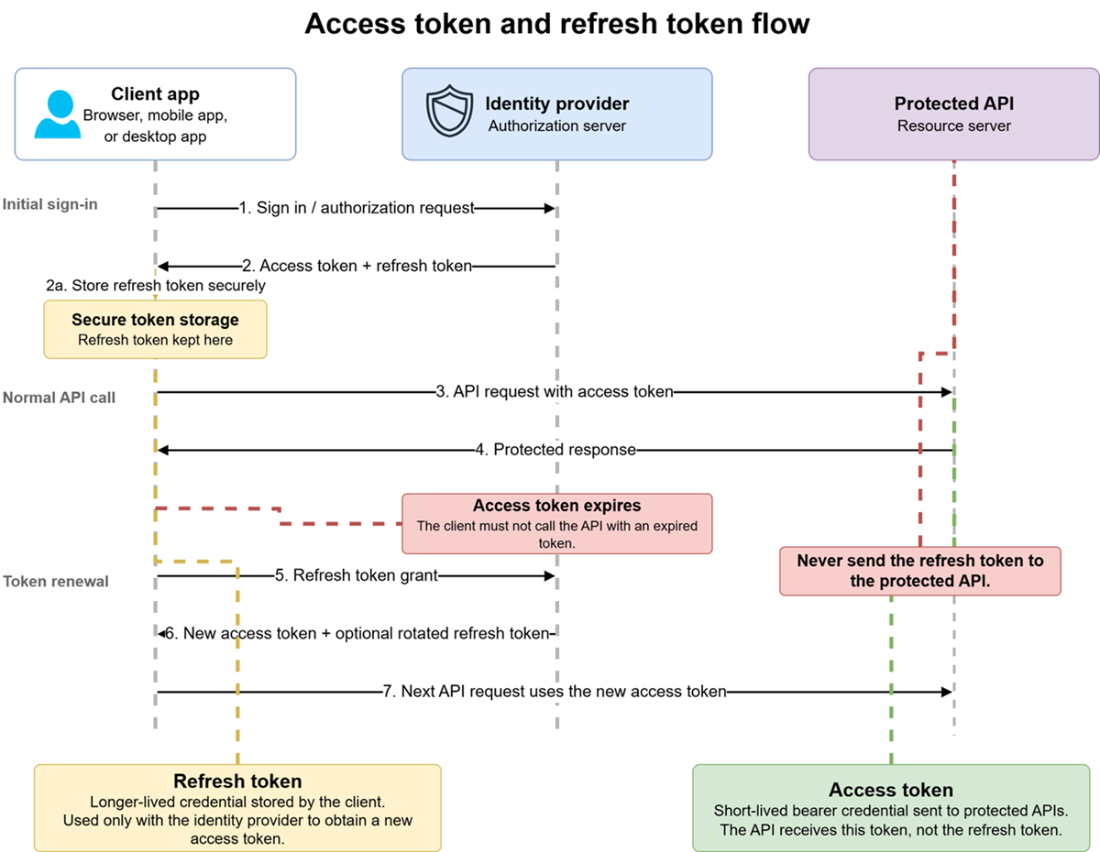
Access token and refresh token flow
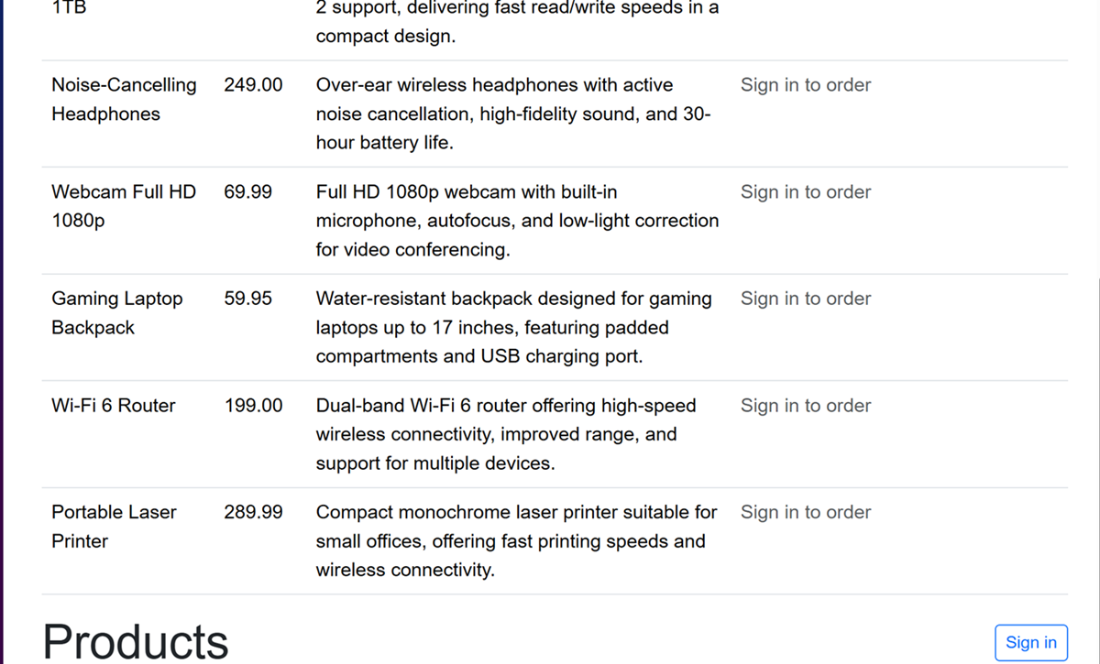
Sign-in button on the products page
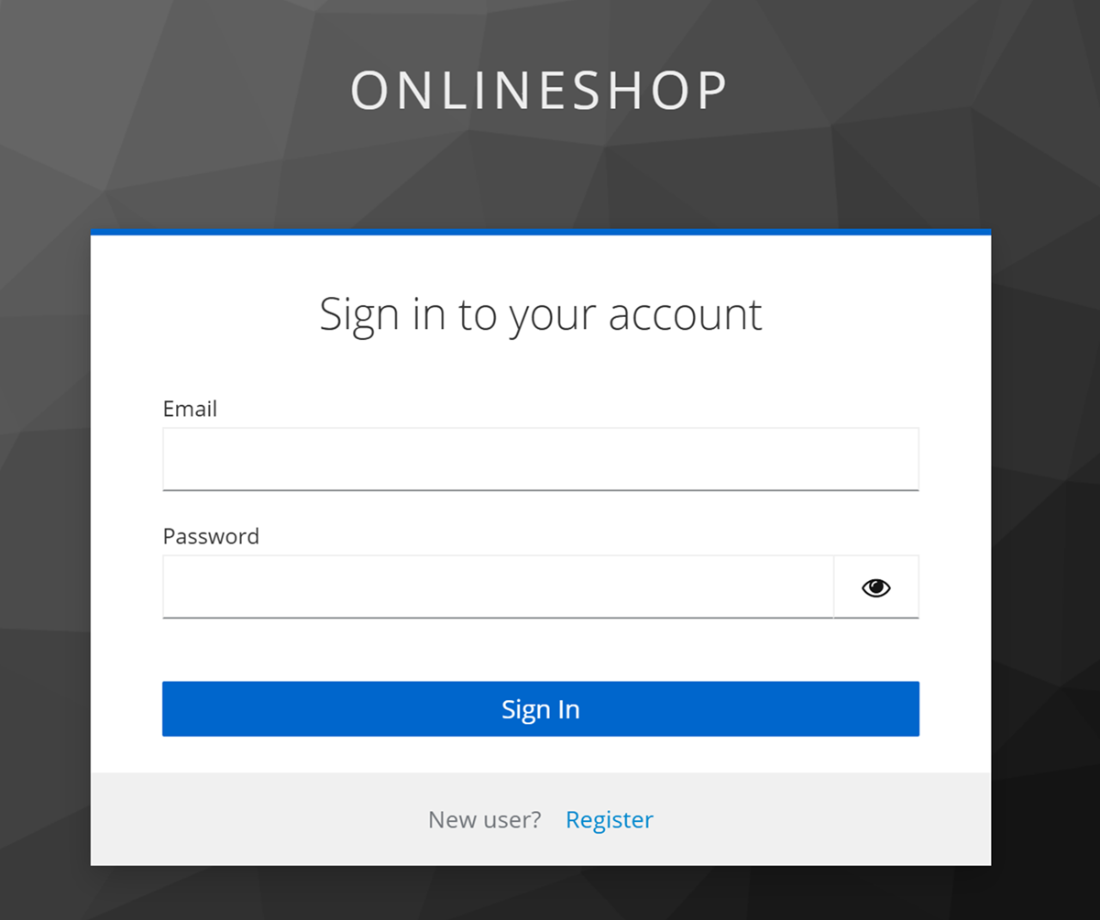
Keycloak-provided login page
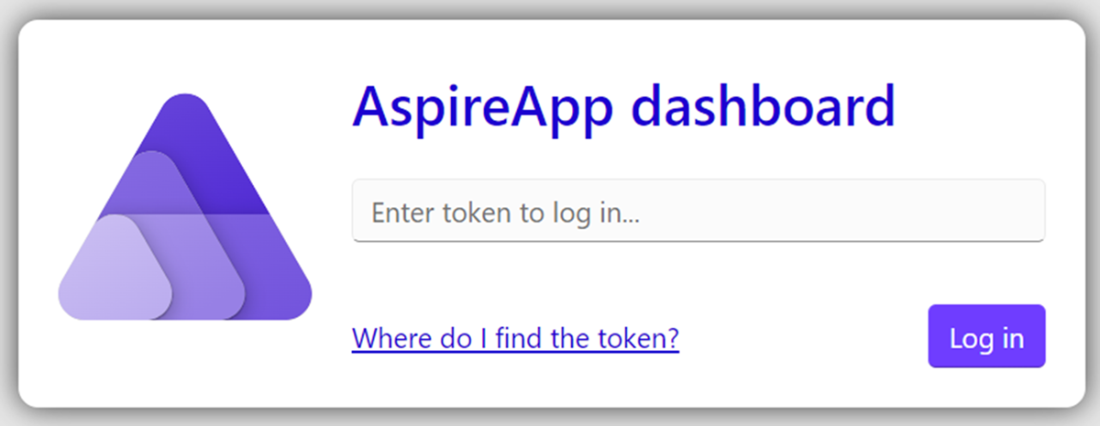
Aspire dashboard authentication dialog
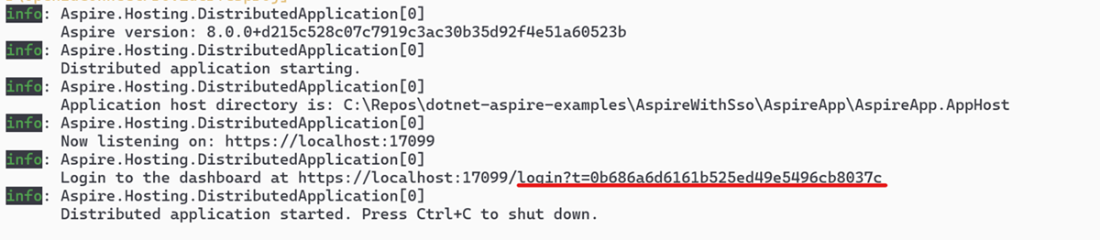
Access token shown in the Aspire host console
Summary
- Authentication is the mechanism that forces users and other clients to prove that they are who they claim to be.
- Authorization is the mechanism that ensures that the authenticated clients have the required permission to access the requested resource.
- Single Sign-on security is managed by a shared Identity Provider (IdP)
- Open ID Connect (OIDC) is a commonly used authentication mechanism.
- OAuth is an authorization mechanism that can be used alongside OIDC.
- An authenticated UI application can pass credentials and the user’s permission information to a back-end API via a JSON Web Token (JWT).
- We can use Aspire’s service discovery feature to secure our hosted applications by using an internally hosted identity provider.
- The Aspire dashboard has its own security configuration and several different options for securing it.
- The default security option for the Aspire dashboard is a URL token.
FAQ
What is application security in Aspire, and why is it important?
Application security in Aspire means protecting both the user-facing app and the back-end API so that only authorized users can access protected resources. It matters because Aspire is typically used for real distributed applications, not trivial public websites.What is Single Sign-On (SSO)?
Single Sign-On lets a user authenticate once and then access multiple applications in the same ecosystem without logging in again. The user is authenticated through an Identity Provider, and the resulting token is reused across apps.What is the difference between OpenID Connect and OAuth?
OpenID Connect is used for authentication, which proves who the user is. OAuth is used for authorization, which determines what the user is allowed to access, such as admin-only pages or protected API endpoints.How does the basic SSO login flow work?
A user tries to access a protected resource, gets redirected to the Identity Provider login page, signs in, and is then sent back to the original page. A token is issued during this flow and stored temporarily so the user remains signed in.Why does the chapter use a Keycloak container as an Identity Provider?
Keycloak is used as a self-hosted Identity Provider to demonstrate the same authentication and authorization flow that would also work with external providers like Google or Okta. The chapter emphasizes that the underlying protocols remain the same.Why are service discovery and fully qualified URLs needed for authentication setup in Aspire?
Service discovery in Aspire uses internal service names that are not standard browser URLs, so they cannot always be used directly for authentication settings. The chapter therefore resolves real HTTP/HTTPS URLs and passes them to the Identity Provider configuration.How is UI authentication configured in the web application?
The web app uses the OpenID Connect authentication package, cookie authentication for session storage, and OIDC as the challenge scheme. It also sets the authority, client ID, client secret, and other options needed to redirect unauthenticated users to the login page.How does the chapter restrict certain UI pages or actions to authenticated users only?
It uses the[Authorize] attribute on protected pages and wraps UI elements in AuthorizeView. This allows the app to show different content for authenticated and unauthenticated users, such as a “Sign in to order” message.How is API authentication enforced in the back-end service?
The API uses JWT bearer authentication because it does not redirect users to a login page. The API validates the token using the Identity Provider authority and protects endpoints withRequireAuthorization().How is the Aspire dashboard secured?
The dashboard can be secured through theDashboard:Frontend:AuthMode setting in the host app configuration. Options include OIDC-based security, a browser token mode, or disabling security in development, though unsecured mode should not be used in production.
 Building Distributed Applications that Work ebook for free
