This chapter explains how to make a distributed application more reliable by both watching it in production and testing it before release. It begins with monitoring, emphasizing that observing logs, metrics, and traces helps teams detect failures early, understand performance, manage resources, plan capacity, reduce costs, and improve security and user experience.
The chapter then describes how Aspire supports telemetry through OpenTelemetry, using standard packages to collect and export logs, metrics, and traces from hosted applications. It shows how Aspire configures these signals in the service defaults, sends them to an endpoint in development or production, and surfaces the results in its dashboard so developers can inspect console logs, structured logs, traces, and metrics from a single place.
Finally, it covers health checks and integration testing. Health checks let Aspire determine whether services are healthy, degraded, unhealthy, or finished, and the orchestrator can use endpoints such as /health and /alive to coordinate startup and monitor service state. The chapter also shows how to set up Aspire integration tests with xUnit, NUnit, or MSTest, create a test host with real networking and dependencies, verify HTTP responses and page content, and use component testing tools like bUnit for faster checks of individual Blazor components.
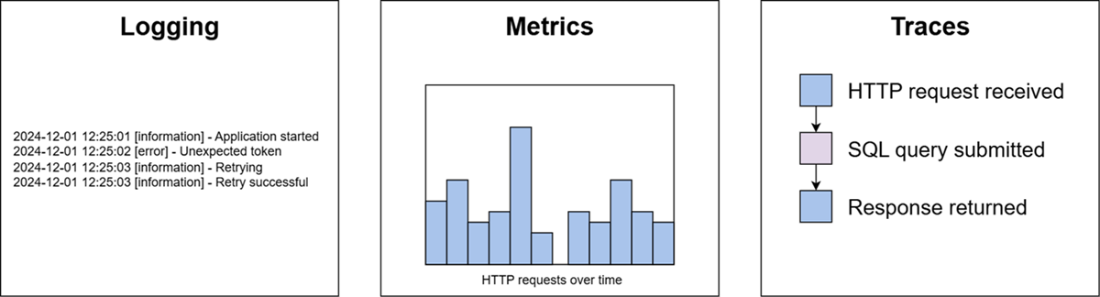
Components of a monitoring system
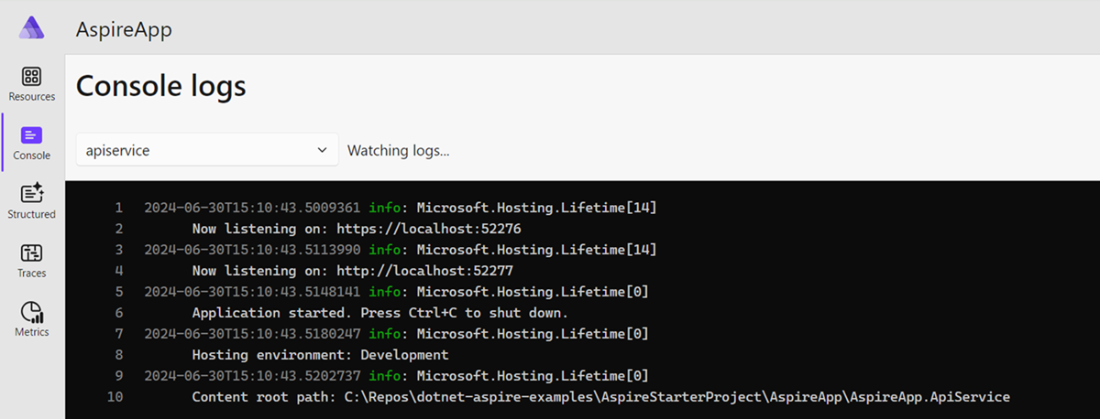
Console logs for an individual service
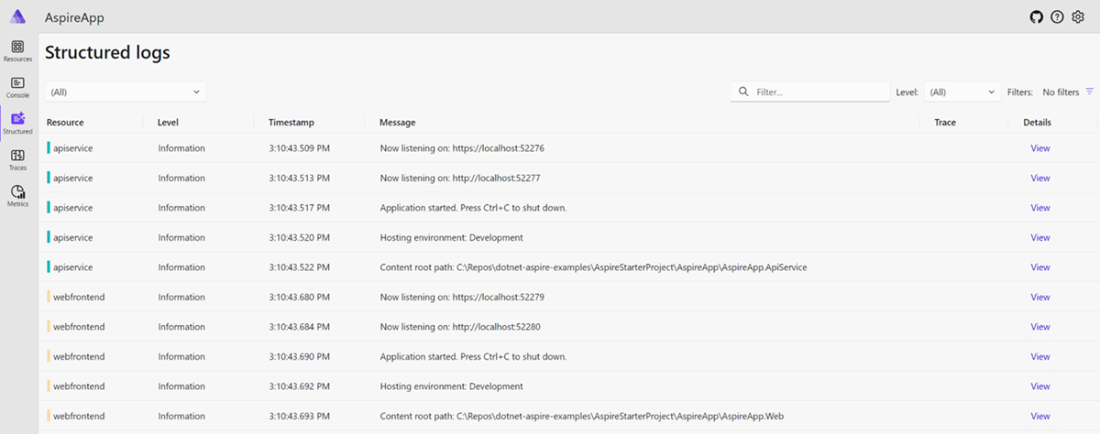
Structured logs in Aspire
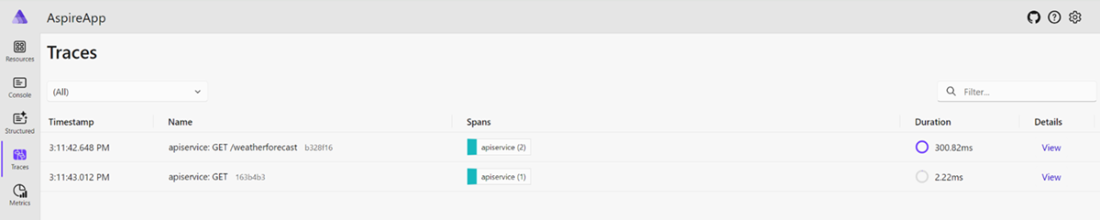
Traces in Aspire setup
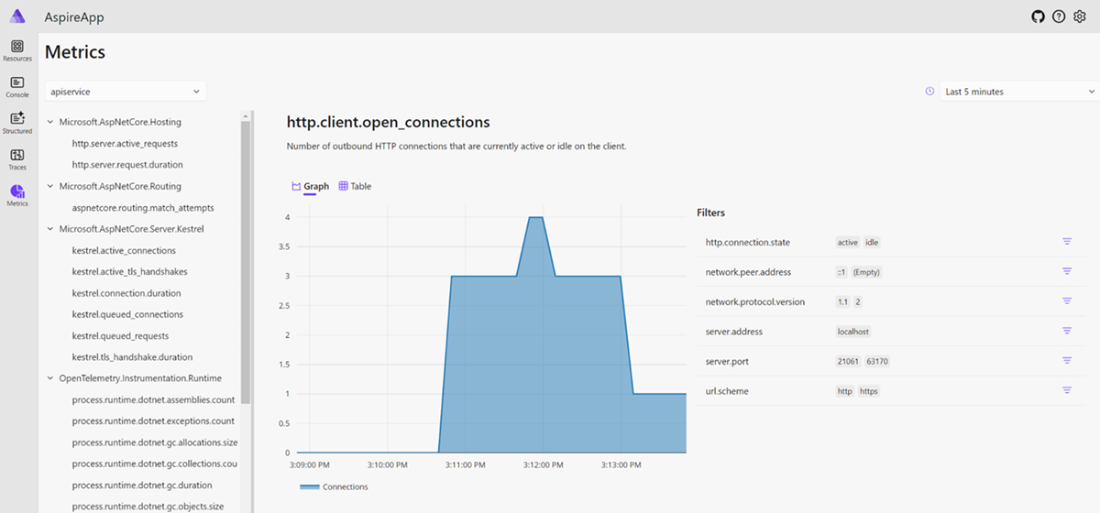
Metrics tab in Aspire
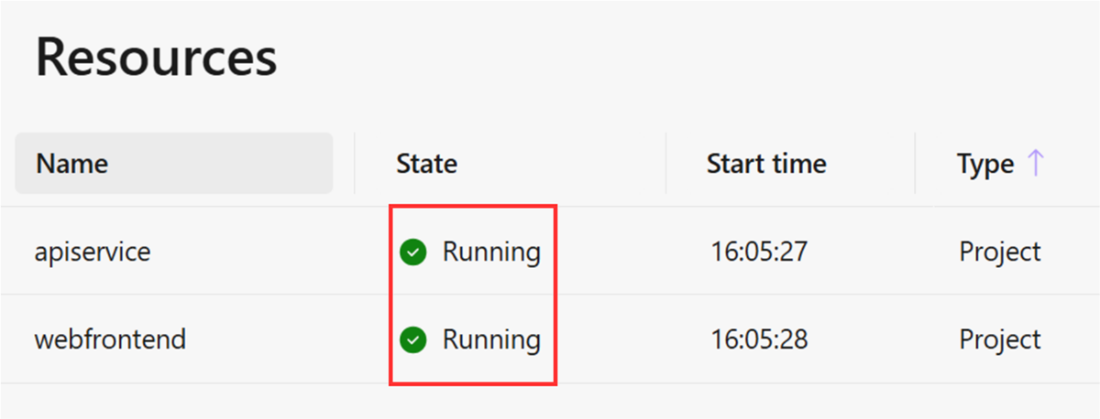
State of services in the Aspire dashboard
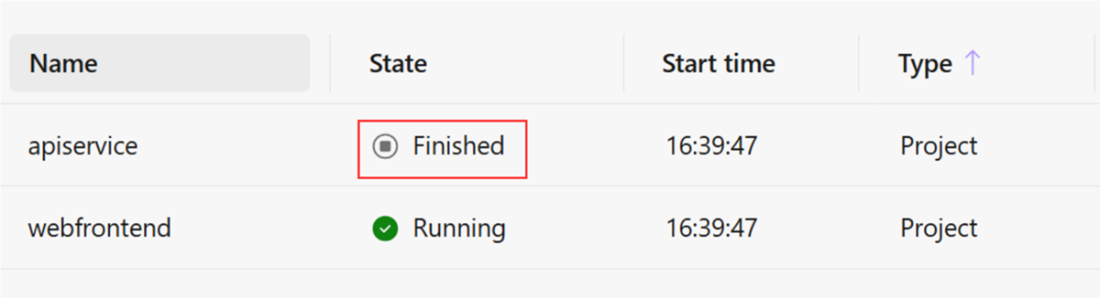
Service startup error shown in the Aspire dashboard
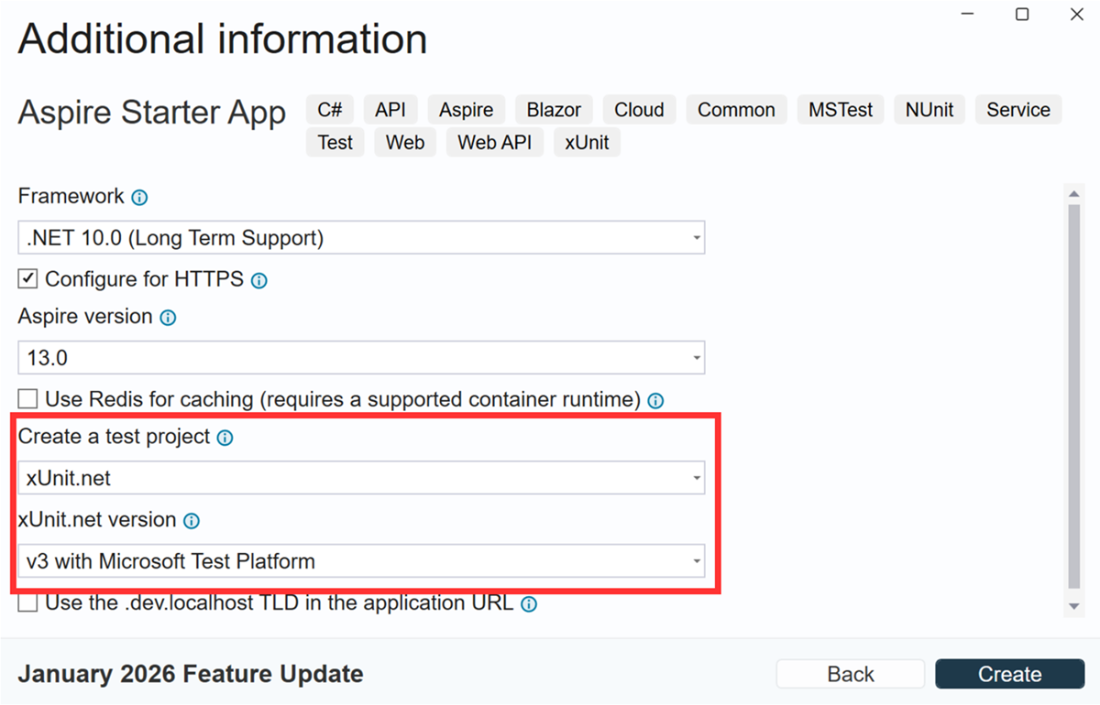
Adding a test project to Aspire app
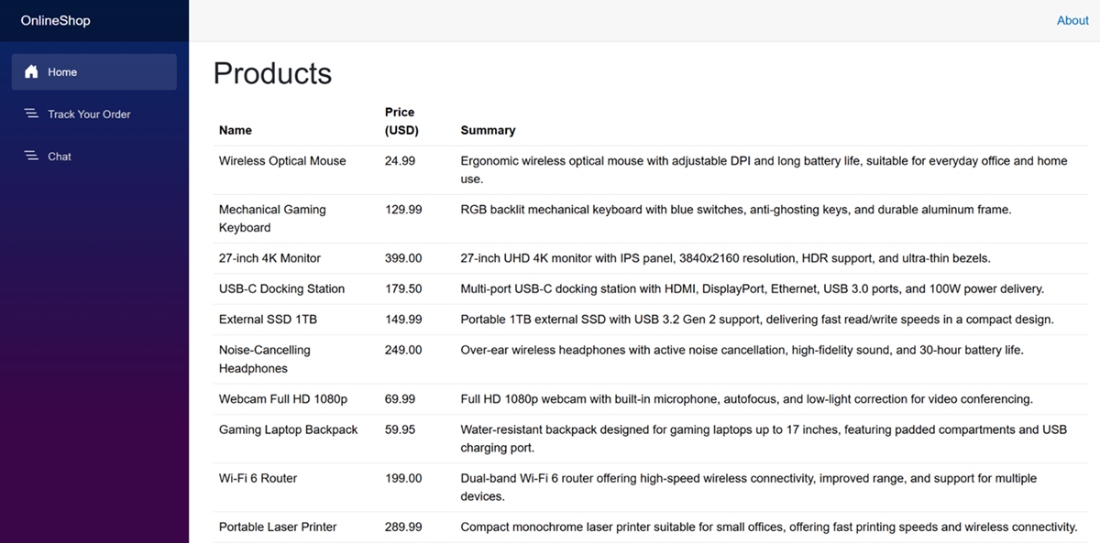
Products page in the Blazor UI app hosted by Aspire
Counter page in Aspire-hosted Blazor application
Summary
By default, Aspire uses OpenTelemetry, a standardized and platform-agnostic way of collecting telemetry.
Logging records relatively detailed information about events happening inside an application.
Metrics record simple data, such as event counts and event durations.
Traces link several recorded events so that you can trace the sequence of events.
Health checks determine whether an app is ready to interact with other systems.
The Aspire host has its own internal health-checking mechanism, which allows you to see immediately whether any services aren’t running as expected.
The Aspire Starter Project has placeholders for creating health-check endpoints in HTTP-enabled applications hosted by Aspire.
The exact health-check endpoint implementation is typically environment-specific due to factors such as security.
Aspire not only allows developers to build distributed, orchestrated applications relatively easily compared with equivalent technologies but also makes it easy to write integration tests against these applications.
Special libraries let developers add tests to Aspire. The Aspire test libraries are fully compatible with any testing framework available in .NET. Lower-level tests, such as unit tests, can be applied to individual services hosted by Aspire.
Any library can be used to test individual apps hosted by Aspire, including those that parse HTML and Blazor components.
FAQ
What are the main reasons to monitor applications in a distributed system?Monitoring helps detect errors, failures, performance bottlenecks, and security issues early. It also improves reliability, resource efficiency, capacity planning, cost optimization, compliance, and user experience.What are the three core components of a monitoring system discussed in this chapter?The three core components are logging, metrics, and traces. Logging records events, metrics track numerical values over time, and traces show how requests flow through distributed services.What is logging, and what kinds of information does it capture?Logging captures and stores records of events within an application or system, such as informational messages, warnings, errors, exceptions, request/response details, database queries, and service interactions.What are metrics in Aspire monitoring?Metrics are numerical measurements collected over time that show performance, resource use, and application behavior. Common examples include CPU use, memory use, response times, throughput, error rates, and latency.What are traces, and why are they useful in distributed systems?Traces provide end-to-end visibility into a request as it moves through multiple services. They help diagnose latency, reveal dependencies, pinpoint bottlenecks, and improve overall system performance.How does Aspire use OpenTelemetry for telemetry?Aspire relies on OpenTelemetry to collect logs, metrics, and traces in a standardized, vendor-agnostic way. The starter project includes OpenTelemetry packages and can export telemetry to an OTLP endpoint.How are telemetry exporters configured in Aspire?Telemetry is exported only if the OTEL_EXPORTER_OTLP_ENDPOINT setting is present. In development, this is typically set to http://localhost:4318, and then UseOtlpExporter() is used to send logs, metrics, and traces to that endpoint.How does Aspire determine whether a service is healthy?Aspire uses health-check endpoints configured on services. It pings these endpoints periodically and checks their responses to decide whether a service is healthy, unhealthy, degraded, or finished.What is the difference between /health and /alive in Aspire health checks?/health is the basic health-check endpoint, while /alive can be configured to return only checks tagged with live. The /alive endpoint is used for a more focused liveness check.How do integration tests work in Aspire?Aspire integration tests launch a lightweight test host for the distributed application, use real networking and real dependencies, and let you send HTTP requests to hosted services. This allows end-to-end verification of workflows and service interactions.
pro $24.99 per month
access to all Manning books, MEAPs, liveVideos, liveProjects, and audiobooks!


 Building Distributed Applications that Work ebook for free
