6 Taking the next step with Next.js
This chapter demonstrates how to evolve the ACH-processing prototype into a working dashboard using Next.js and Material UI, following an API-first, testable approach. It explains the choice of Next.js for its full-stack React capabilities—file-based routing, flexible rendering, and styling—and adopts a TypeScript-based MUI dashboard template for long-term maintainability. The objective is a UI where users upload and review ACH files and records, while keeping the frontend decoupled so it can be swapped without changing backend contracts.
The chapter walks through scaffolding the app, creating an uploads page, and validating it with Jest and Testing Library using accessibility-first queries. It refactors navigation into reusable AppBar and Drawer components, and iteratively transforms a “Recent ACH Uploads” table from hard-coded data to well-formatted currency via a shared Intl.NumberFormat utility with unit tests. Axios is introduced to hydrate components, environment variables are used to configure API base URLs, and guidance is given on centralizing API calls to improve reuse and testability.
To support parallel frontend and backend development, Wiremock is added in Docker to stub endpoints and serve JSON fixtures via mappings, including templated URLs for per-file batch data. The dashboard is expanded with a per-file batches view using dynamic routing and a Recharts scatterplot enhanced by custom tooltips, currency ticks, and color strategies derived from company names. The chapter concludes by containerizing the dashboard, passing the public API URL through build args and environment variables so the UI can run locally against mocked services.
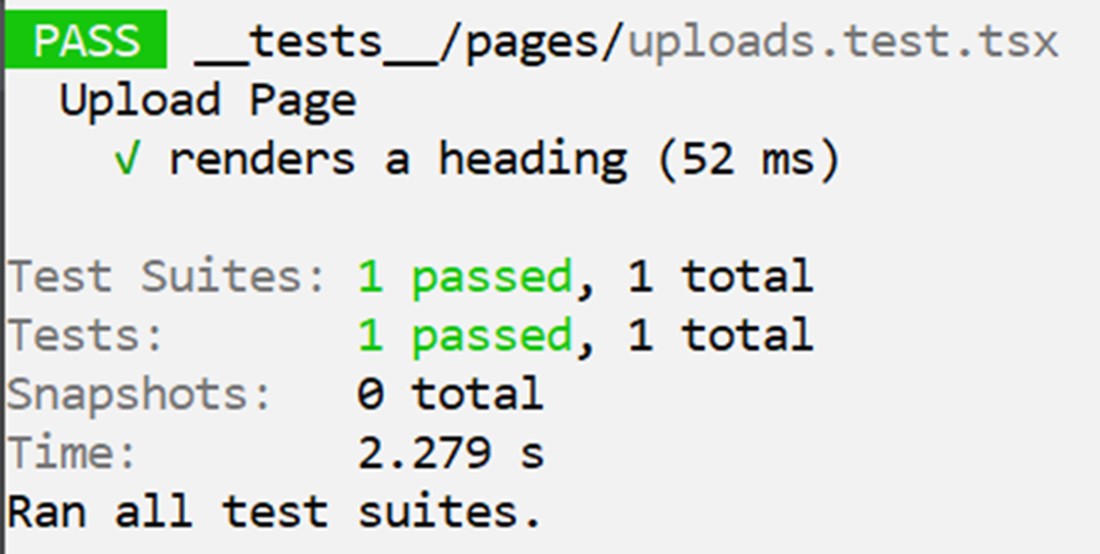
Output from running our jest test
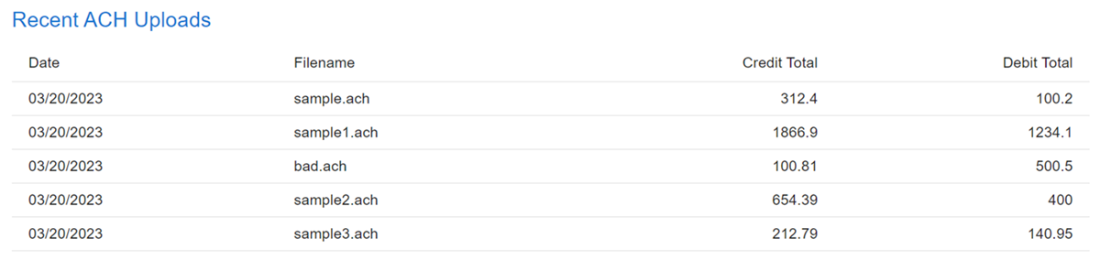
Unformatted credit and debit totals
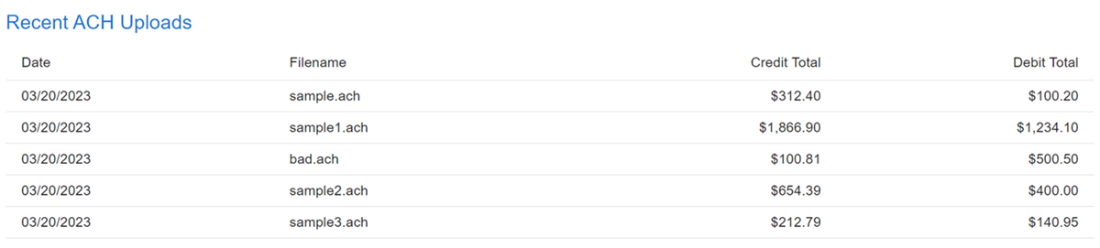
Formatted credit and debit totals
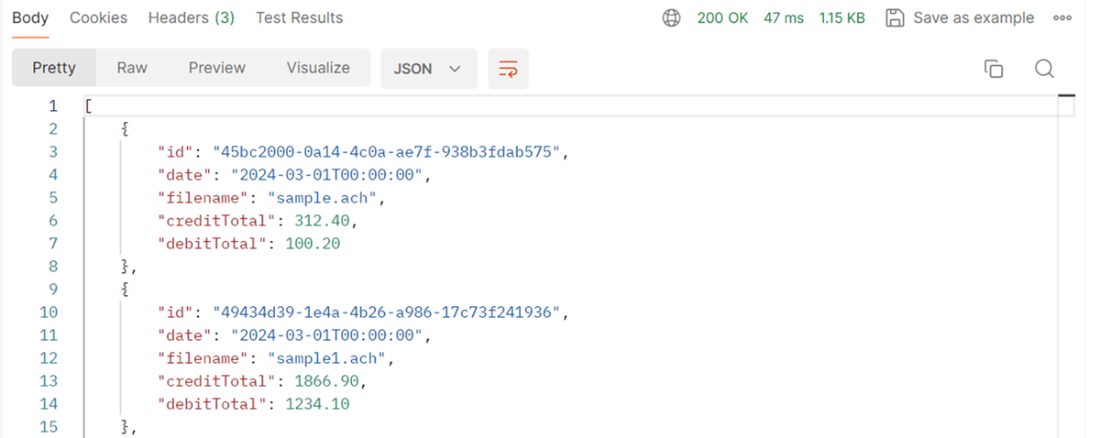
Response from our /api/v1/files endpoint as viewed in Postman
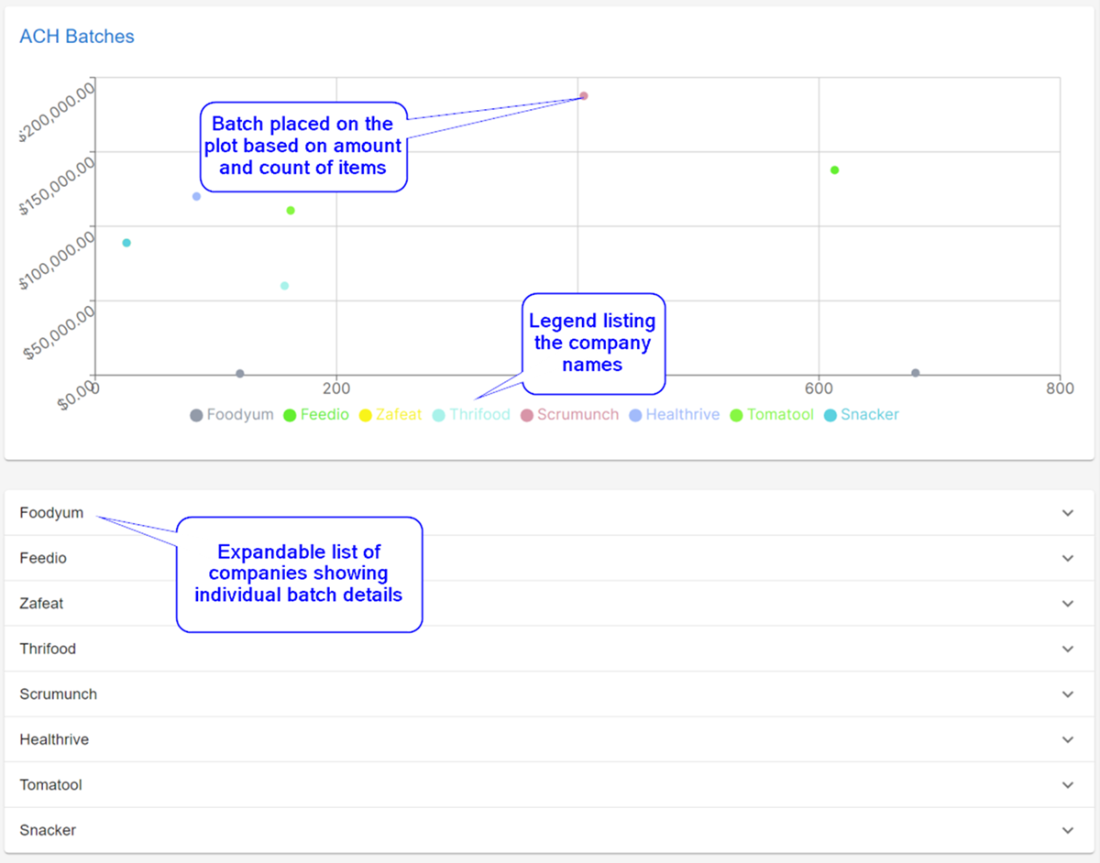
An ACH Batch View
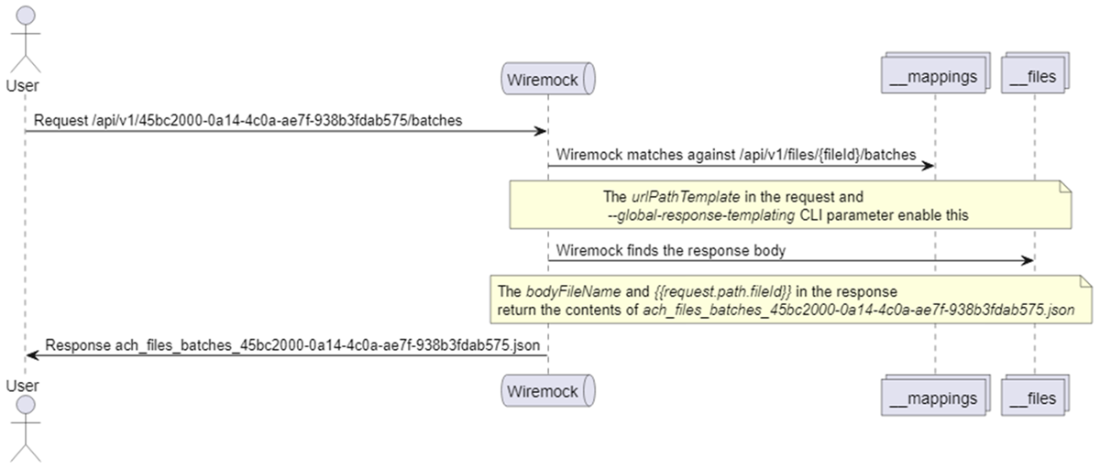
Wiremock Sequence
Summary
- The dashboard serves as the user interface for file uploads and data views, powered by APIs, and can be developed using various technologies, with a current preference for Next.js.
- Next.js supports building interactive web applications with React, leveraging HTML, CSS, and DOM principles, and offering file-based routing, CSR, SSR, and multiple styling methods.
- Starting with Next.js involves setting up with Node.js, creating a project using npx, and running a default application to verify setup correctness.
- The dashboard can be initialized using templates like Material UI, and dependencies should be installed to support components and API calls.
- Incorporating TypeScript enhances maintainability by adding explicit types and catching errors during development.
- Jest is used for unit testing the UI, providing assurance of page functionality and accessibility through ARIA roles.
- Refactoring of navigation components ensures better code organization and inclusion in the upload page.
- Hard-coded data is initially used for UI development, which can be replaced with mocked API calls using tools like Wiremock for parallel development.
- Mocking APIs with Wiremock involves setting up Docker, configuring stubs, and refreshing for changes to take effect, facilitating UI testing without complete backend availability.
- Deployment of the dashboard in Docker involves configuring environment variables and ensuring communication with mocked APIs for dynamic data display.
FAQ
How do I bootstrap the Next.js dashboard and why use Next.js for this project?
Install Node.js, then run:npx create-next-app@latest and start with npm run dev to view http://localhost:3000. Next.js is a full‑stack React framework that gives you file‑system routing, SSR/CSR, data fetching with async/await, and built‑in optimizations. For a quick UI baseline, start from Material UI’s Dashboard template (TypeScript) and customize it.Which dependencies do I need (MUI, Recharts, Axios) and why?
Install with:npm install @mui/icons-material @mui/material @emotion/styled @emotion/react recharts axios. MUI provides production‑ready UI components, Recharts handles visualizations (like scatterplots), and Axios is a popular HTTP client for calling APIs.How does file‑based routing work for static and dynamic pages in the app router?
Create folders undersrc/app that mirror your URLs. Examples: - Static page: src/app/uploads/page.tsx renders /uploads. - Dynamic route: src/app/fileDetails/[id]/page.tsx renders /fileDetails/<UUID>, where [id] captures the path segment as a param.How do I add basic Jest + Testing Library tests and why use getByRole?
Install:npm install -D jest jest-environment-jsdom @testing-library/react @testing-library/jest-dom ts-node, init Jest, and create tests under __tests__. Use Testing Library’s getByRole to query accessible elements (ARIA‑first), e.g., assert an h1 heading renders expected text. This encourages accessible markup and stable tests.What’s a clean way to refactor the MUI AppBar and Drawer and avoid duplicated state?
Extract them into components (e.g.,TopMenuBar and SideBarNav) that accept drawerOpen and toggleDrawer() as props. To avoid duplicating this state across pages, wrap both into a single Navigation layout component or use React Context to centralize the open/close state and handlers.How do I format currencies consistently across the UI?
Create a utility aroundIntl.NumberFormat and reuse it everywhere to ensure trailing zeros, separators, and locale/currency correctness. Example: export function formatCurrency(v: number, currency = 'USD', locale = 'en-US') {
return new Intl.NumberFormat(locale, { style: 'currency', currency }).format(v);
}Replace ad‑hoc toFixed and hardcoded symbols with this function and add unit tests for edge cases/locale differences.How do I mock backend APIs with Wiremock in Docker?
Add a Wiremock service todocker-compose.yml, map volumes for mappings and __files, and expose a port (e.g., 8081). Create JSON stubs (e.g., GET /api/v1/files) that return a bodyFileName from __files. After editing mappings, POST to /__admin/mappings/reset or restart the container to reload. Use templating like urlPathTemplate with {fileId} and {{request.path.fileId}} to serve dynamic responses per ID.How do I fetch mocked data with Axios and avoid hardcoded URLs?
In a component’suseEffect, call Axios against an environment‑driven base URL: const apiUrl = process.env.NEXT_PUBLIC_API_URL ?? '';
axios.get(`${apiUrl}/files`).then(r => setRows(r.data));Set NEXT_PUBLIC_API_URL in .env.local (e.g., http://localhost:8081/api/v1). In Docker, pass it via build args/ENV in the dashboard’s Dockerfile and compose so the browser calls the correct host/port.How do I link from a table row to a detail page with the file’s ID?
Render the filename as a link that routes to the dynamic page:<Link onClick={() => route.push(`/fileDetails/${row.id}`)}>
{row.filename}
</Link>The [id] segment in /fileDetails/[id]/page.tsx receives the UUID, which you can use to query batch details.How do I build the Recharts scatterplot with custom tooltip, currency ticks, and colors?
- Compute data per batch (e.g.,totalCreditAndDebits = totalCreditAmount + totalDebitAmount) and pass it as props to a reusable chart component. - Use a custom tooltip component that formats currency via formatCurrency. - Provide a custom Y‑axis tick that formats numbers as currency. - Color points per company; either cycle a palette or derive a color from the company name for consistency across views. Keep accessibility in mind (e.g., avoid red/green‑only schemes, ensure contrasts).
 Build Financial Software with Generative AI (From Scratch) ebook for free
