3 Getting started with Docker
This chapter moves from building a basic ACH parser to assembling a Dockerized development environment that mirrors a small, service-oriented ACH system. It emphasizes an incremental, feedback-driven approach: start small, get one container working, and expand confidently. While generative AI can accelerate setup, the authors caution against over-reliance and oversized first steps, advocating YAGNI and pragmatic choices (including recognizing when monoliths still make sense). The goal is to use Docker and Docker Compose as enablers for exploration, consistency, and clean separation of concerns across UI, API, and database components.
Practically, the chapter guides you through composing and connecting containers: begin with a simple CloudBeaver service to validate the toolchain and port mappings, then add PostgreSQL with initialization scripts that create a health_check table, followed by a FastAPI container that queries the database using psycopg. A lightweight web container serves a simple d3.js page that calls the API; CORS is configured narrowly to allow only required origins and methods. Along the way, the authors cover essential Docker commands and common troubleshooting patterns (port conflicts, distinguishing host vs internal container networking, authentication mismatches, name and dependency errors), culminating in an end-to-end “Hello World” workflow across web, API, and database.
Beyond functionality, the chapter addresses security, operability, and optimization. It recommends scanning images for vulnerabilities, limiting privileges and resources, and avoiding broad exposure of ports. Image hygiene and efficiency are improved through pruning dangling layers, choosing smaller base images (alpine or slim), managing Dockerfile layers and cache-friendly order, using .dockerignore, and—when needed—squashing layers. Configuration is hardened by removing hardcoded credentials via env files and environment variables. Finally, Docker-level health checks are introduced to surface container status and support resilience, setting the stage for scalable, maintainable, and secure containerized development in later chapters.
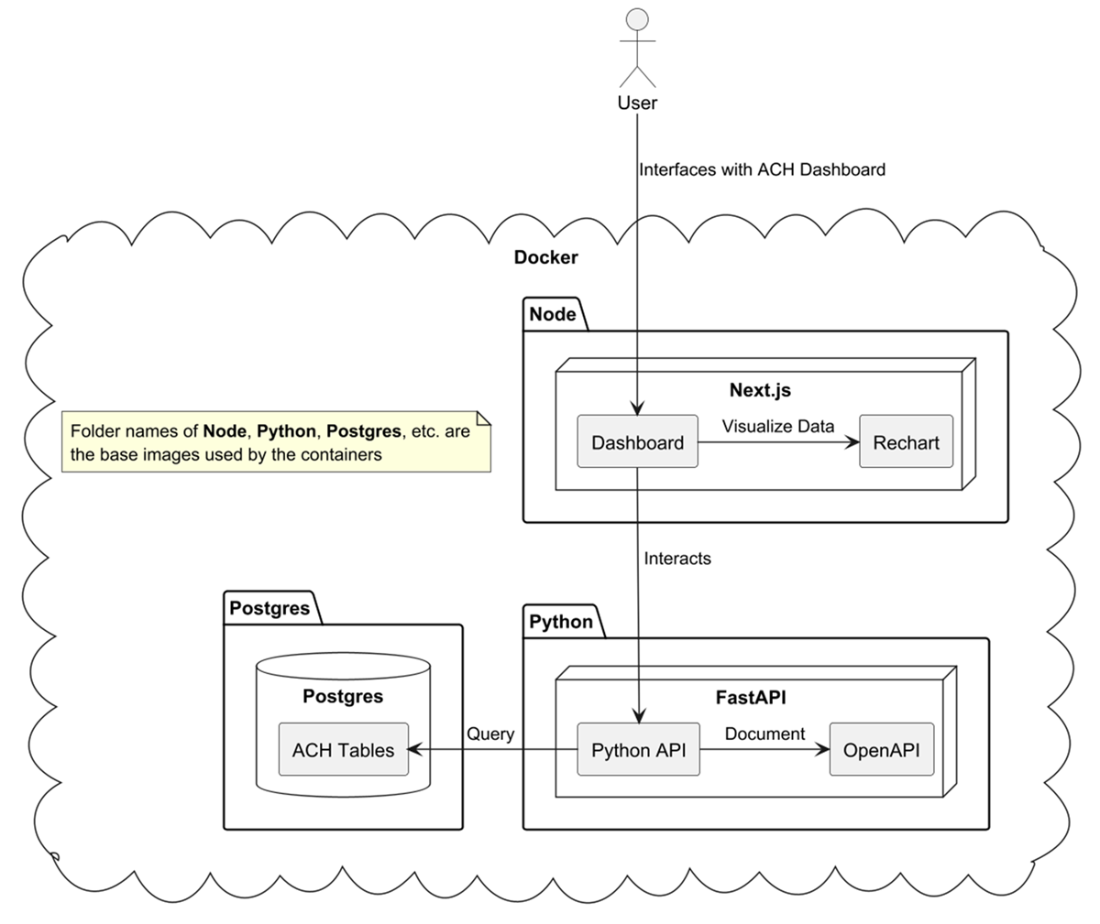
An overview of our ACH system
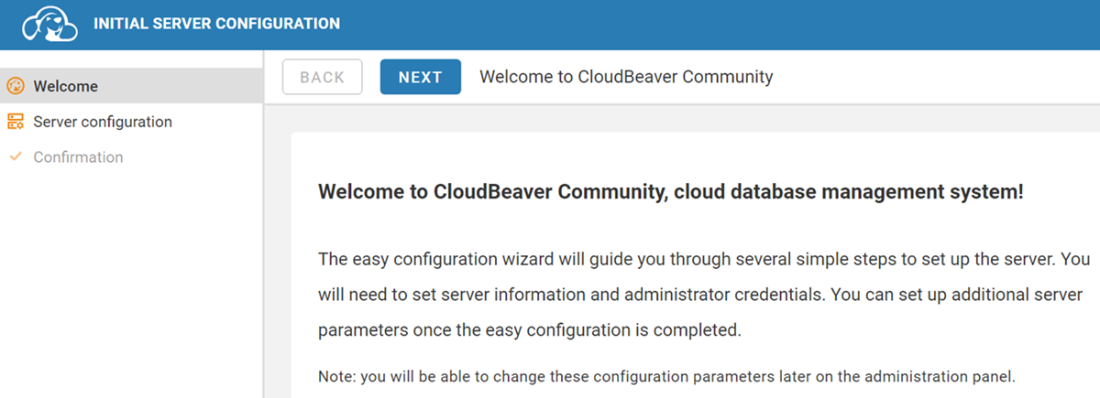
CloudBeaver Welcome Screen
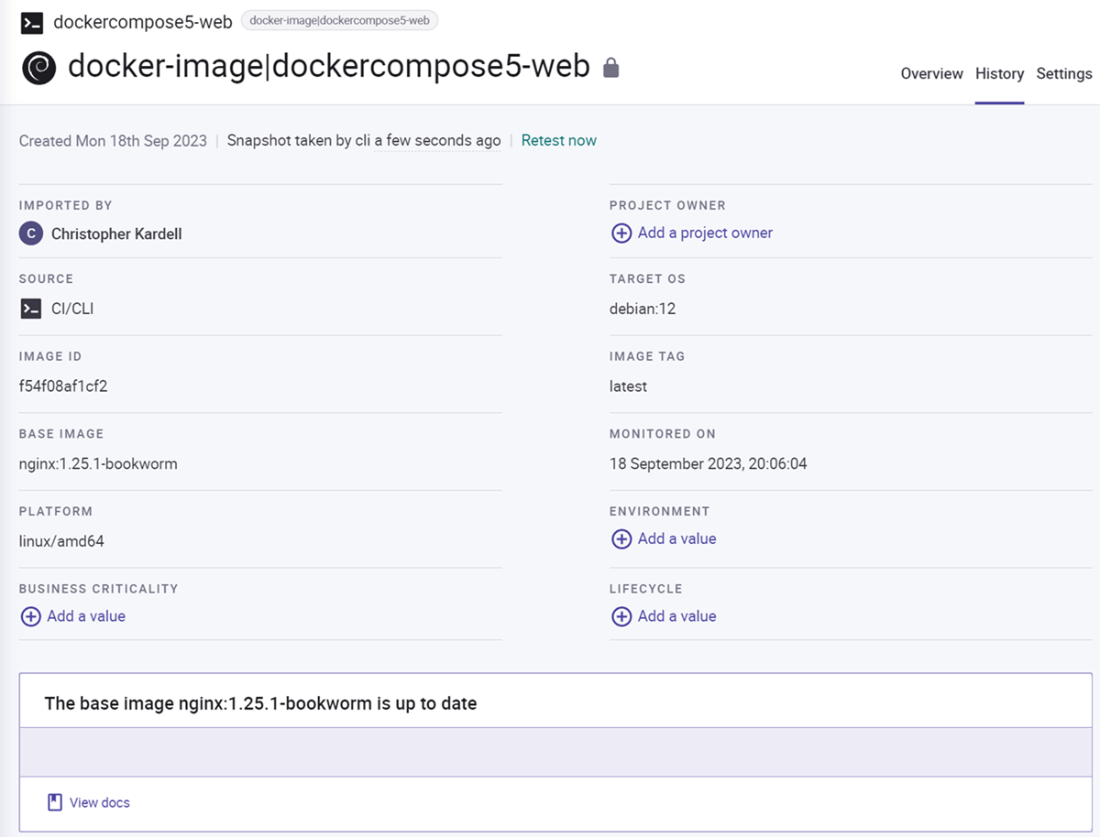
Sample results generated by Snyk
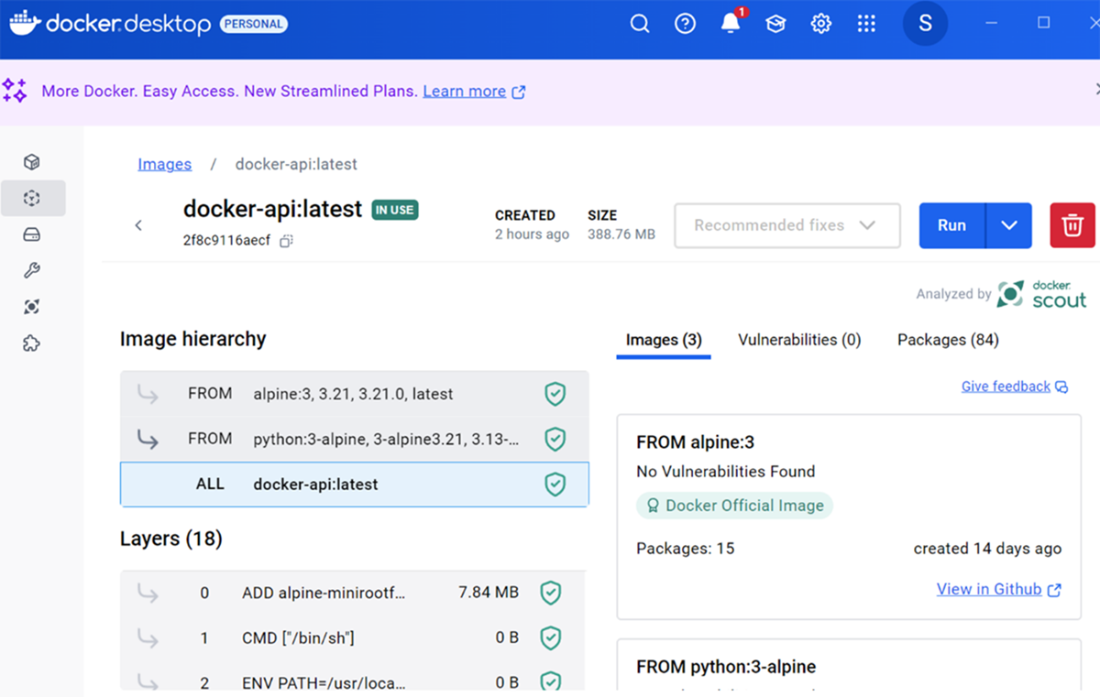
Analysis with Docker Scout
Summary
- We introduced Docker and Docker Compose to manage our environment for this project. By building out small pieces of our project into separate containers we are now in a position to start expanding each component of our project independently.
- Evaluating team experience, project size, and risk factors is vital when determining the best approach for a project.
- Generative AI tools can increase productivity but have limitations and require verification.
- Docker creates isolated environments for efficiently managing multiple services and technologies.
- Transitioning to microservices should be based on need, not trend, as monolithic architectures can still be effective.
- Dividing a project into manageable components and ensuring initial connectivity is crucial for effective development.
- Health checks in containers provide system status monitoring and enable self-healing in production environments.
- Security and efficient management are achieved by applying principles of least privilege and using vulnerability scanning tools.
- The importance of container optimization in reducing image size and build time is emphasized.
- Environment variables should be used to avoid hardcoding sensitive information like usernames and passwords.
- Adhering to best practices in storage, application optimization, and dependency management enhances Docker's effectiveness.
FAQ
What is Docker Compose and why is it used in this chapter?
Docker Compose lets you define and run multi-container applications from a single docker-compose.yml. In this chapter, it orchestrates a UI (Nginx/Next.js), an API (FastAPI), a database (PostgreSQL), and tools like CloudBeaver so everything can be managed together. Note: the version key in compose files is now obsolete; modern Compose infers the schema without it, so you can omit it to avoid warnings.What are the essential docker-compose commands for development?
- docker-compose build: Rebuild images when you change Dockerfiles or included files/scripts.- docker-compose up: Start the containers.
- docker-compose stop: Stop containers but keep data.
- docker-compose down: Stop and remove containers (use when init scripts need to rerun).
Common workflow: docker-compose down && docker-compose up --build.
How do I fix “Bind for 0.0.0.0:8080 failed: port is already allocated”?
Another process or container is using that port. Options:- Find and stop the offender: on Windows, use netstat -aon | findstr "8080" then tasklist | findstr PID to identify and stop it.
- Change the host port mapping in docker-compose.yml (e.g., use 8081:8978 instead of 8080:8978).
After freeing/adjusting the port, run docker-compose up again.
How do containers communicate without exposing internal ports?
Compose creates an internal network so services can talk to each other by service name on their internal ports. Example: the API connects to Postgres at host=postgres port=5432 without exposing 5432 on the host. Use localhost only when your browser or external tools call into a container via an exposed host port (e.g., http://localhost:8000 for the API, http://localhost:3000 for the web page).Why did we start with CloudBeaver before the database and how do we verify it works?
CloudBeaver provides a quick, browser-based check that your container stack is up. Exposing CloudBeaver on the host (e.g., 8080:8978) lets you visit http://localhost:8080 to confirm it’s running and later connect to the Postgres service over the internal Docker network.How do I resolve CORS errors when the web page calls the FastAPI endpoint?
Browsers block cross-origin requests unless the API allows them. Add FastAPI’s CORSMiddleware with a narrow configuration:- allow_origins: ["http://localhost:3000"] (your web host)
- allow_methods: ["GET"] (only what you need now)
- allow_headers: ["*"] (or restrict as needed)
Then rebuild and start containers; http://localhost:3000 can call http://localhost:8000.
How do I troubleshoot common FastAPI ↔ PostgreSQL connectivity issues?
- “Is the server running… accepting TCP/IP connections?”: The DB container may not be ready/running; check logs, dependencies, and that the API container started cleanly.- “connection to server at 'localhost' … failed”: Don’t use localhost from a container; use the service name (host=postgres).
- “password authentication failed for user”: Ensure credentials match between docker-compose and your API’s connection string.
- NameError or missing modules: Verify code variables and requirements.txt/Dockerfile installs.
How can I remove hardcoded credentials from code and Compose?
Use an environment file and read env vars at runtime:- Create a file (e.g., .sql_server.conf) with POSTGRES_USER and POSTGRES_PASSWORD.
- In docker-compose.yml, replace environment with env_file for both postgres and api services.
- In the API, read them via os.getenv and build the DATABASE_URL dynamically. Keep env files out of source control (e.g., via .gitignore) and document how to provision them.
What are Docker health checks and how do I add one?
Health checks let Docker mark containers as healthy/unhealthy, enabling better monitoring and restarts. For Postgres, add a HEALTHCHECK in its Dockerfile using pg_isready (with intervals, timeouts, and retries). Then run docker ps --format '{{.Names}} - {{.Status}}' to see states like “(healthy)”. This prepares your stack for orchestration tools that can self-heal containers.How do I optimize images and disk usage (size, speed, and maintenance)?
- Clean up: docker image ls to spot dangling images (- Smaller bases: Prefer alpine where feasible (or slim when alpine conflicts arise). In the chapter, switching to slim/alpine cut image sizes dramatically.
- Faster builds: Order Dockerfile steps to leverage cache (rarely changed steps first), keep layers minimal, clean temp files in the same layer, and use .dockerignore.
- Analyze: Use Docker Scout (in Docker Desktop) or dive to inspect layers and opportunities.
- Security posture: Scan images with Snyk or Docker Scout; apply least-privilege runtime options (read-only FS, memory/CPU limits, no-new-privileges) and avoid exposing unnecessary ports.

 Build Financial Software with Generative AI (From Scratch) ebook for free
