9 Orchestrating multi-agent systems
As an agent’s responsibilities grow, a single prompt and tool set can become too crowded for reliable performance. This chapter introduces multi-agent systems as a way to split complex work into specialized roles, each with a shorter, clearer prompt and a focused set of tools. The core idea is to treat collaboration like a team: one agent researches, another codes, another writes, and another reviews, allowing the overall system to handle harder tasks with better focus and reuse.
The chapter then lays out three main collaboration patterns. Workflow gives the developer control over execution order, making it ideal for predictable pipelines such as sequential, parallel, or iterative loops. Agent as Tool lets an orchestrator call specialist agents as isolated tools, so the main agent stays in charge while only the final result is returned. Transfer goes a step further by handing control to the most appropriate agent, with shared context so the new agent can continue the conversation directly. These patterns can also be combined to build flexible orchestration structures.
Finally, the chapter shows how these ideas extend beyond one process. It explains how workflows can be composed because they share the same run interface as regular agents, how transfer is implemented with an agent tree and a dynamically created transfer tool, and how A2A makes it possible to work with remote agents over HTTP. Together, these mechanisms let you build agent systems that are modular, scalable, and capable of collaborating both locally and across networks.
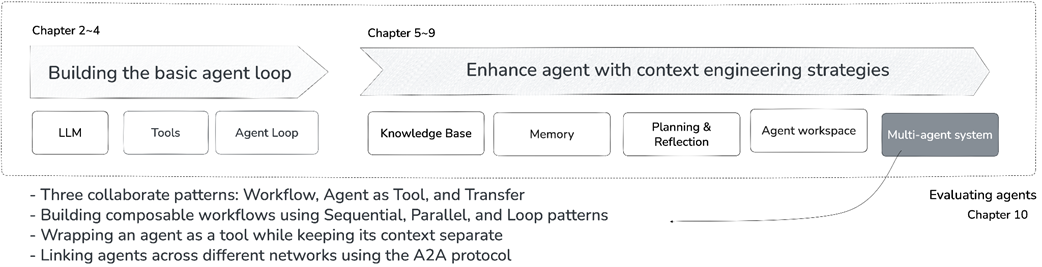
Book structure overview: Chapter 9 in focus.
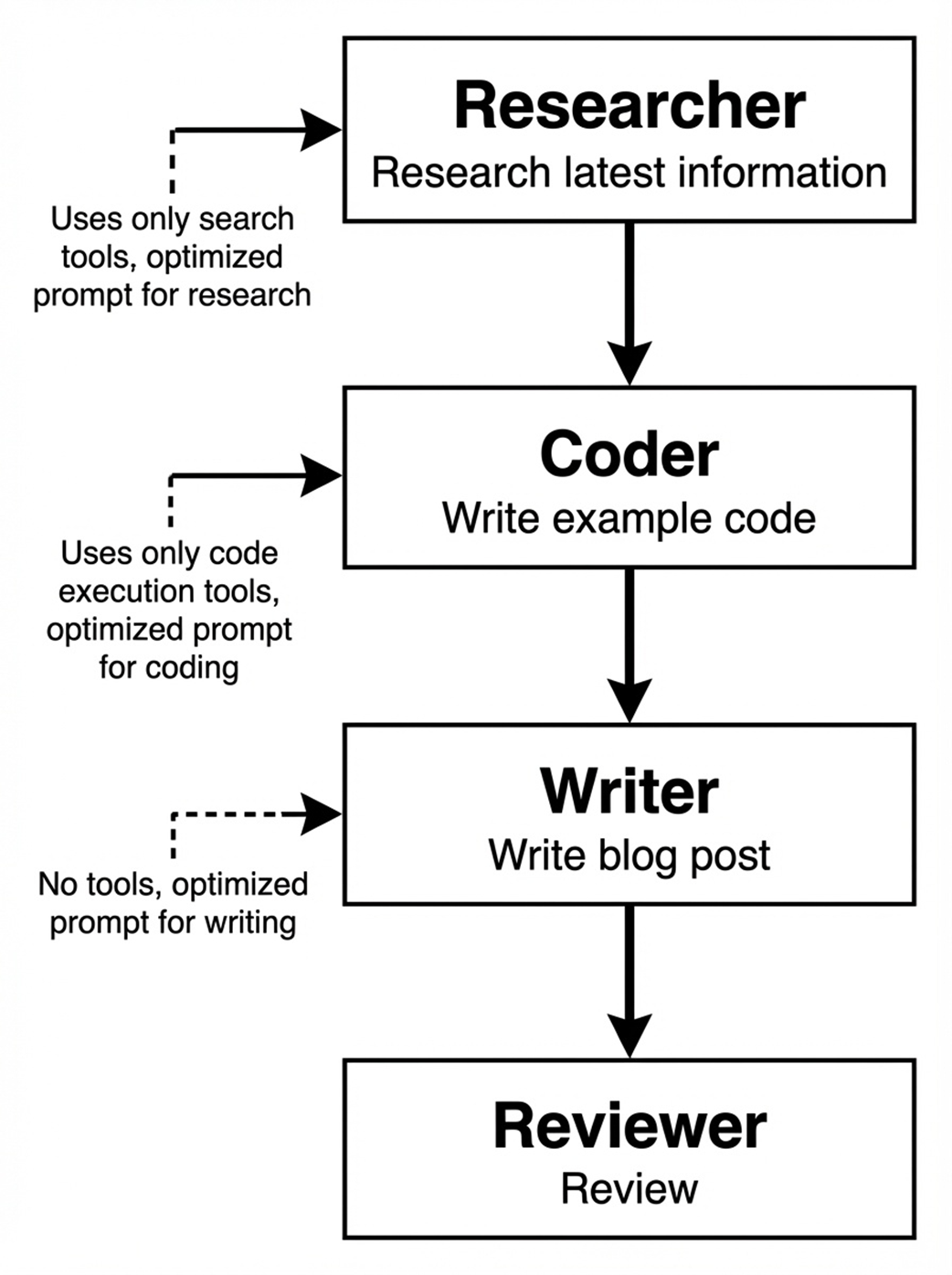
Four specialist agents for technical blog writing: Each agent focuses on a single role with optimized prompts and dedicated tools.
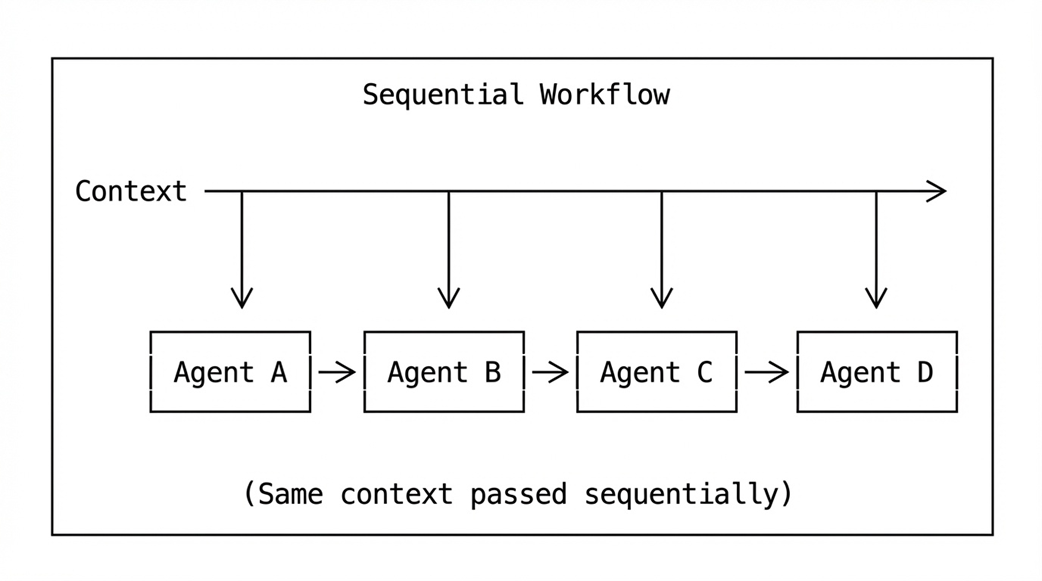
Sequential Workflow: Same context passed through agents one at a time.
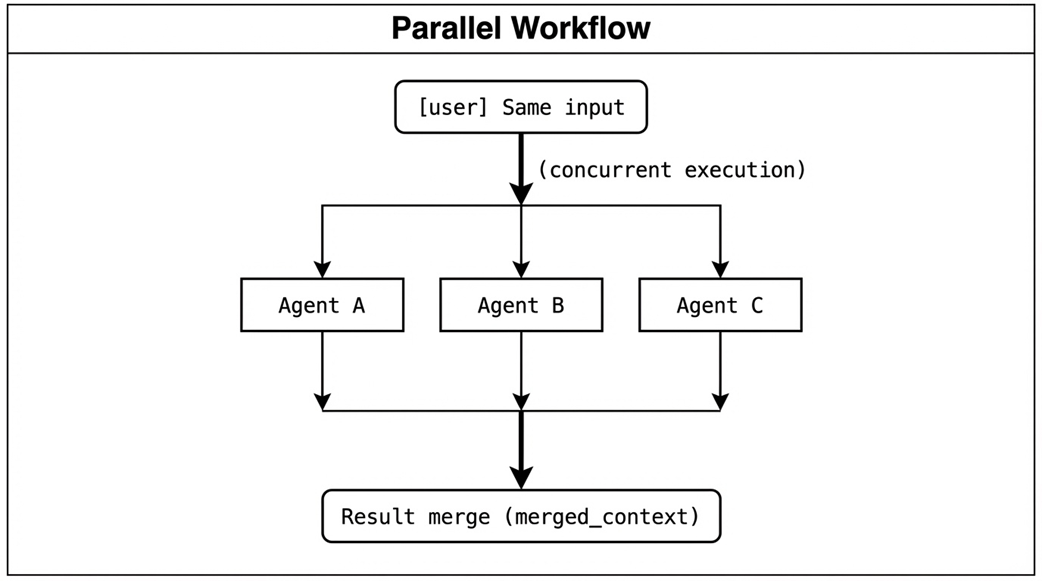
Parallel Workflow: Same input distributed to multiple agents with results merged.
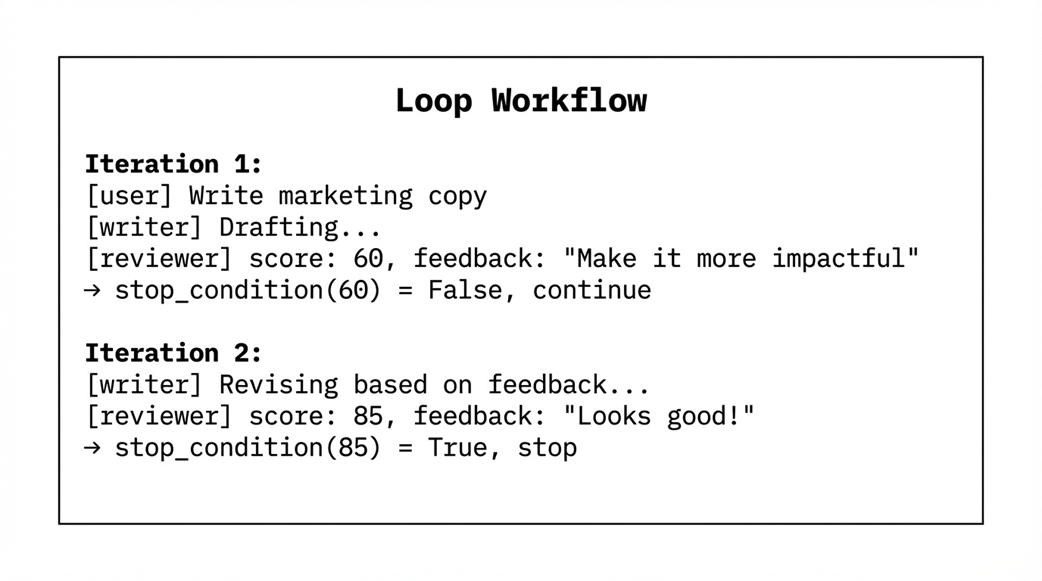
Loop Workflow: Iterative execution with writer and reviewer until quality threshold is reached.
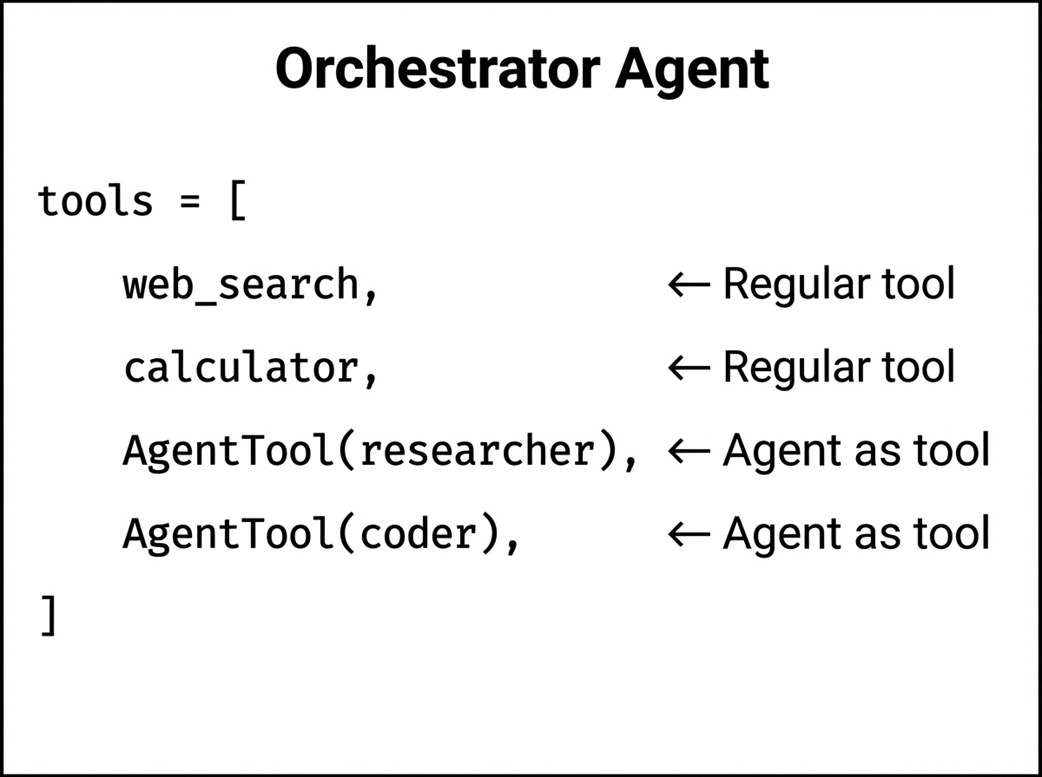
Orchestrator Agent: Regular tools and agent tools in the same tool list.
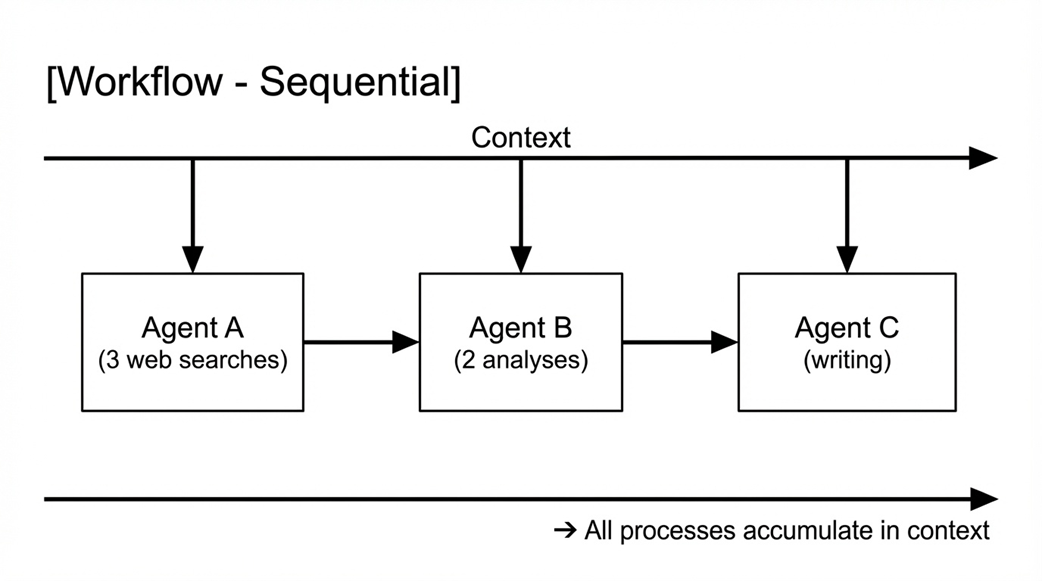
Sequential Workflow: All processes accumulate in a shared context.
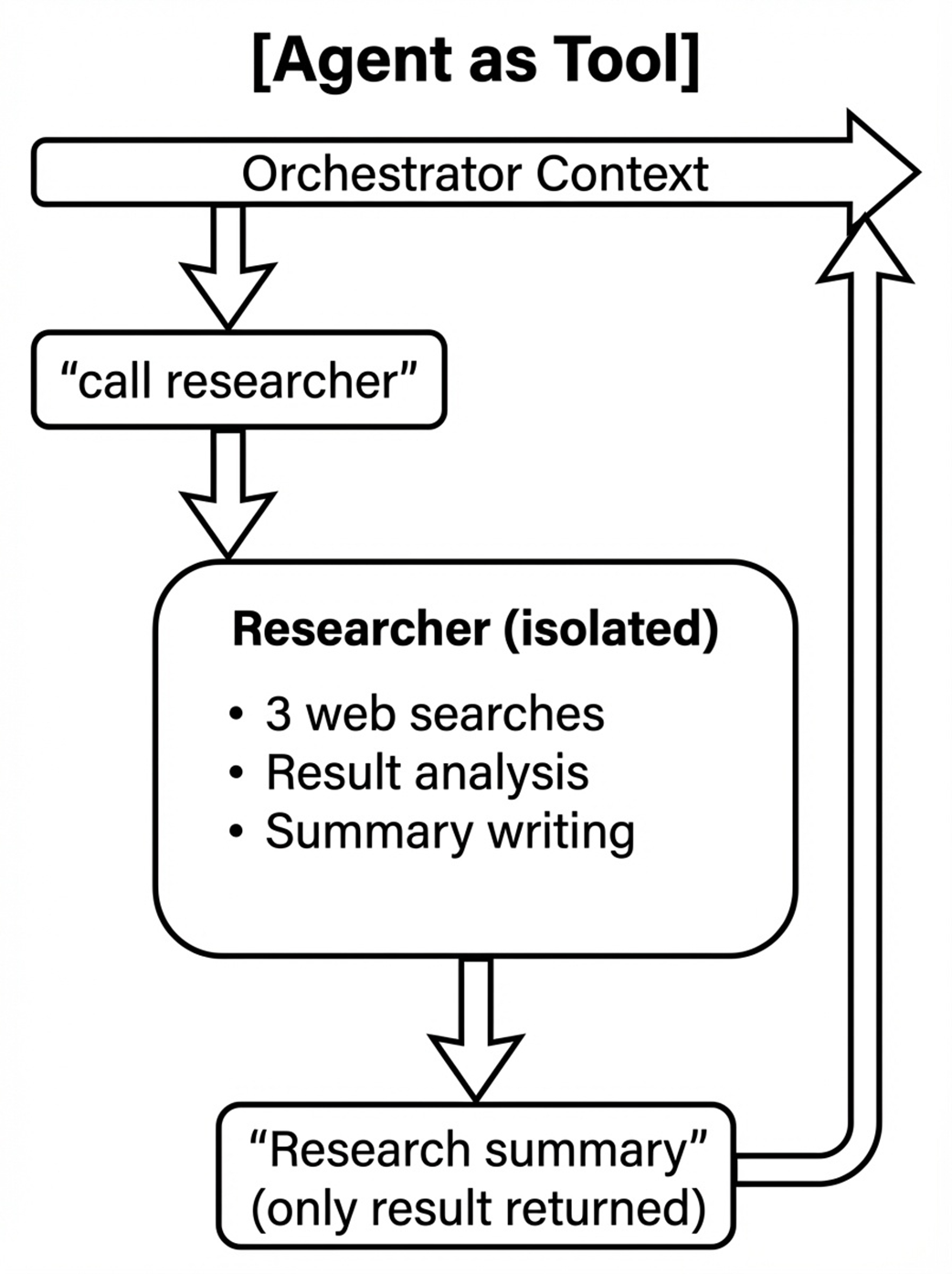
Agent as Tool: Child agent runs in an isolated environment and returns only the final result.
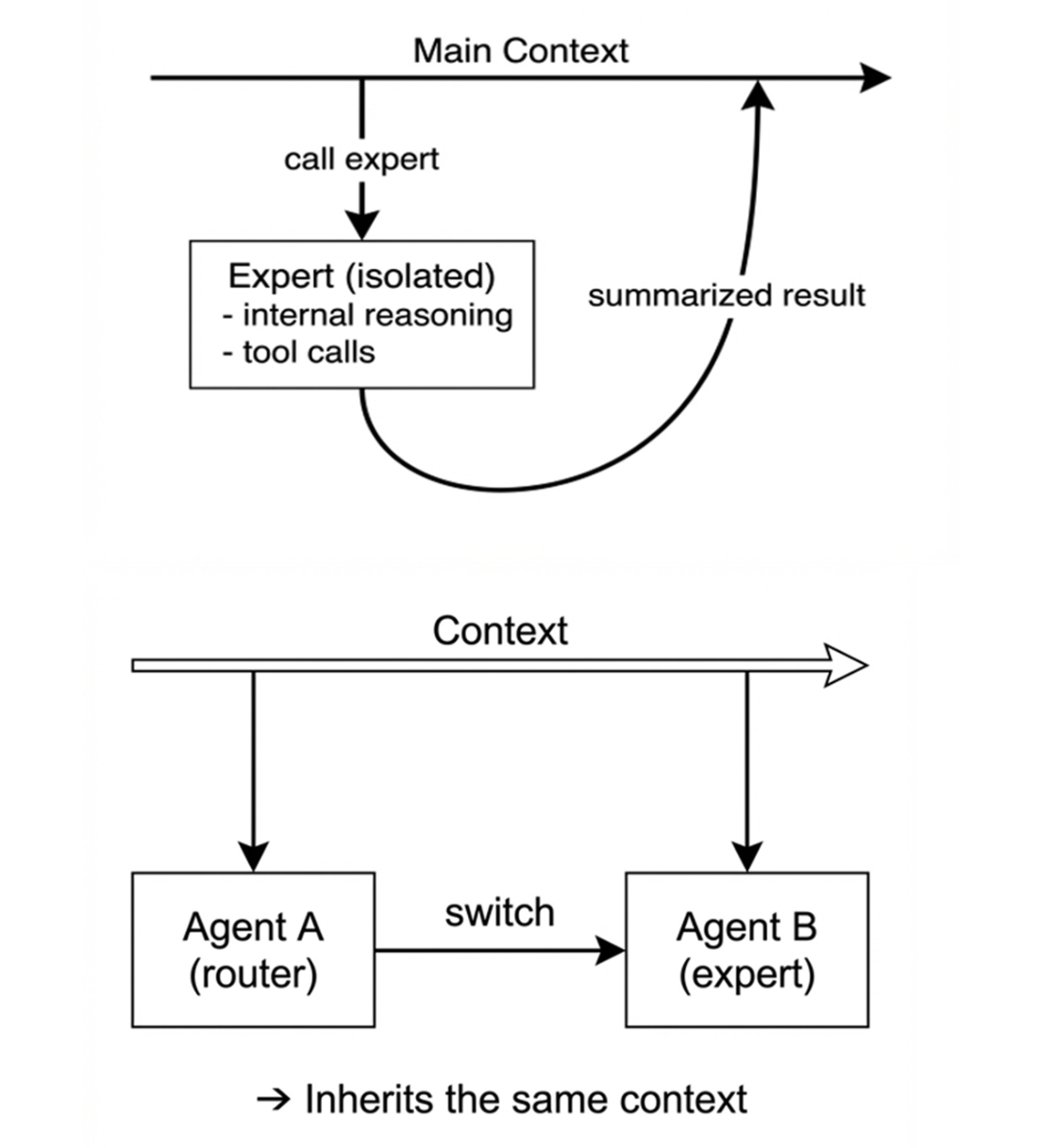
Context handling comparison: Agent as Tool isolates the child agent and returns only the summarized result, while Transfer hands over control with shared context.
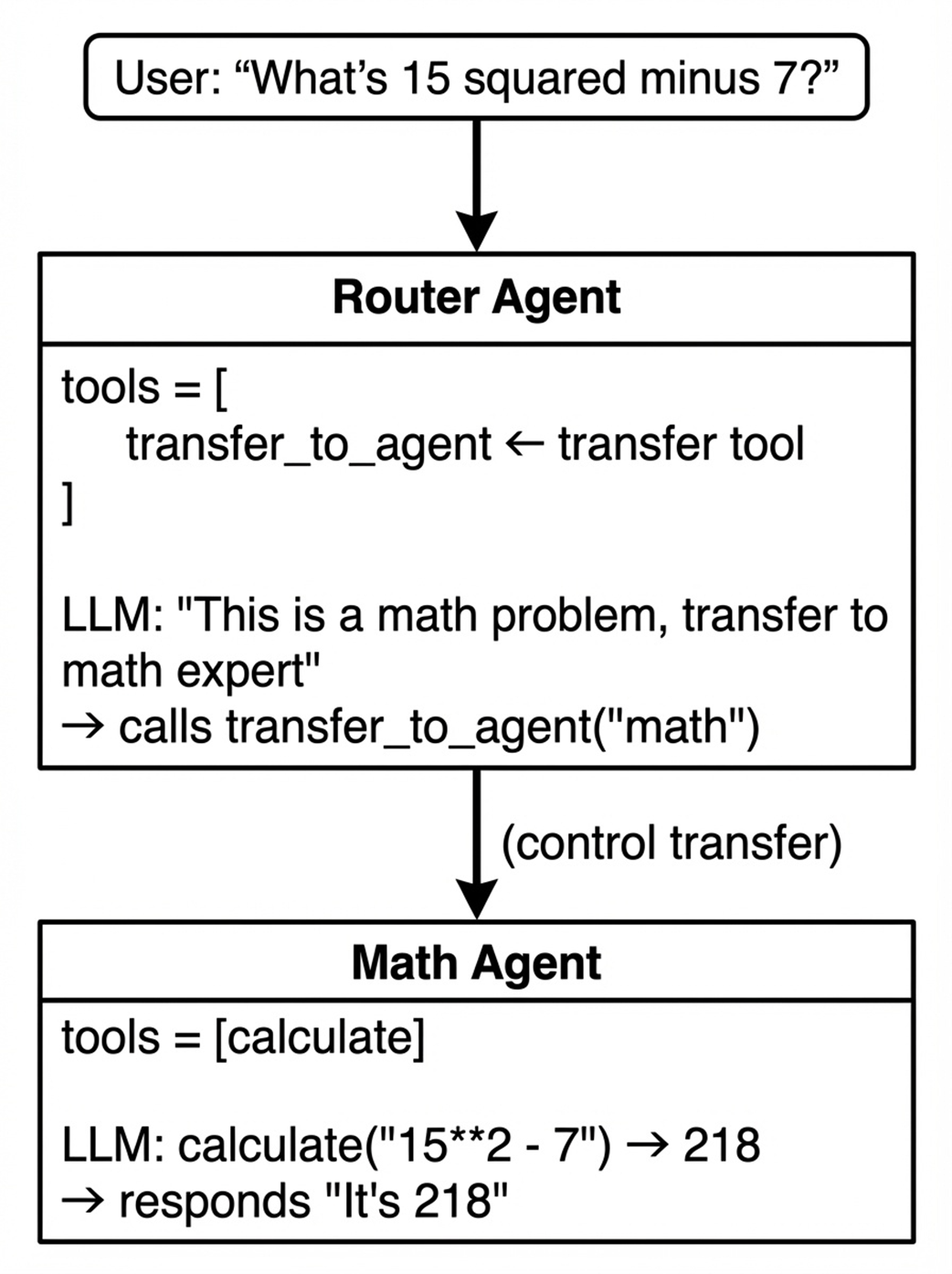
Transfer pattern flow: Router agent calls the transfer tool to hand over control to the Math Agent, which inherits the same context.
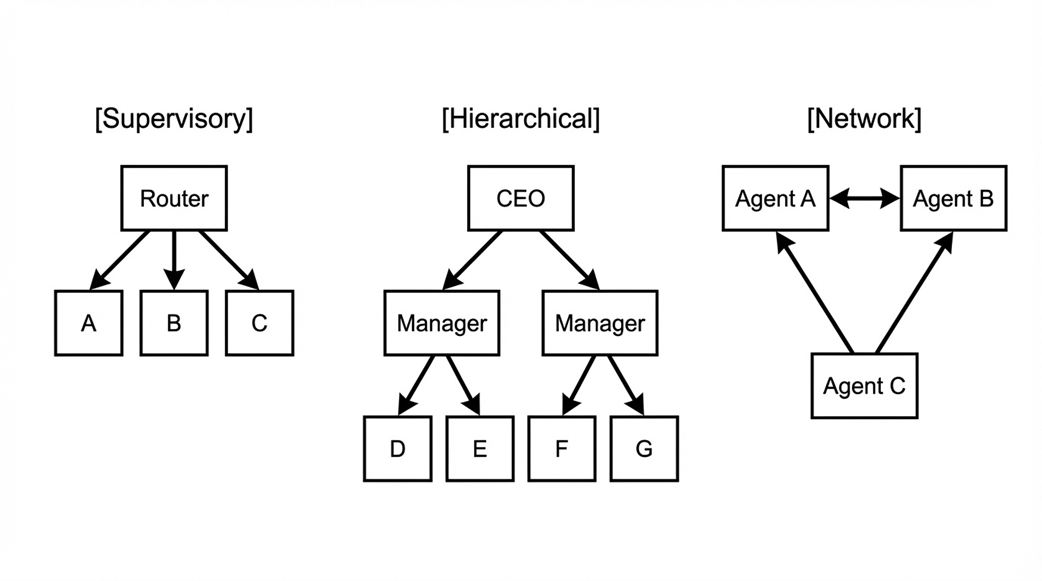
Agent tree structures: Supervisory pattern with single router, Hierarchical pattern with delegation levels, and Network pattern with peer-to-peer transfers.
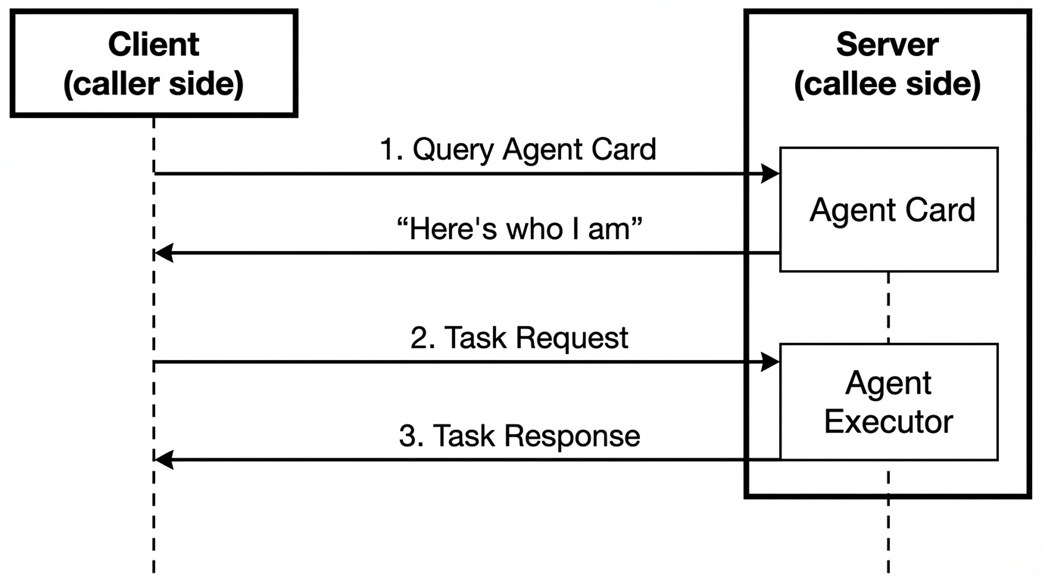
A2A client-server model: Client queries Agent Card and sends task requests, Server provides agent information and executes tasks.
Summary
- Single agents face limitations as responsibilities grow. Longer system prompts and more tools make it harder for the LLM to focus on what's relevant, leading to confusion and incorrect tool selection.
- Multi-agent systems address this by assigning each agent a specialized role with focused prompts and dedicated tools. Benefits include separation of concerns, specialization, reusability, and scalability.
- Three collaboration patterns exist, distinguished by two criteria: who decides the next agent (developer or LLM) and whether context is shared or isolated.
- The Workflow pattern has the developer define execution order in code. By making workflows inherit from Agent, you can compose Sequential, Parallel, and Loop patterns freely. Sequential passes context from one agent to the next, Parallel runs agents concurrently, merges results, and Loop repeats until a stop condition is met.
- The Agent as Tool pattern wraps agents with the BaseTool interface using AgentTool. The orchestrator calls specialists like functions, receiving only final results while intermediate processes remain hidden. This provides abstraction and context efficiency through isolation.
- The Transfer pattern lets the LLM decide which agent should handle a request by calling a transfer_to_agent tool. Unlike Agent as Tool, control is fully handed over, and context is shared, so the transferred agent continues the conversation directly.
- The agent tree structure defines transfer relationships through sub_agents and parent references. Each agent can transfer to children, parent, and optionally siblings, with name uniqueness enforced across the tree.
- A2A (Agent-to-Agent) protocol enables agents to collaborate across network boundaries. Servers expose agents through Agent Cards and process task requests, while clients use RemoteAgent to call remote agents with the same interface as local ones.
- These patterns are not mutually exclusive. Real systems often combine Workflow for overall structure, Agent as Tool for specialist consultation, and Transfer for domain-based routing, with A2A enabling cross-system integration.

 Build an AI Agent (From Scratch) ebook for free
