8 Empowering agents with code execution
The chapter introduces a shift from predefined tool calling to giving agents a true execution environment. Instead of forcing an LLM to choose from a fixed list of narrow functions, the agent can write and run code, which greatly expands what it can do. This matters because predefined tools limit the action space, create inefficiency through repeated LLM-tool-observation cycles, and bloat the prompt as more tools are added. Code execution solves many of these problems by letting the model express loops, conditionals, data reuse, and multi-step workflows in a single program.
A major focus is making code execution safe and practical by connecting agents to sandboxed environments such as E2B. Sandboxes isolate code from the host system, reducing security risk, limiting resource consumption, and making recovery easy if something goes wrong. The chapter explains how to integrate this into the agent framework by storing the sandbox in execution context, auto-registering an execution tool, managing sandbox lifecycle cleanly, and returning structured results and errors so the model can debug and retry. It also extends the idea beyond raw code execution by allowing existing pure function tools to be ported into the sandbox, so code written by the LLM can call them directly.
The chapter then broadens the environment into a full workspace with file system access and CLI support, which better matches how human developers work. Tools like bash execution and file upload let the agent analyze local files, install packages, run shell commands, and process data in an isolated Linux environment without needing specialized custom tools for every task. Finally, it introduces Agent Skills as a hierarchical way to reduce prompt size and tool confusion: only brief skill summaries are included up front, while detailed instructions are loaded on demand from files in the workspace. Together, these ideas form a layered system where core tools enable code execution, skills provide reusable capabilities, and generated code handles complex task-specific behavior efficiently.
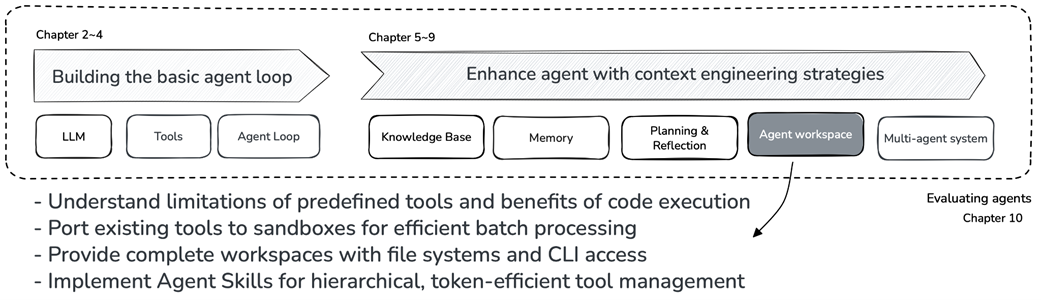
Chapter 8 position in the book: providing agents with complete workspaces.
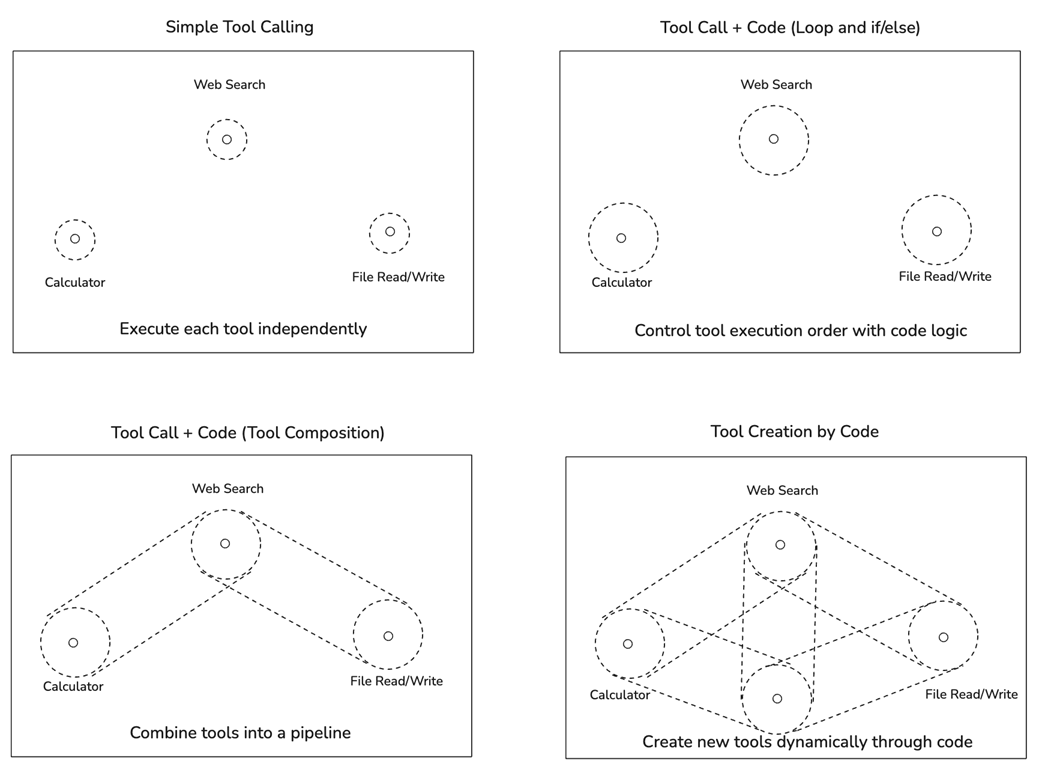
Comparison of different tool execution approaches: from simple tool calling to tool creation through code.
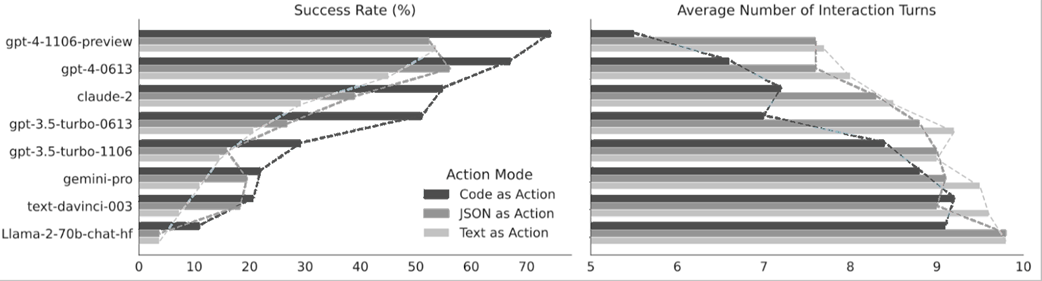
CodeAct achieves higher success rates with fewer interactions compared to JSON and text formats.
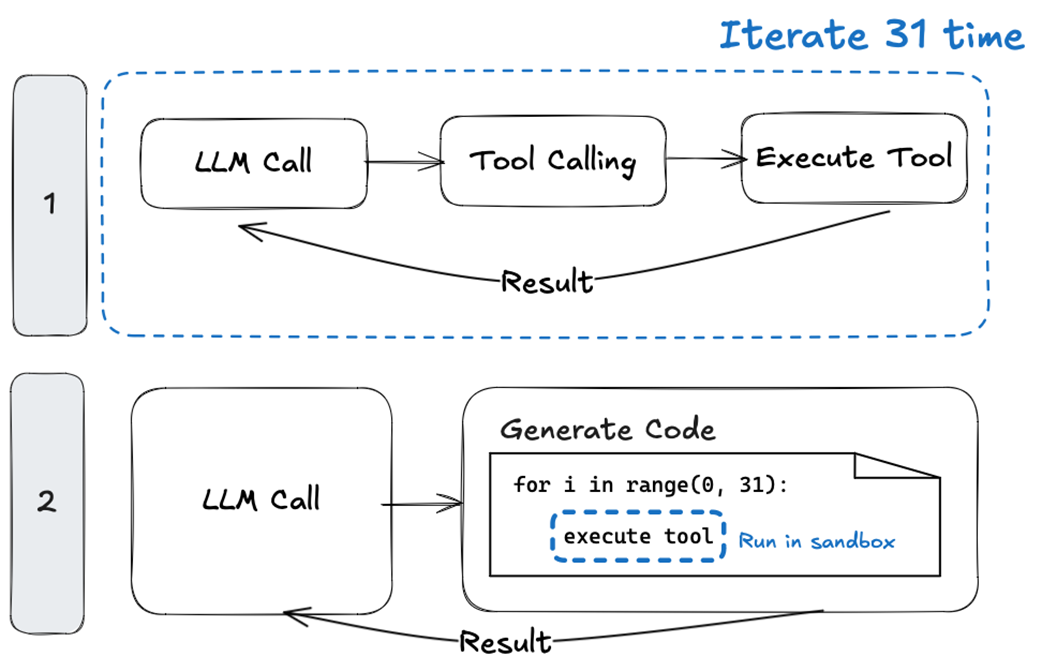
Tool calling vs. code execution: repeated tool calls require 31 LLM iterations, while code execution handles the same task in a single LLM call.
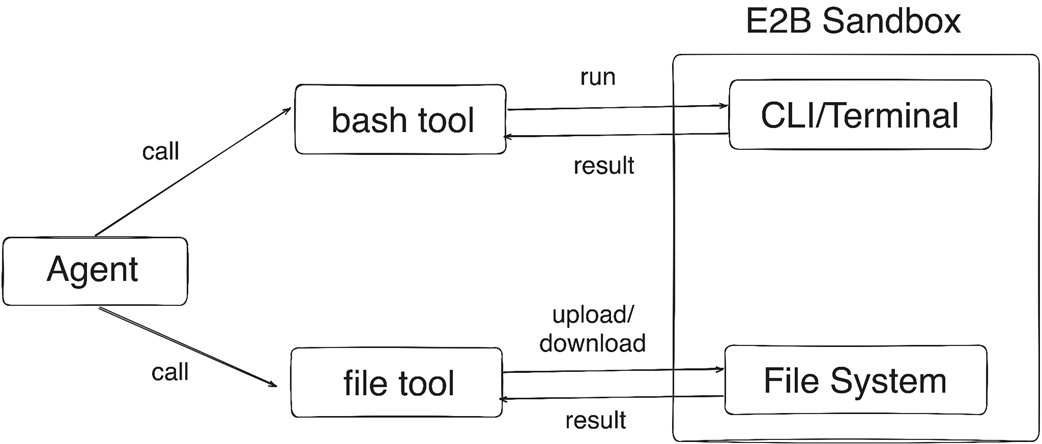
Workspace tools: the agent calls bash and file tools to interact with the CLI and file system inside the E2B Sandbox.
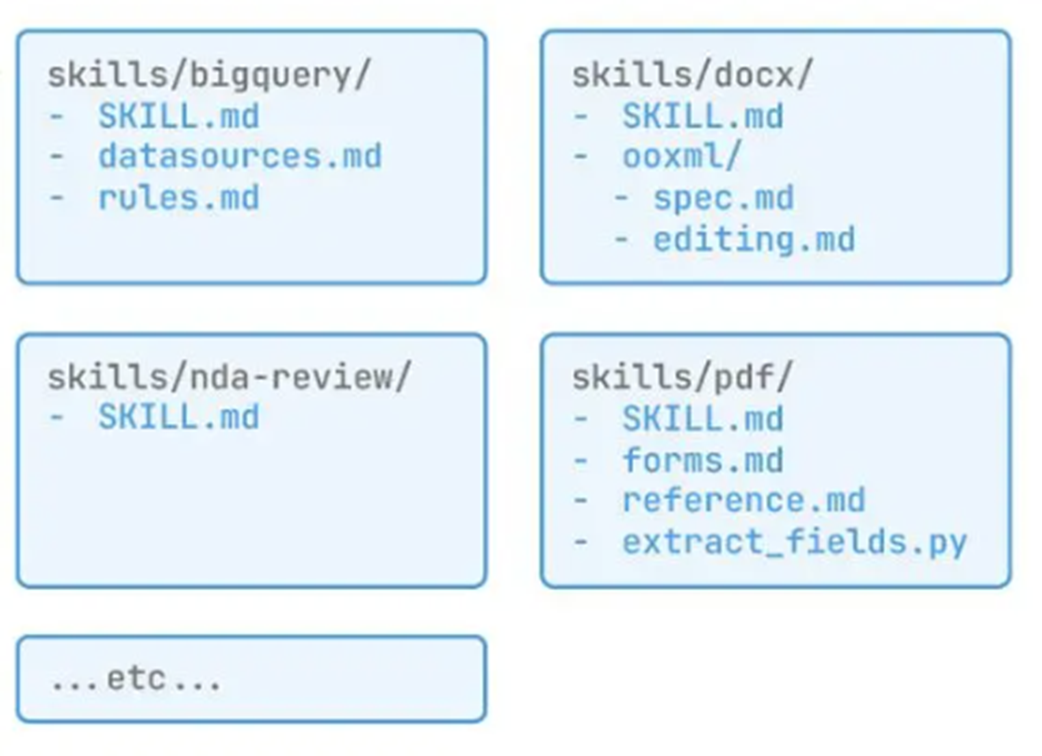
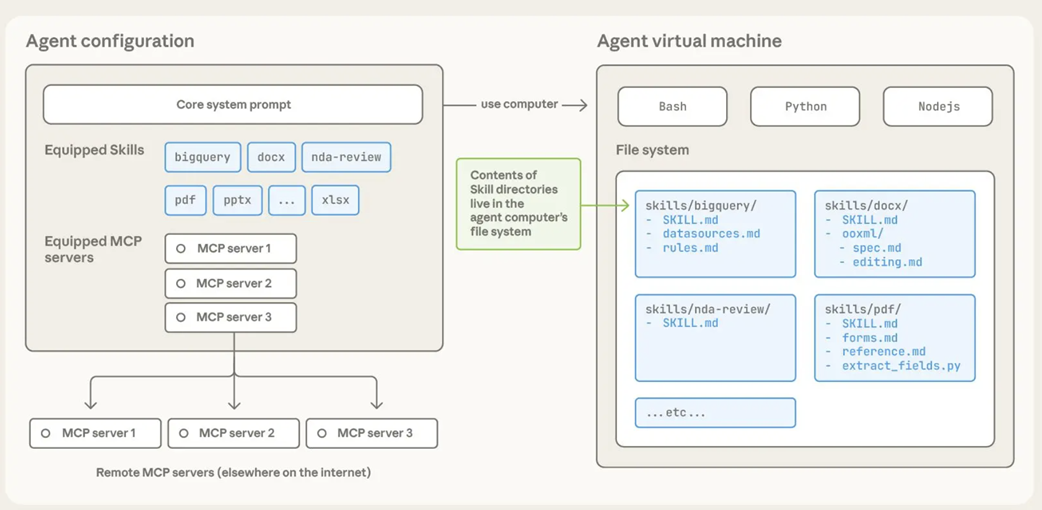
Agent Skills folder structure showing SKILL.md and associated scripts(source: https://www.anthropic.com/engineering/equipping-agents-for-the-real-world-with-agent-skills).
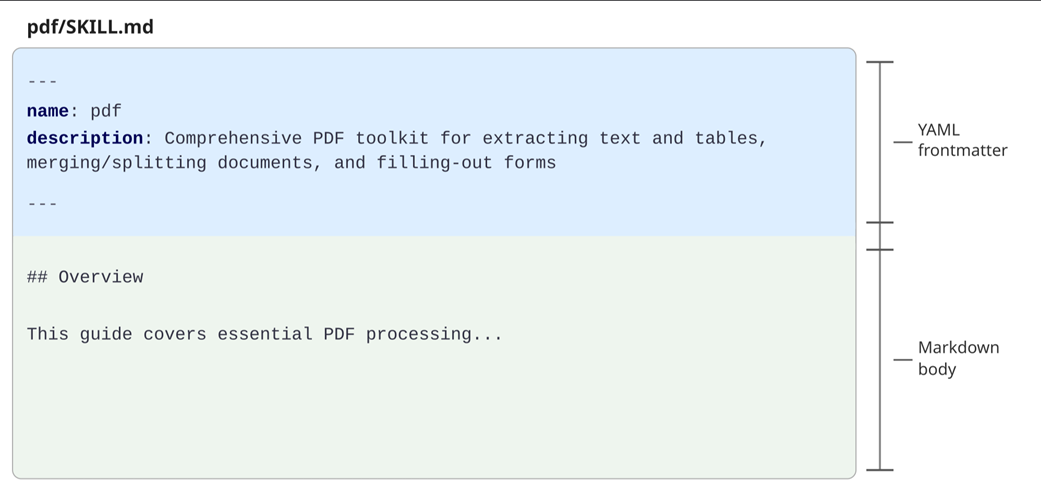
YAML Frontmatter in SKILL.md providing name and description for prompt inclusion
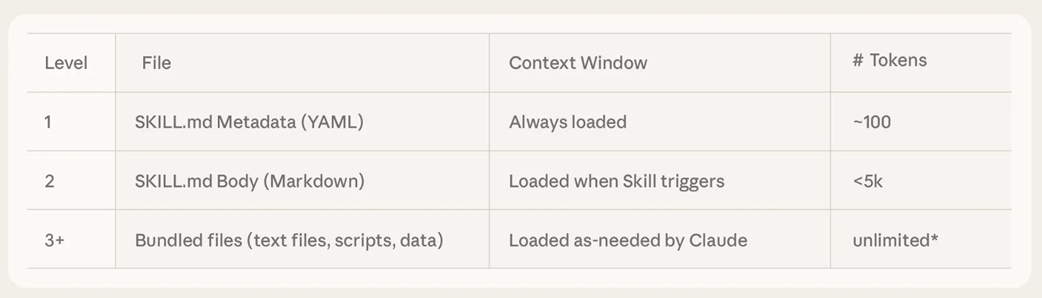
Level 1: Skill summary list in system prompt showing minimal token usage(source: https://www.anthropic.com/engineering/equipping-agents-for-the-real-world-with-agent-skills).
Agent Skills implementation architecture showing SkillInfo, loader, and Agent integration.
Summary
- Predefined tool approaches have three limitations: the agent's action space is restricted to the developer-defined tool list, executing one tool per LLM call is inefficient, and as tools proliferate, prompt token costs increase while the LLM's tool selection accuracy decreases.
- Code execution provides three core capabilities: control flow through conditionals and loops, data flow by storing intermediate results in variables, and tool composition by combining small functions to create new functionality.
- Sandboxes are isolated environments for safely executing LLM-generated code, providing host system security protection, resource management for CPU and memory, and recoverability when problems occur.
- Tool composition can be implemented by extracting the source code of user-defined tools and registering them in the sandbox. This approach maximizes token efficiency when processing large amounts of data while only needing aggregation or summaries.
- Workspace is a complete working environment combining code execution, file system, and CLI. Just as human developers write code, save files, and execute commands in the terminal, agents can work in the same environment.
- Agent Skills is an approach that progressively discloses tool information. Only skill names and one-line descriptions are included in the prompt, while actual usage is learned when the LLM determines a skill is needed and reads the SKILL.md file.
- Agent tools can be divided into three layers: core tools always included in the prompt (execute_python, bash_tool, upload_file), installable tools with only summaries in the prompt and detailed definitions in the file system (Agent Skills), and generated tools where the LLM writes code on the spot as needed.
- The essence of the hierarchical tool structure is offloading tool definitions from the prompt to Workspace. From a context engineering perspective, Workspace is a powerful method for removing tool information and tool execution results that don't require LLM judgment from the context.

 Build an AI Agent (From Scratch) ebook for free
