3 Enabling actions: Tool use
LLMs are powerful at generating language, but they cannot reliably access fresh information, act on the outside world, or handle every specialized task on their own. This chapter explains why agents need tools to overcome those temporal, interaction, and functional limits, and it distinguishes among tools that add current information, tools that execute actions, and tools that handle domain-specific work like calculations or code execution. It also contrasts custom tools with provider-built tools, noting that built-in options are convenient for quick use, while custom tools are essential when you need specialized behavior, deeper debugging insight, or integration with proprietary systems.
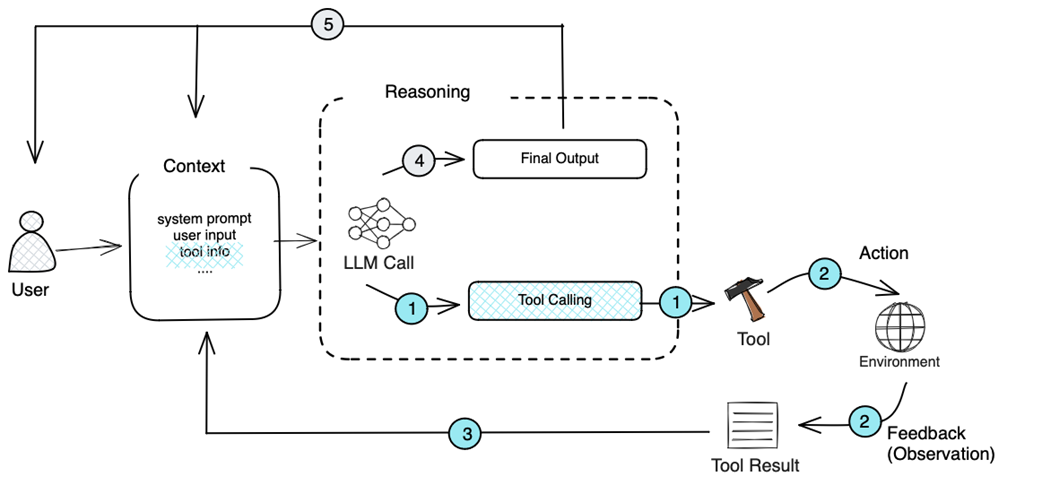
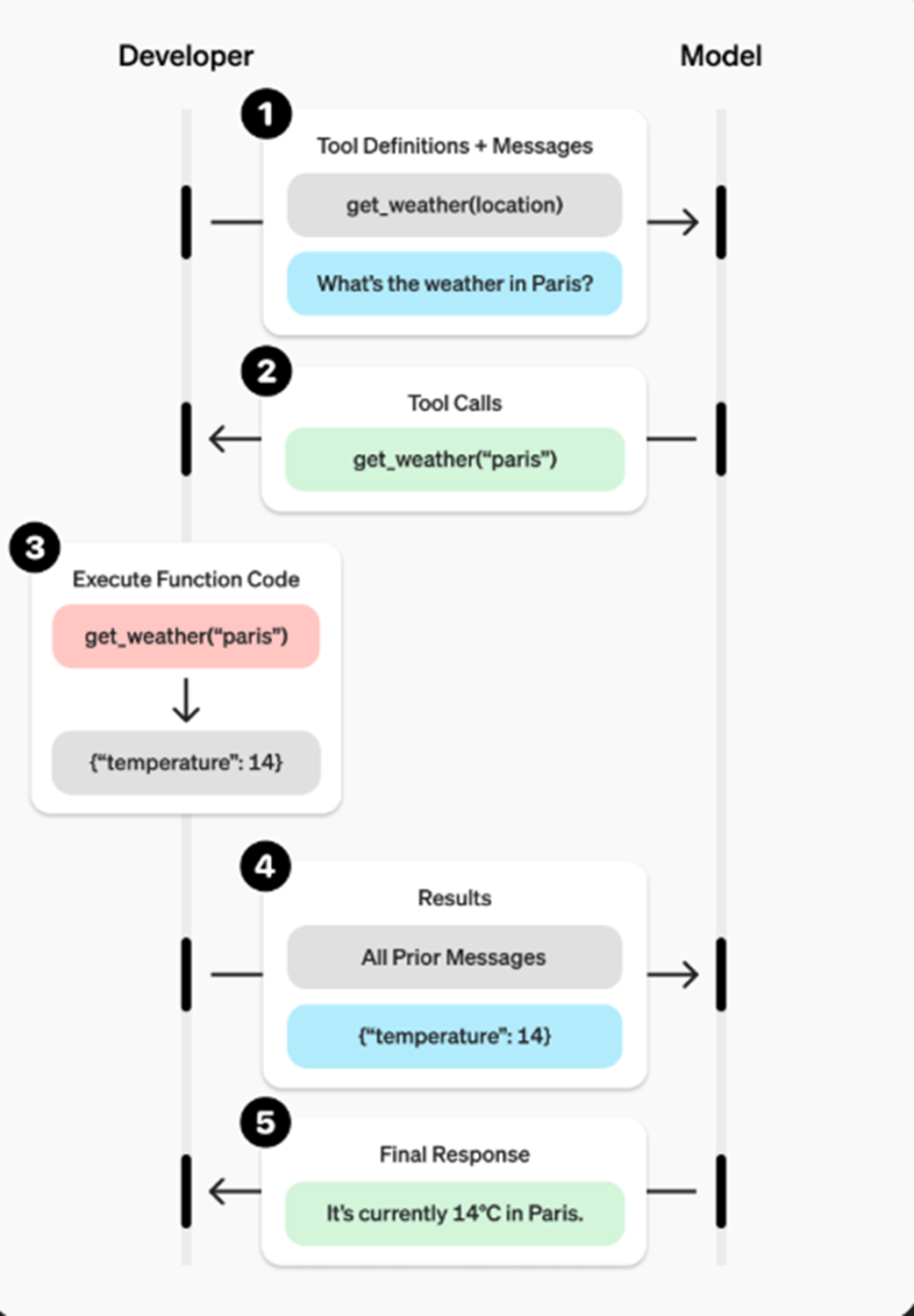
The chapter then shows how tool use works in practice through tool calling. The LLM is given structured tool definitions describing each function, its purpose, and its parameters, and it responds with a tool call when it decides an external function is needed. The host application, not the model itself, executes the tool, captures the result, and feeds that result back into the conversation so the LLM can produce a final answer. Along the way, the chapter emphasizes design principles for reliable tool calling: make schemas explicit, avoid ambiguity and contradictory inputs, reduce unnecessary model burden, and keep the number of tools manageable so selection remains accurate.
After that foundation, the chapter builds a web search tool from scratch and wraps it in a tool schema, then automates schema generation from Python functions using introspection. It also presents an end-to-end agent loop that repeatedly asks the model whether it needs a tool, executes any requested tool, and returns the result until a final response is ready. Finally, the chapter introduces the Model Context Protocol as a standard way to discover and execute tools across systems, showing how MCP separates the agent host from tool servers, supports multiple transports, and makes tool reuse far easier. By the end, the reader sees how custom tools, tool calling, and MCP fit together to turn an LLM into a practical agent.
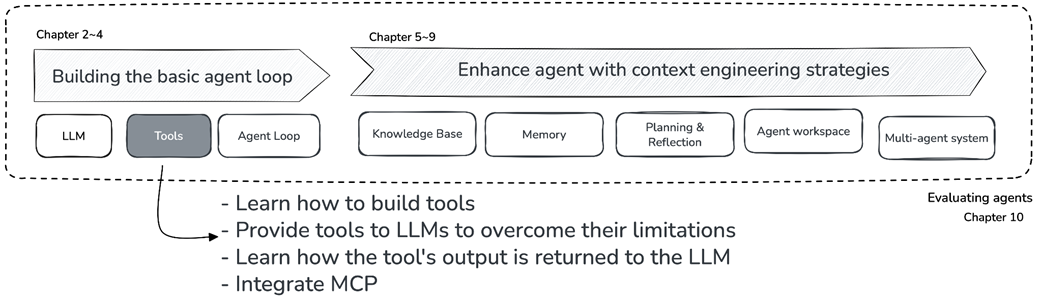
Book structure overview - Chapter 3 in focus.
The LLM receives user input, reasons about it, selects the necessary tool, receives the execution result, and produces a final response.
Key steps in tool calling–tool definition, delivery, and LLM tool selection, source: https://platform.openai.com/docs/guides/function-calling?api-mode=responses.
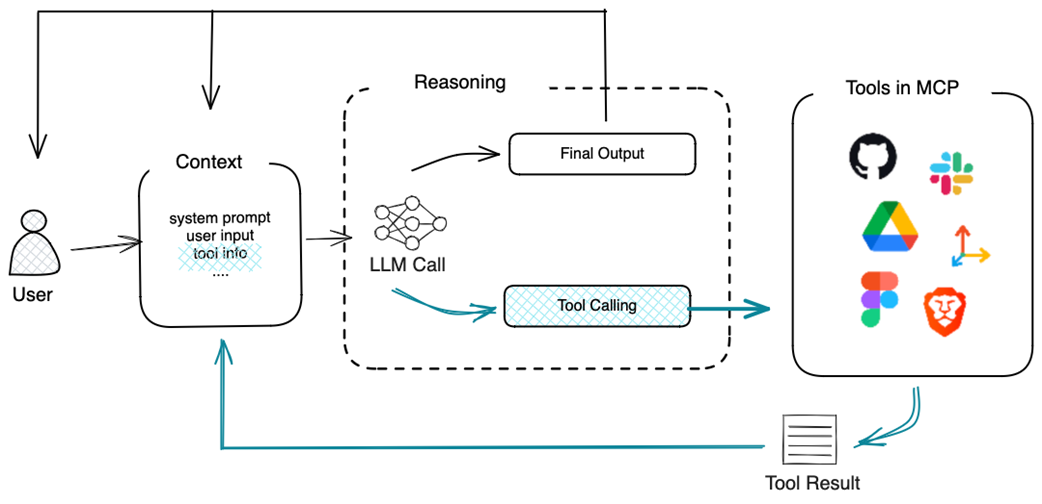
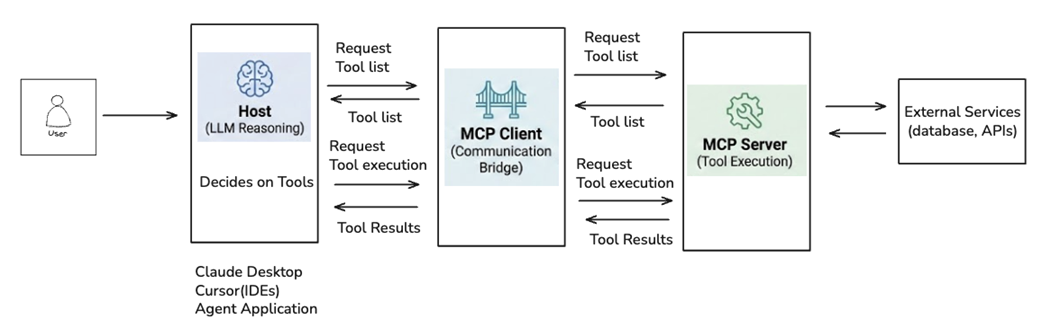
MCP makes it easy to extend an agent’s toolset by integrating third-party tools.
MCP server-client architecture. The Host contains the LLM for reasoning and user interaction, connecting through MCP Clients that manage server communication. MCP Servers expose tool definitions and handle execution, optionally integrating with external services like databases and APIs.
MCP Inspector startup log showing the server initialization and connection URL.

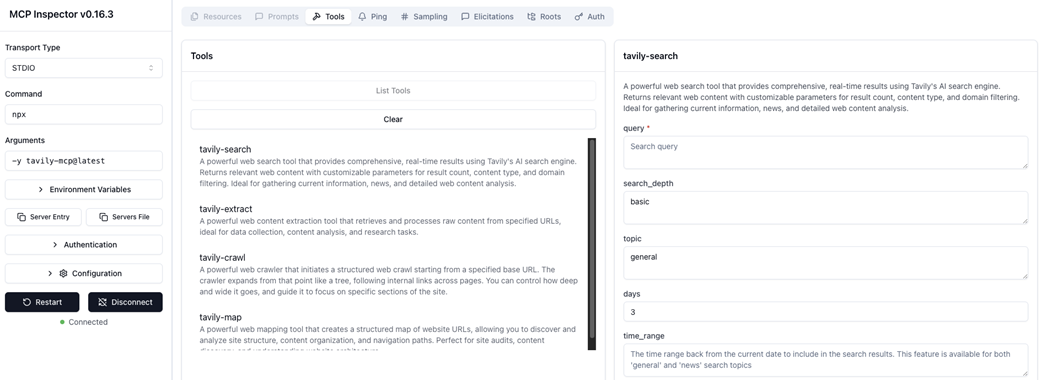
MCP Inspector interface showing the official Tavily MCP server, which provides a richer set of tools, including tavily-search, tavily-extract, tavily-crawl, and tavily-map.
Summary
- Tools extend LLM capabilities, enabling them to access APIs, perform calculations, and retrieve external information. Tools fall into three categories: information-augmenting, action-executing, and domain-specialized.
- Tool calling is the mechanism by which LLMs generate structured outputs specifying which tool to use and with what parameters. The LLM acts as a mediator between user requests and available tools, but does not execute tools itself.
- Tool execution is handled externally. The LLM generates specifications that a separate system executes, with results fed back into the LLM's context for further reasoning.
- Tool definitions are structured schemas that describe available tools, their parameters, and expected outputs. Clear and explicit definitions are essential for reliable tool selection by the LLM.
- Building custom tools involves implementing the tool function, creating tool definitions, and building execution infrastructure. While straightforward for simple cases, custom tools create a maintenance burden and inconsistency as projects scale.
- MCP (Model Context Protocol) standardizes tool development through a server-client architecture. Servers host and execute tools, while clients discover and invoke them. This separation enables tool reuse across projects and providers.

 Build an AI Agent (From Scratch) ebook for free
