8 Testing and debugging techniques
Building reliable AI‑enhanced web apps is challenging because multiple fast‑moving layers must work together: Next.js with server components and actions, the Vercel AI SDK’s abstractions over diverse providers, and LangChain.js with evolving best practices. This chapter proposes a systematic, symptom‑driven approach to debugging and a pragmatic testing strategy that you can adapt across stacks. It emphasizes clear mental models for client/server boundaries, disciplined state management, and defense‑in‑depth techniques (robust error handling, retries, fallbacks, and monitoring) to keep AI features dependable in production.
For Next.js, the chapter walks through diagnosing rendering glitches (like scroll and streaming quirks), state flow mistakes, and performance bottlenecks. It highlights disabling inappropriate caching for streams, using structured logging to trace client–server interactions, keeping AI logic separate from UI, and profiling via network tools, memory snapshots (including server‑side heaps), and high‑resolution timers. For the Vercel AI SDK, it catalogs provider mismatches, changing capabilities, and ambiguous runtime errors, then recommends resilient patterns: centralized error tracking with user‑facing fallbacks, diligent dependency hygiene, and runtime choices suited to streaming limits. It also details proactive token and rate‑limit management (maxTokens, rolling context, token counting), judicious retries for transient failures, model/provider fallbacks, and continuous health monitoring.
With LangChain.js, it distinguishes chain‑execution errors from model‑integration issues and shows practical remedies: wrap invocations in try/catch, enable verbose logs, insert debug runnables, and attach callback handlers for fine‑grained tracing. It cautions about embedding dimension mismatches and unsupported features across providers. The testing guidance pairs unit and integration testing for React/Next.js with controlled LLM simulations: mock models and streaming for the Vercel AI SDK, and FakeLLM/FakeRetriever (and related fakes) for LangChain. It underscores the limits and brittleness of mocks (non‑determinism, leaking implementation details), and suggests refactoring for testability (e.g., dependency injection) to keep tests focused and robust. Together, these techniques form a practical toolkit for debugging, hardening, and confidently shipping AI web applications.
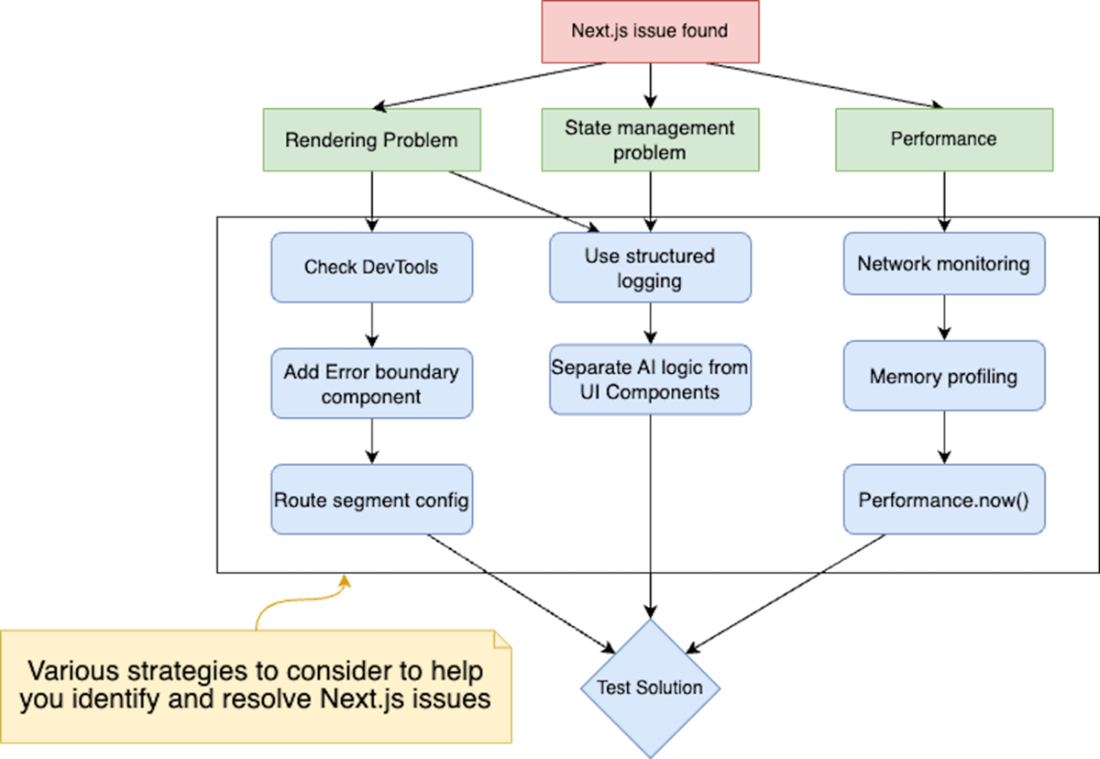
A flowchart shows the three main categories of Next.js problems (rendering, state management, and performance) and their corresponding debugging strategies. Each branch shows specific diagnostic steps and tools, ultimately leading to a test solution phase.
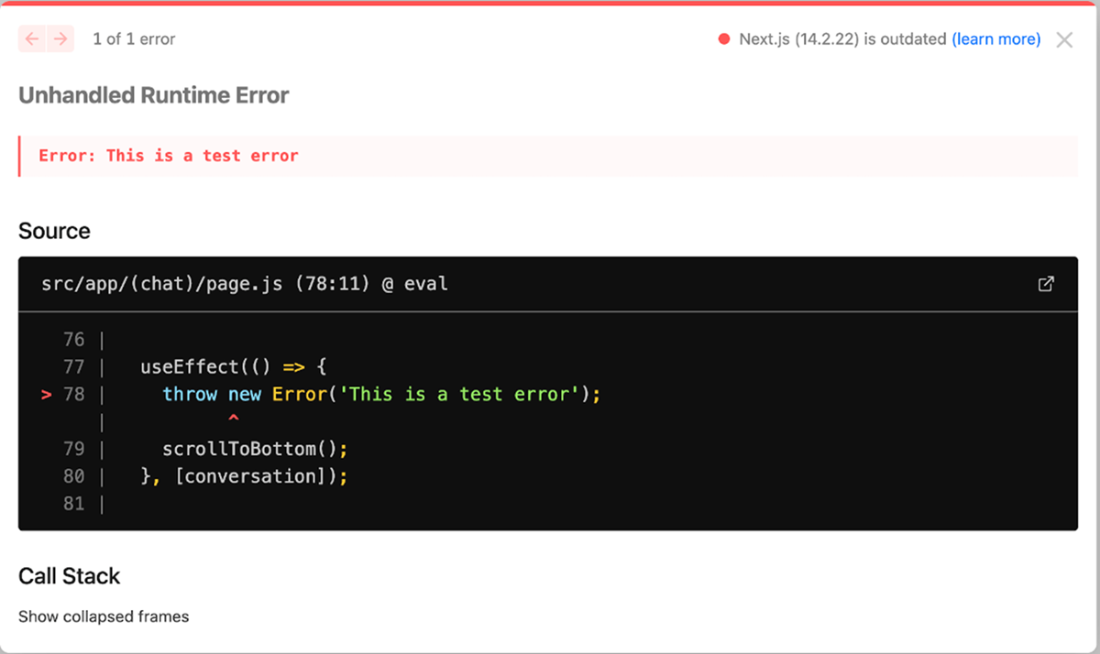
Error overlay shows whenever there is an error thrown in Next.js development mode. This helps catch issues early when developing the web application.
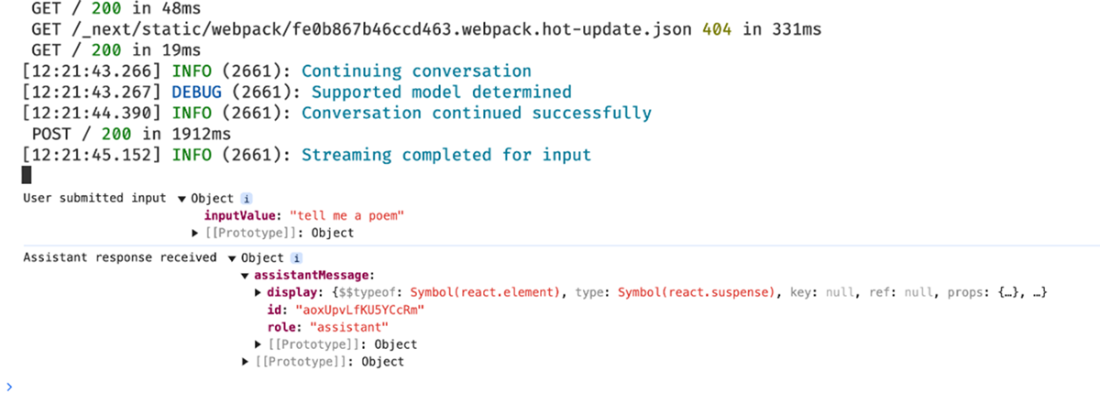
Console and server log statements in structured format help us understand how the client and server communication works.
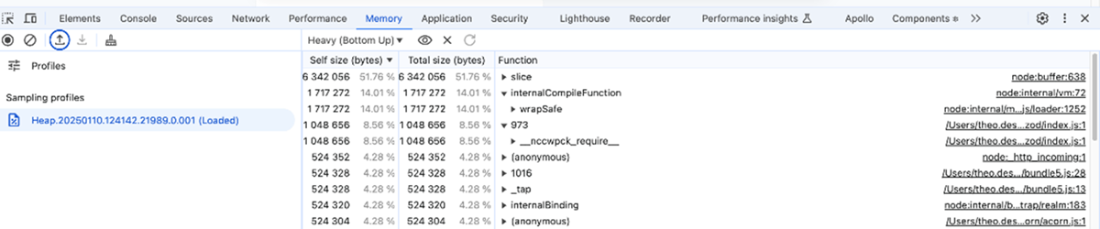
Chrome DevTools Memory Profiler view with a heap snapshot. It displays memory allocation statistics for various functions and components in a Node.js application.
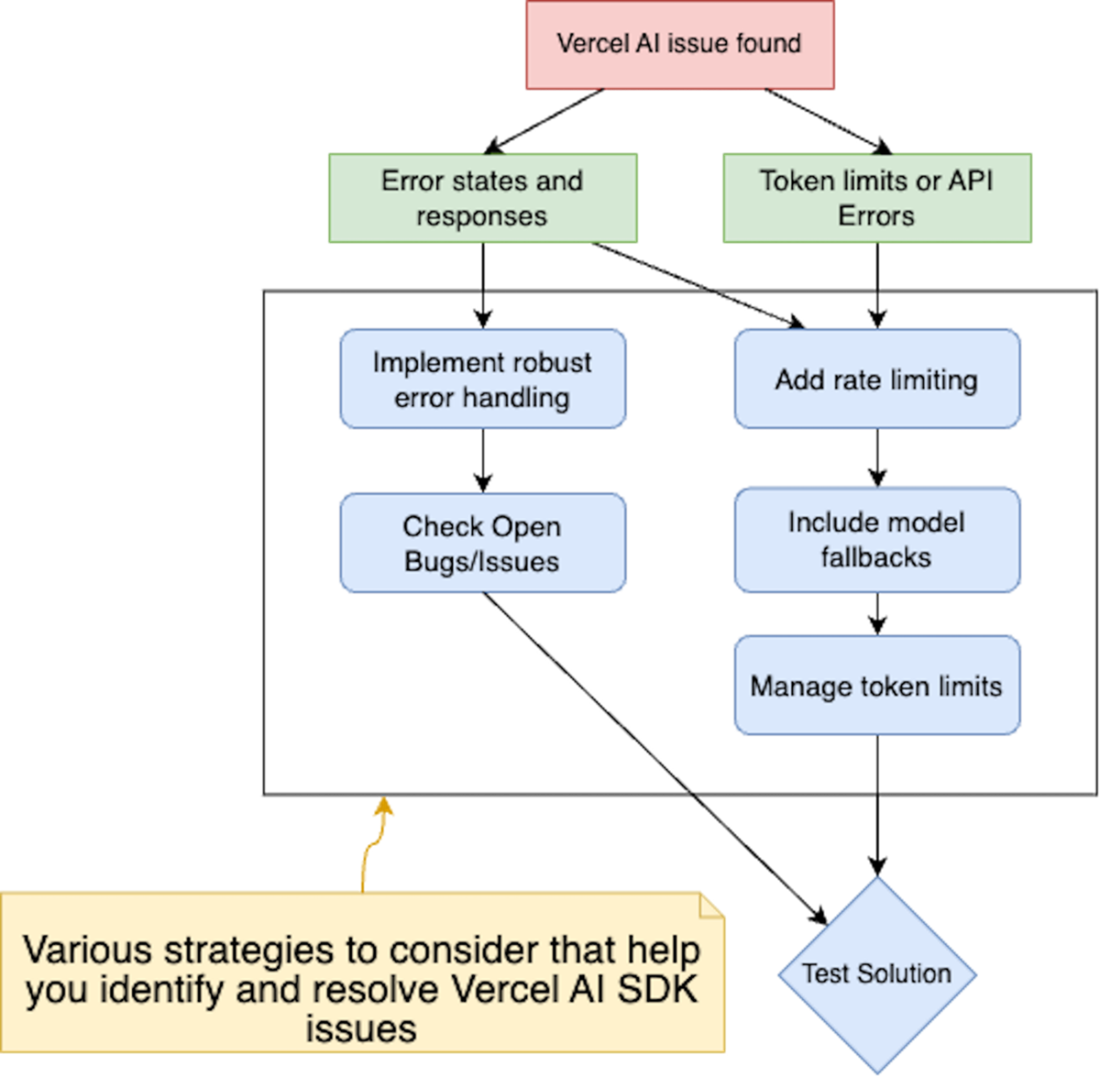
Flowchart depicting troubleshooting strategies for Vercel AI SDK issues. There are two main paths: error states/responses and token limits/API errors. Each path shows specific steps for resolution, including implementing error handling, rate limiting, model fallbacks, and token management.
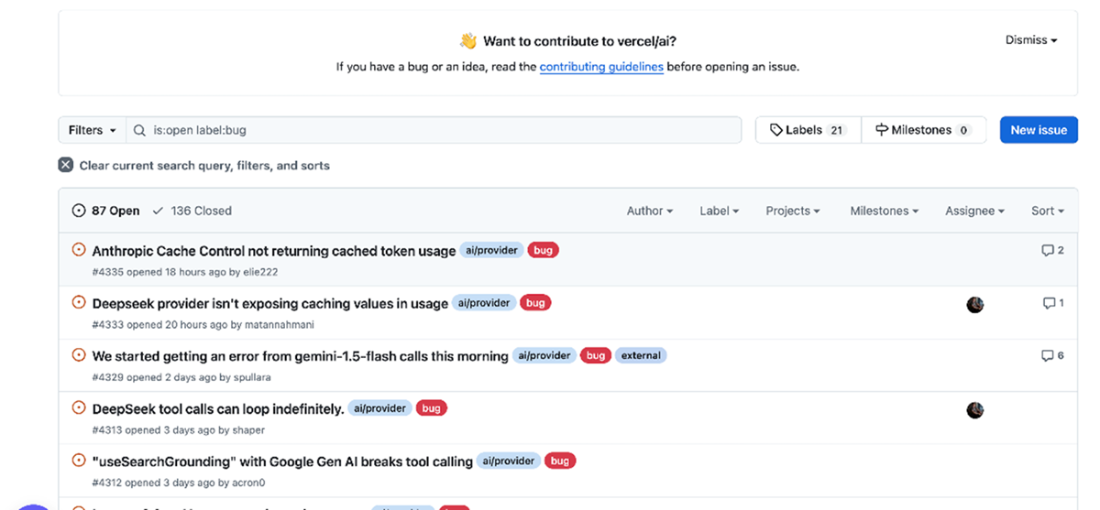
Check the current list of open bugs/issues on the official Vercel AI SDK repo to get an insight into a potentially relevant issue that you’ve encountered.
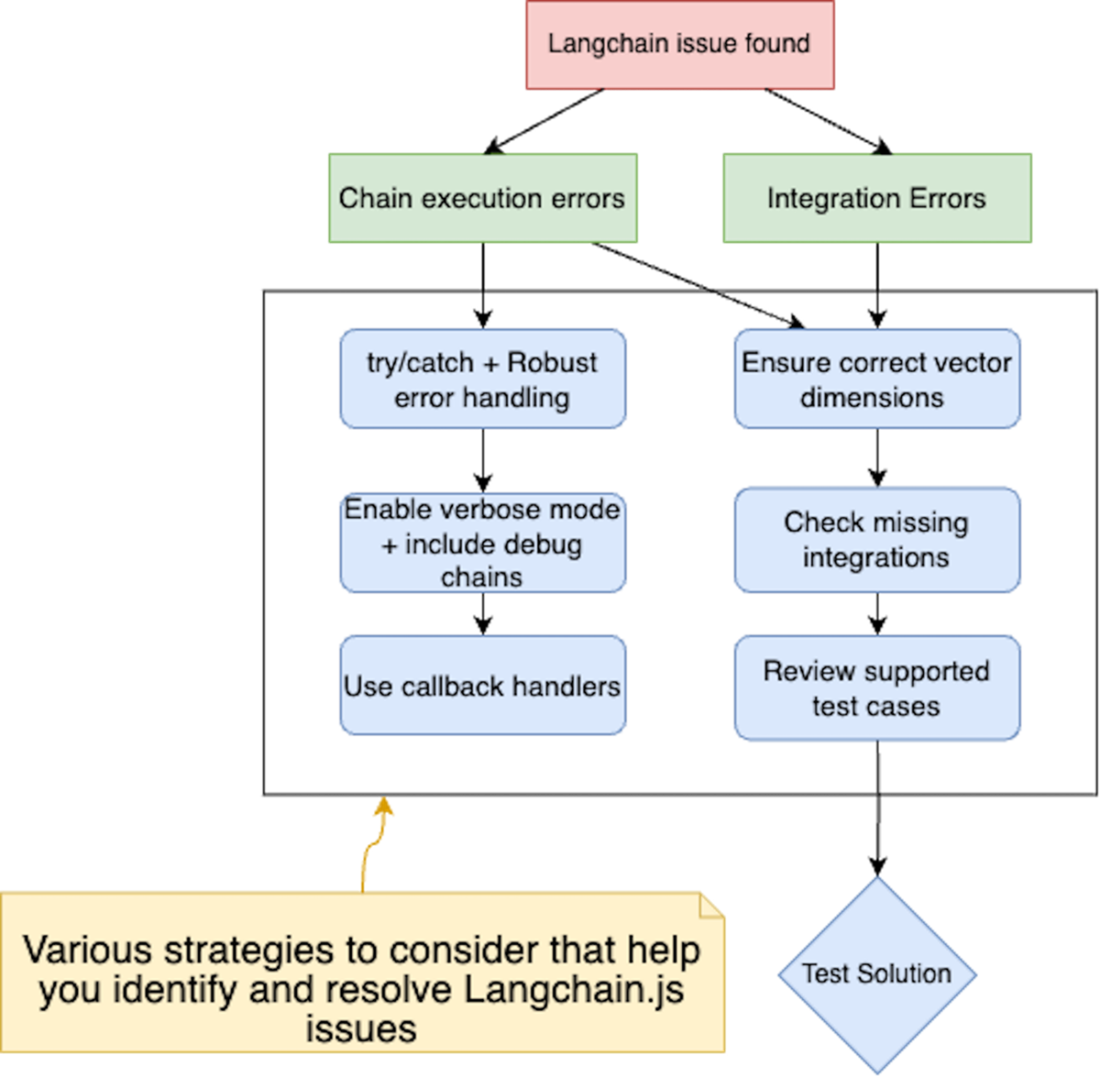
LangChain.js Issues fall mainly in two categories - chain execution errors and integration errors - along with their respective debugging and resolution steps.
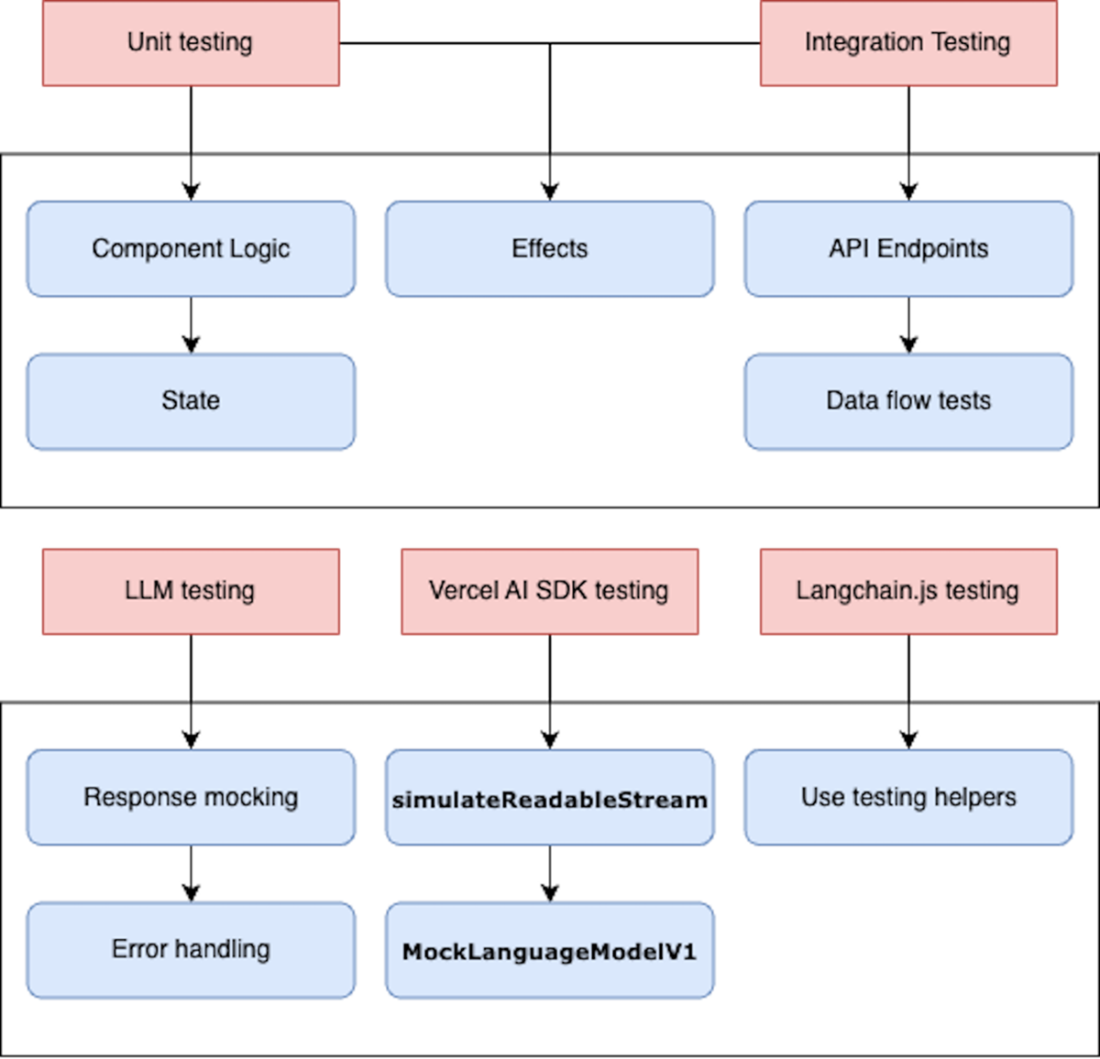
The diagram illustrates the various testing methods used in the software development process. Unit testing, integration testing, LLM testing, Vercel AI SDK testing, and Langchain.js testing are all employed to validate different aspects of the software, including component logic, effects, API endpoints, state, data flows, response mocking, readability stream simulation, error handling, and language model integration.
Summary
When troubleshooting:
- Check that mock responses match expected formats and content.
- Verify error handling by simulating various error conditions
- Ensure asynchronous operations are properly handled in tests
- Validate that streaming behaviors work as intended
- Confirm that custom events are properly emitted and handled
When testing web applications with AI capabilities, make note that:
- Effective debugging of AI web applications requires a systematic and investigative approach.
- Mocking external dependencies in AI application tests allows for controlled, reproducible test environments that are important for maintaining code reliability.
- Unit testing individual components of AI systems, such as document processing and text summarization, ensures each part functions correctly in isolation.
- Integration testing of AI chains and workflows verifies that multiple components work together as expected, simulating real-world usage scenarios.
- Robust testing frameworks for AI applications should include checks for error handling, edge cases, and varying AI model outputs to ensure stability.
- Testing Langchain.js powered applications involves simulating AI model responses and document retrieval using functions like FakeLLM and FakeRetriever testing helpers.
FAQ
How can I debug scroll-to-bottom issues in a Next.js chat UI?
- Keep the scroll anchor element inside the message list and after rendered messages.
- Add bottom spacing so the last line isn’t hidden by the input (e.g., Tailwind padding like
py-24or give the list a fixed height). - For streaming updates, ensure state changes create a new reference (e.g.,
setConversation(prev => [...prev, newMessage])) souseEffectre-runs. - Trigger scrolling in an effect that depends on the conversation reference.
How do I enable streaming responses with the Next.js App Router?
- Disable static optimization on the route:
export const dynamic = 'force-dynamic'. - Optionally set
export const maxDuration = 30to allow longer work. - Opt out of caching at runtime where needed with
unstable_noStorefromnext/cache. - Match your deployment runtime to streaming needs (e.g., Vercel Serverless has max duration; Edge requires an initial response within 25s).
Which tools help debug client–server component problems in Next.js?
- React DevTools for inspecting props, state, and component trees.
- Node.js Inspector (via Chrome DevTools) for server-side breakpoints and stepping.
- Console logs on both client and server.
- Structured logging (e.g., Pino) to correlate requests, state changes, and errors.
How do I add structured logging to an AI-enabled Next.js app?
- Use a logging library like Pino; pretty-print logs in development, stricter levels in production.
- Include context (e.g., requestId, provider, model) using child loggers.
- Log at key points: before/after API calls, state mutations, and error paths.
- Aggregate and analyze in tools like Sentry or ELK for production visibility.
What’s the best way to handle state-management bugs in AI UIs?
- Separate AI logic from UI components (e.g., use Vercel AI SDK state helpers) to keep data flow predictable.
- Instrument state transitions with logs to pinpoint unexpected mutations.
- Know where data lives (server vs client) and how it’s updated.
- For streaming, update state immutably so effects re-run and UI stays in sync.
How can I monitor performance in AI-driven Next.js apps?
- Network monitoring: use the browser Network tab and correlate with structured logs.
- Memory profiling: use browser tools; on Node.js, run with
node --heap-profand analyze the heap profile in Chrome DevTools. - Measure durations with
Performance.now(); track operation timings, streaming metrics, and latency over time.
What are common Vercel AI SDK pitfalls and how do I mitigate them?
- Provider compatibility issues (undocumented changes, regional limits) and capability mismatches (e.g., streaming not supported for some models).
- Runtime errors like empty responses, unclear policy errors, or token-limit discrepancies.
- Mitigate with robust error handling and user-facing fallbacks, retries where appropriate, model/provider fallbacks, and proactive token management.
- Track the official issue tracker and keep dependencies updated.
How do I implement user-friendly error handling for AI requests?
- Wrap server actions in try/catch and centralize logic (e.g., an
AIErrorTracker) to classify errors and craft clear messages. - Surface actionable UI: show an error bubble with context (request ID) and a Retry button; tailor CTAs for auth, network, or quota issues.
- Log structured error data (provider, model, input) to aid diagnosis.
How do I manage token limits, rate limits, retries, and model fallbacks?
- Token limits: set
maxTokens, use rolling context (e.g., last N messages), and count tokens (e.g., withjs-tiktokenwhen supported). - Retries: enable
maxRetriesfor transient errors (including HTTP 429) onstreamText/generateText. - Fallbacks: use a fallback orchestrator (e.g.,
ai-fallback) to switch models/providers; define retryable status codes and reset intervals. - Continuously monitor provider quotas and error rates.
What techniques help troubleshoot LangChain.js chains and integrations?
- Chain execution: wrap
invokein try/catch; enableverbose: true; insert debug runnables to log inputs/outputs; useConsoleCallbackHandler; remember runnable order matters. - Integrations: ensure embedding dimensions match between indexing and querying; avoid unsupported features (e.g., JSON mode with
ChatGoogleGenerativeAI); consult provider code and LangChain examples.

 Build AI-Enhanced Web Apps ebook for free
