Overview

10 Build an AI Interview assistant: Project walkthrough

This chapter offers a practical, end‑to‑end walkthrough for building an AI Interview Assistant that helps candidates rehearse realistic interviews, receive immediate feedback, and review prior sessions. It begins with a high‑level tour of the user experience and progresses through the underlying architecture and key integration choices. The app centers on a chat-driven, LLM-powered interviewer, aiming for personalized practice, coherent follow‑ups, and performance summaries that highlight strengths and areas to improve.

Users authenticate with Clerk before choosing either a custom interview or a predefined template, then fine‑tune parameters such as question count, difficulty, and question types. The interview runs in a context‑aware chat UI, with optional text‑to‑speech for spoken prompts, manual session closure, and an auto-generated feedback summary. Past sessions are listed for easy review. On the technical side, the stack combines Next.js, the Vercel AI SDK, Upstash Redis, and Clerk. A modular front end (React, Tailwind, shadcn) is paired with components like ChatThread for the core UI, a Feedback page that caches results per session to reduce latency, and an InterviewSidebar that retrieves and sorts sessions from Redis. A dedicated API route handles text‑to‑speech, gated by an environment‑controlled feature flag.

Security measures are centralized in middleware to enforce authentication, CORS, rate limiting via Redis, and hardened response headers. Development challenges included state management for conversation history and context (solved with Redis sets and hashes, while noting SQL’s transactional benefits), minimizing TTS latency through a server‑streamed API route, and refining prompt design for more targeted feedback. The chapter closes with suggested enhancements—adding speech‑to‑text for voice input, enabling multi‑round follow‑ups, visualizing performance, and generating personalized practice plans—while encouraging a proactive stance on security and iterative prompt and feature tuning.

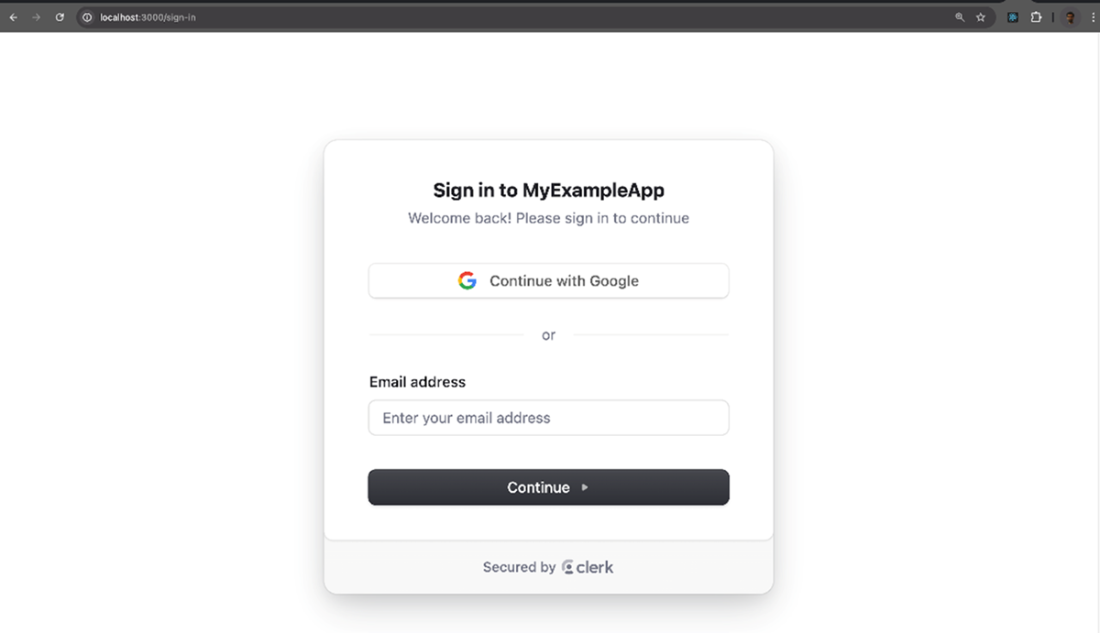
Sign-in page of the Interview Assistant application. Users can log in via Google or using their email address.
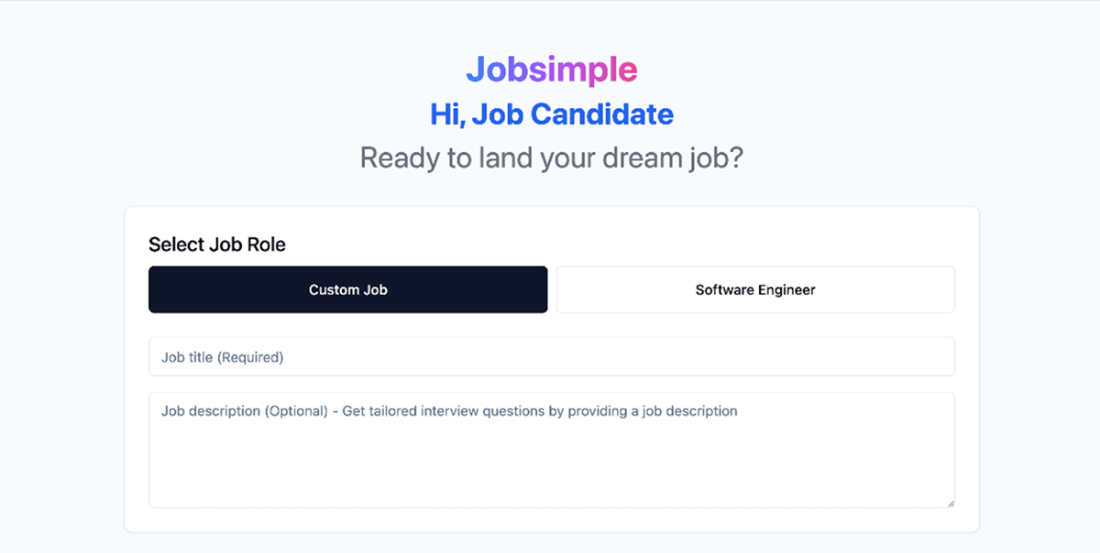
The main front page asks the user to submit a custom job title or use a predefined software engineer role
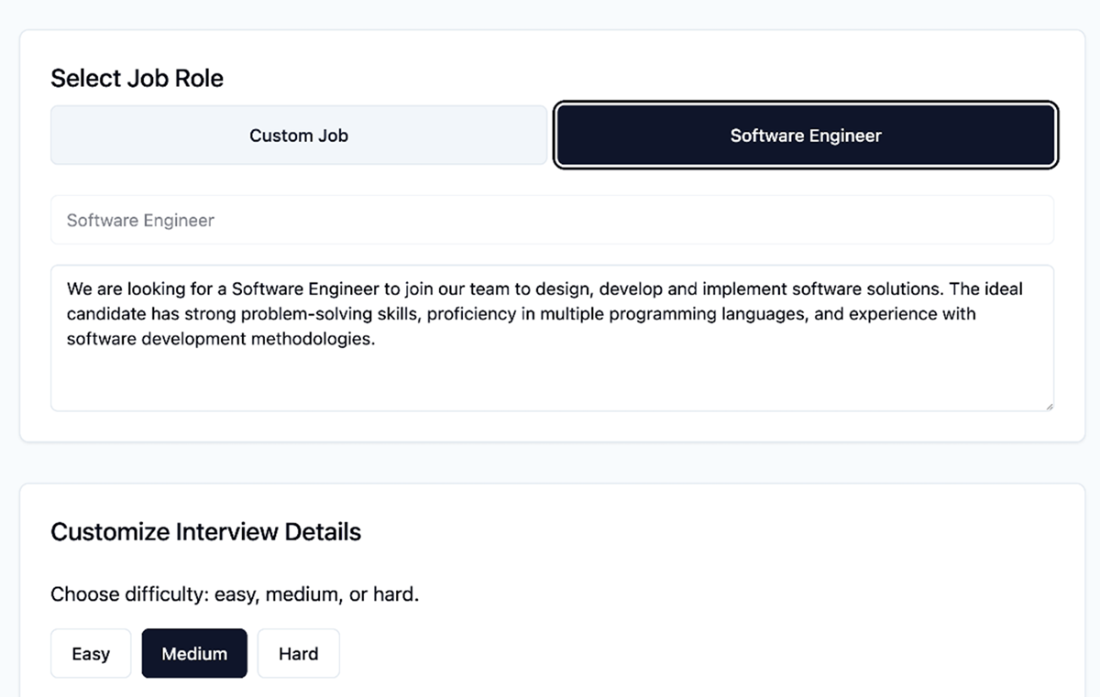
The predefined template for a typical Software engineer job. You are free to modify as well.
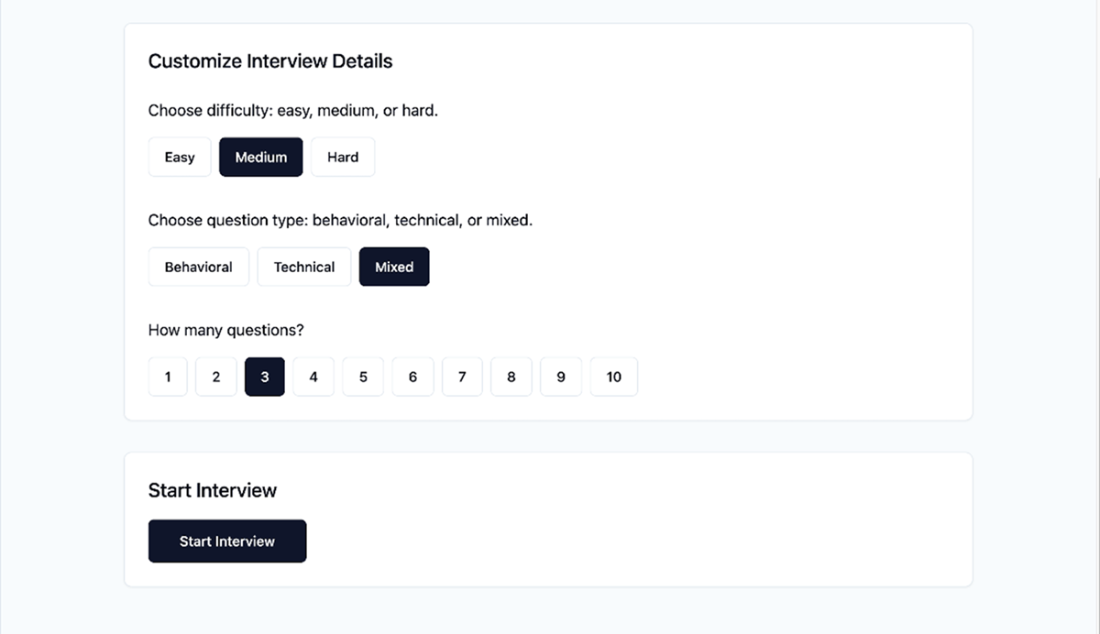
After the job description section, the user can configure the simulated interview experience with some options. They can change the difficulty, question types and number of questions. Finally starting the interview will redirect them to the main chat UI page.
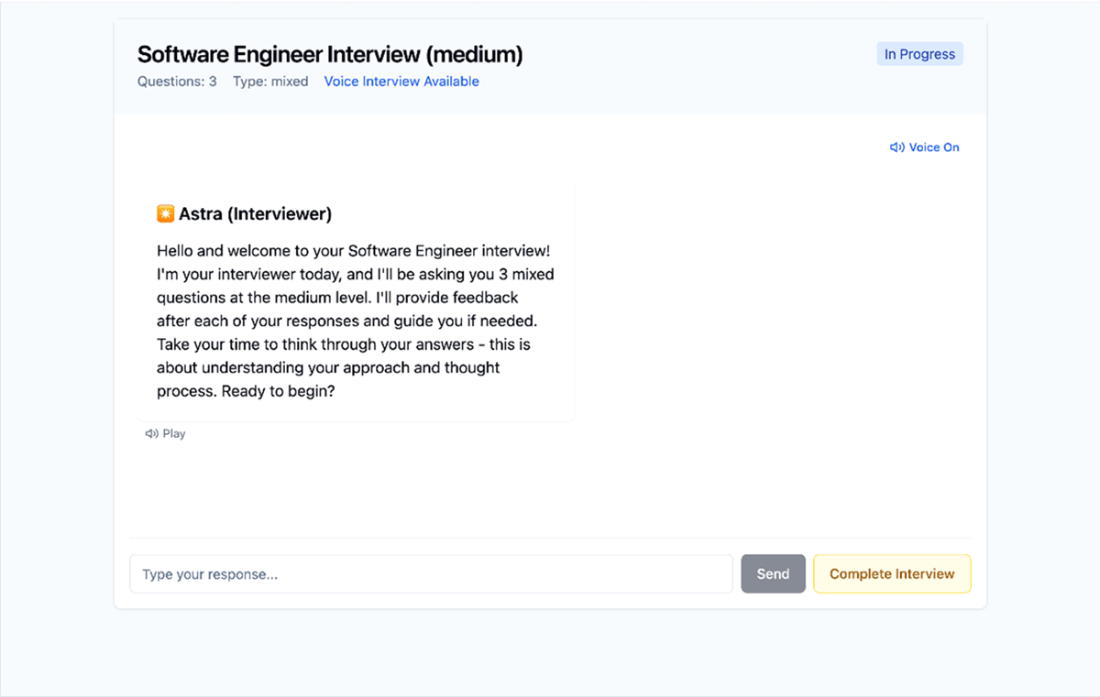
Once the interview starts, the user will be able to start answering the AI interviewer's questions. Additionally, the user can close the interview session, preventing any further interactions.
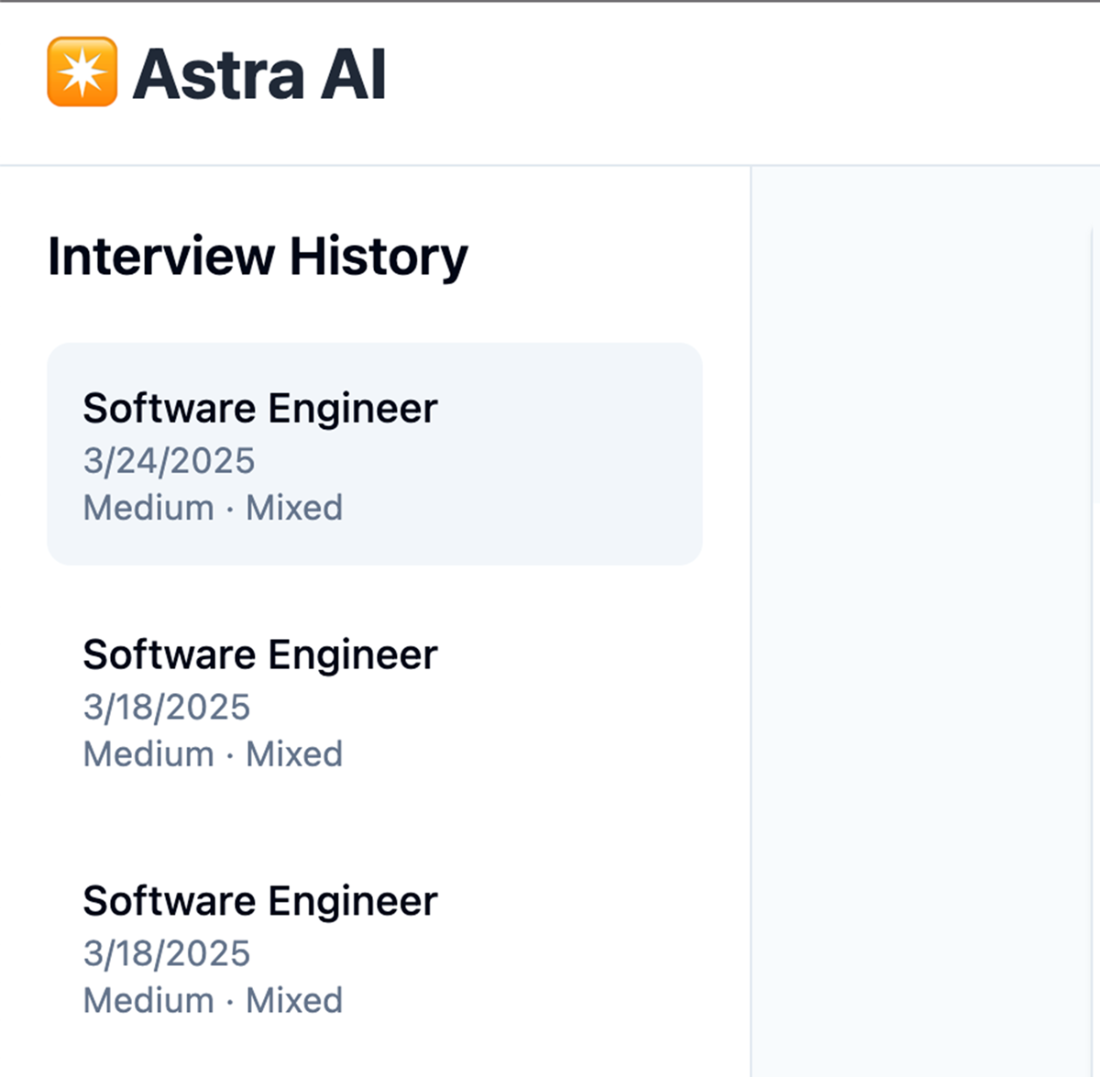
The sidebar section will be filled with the current and past interview sessions. Clicking on a session link will load the message history for review.
Summary

  • Implementing robust security measures is crucial for protecting user data and preventing system abuse in web applications. This includes using authentication services like Clerk.js, handling CORS requests, implementing rate limiting and setting security headers to enhance the application's security stance.
  • Effective state management is essential for maintaining context awareness in conversational AI applications. You can use key-value databases like Redis, although more complex relational models may prove better in the long run.
  • Integrating external services, such as Google Text-to-Speech, requires careful consideration of latency and user experience.
  • Feature flag management is used for controlling the rollout of new features. While environment variables can be used for simple toggles, more sophisticated solutions involving external APIs or services provide greater flexibility and control.
  • Use prompt engineering techniques to significantly enhance the value of AI-generated responses like feedback or reviews by tailoring them to specific needs and areas of improvement.

FAQ

What is the AI Interview Assistant and who is it for?The AI Interview Assistant simulates realistic interviews with an LLM-powered interviewer to help job seekers practice. It offers personalized questions, a chat-based experience, immediate feedback at the end, and the ability to review past sessions.
How do I run the example project locally and what environment variables are required?From the repository root, run: npm run dev -w ch10/interview-assistant. You need keys for Google AI (GEMINI_API_KEY), Upstash Redis (UPSTASH_REDIS_REST_URL, UPSTASH_REDIS_REST_TOKEN), and Clerk (NEXT_PUBLIC_CLERK_PUBLISHABLE_KEY, CLERK_SECRET_KEY). Optionally, set NEXT_PUBLIC_FEATURE_TTS_ENABLED to toggle text-to-speech features.
What interview types and parameters can I configure?You can choose a Custom interview (provide your own title and job description) or a Predefined template (e.g., Software Engineer). Parameters include number of questions, difficulty level, and question types (behavioral, technical, or mixed).
How does the chat-based interview UI work?The interview runs in a conversational chat UI. The AI asks questions, understands prior context, and can issue follow-ups. You can enable text-to-speech to hear questions aloud and toggle it on or off via a sound control.
How is Text-to-Speech (TTS) implemented and controlled?TTS is provided by a protected /api/tts route that uses Google Cloud Text-to-Speech and streams audio back to the client. A feature flag (NEXT_PUBLIC_FEATURE_TTS_ENABLED) enables or disables both the backend route and UI controls.
How are sessions and conversation history stored and retrieved?Session data, messages, and user settings are stored in Upstash Redis for speed and simplicity. A Redis set (user:sessions:${userId}) tracks a user’s session IDs, while session details are stored in hashes (session:${sessionId}). Sessions are sorted (e.g., by createdAt) to show the most recent first.
How do I close an interview and get feedback?You can manually close the session (e.g., via a “Complete interview” action), which locks further changes. The app then generates a structured summary and feedback from the full conversation. Automatic closure by the agent is intentionally disabled to keep users in control.
How do I review past interview sessions?Use the InterviewSidebar to view a chronological list of sessions and load message histories for review. The list is populated via a server action (fetchInterviewSessions) that reads session IDs from Redis and fetches details for each. Deleting sessions is not implemented in the current version.
What technologies and components power the application?The stack includes Next.js, Vercel AI SDK (for LLM interactions and streaming), Upstash Redis (data storage), and Clerk.js (authentication). The UI uses React components styled with Tailwind CSS and shadcn for common controls.
What security measures and safeguards are implemented?Security is enforced in middleware: Clerk-based authentication, CORS restrictions to approved origins, rate limiting with Upstash Redis to prevent abuse, and hardened security headers. These are baseline protections suitable for public web apps.

pro $24.99 per month

  • access to all Manning books, MEAPs, liveVideos, liveProjects, and audiobooks!
  • choose one free eBook per month to keep
  • exclusive 50% discount on all purchases
  • renews monthly, pause or cancel renewal anytime

lite $19.99 per month

  • access to all Manning books, including MEAPs!

team

5, 10 or 20 seats+ for your team - learn more


choose your plan

team

monthly
annual
$49.99
$499.99
only $41.67 per month
  • five seats for your team
  • access to all Manning books, MEAPs, liveVideos, liveProjects, and audiobooks!
  • choose another free product every time you renew
  • choose twelve free products per year
  • exclusive 50% discount on all purchases
  • renews monthly, pause or cancel renewal anytime
  • renews annually, pause or cancel renewal anytime
  • Build AI-Enhanced Web Apps ebook for free

choose your plan

team

monthly
annual
$49.99
$499.99
only $41.67 per month
  • five seats for your team
  • access to all Manning books, MEAPs, liveVideos, liveProjects, and audiobooks!
  • choose another free product every time you renew
  • choose twelve free products per year
  • exclusive 50% discount on all purchases
  • renews monthly, pause or cancel renewal anytime
  • renews annually, pause or cancel renewal anytime
  • Build AI-Enhanced Web Apps ebook for free
choose your plan

team

monthly
annual
$49.99
$499.99
only $41.67 per month
  • five seats for your team
  • access to all Manning books, MEAPs, liveVideos, liveProjects, and audiobooks!
  • choose another free product every time you renew
  • choose twelve free products per year
  • exclusive 50% discount on all purchases
  • renews monthly, pause or cancel renewal anytime
  • renews annually, pause or cancel renewal anytime
  • Build AI-Enhanced Web Apps ebook for free