6 Skills
In this chapter, skills are introduced as reusable procedures that extend an LLM agent beyond isolated tool calls. Unlike tools, which provide discrete capabilities, skills capture multi-step workflows that can be defined once and invoked repeatedly, making them especially useful for recurring tasks. The chapter also emphasizes that skills follow an open standard, which supports interoperability, discoverability, and the possibility of sharing skills across different agent systems and marketplaces.
The implementation begins by defining how skills are represented in the framework. A skill is bundled in a directory containing a required SKILL.md file with YAML frontmatter for metadata such as name, description, and optional fields like license, compatibility, and allowed tools. Skills can also include optional resource directories for scripts, references, and assets. The framework adds new data structures and validation logic to parse these bundles, enforce the standard, surface cosmetic warnings, and reject malformed skills when necessary.
The rest of the chapter shows how the agent discovers, discloses, and activates skills during task execution. Discovery scans user and project skill locations at task startup, while disclosure sends a compact skills catalog to the backbone LLM so it can decide whether a skill is relevant. Activation is handled through a dedicated tool that loads the full skill content, including any bundled resources, and the chapter also adds explicit user-driven activation for forcing a particular skill to run. Together, these pieces let the agent automatically or manually execute skills as part of its reasoning and task-solving process.
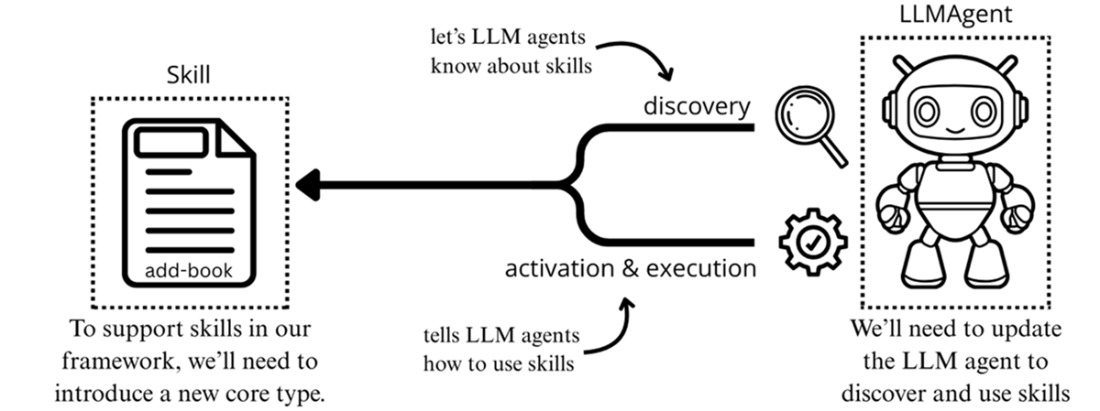
In this chapter, we’ll define a new Skill core type and update our LLMAgent to support skill discovery, activation and execution.
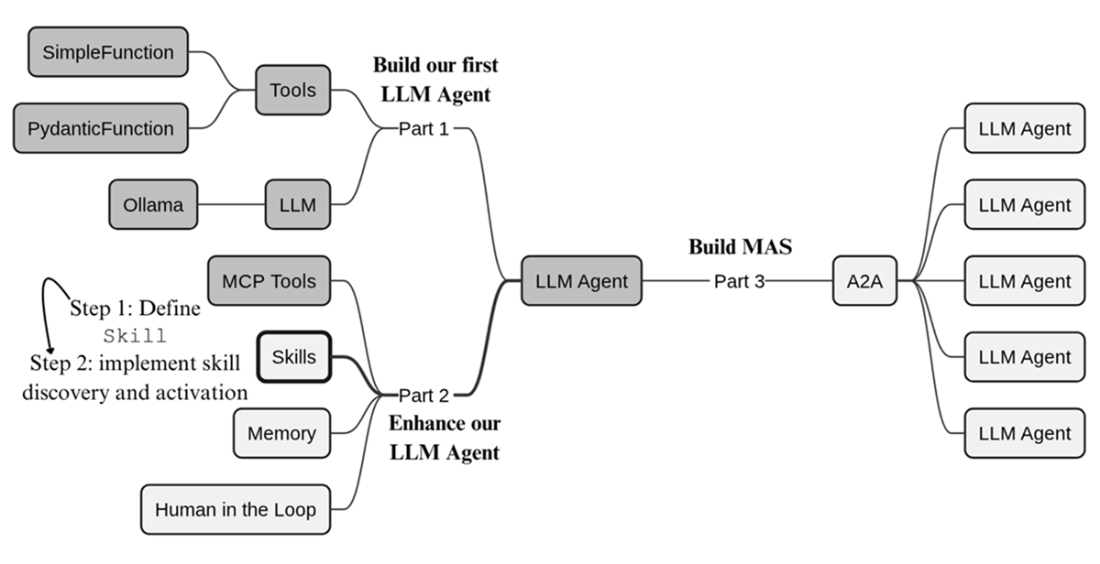
We continue stage 2 of our build plan, enabling our LLM agent to discover and use skills.
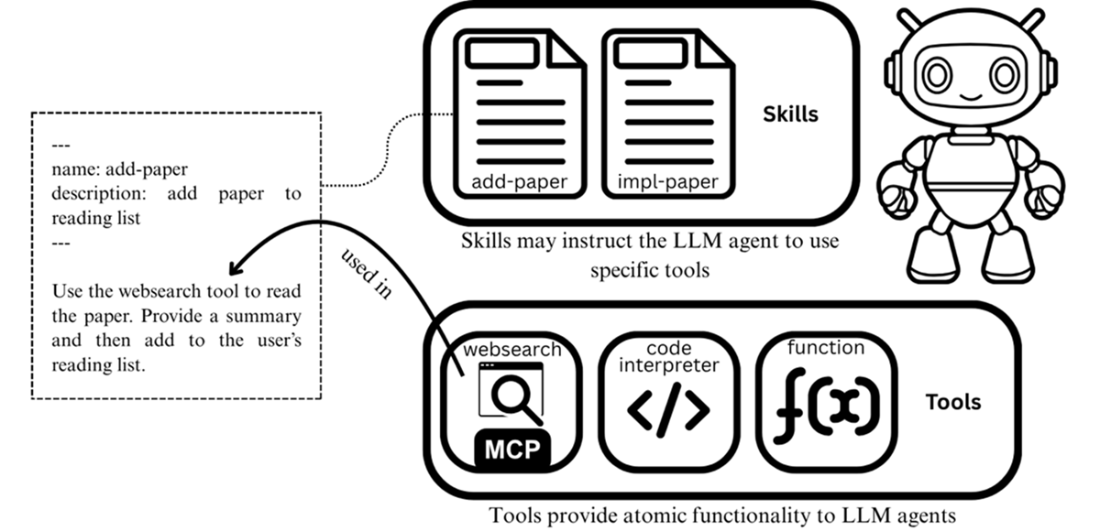
Depicting the relationship between tools and skills. Tools provide the LLM agent with discrete functionality, while skills teach it how to perform specific tasks.
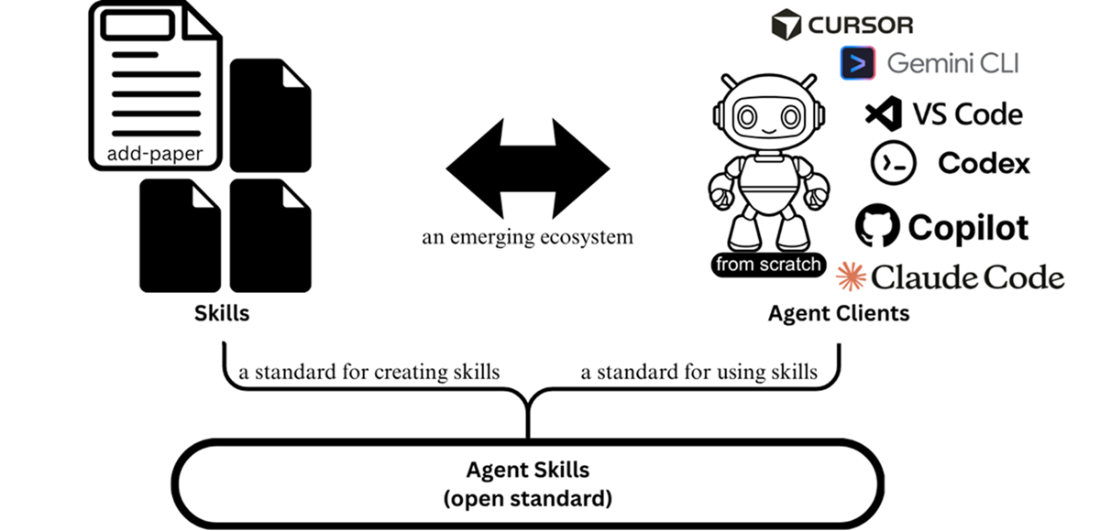
The Agent Skills open standard defines how skills are created and used by LLM agents, enabling an ecosystem of shareable skills across compatible clients.
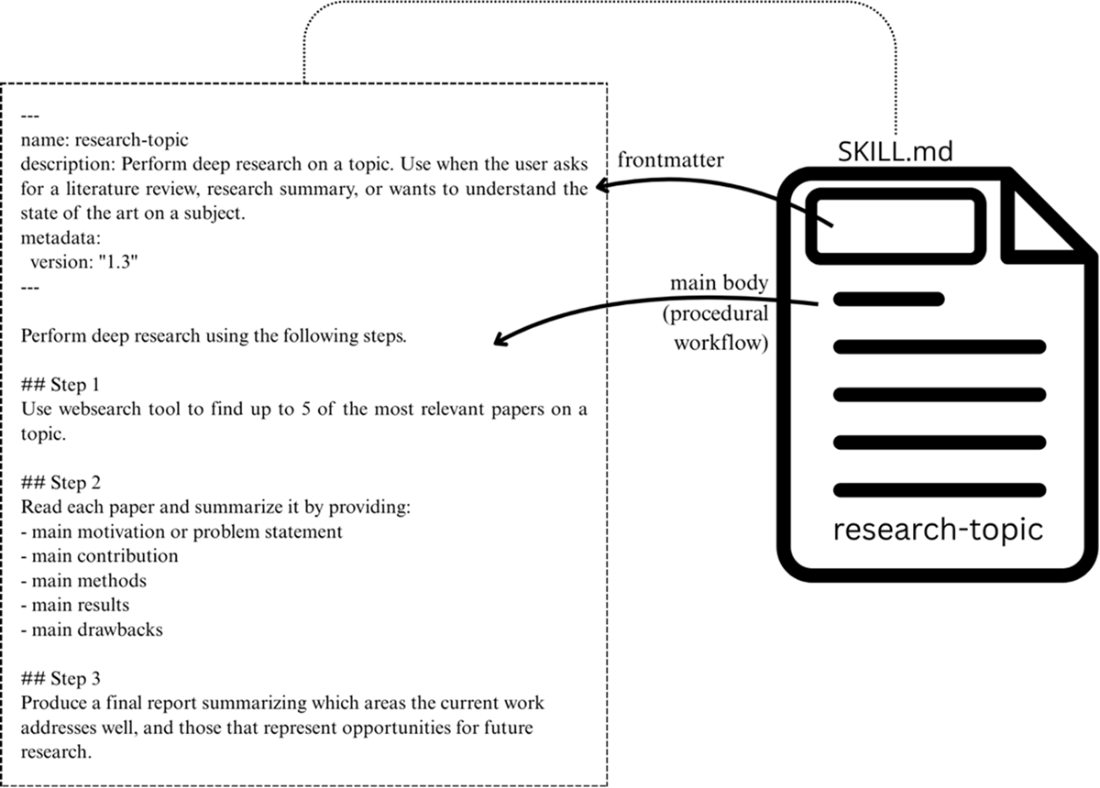
The SKILL.md file with its frontmatter and main content describing the procedural workflow.
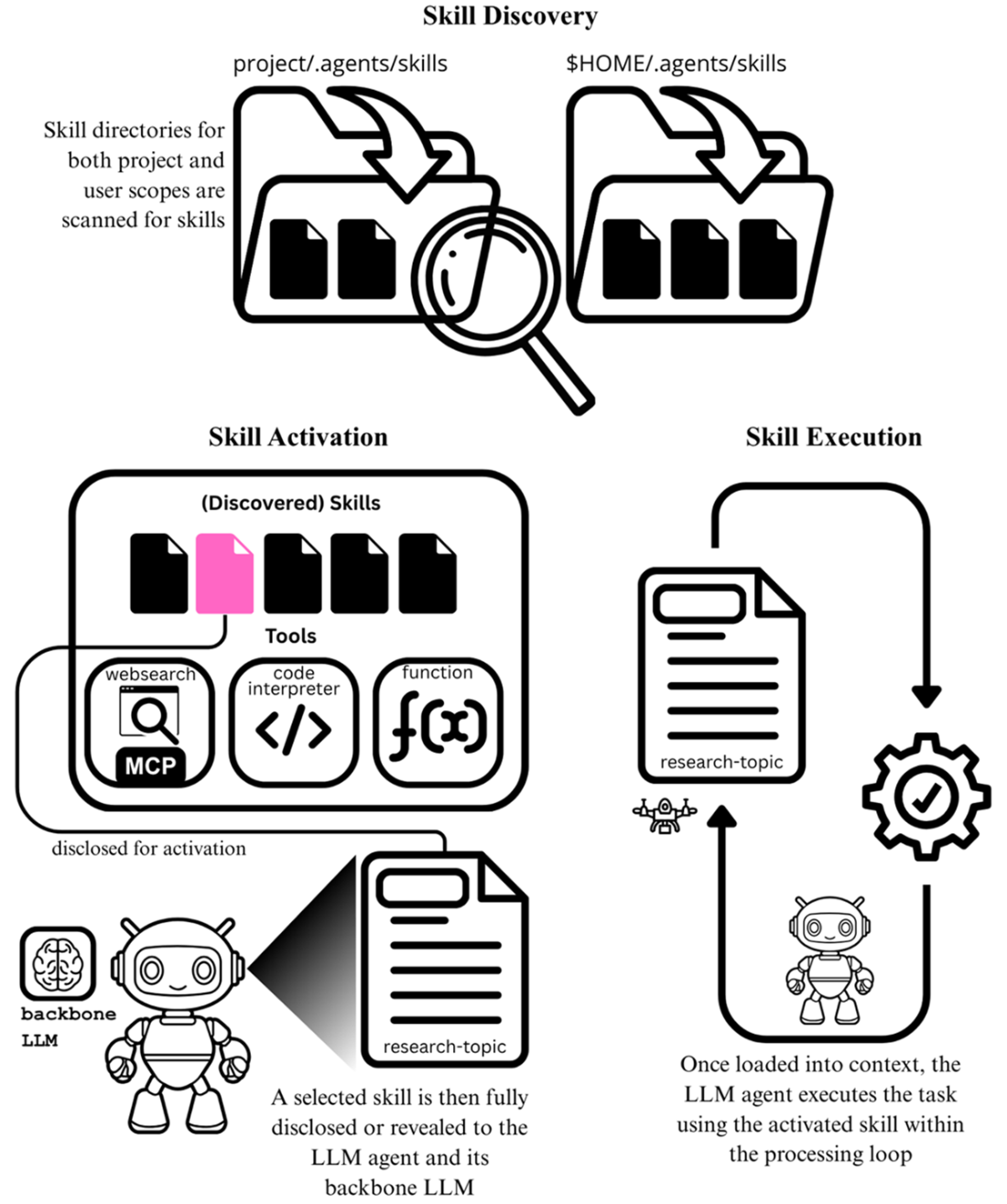
The three steps for using a skill: discovery, activation, and execution.
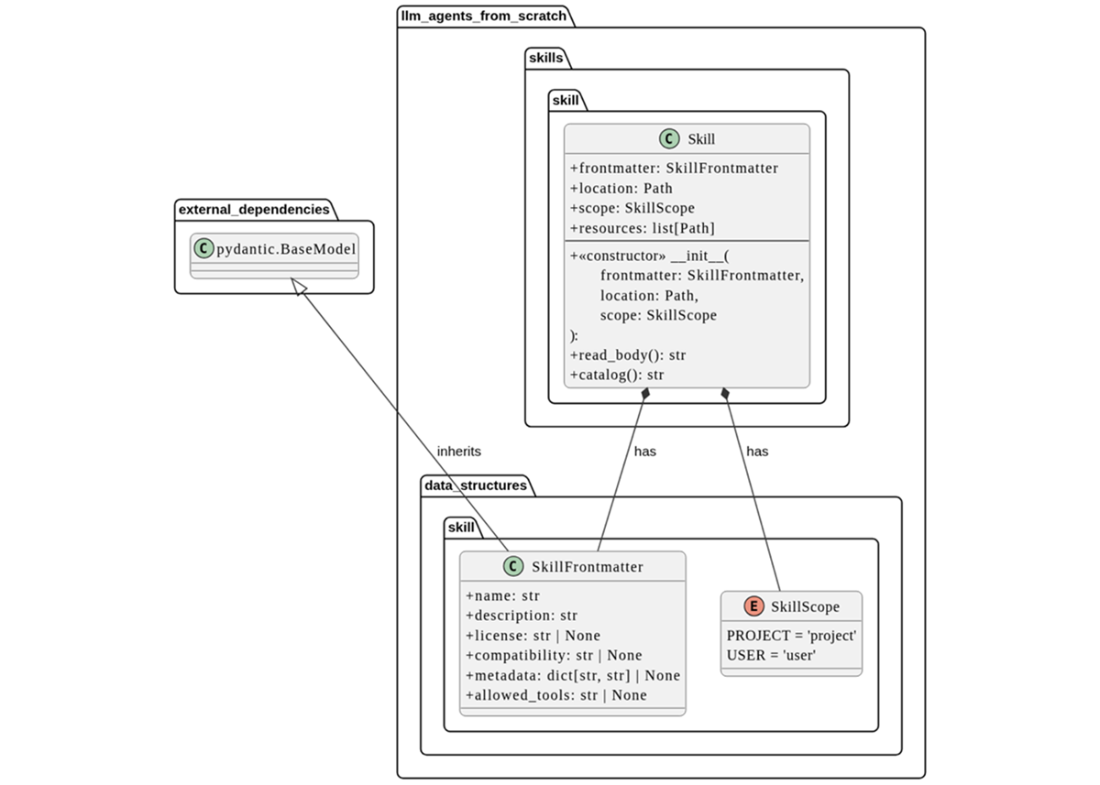
UML class diagrams for our new core type Skill, as well as our new data structures, SkillFrontmatter and SkillScope.
Illustrating where skill discovery fits within the LLMAgent lifecycle and task executions.
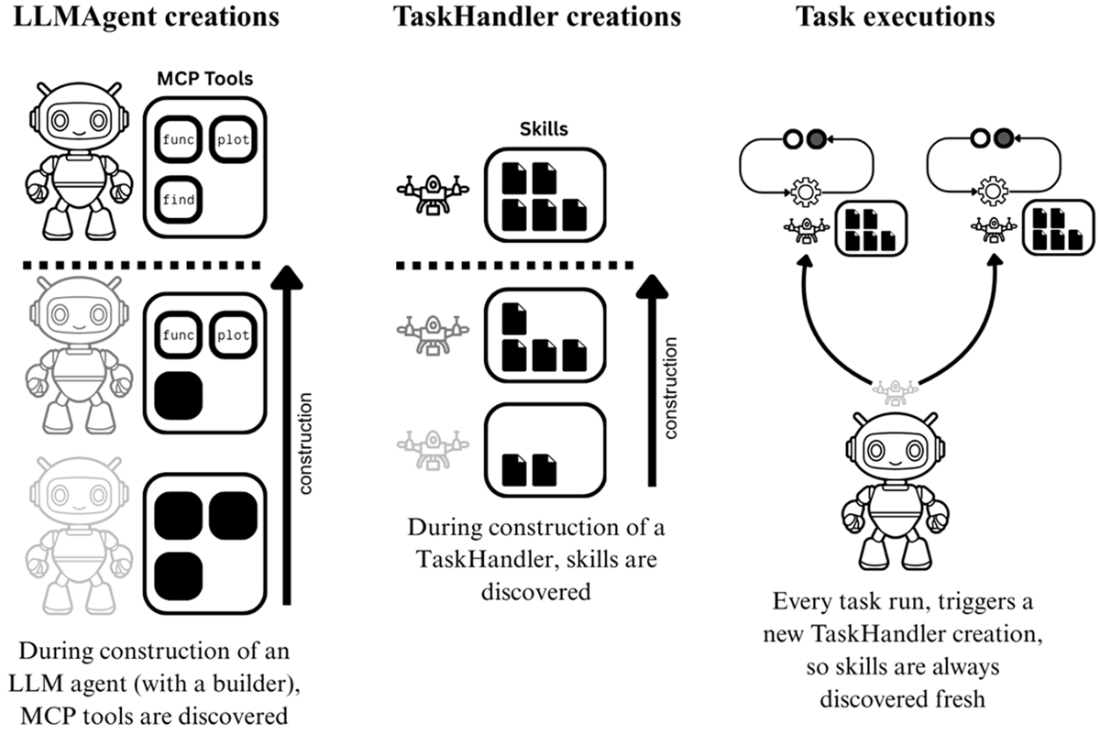
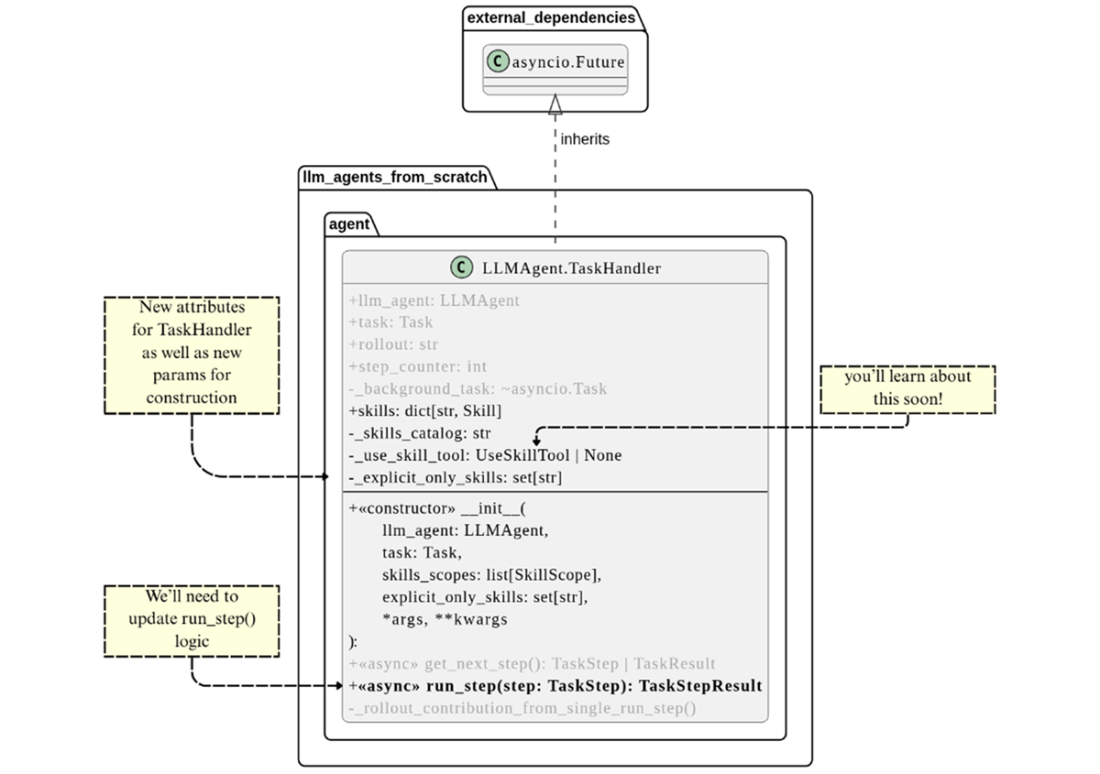
The updates made to TaskHandler classes to support skills
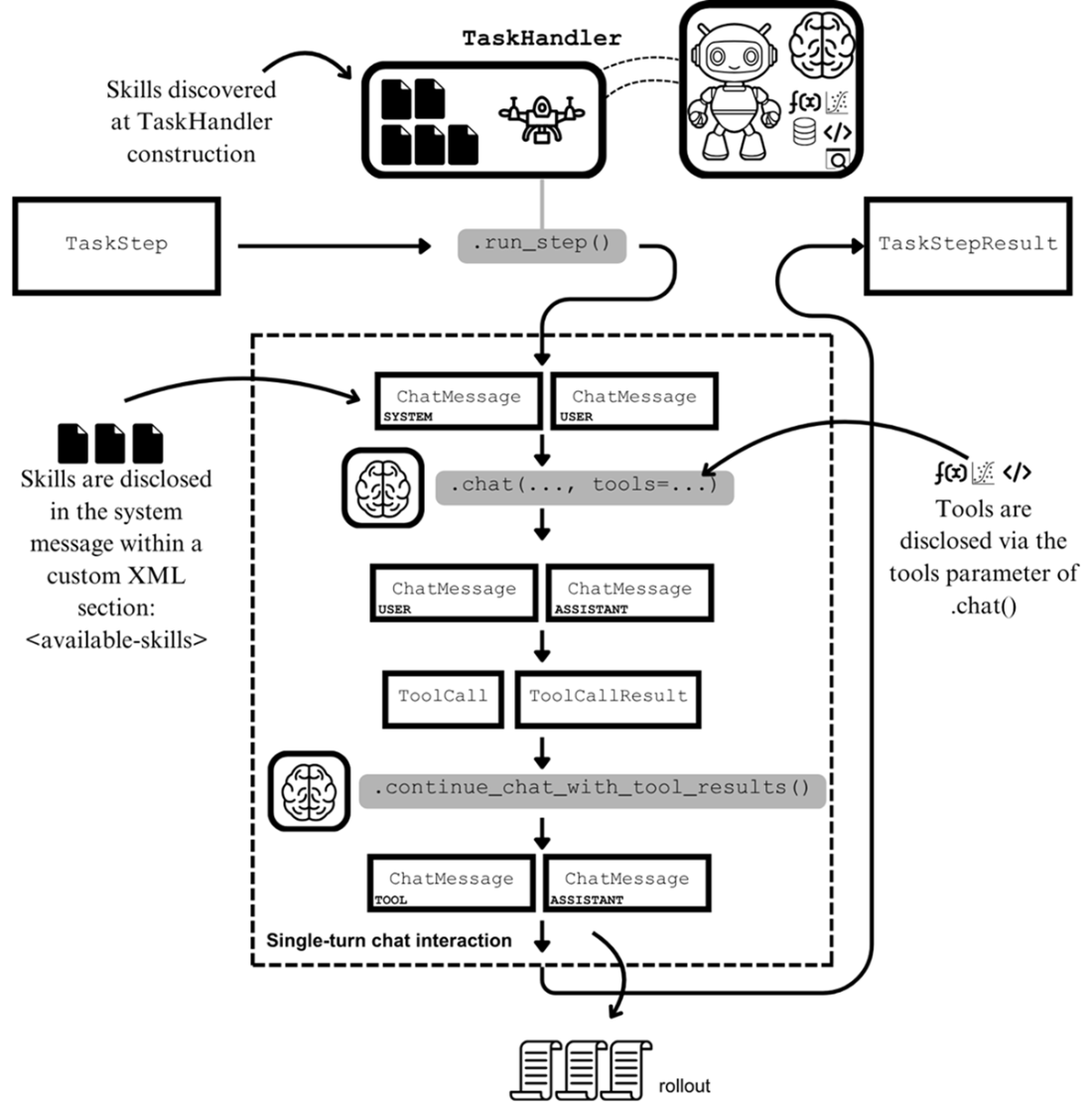
Revisiting the TaskHandler.run_step() execution diagram first seen in Chapter 4 to illustrate the difference between tools and skills disclosure to the backbone LLM.
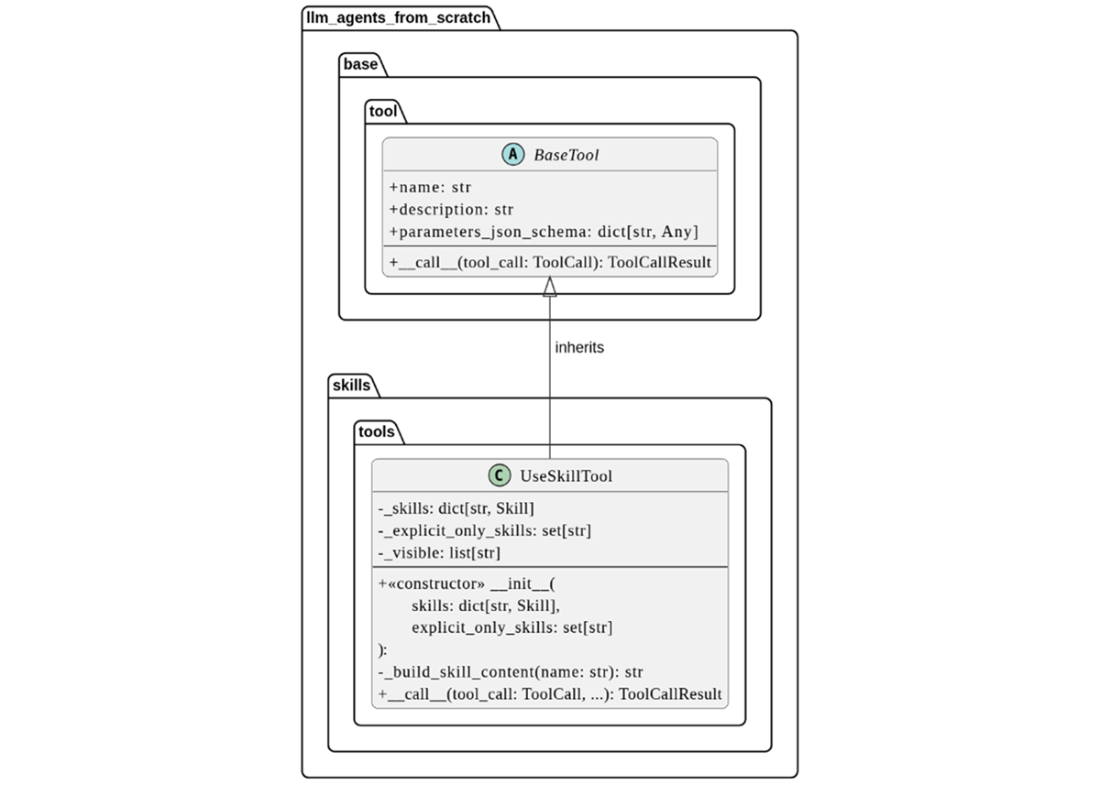
The UML class diagram showing the structural makeup of UseSkillTool, a subclass of BaseTool.
Summary
- Skills are documented procedural workflows, defined once and reused whenever needed.
- Agent Skills is the open standard for skills that standardizes how they’re created and supported by LLM agent clients and products.
- Like MCP tools, an ecosystem of shareable skills and compatible clients is emerging.
- Skills are specified via a SKILL.md file that contains information about the skill in its frontmatter as well as its documented workflow in the main body.
- Skills can also use additional resources, such as scripts, references, and assets.
- A skills bundle is a directory that contains SKILL.md and the subdirectories for its additional resources.
- The scope of the skill determines what projects can access it: a user-scoped skill is accessible to all projects, whereas a project-scoped skill is limited to the project it’s scoped to.
- Skill bundles live in skill repositories that are defined by scope as well as the LLM agent application. For our framework, we use the cross-client skills repository .agents/skills.
- LLM agents use skills in three steps: skill discovery, skill activation, and skill execution.
- Skill is a new core type in our framework, representing skills that can be discovered and used by an LLM agent.
- Skill discovery occurs for every task execution, at the creation of the TaskHandler object with every invocation of run().
- Like tools, skills are disclosed to the backbone LLM (via a skills catalog) so it can decide whether to use a skill to perform the task.
- If an LLM agent decides to use a skill, it must activate it by disclosing the complete information of the skill to the backbone LLM.
- The UseSkillTool is a dedicated tool for activating a skill.
- In addition to skills being invoked by the LLM agent, users can directly invoke skill usage via user-explicit activation. In our framework, this is implemented using a new method, run_with_skill(), attached to the LLMAgent.

 Build a Multi-Agent System (from Scratch) ebook for free
