5 MCP Tools
In this chapter, the framework is extended so an LLM agent can use tools exposed through the Model Context Protocol, which has rapidly become a common standard for connecting agents to external systems. The chapter begins by explaining the MCP ecosystem, where tool suppliers publish MCP-compatible capabilities and tool consumers, like our agent, can discover and use them through a standard interface. It also reinforces the familiar tool-calling flow from earlier chapters, showing that MCP does not change the basic request-response pattern so much as it standardizes where the tool runs and how the agent reaches it.
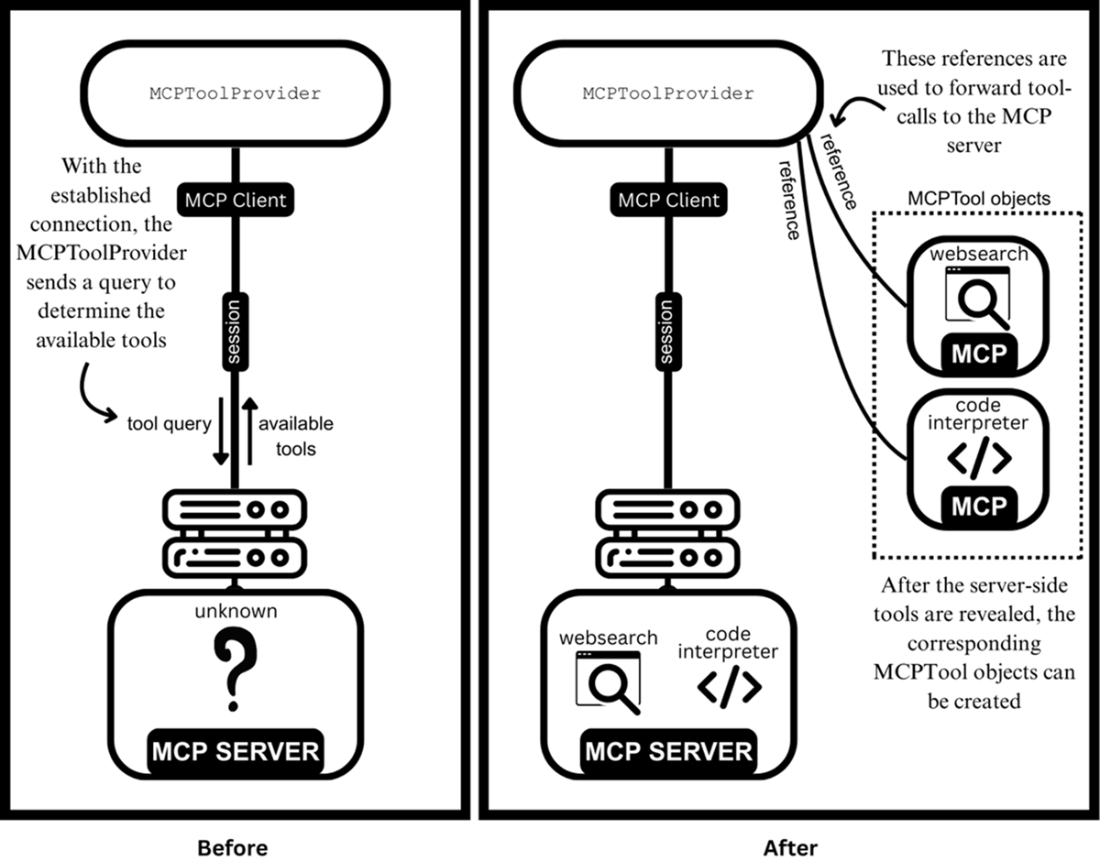
To support this integration, the book introduces two new abstractions: one for representing an MCP tool on the client side and one for managing the connection to the MCP server. The provider object is responsible for creating and maintaining an asynchronous session, supporting both local stdio servers and remote streamable HTTP servers, while handling connection setup, readiness signaling, reuse of established sessions, and clean shutdown. Once connected, it queries the server for available tools and converts the discovered server-side definitions into client-side tool objects, taking care to avoid circular import issues and preserve useful metadata such as descriptions, schemas, and annotations.
After the MCP integration is in place, the chapter adds a builder that makes agent construction easier when MCP tools come from multiple servers. This builder gathers normal tools and MCP providers, discovers tools from all configured servers concurrently, and assembles a ready-to-use agent with less manual setup. The chapter concludes by showing that the resulting MCP tools can be invoked just like any other asynchronous tools in the framework, enabling the agent to call a remote Hailstone tool, receive the correct result, and thereby gain access to the wider MCP ecosystem for more practical workflows.
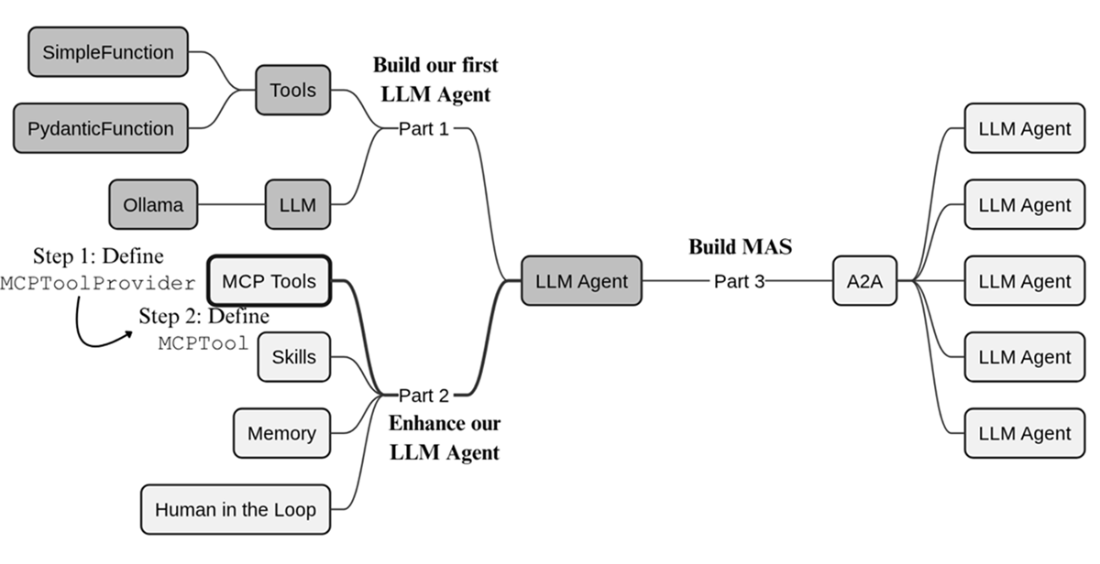
We begin part 2 of our build plan, enabling our LLM agent to use external tools made available via MCP.
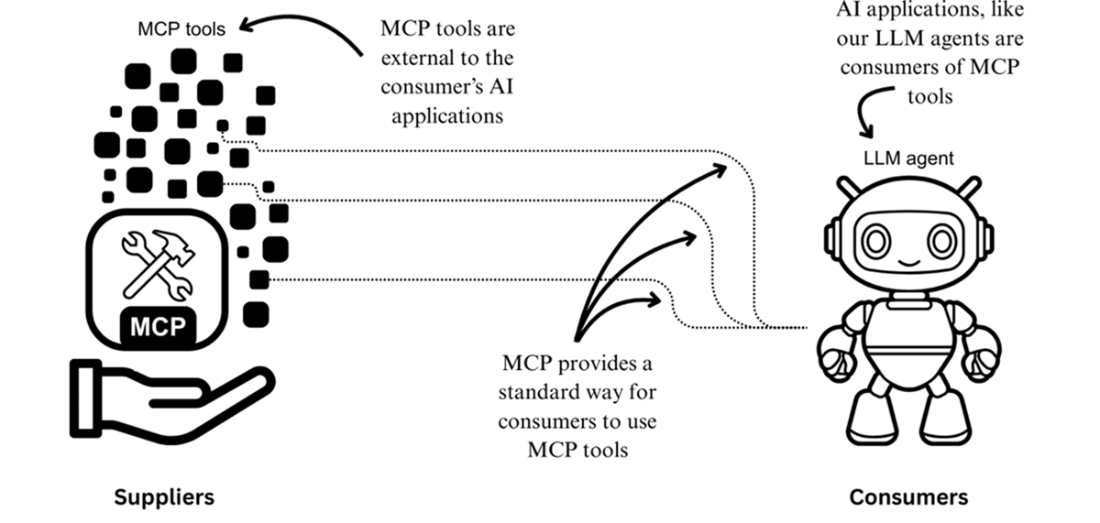
Suppliers and consumers within the MCP ecosystem
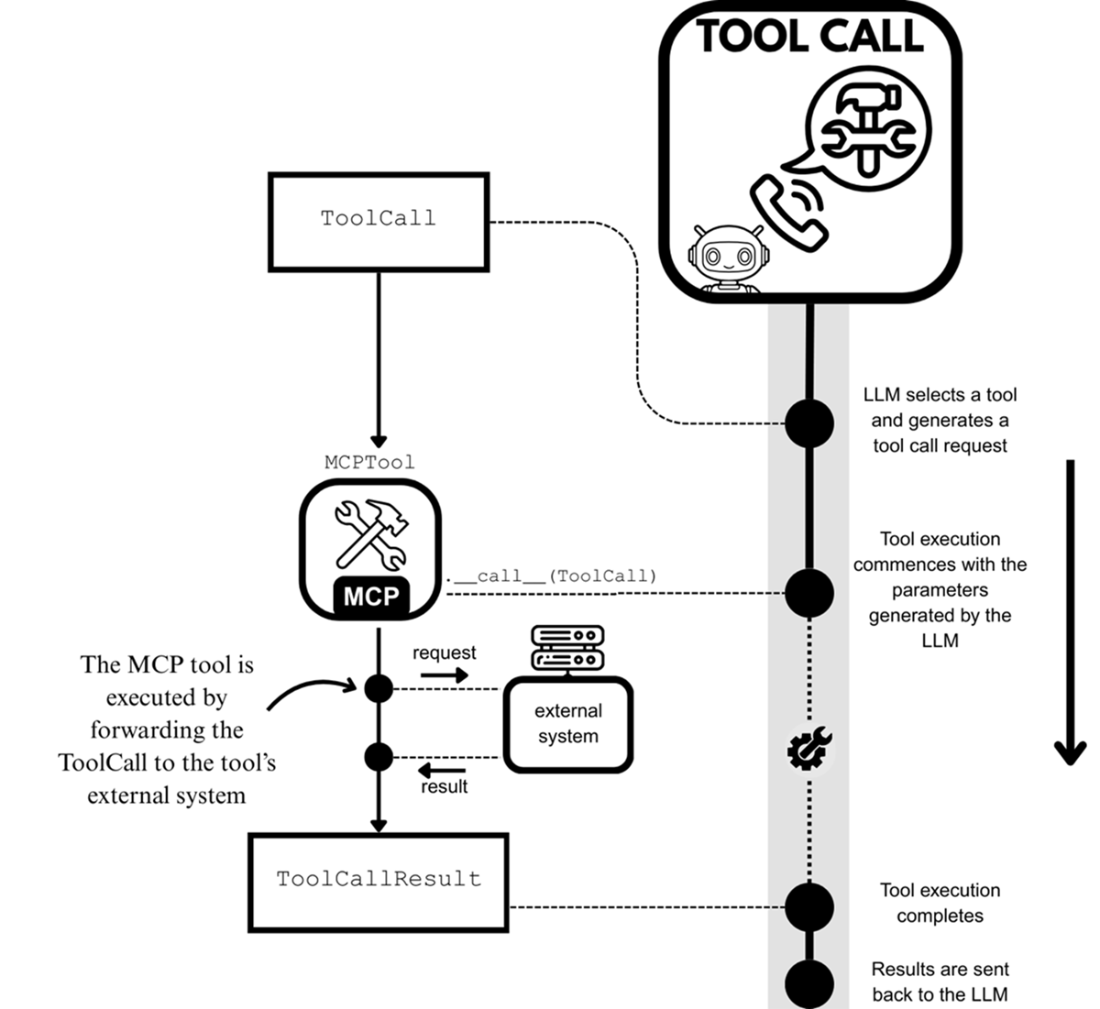
The tool-calling process, seen in Chapters 1 and 2, now adapted for MCP tools. The tool-call request in the form of a ToolCall object is passed to the MCP tool for execution, yielding a ToolCallResult object at completion. The only difference is that tool execution occurs on the external MCP server.
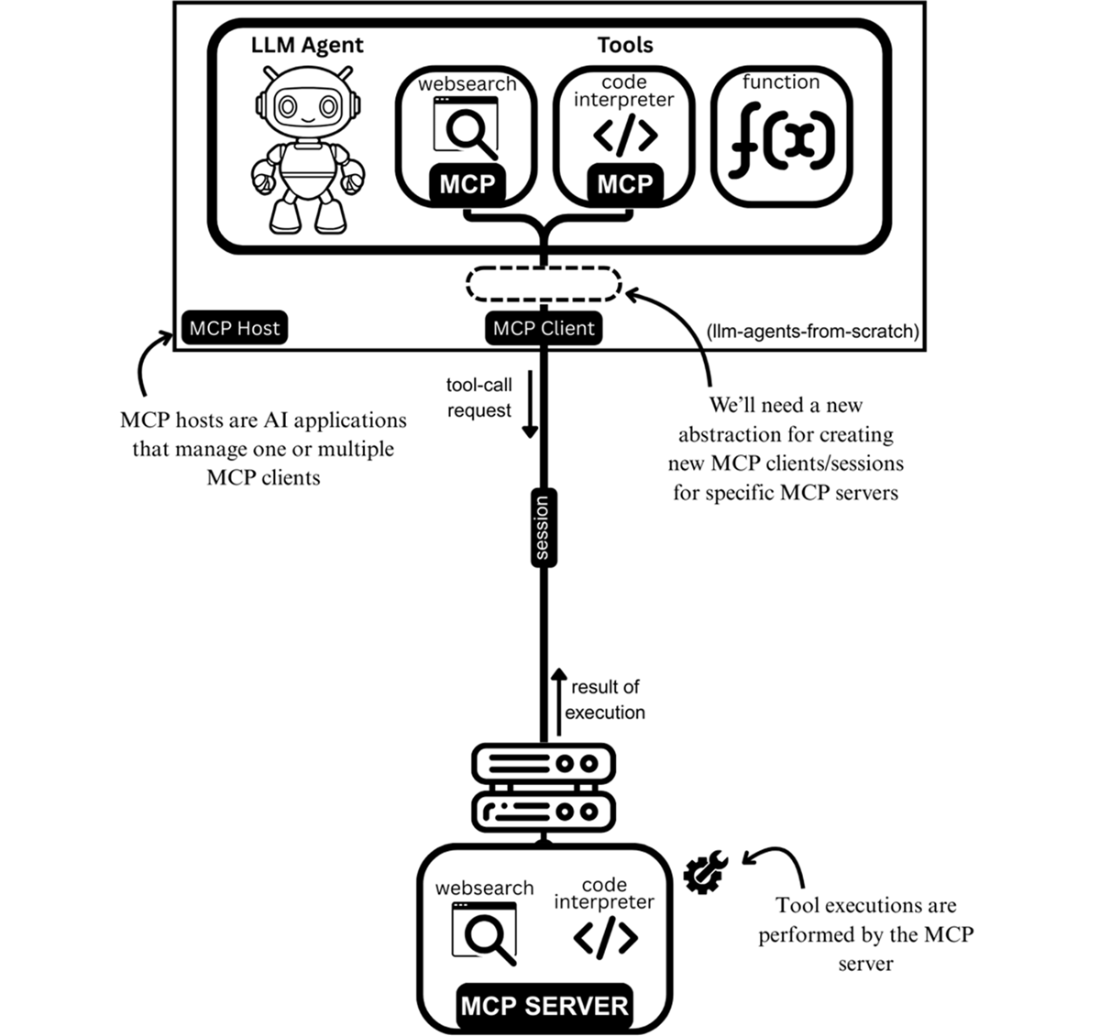
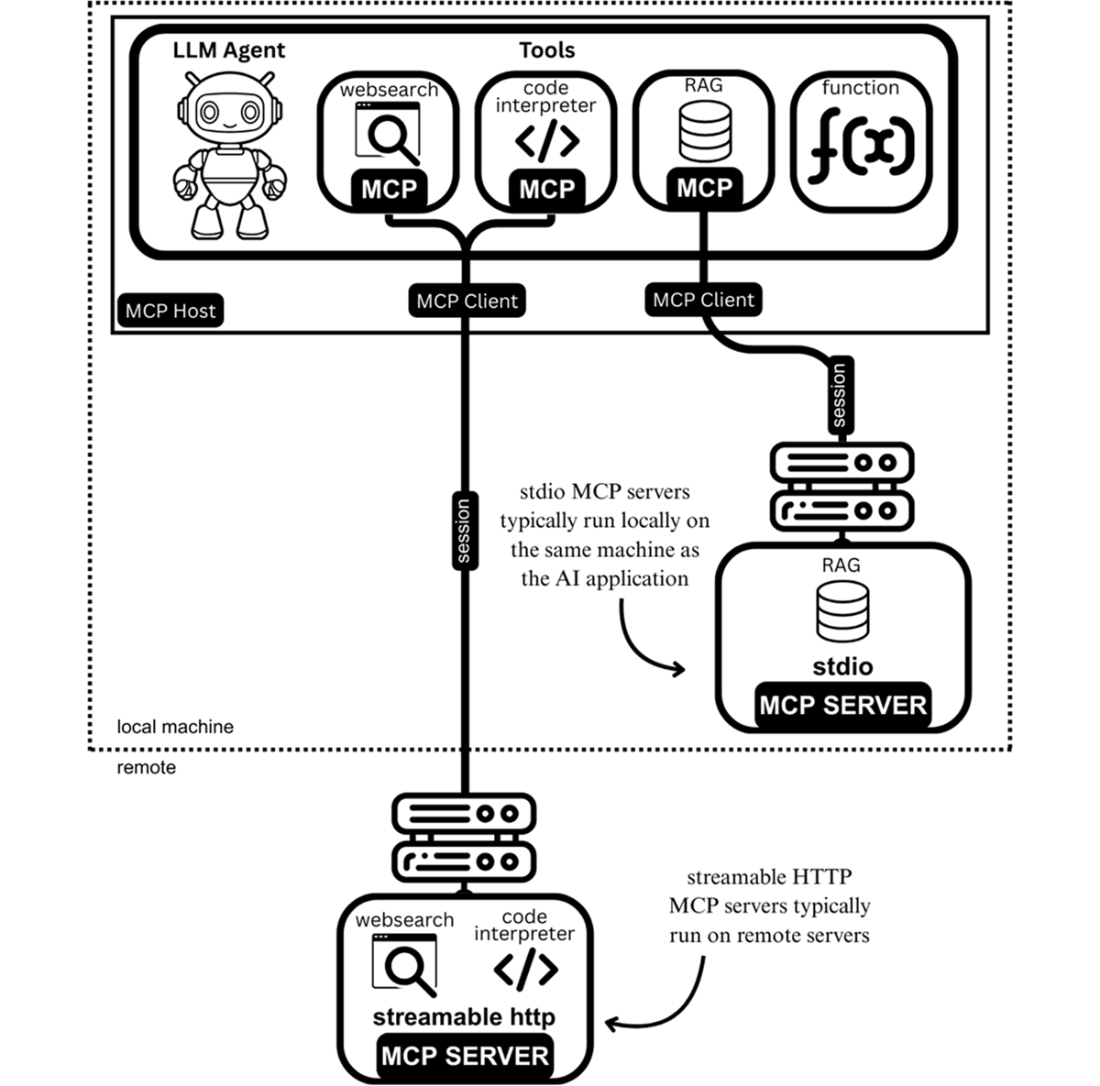
The MCP architecture integrated into LLM agents and our framework
An LLM agent with tools coming from the two different types of MCP servers: stdio and streamable HTTP.
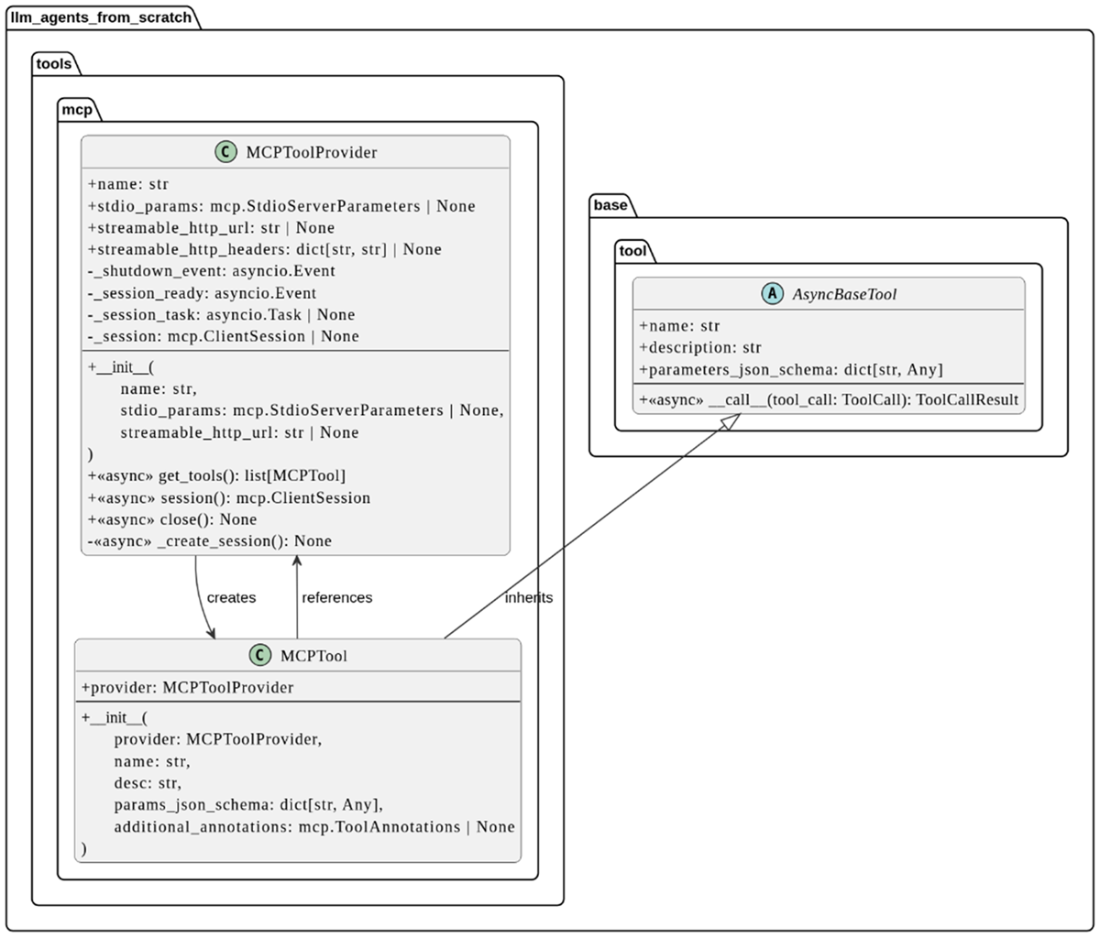
UML class diagrams for MCPTool and MCPToolProvider.
Discovering tools from an MCP server via the MCPToolProvider. Initially, the MCPToolProvider has no knowledge of any existing tools on the MCP server (left panel) and thus sends a query to learn about them. After getting the response from the server, it creates an MCPTool object for each discovered server-side tool.
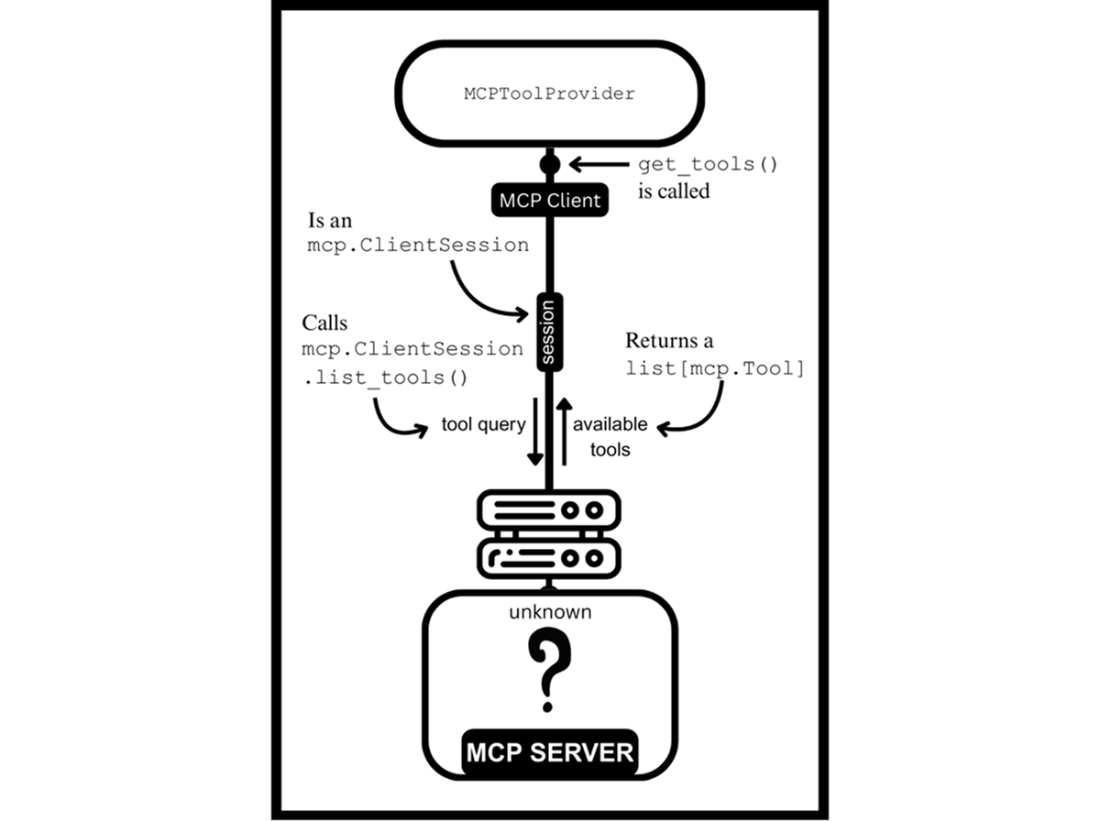
Integrating with mcp during tool discovery (the "Before" step from figure 5.7)
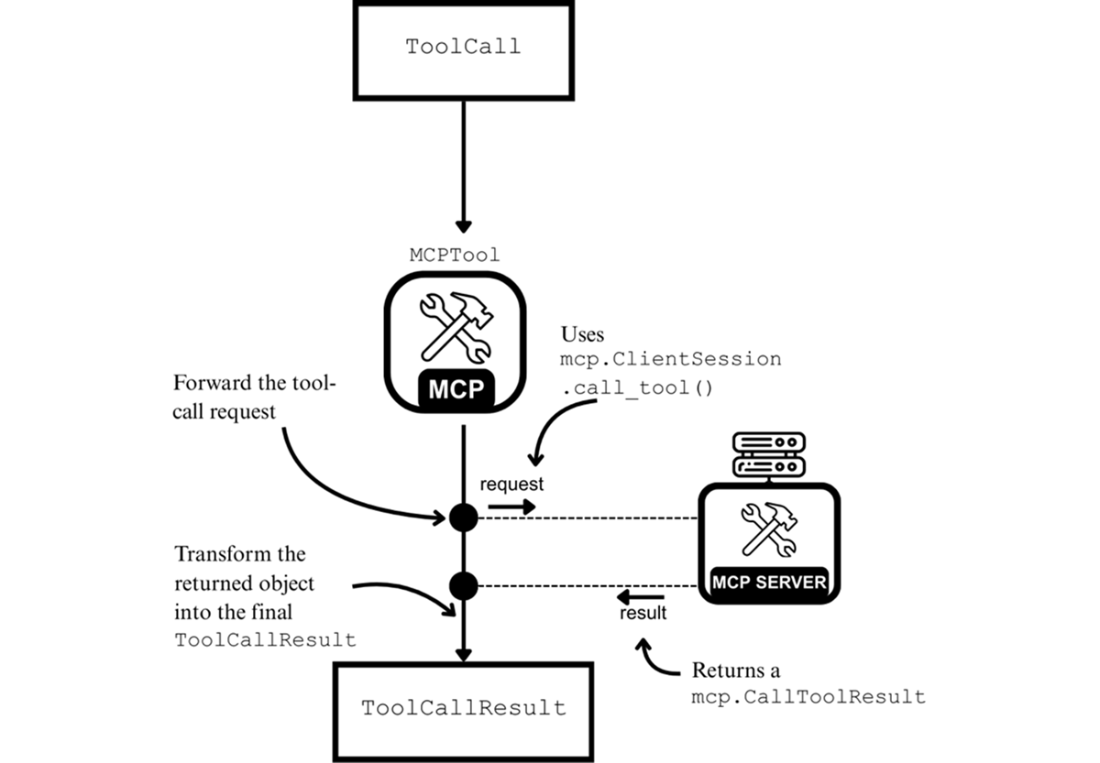
Forwarding a tool-call request to the MCP server for remote execution. The result is then transformed into a ToolCallResult.
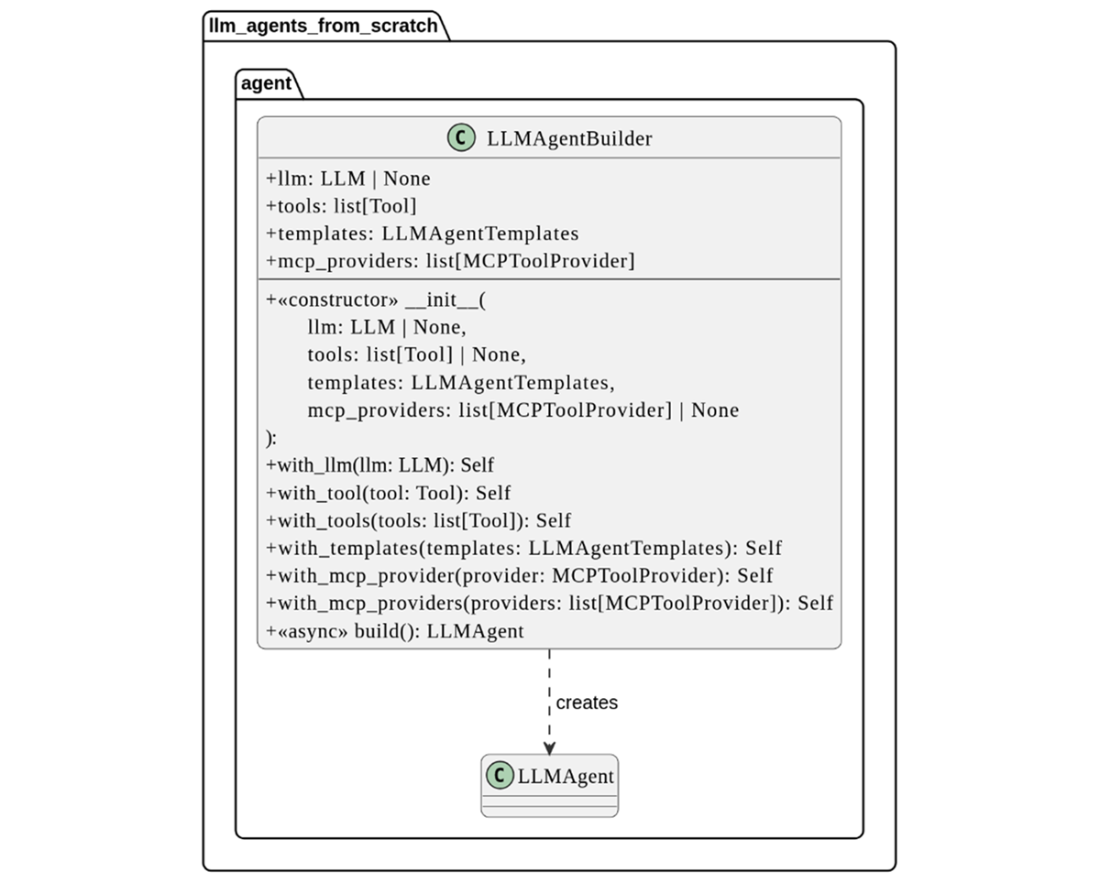
The UML class diagram for LLMAgentBuilder
Summary
- The MCP ecosystem offers many tools that LLM agents can use.
- The two types of participants in the MCP ecosystem are tool suppliers and tool consumers. Suppliers build tools that adhere to the MCP standard, which MCP clients can use.
- The tool-calling process for an MCP tool is like the tools introduced in Chapter 2, except that tool calls execute on the external MCP server.
- MCP servers and MCP clients are part of the MCP architecture. They interact via connections that are called sessions.
- MCP hosts are applications that create and manage MCP clients.
- There are two types of MCP servers, distinguished by their transport mechanisms: stdio and streamable HTTP.
- MCPToolProvider is a new class in our framework that establishes and maintains connections to its MCP server. It also handles tool discovery with the get_tools() method.
- The MCPTool is another new class in our framework, essentially a client-side representation of the tools available on an MCP server.
- LLMAgentBuilder is a new class that conveniently takes care of tool-discovery from MCP servers when constructing LLM agents that use MCP tools.

 Build a Multi-Agent System (from Scratch) ebook for free
