4 The LLMAgent Class
The chapter introduces the first complete LLM agent in the framework by bringing together the backbone LLM, tools, and prompt templates into a single LLMAgent class. It begins with the supporting data structures needed to represent work and outputs, including Task and TaskResult, then expands the design to include step-level structures for the internal processing loop. The agent is built around a clear execution model: users submit a task, and the agent returns a result after coordinating planning and tool use.
To make that work, the chapter explains how the agent stores tools in a registry, validates tool-name uniqueness, and uses templates to standardize interactions with the LLM. It then introduces a helper inner class, TaskHandler, which manages task execution as an asynchronous future and keeps track of the rollout, step count, and background execution. The processing loop alternates between asking the LLM what to do next and executing the resulting step, using structured output to decide whether to continue with another step or finish with a final result.
Much of the chapter focuses on how each sub-step is handled in practice: the agent builds chat messages, calls the backbone LLM, performs any requested tool calls, and then formats the interaction into a readable rollout history. A Hailstone example shows the full workflow in action, demonstrating that the agent can follow instructions, call tools repeatedly, and stop at the correct final condition. By the end, the chapter shows how the framework now supports a functioning LLM agent with task execution, tracing, and asynchronous behavior.
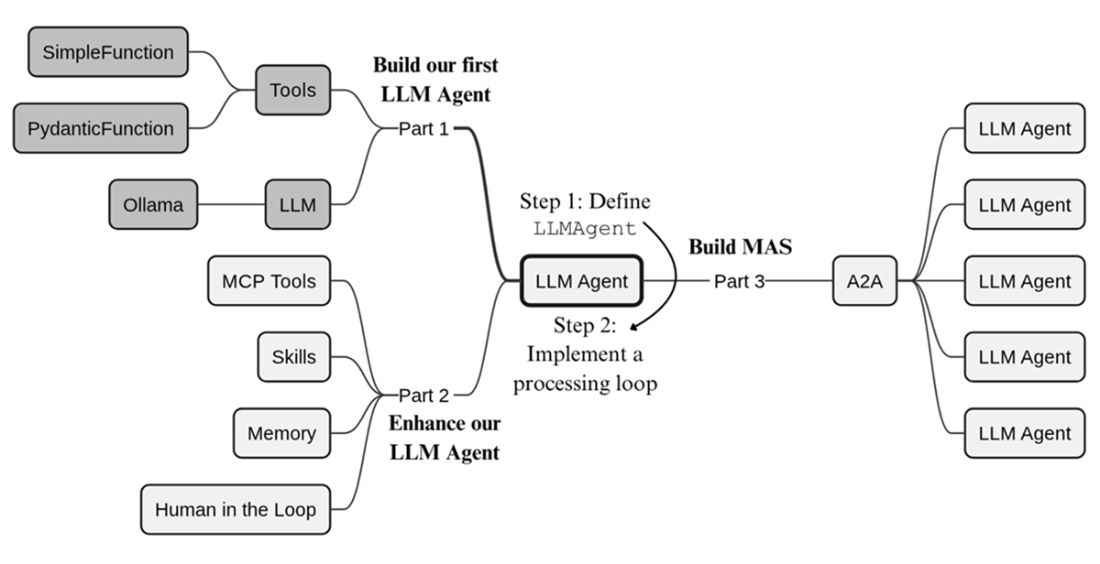
Having defined classes for tools and LLMs in our framework, we can now complete part 1 by building the LLM agent.
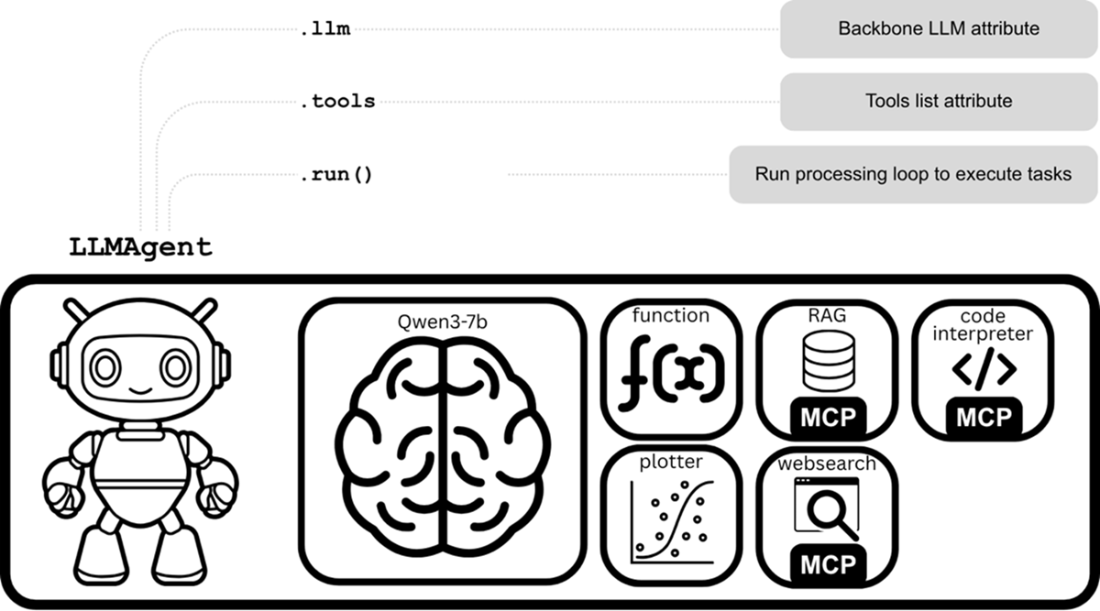
Our LLM agent, now showing the LLMAgent class with its core attributes and run() method.
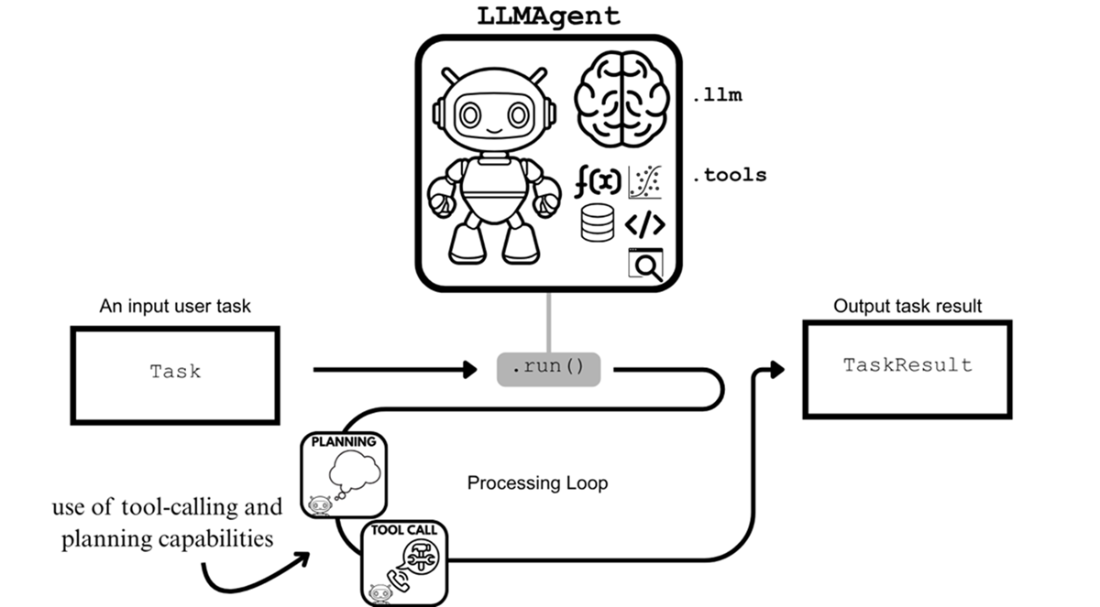
Submitting Task objects to the run() method of an LLMAgent produces a TaskResult.
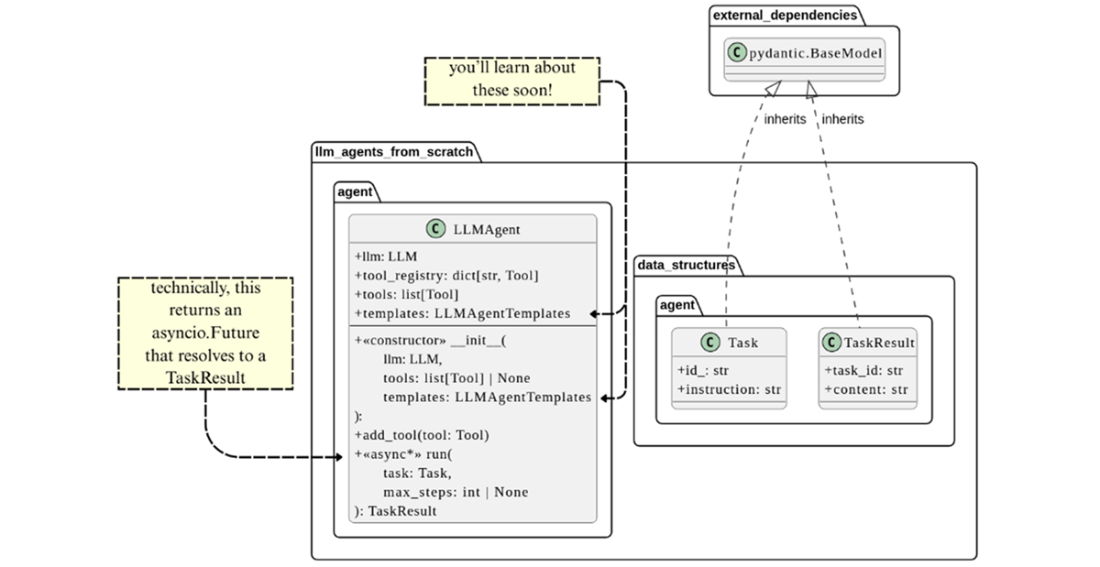
UML class diagrams for LLMAgent and the new data structure classes, Task and TaskResult, that it works with to perform tasks.
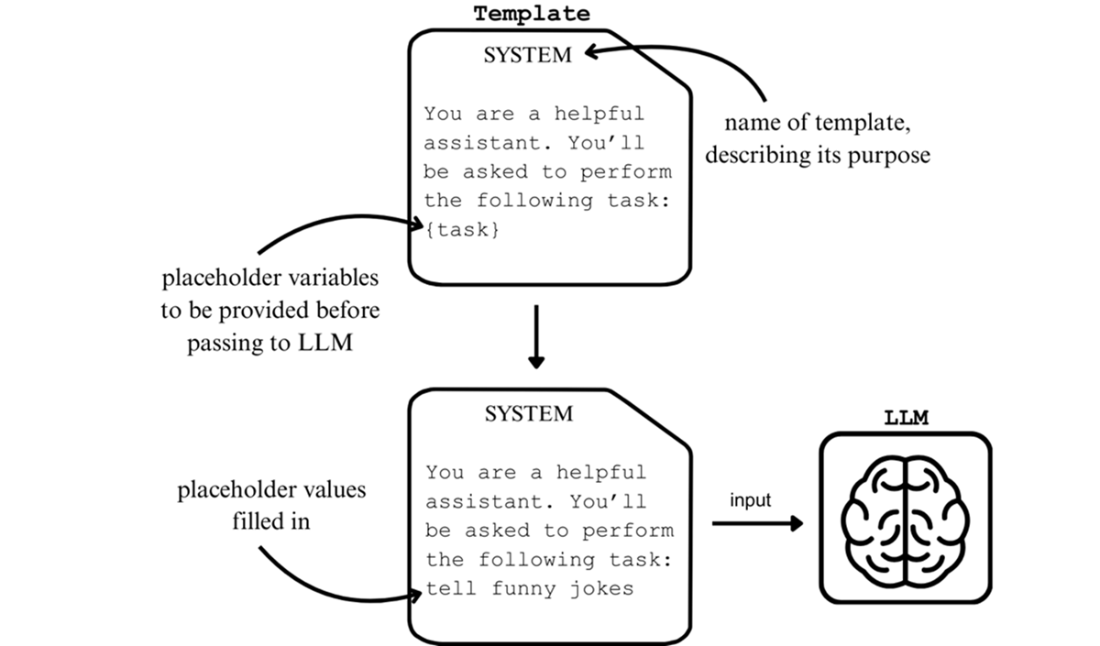
Templates are customizable text structures that help to standardize interactions with an LLM.
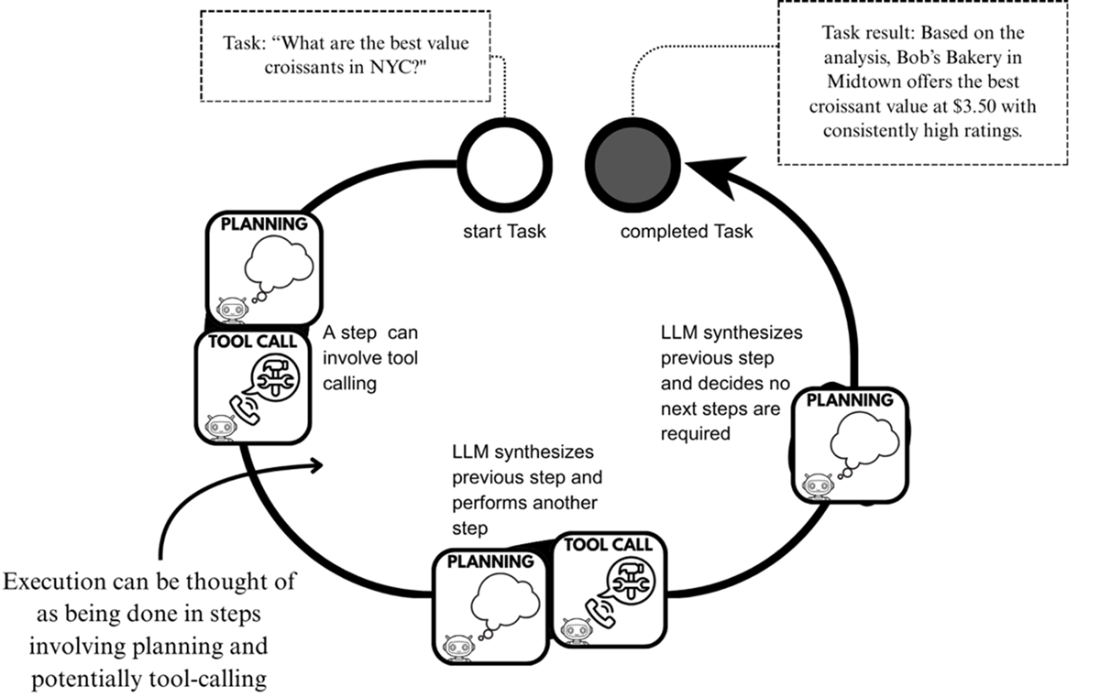
Executing a task through sub-steps within a processing loop. Each sub-step uses the LLM's planning and tool-calling capabilities, with the results informing the next sub-step's instruction.
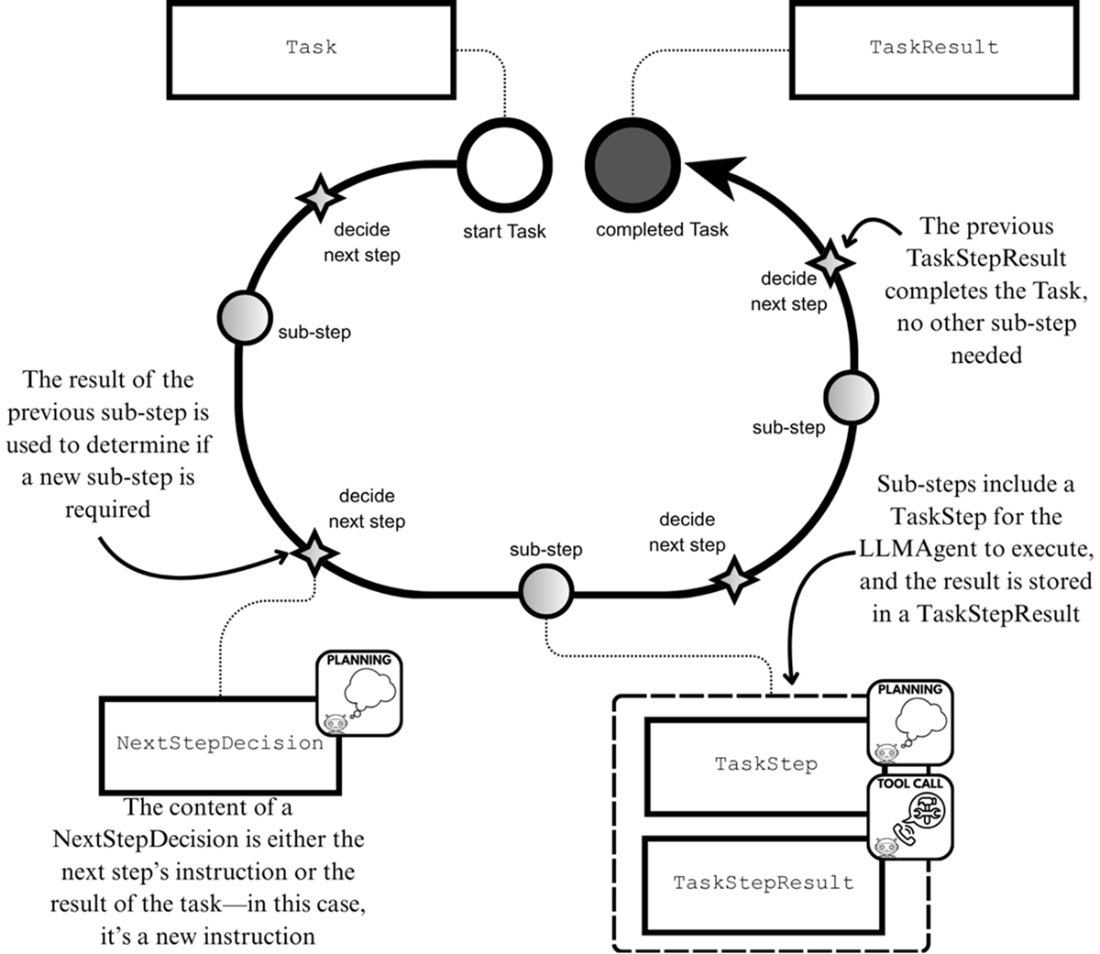
The execution of sub-steps within a processing loop using the data structures TaskStep, TaskStepResult and NextStepDecision
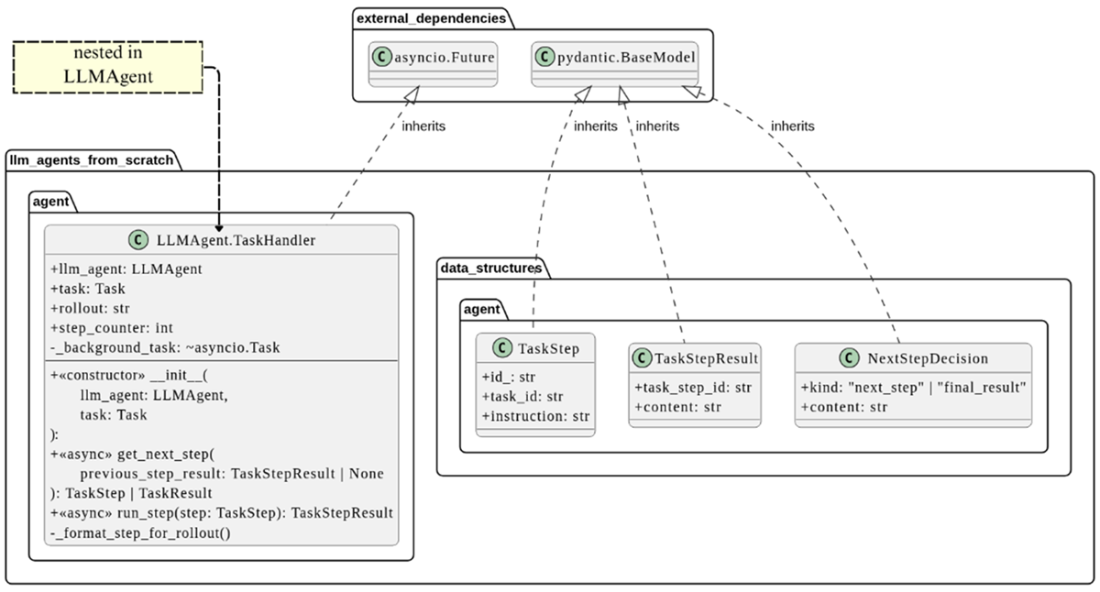
UML class diagrams for TaskStep, TaskStepResult, NextStepDecision, and TaskHandler
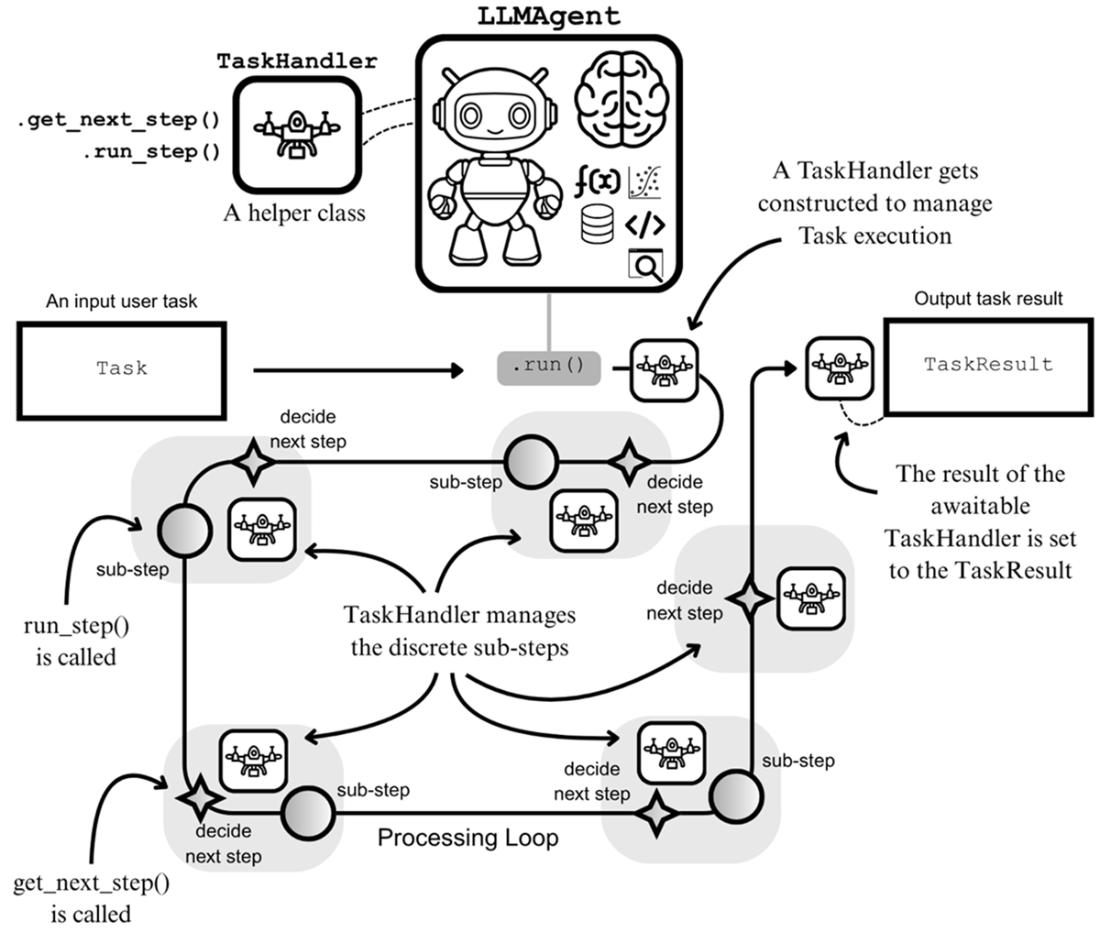
The process for executing tasks using the run() method. When a task is submitted, the helper TaskHandler is created to manage task execution on behalf of the LLMAgent.
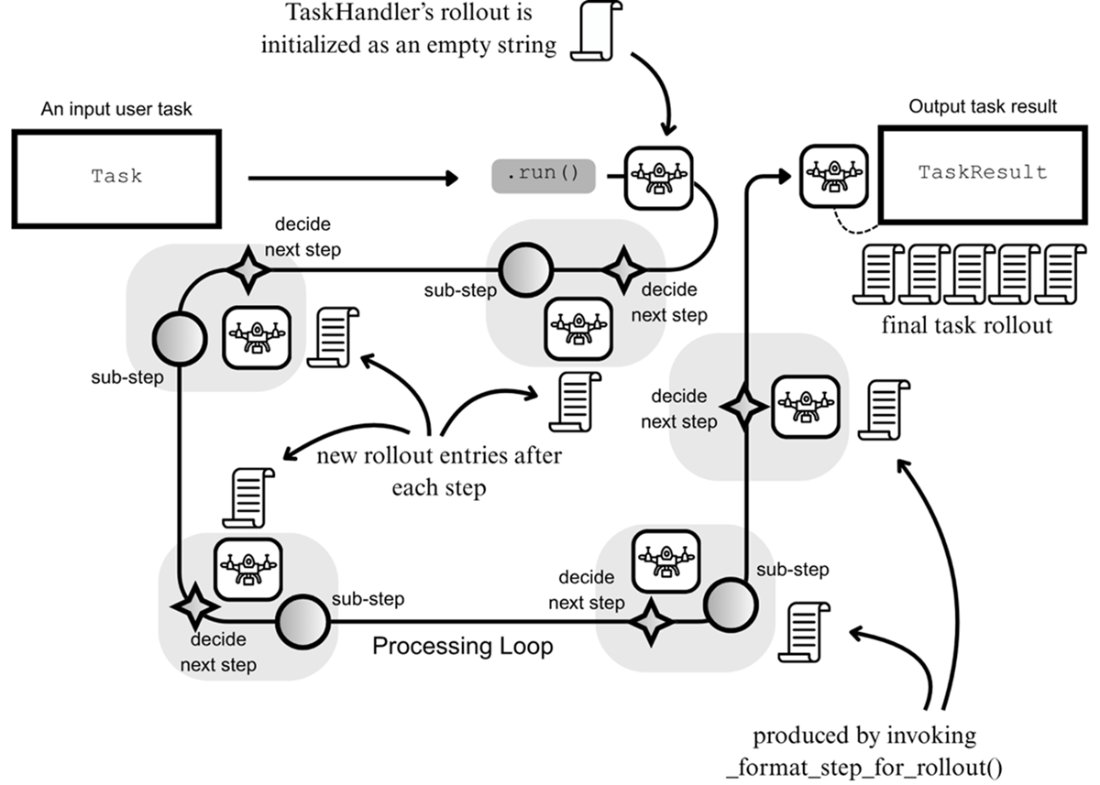
Adding new entries to the rollout attribute after every sub-step during task execution
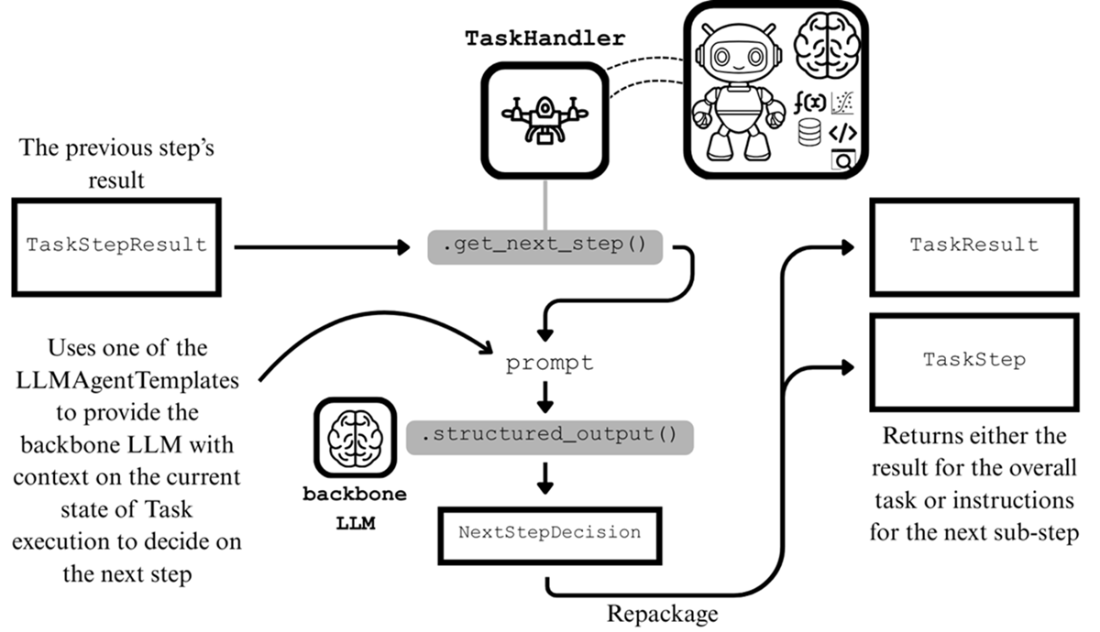
The get_next_step() execution to produce either a TaskStep or TaskResult
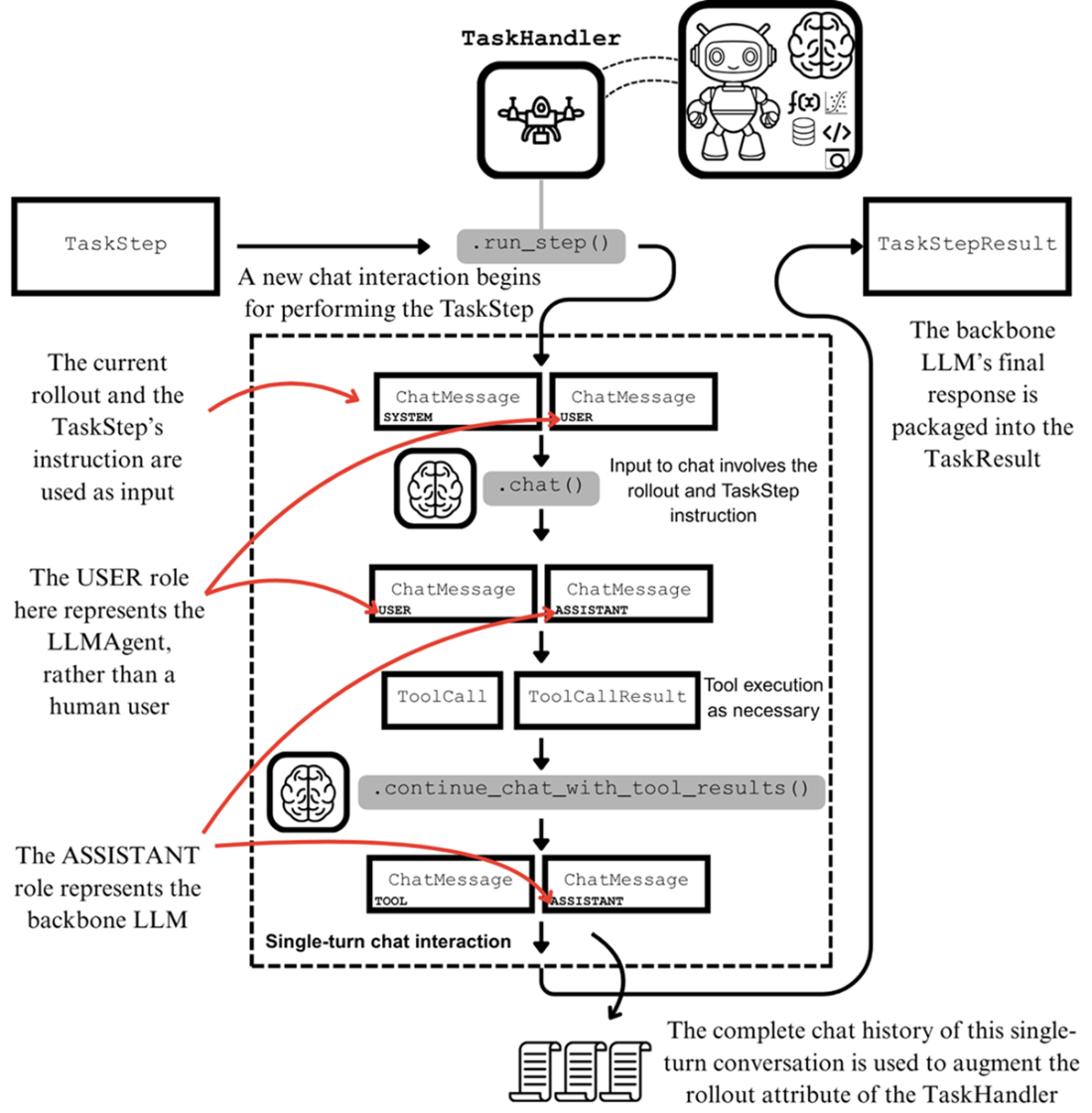
The run_step() execution using a single-turn LLM chat interaction between the LLMAgent and its backbone LLM
Summary
- The LLMAgent class creates LLM agents from an LLM and a set of Tool objects.
- The Task data structure contains an instruction for an LLMAgent to execute with the run() method. Awaiting the run() method returns a TaskResult data structure.
- Executing a task within the run() method involves various interactions with the backbone LLM. To standardize our interactions, we use prompt templates defined by the LLMAgentTemplates type.
- The processing loop, where task execution occurs, is performed through a sequence of discrete sub-steps. Implementations of the processing loop, such as the ReAct processing loop, differ in their definitions of sub-steps and the work performed within them.
- Our processing loop implementation is simple, involving one planning and one tool-calling phase. Between each sub-step, the LLMAgent uses its backbone LLM to determine whether a new sub-step is required or if the overall task is complete.
- The data structures TaskStep, TaskStepResult, and GetNextDecision help to facilitate the implementation of our processing loop.
- The TaskHandler is a helper class, nested within the LLMAgent class. It’s designed to orchestrate the execution of a submitted Task through the discrete sub-steps of our processing loop.
- TaskHandler inherits from asyncio.Future, ultimately resolving to a TaskResult. It also supports two methods get_next_step() and run_step(), that are executed in tandem within the processing loop until task completion.
- The run() method creates a TaskHandler and schedules the processing loop for execution as a background asyncio.Task, then returns the TaskHandler for flexible concurrency.
- When task execution completes, the result of the TaskHandler is set to the TaskResult. As a subclass of asyncio.Future, the TaskHandler and thus also the run() method can be awaited.
- Rollouts, otherwise known as trajectories, provide a useful log of the LLM agent’s actions and reasoning during task execution. The information they provide can be used to evaluate and improve an LLM agent.

 Build a Multi-Agent System (from Scratch) ebook for free
