3 Working with LLMs
The chapter expands the agent framework by adding the LLM side of the system, complementing the tools introduced earlier. It explains why a common abstraction is needed to hide provider-specific differences and presents a base class that standardizes the main ways agents interact with models: simple text completion, chat-based conversation, continuing a chat after tool execution, and structured output generation. To support these interactions, it introduces lightweight data models for completion results, chat messages, and message roles, using Pydantic and an async-first design to keep the interface consistent and flexible.
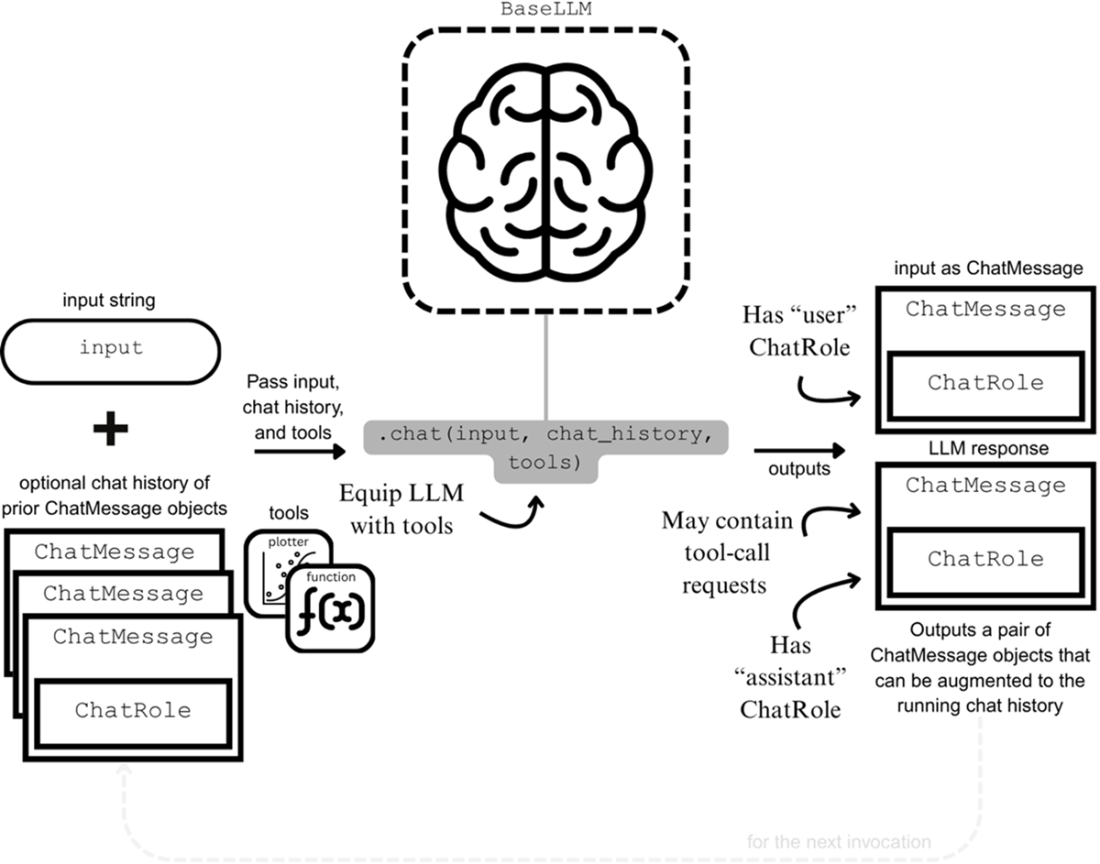
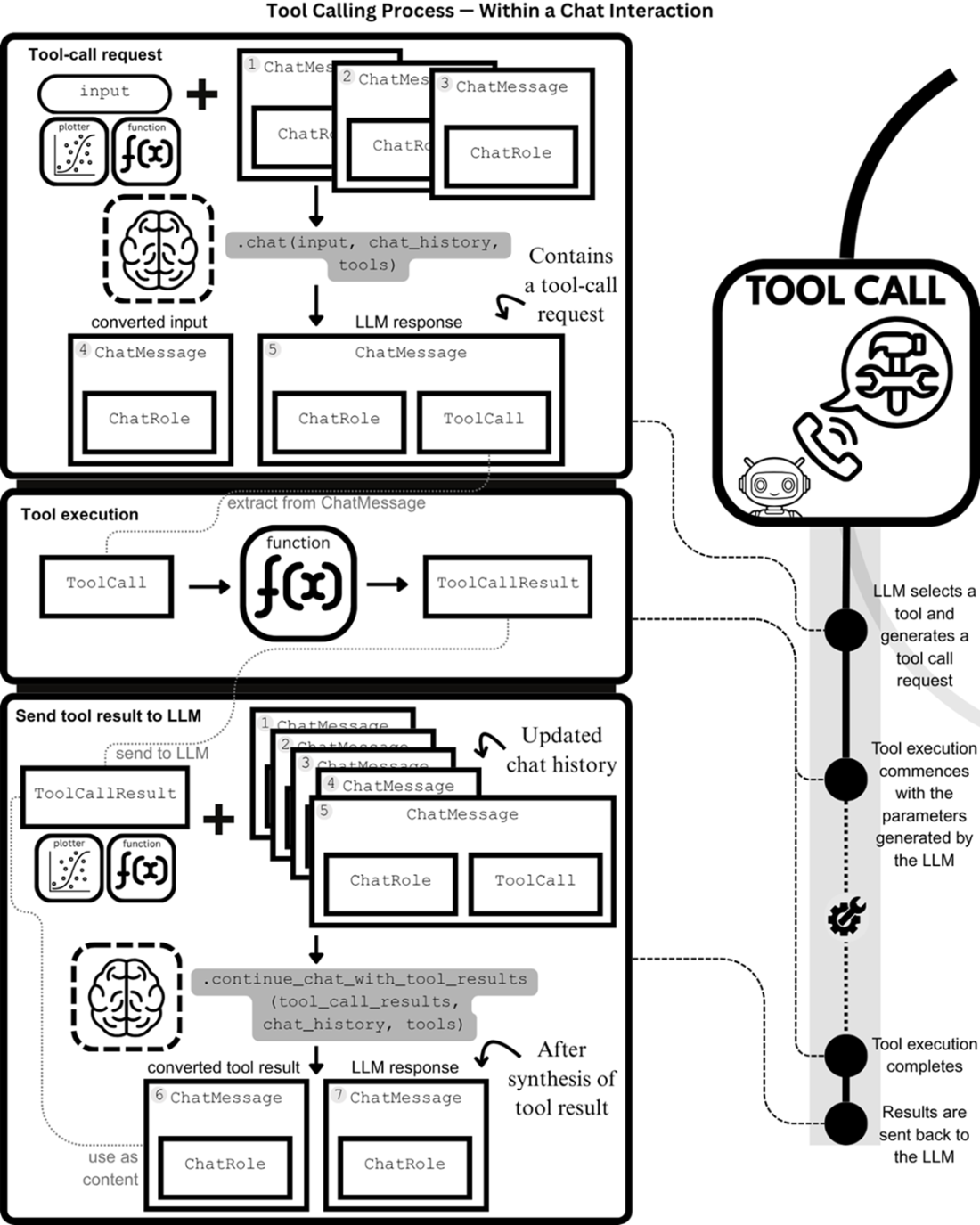
A major focus is the design of structured communication with models. Completion is treated as a straightforward prompt-and-response flow, while chat is modeled as a sequence of role-tagged messages that can also carry tool call requests. The chapter shows how tool results are converted back into chat messages so the model can synthesize a final answer, making the tool-calling loop explicit and reusable. It also motivates structured output as a safer alternative to free-form responses, since a model can be guided to return data in a fixed schema that downstream code can validate and consume reliably.
The second half of the chapter turns the abstraction into a working implementation by building an Ollama-based LLM class. This subclass connects to a running Ollama service and uses its async client to support completion, chat, tool-result continuation, and schema-based structured output, while translating between the framework’s own data types and Ollama’s message and tool formats. The chapter closes with an end-to-end demonstration using the Hailstone tool: the model requests the tool, the tool is executed, the result is sent back, and the model produces a final natural-language answer. This completes the tool-calling workflow and prepares the way for building full agents.
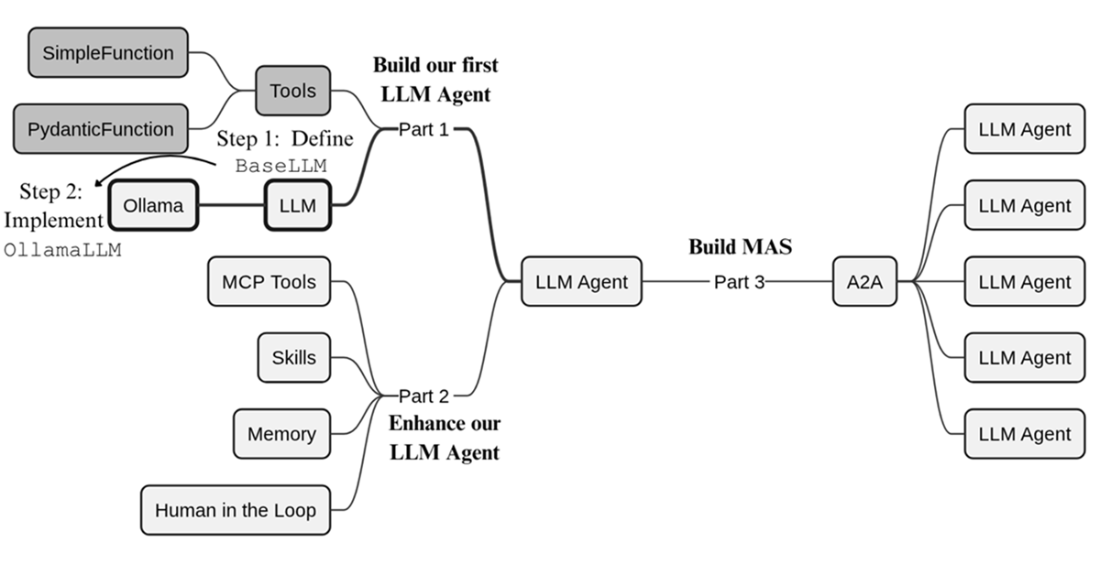
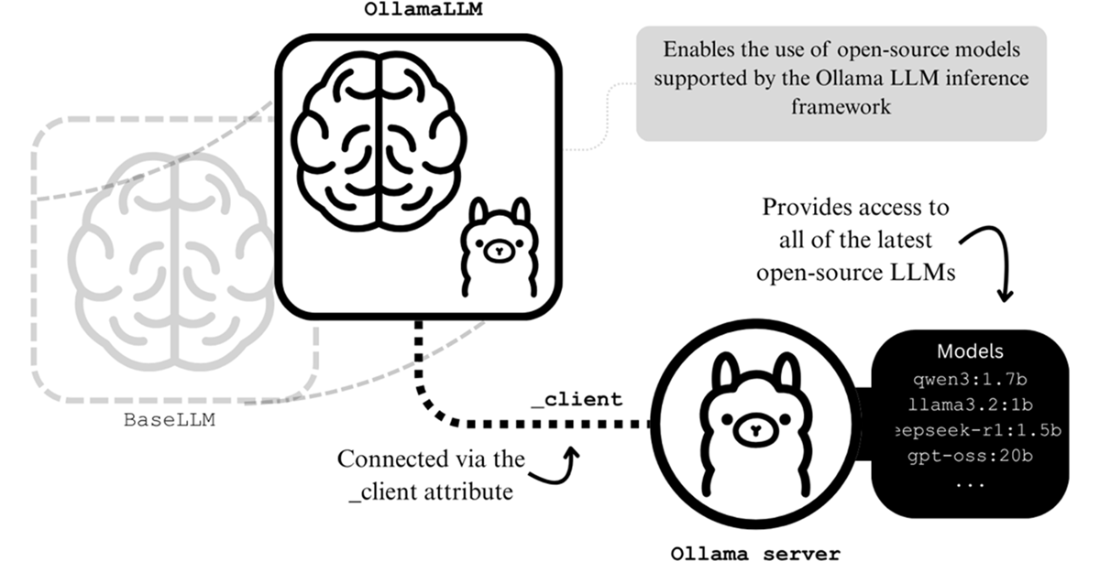
Having added tools to our LLM agent framework, the focus of this chapter is to add the other main component of LLM agents—their backbone LLM—to our framework. We’ll specify the interface that all future LLMs must conform to through the BaseLLM class and implement the OllamaLLM subclass to enable the use of any of the open-source LLMs supported by Ollama.
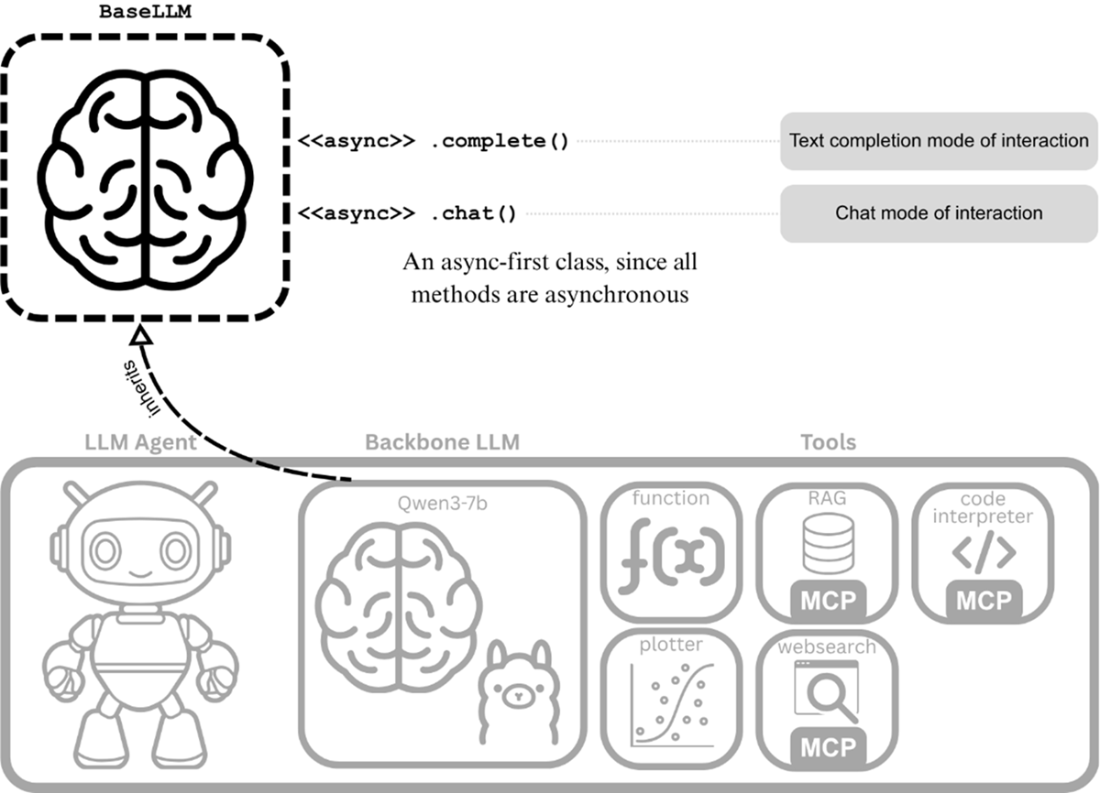
Our LLM agent with its backbone LLM and equipped tools. The backbone LLM is the Qwen3-7b model from the OllamaLLM class that we’ll implement later in this chapter.
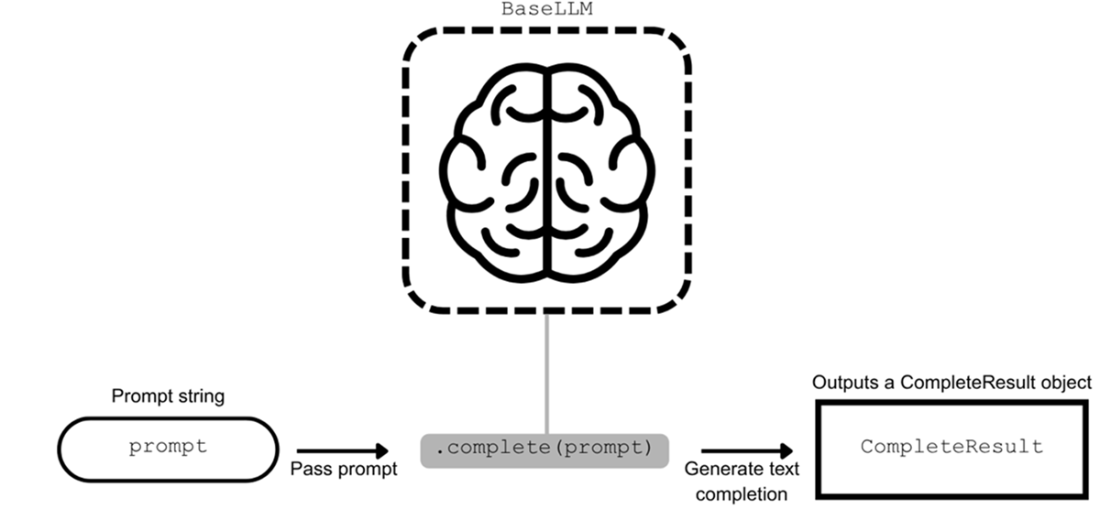
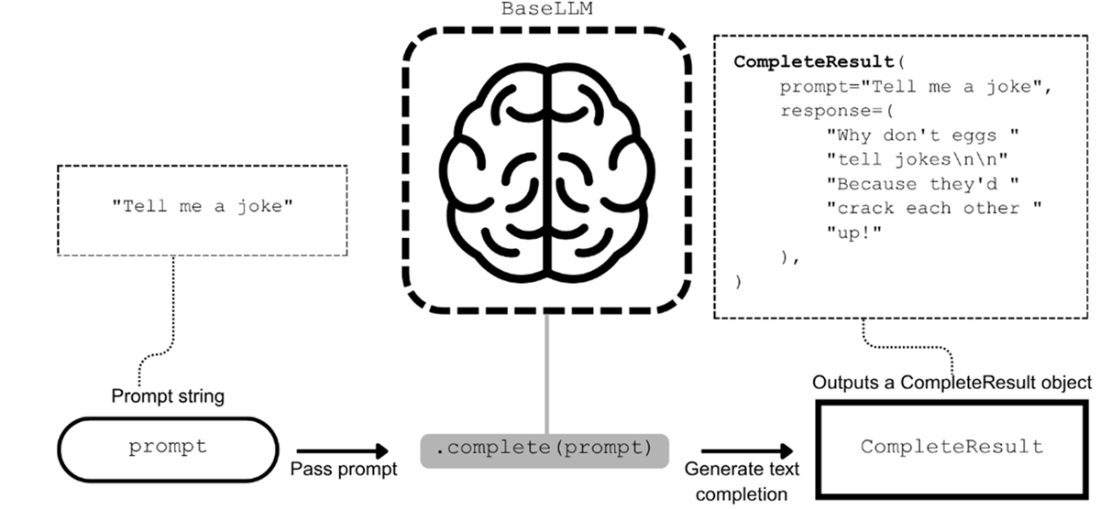
Supporting text completion with complete().
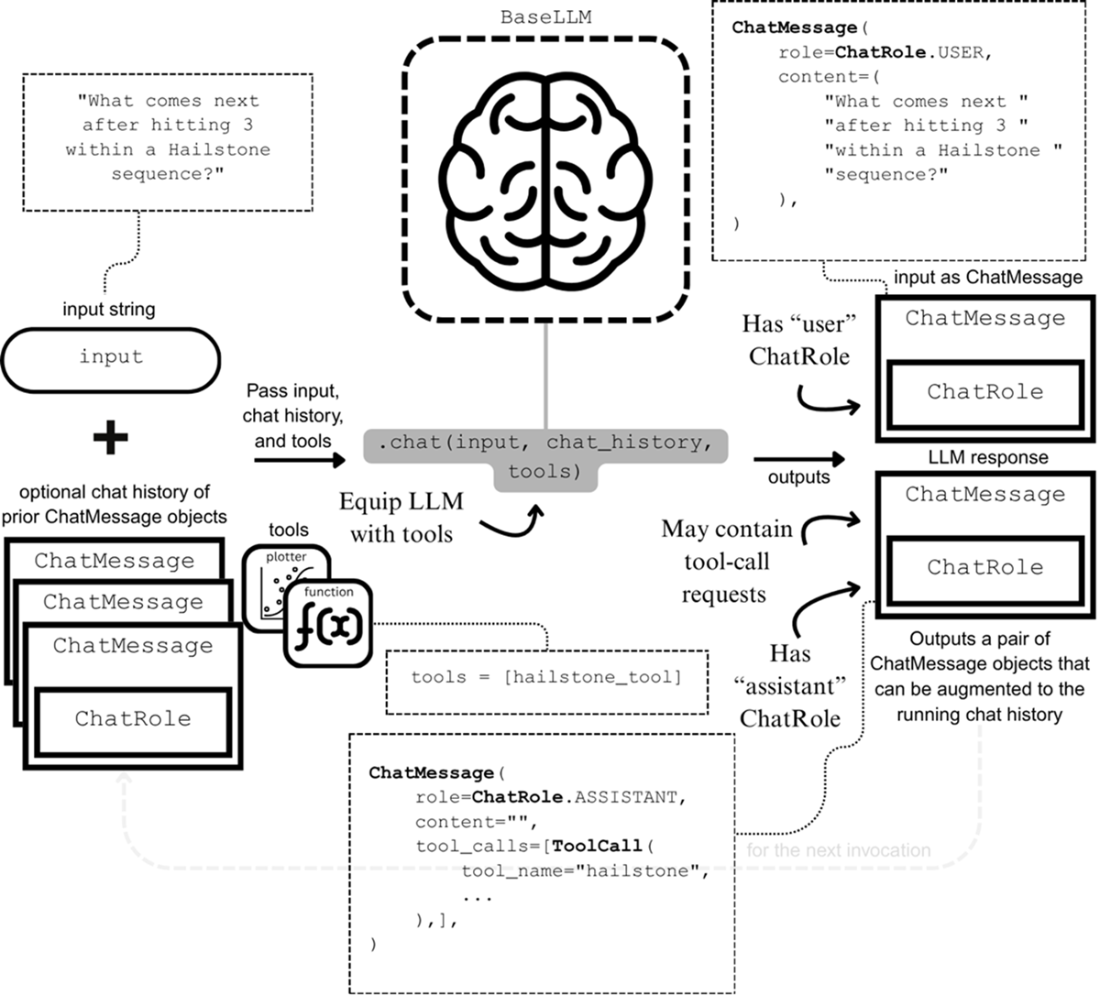
Supporting chat interactions with LLMs via chat().
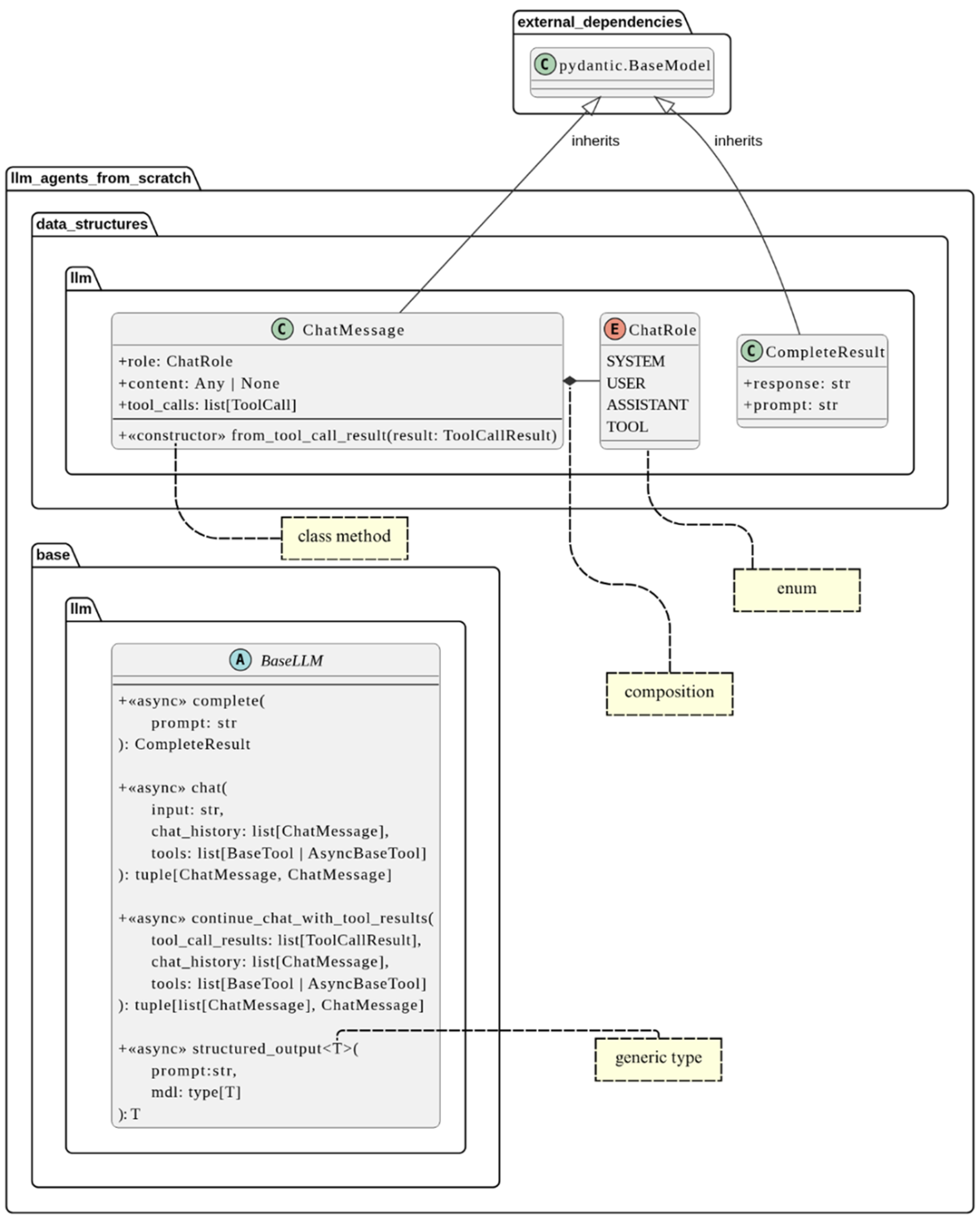
The UML class diagrams for BaseLLM and new data structures.
An example of a CompleteResult object that is returned from an invocation of complete().
Example ChatMessage and ChatRole objects within a chat() invocation.
The familiar tool-calling process, now shown within a chat() invocation.
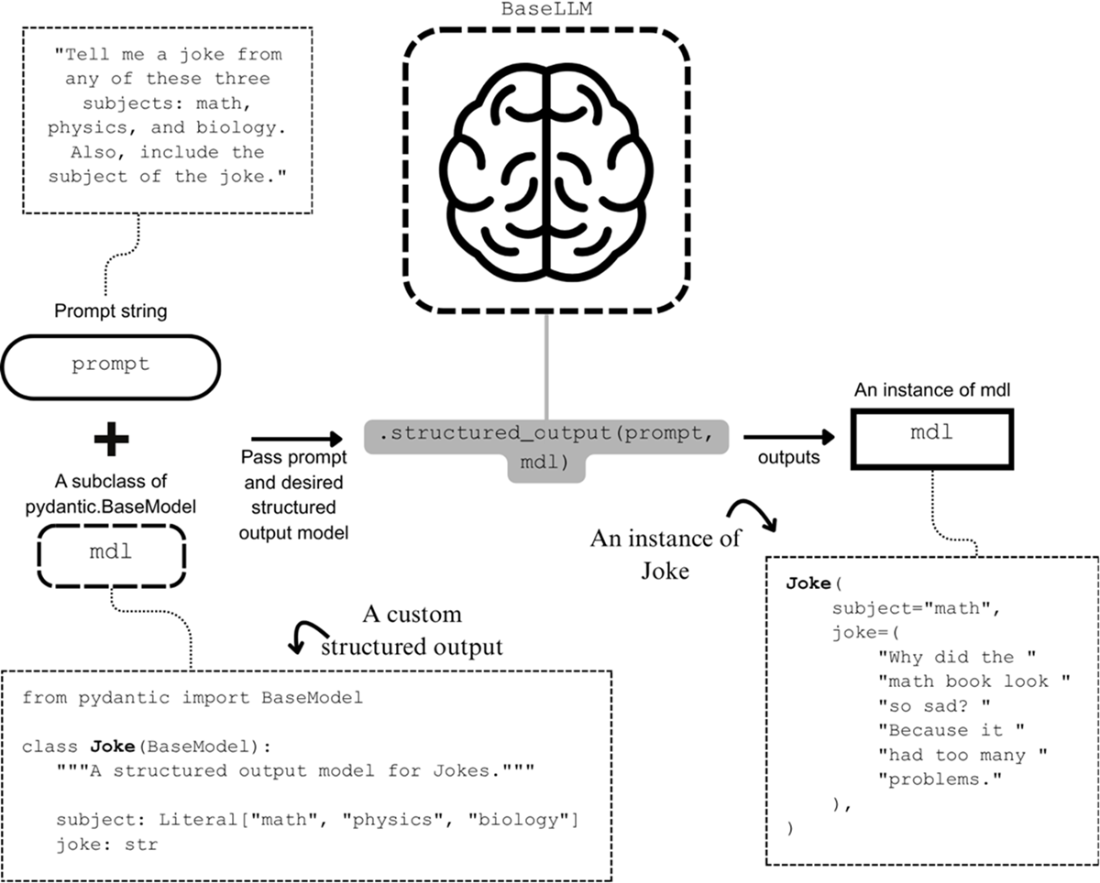
The structured output LLM interaction. An instruction prompt and the desired output format, mdl, are passed as the inputs to structured_output(). The LLM generates a response that can then be used to create an instance of mdl, a subclass of pydantic.BaseModel.
Integrating with the Ollama LLM inference framework. The OllamaLLM connects to a running Ollama server, often running locally on your machine, to work with any of the supported open-source LLMs.
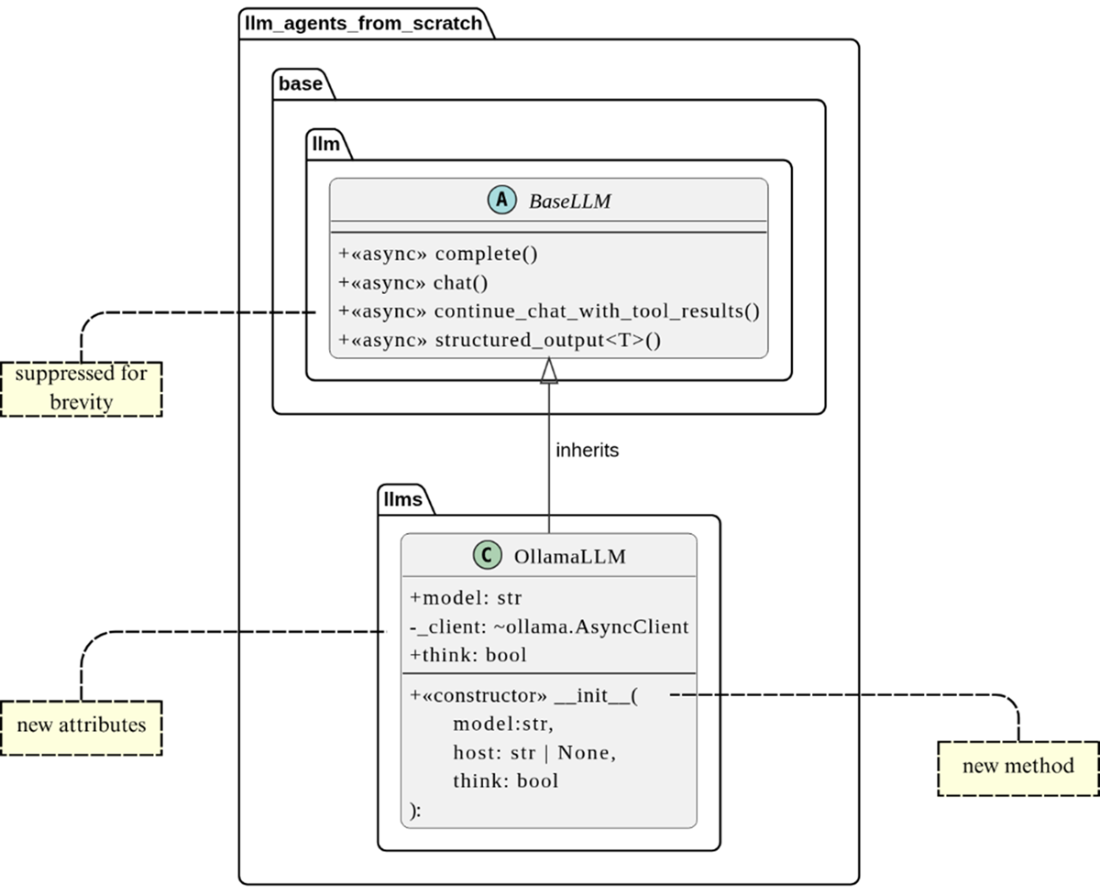
UML class diagram for OllamaLLM.
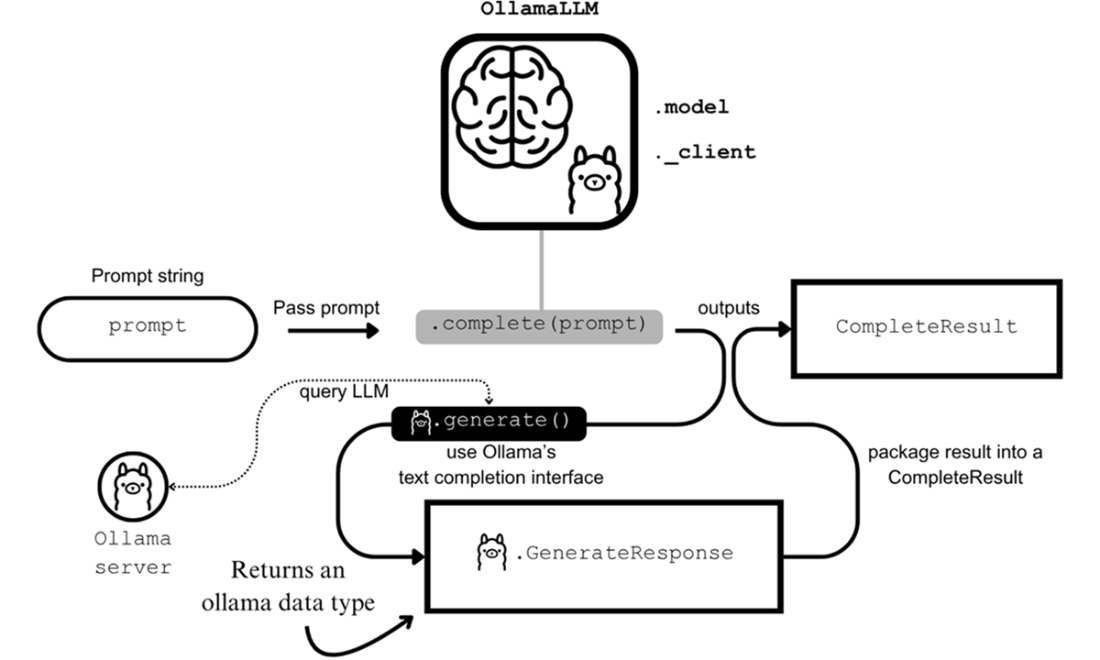
Integrating with Ollama’s text completion interface. A complete() invocation of OllamaLLM invokes the generate() method of the Ollama library and returns an Ollama data type from which we derive the final return type, CompleteResult.
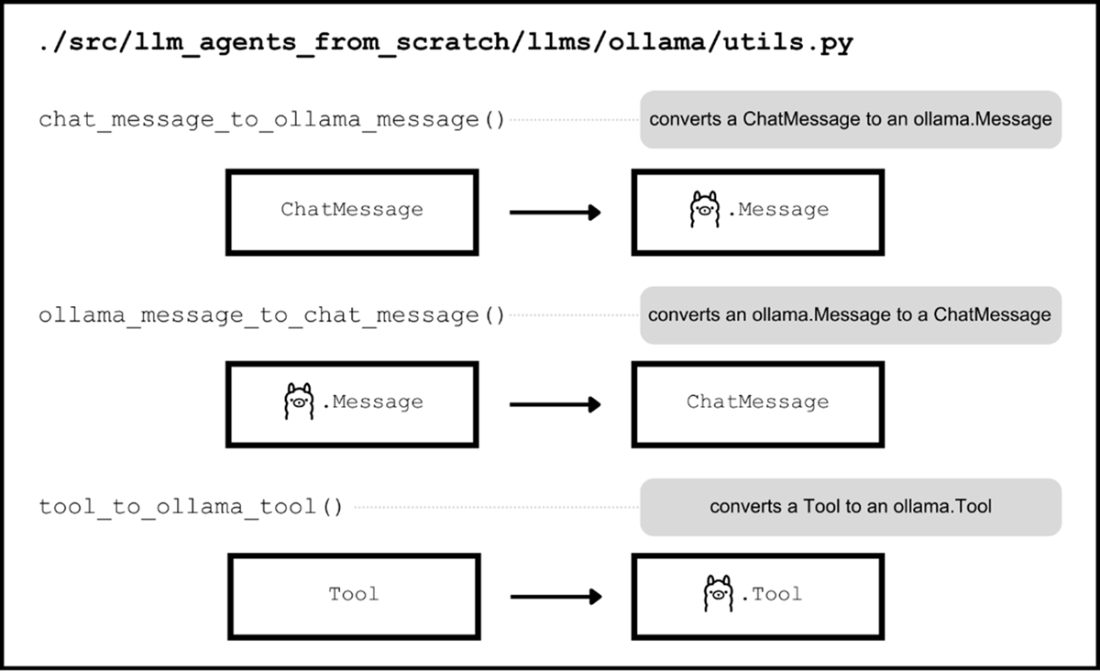
Three utility functions for converting between llm-agents-from-scratch data types and corresponding Ollama equivalent data types.
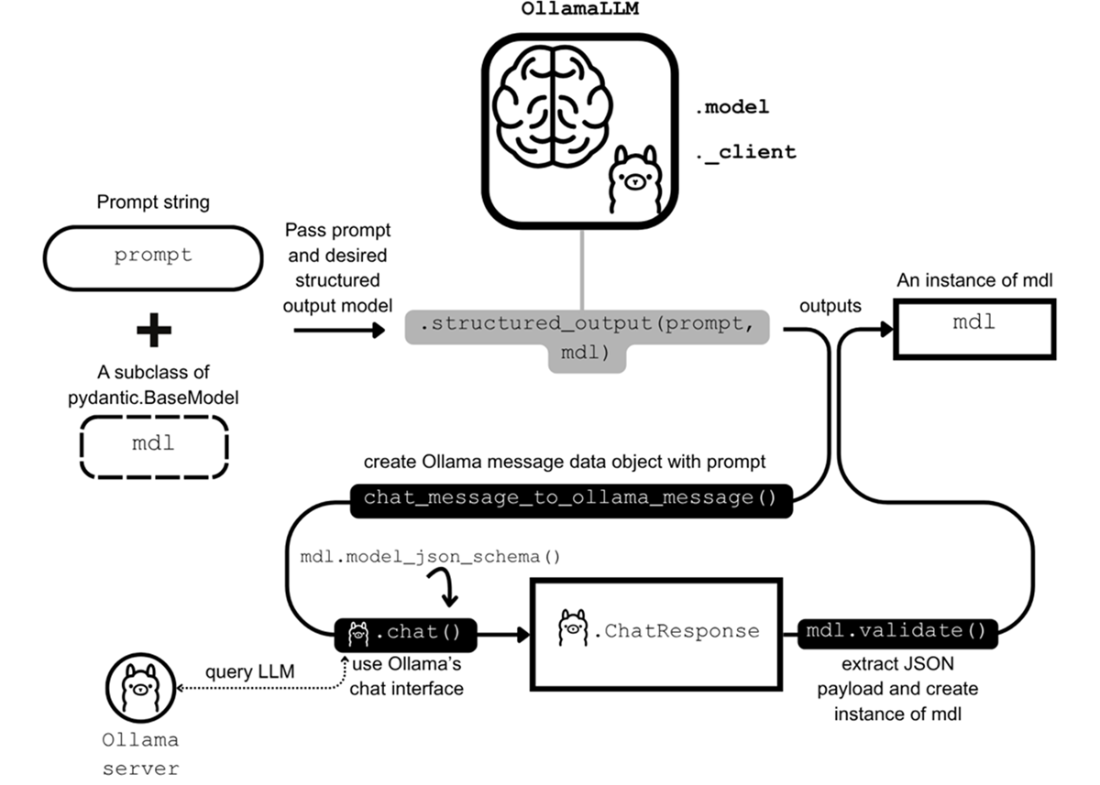
Integrating with Ollama’s structured output interface, which is facilitated by their chat interface. A structured_output() invocation of OllamaLLM invokes the ollama.chat() but not before creating the Ollama message data object. The returned result is an ollama.ChatResponse from which we extract the JSON payload corresponding to mdl that we then use to validate and create the final structured output object.
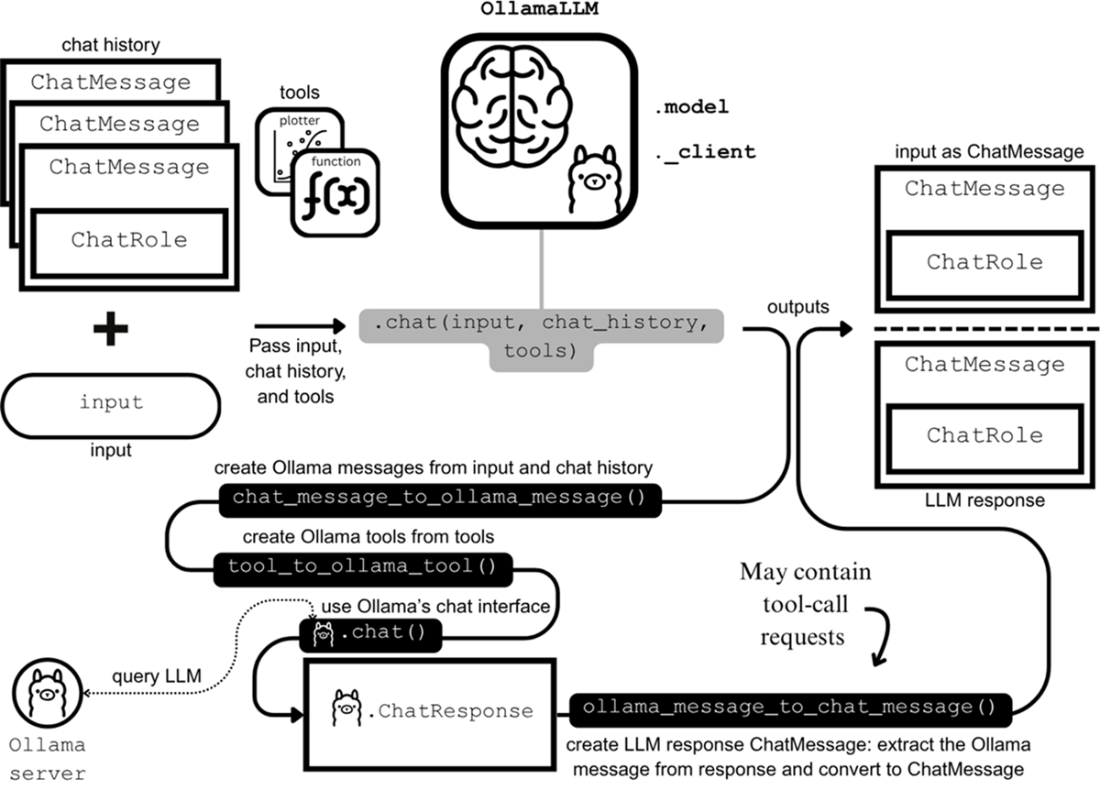
Integrating with Ollama’s chat interface to implement chat(). The user’s input and chat history are converted to Ollama messages, and tools are converted to Ollama tools. Next, ollama.chat() is invoked and its response is then converted back to a ChatMessage. This ChatMessage is returned along with another one derived from the user’s input.
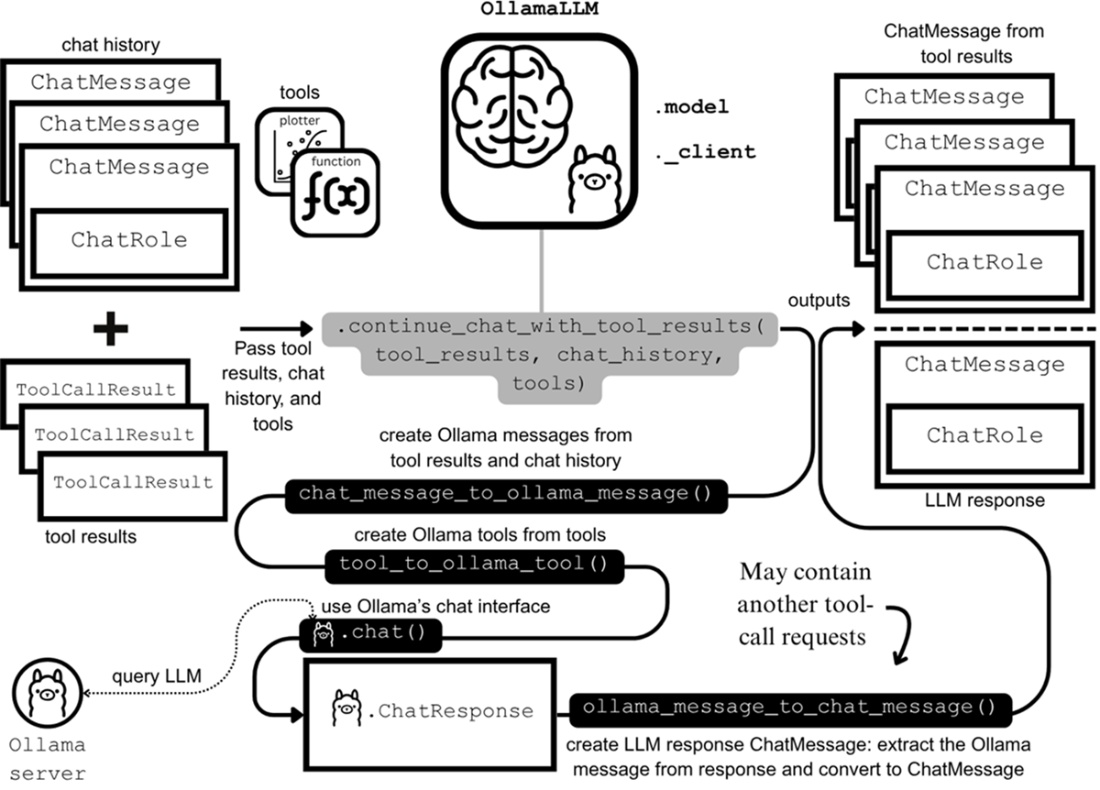
Integrating with Ollama’s chat interface to implement continue_chat_with_tool_results(). The tool-call results and chat history are converted to Ollama messages, and tools are converted to Ollama tools. Next, ollama.chat() is invoked and its response is then converted back to a ChatMessage. This ChatMessage is returned along with the list of ChatMessage objects derived from the tool-call results.
Summary
- APIs provided by LLM providers typically support two modes of interaction with LLMs: one for text completion and another for conversational dialogue.
- Our BaseLLM class supports text completion via the complete() method, and the conversational mode of interaction through our chat() method.
- One important use case for LLMs is structured output, where we instruct an LLM to produce an output that conforms to a specified data format, often described in JSON.
- Structured outputs with our BaseLLM class, can be performed via the structured_output() method.
- Integrations into LLM providers and their companion Python SDKs can be added to our framework by subclassing BaseLLM.
- The OllamaLLM integration implemented in this chapter allows for the use of any open-source LLMs supported by Ollama in our framework.

 Build a Multi-Agent System (from Scratch) ebook for free
