2 Working with Tools
This chapter introduces the infrastructure needed to make tools a reliable part of an LLM agent framework. It explains why tools must be described in a way the model can understand, and why the tool-calling flow should be standardized so requests, executions, and returned results all follow the same pattern. To support that goal, the chapter builds a small framework around a base tool interface and a pair of data models that represent tool-call inputs and outputs.
The core abstraction is an abstract base class that every tool must follow, with standard attributes for the tool’s name, description, and parameter schema, plus a callable execution method. The chapter also adds structured objects for tool requests and tool results, using Pydantic models to keep data validated and easy to pass around. A concrete Hailstone example shows how a tool can be implemented directly, including a JSON Schema describing its input and a callable method that performs the computation and returns a result object.
From there, the chapter expands the design in two directions. First, it adds an asynchronous version of the base tool for workflows that wait on external services without blocking the rest of the application. Second, it introduces wrapper classes that turn ordinary Python functions into tools automatically: one version builds schemas from function signatures and validates arguments before execution, while another uses Pydantic for stronger schema generation and validation. Overall, the chapter focuses on making tools consistent, reusable, and easy for LLMs and agents to invoke safely.
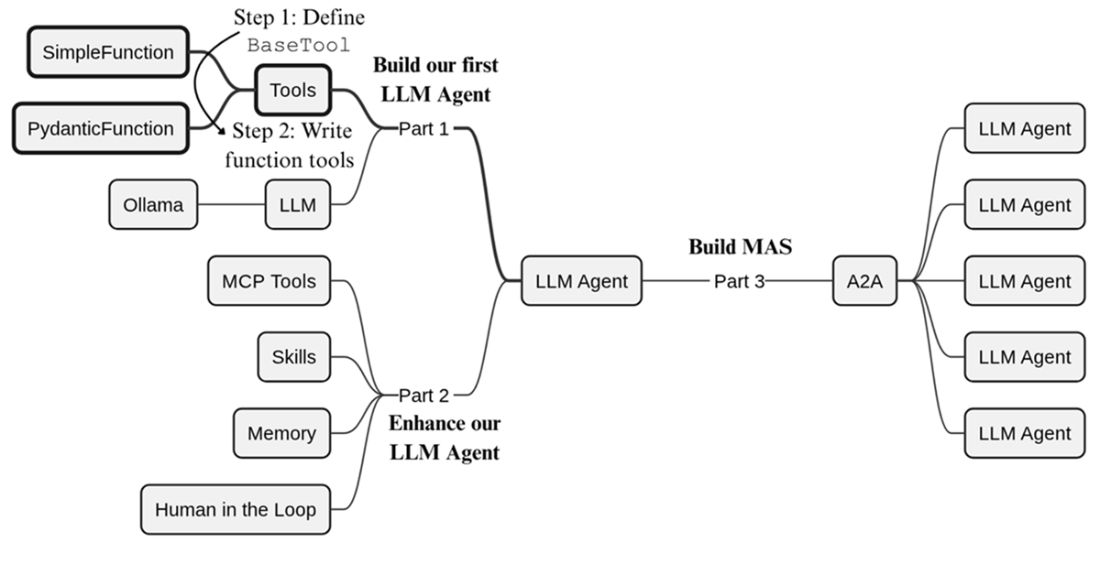
The focus of the current chapter, through the lens of our build plan introduced in Chapter 1. Before we can build an LLM agent, we first need to properly define tools and how they can be used within our framework.
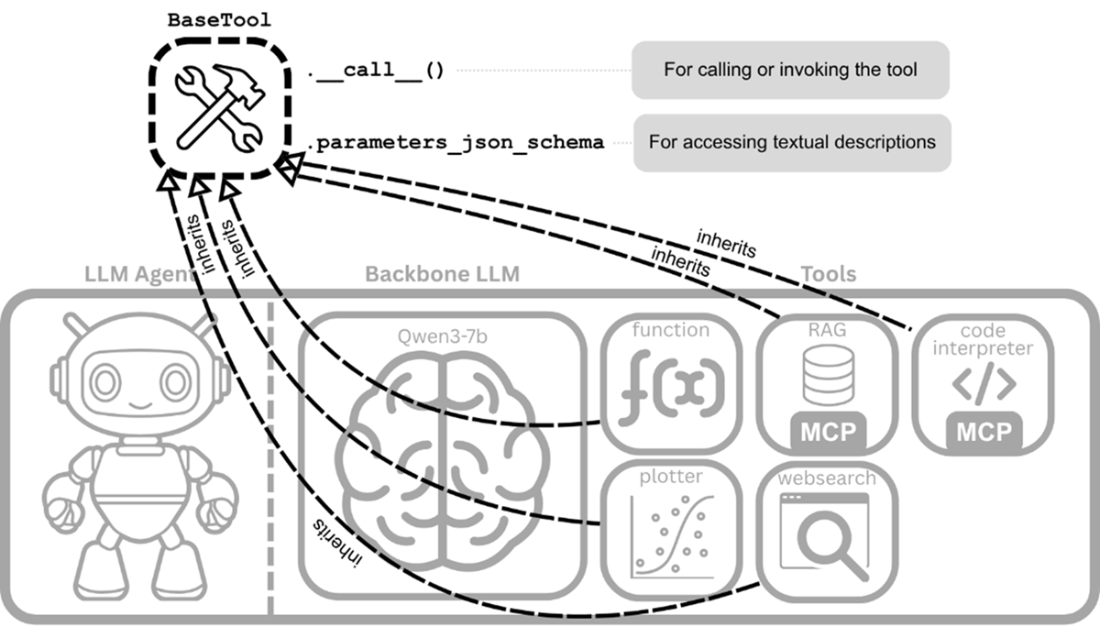
Each tool inherits from the BaseTool class, allowing the LLM agent to access the textual descriptions and execute the logic of each tool in the same manner.
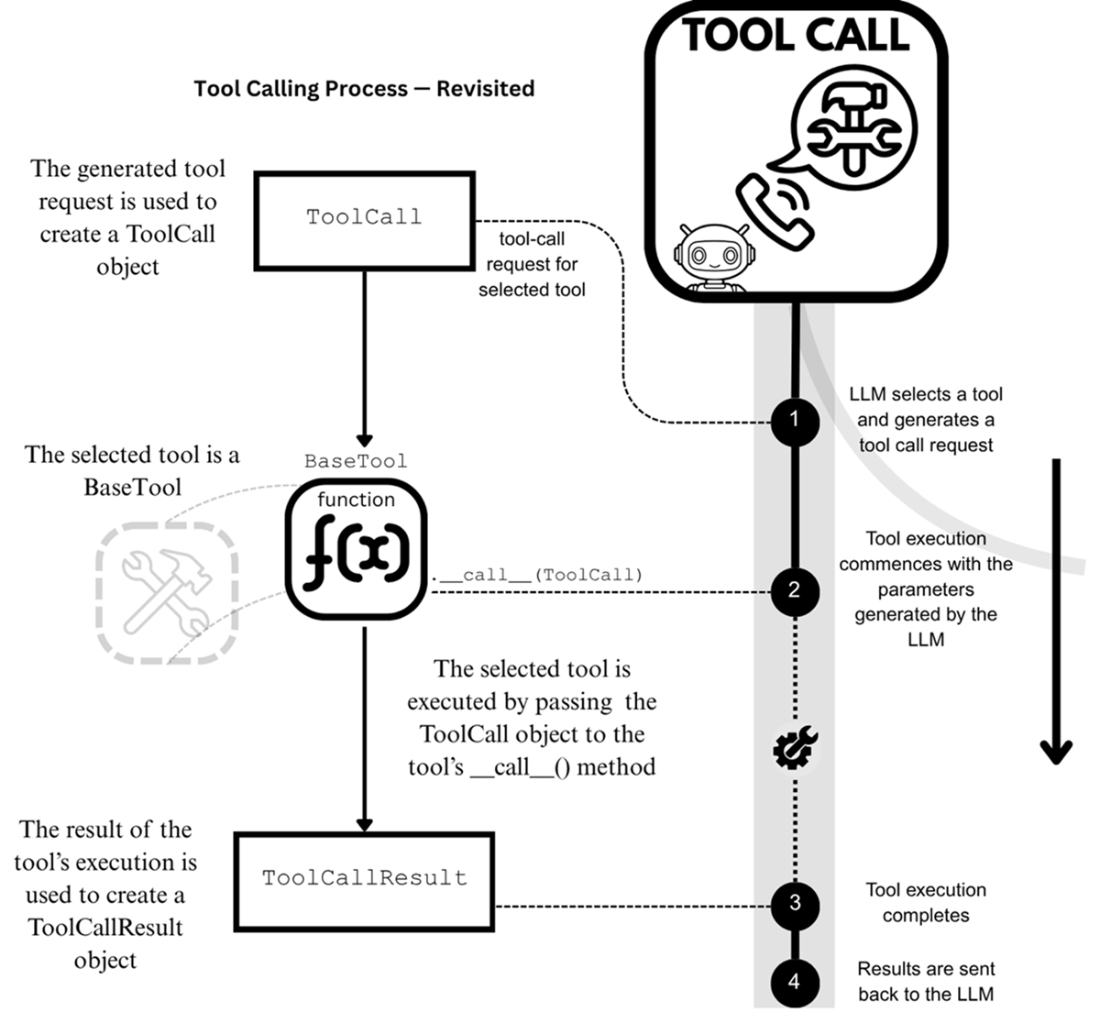
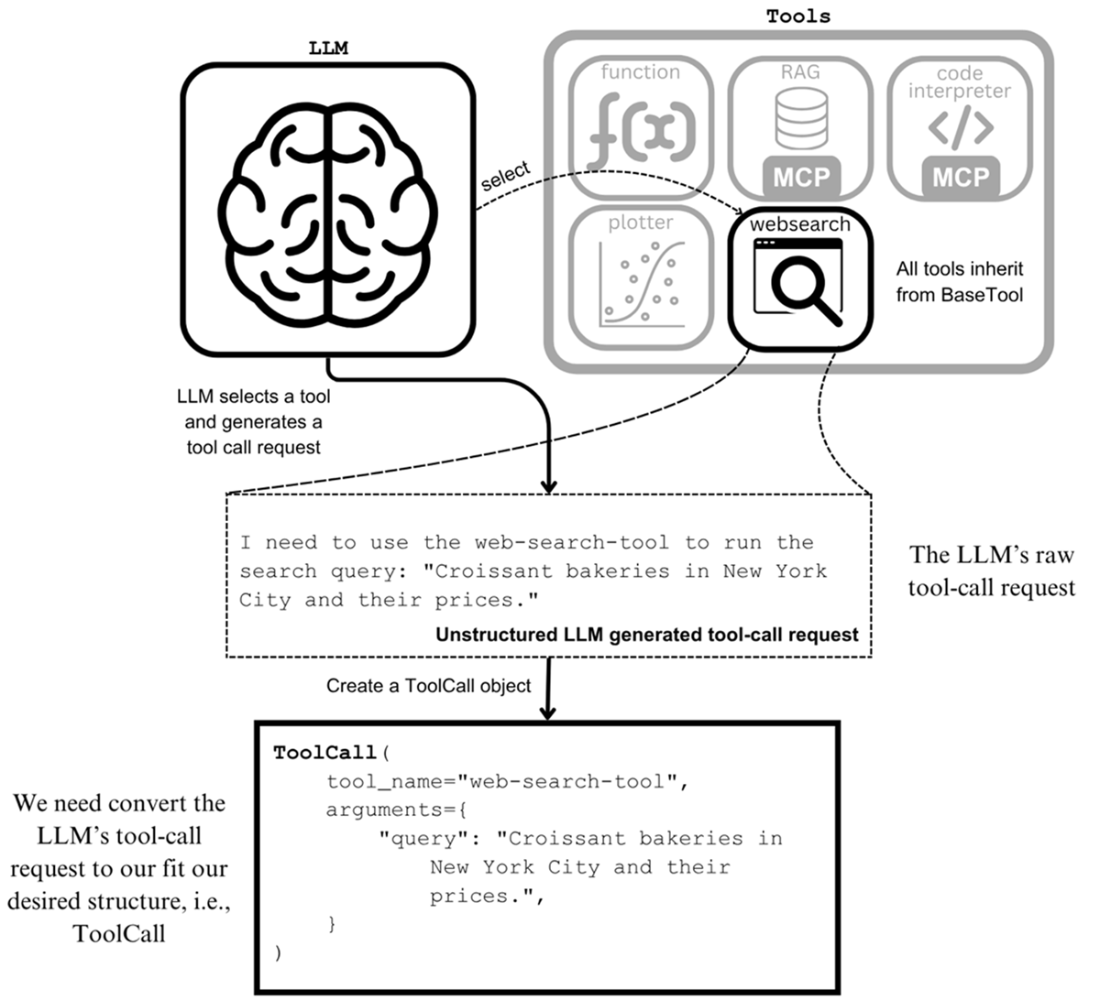
Incorporating our new classes—BaseTool, ToolCall, and ToolCallResult—into the tool-calling process, first shown in Chapter 1.
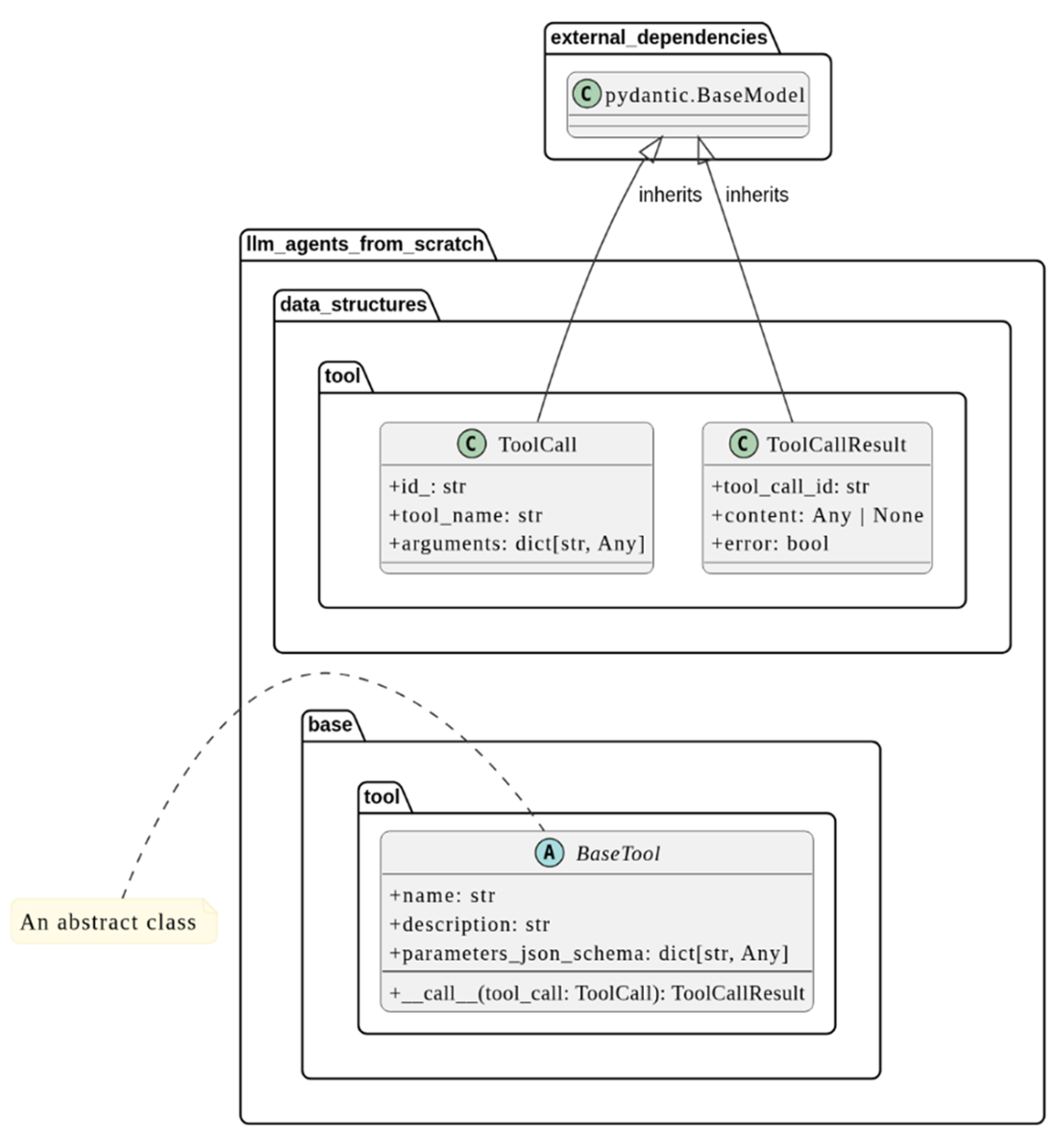
The UML class diagrams for BaseTool, ToolCall and ToolCallResult.
Creating a ToolCall object from an LLM’s natural language tool-call request. Since the web-search tool is a BaseTool, we must first convert the request into a ToolCall object before invoking it.
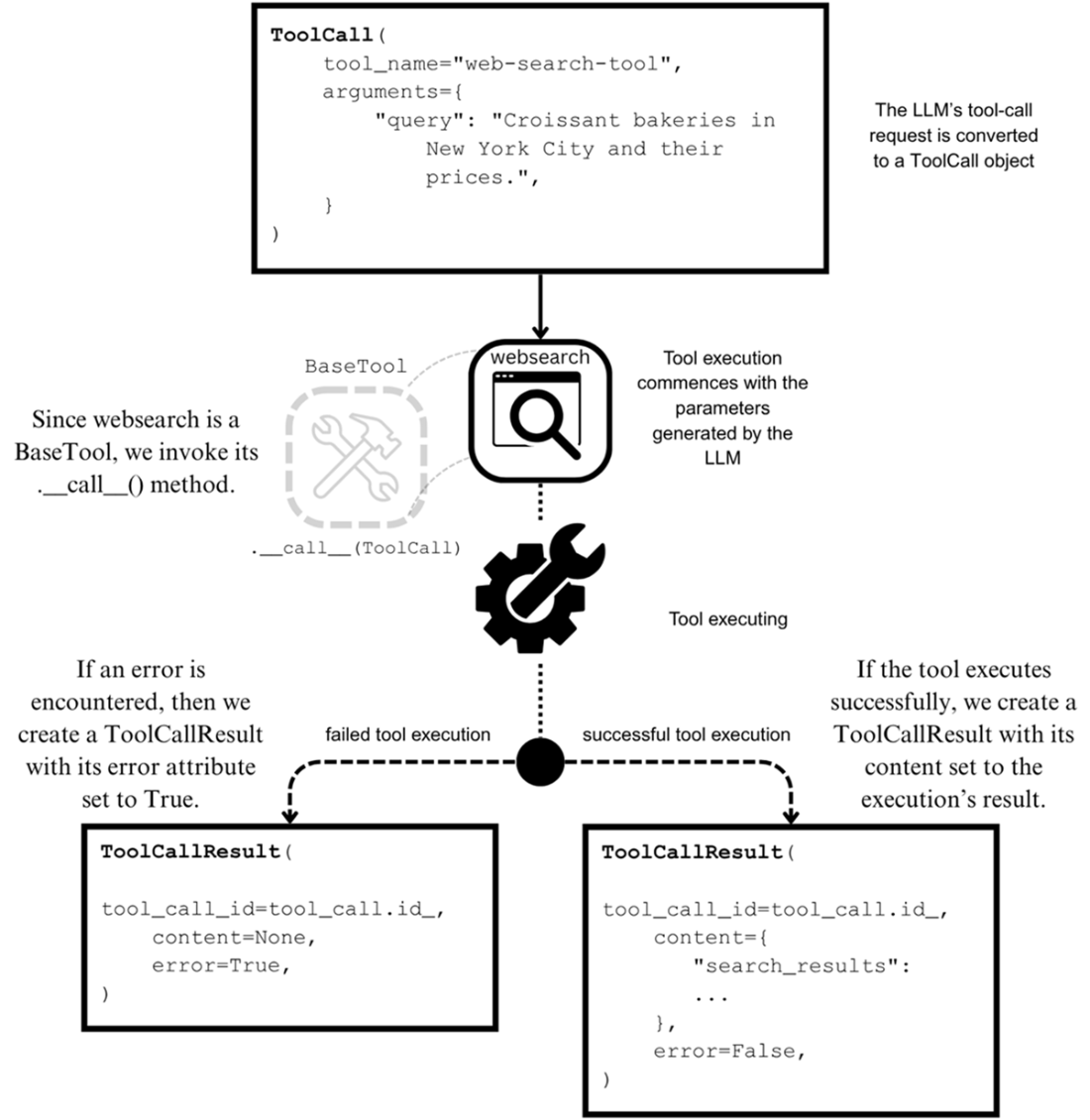
Creating a ToolCallResult object from the selected tool’s execution, handling both successful and failed executions.
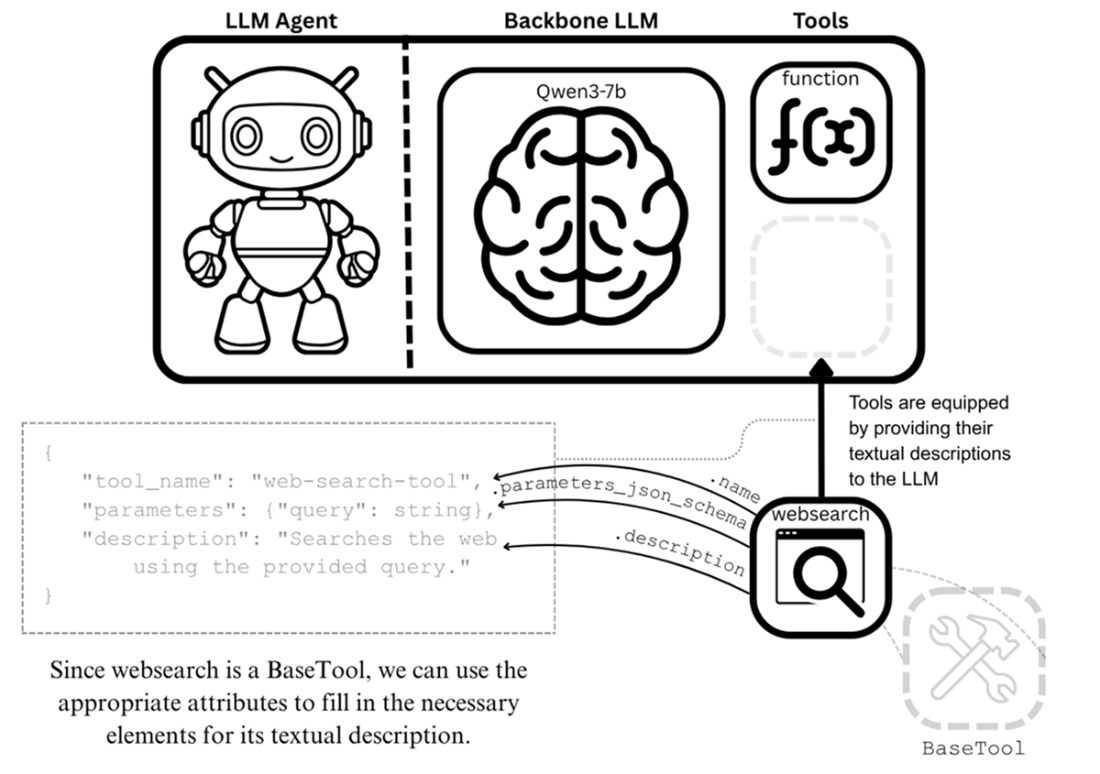
Revisiting the tool-equipping process. With a BaseTool, we can use its attributes to fill in the values required for textual descriptions that are passed to the LLM.
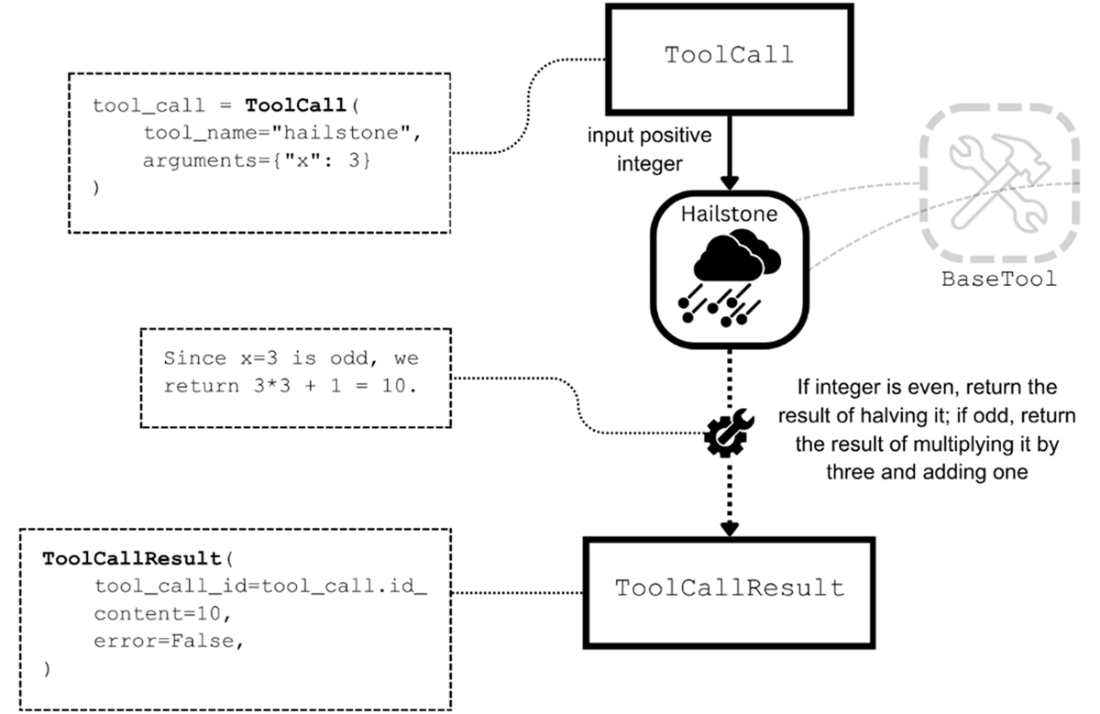
The Hailstone tool performs a Hailstone step on a given positive integer. By implementing the Hailstone tool as a subclass of BaseTool, we can use it within the tool-call process for LLMs.
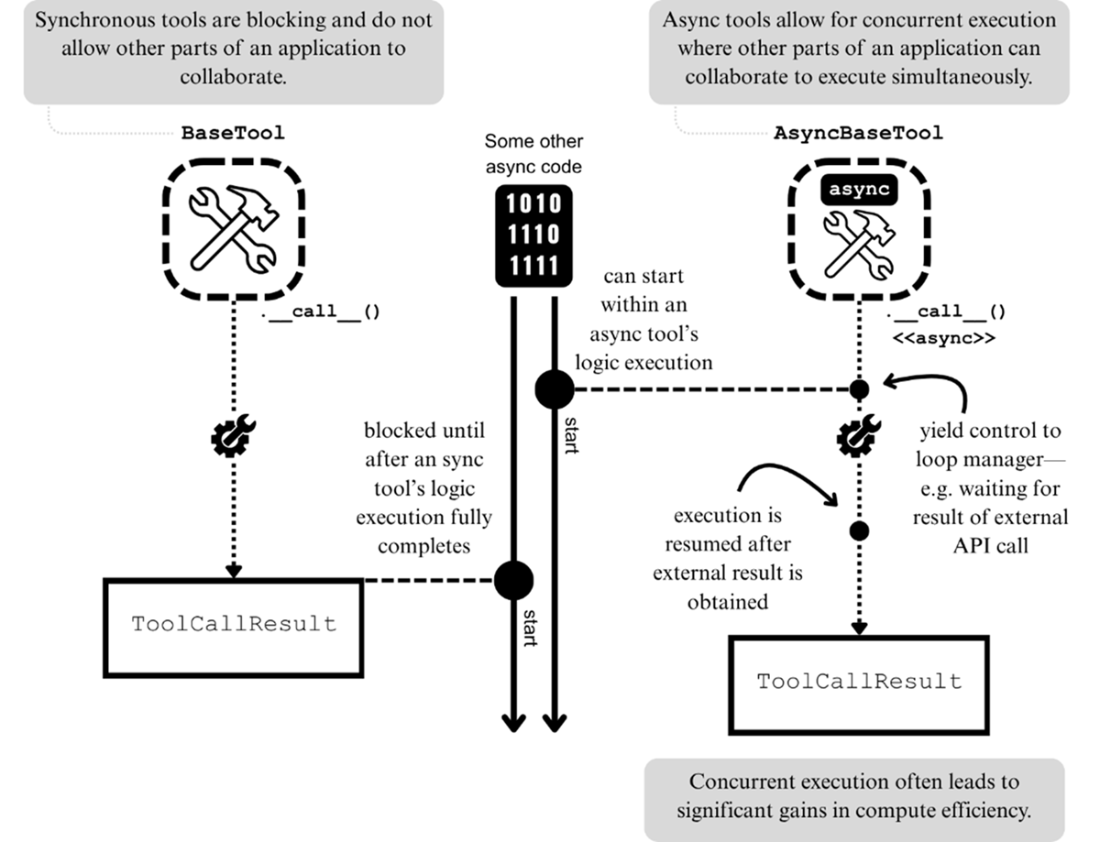
Comparing synchronous and asynchronous tool executions.
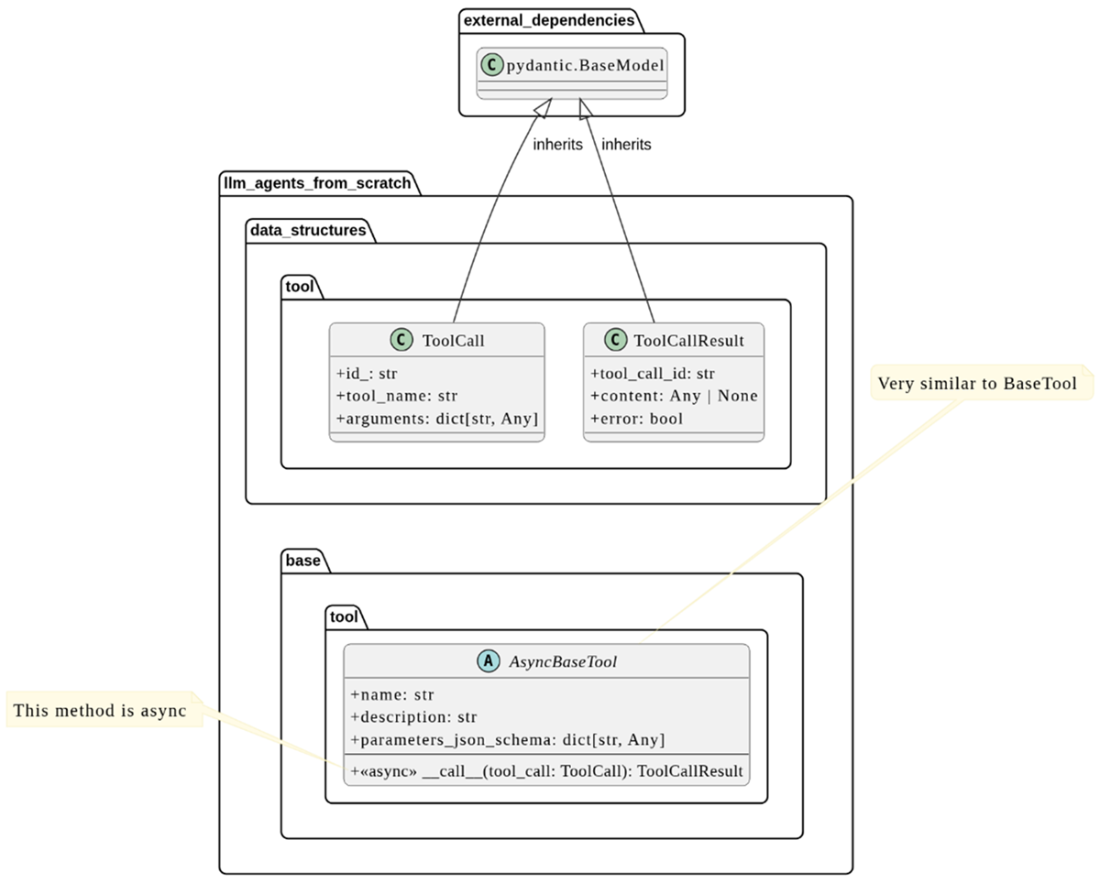
The UML class diagram for AsyncBaseTool, which shows a nearly identical structure to the BaseTool class.
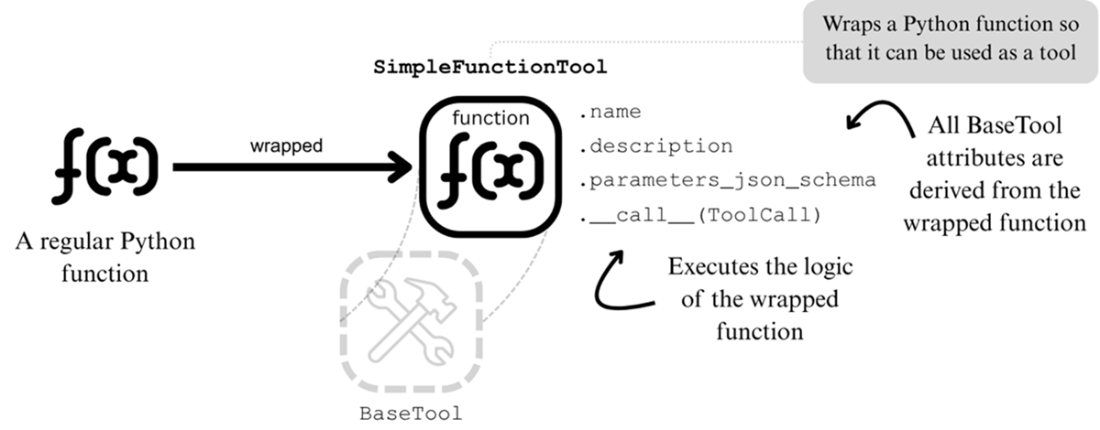
Wrapping Python functions with SimpleFunctionTool so that they can be used as tools for LLMs and LLM agents.
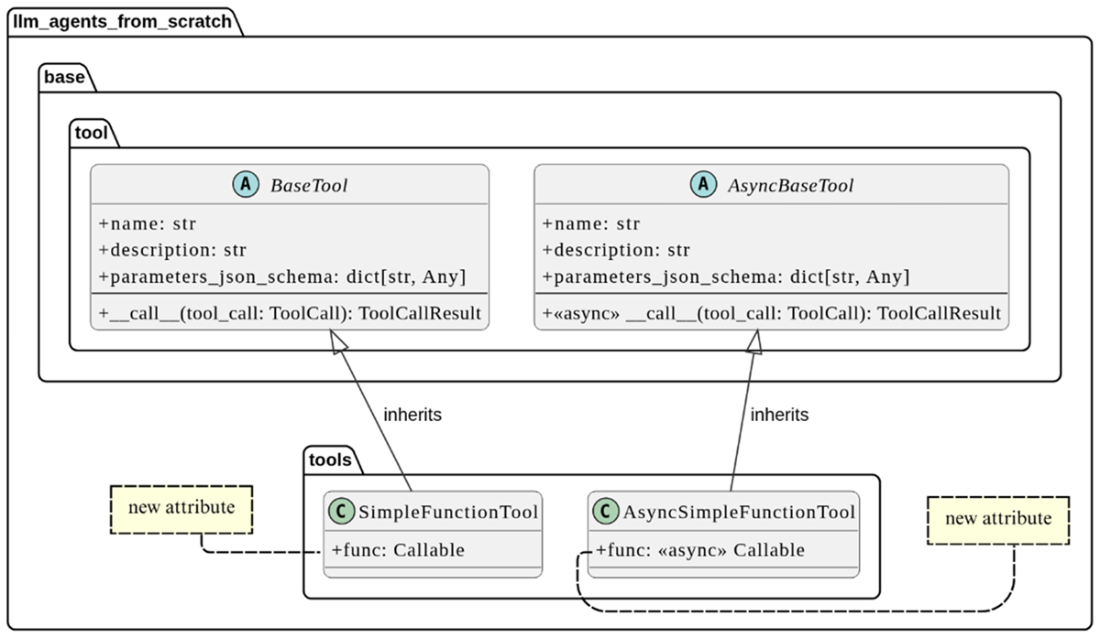
UML class diagrams for SimpleFunctionTool and AsyncSimpleFunctionTool.
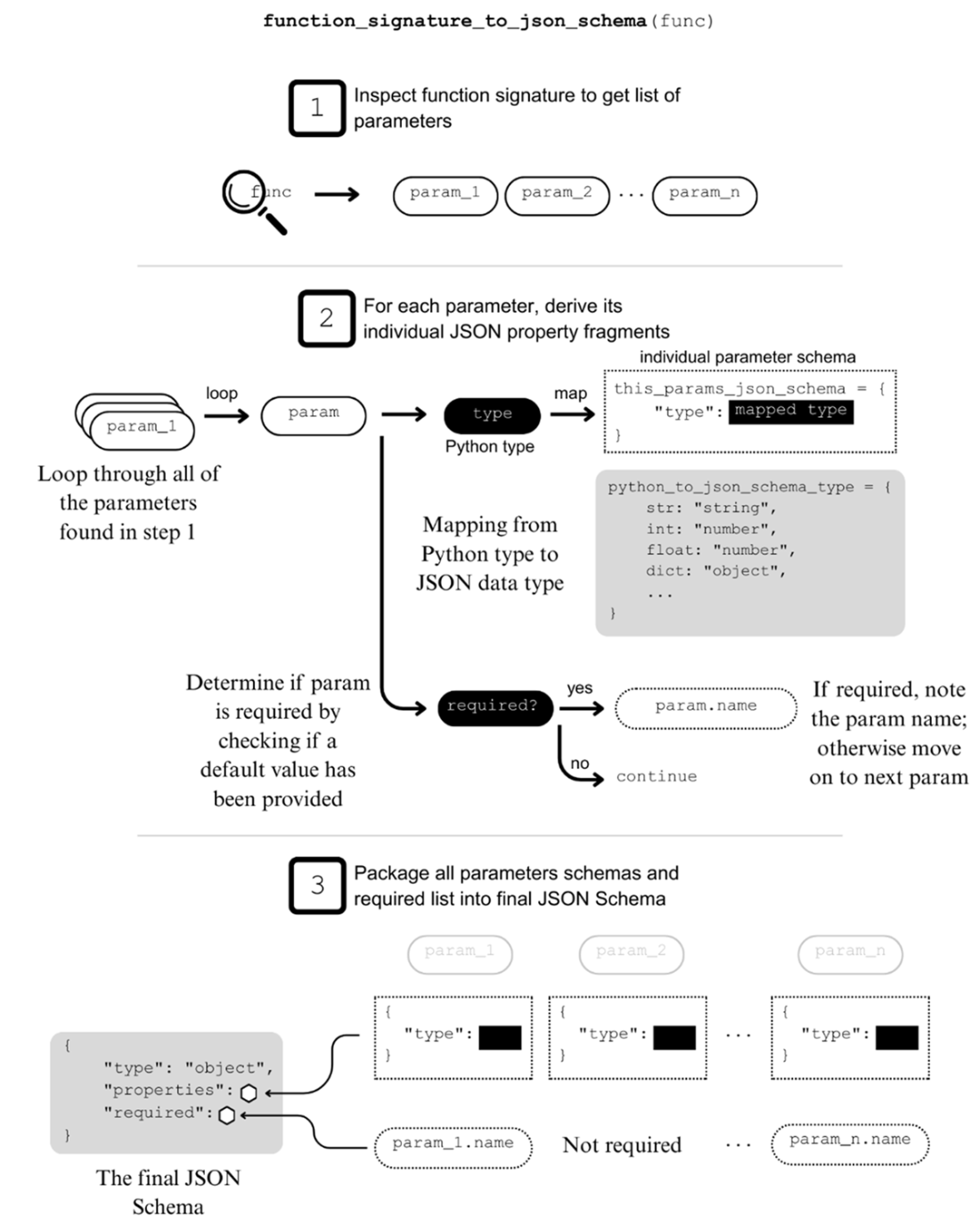
A visual breakdown of the three steps involved in the implementation of the helper function_signature_to_json_schema.
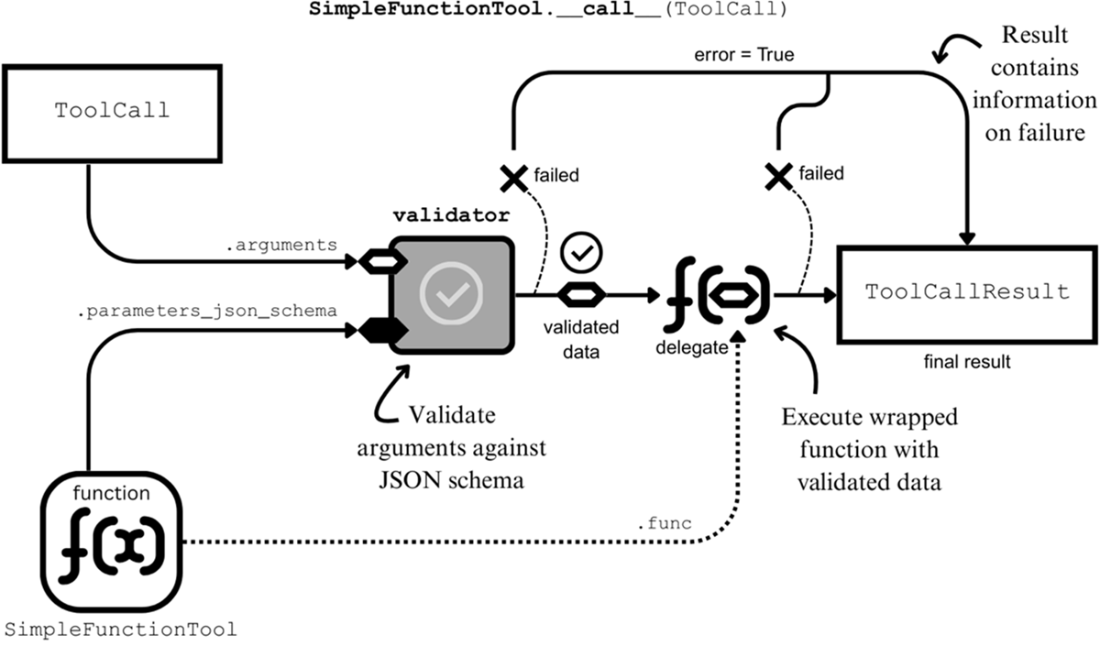
Executing a SimpleFunctionTool involves validating the parameter data of the ToolCall object and subsequently delegating to the wrapped function.
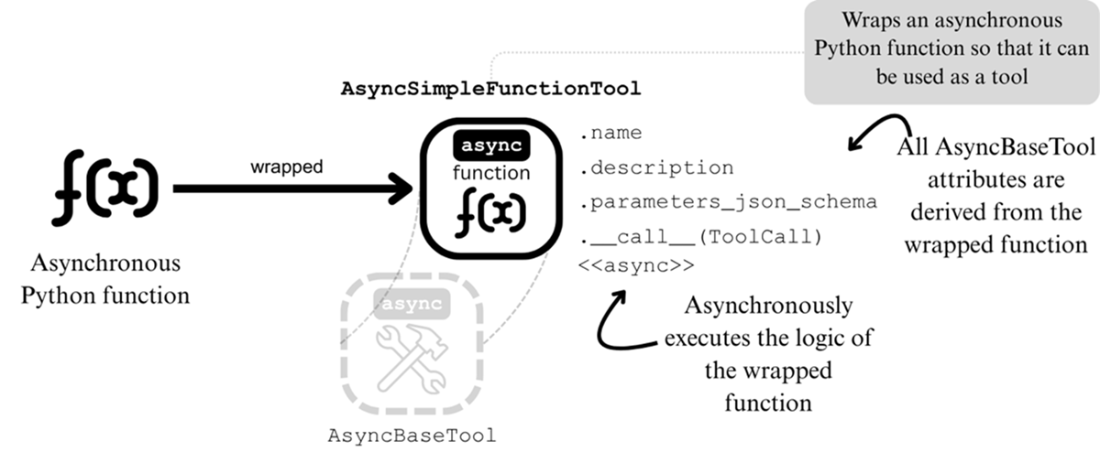
Wrapping an asynchronous Python function to create an AsyncBaseTool object automatically.
Summary
- To build an LLM agent, we need to build the required infrastructure, including abstractions representing tools that they work with to perform tasks.
- LLMs require the following information to be able to make a tool call request for a given tool: its name, a description of its functionality, and a JSON Schema of its input parameters.
- A BaseTool object executes a single ToolCall and returns a single ToolCallResult object.
- The AsyncBaseTool class is designed for tools that execute their logic asynchronously.
- The SimpleFunctionTool is a wrapper class for turning Python functions into a BaseTool objects.
- The AsyncSimpleFunctionTool is a wrapper class for turning async Python functions into a AsyncBaseTool objects.
- The PydanticFunctionTool is similar to the SimpleFunctionTool, but wraps a special function we called PydanticFunction instead. These functions get passed their input parameters for logic execution through a ~pydantic.BaseModel.

 Build a Multi-Agent System (from Scratch) ebook for free
