3 API linting: Automating API consistency
This chapter explains how API linting fits into APIOps as an automated way to check that API definitions follow an organization’s style guide. It emphasizes that API linting is useful at design time and in CI/CD because it gives fast, repeatable feedback on consistency, which is much easier than manually reading and remembering a long specification. The chapter also shows that even teams without a mature style guide can start with built-in linting rules to validate OpenAPI files and basic structure.
Using Spectral as the main example, the chapter demonstrates how to run linting from the command line and inside VS Code, then interpret the results when a rule passes or fails. It walks through creating simple custom rules with a message, JSONPath target, validation function, and severity, including checks for required fields and path versioning. It also covers extending existing rulesets, disabling or changing specific rules, and using overrides so teams can gradually introduce stricter standards without forcing disruptive changes on existing APIs.
Finally, the chapter explores how AI tools can help create and test linting rules, especially when writing JSONPath expressions or reusable rule definitions is time-consuming. It shows GitHub Copilot helping generate Spectral rules and sample OpenAPI documents, and it introduces LLM-based linting approaches such as Claude and Optic’s LintGPT for rules that are easier to express in natural language than in a traditional ruleset. The main takeaway is that automated linting, whether rule-based or AI-assisted, can improve API quality and consistency, but results still need careful validation before being trusted in production workflows.
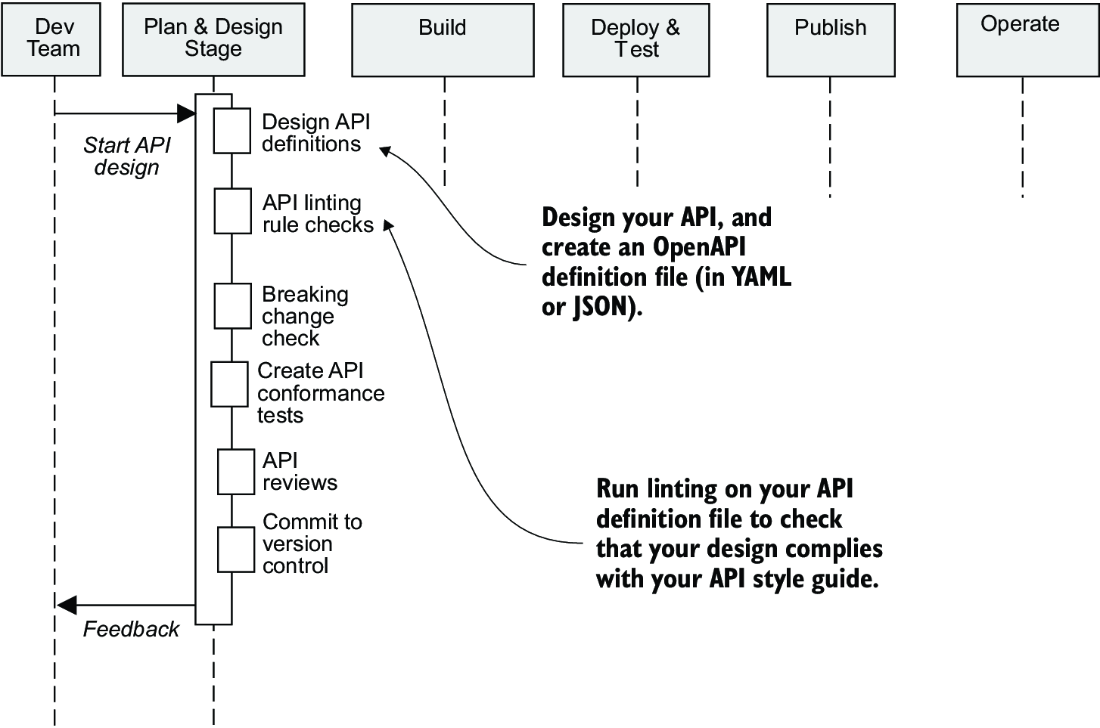
At the design stage of your API, run API linting to get feedback on how closely your design is following your API style guide.
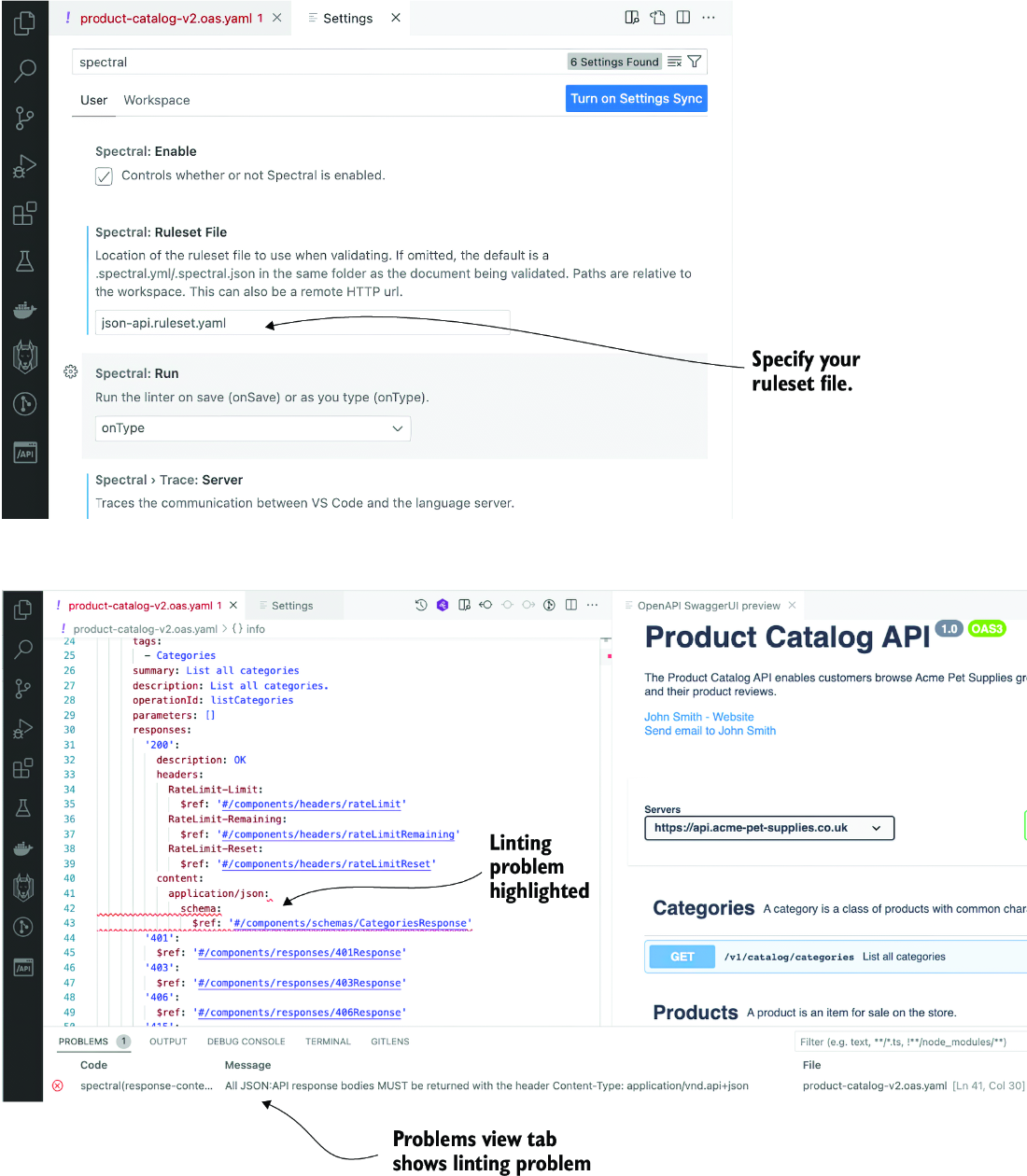
Viewing linting errors from a custom ruleset in VS Code
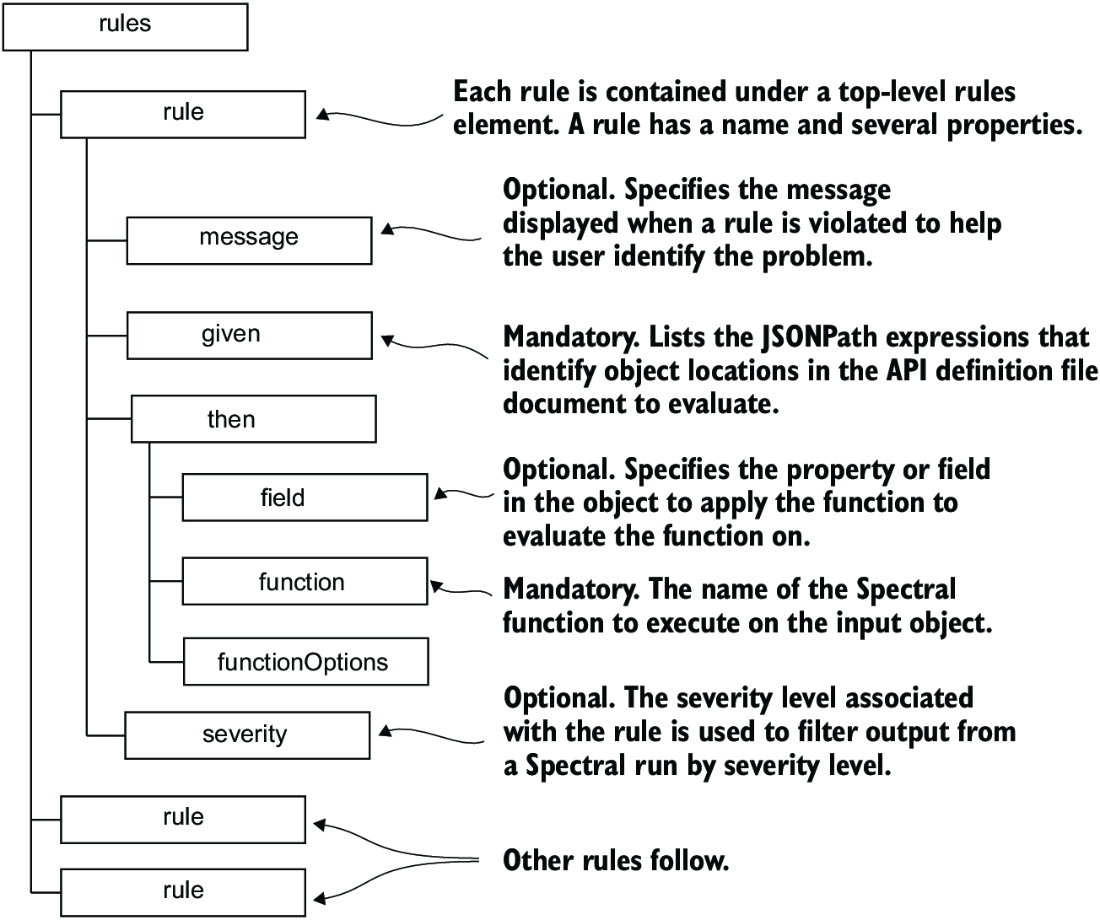
Structure of a simple rule in a Spectral ruleset. The given property specifies the location in the API definition file to apply the rule, and then the property specifies the rule to apply.
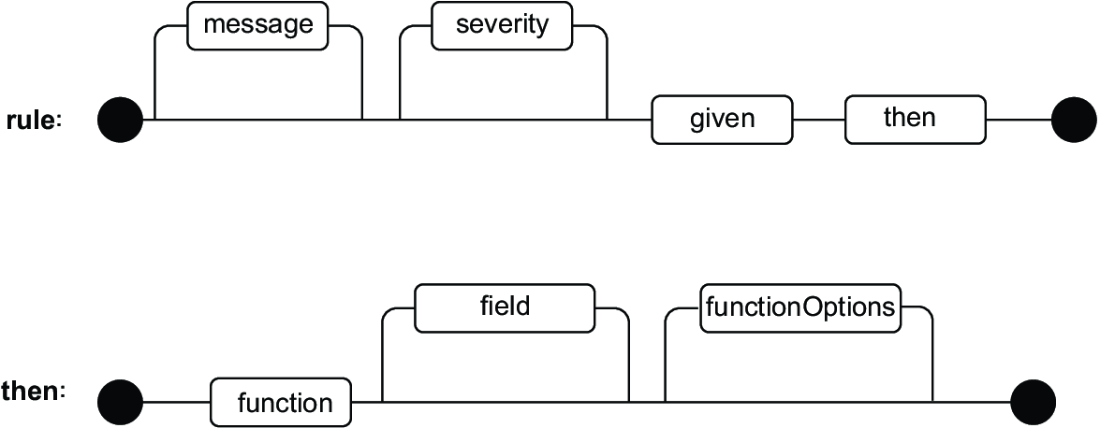
Simplified railroad diagram for a Spectral rule. Although this isn’t a comprehensive syntax diagram for Spectral rules, as rules have more elements and loops than shown here, it’s sufficient to explain the example in this section.
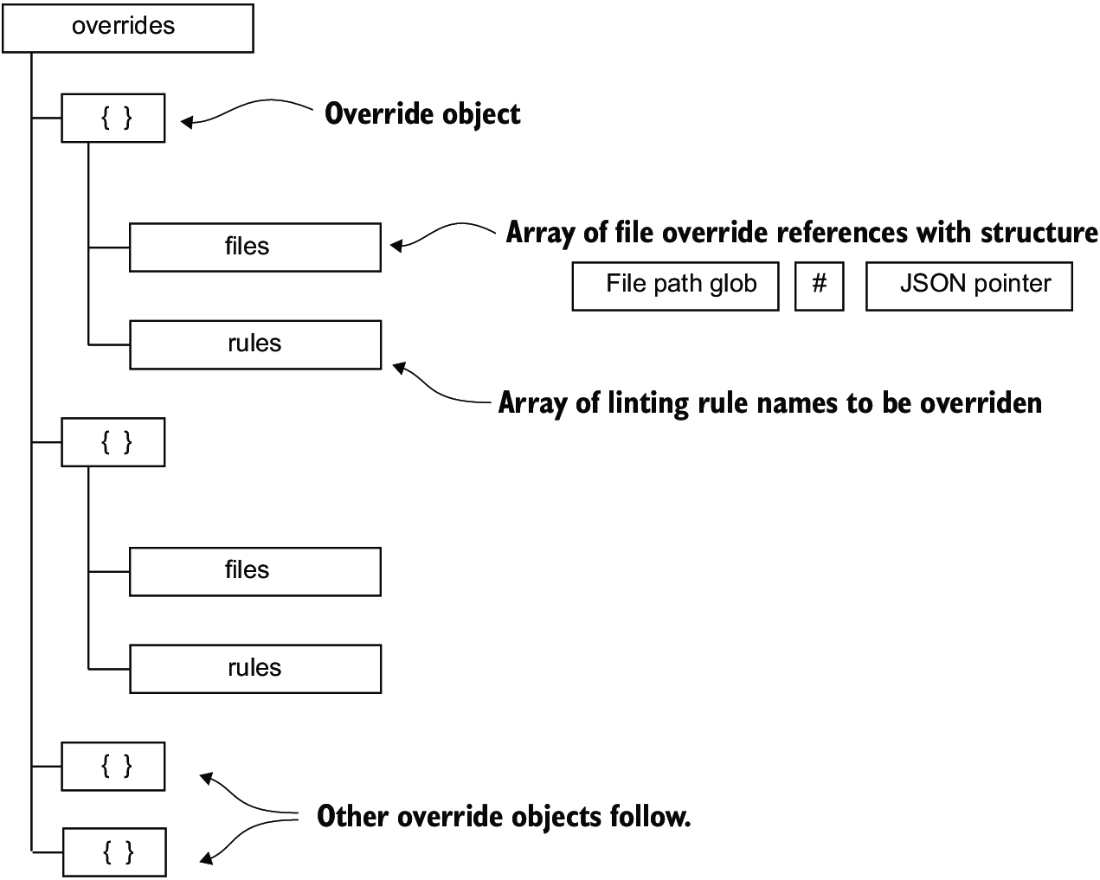
Structure of Spectral overrides
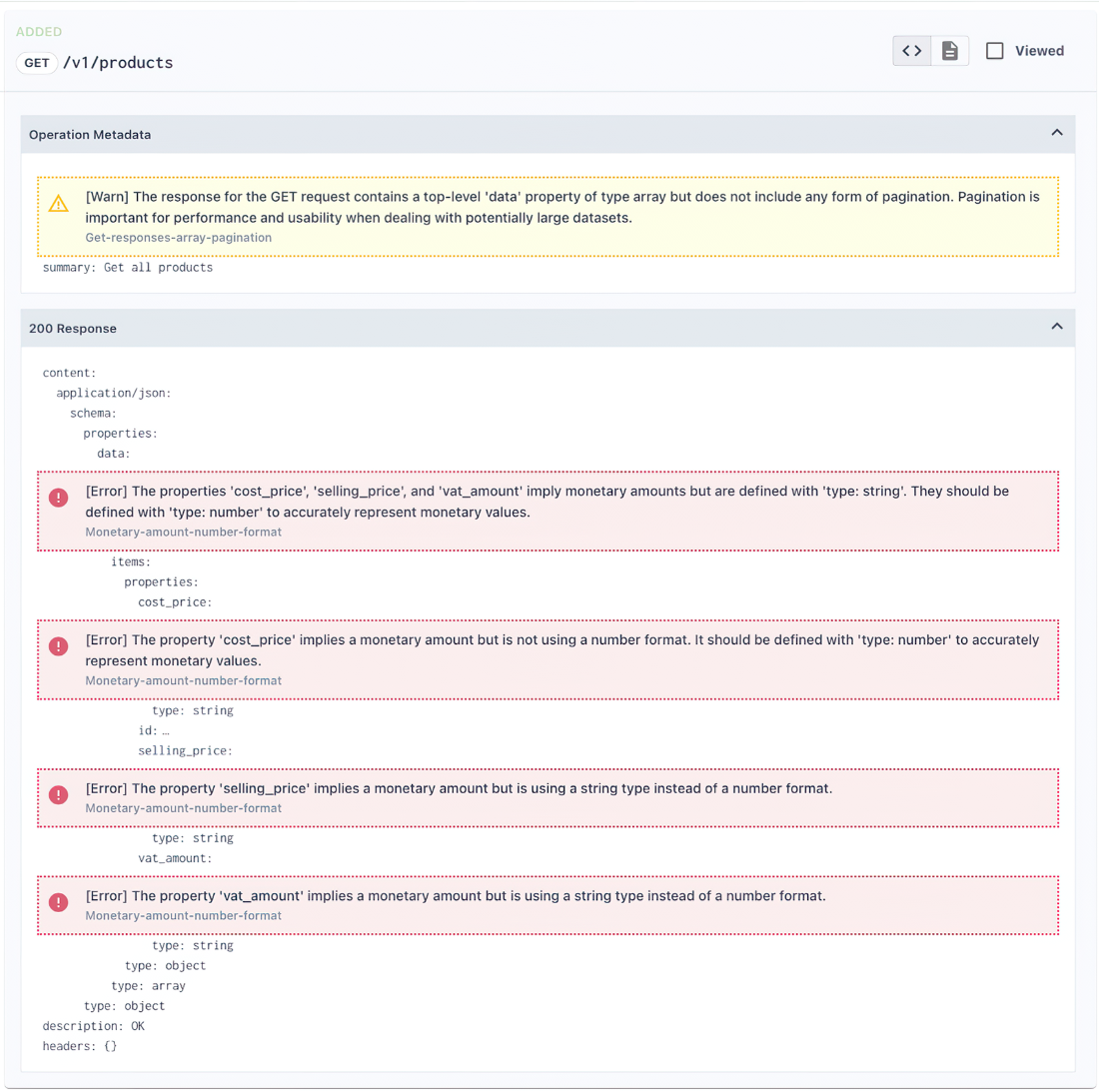
LintGPT linting violations in Optic
Summary
- An API style guide is a reference document containing an organization’s API design conventions and guidelines.
- API linting is an automated way of checking that an API definition complies with the style guide, and it’s an important part of the design stage of your APIOps workflow.
- You can use Spectral as an API linting tool to execute rulesets containing executable rules based on your API style guide. Spectral can be run on the command line but also has integrations, plugins, and extensions with many editors and API design tools.
- You write Spectral rules by defining the JSONPath expression that locates the elements in the API definition document to check and specifying a Spectral function to do the required check.
- Using the
extendsproperty, you can import one or more Spectral rulesets defined locally or remotely. - When adding new rulesets to an existing OpenAPI document, you can adopt a gradual consistency approach and disable rules for specific parts of the document.
- AI coding assistants can help you create API linting rules. You can also ask an LLM to lint an OpenAPI document with the rules you provide.
FAQ
What is API linting and why is it useful in APIOps?
API linting is the automated analysis of API definition files to check whether they follow an API style guide or standard. It helps teams catch inconsistencies early, improve usability and security, and get fast feedback during design and in CI pipelines.How does an API linter work?
An API linter takes two inputs: an API definition file and a ruleset. It checks the file against the rules, then reports any violations with details such as the line number, severity, violated rule, and location in the API document.What tools can be used for API linting in this chapter?
The chapter uses Spectral CLI as the main example. It also mentions the Redocly CLI, Vacuum, and Spego as other tools for linting OpenAPI definitions.How do you run Spectral against an OpenAPI file with a custom ruleset?
You can run a command like:spectral lint product-catalog.oas.yaml --ruleset json-api.ruleset.yaml --verbose. This checks the OpenAPI file against the specified ruleset and prints detailed results.What does Spectral report when an API violates a rule?
Spectral reports the line and column where the issue was found, the severity, the rule name, the rule message, and the location in the OpenAPI document that triggered the violation.How do you create a simple Spectral rule to require info.description?
You define a rule with message, severity, given, and then. For example, use given: $.info, then: field: description, and function: truthy to ensure the description field exists.What is the purpose of the given and then properties in a Spectral rule?
given selects the part of the document to evaluate, usually with a JSONPath or JSONPath Plus expression. then defines the check to perform on that selected value using a Spectral function such as truthy or pattern.How do you write a rule that enforces versioned URI paths?
You can use JSONPath Plus to select all paths with$.paths[*]~ and apply the pattern function with a regex such as ^/v\d+/.*$ to require paths to start with a version number like /v1/.How can you extend or override existing Spectral rulesets?
You can use theextends property to import built-in, local, remote, or package-based rulesets. You can also use rules and overrides to disable or change the severity of specific rules for selected files or JSON pointers.
 Automating API Delivery ebook for free
