2 Hands-on with Apache Iceberg
This chapter introduces a hands-on, end-to-end Apache Iceberg lakehouse exercise that turns the earlier architectural theory into a working local environment. It uses a fashion retail sales scenario in which transactional data begins in PostgreSQL, is processed with Apache Spark, stored as Apache Iceberg tables in MinIO, tracked through the Nessie catalog, queried with Dremio, and visualized in Apache Superset. The goal is to demonstrate how the main layers of a lakehouse—operational source, object storage, processing engine, catalog, query engine, and BI tool—work together in a realistic analytics workflow.
The chapter walks through setting up the complete environment with Docker Compose, including PostgreSQL, MinIO, Spark, Nessie, Dremio, and Superset on a shared Docker network. After verifying the services, it populates PostgreSQL with sample fashion sales data containing products, categories, sales amounts, dates, store locations, customer age groups, and campaign names. Spark is then configured with the necessary Iceberg, Nessie, PostgreSQL, and S3-compatible storage dependencies so it can read the PostgreSQL data, create an Iceberg namespace and table, write table data and metadata to MinIO, and register the table in Nessie for discovery by other tools.
The chapter then shows how Dremio connects to Nessie and MinIO to query the Iceberg table directly with SQL, illustrating how Iceberg enables warehouse-like access over data lake storage without copying data into a separate warehouse. It also highlights Iceberg features such as metadata-driven pruning, snapshots, and time travel for efficient querying, debugging, auditing, and historical analysis. Finally, Superset is connected to Dremio to create a dataset from the Iceberg table, build charts such as sales by day and sales by category, and combine them into a dashboard, demonstrating that Iceberg can support familiar BI workflows while preserving an open, modular lakehouse architecture.
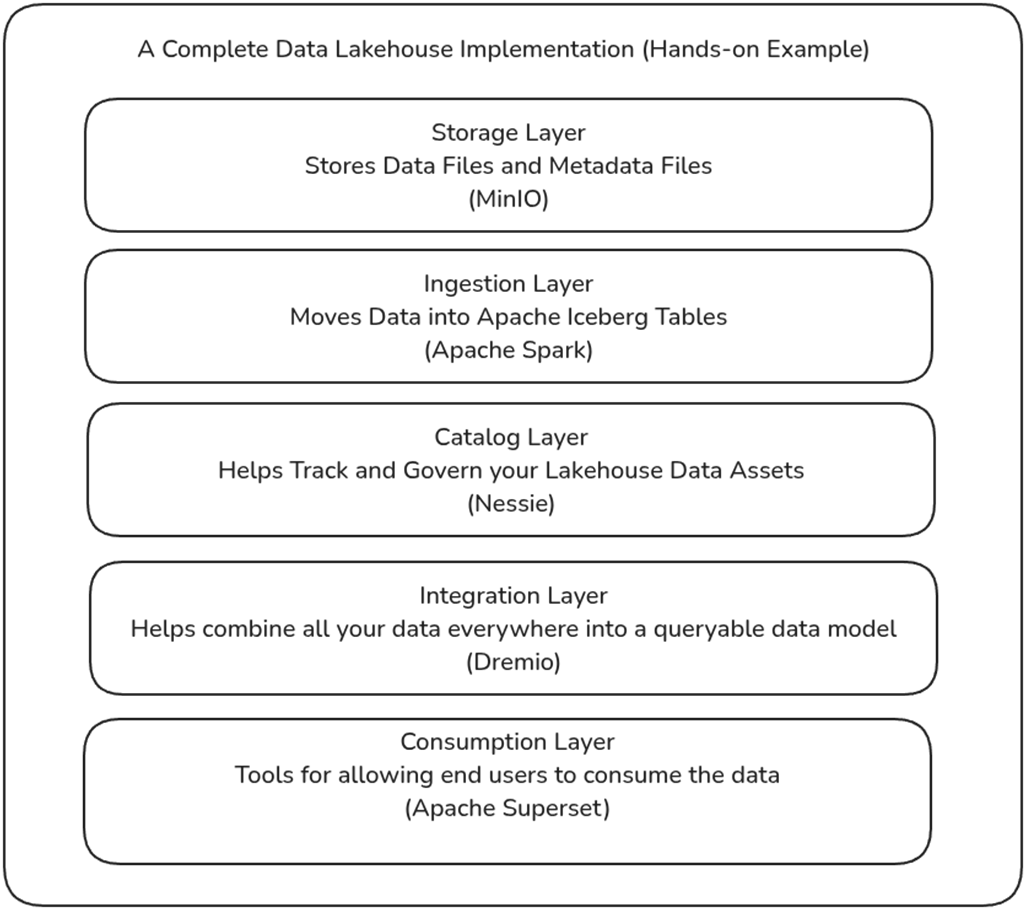
The flow of the hands-on exercise in chapter 2.

The components of an Apache Iceberg Data Lakehouse.
Output to expect when checking if Docker is installed.

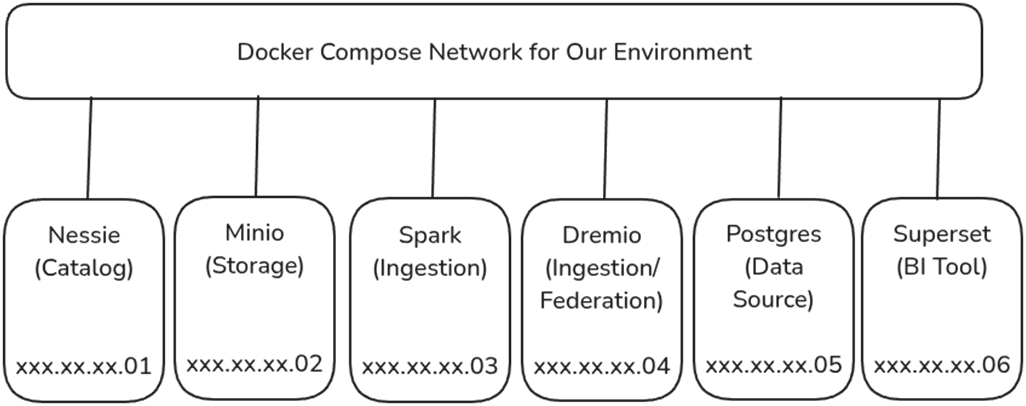
The network of containers for this exercise, each with its own IP Address.
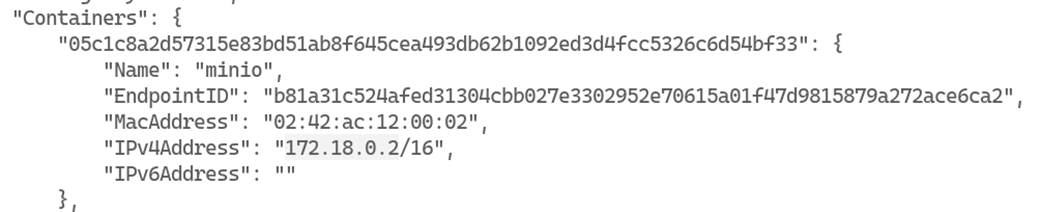
Inspecting the Docker Network to Find the IP address of different containers
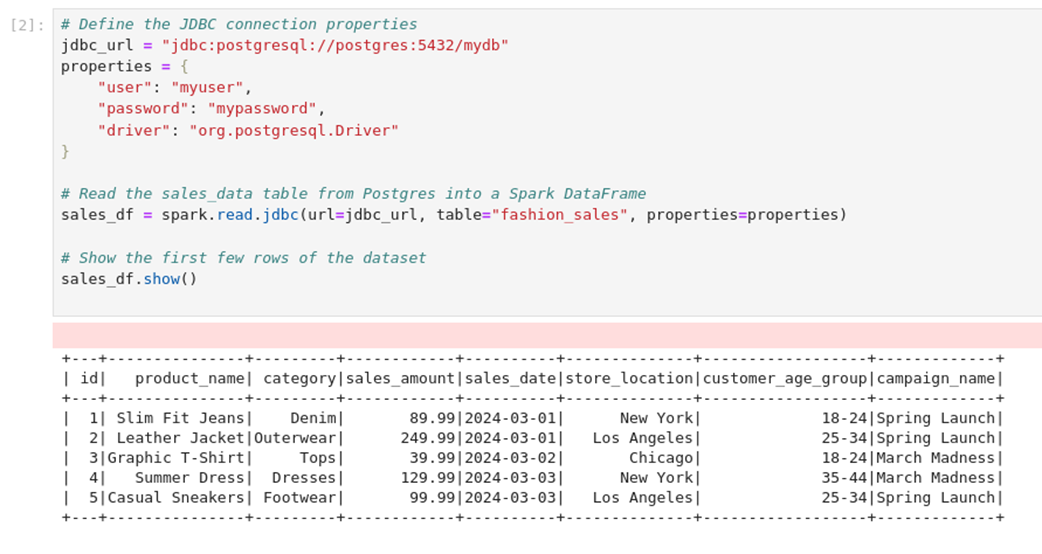
Loading the Data from the Source System into a Dataframe
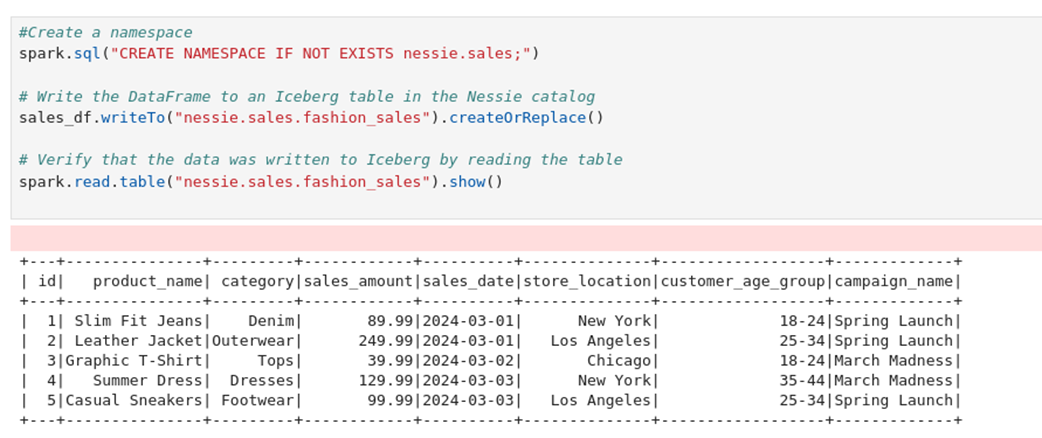
Writing Data to an Iceberg table and Reading it
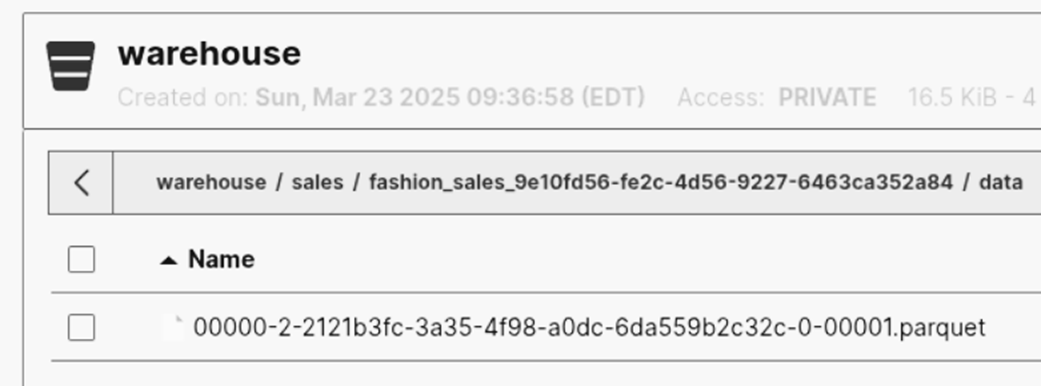
Seeing the Iceberg Table Data in the Minio Data Lake
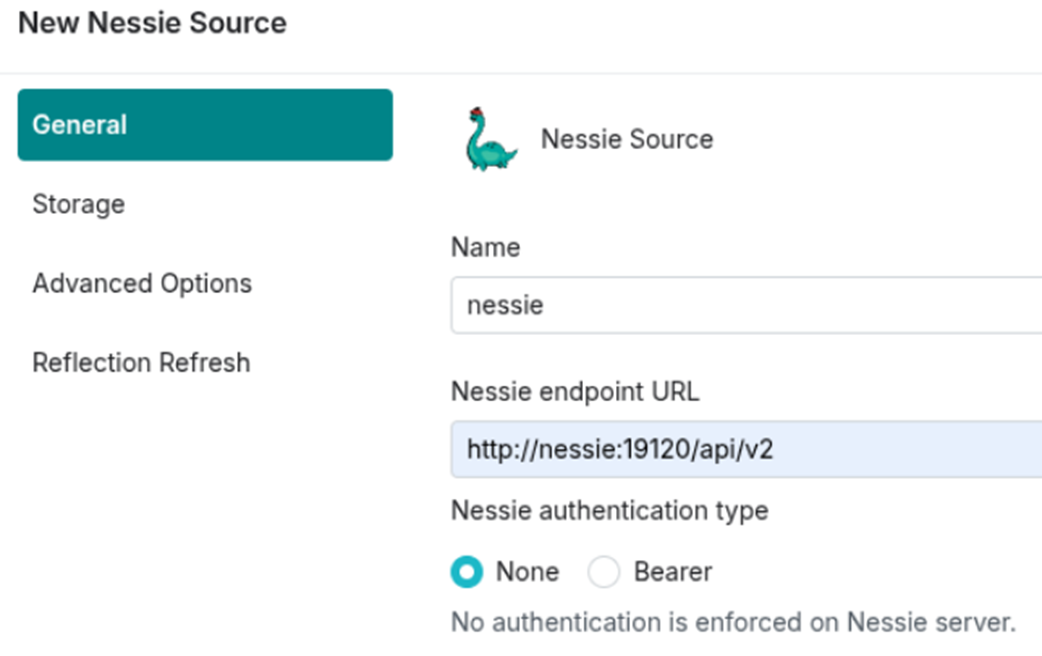
Configuring Nessie General Settings
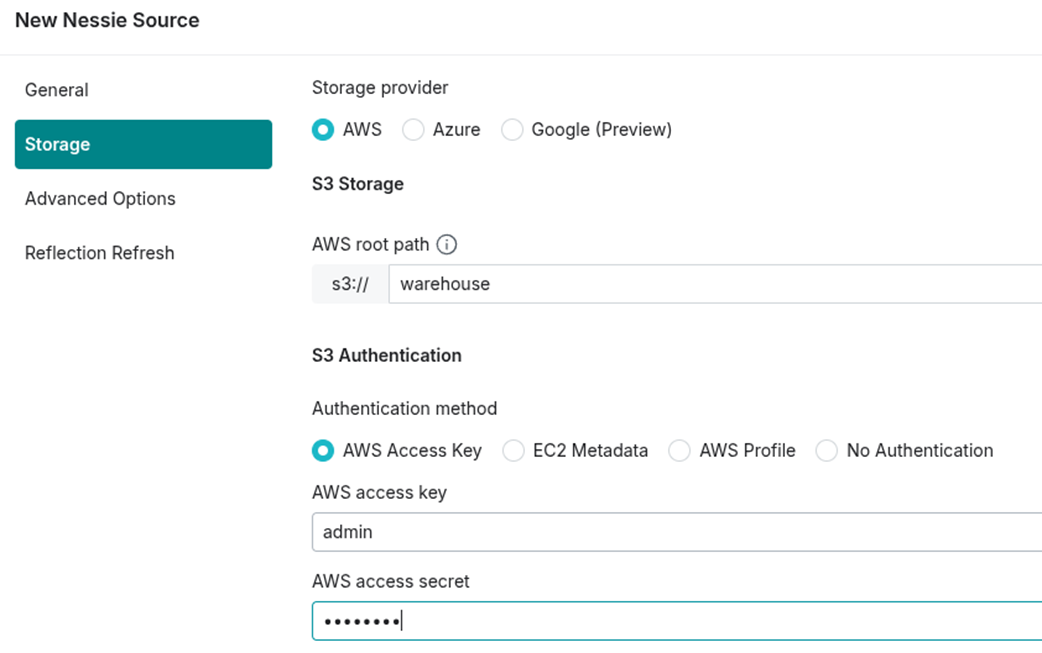
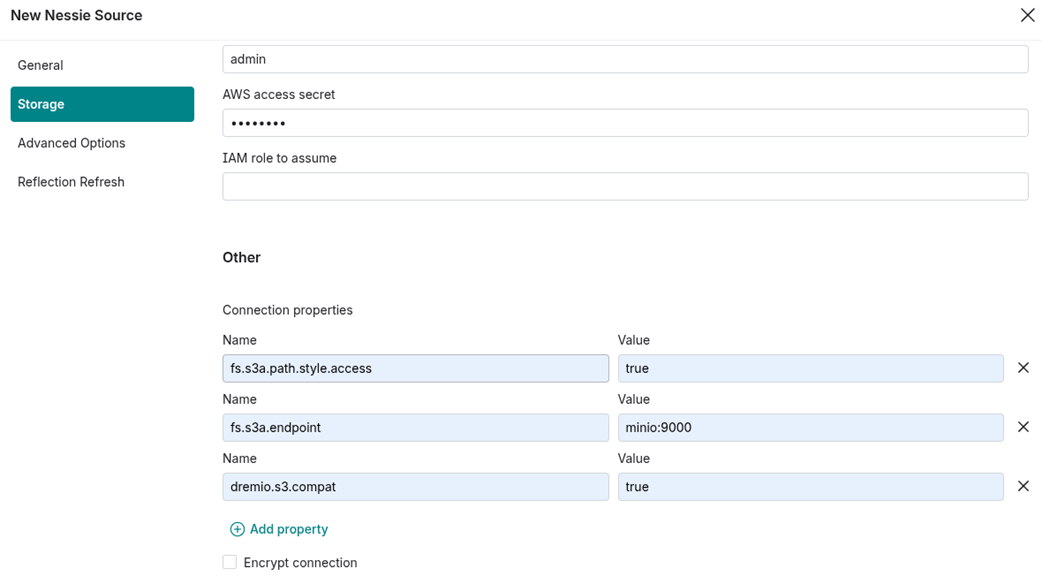
Configuring Nessie Storage Settings
Configuring Nessie Connection Properties
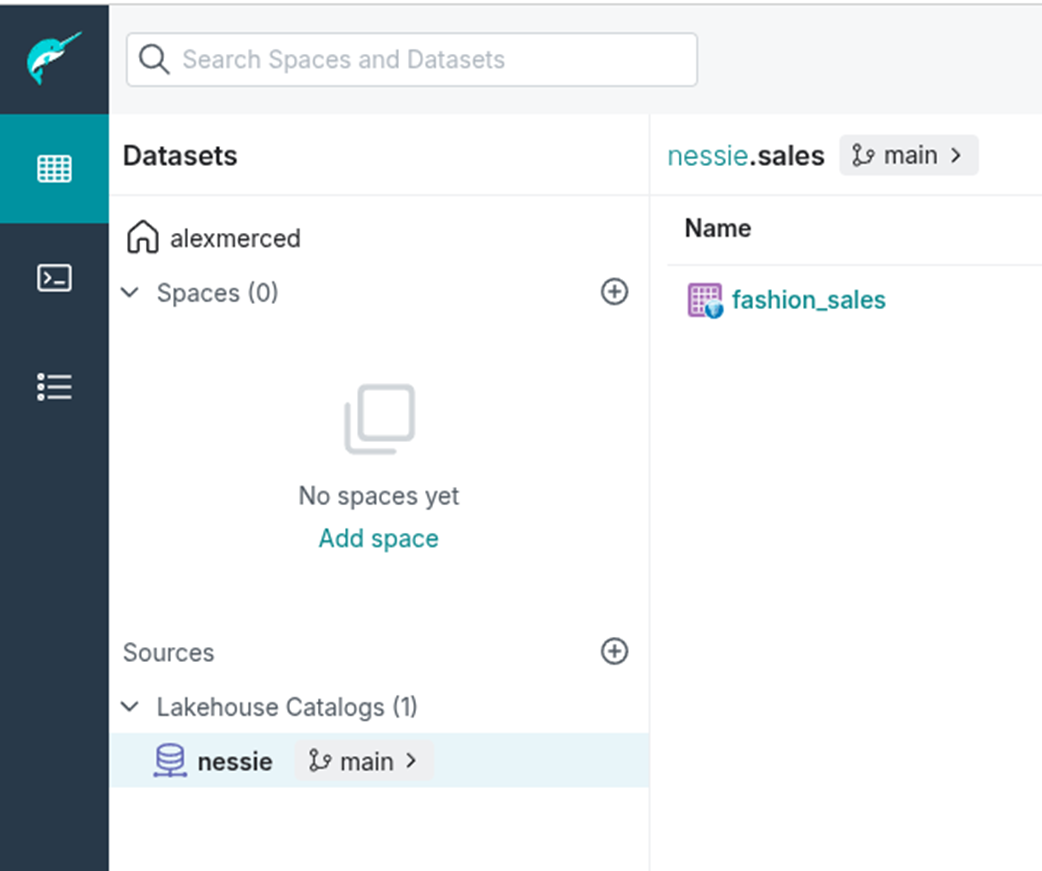
Seeing Our Iceberg Tables from the Dremio Platform
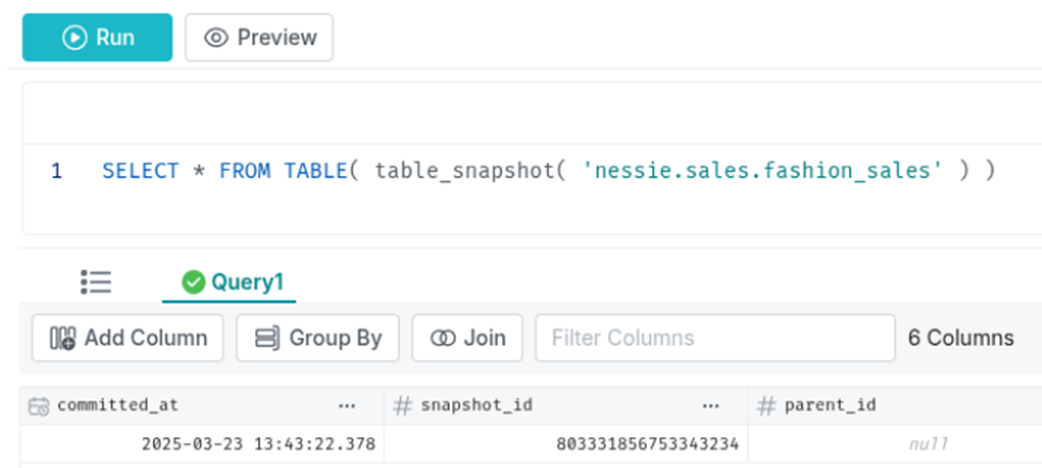
Querying a Table's Snapshot History in Dremio
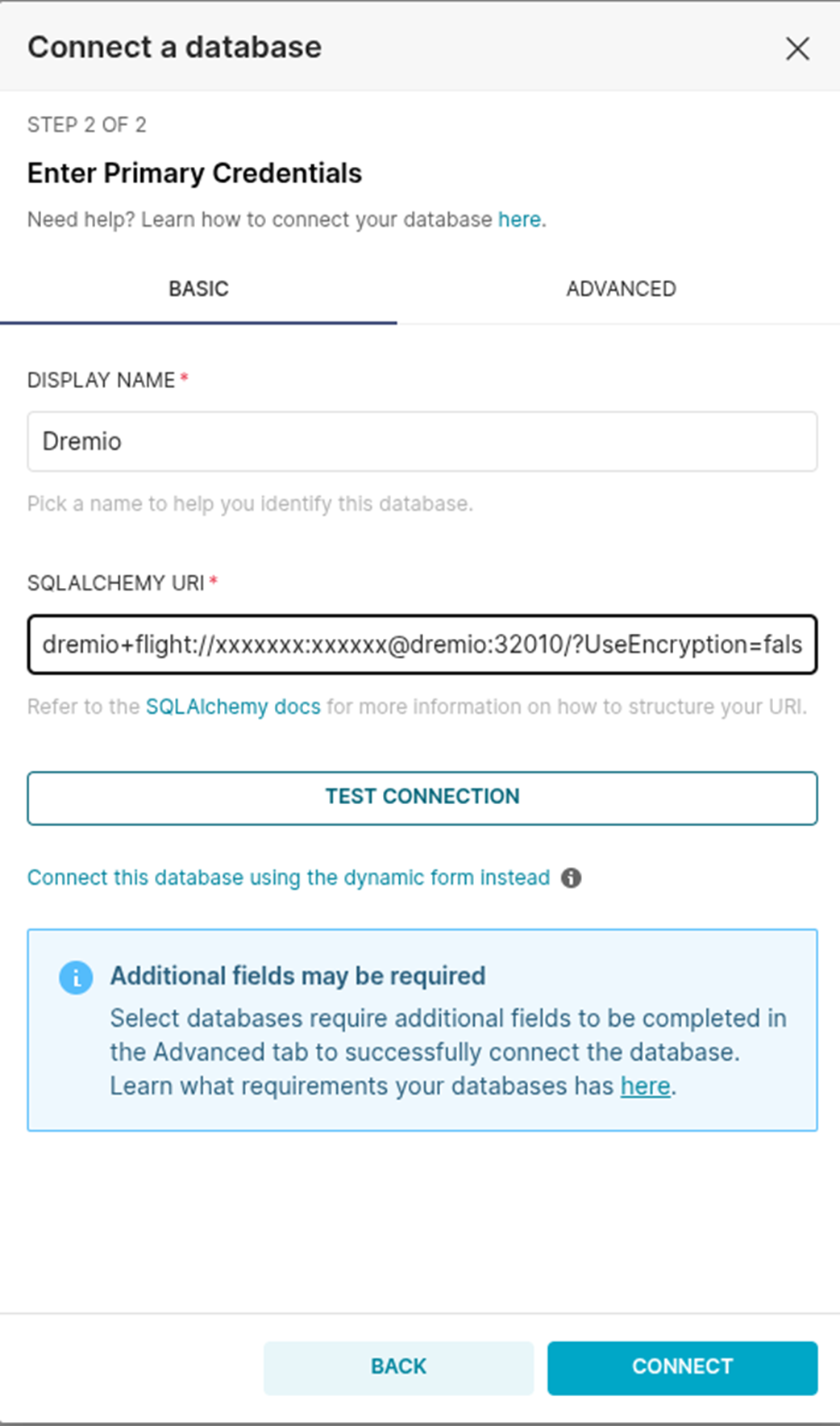
Connecting to Dremio from Superset
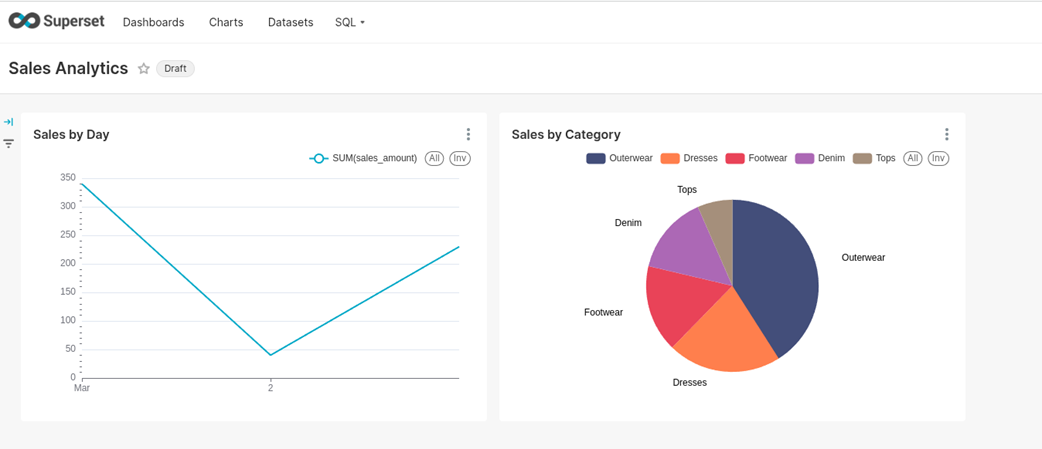
Creating a New Dataset from Our Iceberg Table in Superset
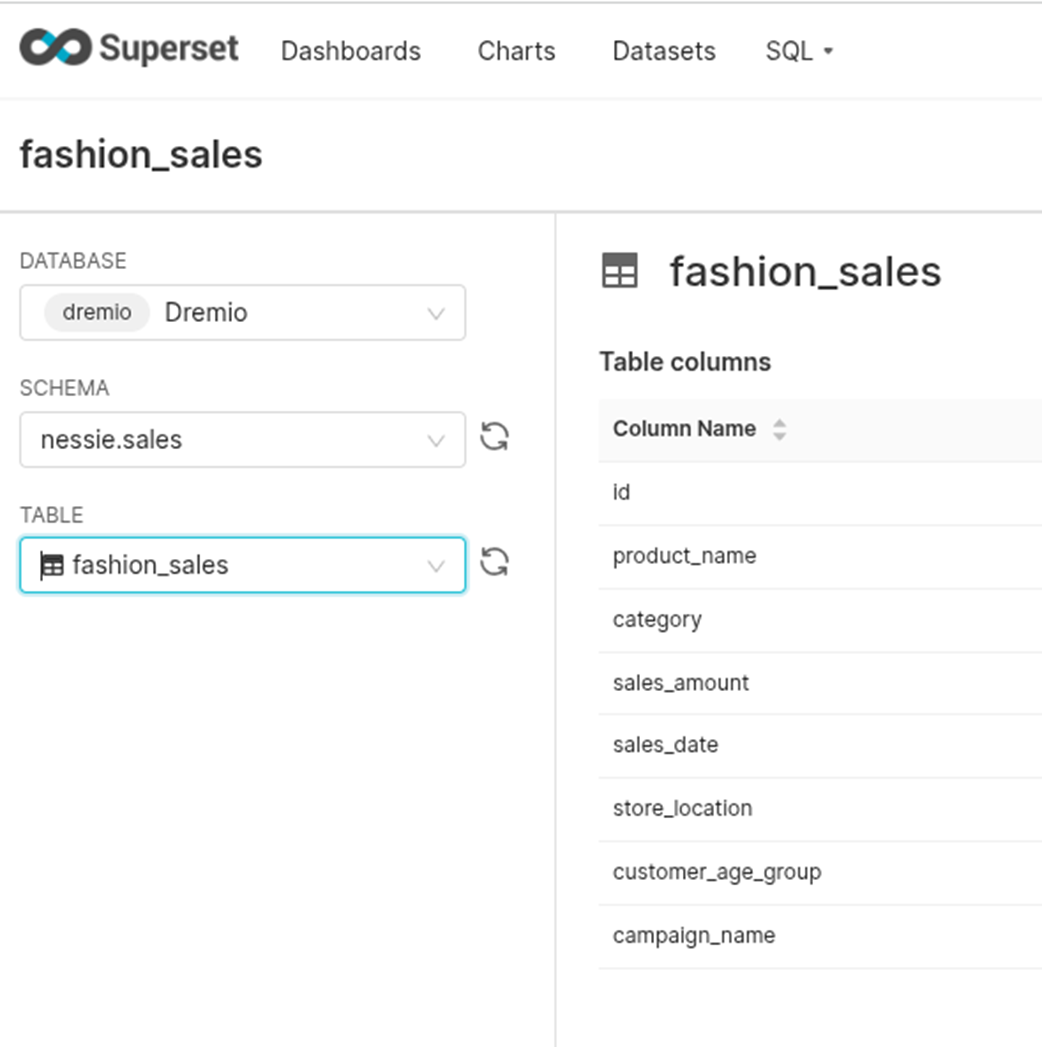
A line chart made from our Iceberg Data
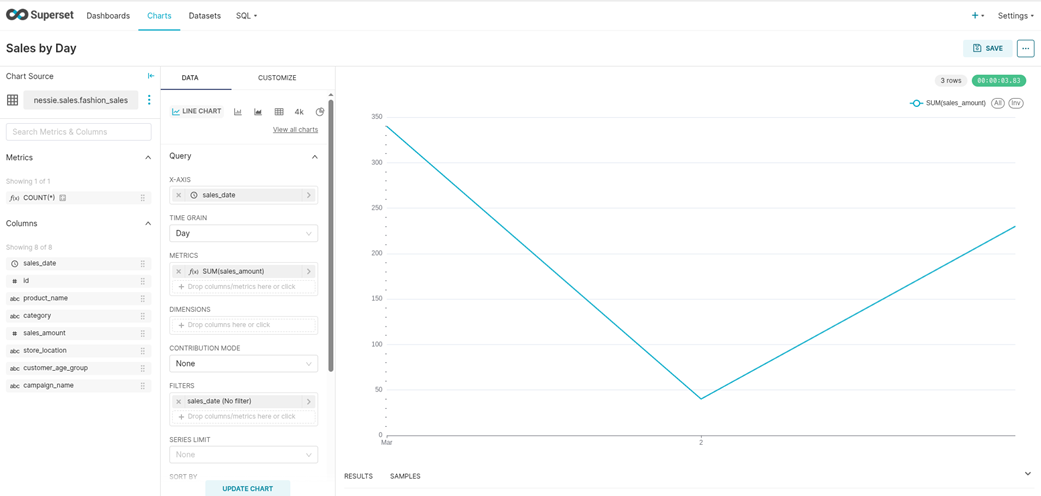
A Pie Graph made from our Iceberg Data in Superset
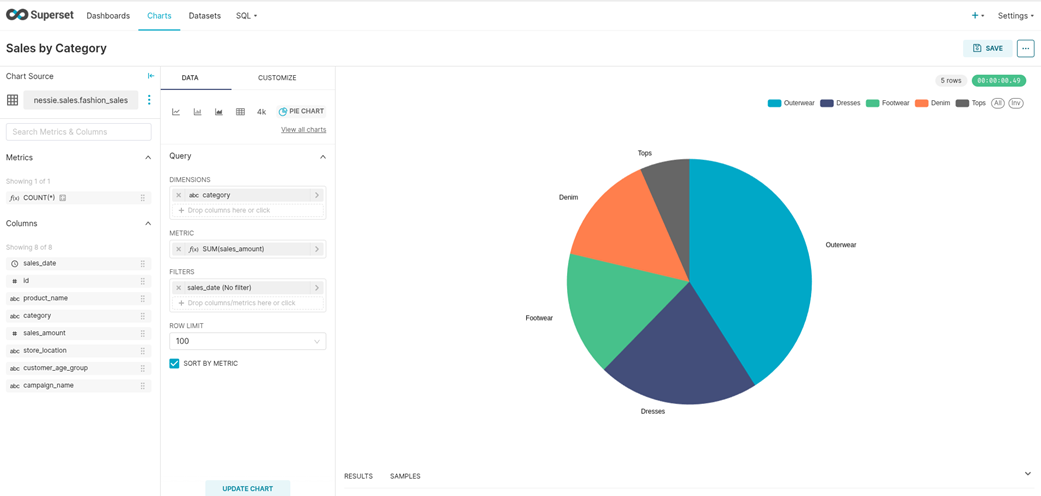
A Dashboard built from our Iceberg Data in Superset
Summary
- Apache Iceberg turns a traditional data lake into a high-performance analytics platform by providing rich metadata management, schema evolution, and ACID guarantees.
- A local Apache Iceberg lakehouse environment can be set up using Docker Compose to deploy services such as MinIO, Apache Spark, Nessie, Dremio, Superset, and PostgreSQL.
- MinIO acts as the object storage layer for Iceberg table data files and metadata files, simulating cloud-based storage locally.
- Project Nessie serves as a catalog, tracking Iceberg tables so that Apache Spark and Dremio can discover them.
- Apache Spark extracts sales data from a PostgreSQL operational database, transforms it, and loads it into Iceberg tables tracked by Nessie.
- Dremio connects to the Nessie catalog to query Iceberg tables directly from object storage to power our analytics workloads.
- Apache Superset is connected to Dremio to create interactive BI dashboards that visualize insights from the Iceberg lakehouse environment.
FAQ
What does Chapter 2 help you build?
Chapter 2 walks you through building a fully functional local Apache Iceberg lakehouse on your laptop. The exercise includes setting up services with Docker Compose, ingesting retail sales data from PostgreSQL into Iceberg tables using Apache Spark, querying those tables in Dremio, and visualizing the data in Apache Superset dashboards.Which tools are used in the local Apache Iceberg lakehouse environment?
The chapter uses Docker Compose to run a complete local analytics stack: PostgreSQL as the operational database, MinIO as the S3-compatible object storage layer, Apache Spark as the ingestion and processing engine, Nessie as the Iceberg catalog, Dremio as the SQL query engine, and Apache Superset as the BI dashboarding tool.Why is Docker required for the hands-on exercise?
Docker allows the chapter’s lakehouse components to run as containers without requiring you to install each tool directly on your laptop. Services such as Nessie, Spark, Dremio, MinIO, PostgreSQL, and Superset can all be started together using Docker Compose.How do you start the lakehouse environment?
After creating or downloading the chapter’sdocker-compose.yml file, navigate to its directory in a terminal and run docker-compose up -d. This starts Nessie, MinIO, Dremio, Spark, PostgreSQL, and Superset in the background.How can you verify that all Docker containers are running?
You can rundocker ps after Docker Compose finishes starting the environment. You should see containers for Nessie, MinIO, Dremio, Spark, PostgreSQL, and Superset listed as running.What sample data is used in the chapter?
The chapter uses a fashion retail sales dataset stored initially in PostgreSQL. The sample table,fashion_sales, includes columns such as product name, category, sales amount, sales date, store location, customer age group, and campaign name.How is PostgreSQL data loaded into Apache Iceberg?
Apache Spark reads thefashion_sales table from PostgreSQL using JDBC, loads it into a Spark DataFrame, and then writes that DataFrame to an Iceberg table registered in the Nessie catalog and stored in MinIO. The target table used in the chapter is nessie.sales.fashion_sales.What roles do Nessie and MinIO play in the Iceberg setup?
Nessie acts as the Iceberg catalog, tracking tables, metadata, snapshots, and table versions. MinIO acts as the object storage layer where Iceberg stores data files, such as Parquet files, along with metadata files such as JSON, manifest, and manifest list files.How does Dremio query the Iceberg tables?
Dremio connects to the Nessie catalog as a source and uses MinIO storage settings to locate the Iceberg table files. Once connected, Dremio can discover and query tables such asnessie.sales.fashion_sales using standard SQL, for example: SELECT * FROM nessie.sales.fashion_sales;.
 Architecting an Apache Iceberg Lakehouse ebook for free
