2 First steps with Kafka
This chapter offers a practical, first look at Apache Kafka through a simple but realistic e-commerce use case. It introduces the core ideas of topics, producers, and consumers while showing how Kafka enables real-time data streaming, analytics, and scalable system integration. The walkthrough assumes Kafka is already installed and uses a price-change stream to ground concepts in everyday tasks like monitoring, analysis, and operational updates.
The hands-on flow starts by creating a topic (products.prices.changelog), then producing price-update messages, and finally consuming them. Command-line tools are used throughout: kafka-topics.sh to create and manage topics, kafka-console-producer.sh to write messages, and kafka-console-consumer.sh to read them. A key behavior is that the console consumer tails the end of the topic by default; to see previously written data, you start it with the --from-beginning flag. The exercises demonstrate the end-to-end data path and basic operational habits such as stopping producers and consumers cleanly.
The chapter then illustrates Kafka’s replayable, multi-reader nature: multiple independent consumers can read the same data concurrently and repeatedly, while multiple producers can publish in parallel, all without direct coordination. With default retention (e.g., seven days) or longer policies, historical data remains available for late or repeated analysis. It also touches on GUI tools for visibility and administration but cautions against using them to write data or change configurations in production. By the end, you’ve produced and consumed messages, explored parallel reads and writes, and are ready to dive deeper into Kafka’s architecture, data model, scalability, and reliability in subsequent chapters.
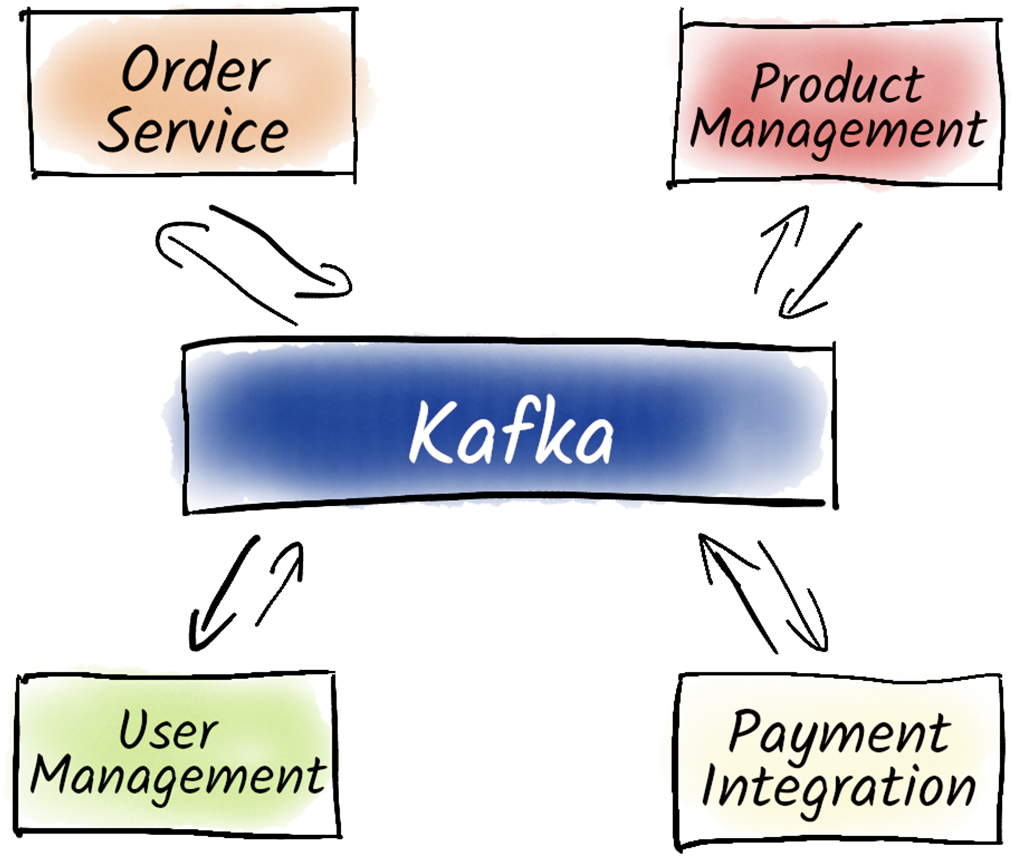
The high-level IT architecture for our online shopping platform.
In our example, we produce data with the kafka-console-producer.sh into the topic products.prices.changelog, and with the kafka-console-consumer.sh we can read this data again.

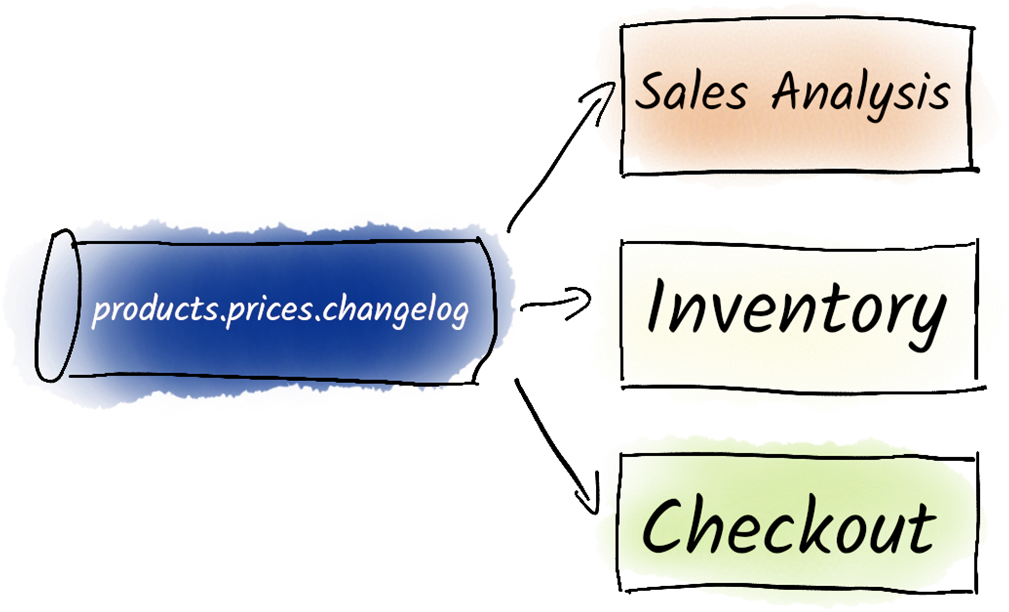
The price changes for our products can be consumed by multiple systems.
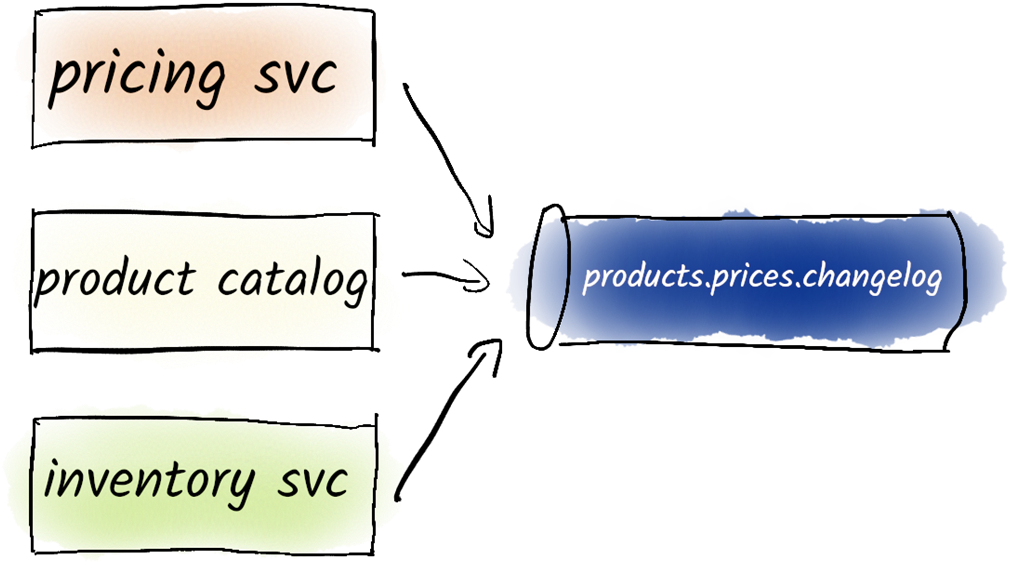
Multiple producers representing different departments are writing in parallel to the products.prices.changelog topic.
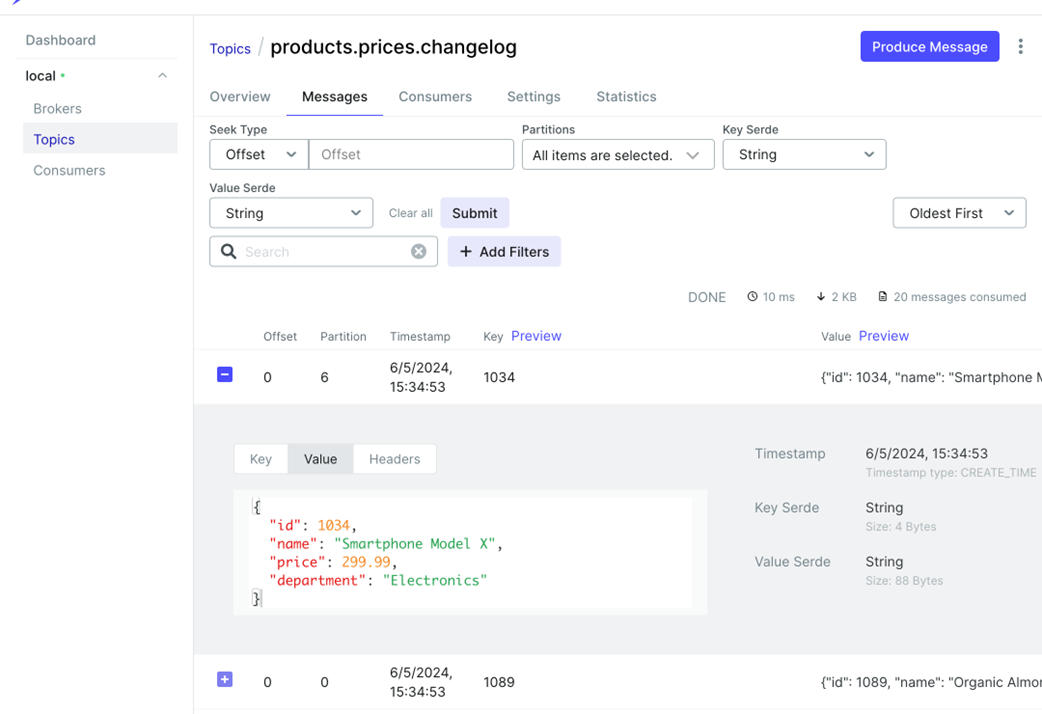
This Kafbat UI screenshot displays the messages within a specific topic, providing a clear view of the data being produced and consumed. It allows users to inspect individual messages, including their key, value, and timestamp, facilitating real-time monitoring and troubleshooting of data streams.
Summary
- Kafka itself includes many useful scripts for managing topics and producing or consuming messages.
- Kafka topics can be created with the kafka-topics.sh command.
- Messages can be produced with the kafka-console-producer.sh command.
- Topics can be consumed with the kafka-console-consumer.sh command.
- We can consume topics again from the beginning.
- Multiple consumers can consume topics independently and at the same time.
- Multiple producers can produce into topics in parallel.
- Kafka GUIs enable users to view real-time messages within a topic, displaying details such as message key, value, and timestamp.
- These tools aid in effective monitoring and troubleshooting of Kafka data streams.
FAQ
What use case does this chapter use to introduce Kafka?
An e-commerce platform where product price changes are written to and read from a Kafka topic namedproducts.prices.changelog. It demonstrates creating a topic, producing messages, consuming them, and how multiple systems (like analysis and inventory) can independently consume the same data.How do I create a topic and what do the key flags mean?
Usekafka-topics.sh --create --topic products.prices.changelog --partitions 1 --replication-factor 1 --bootstrap-server localhost:9092. Flags: --create makes the topic; --topic sets its name; --partitions 1 creates one partition (simple demo); --replication-factor 1 keeps one copy (not resilient, fine for local practice); --bootstrap-server points to the Kafka cluster (here, a local broker on port 9092).How do I produce a message from the command line, and why is there no confirmation?
Example:echo "coffee pads 10" | kafka-console-producer.sh --topic products.prices.changelog --bootstrap-server localhost:9092. The console producer does not print a success confirmation, and when input is piped it runs non-interactively. Verify by consuming the topic.Why does the consumer show “Processed a total of 0 messages” and print nothing?
By default,kafka-console-consumer.sh starts at the end of the topic and only shows new messages. To read existing data, add --from-beginning. Also ensure Kafka is running and you’re pointing to the correct topic and bootstrap server.How do I read historical messages versus streaming new ones?
Use--from-beginning to read all existing messages in the topic. Omit it to stream only new messages arriving after the consumer starts.How do I stream live price changes and stop the tools?
Start a consumer:kafka-console-consumer.sh --topic products.prices.changelog --bootstrap-server localhost:9092 to tail new messages. In another terminal, start a producer: kafka-console-producer.sh --topic products.prices.changelog --bootstrap-server localhost:9092 and type lines; each line is a message. Stop producer with CTRL+D and consumer with CTRL+C.Can multiple consumers read the same topic independently?
Yes. Kafka lets multiple independent consumers read the same topic in parallel without coordinating with each other. With the default 7-day retention (configurable, including “no delete”), you can start another consumer later to reprocess historical data.Can multiple producers write to the same topic at the same time? Is message order preserved?
Yes, multiple producers can write concurrently to the same topic. Kafka preserves order within each partition. In this chapter’s single-partition example, consumers see messages in the order they were appended. Global ordering across multiple partitions is not guaranteed.What platform differences exist for the Kafka CLI scripts?
Confluent-distributed scripts typically omit the.sh suffix. On Windows, .bat variants exist, but using Windows Subsystem for Linux (WSL) is recommended for a smoother experience.
 Apache Kafka in Action ebook for free
