Overview

2 The best bot: Choosing the right AI model

This chapter gives IT professionals a practical roadmap for picking the right AI model for everyday work. It explains the landscape across language, vision, audio, and multimodal systems, showing how tools like ChatGPT, Claude, Gemini, and Microsoft Copilot can streamline tasks from coding and documentation to log analysis and troubleshooting. Beyond benchmark scores, it emphasizes real‑world reliability and introduces a decision framework that weighs privacy, control, customization, cost, and where the model runs (cloud versus local), noting the trade-off between local privacy and cloud-scale capability.

The authors compare leading conversational bots through hands-on use. ChatGPT is presented as the best all-around option, notable for vision features, multilingual support, mobile usability, and breadth of tools, though it can sound generic and raises data privacy questions. Claude excels at nuanced reasoning, architecture-level coding help, and natural writing, with flexible styles; its free tier is constrained and it lacks some multimodal extras. Gemini promises broad multimodality and creativity but suffers from inconsistent outputs, while Microsoft’s Copilot family (Microsoft 365, Copilot Pro, Windows, and Azure Copilot) offers deep ecosystem integration and enterprise controls yet remains uneven and potentially costly. The guidance is to match tools to needs: visual and voice-heavy work leans to ChatGPT or Gemini, complex text and coding to Claude, and Microsoft-centric workflows to Copilot.

For development, the chapter surveys code assistants with distinct trade-offs: GitHub Copilot’s seamless IDE integration and strong suggestions; Cline’s autonomous multi-file edits and in-tool validation balanced against high API costs; Cursor’s VS Code–based environment with codebase-wide understanding; Project IDX’s browser-first simplicity and cloud deployment with privacy/customization caveats; and Aider’s terminal-driven scaffolding and coordinated multi-file changes. It urges starting with non-sensitive code and considering local models when privacy is paramount. In image generation, MidJourney leads for artistic control and near-photorealism, DALL‑E is strong for fast, stylized concepts, Google Imagen shines in prompt adherence and rendering text within images, and Meta Imagine suits playful, casual use. The chapter closes with a concise checklist—task specificity, integration, privacy/security, customization, budget, scalability, usability, performance, update cadence, and community—to align model choice with goals and constraints.

Latin inscription on stone tablet, as seen in Italy

Latin inscription on stone tablet
Copilot integration in Azure error message
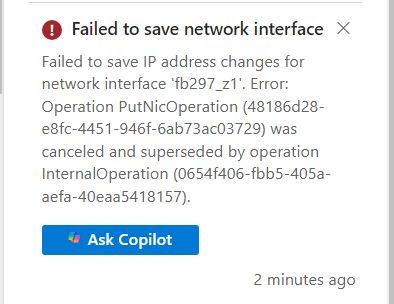
Azure
Copilot providing troubleshooting information for Azure error
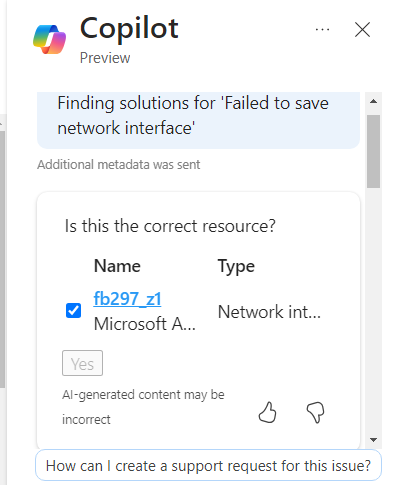
Another Azure
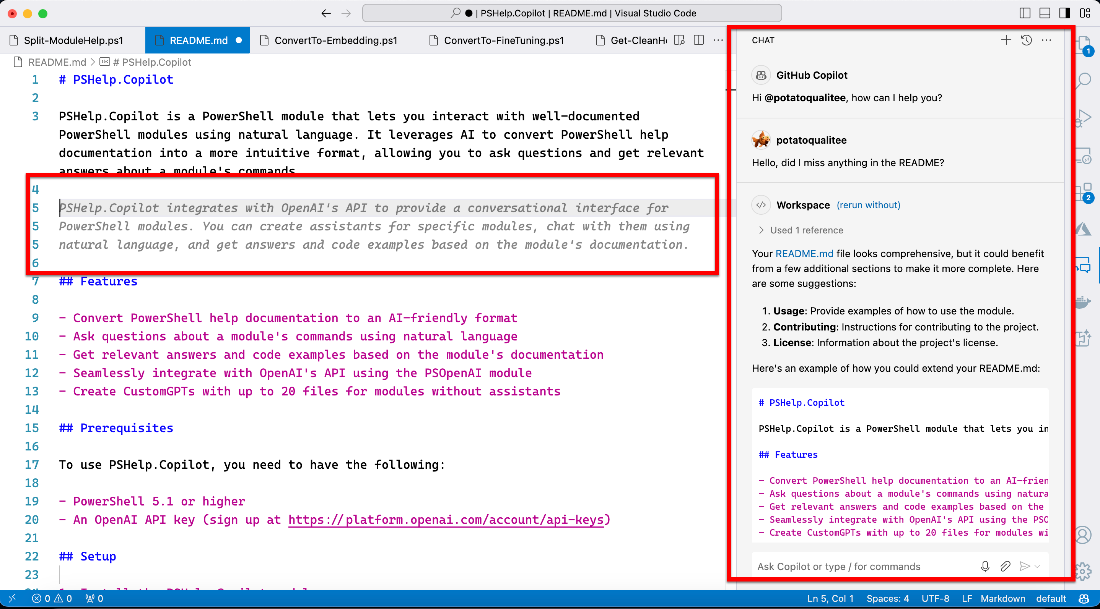
GitHub Copilot in Visual Studio Code
GitHub Copilot
Cline solving and a problem and prompting to see the solution in action
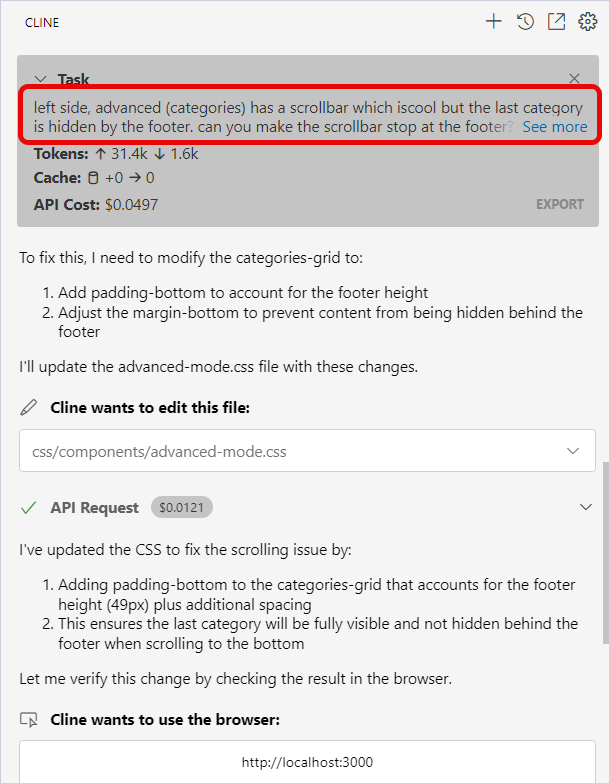
Cline
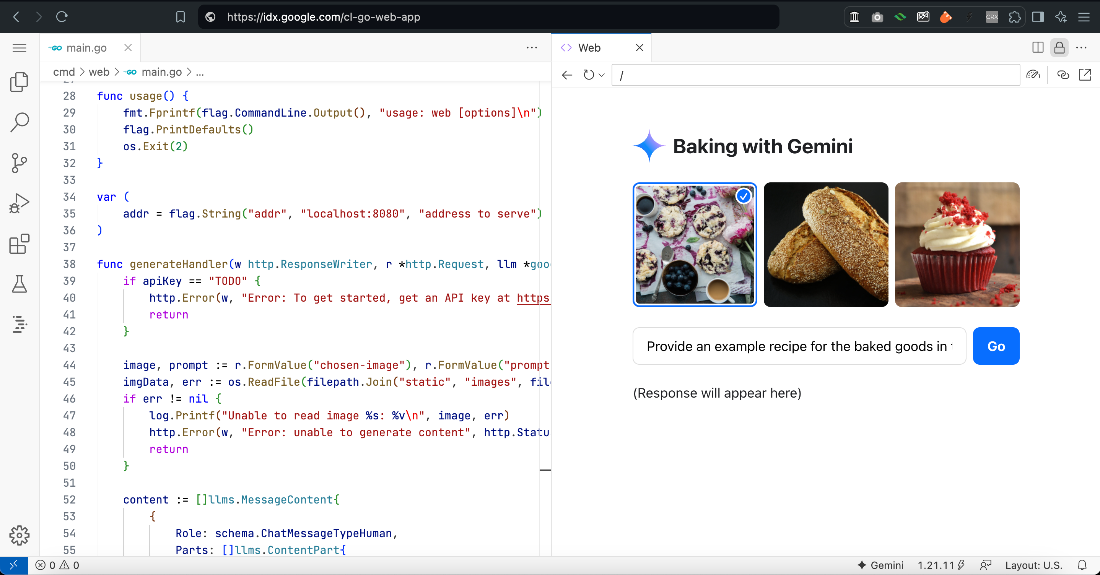
Go Web App Template in Project IDX
Project IDX
Aider generating a PowerShell moduleAider in the terminal
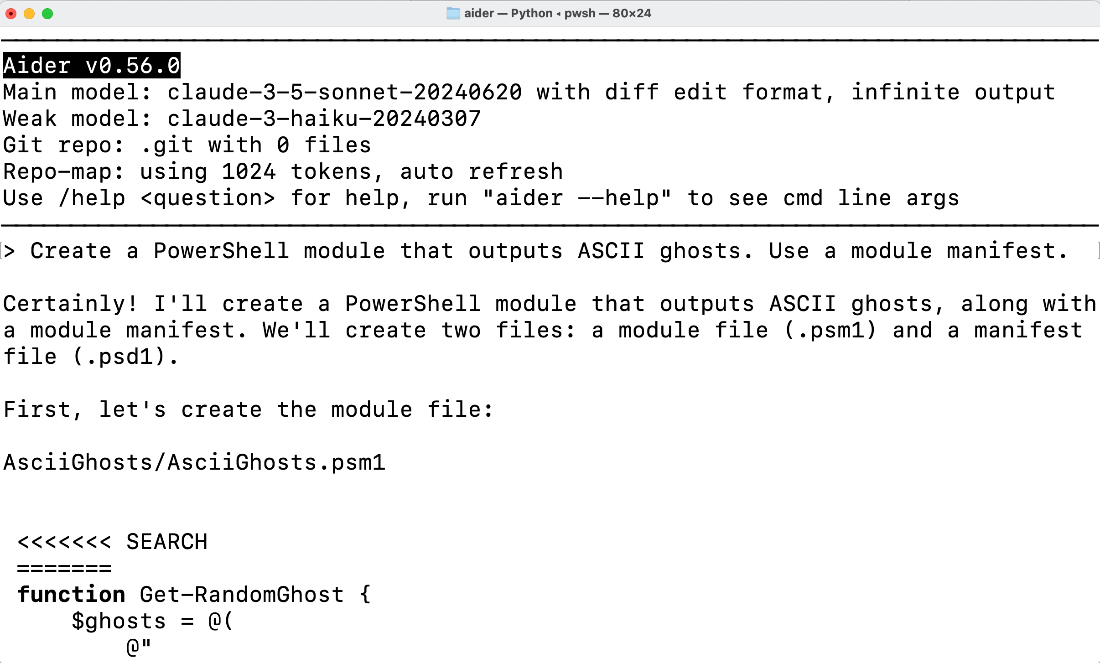
Aider
MidJourney-generated historic royalty at the 2023 Academy Awards

MidJourney Image
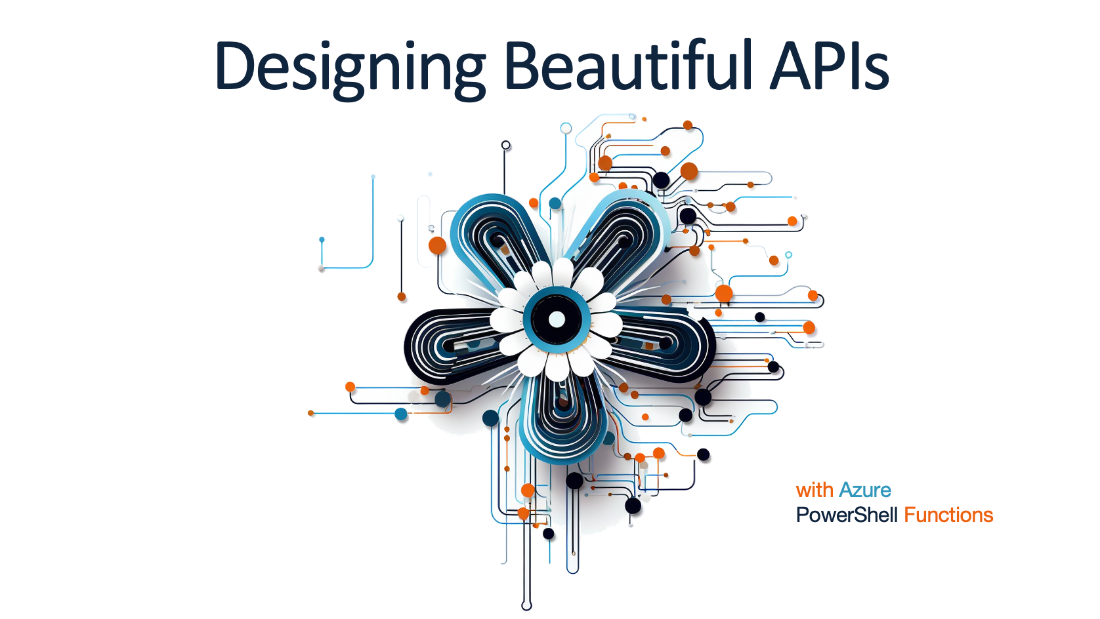
Imagine a beautiful API
MidJourney Image
A stylized DALL-E image generation
DALL-E Image
A high-quality artistic image generated by Google Imagen

Google Imagen Image
A playful image created by Meta Imagine

Meta Imagine Image
Meta Imagine’s attempt at a red carpet image

Meta Imagine Image

Summary

  • The right AI model depends on factors like task type, integration, privacy, customization, budget, scalability, interface, performance, update frequency, and community support.
  • ChatGPT is versatile and user-friendly, offering strong language and vision capabilities, though it sometimes provides shallow responses.
  • Claude excels in nuanced conversation and coding tasks with well-structured output but lacks image generation and voice features.
  • Gemini supports multimodal interaction with images, video, text, and code, though some features are limited to paid users.
  • Microsoft Copilot has versions tailored for both enterprise and individual users, with strong integration into Microsoft apps but may require reviewing outputs.
  • GitHub Copilot offers context-aware code suggestions, while Google Project IDX provides a cloud-based IDE. Aider brings AI assistance to the terminal, and Cursor AI supports natural language coding in a VS Code fork.
  • In image generation, MidJourney excels in artistic and hyper-realistic outputs, DALL-E is known for stylized visuals, Google Gemini Imagen handles complex prompts well, and Meta Imagine offers a playful, collaborative platform.
  • The best AI model depends on factors like task needs, integration, privacy, and budget. Choosing the right tool allows organizations to leverage AI responsibly and effectively.

FAQ

What factors should I weigh when choosing the right AI model?Start with the task (chat, coding, image generation), then consider integration with your tools, privacy and security needs (local vs cloud), customization, budget and token costs, scalability, ease of use, real-world performance, update cadence, and available community/support.
Which chatbot is the best all-around choice?ChatGPT. It’s strong across tasks, has excellent vision, voice, Custom GPTs, mobile apps, and broad language support. Downsides: some responses can feel generic and privacy transparency could be better.
When is Anthropic Claude the better pick?Choose Claude for deep reasoning, context-aware conversation, and high-quality writing and code. It often feels like a software architect for coding tasks. Trade-offs include fewer multimodal features, slower replies, and tighter usage limits on the free tier.
Is Google Gemini reliable for professional work?It can be creative and handle multimodal inputs with a large context window, but performance is inconsistent. Some sessions are excellent; others miss obvious details. It’s promising, but reliability varies.
How do the Microsoft Copilot options differ?Microsoft 365 Copilot: enterprise, deep Graph integration, strong security/compliance. Copilot Pro: individuals, integrates with Word/Excel/PowerPoint, simple custom GPTs. Windows Copilot: basic, OS-level features. Azure Copilot: built into Azure Portal for context-aware troubleshooting. All require verification of outputs.
Should I run AI models locally or in the cloud?Run locally for privacy, compliance, or air-gapped environments (easier than you might think; VS Code extensions can help). Expect lower capability vs cloud models due to hardware limits.
Which code assistant should I pick for development?GitHub Copilot: seamless IDE integration and strong productivity. Cline (VS Code): powerful multi-file edits and browser checks but can be costly via API use. Cursor: VS Code–like with deep project understanding. Project IDX: browser-based, easy starts, cloud deploys. Aider: terminal-first, great for multi-file changes and scaffolding.
What privacy issues should I consider with code assistants?Most send code to cloud servers. Test with non-sensitive projects first, review generated changes, and consider local models if confidentiality is critical.
Which text-to-image model fits my needs?MidJourney: best for artistic, near-photorealistic control. DALL-E: fast, stylized concepts and prototypes. Google Gemini Imagen: versatile, follows complex prompts well, strong at embedding readable text. Meta Imagine: playful, general-purpose images with simpler controls.
How much should I trust public model benchmarks?Benchmarks (e.g., Chatbot Arena) offer a helpful snapshot, but day-to-day results vary. Always test models against your real workflows to judge reliability and fit.

pro $24.99 per month

  • access to all Manning books, MEAPs, liveVideos, liveProjects, and audiobooks!
  • choose one free eBook per month to keep
  • exclusive 50% discount on all purchases
  • renews monthly, pause or cancel renewal anytime

lite $19.99 per month

  • access to all Manning books, including MEAPs!

team

5, 10 or 20 seats+ for your team - learn more


choose your plan

team

monthly
annual
$49.99
$499.99
only $41.67 per month
  • five seats for your team
  • access to all Manning books, MEAPs, liveVideos, liveProjects, and audiobooks!
  • choose another free product every time you renew
  • choose twelve free products per year
  • exclusive 50% discount on all purchases
  • renews monthly, pause or cancel renewal anytime
  • renews annually, pause or cancel renewal anytime
  • AI for Everyday IT ebook for free
choose your plan

team

monthly
annual
$49.99
$499.99
only $41.67 per month
  • five seats for your team
  • access to all Manning books, MEAPs, liveVideos, liveProjects, and audiobooks!
  • choose another free product every time you renew
  • choose twelve free products per year
  • exclusive 50% discount on all purchases
  • renews monthly, pause or cancel renewal anytime
  • renews annually, pause or cancel renewal anytime
  • AI for Everyday IT ebook for free
choose your plan

team

monthly
annual
$49.99
$499.99
only $41.67 per month
  • five seats for your team
  • access to all Manning books, MEAPs, liveVideos, liveProjects, and audiobooks!
  • choose another free product every time you renew
  • choose twelve free products per year
  • exclusive 50% discount on all purchases
  • renews monthly, pause or cancel renewal anytime
  • renews annually, pause or cancel renewal anytime
  • AI for Everyday IT ebook for free