Overview
Appendix A. Local AI models: An accessible alternative
Local AI models put privacy, data control, and customization in your hands. By processing information on your own machines, they reduce reliance on the cloud, support offline operation, and make it easier to meet regulatory obligations in fields like healthcare, finance, and government. Compared to cloud services optimized for scale and convenience, local deployments prioritize flexibility and sovereignty, with Small Language Models helping bridge the gap by delivering useful capability on modest hardware.
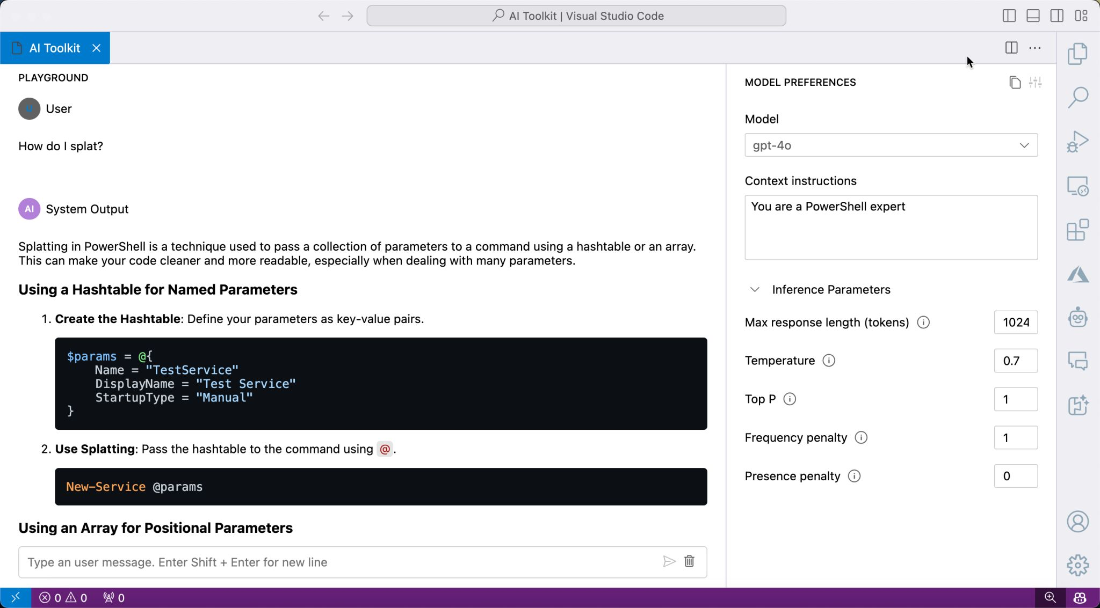
Running models locally requires understanding the difference between inference and fine-tuning, as the latter demands far more CPU, RAM, storage, and GPU resources. While state-of-the-art systems can be prohibitively expensive to host on premises, smaller models are practical on standard workstations and modern laptops. Developer tooling streamlines the experience: the AI Toolkit in Visual Studio Code lets you download or connect to models, experiment in a built-in playground, and access an OpenAI-style API for scripting, making it easy to stand up a local chatbot and integrate it into your workflow. Command-line tools like Ollama offer container-like pull/run/push simplicity, and GUI-based options such as jan.ai and LM Studio make local AI accessible without deep infrastructure knowledge.
Selecting the right model depends on size, architecture, context window, and platform support, with options like Phi-3, LLaMA 3, Mixtral, BLOOM, Gemma, and OpenELM covering different performance and efficiency needs. Equally important are security and ethics: enforce strong access controls, encrypt data in transit and at rest, isolate models using containers or VMs, and perform regular audits. Monitor and mitigate bias, document decision-making for transparency, minimize data collection, and stay current with legal requirements. With the right choices and safeguards, local AI becomes a practical, secure, and adaptable alternative for everyday IT work.
A.6 Prompts used in this chapter
- Please rewrite that as professional ESL (english as a second language) — natural but concise.
FAQ
What are the main benefits of running AI models locally?
Local models give you full control over your data, stronger privacy, and the ability to customize behavior to your needs. They can run offline and make it easier to meet strict regulatory and industry-specific compliance requirements.What’s the difference between inference and fine-tuning, and why does it matter?
Inference is using a pre-trained model to generate outputs; it typically needs a capable GPU and good cooling but fewer resources than training. Fine-tuning adapts a model to your domain and requires much more compute: many CPU cores, large RAM, fast storage, and often high-end GPUs.What hardware do I need to run local AI models, and how do SLMs help?
Top-tier models can demand enterprise-grade hardware (for example, many-core CPUs, GPUs with large VRAM like an NVIDIA A100 80 GB, 512 GB+ RAM, fast NVMe storage, and strong cooling/power). Small Language Models (SLMs) are designed to run on limited hardware, making local deployment feasible on standard workstations or laptops, albeit with slower responses without a GPU.Can I realistically run models like GPT-4 or huge LLaMA variants locally?
Practically, no for most users. Estimates for running GPT-4-class systems locally reach hundreds of thousands of dollars in hardware. Instead, use smaller, optimized models (for example, GPT-2, LLaMA 3 7B, or Phi-3) that offer strong results on modest machines.How do I set up a local AI chatbot in Visual Studio Code?
Install the AI Toolkit extension, sign in to GitHub (optional, for hosted models), select and download a model or run one remotely, then open the Playground to start chatting. You can tweak settings like temperature and response length, and optionally expose an API to integrate the chatbot into scripts or apps.How can I access a locally running model programmatically?
AI Toolkit exposes an OpenAI-style API. For example, you can GET /openai/models to list models and POST to /v1/chat/completions with a messages payload to get responses, using tools like PowerShell’s Invoke-RestMethod or any HTTP client.What is Ollama and why should I use it?
Ollama is a command-line tool that makes local model management simple—pull, run, list, and remove models with Docker-like commands. It lets you run models locally or on a server, switch between models easily, and keep workflows lightweight and reproducible.Are there GUI alternatives if I don’t want to use VS Code or the command line?
Yes. Tools like jan.ai, local.ai, and LM Studio provide user-friendly interfaces to discover, run, and manage local models without coding, lowering the barrier for experimentation and daily use.What’s inside a model file, and can I inspect it?
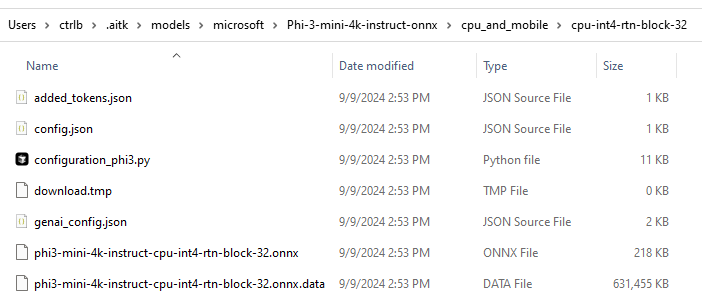
The primary model artifact is a large binary containing the model’s weights and parameters. It isn’t human-readable and requires frameworks (e.g., PyTorch or TensorFlow) or tooling to load. AI Toolkit abstracts the file handling so you can run models without manually managing these binaries.What security and ethical practices should I follow for local AI?
Use MFA and role-based access, encrypt data at rest and in transit, isolate models in containers/VMs, and audit regularly. Monitor for bias, document decision-making for transparency, minimize data collection, and stay compliant with regulations like GDPR or HIPAA.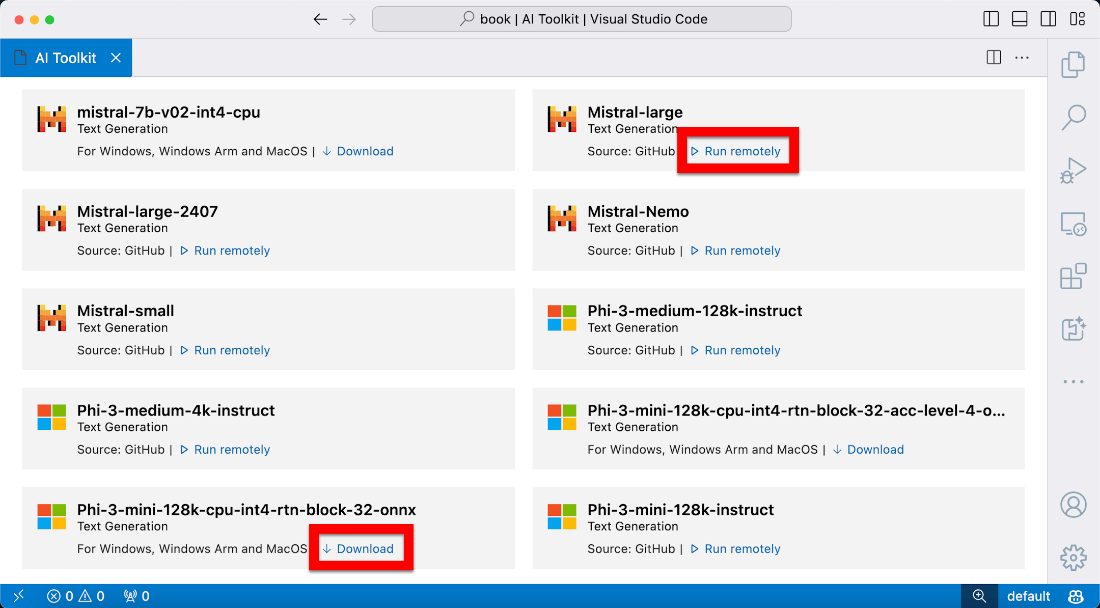

 AI for Everyday IT ebook for free
