4 Exploring multi-agent systems
This chapter offers a practical tour of multi-agent systems, explaining how multiple specialized, LLM-driven agents collaborate to solve complex tasks through conversation, roles, tools, and workflows. It frames the strengths of multi-agent collaboration—internal feedback, critique, and division of labor—alongside the operational realities of verbosity, token consumption, and the brittleness of agent-authored code. The narrative moves from a hands-on introduction with AutoGen to an enterprise-flavored approach with CrewAI, using comparable scenarios to surface design patterns, coordination styles, and trade-offs.
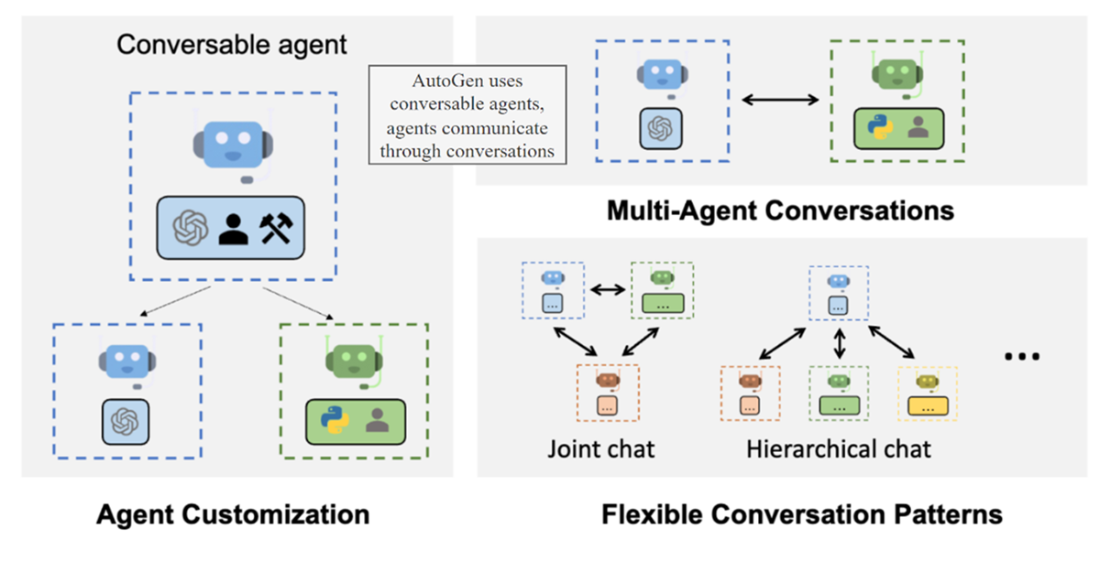
With AutoGen, readers begin in AutoGen Studio, a conversational environment that pairs a UserProxy with one or more assistants to iteratively plan, generate, execute, and evaluate work products such as code and images. The platform supports multiple communication patterns (proxy, hierarchical, and group chat), making it easy to start with a proxy loop and then expand to collaborative group interactions to limit information loss across turns. Capabilities are extended via skills/actions (for example, adding a vision-based image description tool for validation), and software quality improves when adding critic agents that review and suggest refinements. Practical guidance covers execution isolation, caching to reduce token usage and resume work, and the differences between nested chats and group chat for clearer, shared context.
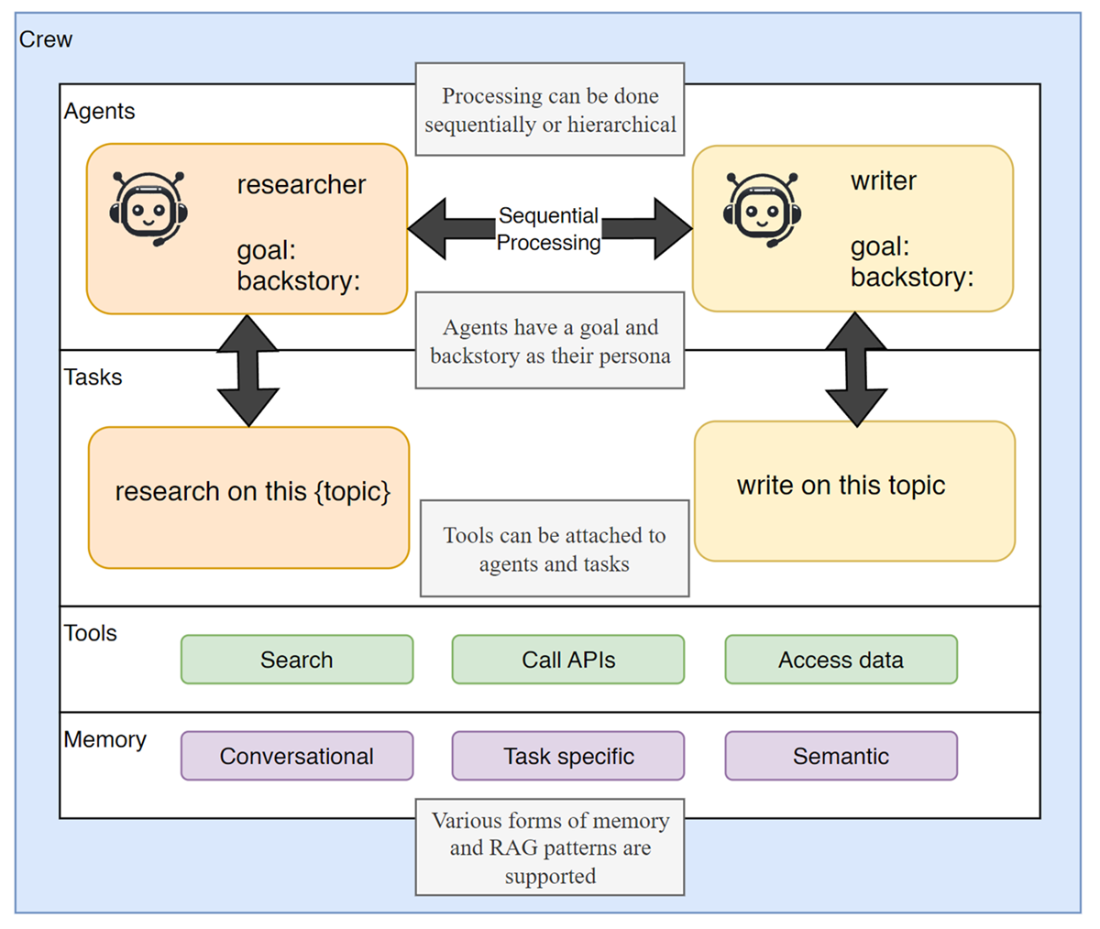
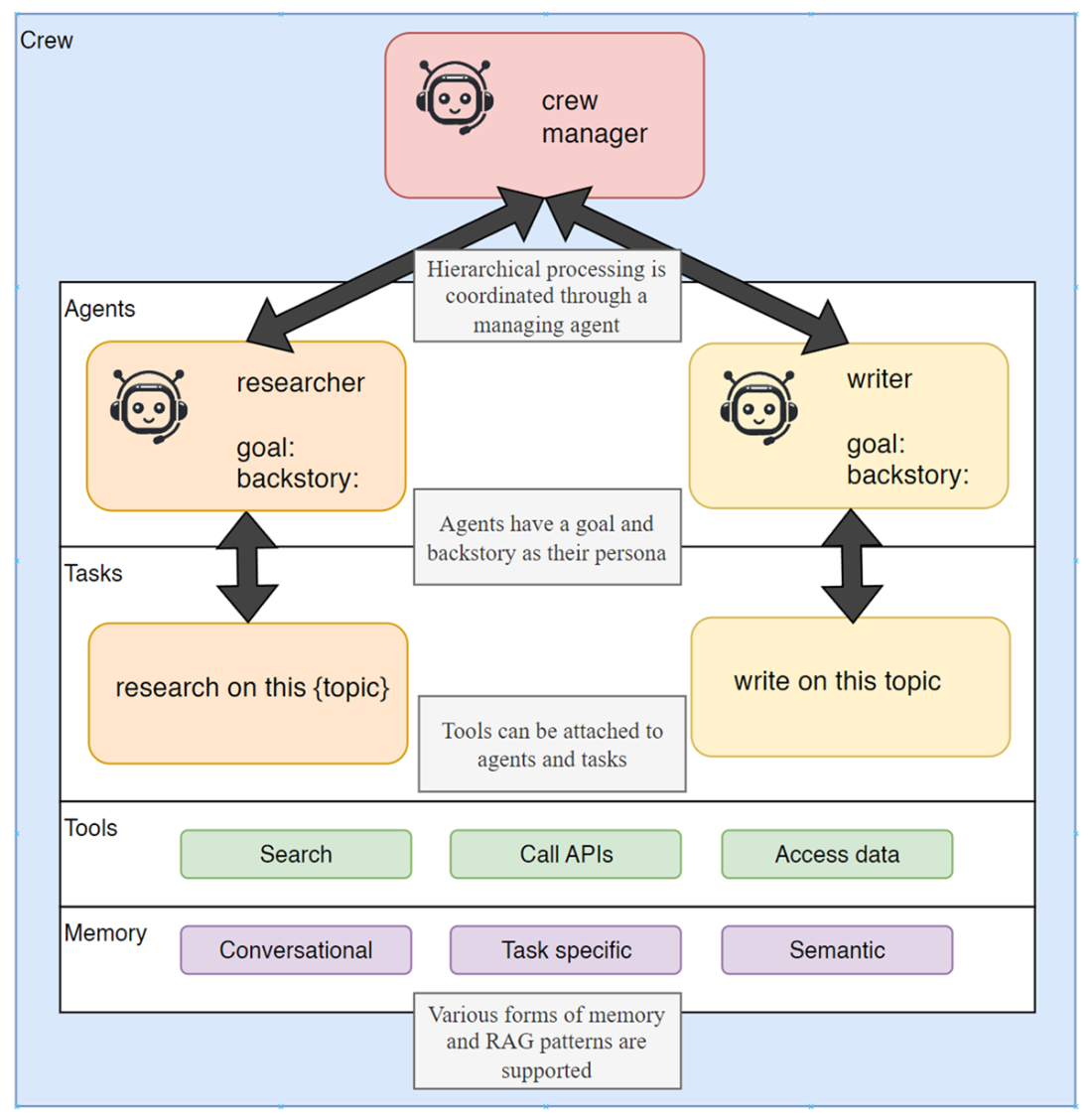
CrewAI introduces a role- and task-centric model for building “crews” that operate sequentially or under hierarchical control via a manager LLM. Agents are configured with explicit roles, backstories, goals, memory, and tools, then orchestrated through tasks to produce outputs—from joke writing to game-coding pipelines with QA and chief QA reviewers. The chapter also demonstrates observability with AgentOps, enabling detailed tracing of runs, token and cost accounting, and diagnostics for issues like repetitive loops. Readers learn when added structure and hierarchy can help (or inflate cost without commensurate gains), and how to tune roles, tasks, and processing patterns. The result is a balanced view: AutoGen and CrewAI each excel in different scenarios, and disciplined design, observability, and tool-based actions are key to building effective, cost-aware multi-agent systems.
How AutoGen agents communicate through conversations (AutoGen src.)
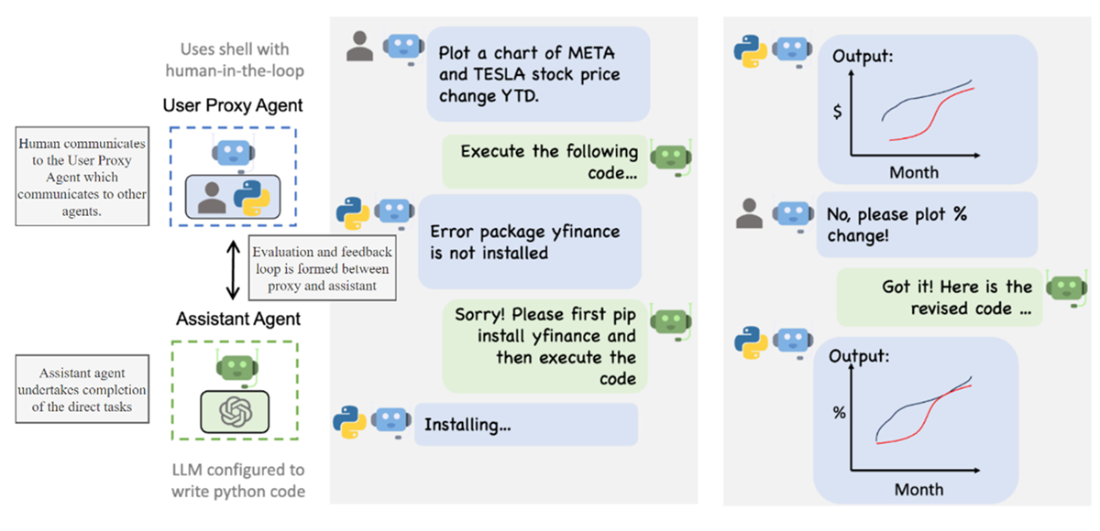
The user proxy and assistant agent communication (AutoGen src.)
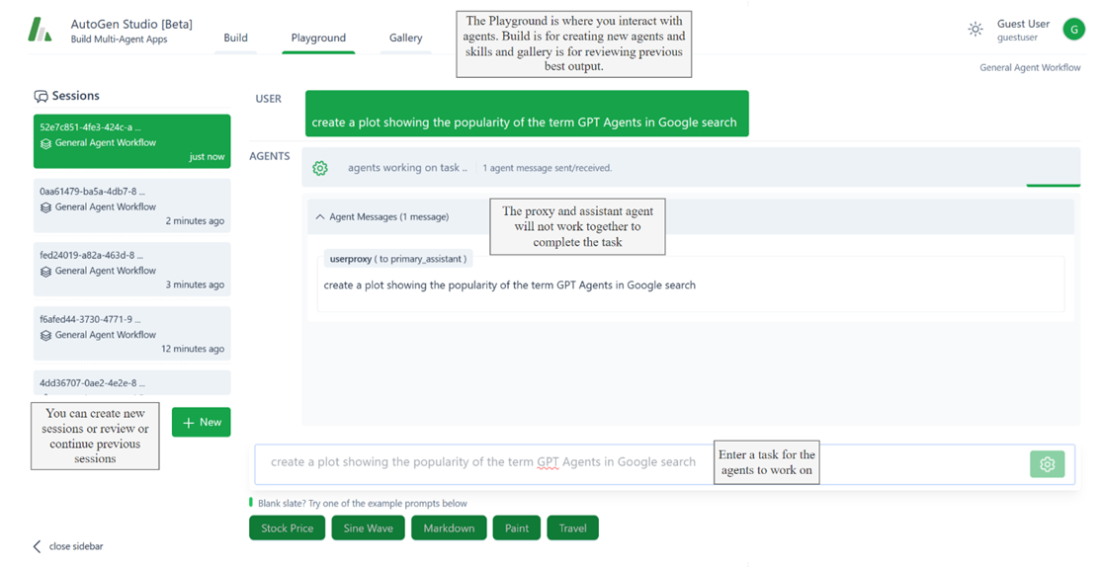
The AutoGen interface and entering a task for the agents to work on
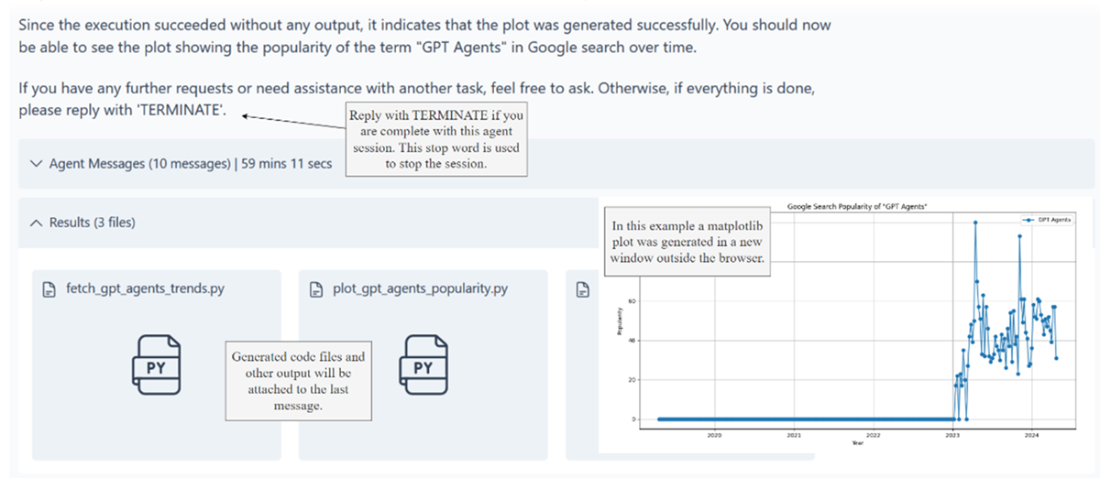
The output after the agents complete the task
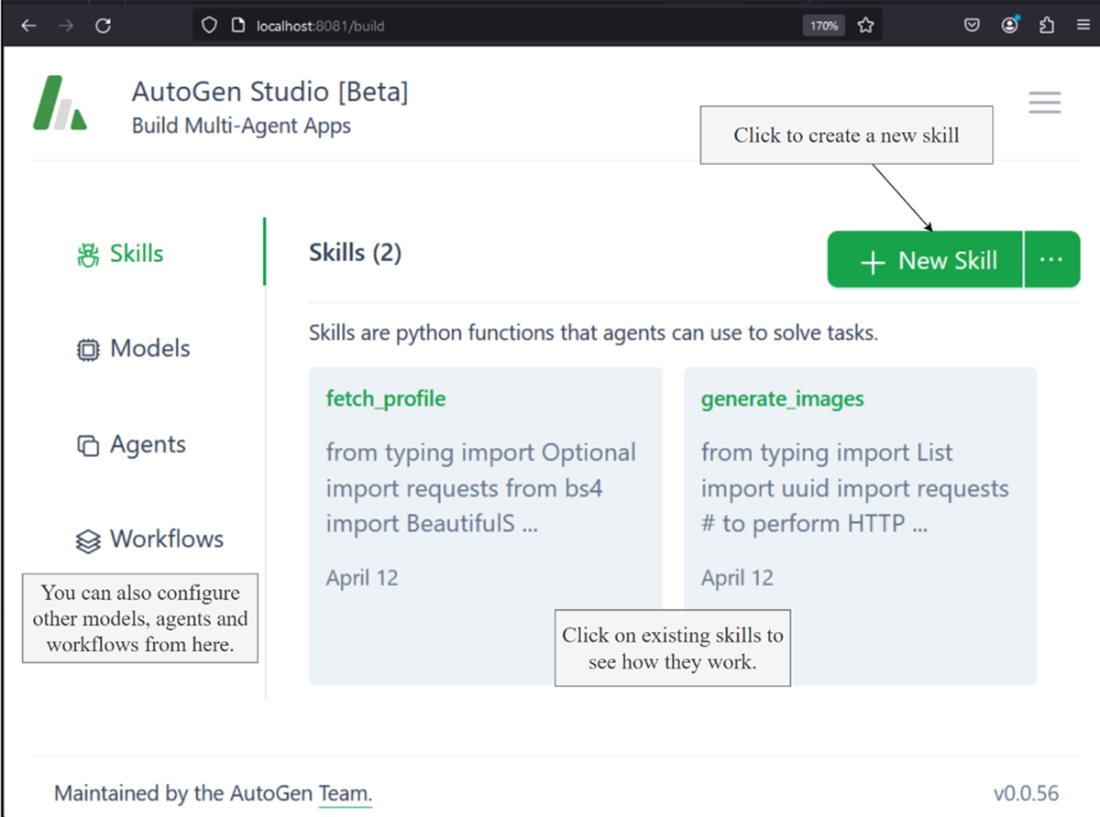
The Build tab and steps to creating a new skill
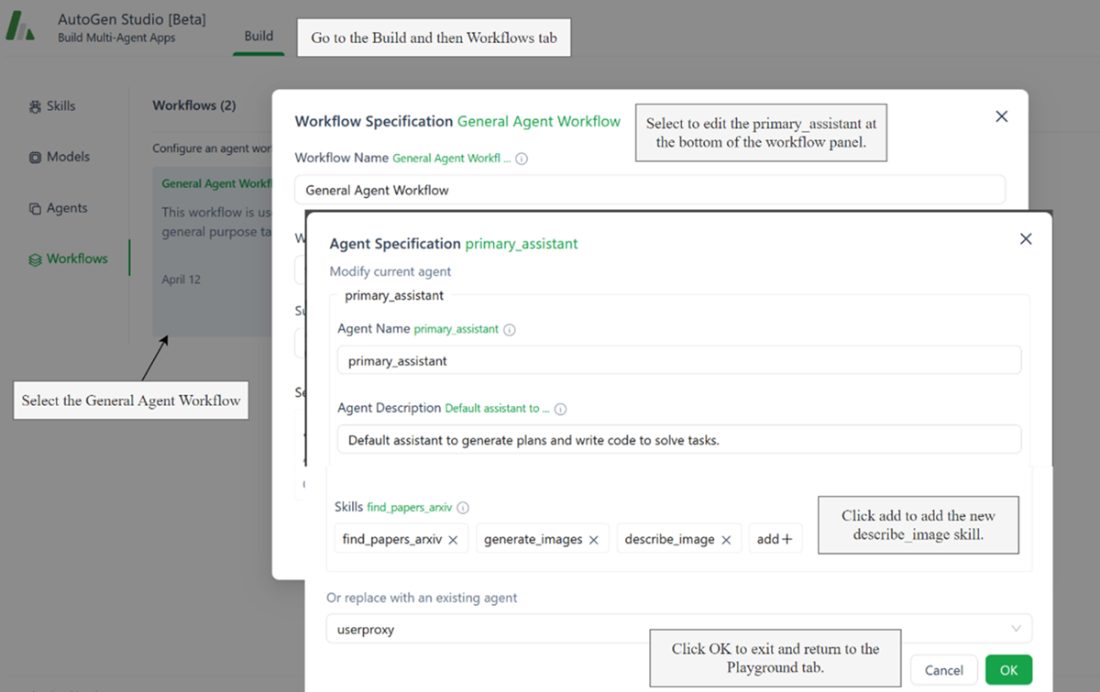
Configuring the primary_assistant agent with the new skill
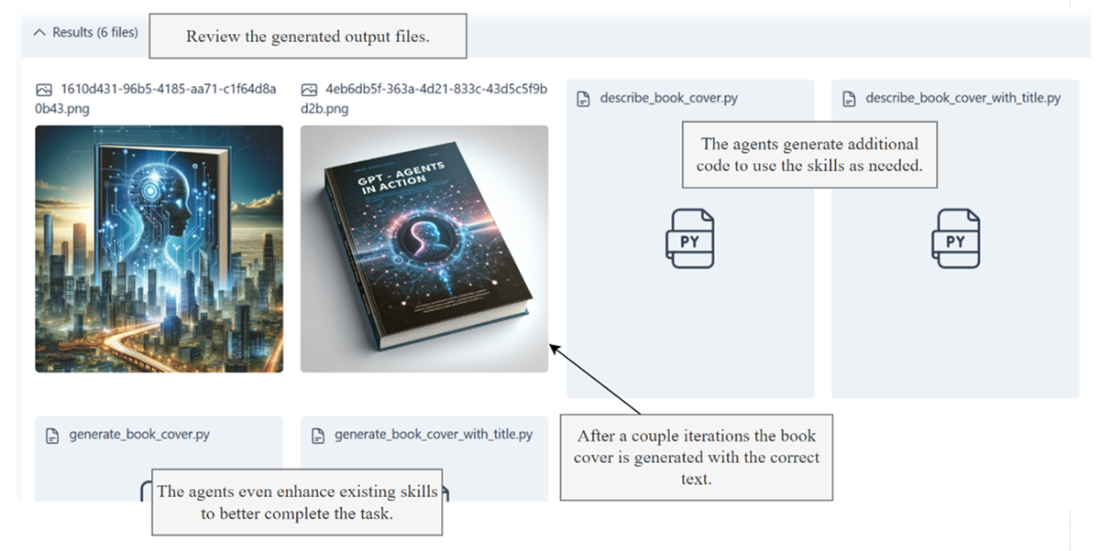
The generated file outputs from the agent work on the image generation task
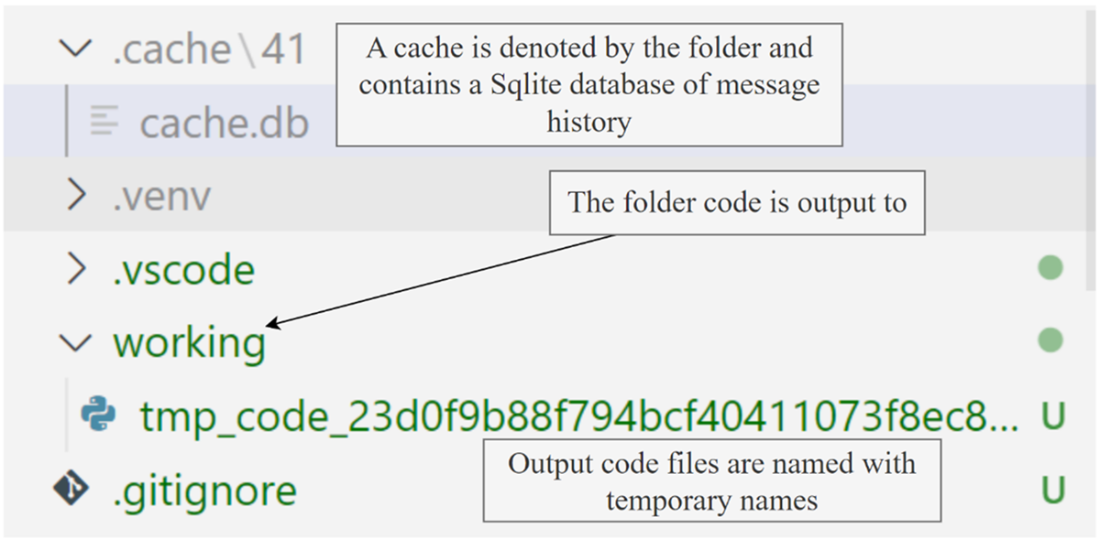
The cache and working folders for AutoGen
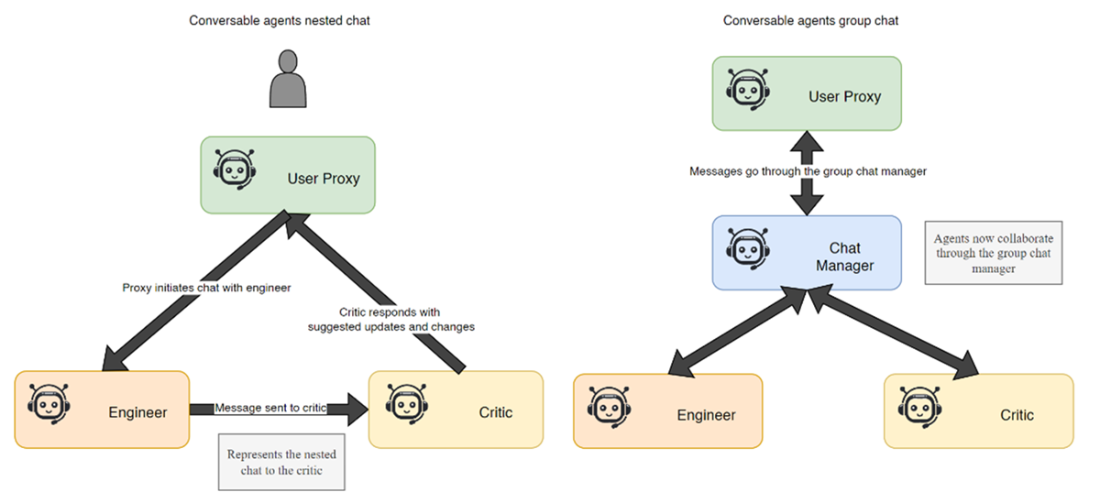
The difference between nested and group chat for conversable agents
The composition of a CrewAI system
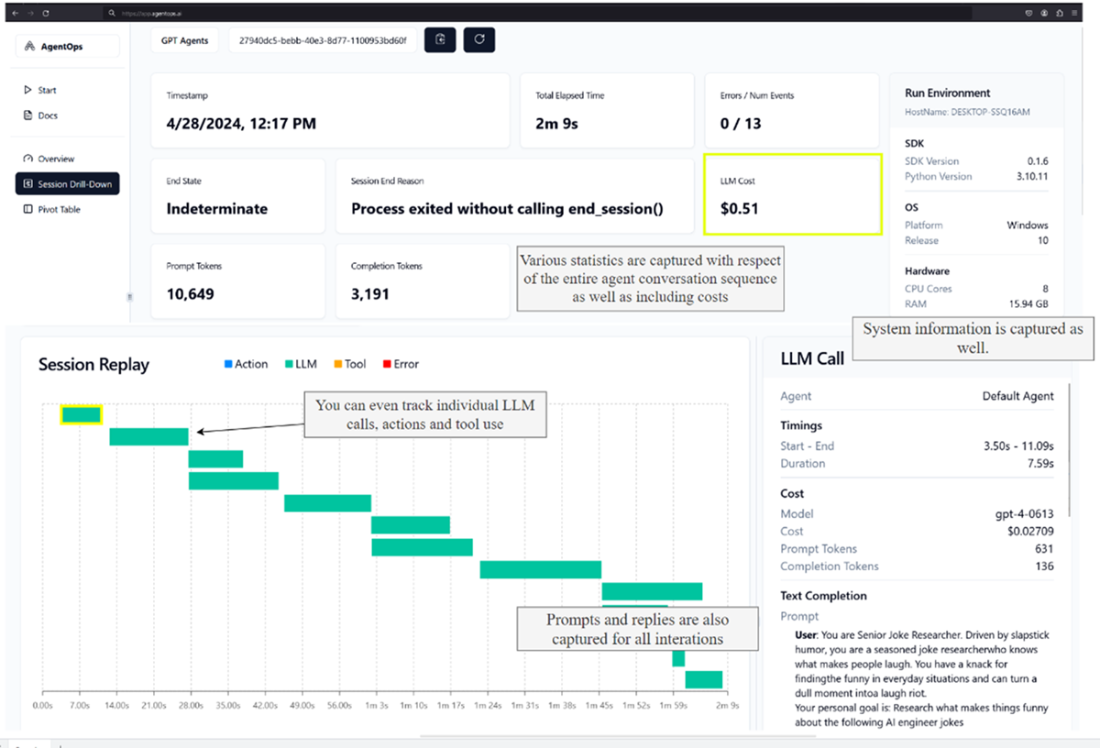
The AgentOps dashboard for running the Joke crew
Hierarchical processing of agents coordinated through a crew manager
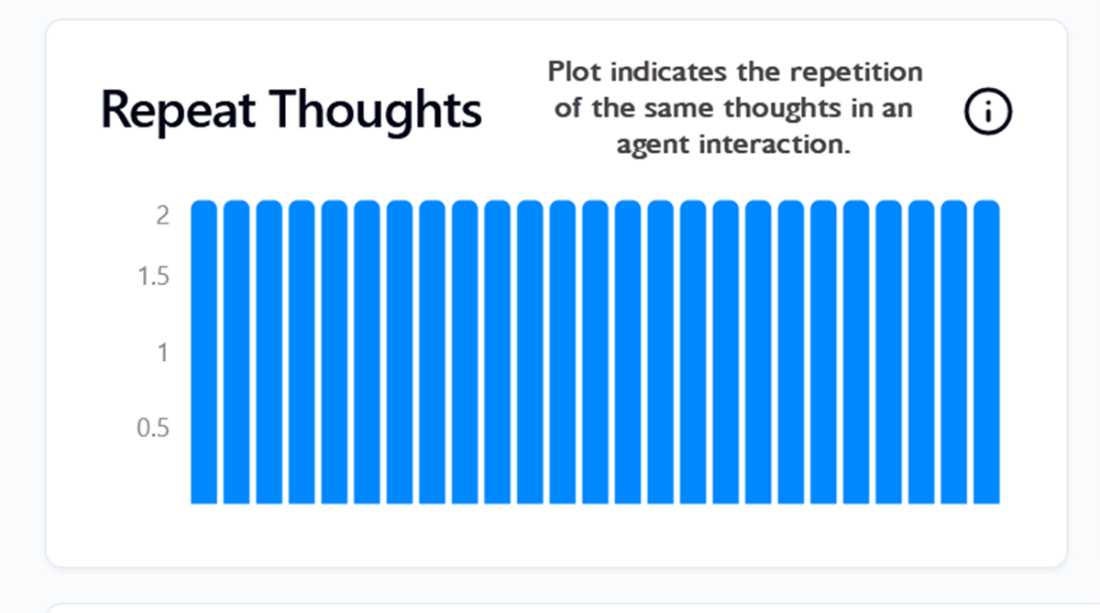
The repetition of thoughts as they occurred within an agent run
Summary
- AutoGen, developed by Microsoft, is a conversational multi-agent platform that employs a variety of agent types, such as user proxies and assistant agents, to facilitate task execution through natural language interactions.
- AutoGen Studio acts as a development environment that allows users to create, test, and manage multi-agent systems, enhancing the usability of AutoGen.
- AutoGen supports multiple communication patterns, including group chats and hierarchical and proxy communications. Proxy communication involves a primary agent (proxy) that interfaces between the user and other agents to streamline task completion.
- CrewAI offers a structured approach to building multi-agent systems with a focus on enterprise applications. It emphasizes role-based and autonomous agent functionalities, allowing for flexible, sequential or hierarchical task management.
- Practical exercises in the chapter illustrate how to set up and use AutoGen Studio, including installing necessary components and running basic multi-agent systems.
- Agents in AutoGen can be equipped with specific skills to perform tasks such as code generation, image analysis, and data retrieval, thereby broadening their application scope.
- CrewAI is distinguished by its ability to structure agent interactions more rigidly than AutoGen, which can be advantageous in settings that require precise and controlled agent behavior.
- CrewAI supports integrating memory and tools for agents to consume through task completion.
- CrewAI supports integration with observability tools like AgentOps, which provides insights into agent performance, interaction efficiency, and cost management.
- AgentOps is an agent observability platform that can help you easily monitor extensive agent interactions.
