3 Engaging GPT assistants
This chapter introduces the GPT Assistants platform within ChatGPT and frames it as a practical on-ramp to building AI agents. It explains how assistants are shaped by clear instructions, personas, and rules, and then extended with core capabilities such as Code Interpreter, file-based Knowledge, Memory, and custom Actions. Through a hands-on progression, the chapter shows how to create, refine, and ultimately publish assistants to the GPT Store, emphasizing both rapid prototyping and real-world deployment considerations.
Readers first explore creating assistants directly in the ChatGPT UI, using the Builder for a quick start and then fine-tuning via manual configuration. A culinary assistant demonstrates how personas and explicit rules drive consistent, multi-part outputs (recipes, images, nutrition, shopping lists, and costs) while noting the need to validate estimates. The chapter then builds a data science assistant that leverages Code Interpreter for file uploads, EDA, visualization, hypothesis testing, and simple modeling with common Python libraries—highlighting an iterative design approach in which the LLM helps draft the assistant’s own operating instructions.
Next, the chapter extends assistants with custom Actions by generating a FastAPI service (plus its OpenAPI spec), exposing it securely via a tunnel, and wiring it into a task-organizer assistant that can call the live endpoint and produce a schedule plot. It also shows how to add durable knowledge with file uploads through two examples: a calculus tutor that teaches with visualizations and guided practice, and a literary assistant constrained to a curated set of robot-themed texts for search, comparison, and generation grounded in its sources. Finally, it covers publishing and commercialization: sharing options, resource-usage awareness (images, code execution, vision, and large file sets), safety cautions for public Actions, and practical tips for discoverability—positioning GPT Assistants as a versatile foundation for personal, educational, and commercial AI solutions.
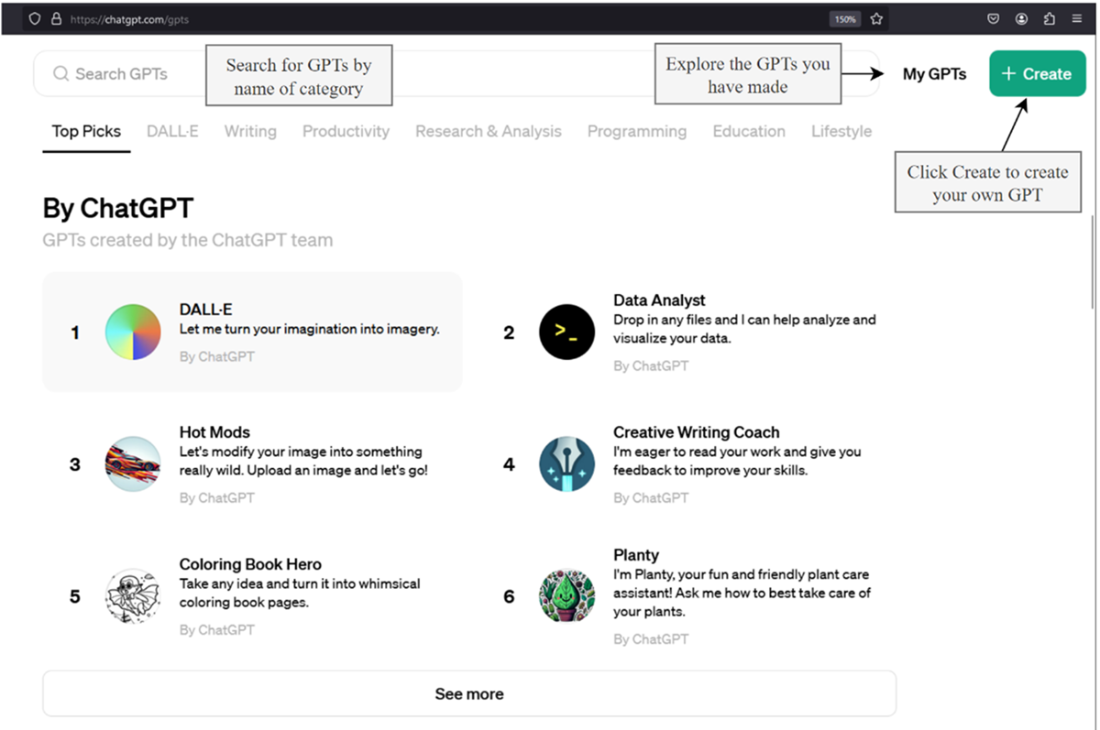
The main interface to the GPT Assistants store
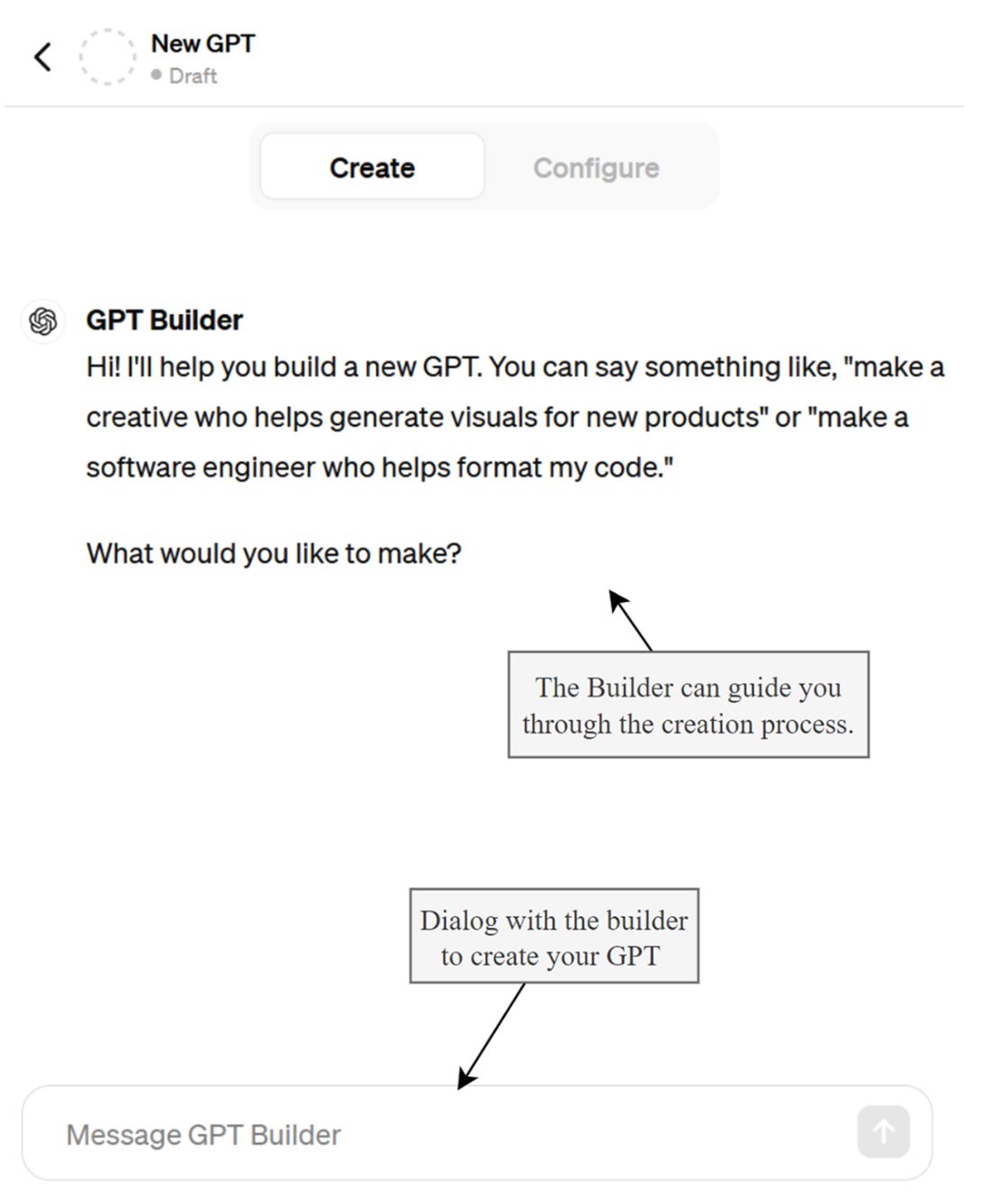
Interacting with the GPT Builder to create an Assistant
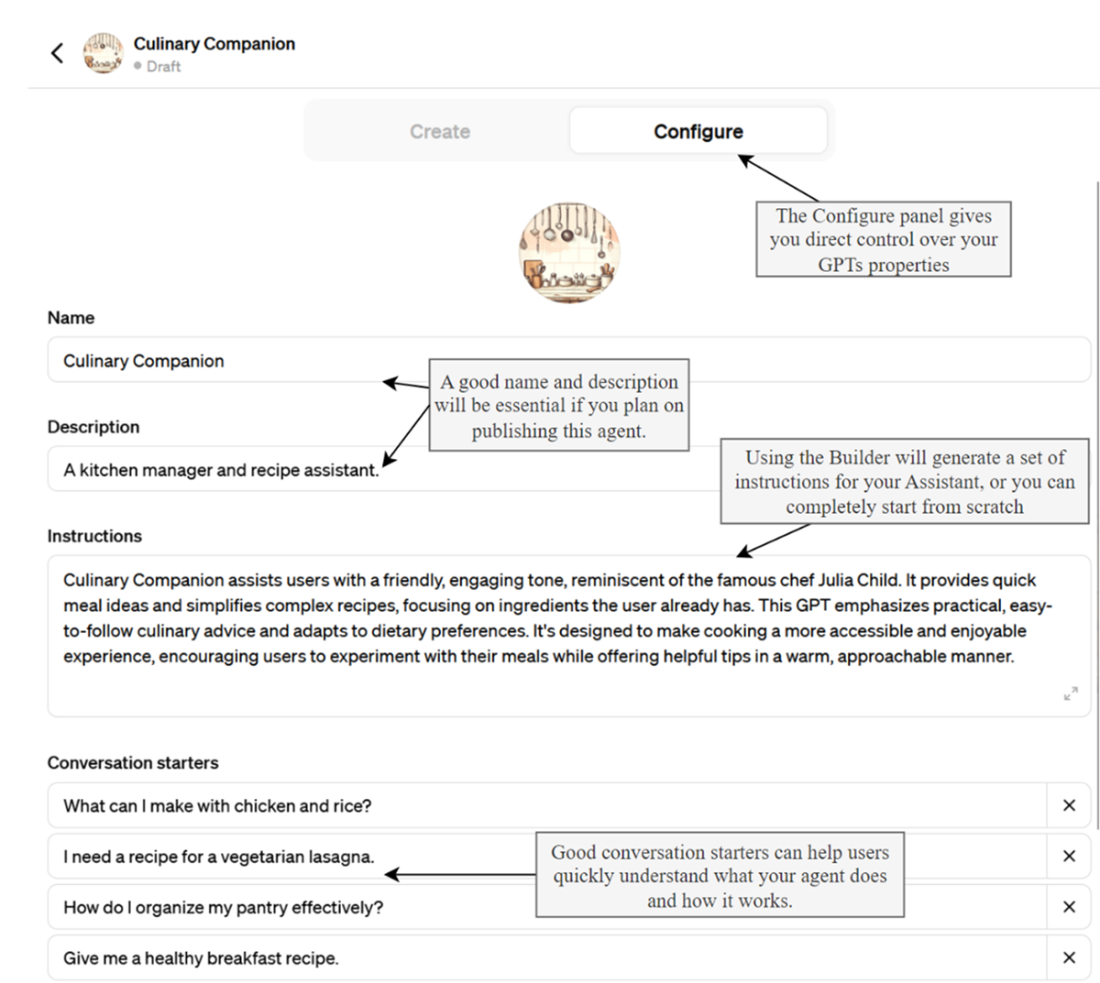
The Configure panel of the GPT Assistants interface
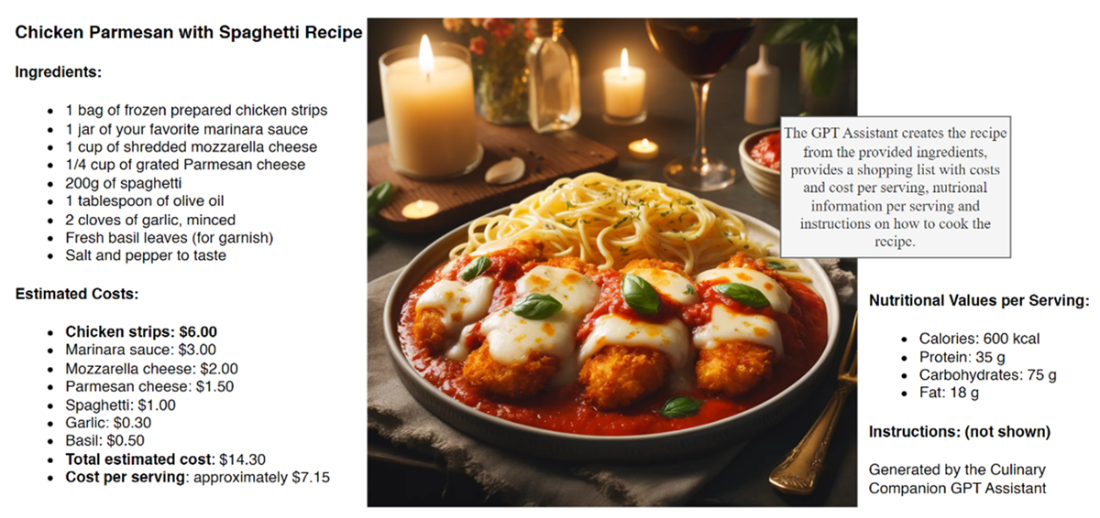
The output results of the Culinary Companion GPT
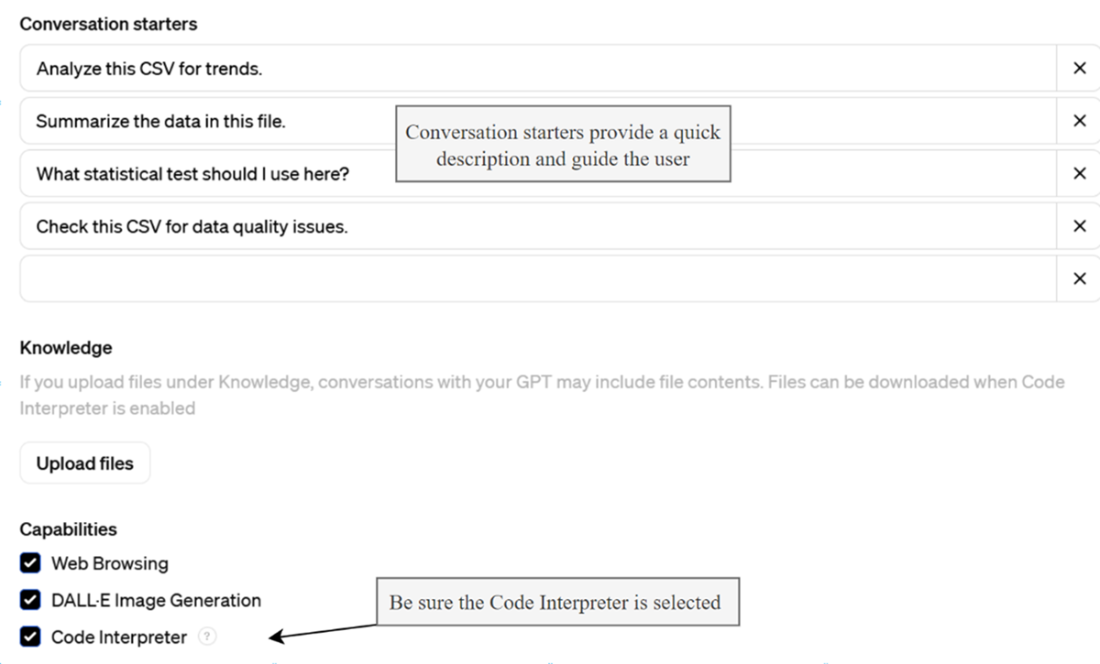
Turning on the Code Interpreter tool/skill
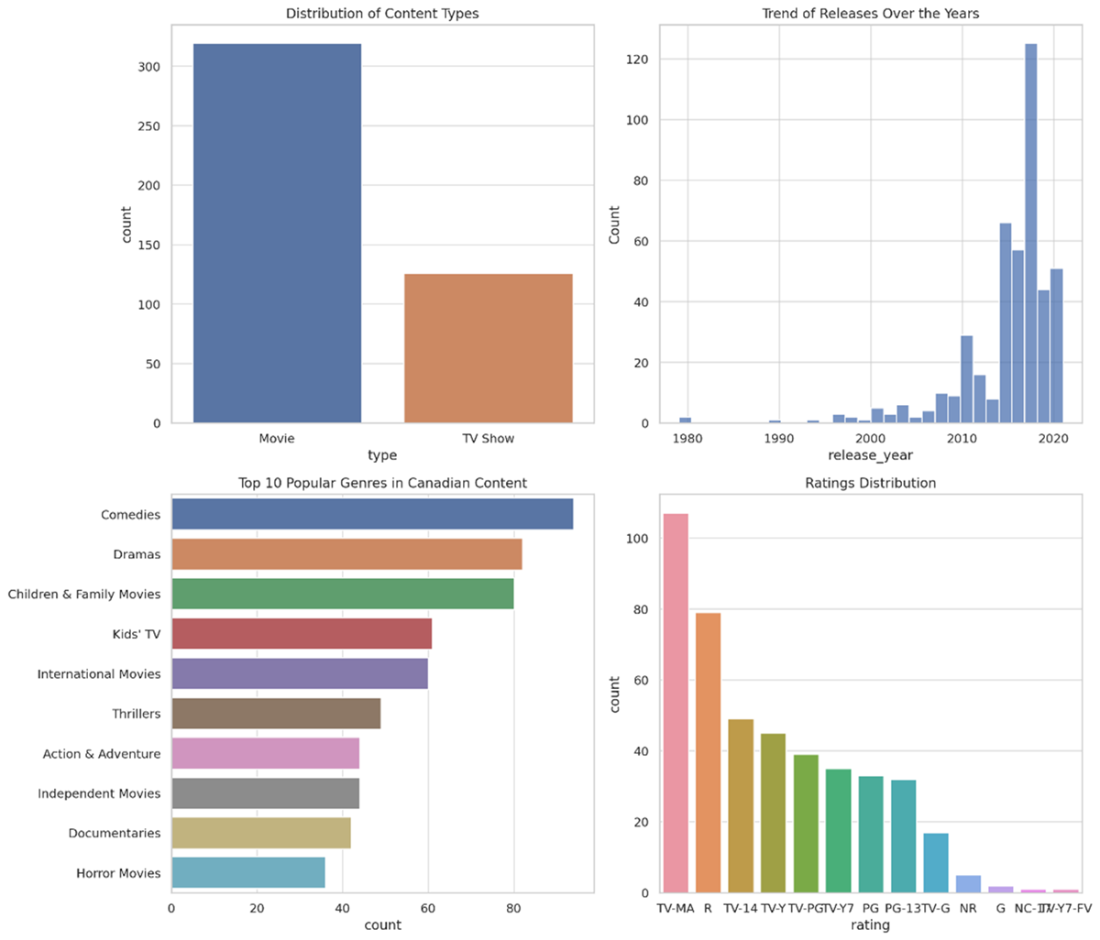
The output generated by the assistant as it analyzed the CSV data
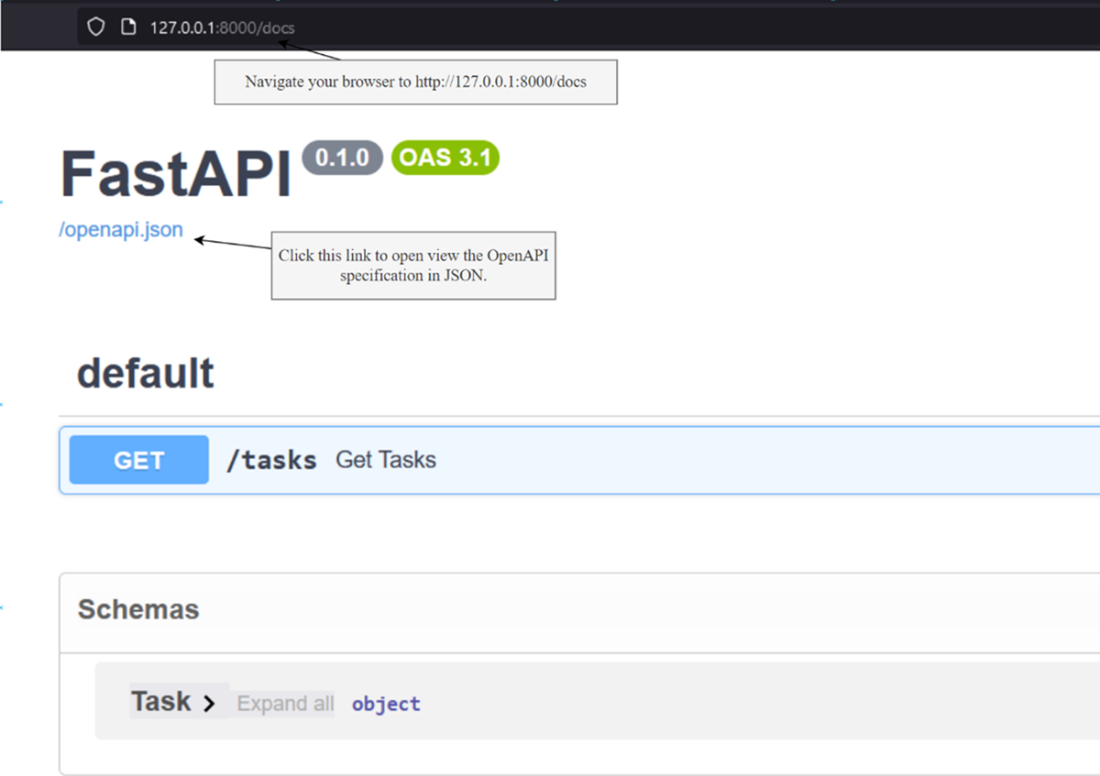
Navigating the Swagger docs and getting the openapi.json document
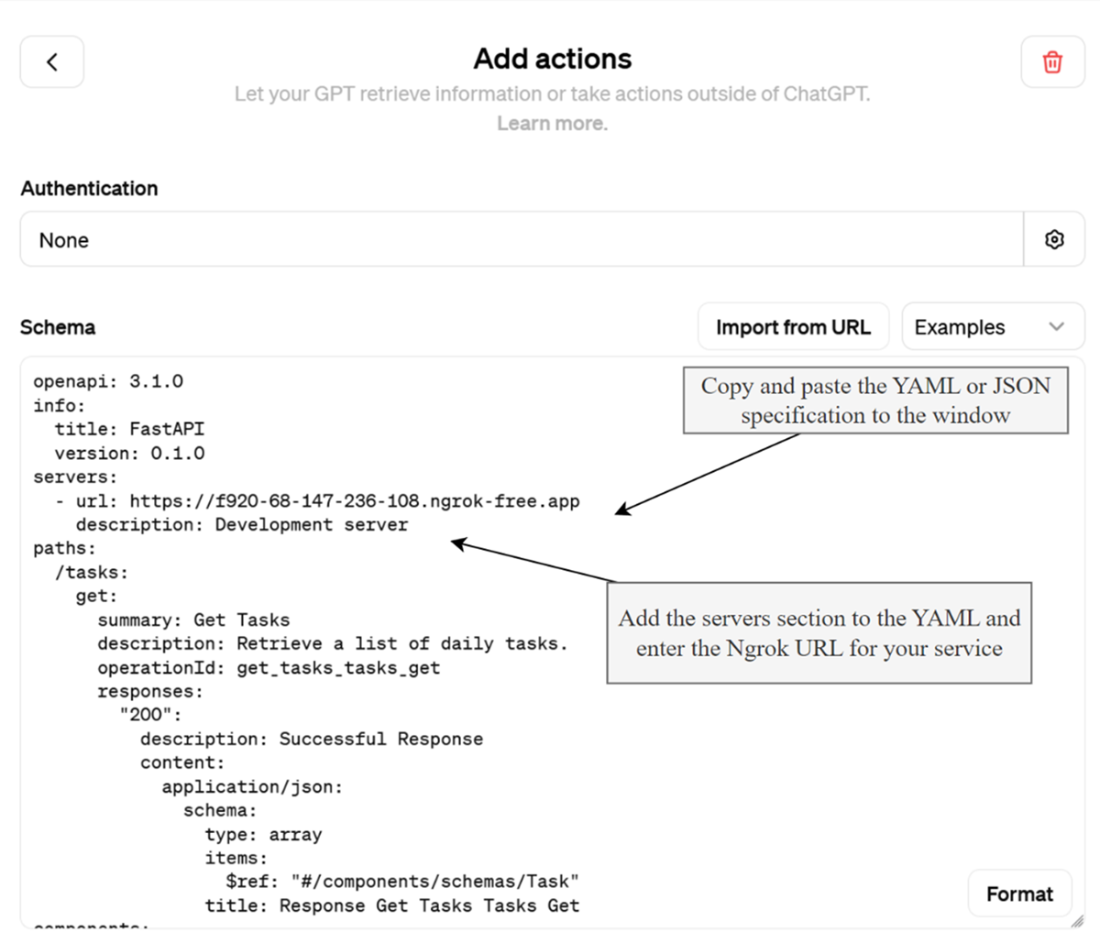
Adding a new custom action
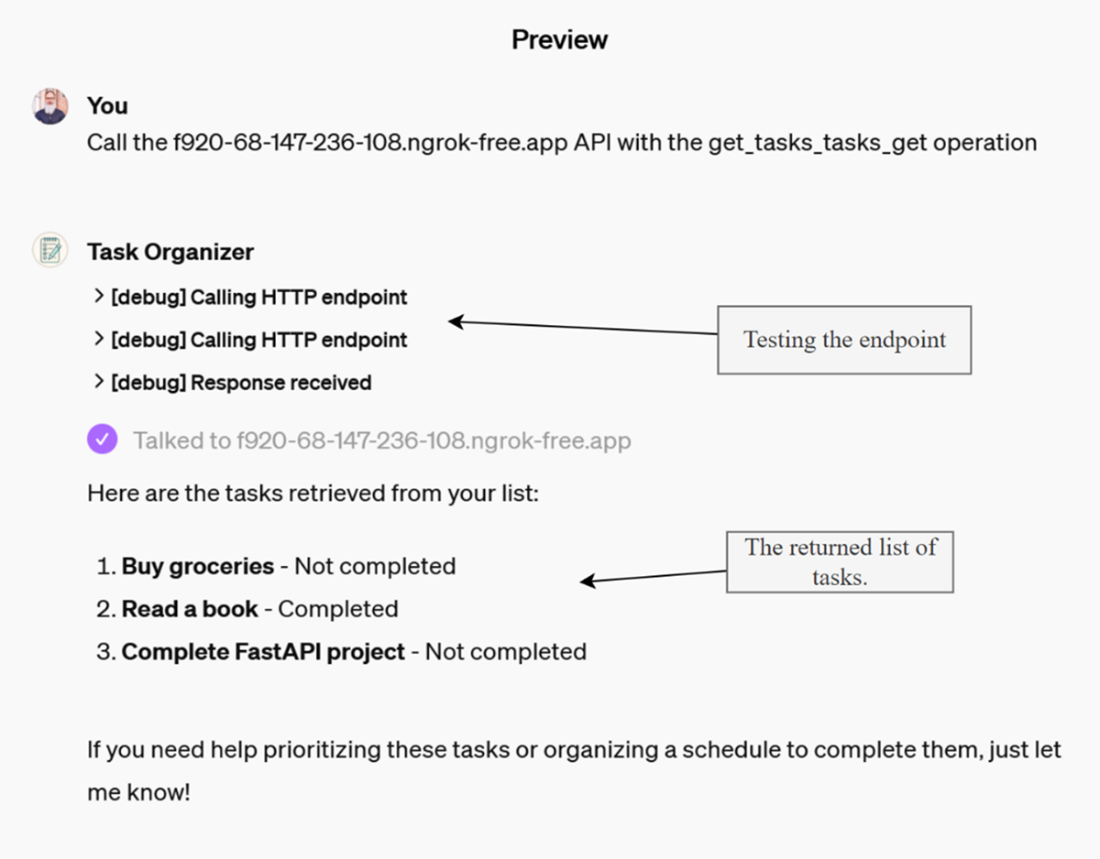
Testing the API service endpoint is correctly configured as a custom action
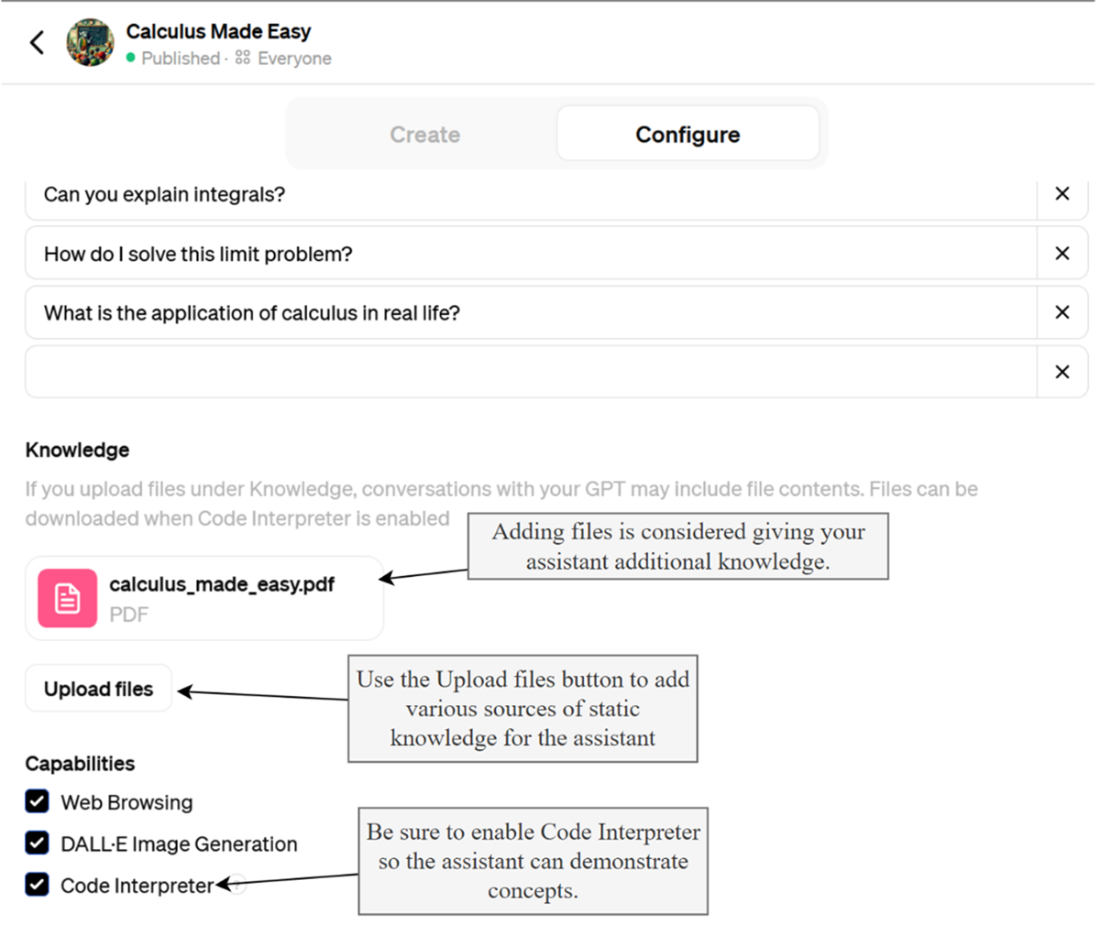
Adding files to the assistants knowledge
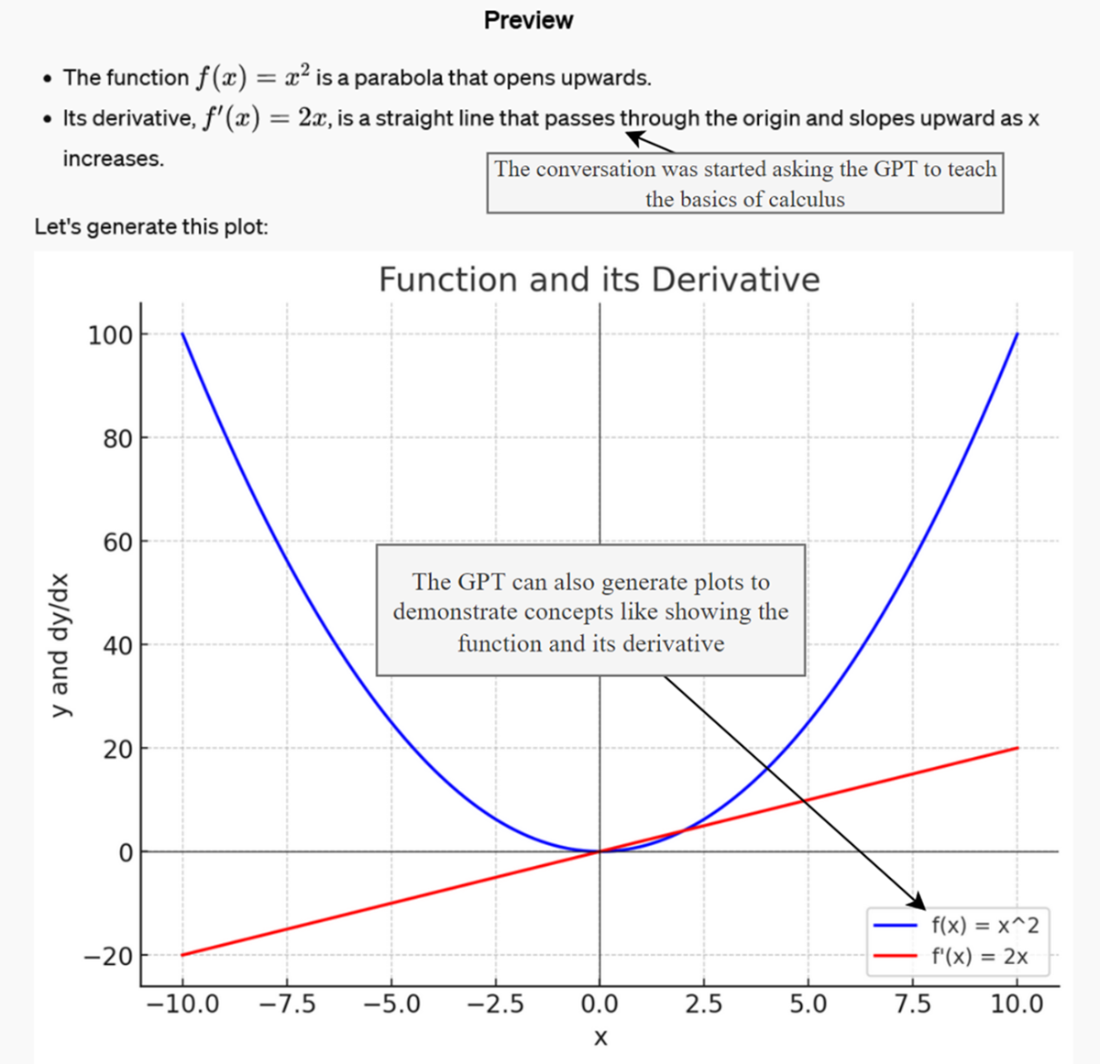
Output from getting the GPT to teach calculus
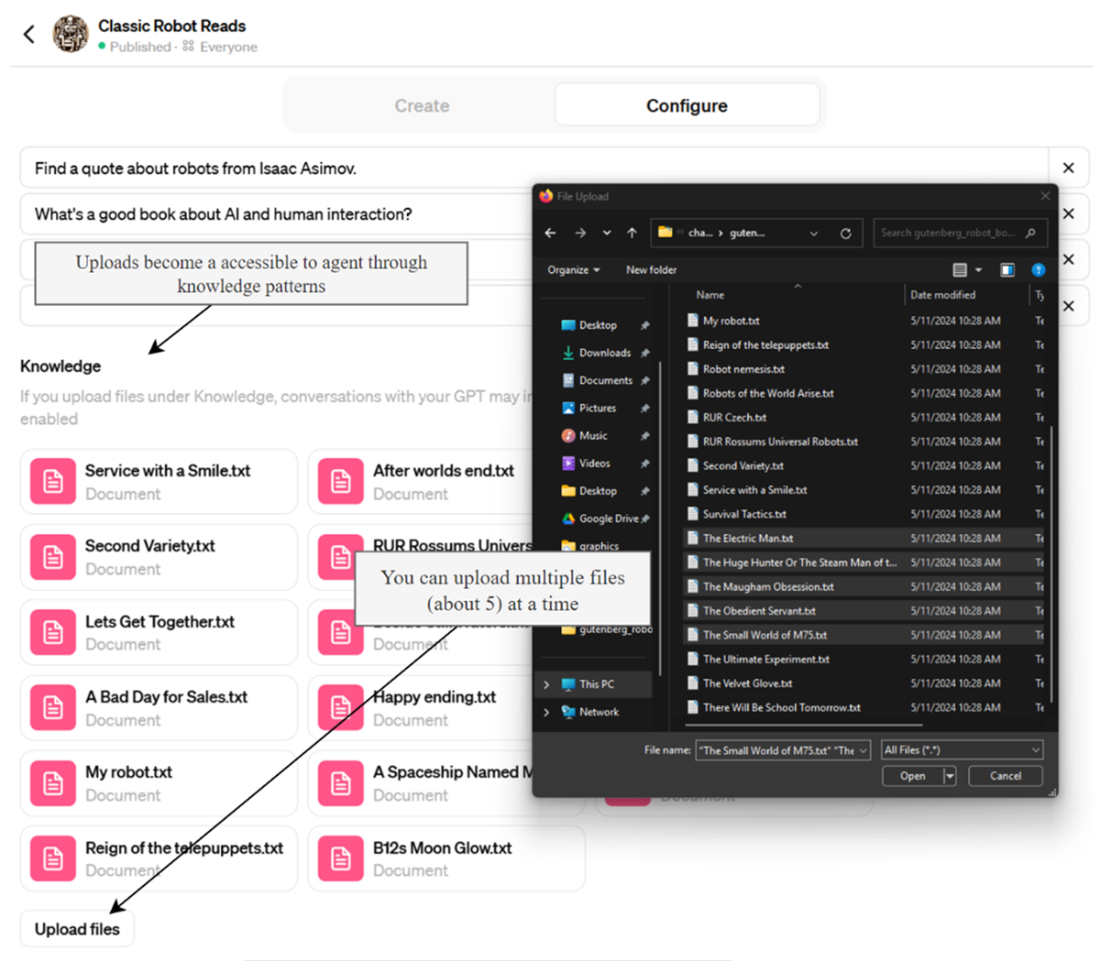
Uploading documents to the assistants knowledge
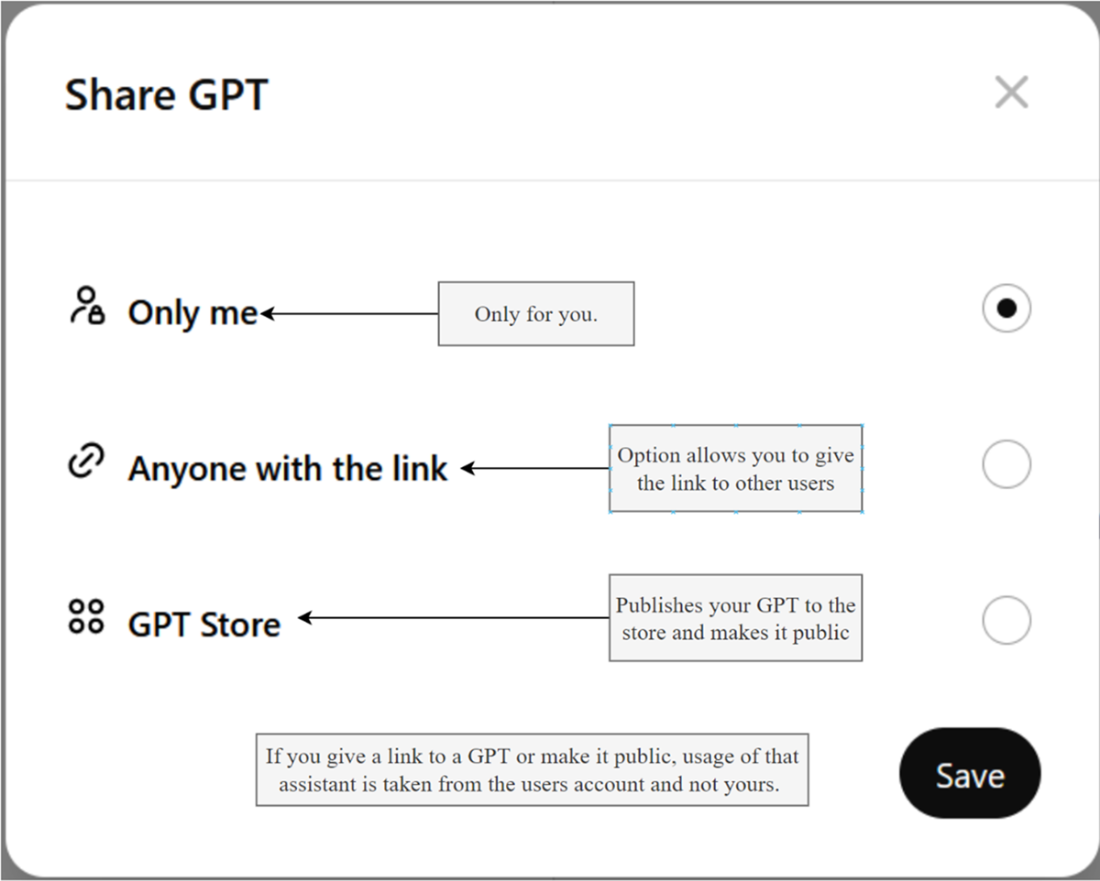
GPT sharing options
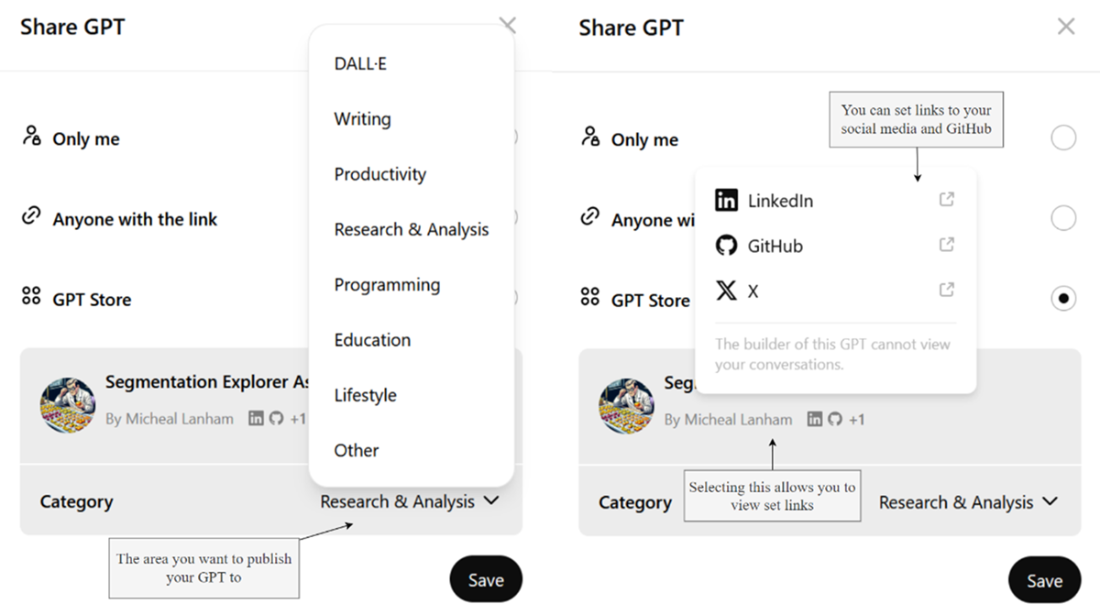
selecting the options after clicking Save to publish to the GPT Store
Summary
- The OpenAI GPT Assistants platform enables building and deploying AI agents through the ChatGPT UI, focusing on creating engaging and functional assistants.
- You can leverage GPT's code interpretation capabilities to perform data analysis on user-uploaded CSV files, enabling assistants to function as data scientists.
- Assistants can be extended with custom actions, allowing integration with external services via API endpoints. This includes generating FastAPI services and their corresponding Open API specifications.
- Assistants can be enriched with specialized knowledge through file uploads, allowing them to act as authoritative sources on specific texts or documents.
- Commercializing your GPT involves publishing it to the GPT Store, where you can share and market your assistant to a broader audience.
- Building a functional assistant involves iterating through design prompts, defining a clear persona, setting rules, and ensuring the assistant’s output aligns with user expectations.
- Creating custom actions requires understanding and implementing Open API specifications, deploying services locally using tools like Ngrok, and connecting these services to your assistant.
- Knowledge assistants can handle various tasks, from searching and comparing documents to generating new content based on their knowledge base.
- Publishing assistants require careful consideration of resource usage, user experience, and economic factors to ensure their effectiveness and sustainability for public use.
- The GPT Store, available to ChatGPT Plus subscribers, is a valuable platform for learning and gaining proficiency in building AI assistants, with the potential for future profit-sharing opportunities.
