Appendix A. Accessing OpenAI LLMs
This appendix explains how to gain practical access to OpenAI large language models for agent development, either directly through OpenAI or via Microsoft’s Azure OpenAI Studio. It emphasizes GPT-4 as a best-in-class choice for building agents and notes that, while usage is paid, the exercises envisioned should cost under $100. The guidance encourages starting with GPT-4 before exploring open-source or alternative services.
For direct OpenAI access, you create an account, ensure a payment method or credits, and select the API rather than the ChatGPT interface. You then generate a secret API key, copy it to a safe place, and keep it private on your development machine. Most packages used in the book only require this key for configuration, commonly via an environment file, enabling quick setup and cost control through purchased credits.
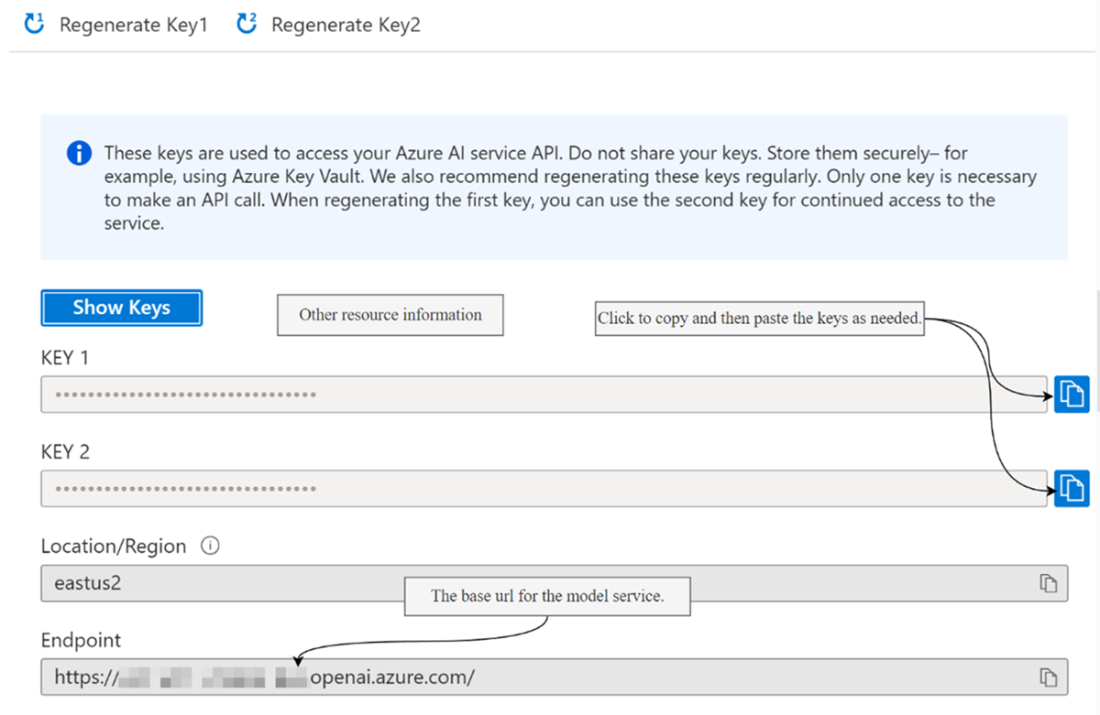
For Azure OpenAI Studio, you sign in to your Azure subscription, create an Azure OpenAI resource in an appropriate region, and expose models via deployments that wrap a model like GPT-4. After deployment, obtain the resource’s key and endpoint (base URL) to configure your client. The essential connection details are the API key, the base URL or endpoint, and the model or deployment name. Azure generally matches OpenAI pricing and models, though versions may occasionally lag; if access is limited, open-source alternatives are a viable fallback addressed elsewhere in the book.
Figure A.1 Selecting the API section of the OpenAI platform
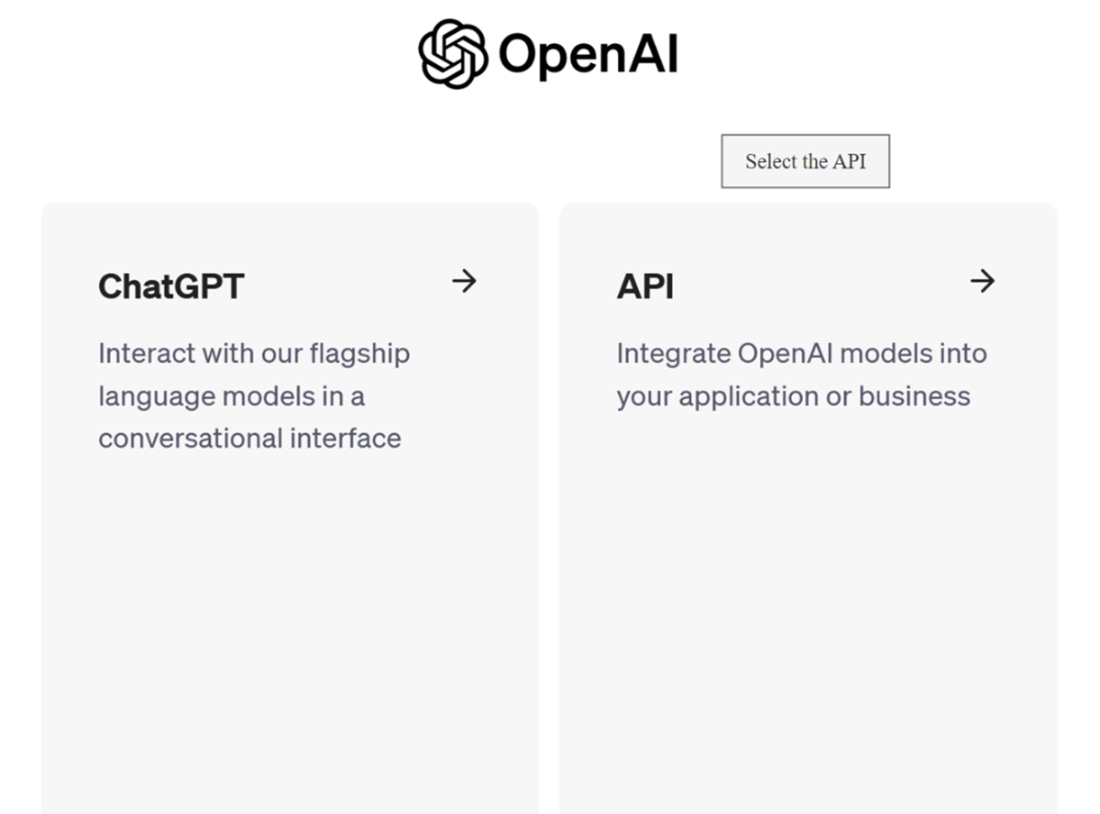
Figure A.2 Selecting the API keys option
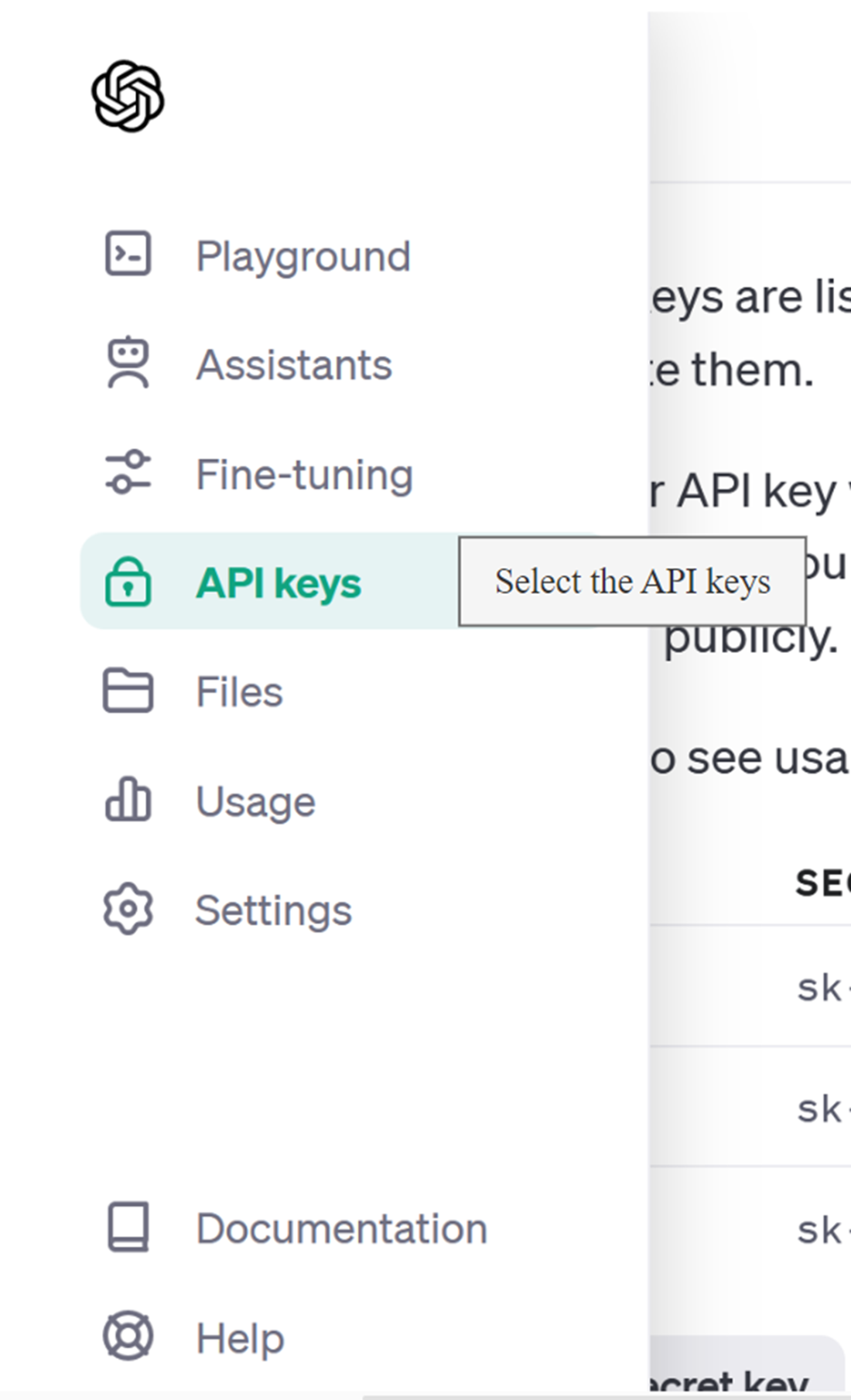
Figure A.3 Creating the secret API key
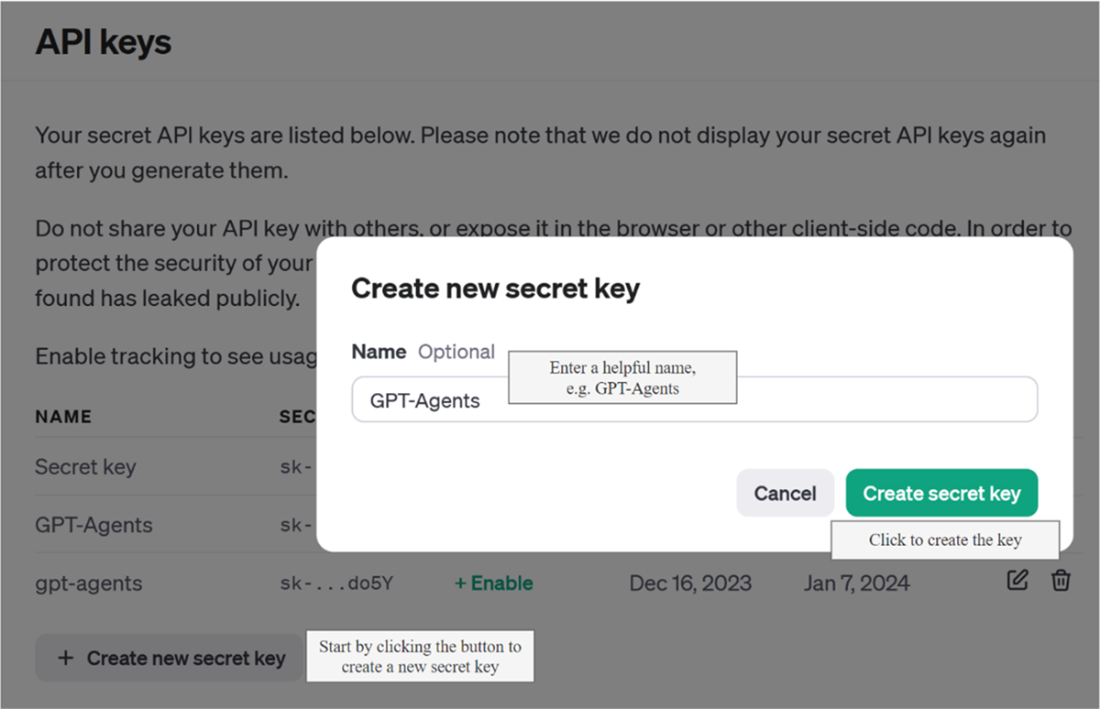
Figure A.4 Copying and pasting the key to a well-known safe location
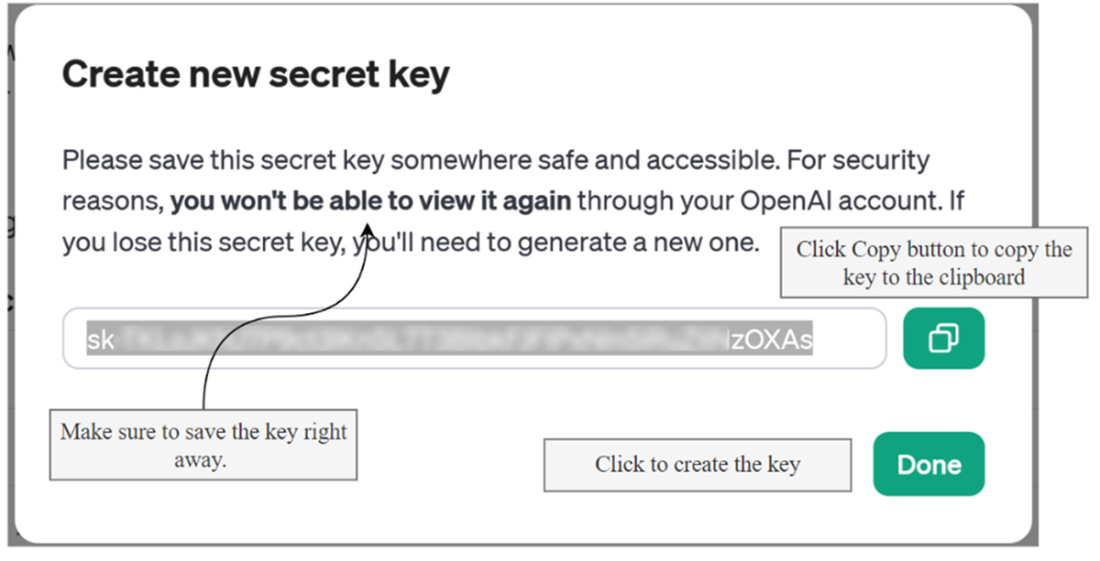
Figure A.5 Deploying a model through an Azure OpenAI Studio deployment
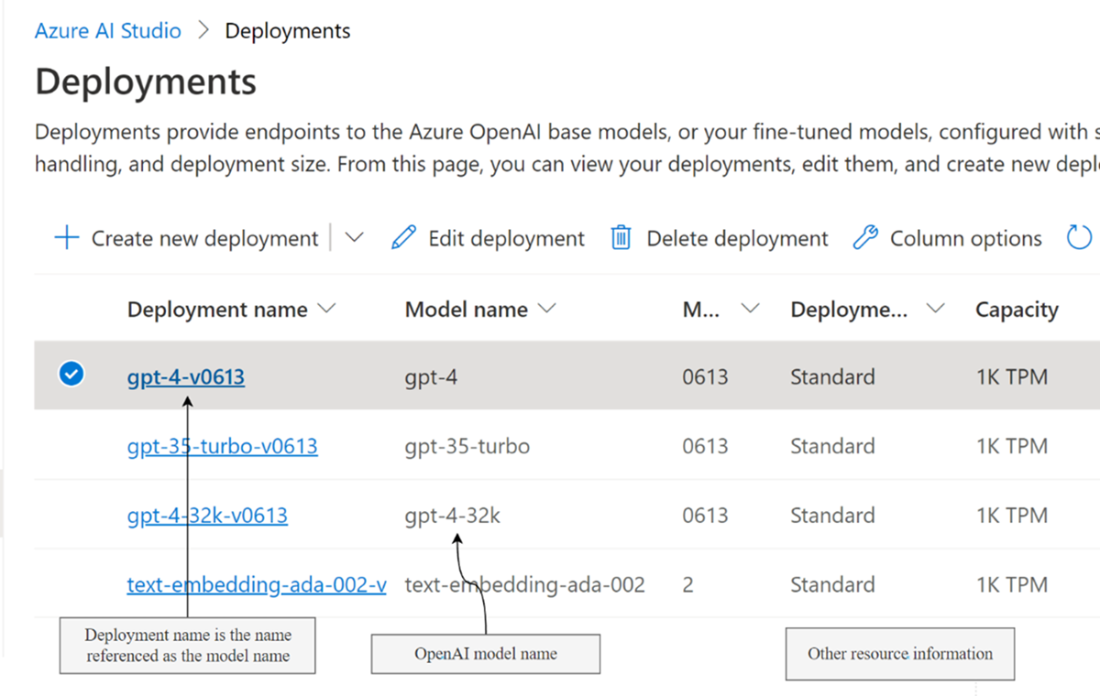
Figure A.6 Getting access to the keys and base url used to access the service
FAQ
How do I create an OpenAI account and get an API key?
Go to openai.com, register or log in, then choose the API section. Open the left menu, select API keys, create a new key, name it, and click Create Key. Copy the key to a safe place and keep it secret.
How much should I budget to complete the book’s exercises?
You can expect to spend less than $100 US. You may receive some free credit on a new account. Purchasing usage credits in advance helps manage costs and avoid overruns.
Should I use ChatGPT or the API for agent development?
Select the API on the OpenAI platform. The API provides the programmatic access needed for building and running agents.
What’s the recommended way to store and use my OpenAI API key?
Copy the key using the Copy button, save it in a secure location, and keep it only on your development machine. Use a .env configuration file or your tool’s standard method for securely loading the key.
Do I need anything beyond the API key to use OpenAI with this book’s packages?
For most packages, only the OpenAI API key is required. Azure OpenAI also needs a deployment name and a base URL/endpoint.
Why does the book recommend starting with GPT‑4?
The GPT‑4 family is considered best in class and well suited for agent development. Alternatives are options, but the book advises trying GPT‑4 first.
What is Azure OpenAI Studio, and how does it compare to OpenAI’s service?
Azure OpenAI Studio hosts the same models at the same price through Microsoft. It’s sometimes a model version behind but generally stays current.
How do deployments work in Azure OpenAI Studio?
Deployments wrap a model (for example, GPT‑4) and expose it as a resource you can call. After creating a deployment, obtain the key and endpoint/base URL from the parent Azure OpenAI resource.
Which Azure region should I choose for my Azure OpenAI resource?
Create the resource in a region that suits you, but check model availability first. Not all regions offer all models, and availability can depend on your account and usage.
What configuration values are essential when connecting to Azure OpenAI (or other OpenAI‑compatible services)?
You need three things: the API key, the base URL or endpoint, and the model or deployment name. If you can’t access these models, consider open‑source alternatives (covered in Chapter 2).
