13 Building and consuming MCP servers
Integrating reliable external context into AI agents has traditionally required teams to build and maintain bespoke wrappers for every data source, leading to duplicated effort and inconsistent results. The Model Context Protocol (MCP) addresses this by standardizing how services expose tools via MCP servers, which agents (MCP hosts) can discover and invoke through MCP clients as if they were local tools. The chapter explains this client–server architecture, how tools are surfaced and selected, and how MCP supports both local and remote transports. With rapid adoption across major LLM platforms and a growing library of third-party servers, MCP is becoming a foundation for scalable, reusable, and interoperable tool ecosystems.
The chapter then turns to practical construction and testing. It recommends building on official SDKs rather than implementing the protocol from scratch, highlighting language options and the evolution from FastMCP 1 to the more capable FastMCP 2 (with improvements in deployment, security, connectivity, and testing). A hands-on example walks through creating a weather MCP server backed by the AccuWeather API, exposing a single tool for current conditions over Streamable HTTP. The server is validated first with MCP Inspector for interactive exploration and then with a lightweight test host, confirming standard tool schemas and result packaging that align with established tool-calling patterns.
Finally, the chapter shows how to consume MCP tools in real applications. It outlines built-in support in popular LLM APIs for executing public MCP tools and covers enterprise scenarios where private servers are accessed via the FastMCP client or frameworks like LangChain’s MultiServerMCPClient. A travel assistant agent is upgraded by swapping a mock weather tool for the remote MCP tool, updating the chat loop for asynchronous calls, and combining remote and local tools in one coherent toolset. The result is an agent that can answer complex, context-rich queries with real-time data—illustrating best practices for configuration, authorization, and reliability, and underscoring why MCP server skills are becoming essential for modern AI development.
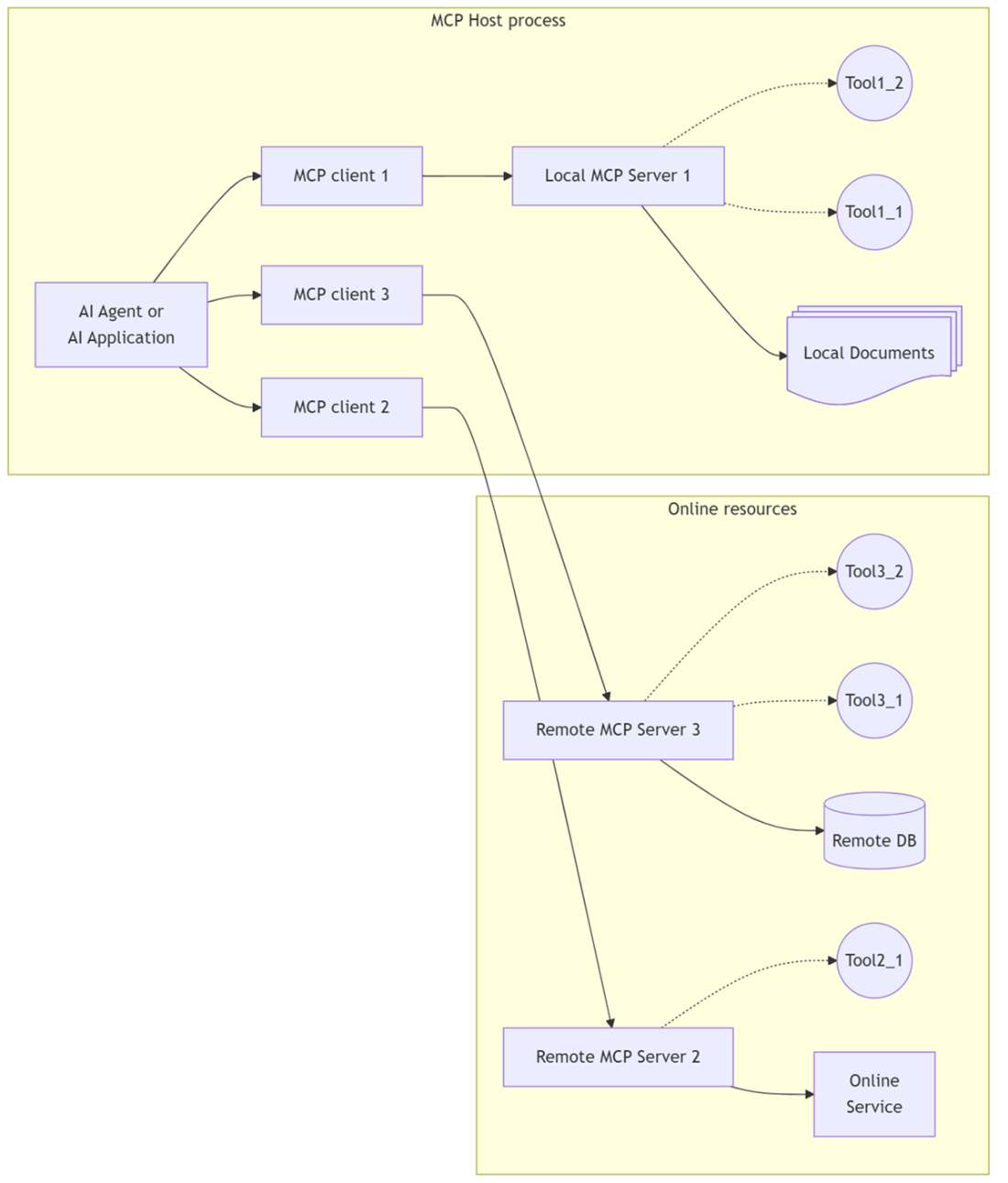
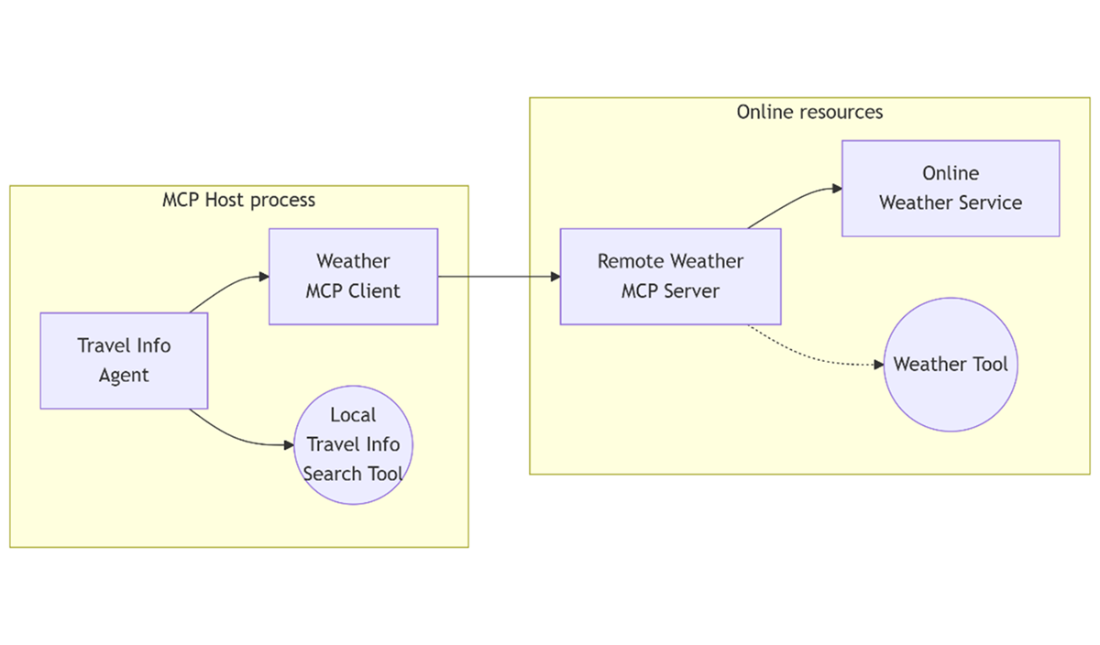
MCP host process connecting to multiple local and remote MCP servers via MCP clients, each exposing tools backed by various resources. This architecture enables agents to flexibly access both local documents and online services through standardized tool interfaces
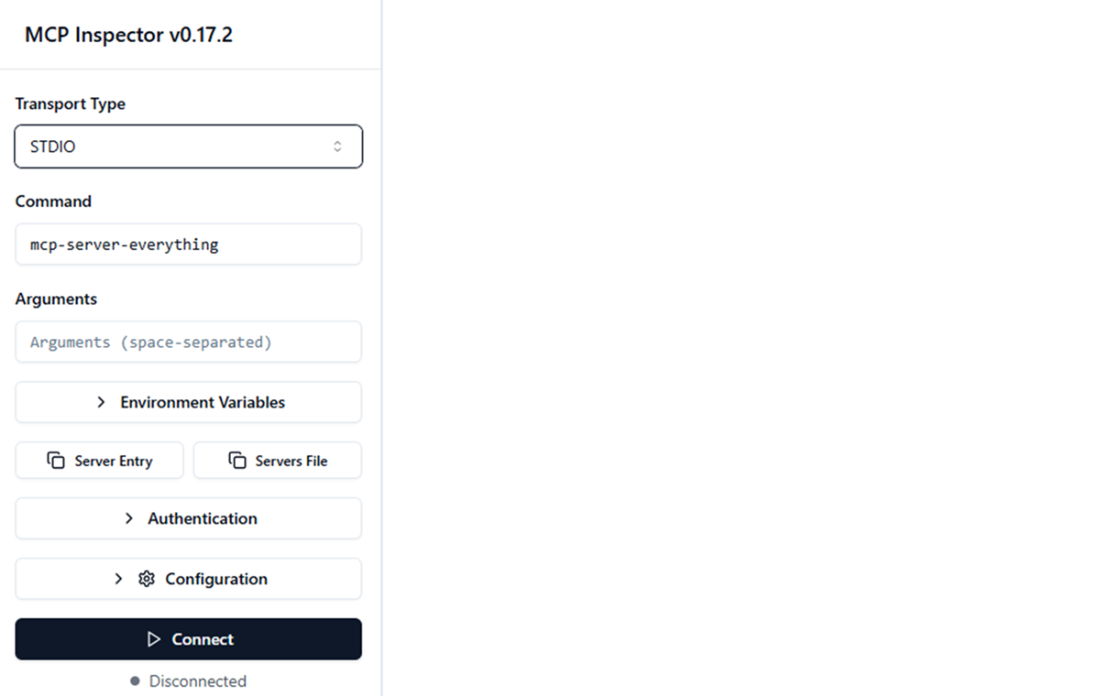
Screenshot of MCP Inspector after installation.
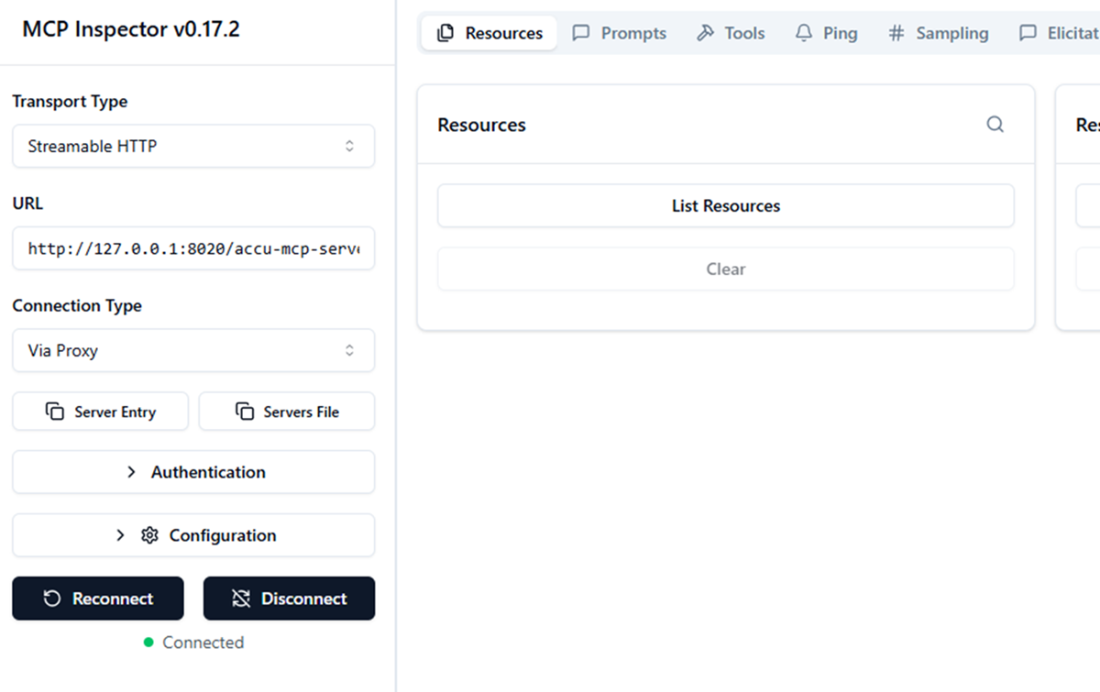
Screenshot of MCP Inspector after connecting to the Weather MCP server.
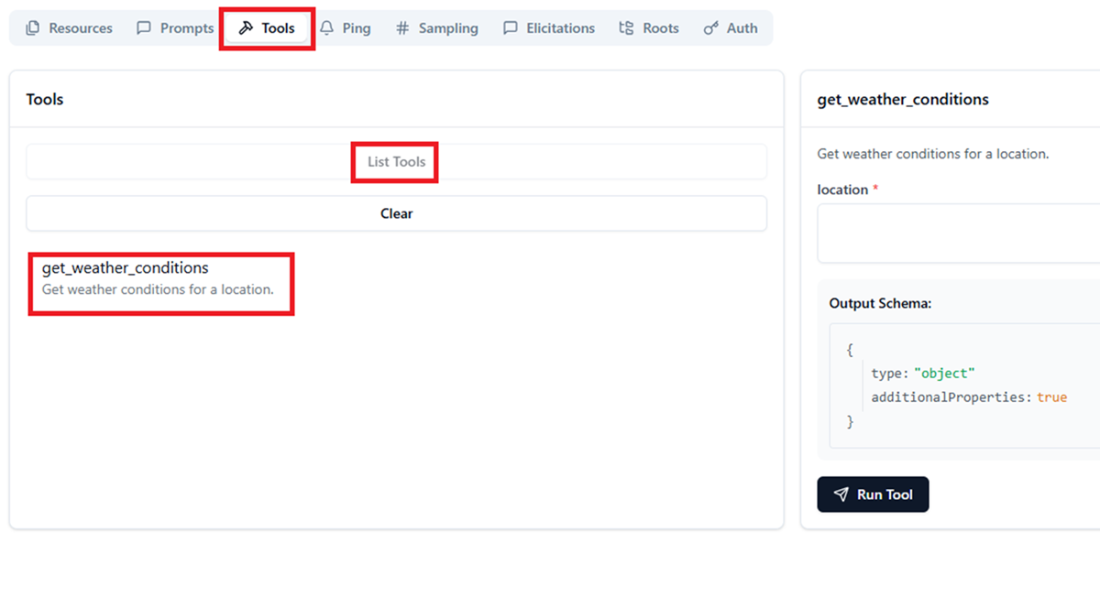
Screenshot of MCP Inspector after selecting the Tools tab and clicking List Tools.The get_weather_conditions tool is listed, and a corresponding panel is shown on the right after clicking the tool name.
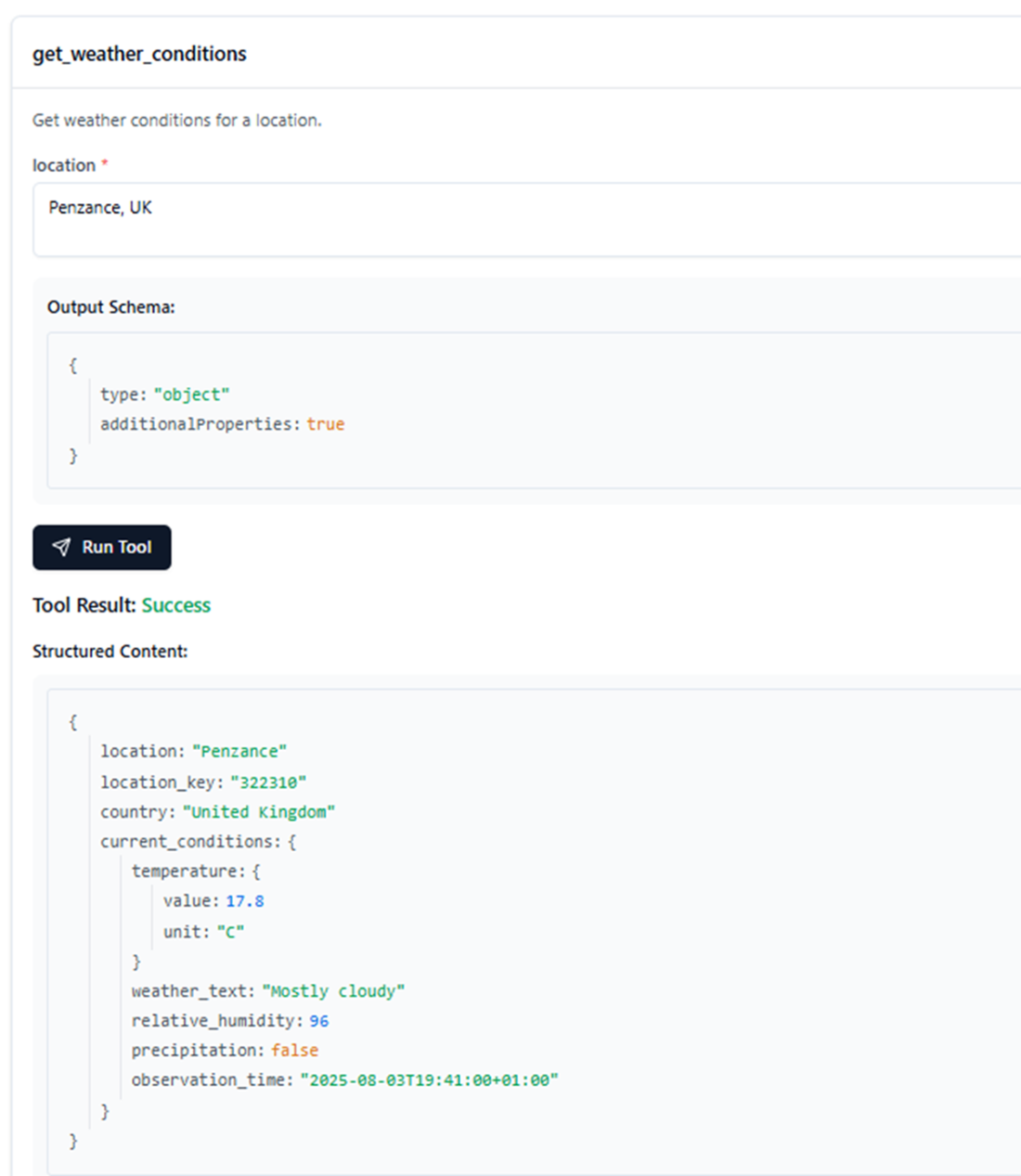
Screenshot of MCP Inspector after entering a location and clicking Run Tool.The output shows the current weather conditions for Penzance, UK, confirming that the tool works as expected.
The travel information agent enhanced with a real weather tool from a remote MCP server, replacing the previous local mock weather tool
Summary
- MCP streamlines agent development by shifting tool integration to data/service providers, enabling developers to plug into ready-made tools without writing repetitive wrappers.
- The MCP protocol standardizes tool exposure using a flexible client-server model, making it easy for agents (“hosts”) to discover and use tools from one or many MCP servers.
- Official and community MCP SDKs—especially FastMCP 2 for Python—make it practical to build, test, and deploy production-grade MCP servers for any use case.
- MCP Inspector accelerates development by letting you interactively browse, test, and debug tools exposed by MCP servers without writing a line of client code.
- Leading LLM providers like OpenAI now support MCP tools natively, further reducing integration effort for both developers and service providers.
- Integration with agent frameworks (e.g., LangChain/LangGraph) allows seamless mixing of local and remote tools, enabling richer, more capable AI assistants.
- Mastering MCP is fast becoming essential for anyone building advanced, context-rich AI agents and services in the modern AI ecosystem.
FAQ
What problem does the Model Context Protocol (MCP) solve?
MCP standardizes how data and services are exposed as tools, eliminating the need for every team to build custom wrappers for each API. This reduces duplicated effort, makes integrations consistent, and lets agents discover and invoke remote tools as easily as local ones.How does the MCP architecture work (host, client, server, tools)?
- The agent app acts as the MCP host process- It connects to one or more MCP servers via an MCP client
- Each MCP server exposes a set of tools (and optionally prompts/resources)
- The host discovers and calls only the tools it needs, similar to consuming REST/WebSocket endpoints
What’s the difference between local and remote MCP servers and their transports?
- Remote servers: typically accessed over Streamable HTTP (common in production)- Local servers: often accessed over STDIO (useful for development or local resources)
- Regardless of location, tools integrate into agents using the same calling protocol
How widely adopted is MCP, and where can I find public servers?
- Adopted by major providers (OpenAI, Google) in APIs/SDKs since late 2024- Public directories include:
- https://github.com/modelcontextprotocol/servers (official list)
- https://mcp.so/ (community directory with many servers)
- https://smithery.ai/ (large tool catalog, mostly MCP-compliant)
- https://mcpservers.org/ (community collection)
What resources should I read before building an MCP server?
- Protocol hub: https://modelcontextprotocol.io/- Official specification: https://modelcontextprotocol.io/specification (covers transports, security, best practices)
- Avoid implementing from scratch; use official SDKs for your language
Which SDKs are available, and why use FastMCP 2 for Python?
- Official SDKs exist for Python, JavaScript, Java/Kotlin, and C#- FastMCP 1: first Python SDK (https://github.com/modelcontextprotocol/python-sdk)
- FastMCP 2: major upgrade with easier deployment/composition, stronger security, better connectivity (e.g., dynamic tool rewriting), built-in testing/integration hooks
- Repo/docs: https://github.com/jlowin/fastmcp and https://gofastmcp.com/getting-started/welcome
How do I build the AccuWeather example MCP server from the chapter?
- Get an AccuWeather API key: https://developer.accuweather.com/signup- Put the key in .env (ACCUWEATHER_API_KEY=...)
- Implement a FastMCP server exposing get_weather_conditions that resolves a location, then fetches current conditions
- Run with streamable-http on host 127.0.0.1, port 8020, path /accu-mcp-server
- Verify startup logs (Uvicorn running on http://0.0.0.0:8020)
How can I test my MCP server with MCP Inspector?
- Install and launch via: npx @modelcontextprotocol/inspector (Node.js required)- In the UI, configure:
- Transport: Streamable HTTP
- URL: http://127.0.0.1:8020/accu-mcp-server (or http://localhost:8020/accu-mcp-server)
- Connection: Via Proxy; disable auth for local testing if needed
- Connect, list tools, select get_weather_conditions, provide a location, and run
How do I consume MCP servers in applications and agents?
- OpenAI approach: use the Responses API to discover and invoke public MCP tools (consider your authorization strategy: automatic vs. interactive approvals)- Enterprise/intranet servers:
- Use the FastMCP Client directly (connect, list tools, call tools)
- Or use LangChain’s MultiServerMCPClient to aggregate tools from multiple MCP servers via config
How do I integrate remote MCP tools alongside local tools in an agent?
- Retrieve remote tools (e.g., via MultiServerMCPClient) and combine them with local tools in the agent’s tool list- Use an async chat loop to support remote calls
- With LangChain: create the agent (e.g., ReAct) with tools=[local_tool, *remote_tools] and a compatible model (e.g., ChatOpenAI with use_responses_api where applicable)

 AI Agents and Applications ebook for free
