This chapter introduces tool-based agents in LangGraph and contrasts them with deterministic agentic workflows. Instead of following a fixed flow, agents use an LLM to make context-driven decisions about which tools to call and in what sequence, following a Reasoning-and-Acting loop. The text explains modern tool-calling protocols (evolved from function calling), why they unlock adaptive multi-tool behavior, and how LangGraph models agents as graphs that alternate between an LLM node (reasoning and issuing tool calls) and a tools node (executing those calls), with conditional routing that ends when a final answer is ready.
The chapter then builds a working travel assistant step by step. It starts with a single-tool agent that answers questions about Cornwall by retrieving semantically similar content from a vector store prepared from WikiVoyage pages. You see how to define a retriever-backed tool, register it with the LLM, maintain a simple message-based agent state, and wire an agent graph with an LLM node and a tool-execution node (or LangGraph’s built-in ToolNode). A minimal REPL drives interaction, while a guided debugging walkthrough shows the message flow, how tool calls are emitted and executed, and how the LLM synthesizes an answer once it has sufficient context.
Next, the agent is extended into a multi-tool system by adding a weather forecast tool and teaching the LLM to chain tools: first use semantic search to pick candidate beach towns, then query weather to filter by current conditions. The chapter highlights a common pitfall—models relying on internal knowledge—and shows how clearer tool descriptions and a system message steer the LLM to use tools reliably. Finally, it demonstrates replacing custom wiring with LangGraph’s pre-built React agent to reduce boilerplate, adding RemainingSteps for safe execution, and using LangSmith tracing to preserve full observability of tool calls, reasoning steps, and intermediate state for debugging and production monitoring.
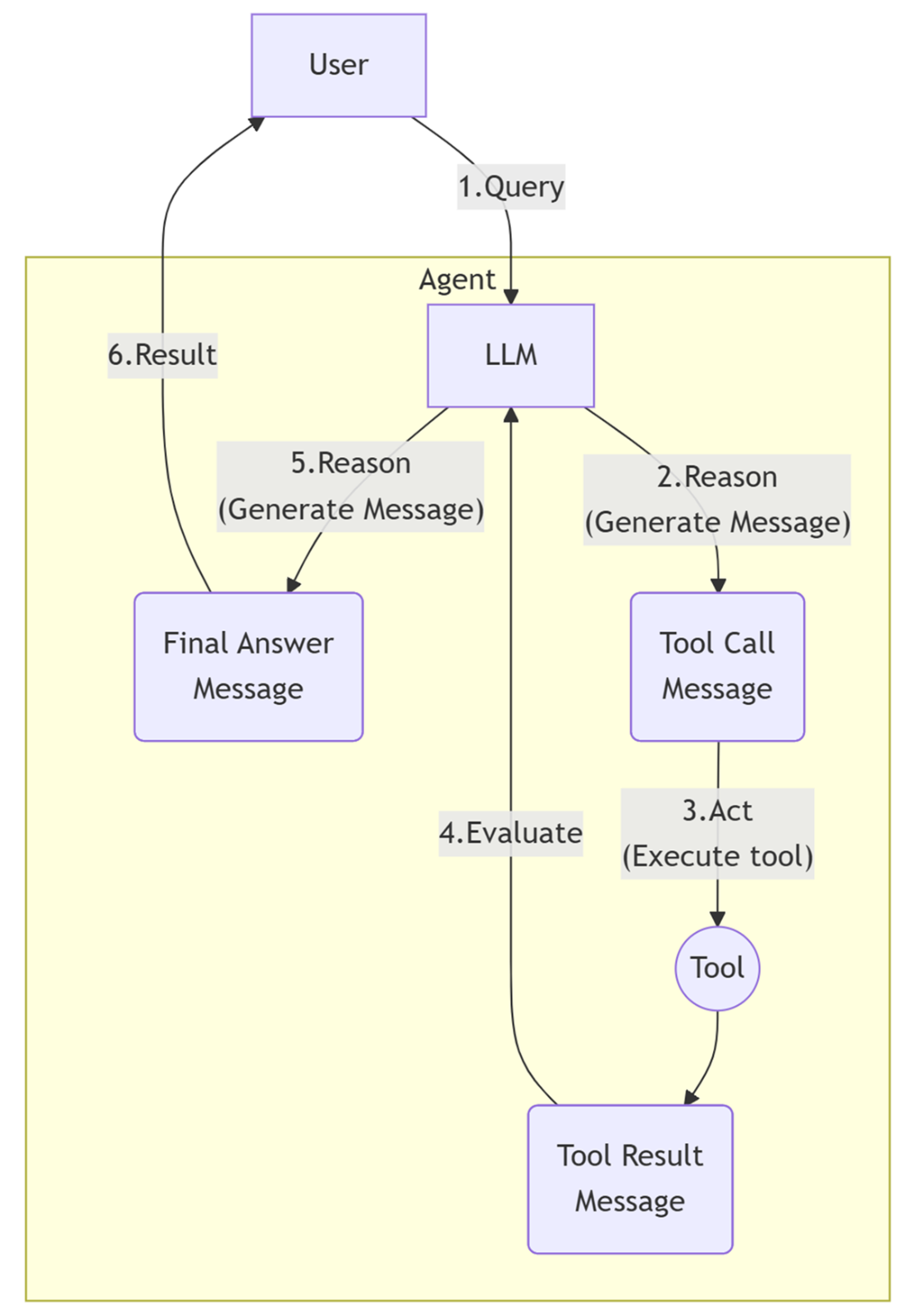
The ReAct pattern alternates between reasoning (“Re”) and action (“Act”), enabling the agent to process a user question by thinking, calling tools as needed, and following up with further reasoning before delivering the final answer.
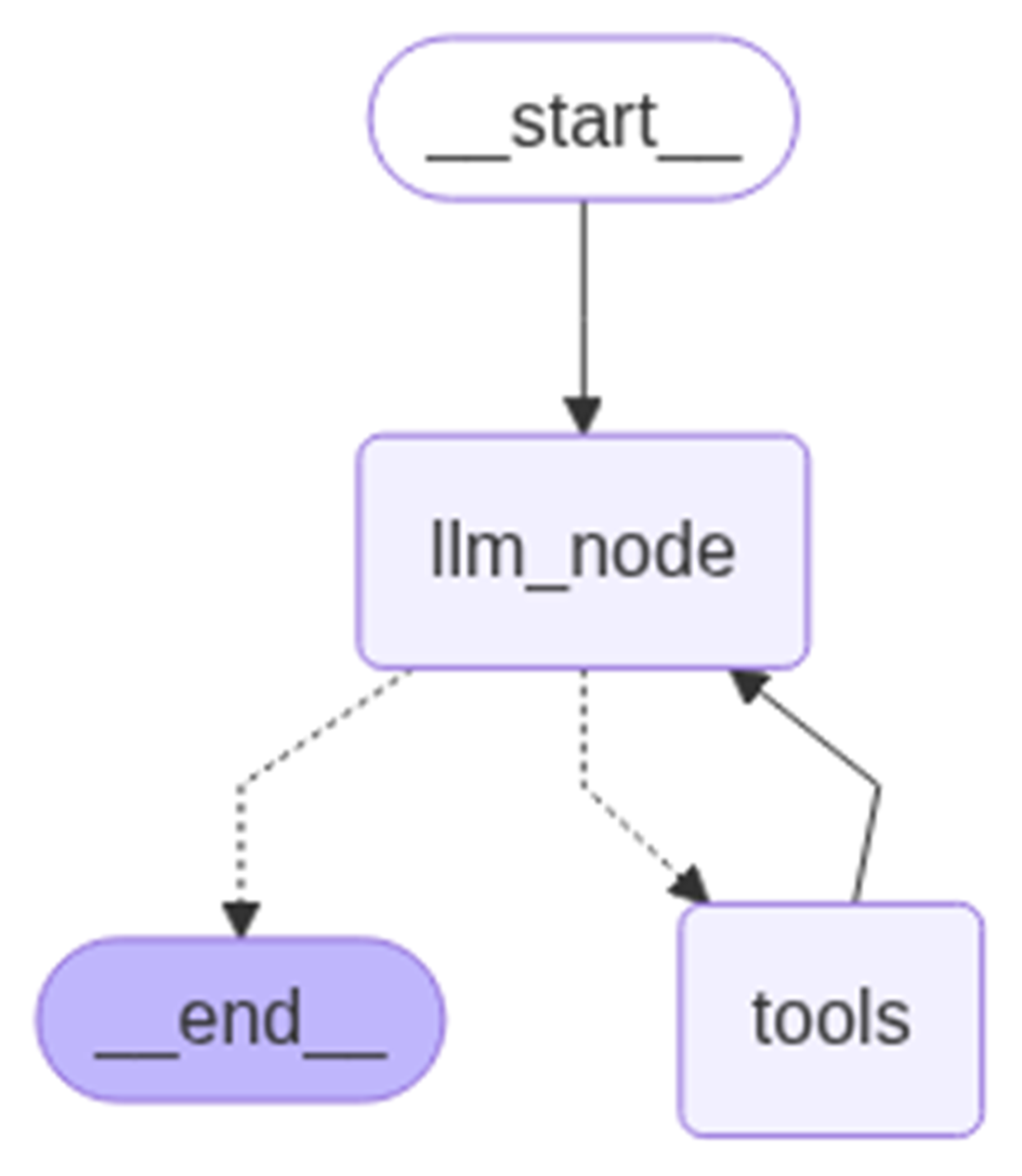
Conditional graph logic routes each user query through the LLM node, then dynamically directs flow to the tools node or ends the process, depending on whether tool calls are required
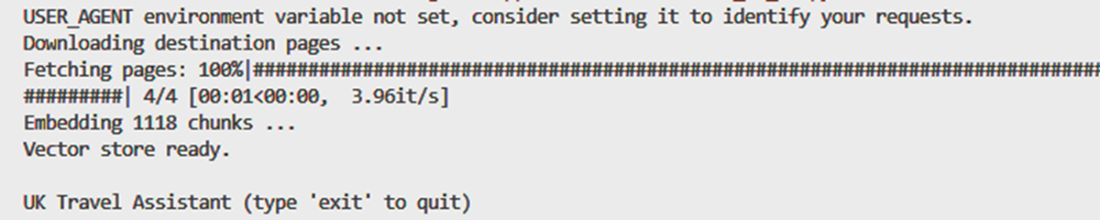
Output at startup, during vector store creation
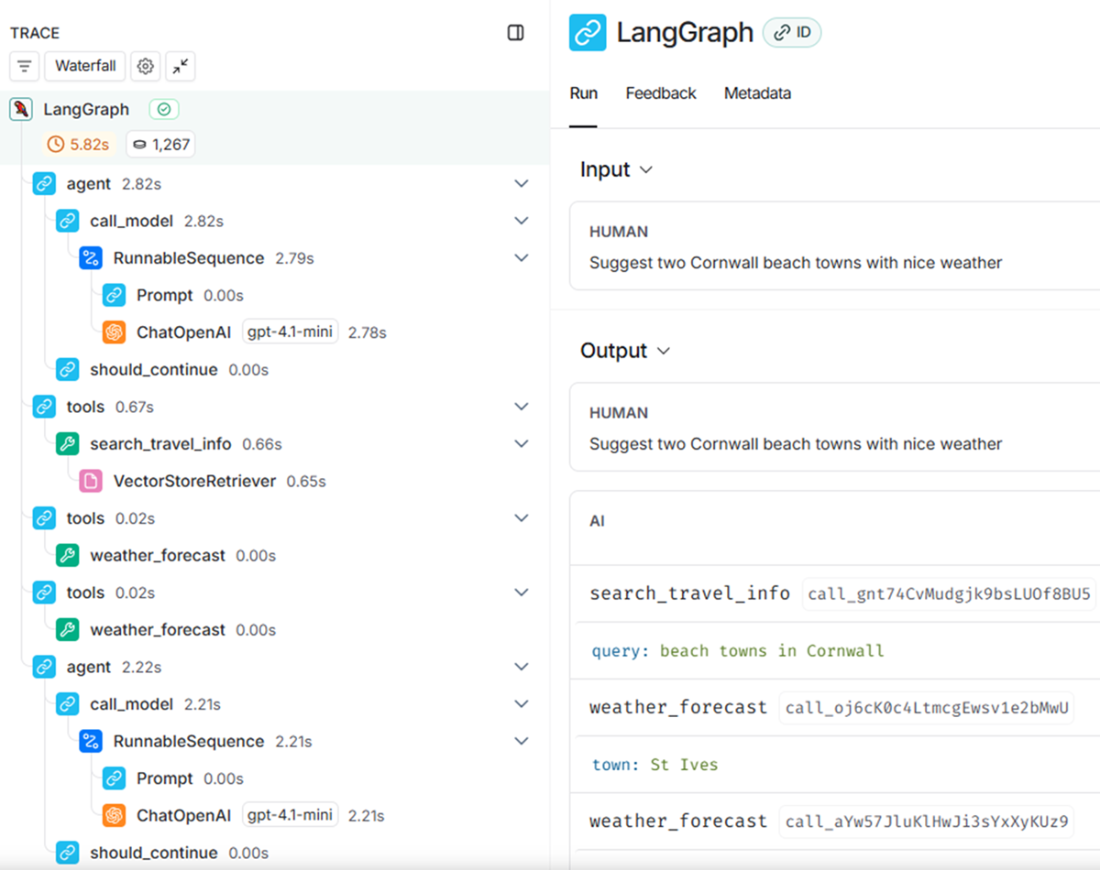
LangSmith agent execution trace: this trace visualizes each step of the agent’s workflow—including LLM calls, tool invocations, and message flow—when answering the question, “Suggest two Cornwall beach towns with nice weather.”
Summary
LangGraph enables you to build both deterministic workflows and dynamic LLM agents using node-based and tool-based architectures.
You can register tools—like semantic search and weather APIs—so that LLMs can choose and call them step by step.
By stepping through code with breakpoints, you can trace agent reasoning, tool invocation, and message flow for debugging and understanding.
Clear tool descriptions and system messages help control LLM behavior and reduce hallucination.
Multi-tool agents can chain together tool outputs (e.g., finding towns, then filtering by weather), all orchestrated by the LLM.
Using pre-built agent components, like the LangGraph React agent, dramatically reduces boilerplate and speeds up development.
LangSmith provides rich observability, showing each LLM step and tool call even for high-level agent abstractions.
This agent-centric pattern lays the groundwork for more advanced agent and multi-agent systems explored in later chapters.
FAQ
What’s the difference between agentic workflows and agents in LangGraph?Agentic workflows are deterministic graphs with predefined branches based on state. Agents are dynamic: an LLM decides step by step which tools to use and in what order, adapting to evolving context instead of following a fixed flow.Why is tool calling important, and how is it different from function calling?Function calling evolved into tool calling, a generalized protocol that lets LLMs invoke external capabilities (functions, APIs, code interpreters, browsing, etc.) with structured inputs/outputs. Tool calling enables adaptive, multi-step reasoning (ReAct pattern), allowing the model to choose tools, order calls, and shape inputs at runtime—key for robust multi-tool agents.How do I register a tool for an agent?Define a Python function and decorate it with @tool to expose its name, description, and parameter schema. Then bind tools to the model (e.g., llm_model.bind_tools([my_tool])). With OpenAI, use the Responses API for standardized tool registration and structured tool_calls in model outputs.How does the LLM decide whether to call a tool or answer directly?When invoked with tool support, the LLM returns either: (1) a final answer in content, or (2) tool_calls specifying which tool(s) to run and with what arguments. A conditional edge (tools_condition) in the graph inspects the latest AI message: if tool_calls exist, route to the tools node; otherwise, end and return the answer.How are tool calls executed and fed back to the LLM?A tools execution node reads the latest AI message, invokes each requested tool with its arguments, and wraps outputs as ToolMessage entries added to the conversation state. You can implement this yourself or use LangGraph’s built-in ToolNode to handle the execution and formatting.What’s the basic structure of the agent graph?A minimal graph has two nodes: (1) an LLM node that reasons and proposes tool calls, and (2) a tools node that executes requested tools. A conditional edge routes from the LLM node either to the tools node (if tool_calls exist) or to END (if a final answer is ready). The entry point is the LLM node.How do I guide the LLM to use tools instead of relying on internal knowledge?Provide clear tool descriptions and add a guiding SystemMessage that instructs the model to use tools for facts (including identifying town names). This reduces hallucinations and ensures answers are grounded in your retriever and APIs.How can I extend the agent with a second tool, like weather?Create a new @tool (e.g., weather_forecast) that calls a service (mock or real). Add it to TOOLS alongside your retriever tool and re-bind the model. The LLM can then chain calls—first find candidate towns via semantic search, then filter by real-time weather.Is there a simpler, production-friendly way than wiring nodes manually?Yes. Use the pre-built LangGraph React agent (create_react_agent). It encapsulates tool binding, control flow, and ReAct orchestration. Update your state schema (e.g., remaining_steps), pass tools and a prompt, and remove custom nodes and edges. You still retain observability via tracing.How do I run, debug, and observe the agent’s behavior?Run a simple REPL loop that wraps user input into a HumanMessage and invokes the graph. For debugging, set breakpoints in the LLM node, tools node, and tool functions. For observability, enable LangSmith tracing to inspect full execution: LLM calls, tool invocations, and message flow.
pro $24.99 per month
access to all Manning books, MEAPs, liveVideos, liveProjects, and audiobooks!

 AI Agents and Applications ebook for free
