5 React libraries and toolchain
This chapter emphasizes that mastering React alone is not enough for real-world, production-grade frontends. It surveys the ecosystem of libraries, frameworks, and tooling that turn React into scalable applications: routing and rendering strategies, styling systems and design libraries, data fetching and caching, globalization and white labeling, plus the toolchain for testing, building, monitoring, security, and accessibility. The throughline is pragmatic: understand when to apply each tool, how to compose them into resilient architectures, and how to reason about trade-offs in interviews and on the job.
On application architecture, the chapter explores routing and “mega-frameworks” that integrate navigation, data fetching, and hybrid rendering (CSR, SSR, SSG, and React Server Components with Suspense). It contrasts fast project scaffolding with Vite against full-stack frameworks like Next.js, and develops progressively from basic client-side routing to advanced code-splitting, prefetching, and route-level lazy loading. A modular, domain-based routing strategy aligns the UI with microservices to enable team autonomy, with extensions to micro-frontends for stronger isolation. The discussion includes handling protected routes, error states for lazy modules, versioned contracts across teams, and choosing SSG vs SSR per page to balance freshness, performance, and SEO.
On the UI and platform layers, it compares Emotion, CSS Modules, and Tailwind; shows how to build consistent, accessible interfaces with component libraries; and demonstrates scalable patterns like clsx and class-variance-authority for typed variants, global styles with Emotion, and runtime theming (for example with Ant Design). It covers high-performance UIs using list virtualization, robust data access with Axios, TanStack Query, GraphQL, and adapters for swappable backends. Globalization topics include i18n, l10n, and white labeling via themes, assets, and config-driven branding. The toolchain section maps testing (Jest, React Testing Library, Cypress, Playwright) and visual regression (Chromatic, Percy), then adds monitoring and observability (analytics, error tracking, RUM), security hardening, and accessibility. It closes with practical performance tactics—bundle audits, code-splitting, tree-shaking, dependency slimming, vendor splitting, and compression—and a clear-eyed view of runtimes and bundlers (Node.js, Deno, Bun; Webpack, Vite, Rollup, Parcel, esbuild, Rspack) and how to evaluate them.
The font, size, and spacing have been unexpectedly updated to Tailwind CSS’s default settings.
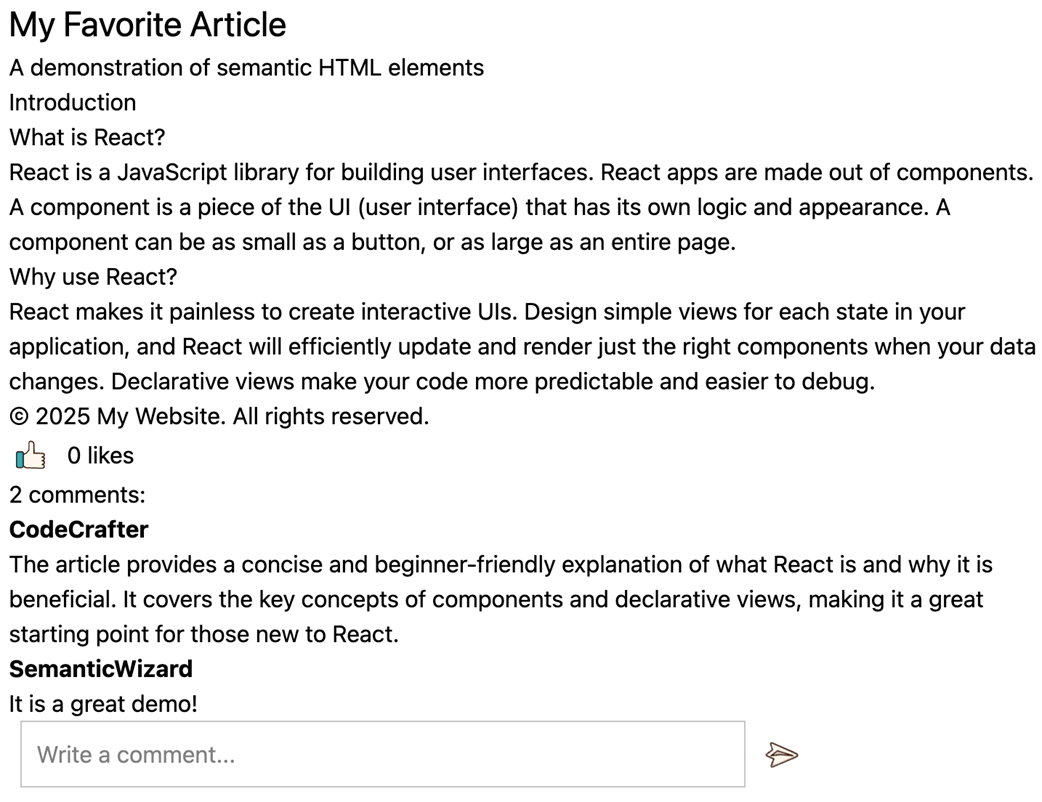
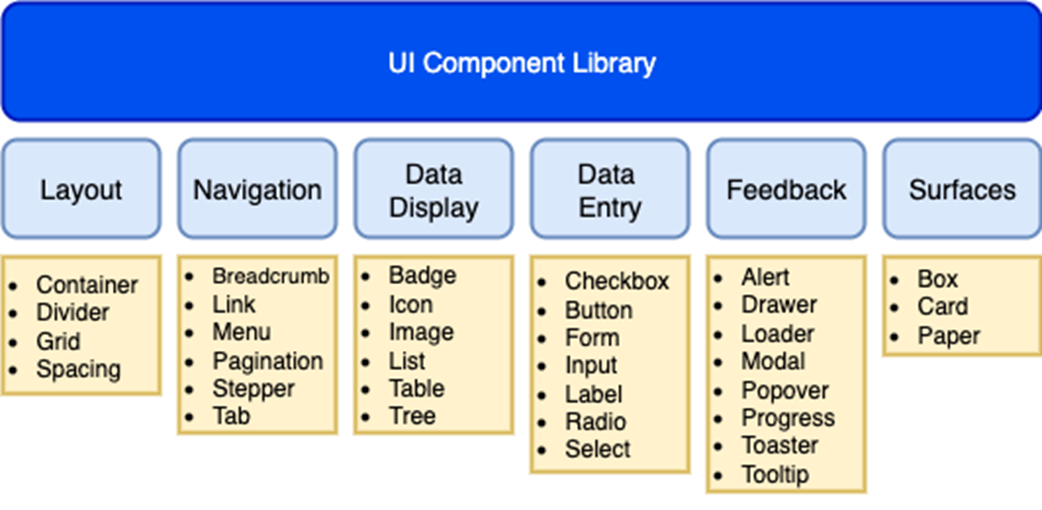
Common categories in UI component libraries
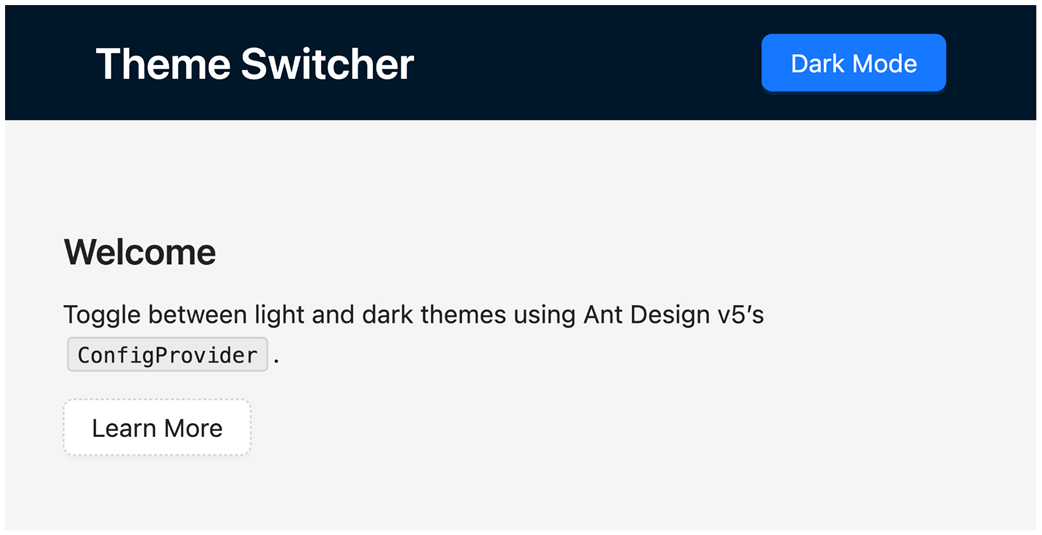
Light mode example
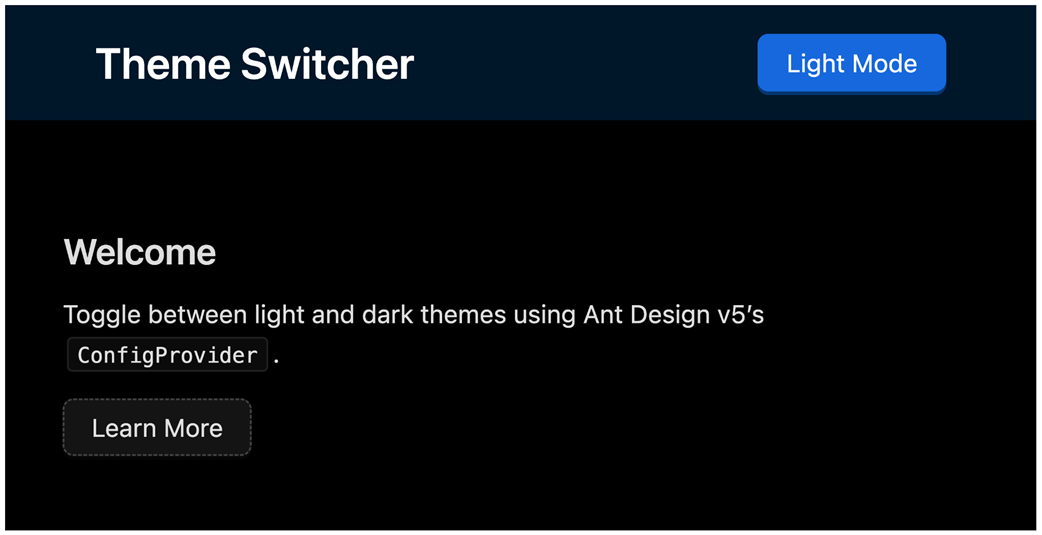
Dark mode example
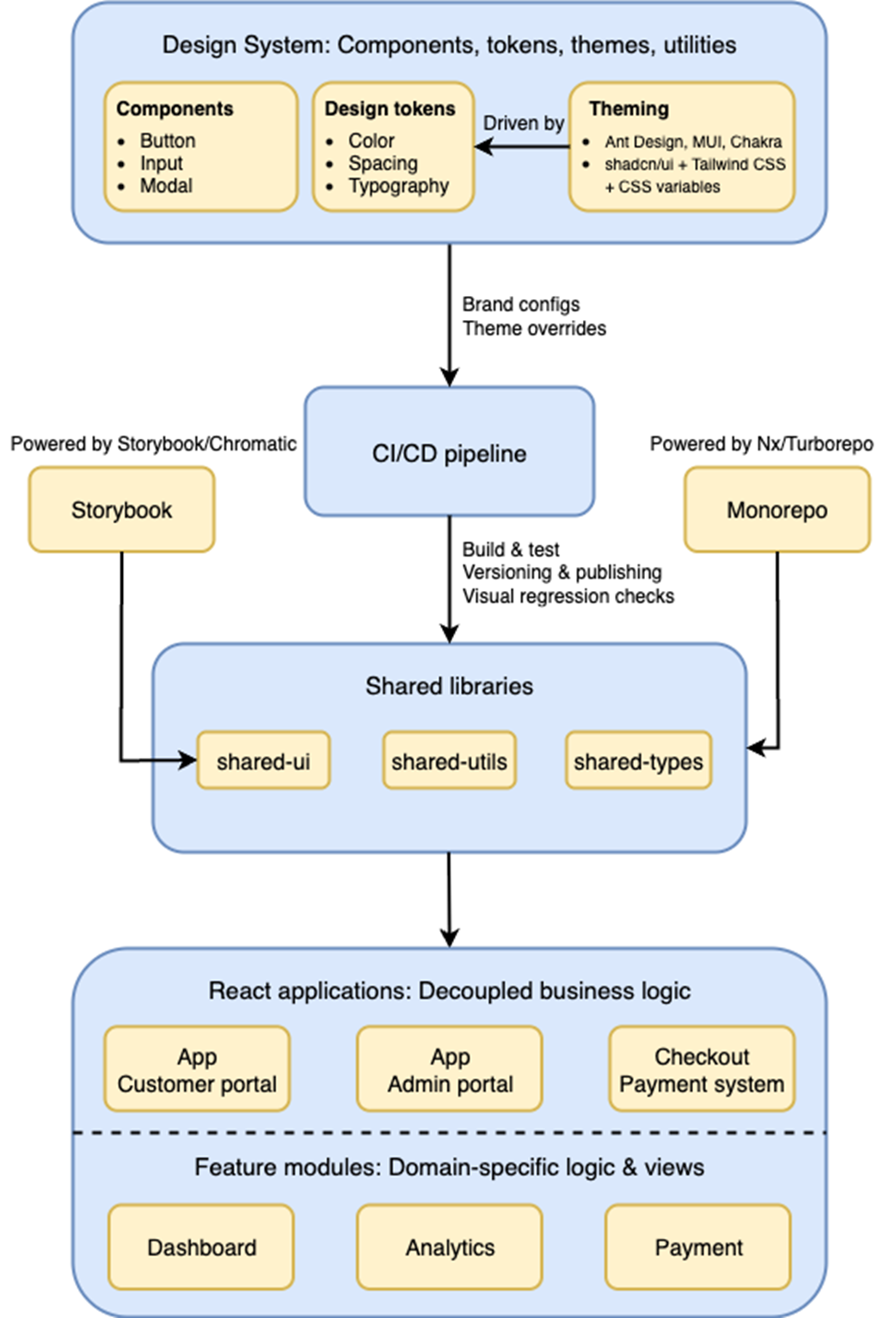
Modular & scalable React architecture with centralized design system.
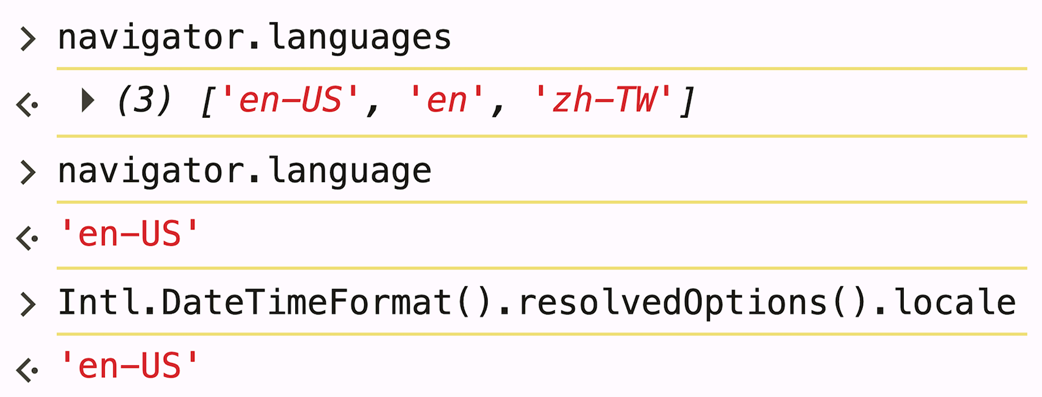
Retrieving example locale values
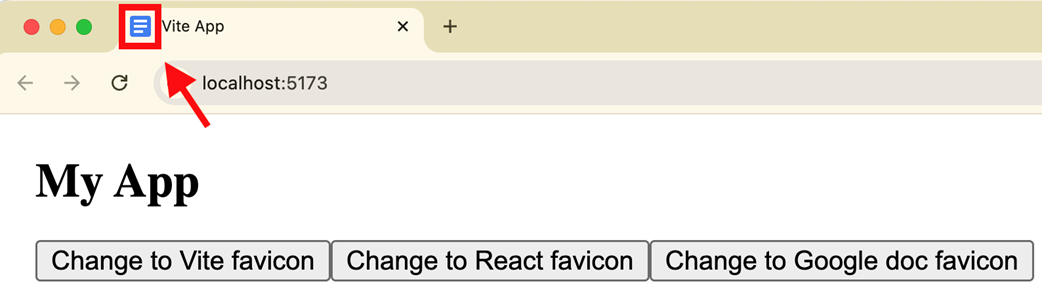
The Google Doc favicon shows after clicking the third button.
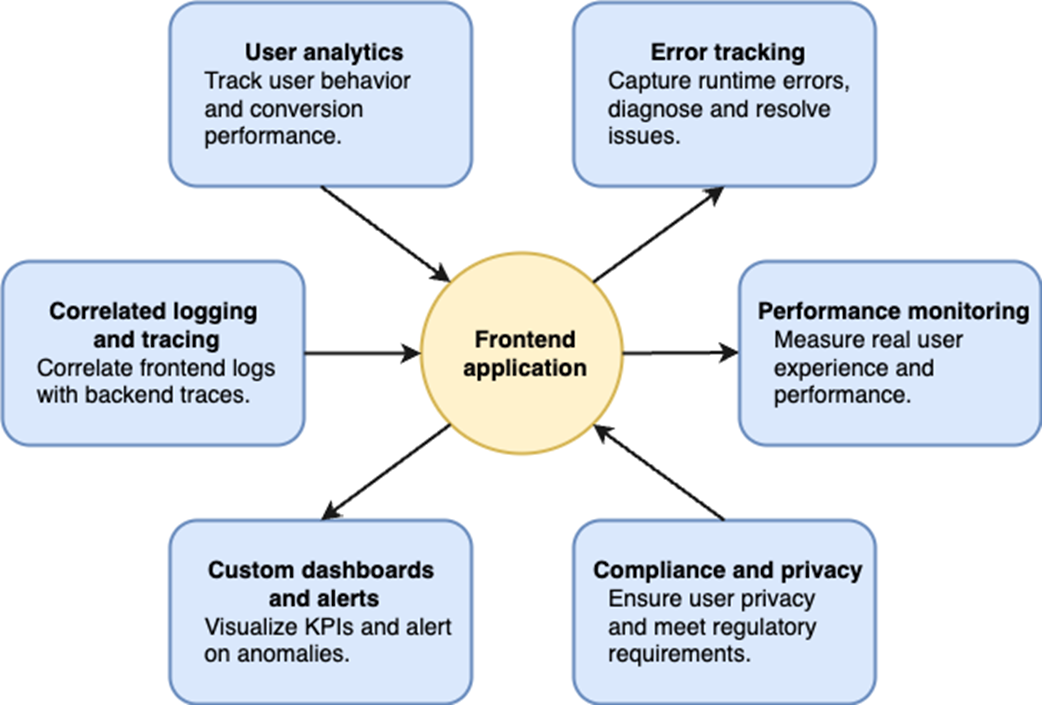
Monitoring and observability strategy for a large-scale frontend application.
Summary
- Client-side routing enables dynamic SPAs, while SSR improves speed and SEO. React Router is the go-to solution.
- Styling tools like Tailwind, Emotion, and CSS Modules offer reusable styles but may affect performance.
- UI libraries (MUI, Ant Design, Chakra UI, ShadCN/UI) provide accessible, ready-made components to speed up development.
- Storybook and Chromatic support isolated component testing and documentation.
- Virtualization (e.g., react-window) boosts list performance by rendering only visible items.
- For data fetching, the Fetch API handles basics, while Axios, TanStack Query, and GraphQL offer advanced features.
- i18n prepares apps for multiple languages and cultures, while l10n customizes them for specific locales.
- White labeling allows businesses to rebrand and resell React apps as their own.
- Testing React apps typically involves unit, integration, e2e, and snapshot tests, each serving to verify different aspects of code quality and reliability.
- Linters and formatters like ESLint and Prettier are essential for maintaining code quality and consistency across teams by identifying errors and enforcing style rules.
- Modern workflows depend on runtime environments, package managers, transpilers, bundlers, and scaffolding tools to automate tasks and optimize performance.
- Monitoring, auth, security, and accessibility are key for production readiness.
FAQ
What are React mega-frameworks, and when should I use CSR, SSR, or SSG?
Mega-frameworks like Next.js, Remix (React Router), and Astro extend React with built-in routing, data fetching, and multiple rendering modes.
- CSR (Client-Side Rendering): All rendering happens in the browser. Best for highly interactive apps where SEO is less critical.
- SSR (Server-Side Rendering): HTML is generated per request on the server. Best for dynamic or personalized pages (dashboards, profiles) and SEO.
- SSG (Static Site Generation): HTML is generated at build time. Best for mostly static content (marketing, docs) with great caching via CDNs.
Modern frameworks let you mix modes per route for optimal performance and flexibility.
How should I organize routes in a large React app aligned to multiple backend microservices?
Use domain-based route segmentation to mirror backend ownership and enable team autonomy.
- Namespace routes by domain: /checkout, /profile, /products, etc.
- Code-split with React.lazy and Suspense so each domain loads on demand.
- Give each team ownership of its routes and feature module; keep contracts versioned.
- Optimize route transitions with prefetching and lazy loading; include a catch-all 404.
This keeps concerns isolated, improves performance, and scales as new domains are added.
How can I extend a modular routing architecture to micro-frontends?
Adopt a composition model where feature apps are independently built and deployed, then assembled at runtime.
- Loading: Use Module Federation or import maps to fetch remote bundles per route/domain.
- Isolation: Encapsulate styles (CSS Modules, Shadow DOM) and avoid global side effects.
- Shared deps: Pin and dedupe critical libraries (react, react-dom); manage breaking changes via semver.
- Integration: Route composition at the shell; pass data via typed interfaces; add monitoring and error boundaries per micro-frontend.
What error-handling strategies should I use for lazy-loaded modules?
- Suspense fallback: Show lightweight placeholders while chunks load.
- Error boundaries: Wrap lazy modules to catch chunk load failures and render recovery UIs.
- Retry logic: On transient network errors, provide a retry button or automatic backoff.
- Prefetching: Preload likely-next routes on hover/idle to reduce failure surface.
- Timeouts and offline: Detect long waits/Offline and guide the user; cache critical chunks.
- Observability: Log missing bundles/chunk errors to Sentry/LogRocket for triage.
Emotion vs CSS Modules vs Tailwind CSS — how do I choose?
- Emotion (CSS-in-JS): Best for dynamic, themeable design systems; fine-grained component scoping; SSR-friendly.
- CSS Modules: Best when you want familiar CSS with local scoping and minimal runtime overhead.
- Tailwind CSS: Best for fast iteration and consistent utility-driven styling; pair with design tokens and components for scale.
Choose based on team skills, theming needs, and performance constraints.
Why did Tailwind change my app’s fonts/spacing, and how do I prevent that?
Tailwind’s preflight (base reset) overrides browser defaults and can clash with your global styles.
- Exclude preflight: Import only Tailwind’s theme and utilities layers (omit preflight.css).
- Order layers explicitly with @layer to control precedence.
- Alternatively, adopt Tailwind as the primary styling system and move custom globals into its layers to avoid conflicts.
How do I manage conditional styles and multiple variants with Tailwind?
- Conditional classes: Use template literals or a helper like clsx/classnames to toggle classes based on state/props.
- Variants at scale: Use class-variance-authority (CVA) to centralize size/intent/state variants and expose a typed API for components.
- Composition: Combine CVA with clsx for ad-hoc merges without duplicating utility strings.
How do I implement and persist a light/dark theme toggle with Ant Design?
- Wrap the app in ConfigProvider and switch theme.algorithm between theme.defaultAlgorithm and theme.darkAlgorithm.
- Initialize from system preference via window.matchMedia('(prefers-color-scheme: dark)').
- Persist user choice in localStorage; update on toggle.
- Performance: memoize the theme object and, if needed, scope ConfigProvider to minimize re-renders.
What’s a practical approach to i18n in a React app, including locale detection?
- Library: Use react-i18next or react-intl for translations, pluralization, and namespaces.
- Structure: Store strings in locale files, enable fallback chains, and lazy-load languages.
- Locale detection: Prefer navigator.languages (client) and Accept-Language (server); provide sensible defaults.
- Accessibility/RTL: Support RTL layouts and locale-aware formatting with Intl/Day.js.
Our initial bundle is 3MB—how can I cut it in half without changing the design?
- Analyze: Use bundle analyzer to find largest modules.
- Code-split: Lazy-load routes/rare screens; defer non-critical code.
- Tree-shake: Use ESM builds and import only what you use (e.g., lodash/debounce); remove dead code/polyfills.
- Replace heavy deps: Swap moment for date-fns/day.js; consider lighter UI pieces.
- Vendor/cache: Split vendor chunks to leverage long-term caching.
- Optimize delivery: Minify, enable Brotli/Gzip, and lazy-load images/fonts; preload critical assets.

 Acing the Frontend Interview ebook for free
