4 React core principles and patterns
This chapter distills React’s core principles and patterns through an interview-focused lens, showing how to explain, apply, and optimize them in real projects. It frames React’s declarative model and component architecture, the roles of JSX, the Virtual DOM, and the Fiber scheduler, and ties these to one-way data flow and practical state management. You also get a tour of Hooks (including the modern use API and custom hooks), component lifecycle topics, controlled inputs, Suspense and concurrency, error boundaries, and a toolbox for debugging and performance profiling—always with an eye toward the kinds of questions and trade-offs you will face in interviews.
Conceptually, the chapter clarifies how React’s declarative rendering, diffing, and reconciliation minimize DOM work, while Fiber breaks updates into prioritized, interruptible units to keep UIs responsive. It contrasts stateful and stateless components and emphasizes modular decomposition for reuse and scalability; explains JSX composition patterns (including children as functions) and their performance implications; and outlines what triggers re-renders and how to curb them with memoization, stable references, and smart state placement. You’ll also see concurrency features such as transitions to separate urgent from non-urgent updates, and learn how the React Compiler can automate memoization and reduce manual performance tuning. A recurring narrative shows how understanding lifecycles (for example, choosing useLayoutEffect over useEffect) prevents visual glitches and improves UX.
Practically, the chapter equips you to articulate unidirectional data flow, weigh Context against prop drilling, and decide when to introduce a dedicated state library (such as Redux- or store-based solutions) as complexity grows. It demonstrates building and testing custom hooks like useDebounce, using built-in hooks correctly, and applying Suspense and error boundaries for resilient UIs. Finally, it lays out a systematic approach to diagnosing and optimizing rendering with React Developer Tools and the Profiler—identifying unnecessary updates, validating fixes, and communicating trade-offs under time pressure—so you can both ace interview questions and ship maintainable, high-performance React applications.
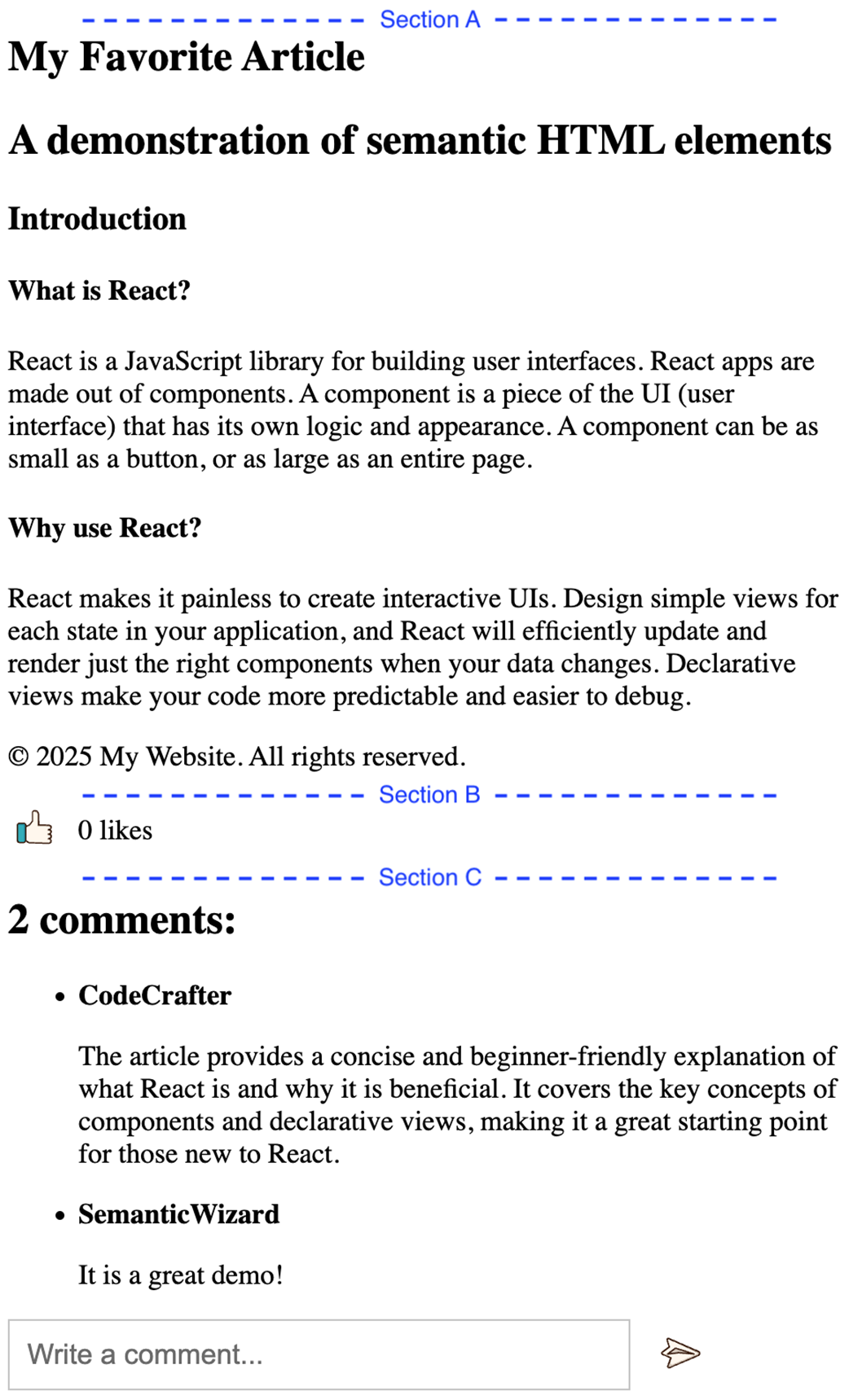
The BlogPostApp UI is composed of the favorite article, like section, and comment section
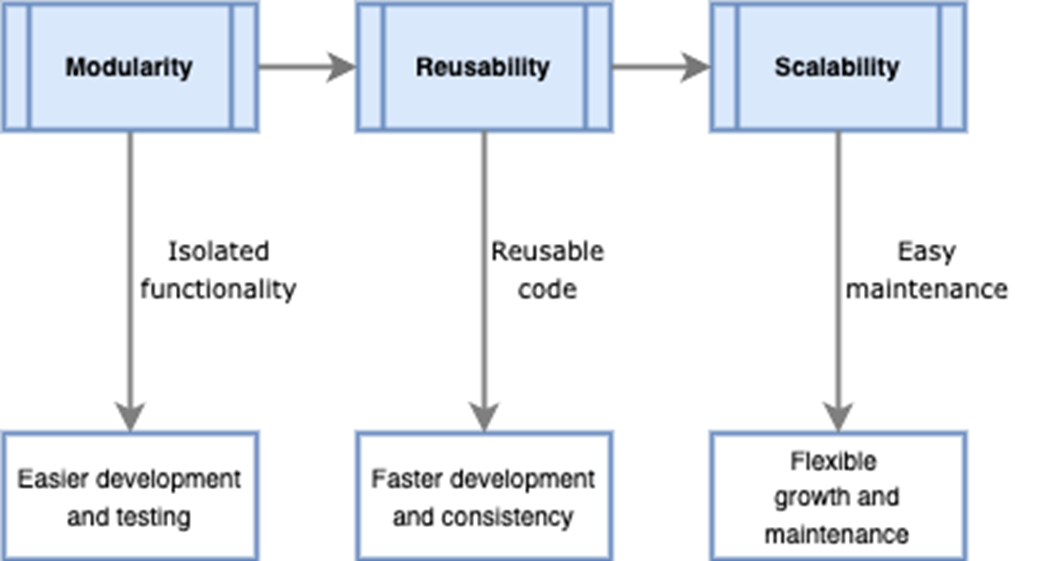
Principles of component-based architecture: modularity, reusability, and scalability
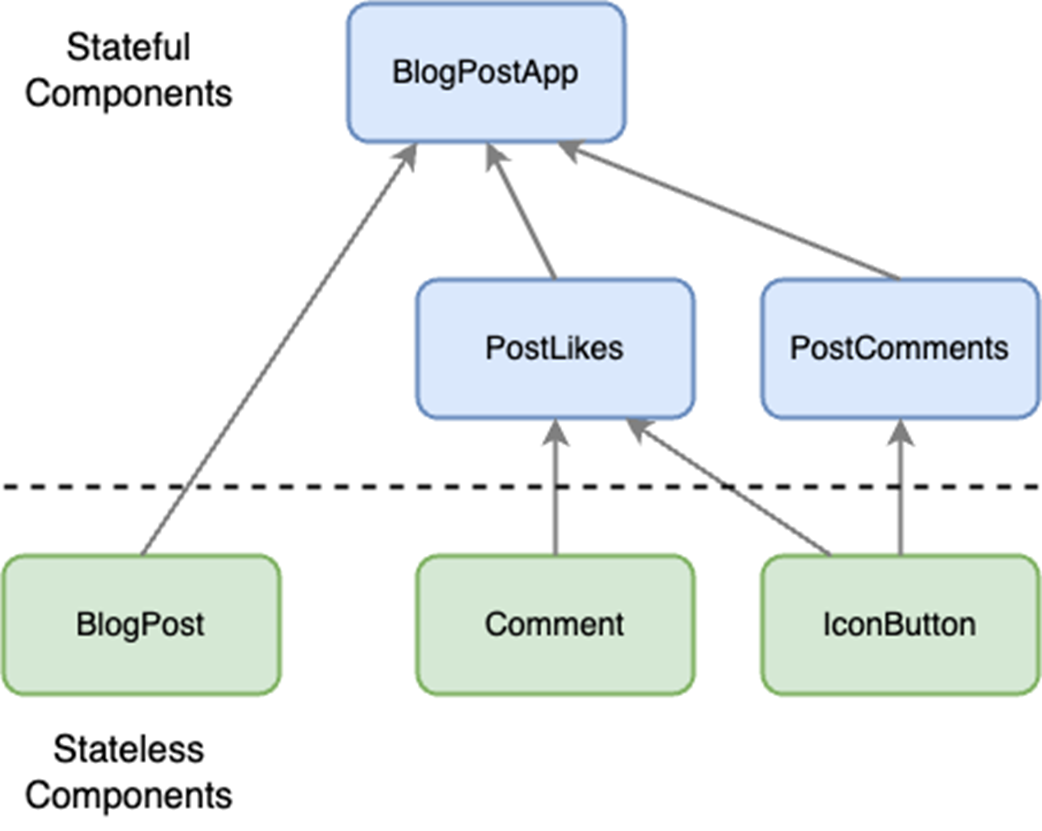
Hierarchical breakdown of BlogPostApp into stateful and stateless components
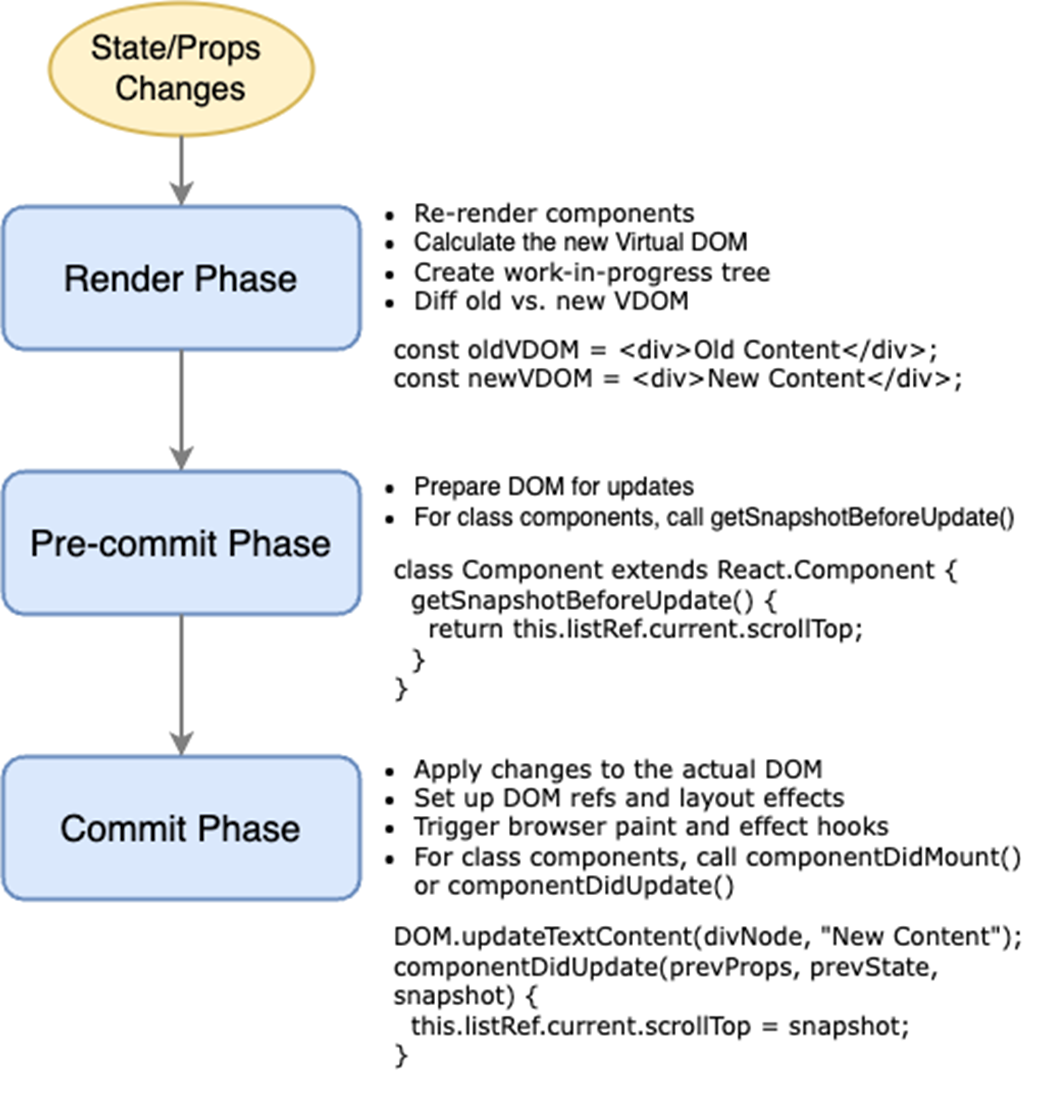
React's rendering process: render, pre-commit, and commit phases.
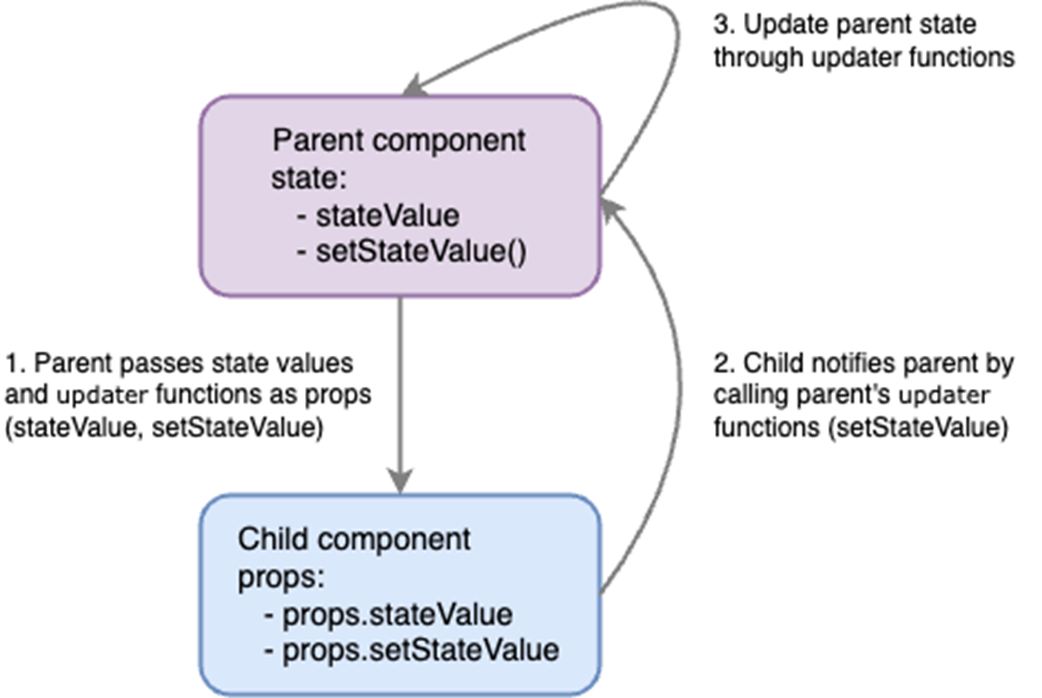
One-way data binding between parent and child components.
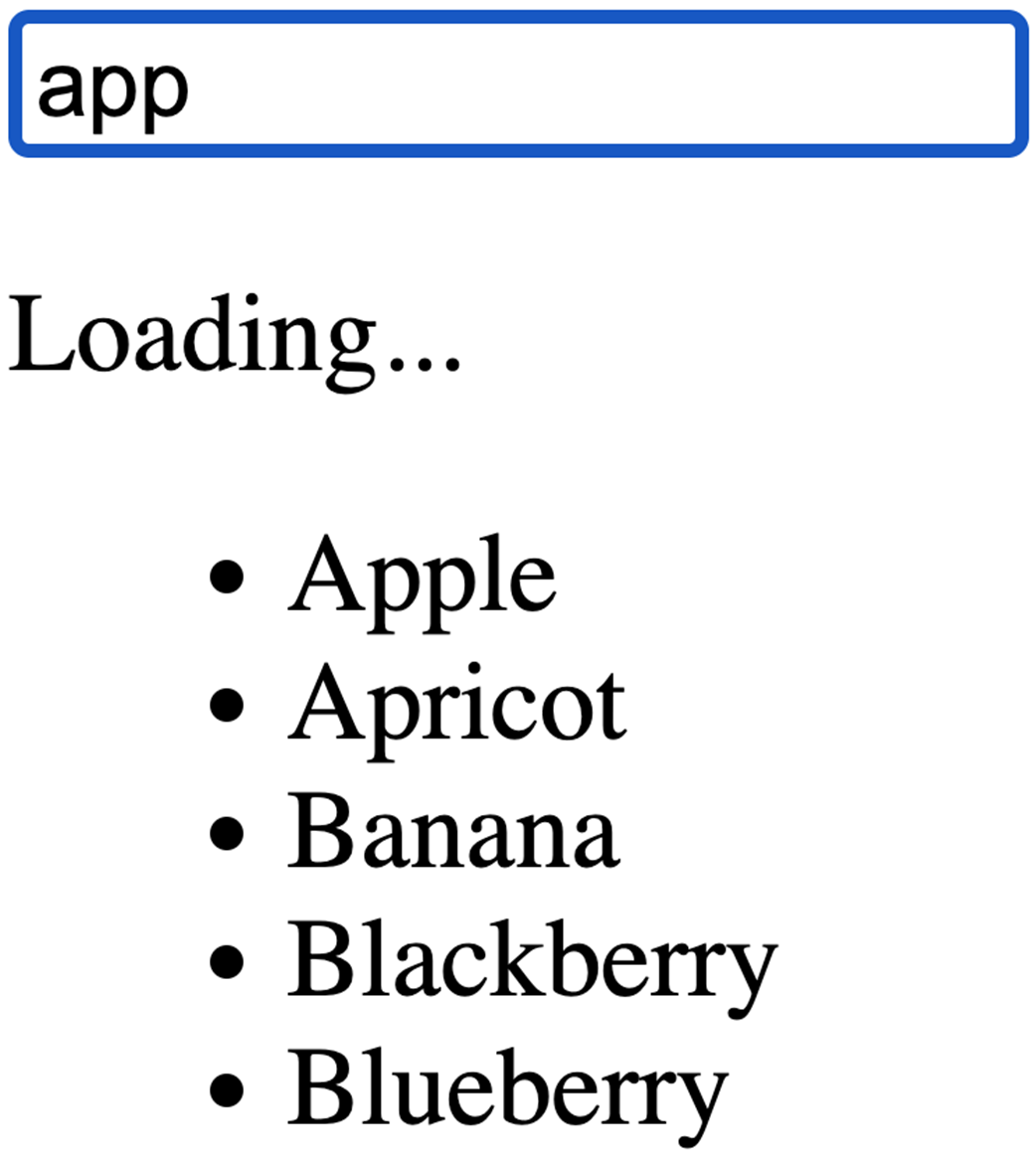
Search input with "app" showing immediate "Loading..." message and deferred list filtering.
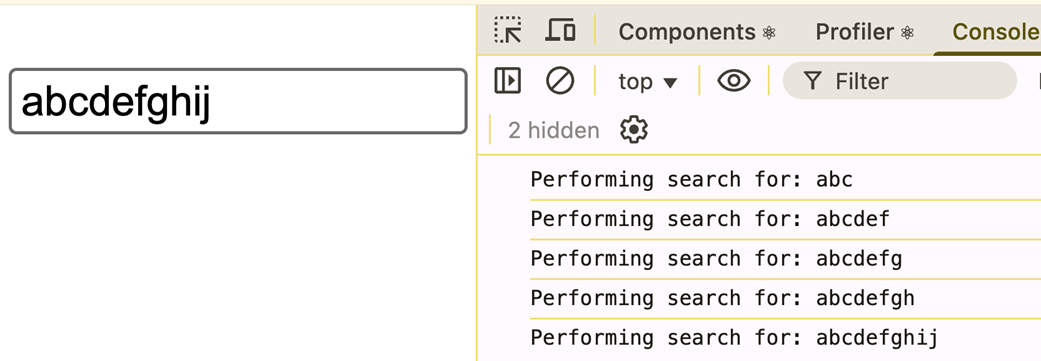
Console output showing debouncing effect for input "abcdefghij"
Tooltip example for a fruit catalog application.

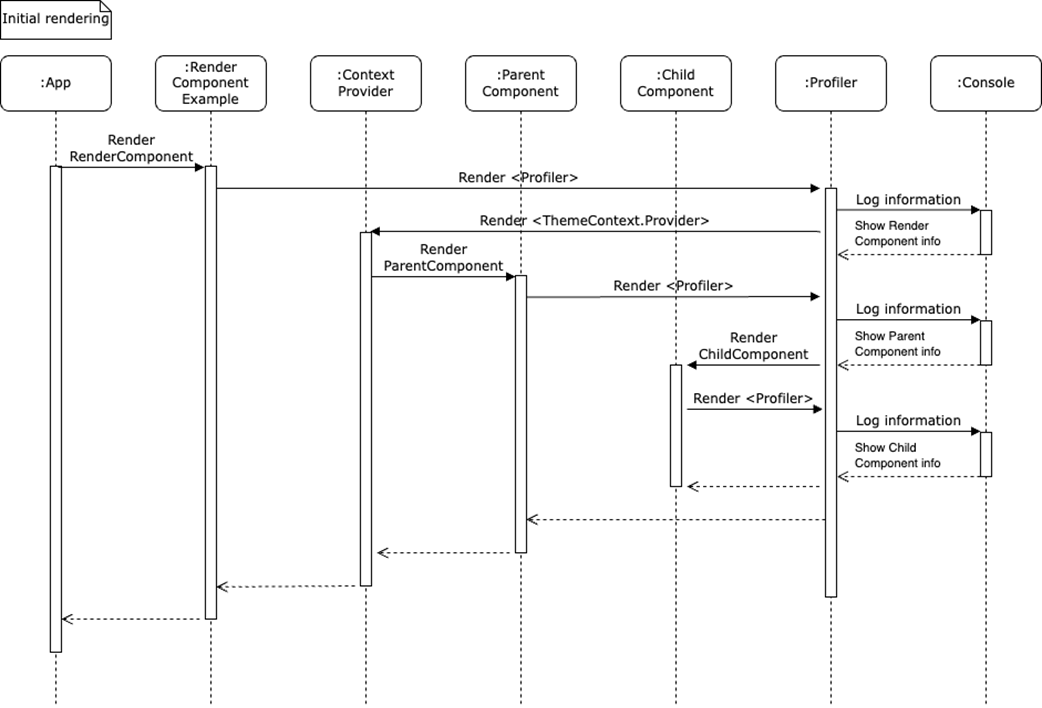
Sequence diagram illustrating the initial rendering process of the RenderComponentExample.tsx component.
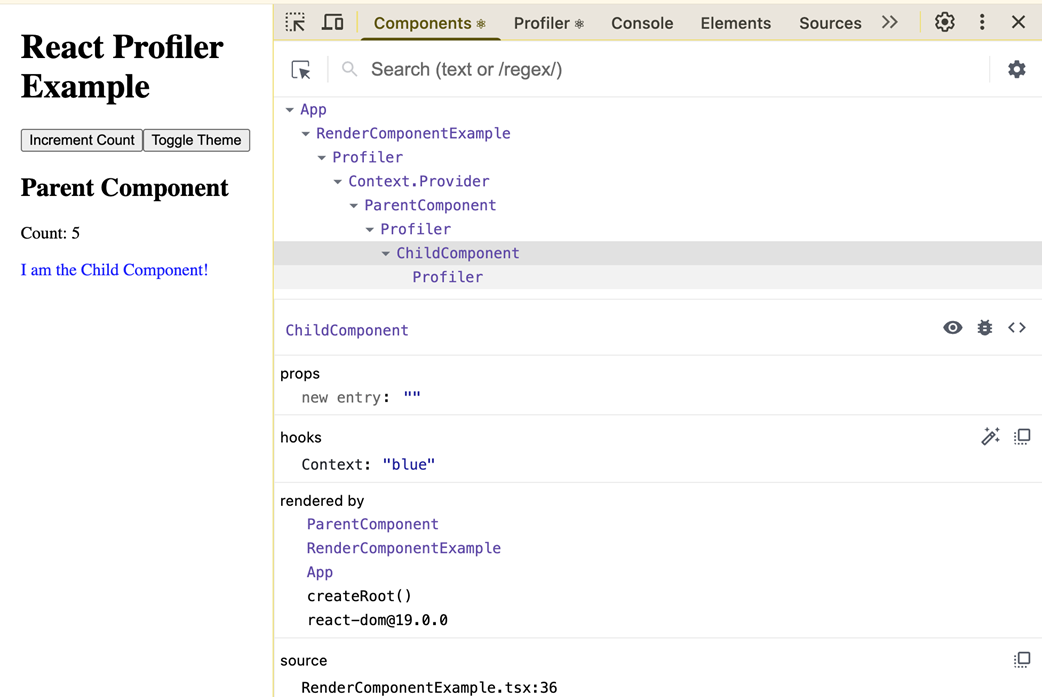
User interface and Components tab view in React Developer Tools.
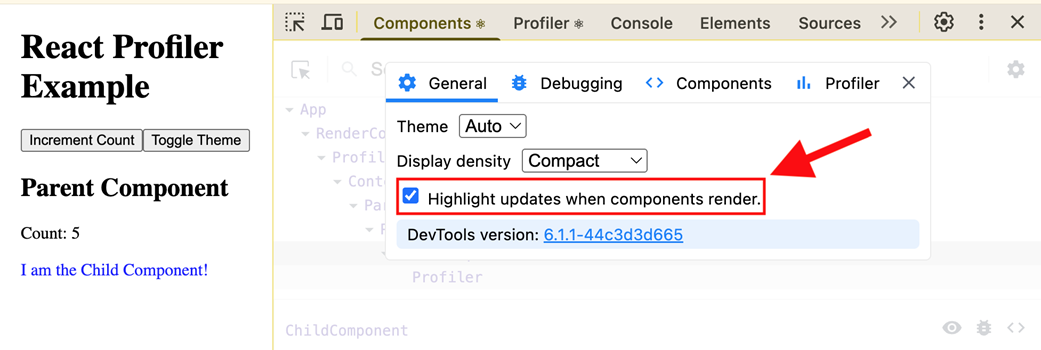
Enabling the "Highlight updates when components render" option in React Developer Tools.
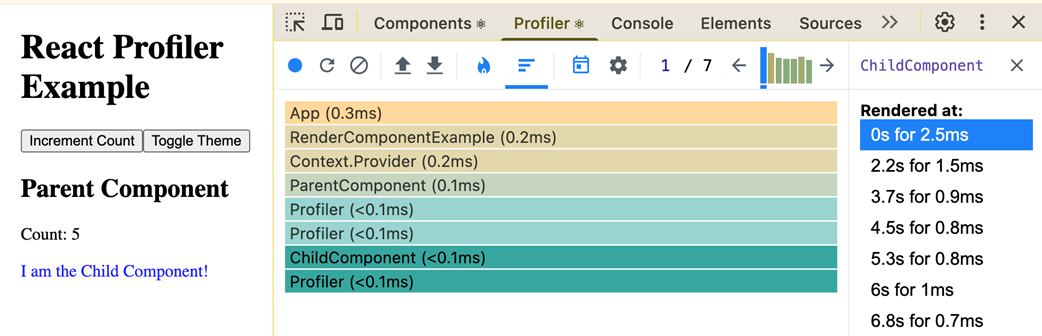
User interface and Profiler tab view in React Developer Tools.
Summary
- React’s component-based architecture supports modularity and reusability.
- JSX allows HTML-like syntax in JavaScript.
- The Virtual DOM, Fiber, and React Compiler enable fast UI updates.
- One-way data binding ensures predictable and maintainable code.
- React Hooks improve modularity and allow reusable logic.
- The component lifecycle has three phases: mounting, updating, and unmounting.
- Error boundaries catch runtime errors and prevent crashes.
- React Developer Tools, the Profiler API, and console logs help debug applications.
FAQ
What does “declarative UI” mean in React, and why is it preferred over an imperative approach?
In React, you describe what the UI should look like for a given state, and React updates the DOM for you. Benefits include predictable one-way data flow, easier maintenance and testing via components, fewer DOM bugs, and better performance through Virtual DOM diffing and reconciliation.Can browsers understand JSX directly?
No. Browsers can’t parse JSX. Tooling like Babel or esbuild transpiles JSX into JavaScript (typically React.createElement calls). Source maps preserve a great debugging experience by mapping the compiled code back to your JSX.What is the Virtual DOM and how does reconciliation improve performance?
The Virtual DOM is an in-memory tree describing your UI. On updates, React diffs the new and previous trees (reconciliation) to compute the minimal set of real DOM changes. This reduces costly layout/paint work and minimizes layout thrashing.How do React’s render, pre-commit, and commit phases work?
- Render: Build the next UI tree and compute changes (no DOM mutations).- Pre-commit: Prepare atomic updates and effect lists to avoid inconsistent intermediate states.
- Commit: Apply DOM changes synchronously, run layout effects (useLayoutEffect), then schedule passive effects (useEffect).

 Acing the Frontend Interview ebook for free
