2 HTML and CSS essentials
This chapter emphasizes that strong fundamentals in HTML and CSS are critical to acing frontend interviews and succeeding with modern frameworks. It positions semantic structure, accessible markup, and disciplined styling as the backbone of scalable applications, then builds toward practical interview readiness through targeted questions, hands-on examples, and real-world tradeoffs. The narrative ties these essentials to contemporary tooling and framework capabilities, underscoring how a deep grasp of the platform elevates React-based work and beyond.
On the HTML side, the chapter centers semantic elements and document hierarchy as enablers of accessibility, SEO, and maintainability, demonstrating clear use of header, nav, main, article, section, and footer, plus proper metadata. It then separates content from presentation with CSS, comparing inclusion methods (external files, modules, CSS-in-JS, inline) and advocating maintainable, component-scoped approaches. Core CSS concepts are reviewed—box model details, the practicality of border-box, margin collapsing, and when exceptions apply—alongside specificity rules, including modern features like :is, :where, :has, cascade layers, and scoped styles. Performance guidance spans selector simplicity, minification, critical CSS, caching, and leveraging modern layout systems to keep styles lean and predictable.
Beyond structure and styling, the chapter showcases how fluency with HTML APIs broadens a candidate’s problem-solving toolkit: accessing cameras, using the clipboard, persisting state with local storage, and implementing drag-and-drop—all with attention to permissions, security, fallbacks, accessibility, and performance. It concludes with comprehensive form guidance: semantic structure, labeling, client- and server-side validation, defensive coding against common threats, and a modern React workflow that manages form actions declaratively. Throughout, the focus stays on practical, interview-ready mastery that translates into robust, user-friendly, and standards-aligned interfaces.
A web page displaying a favorite article with a title, subtitle, and subsections.
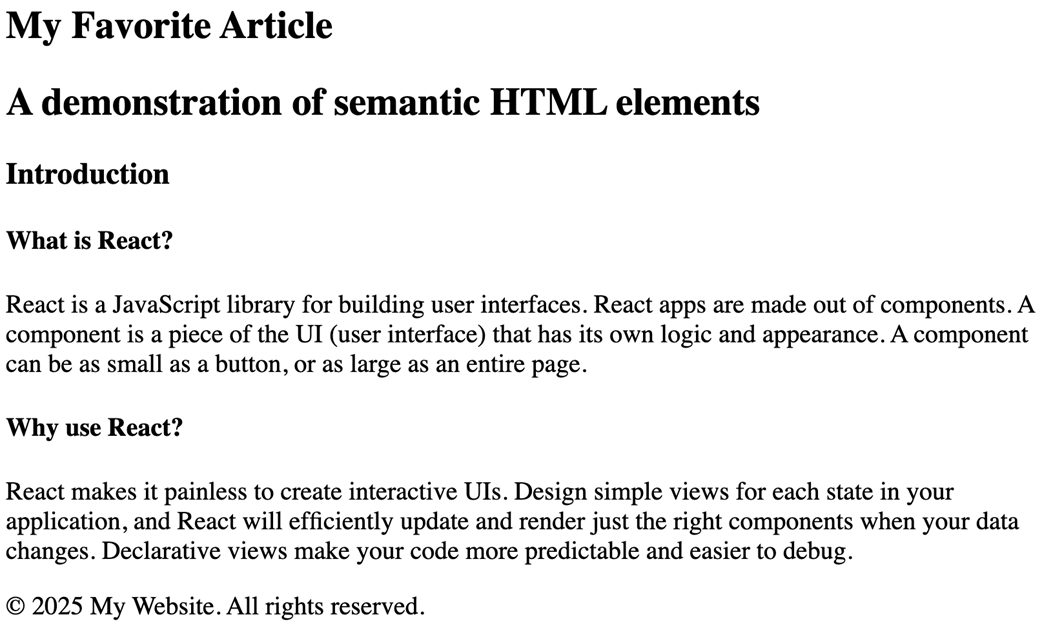
My Article Web Page annotated with semantic elements.
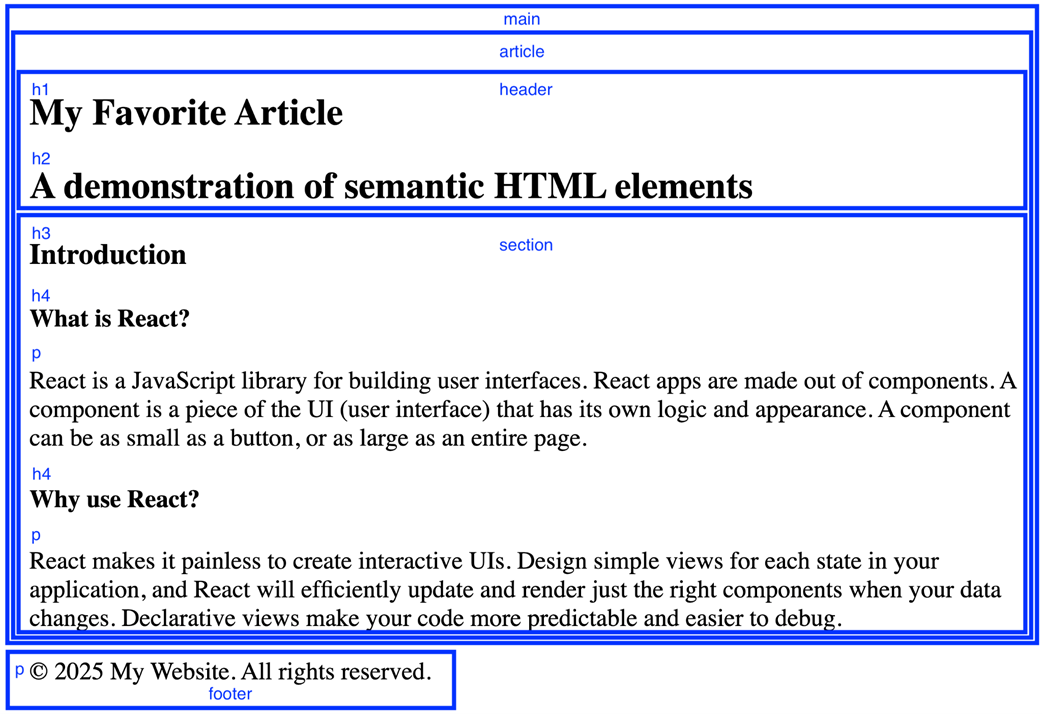
Generated HTML code showing <title>, <link>, and <meta> tags hoisted to the <head> section.
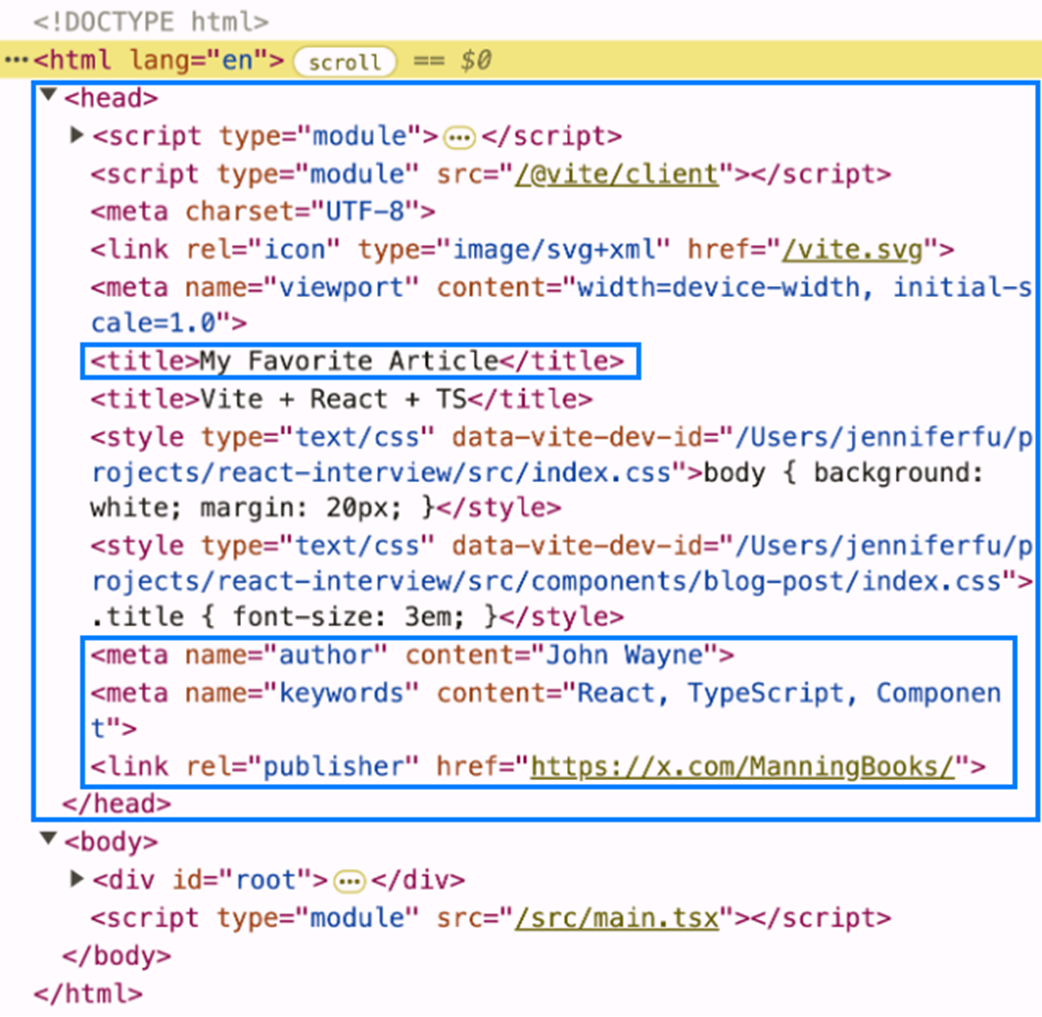
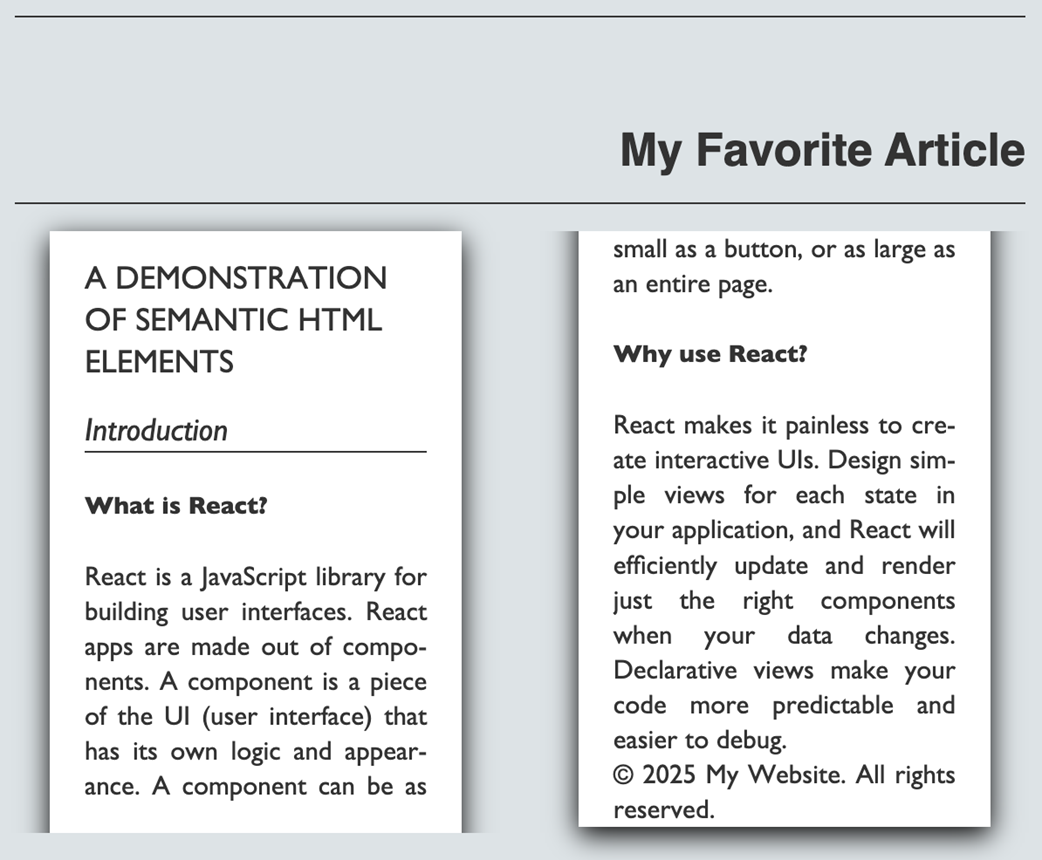
The favorite article rendered using the main stylesheet.
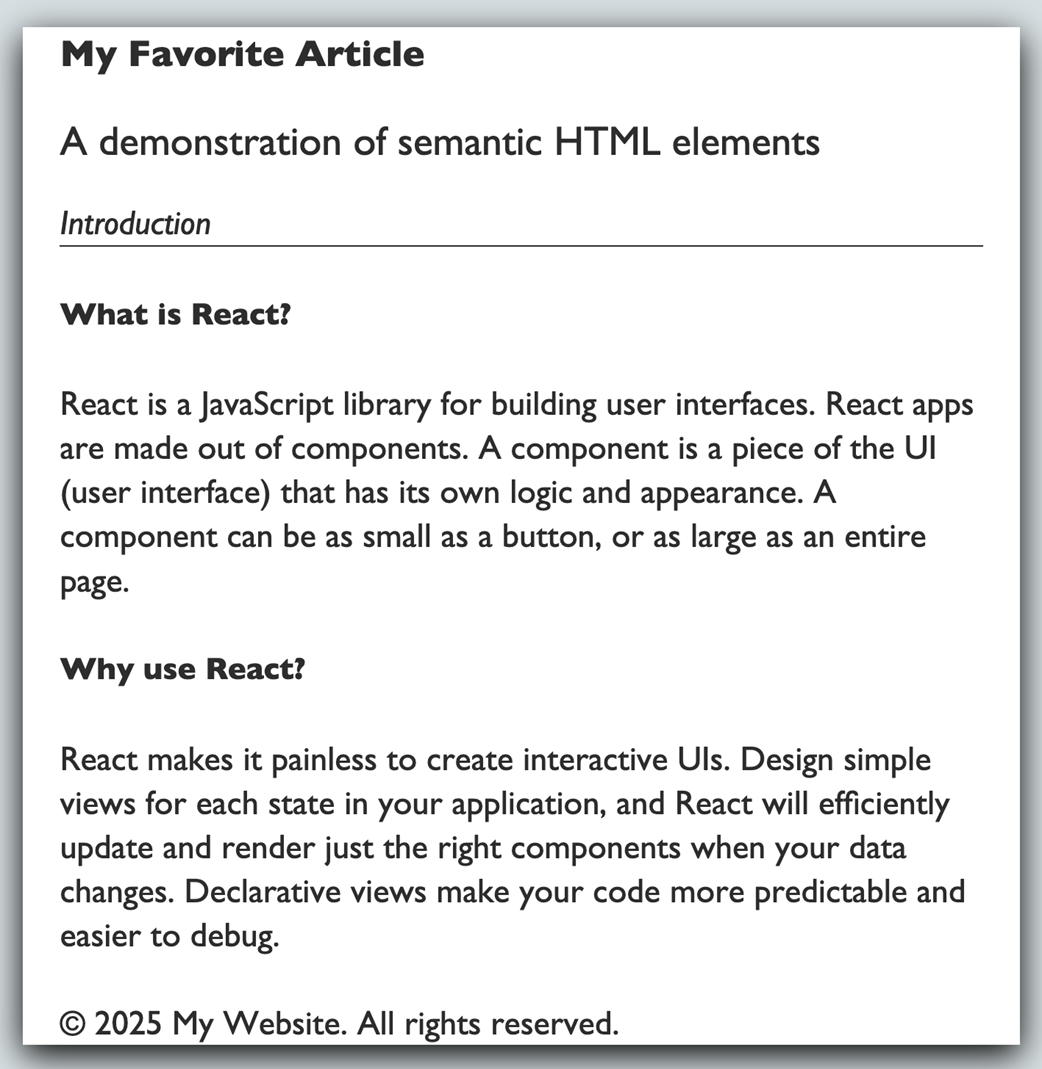
The favorite article rendered using the twocolumn-print stylesheet.
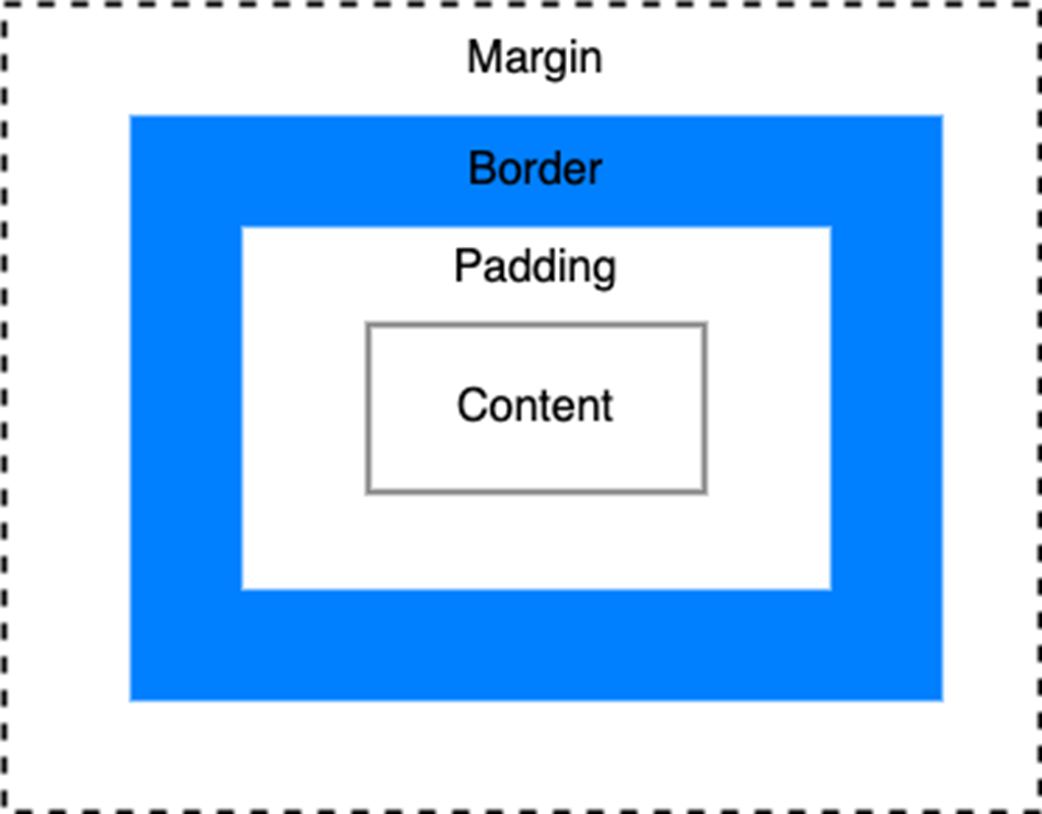
CSS box model, where the content box is at the center, surrounded by padding. The border wraps around the padding, and the margin forms the outermost layer, creating space between elements.
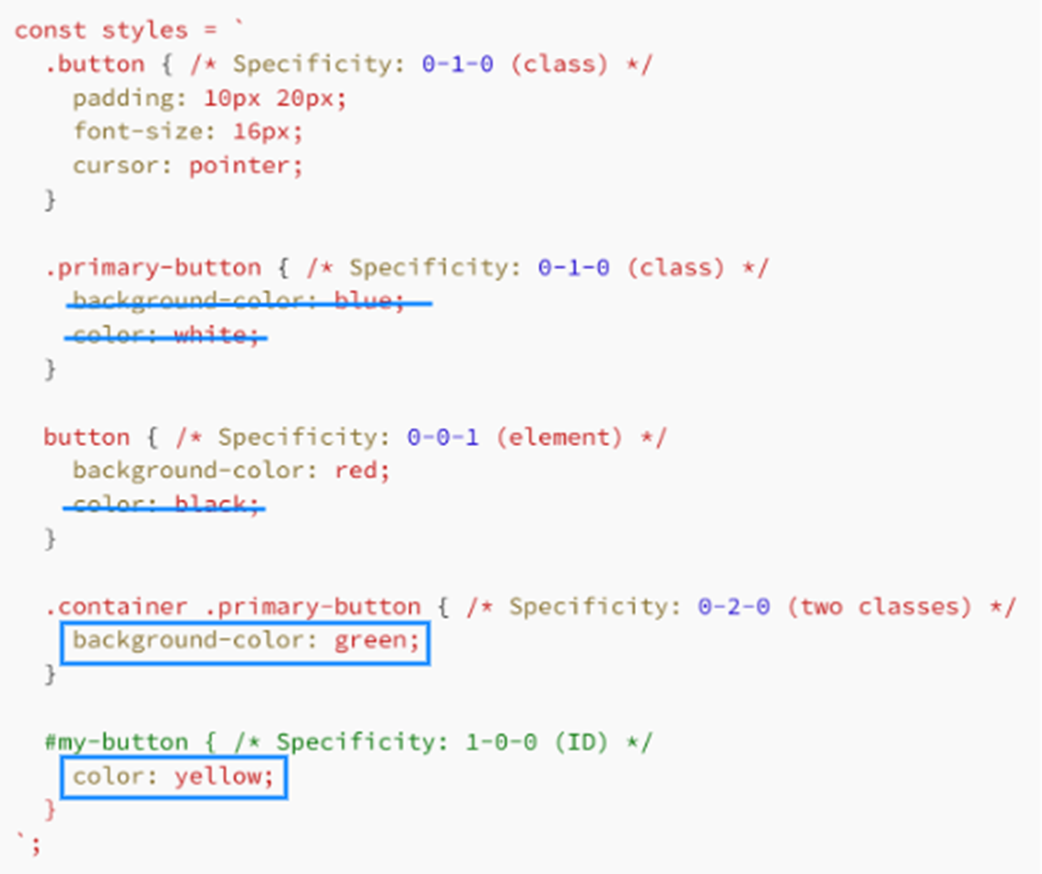
CSS specificity marked CSS specificity example
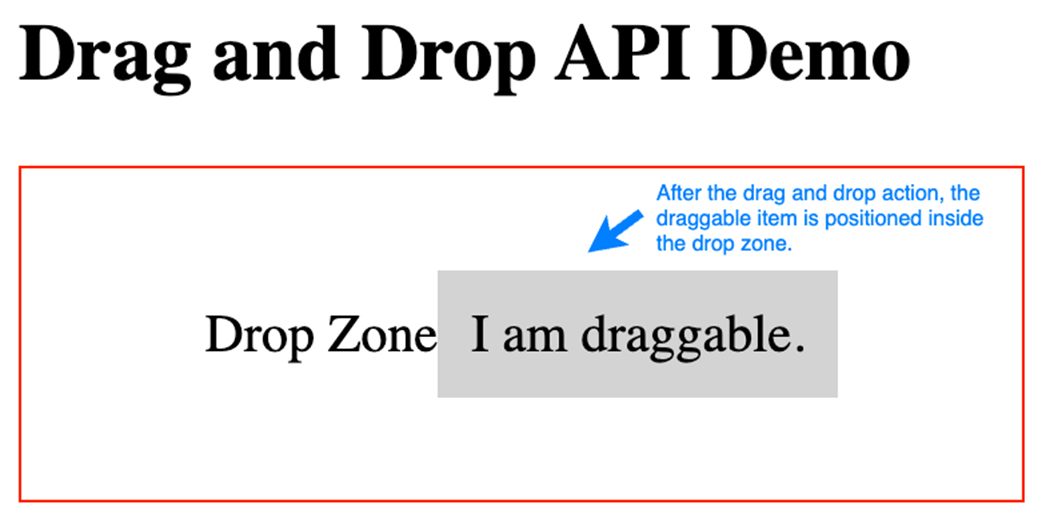
Initial UI before dragging the text "I am draggable."
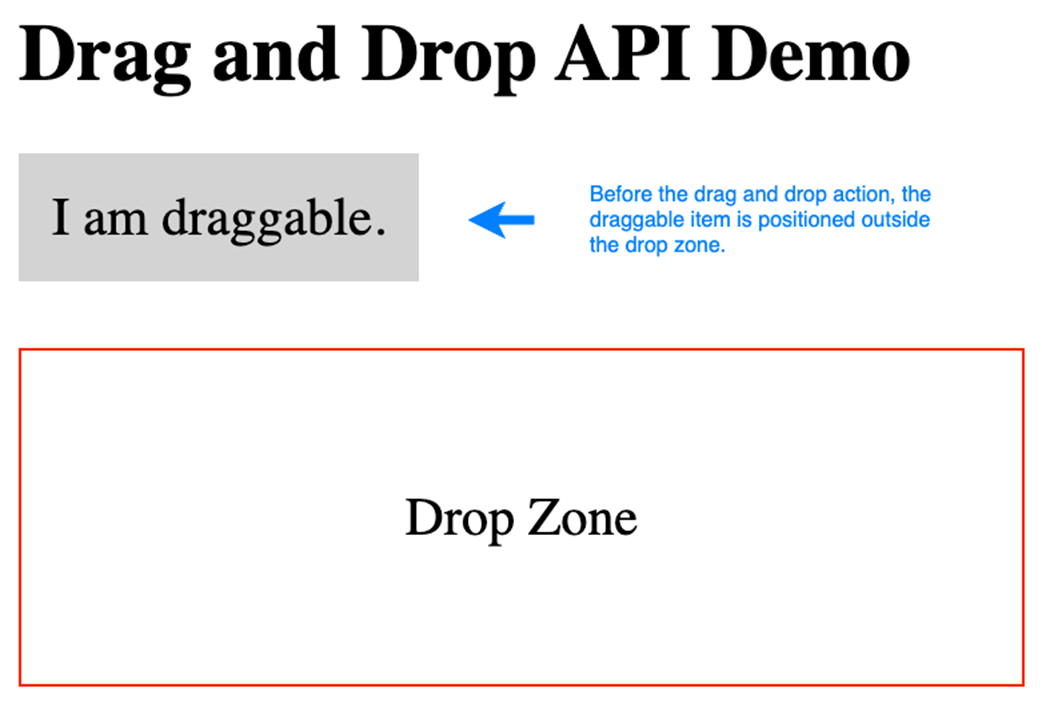
The final UI after the text "I am draggable." has been dropped.
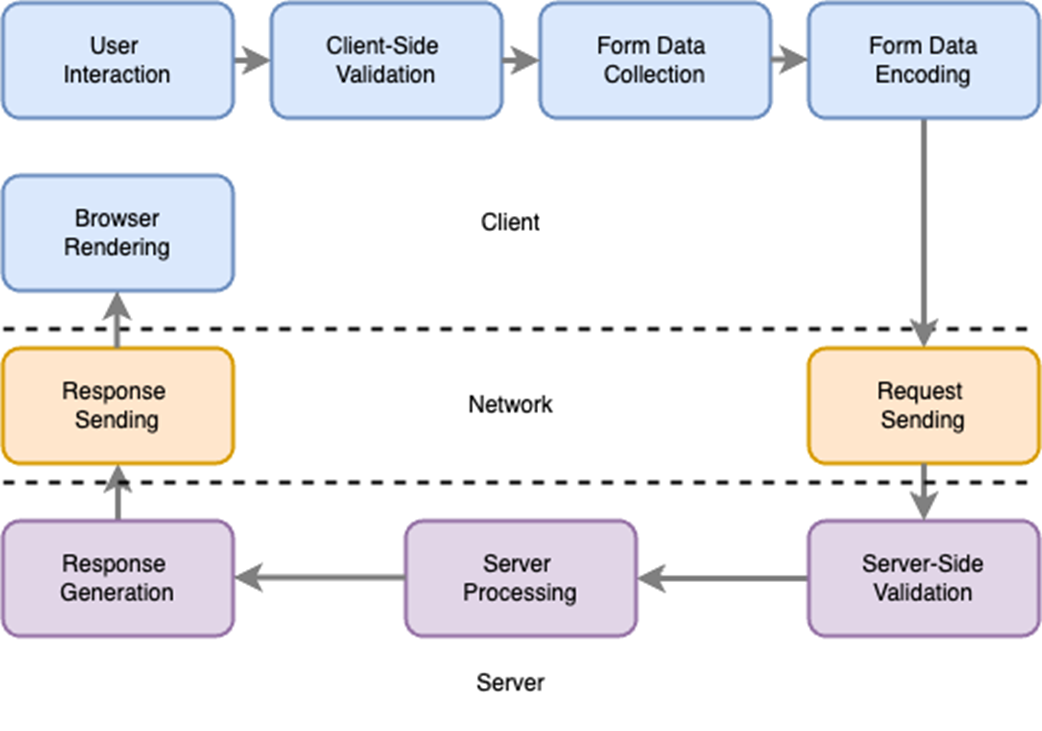
Step-by-step illustration of the form submission process.
User interface after a successful form submission.

User interface displaying customized validation error messages.

Summary
Anticipate explaining the use of elements like <header>, <main>, <nav>, and <footer>. Interviewers look for understanding of how semantic markup enhances accessibility, SEO, and code clarity.
- Expect discussion on separating HTML (content) from CSS (presentation) for maintainable, consistent code and its impact on project workflows.
- Understanding CSS specificity and efficient use of selectors is important. Interviewers may ask about targeting elements or resolving style conflicts.
- Knowledge of standard HTML APIs and ARIA attributes is important. Interviewers may ask about making web interactions accessible and cross-browser compatible.
- Implementation and discussion of forms, including input handling, data submission, and proper use of HTML attributes for validation and user experience, are common topics.
FAQ
What is semantic HTML and why does it matter?
Semantic HTML uses elements that describe meaning and structure (not just presentation). It improves accessibility (screen readers understand regions like <nav> and <main>), SEO (search engines detect hierarchy and important content), and maintainability (clear, predictable markup). Common elements: <header>, <nav>, <main>, <section>, <article>, <footer>, plus metadata like <title>, <meta>, and <link>.How does React 19 handle metadata tags and stylesheet loading?
React 19 automatically hoists <title>, <meta>, and <link rel="stylesheet"> found in components into the document <head>. You can add a precedence attribute to stylesheets to group and order them deterministically (later groups override earlier ones; duplicates load once). Example: <link rel="stylesheet" href="..." precedence="high">.What are the main ways to include CSS and when should each be used?
- External/global CSS files: good for base styles, caching, and separation of concerns.- CSS Modules: component-scoped class names to prevent conflicts in medium/large apps.
- CSS-in-JS (e.g., styled-components): colocated, dynamic styles driven by props/state.
- Inline styles: fine for simple, dynamic one-offs; limited features.
- Preloaded stylesheets (<link rel="stylesheet" precedence="...">): reduce layout shifts by loading critical CSS early.
How does the CSS box model work, and what does box-sizing change?
Every element’s box = content + padding + border + margin. With box-sizing: content-box (default), width/height apply to content only (total size grows with padding/border). With box-sizing: border-box, width/height include content+padding+border (easier, more predictable sizing). Many teams set border-box as a baseline and opt into content-box where needed.What is CSS specificity and how do modern features affect it?
Specificity ranking: inline styles > IDs > classes/attributes/pseudo-classes > elements/pseudo-elements. Notes: the universal selector * and combinators add no specificity; :is()/:not()/:has() take the highest specificity of their arguments; :where() always has 0 specificity; cascade layers (@layer) apply in layer order (then normal specificity within a layer); @scope doesn’t change specificity except for :scope. Use !important sparingly.How do you optimize CSS for performance?
- Minify and compress (e.g., CSSNano, Brotli).- Cache and split critical CSS (inline above-the-fold; defer the rest).
- Remove unused CSS (coverage tools, PurgeCSS-like tools).
- Prefer simple selectors; avoid deep nesting and high specificity.
- Use modern layout (Grid/Flexbox) over legacy hacks.
- Preload key stylesheets to reduce CLS; serve device-targeted CSS via media queries.

 Acing the Frontend Interview ebook for free
